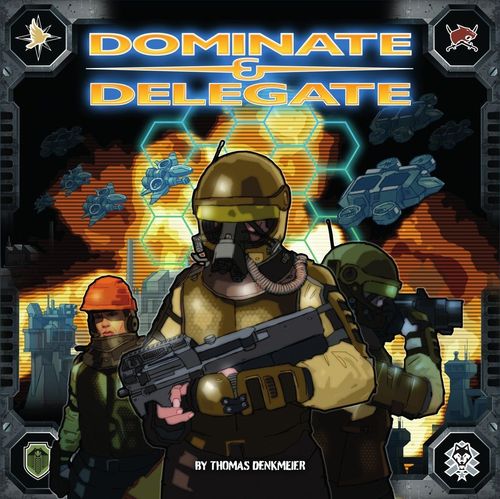
Dominate & Delegate
Dominate & Delegate Rulebook
Table of Contents
Table of Contents
- Game Material
- General Information About the Game
- Basic Rules
- Glossary
- Skirmish Rules
- Campaign Rules
- Indoor Rules
- Evaluation
- Frequently Asked Questions and Mistakes
- Skirmish Book Rules
- Skirmish Rules
- Skirmish Missions
- SKIRMISH-05 (2 Players)
- SKIRMISH-06 (2 Players) and SKIRMISH-17 (2 or 4 Players)
- SKIRMISH-07 (3 Players)
- SKIRMISH-18 (2 or 4 Players; printed in the book as "SKIRMISH-08")
- SKIRMISH-08 (3 Players) and SKIRMISH-10 and 11 (2 or 4 Players)
- SKIRMISH-09 (3 Players)
- SKIRMISH-14 and 15 (2 or 4 Players)
- SKIRMISH-16 (2 or 4 Players)
- Solo Campaign (Skirmish Book)
Game Material
Game material was created using injection molding. Figures in 4 different colors, one for each Player/Faction. Ore (resource) and flightstands (for the Air Units) in a fifth color.
72x Building Figures (each in 4 different Faction colors). Buildings per Faction:
- Construction Yard: 1x
- Powerplant: 3x
- Refinery: 2x
- Barracks: 2x
- Factory: 2x
- Uplink: 1x
- MG-Tower: 4x
- RAK-Tower: 3x
200x Unit Figures (each in 4 different Faction colors). Units per Faction:
- MG-Inf: 10x
- RAK-Inf: 8x
- ING-Inf: 6x
- MG-Buggy: 4x
- Tank: 4x
- Artillery: 3x
- Mobile Fortress: 2x
- Harvester: 3x
- APC: 2x
- Dropship: 2x
- Fighter: 3x
- Bomber: 3x
Also: 40x Ore; 24x Flightstands for Air Units (Fighters and Bombers). These are inserted into the bottom of all Fighters and Bombers.
Tokens:
- Player-Token: 2x
- Bridge: 4x (backside: destroyed Bridge)
- Wall / Door: 15x (backside: open Door)
- Helipad: 8x
- MCV: 8x (backside: Construction Yard)
- Landingship: 12x
- Bus: 4x
- Ford: 4x
- Fog of War Token: 7x
- Civil Building: 9x (backside: Civil Building)
- Special Building: 1x
- Mountain: 2x
- Forest: 4x
- Orbital Strike: 4x
- Civilian: 8x (backside: Boar)
- Crate: 1x
- Sentry Gun: 1x
- Terminal: 4x
- Camera: 1x
Other components: Skirmish Gameboard (double printed: Europe / Middle East) 1x; Outdoor Tiles (double printed: Europe / Middle East) 11x; Indoor Tiles (double printed and in different sizes) 17x; Rounds Dial 1x; Handheld (1 for each player, consisting of Credits Dial and Energy Dial) 4x; Player Table 2x; Production Queue 4x; Reward Cards 39x (front and back); Mission Cards 40x (front and back); Campaign Logbooks (each one folded sheet); 1x Rules, 2x Campaign Book (EFA, RedCat), 1x Skirmish-Book.
General Information About the Game
Dominate & Delegate is a tactical game with role-playing characteristics. The game uses resource gathering, base building, energy management, fog of war, combat, and a reward system.
The combat system does not involve luck or health management. It was designed to play very quickly, but tactically. There are outdoor missions and indoor missions. Indoor missions are riddle-based dungeon crawlers.
There are two game modes:
Skirmish
A tactical one-time battle for 2, 3 or 4 players that takes 1-2 hours. Terrain: Outdoor (Middle East or Europe). What do you face: Resource gathering, base building, energy management, combat, transport units, conquest system and super weapons. There are many different scenarios. Sometimes there are special units and special Buildings.
To play a skirmish, you must read beforehand: the chapter "Basic rules" (located in this booklet) and "Rules for Skirmish" (located at the beginning of the Skirmish Book).
Campaign
Only for 2 players. Attention: tactically very demanding!
In the game we are in a conflict between Europe and the Middle East, in the period from about 2030 to 2035, so some countries' borders, and political situations are different from today.
The Campaign has a backstory that contains important information for the Campaign. It can be found in the chapter "Background Story" in this game manual (page 7) as well as in the introductory video to the game on the homepage.
In the Campaign, you take on the role of a Commander of a Faction. This gives the game a role-playing character. This also gives you insights into typical war triggers, background stories, secrets, and political conspiracies. However, you, as a Commander, are not offered a linear game, but you are invited to think, collect facts, and make decisions that can significantly influence the course of the game.
As the Campaign progresses, you'll learn more about the history and political secrets if you dare to poke around. There are hidden secrets to discover in many missions and some Civilian Buildings. Some Missions have multiple endings. Some questionable orders from your superior could be resisted. Thus, the Campaign has a high replay value.
At the end of the Campaign, it is evaluated, and there is a corresponding modular composed final story.
To abbreviate the text in Campaign Missions, the terms Player1 and Player2 are replaced with PL1 and PL2.
Solo Campaign
Only for 1 Player. You play PL1. The Figures of PL2 are scripted. In the solo campaign you take on the role of an EFA Commander who is assigned an extended duty in the Middle East. The Solo Campaign and its rules can be found in the Skirmish-Book. For the Solo Campaign, the Rules including Indoor Rules must be read. The Campaign Logbook and the Evaluation are not used.
Basic Rules
Example for Deployment of an Outdoor Mission for 2 Players: the table layout consists of the Figure Box, the Infantry Box, the Gameboard, the Handheld, the Production Queue and the Player Table.
Gameboard
There are three types of Gameboards:
- The fold-out outdoor Skirmish Gameboard, consisting of many hexagonal spaces.
- Arrangement of some Outdoor Tiles, consisting of many hexagonal spaces.
- Arrangement of some Indoor Tiles, consisting of many square spaces.
Gameboard for Outdoor: Basically, these types of outdoor Spaces exist:
- Free Space (meadow, desert): Here you can deploy all Figures. No hindrance when moving Ground Units.
- Water: You cannot deploy a Building here. Ground Units are not allowed.
- Mountain: You cannot deploy a Building here. Ground Units are not allowed.
- Forest: You can deploy a Building here. Ground Units may enter a forest, but the movement is immediately finished. Units with the "not in forest" symbol must never enter a forest.
The areas between and around these Tiles (i.e., your table surface) are considered neither Spaces nor Gameboard. So, you can't use an Air Unit to take a shortcut through non-existent Spaces.
Gameboard for Indoor: For indoor missions, the floor tiles are rectangular, printed floor tiles, which are composed of several square playing fields (see "Indoor Rules" for more information).
Definition Figures
Ground Unit. Type-Symbols: [Infantry], [wheeled vehicle], [armored vehicle]. Ground Units are Units that cannot fly. Exception: Fighter and Bomber on a Helipad are considered as Ground Units.
Air Unit. Fighter and Bomber, which are not currently on a Heli Pad, as well as the Dropship.
Building. All Figurines from the Player Table with the Building-Symbol plus Bridge, Wall, Civil Building, Special Building.
Figures. These are all plastic models (except Ore) plus these Tokens: MCV, Helipad, Construction Yard, APC, Bus, Civilian, Boar and Stealth Vehicle.
Units. Units are Figurines that are not Buildings: Infantry, MG-Buggy, Tank, Artillery, Mobile-Fortress, Harvester, MCV, Fighter, Bomber, Dropship, APC, Bus, Guardbot, Civilian, Boar, Stealth-Vehicle. Units can move.
Round
During a round, all Players may take one Player Turn sequentially.
Player Turn. Within a Player Turn, a Player may perform two different Phases in the following order:
- Activation Phase: Here the Figures sequentially first perform a Movement, then an Action.
- Production-Phase: Here the Figures are built.
Once a Player has finished his Turn, the next Player performs a Turn.
1. Activation Phase
The actual Player may make an Activation with all his deployed Figures sequentially. During this Activation a Figure can first perform a Movement, then an Action. Whereby Movement and Action are optional. Some Figures cannot move (Buildings) or do any Action. Only when a Figure has finished its Activation the next Figure can be activated.
1.1. Movement
Only Units may move. Determine the Speed of the Unit (number of Spaces per Movement) according to the Player Table. Move this Unit a maximum of this number of Spaces. These Spaces must always be real - you may never move through non-existent Spaces.
Basically:
Ground Units must not move through:
- Spaces with Enemy Ground Units (Exception: armored vehicles may crush Infantry)
- Spaces with Buildings
- Water
- Mountains
Ground Units may not stand / deploy on:
- Spaces with Units (Exception: armored vehicles may crush Infantry)
- Spaces with Buildings
- Water
- Mountains
Air Units may move through everything. Air Units may not stand on: Spaces with Figure (except Helipad).
You can always move through friendly or neutral Units. There must not be 2 Figures on a Space at the same time (except in defined exceptional cases). However, one Unit and one Ore may be on a Space at the same time.
A Ground Unit may enter Forest, but it must then immediately stop Movement. Ground Units with the symbol "Not in Forest" (according to Player Table) may never enter Forest.
No Unit may leave the board while moving. It is not possible to simply swap places with 2 Units, because 2 Units are not allowed to move at the same time.
An ING-Inf may use its Movement to capture an adjacent Building or MCV. The ING-Inf is then removed. The captured Figure is swapped, so that it has the same color as that of the capturing Player. For more information, see the chapter "Glossary" -> Capture, page 23.
Infantry may use its Movement to board an adjacent friendly Transport Unit. After that, the Activation of this Infantry is finished (see chapter "Glossary" -> Transport, page 28).
An Infantry that is in a Transporter may use its Movement to unboard. It will deploy on an adjacent Space. After that, the Activation of the Infantry has ended.
Armored Vehicles may move over Spaces with Infantry whilst crushing them. These Infantries are destroyed by this Movement. Crushed enemy Infantry may use Retaliation at the end of this Movement immediately. (Retaliation: see chapter "Glossary" -> Combat, page 23).
Units with the "only 1x ammunition" symbol in the Player Table only have ammunition for one Attack. Therefore, the orientation of the Unit "away from the Player" is signalled as loaded weapon and "towards the Player" as unloaded weapon.
Suggestion: To better indicate which Unit has not yet been activated or has already been activated, you could apply the alignment of the Units as a label. Thus, at the end of the Activation Phase, all Units would be in parallel. The reason why the alignments change every turn: So that you don't have to reset all Units at the beginning of a Turn. The reason why the Units always point away from the player: Because of weapon condition of Bomber and Fighter (see chapter "Glossary" -> Combat -> further Rules, page 24).
1.2. Action
Each Figure may use one of the following possible Actions after Movement. (Exception: If a Figure has deployed or boarded or unboarded during Movement, then its Action is cancelled).
- Attack or Suppression: Figures, with the attack symbol in the Player Table, may use an Action for an Attack or Suppression (see chapter "Glossary" -> Combat, page 23).
- Ore loading: A Harvester can use its Action to load an Ore from the same Space. This is placed into the Harvester.
- Ore unloading: A Harvester on an Unload Space of a friendly Refinery can use its Action to remove a loaded Ore. The Player receives 6 Credits for this as long as he has enough Energy.
- Bridge repair: An ING-Inf may use its Action to repair an adjacent Destroyed Bridge. The Bridge Token is flipped over in the process.
- Selling: A deployed Building may use its Action to be sold. The Building is removed and you receive half of the Production Costs rounded-up. (Exception: for selling a Refinery you receive only 1 Credit, because the Harvester stays in the game).
- Construction Yard may convert into a MCV (Token). (But it cannot move in this Round afterwards). The MCV may convert into a Construction Yard.
- Fighter and Bomber that are on an own Helipad can use their Action to charge their weapon. In doing so, the corresponding Air Unit is turned 180° from the direction "towards the Player" to the direction "away from the Player". This signals that the weapon of this Air Unit is loaded. However, this is only possible if enough Energy.
2. Production Phase
In the Production phase, the following 4 steps are performed in this order:
2.1. Continue Production
In the Continue Production step, the secret automatic production of the figures on the assembly line is simulated.
Move all the game materials in your own Production Queue one slot to the left up to a maximum of the "READY" slot.
Exception: If the Player has insufficient Energy (below 0), then only Power Plants in the Production Queue are moved further.
The content of your Production Queue is not visible to the opponent(s).
2.2. Deploy Finished Figures
This step simulates the leaving of the finished figures from the production and the subsequent delivery. All figures in the "READY" slot may be deployed. The following should be noted:
Deploying Buildings:
- A Building may only be deployed on an empty Space with Meadow, Desert or Forest. There must not be any Bridge, Ford, Figure, Water or Ore.
- A Building may only be deployed on a Space that is no more than 2 Spaces away from one of our own Faction Building (except MG-Tower and RAK-Tower). At this distance determination all Water Spaces must not occur. (So you can't use Towers to deploy your Buildings further away. You can't deploy Buildings beyond Water.) Example: On all red highlighted spaces the red Player may deploy a Building.
- If a Building, that is not Construction Yard or Power Plant or MG-Tower, is deployed, then Energy is reduced by one (because these 3 Buildings need no Energy). See chapter "Glossary" -> Energy, page 25.
- If a Power Plant is deployed, the Energy is increased by 4. (See chapter "Glossary" -> Energy, page 25.)
- If a Refinery is deployed, a Harvester may be deployed on the "Unloading Space" for free. If there is an Infantry there, it will be crushed. If it's an enemy Infantry, it may use Retaliation. (Retaliation: see chapter "Glossary" -> Combat, page 23).
- If an Uplink is deployed, the Orbital Strike Token will be placed into the Production Queue on Slot 8.
Deploying Units:
- Infantry may only be deployed on a Space adjacent to any of your own Barracks. This must be a Space on which the Unit may stand / deploy (see chapter "Activation phase" -> Movement, page 19).
- The wheeled and armored vehicles and the Air Unit "Dropship" may only be deployed on one of the two red highlighted Spaces (see picture) of any of your own Factories. This must be a Space on which the Unit may stand / deploy (see chapter "Activation phase" -> Movement, page 19) - thus also on Ore, Bridge and Ford. If a vehicle is deployed on a Space with Infantry, it will be crushed. If it's an enemy Infantry, it may use Retaliation.
- The two Air Units Fighter and Bomber may only be deployed on an own Helipad. When doing so, this Unit is pointed away from the Player. This signals that the Unit's weapon is loaded. Hint: After the Unit is deployed, the weapon is always loaded. (Air Units, which can attack, have the disadvantage of only 1x ammunition; see Player Table).
2.3. Recycle
In this step, the production and delivery of a figure is canceled without penalty. You may remove as many Figures as you like from your own Production Queue. You get refunded 100% of the Production Cost and therefore increase the Credits Dial on your Handheld by the Production Cost (Production Costs: see the Player Table).
2.4. Production Order
In this step, a secret order is assigned to your production and the costs are paid. You may secretly take any number of your own unused Figures. These Figures are placed into the Production Queue on the Slot with the number corresponding to the Production Time of the Unit (Production Time: see Player Table). After that, you reduce the Credits Dial on your Handheld by the Production Costs of the built Unit (Production Costs: see Player Table).
The following should be noted:
- You may only have as many Infantry in your Production Queue, as you have deployed Barracks.
- You may only have as many [wheeled vehicle symbol] + [armored vehicle symbol] + [Air Unit symbol] (in total) in your Production Queue, as you have deployed Factories.
- You may only have as many Buildings in your Production Queue, as you have deployed Construction Yards. (An MCV is not considered a Construction Yard.)
- Note: The "READY" slot is part of the Production Queue. You may hoard the Figures on the "READY" slot, but the number is limited due to the above rule.
- Example: Allowed: Player owns 2x Factory and has 1x [vehicle] + 1x [vehicle] in the Production Queue.
- Example: Not allowed: Player owns 2x Factory and has 1x [vehicle] + 2x [vehicle] in the Production Queue.
- There can be more than one Figure in the same Production Queue slot.
- If you have no unused Figures, you are not allowed to produce/deploy any additional Figure (e.g. foreign colored ones).
Now the Production Phase is over and so is the Player Turn.
When all Players have finished their Turns, then Player 2 increases the Rounds Dial by 1 and you start the next Round. The Rounds Dial is only needed in the Campaign and only in Missions where it is specifically mentioned.
Glossary
Adjacent
In an Outdoor Mission, adjacent to a Hex Space means: any of the 6 adjacent Hex Spaces plus the Space itself. In an Indoor Mission, adjacent to a square Space means: each of the 4 orthogonally adjacent square Spaces plus the Space itself.
Bridge
A Bridge is a Building. It is represented by a Token. The front side is considered as "Bridge", the back side as "Destroyed Bridge".
- Ground Units handle it like Meadow/Desert Space, so they can move there from any adjacent Space.
- After a Bridge is destroyed, it is flipped to "Destroyed Bridge". A Destroyed Bridge is considered as Water.
- ING-Infs may use an Action to repair an adjacent Destroyed Bridge. The Bridge Token is flipped when repaired, showing the intact Bridge again.
- If a Ground Unit is on a Bridge, both Unit and Bridge may be attacked. If a Bridge is destroyed, the Ground Unit on it is also destroyed because it may not exist on Water. If the Unit is attacked, the Bridge stays intact.
- Buildings are not allowed to be on Bridges.
- The rotational orientation of the Bridge is irrelevant (accessible on all sides).
Building
Type: These are all Faction Figures of the Type = Building (according to the Player Table) and additionally: Bridge, Wall, Civil Building and the Special Building. Buildings cannot move. Faction Buildings may perform an Action. The Action may be used to sell that Building. Towers may use an Action for attack. In special cases the Uplink may use an Action for Orbital Strike (Uplink: Page 29).
Bus
A bus is a Wheeled Vehicle. Is represented by a Token. Not used in Skirmish. It's rarely used in the Campaign and has different meanings.
Capture
An ING-Inf may use its Movement to capture an adjacent Building or MCV. The ING-Inf is then removed. The captured Building is swapped, so that it has the same color as that of the capturing Player.
Neutral Buildings such as Civil Buildings and Special Buildings (Building Tokens) are usually not controlled by any Player. If an ING-Inf has captured a neutral Building, this Building is usually still not controlled by the capturing Player, but it was only inspected. The ING-Inf is removed anyway. Some of these Neutral Buildings may contain surprises and sometimes the ING-Inf stays in game. (Depending on Mission descriptions)
If a Factory or a Construction-Yard or Barracks is captured, the capturing Player is allowed to look into the Production Queue of the captured Player. It can happen that a Figure must be removed from the Production Queue of the captured Player (see Basic Rules -> Production Phase, page 21). This Figure is placed in the capturer's Production Queue, on the same Production Queue Slot where it has been before. The capturer chooses the Figure if a selection must be made.
Example: The red Player captures the yellow Factory. The yellow Player must give up one of his two Units in his Production Queue because he has only one Factory left. The Red Player chooses the Bomber.
- If you capture a Refinery, you take 50% of the Credits of the previous owner.
- If you capture a Refinery while a Harvester of the same color is on its Unload Space, you also capture that Harvester.
- If you capture a Helipad with a Fighter or Bomber on it, you also capture that Air Unit.
- If Buildings are captured, they may not be sold until the next game Round.
- Consequently, after capturing, both Players often must adjust their Energy Dials immediately.
Civil Buildings
Considered a Neutral Building and represented by a Token. Can be captured (see chapter "Glossary" -> Capture, page 23). There are Tokens with different Civil Buildings design, but they are all treated as equivalent Civil Buildings. (So the different designs are only cosmetic). European Deployments usually use the Green Token side (European side) and Middle East Deployments use the Yellow Token side (Middle East side).
Note: In some Missions, the other side is also used to indicate certain conditions and differences. The expression "Green Civil Buildings" and "Yellow Civil Buildings" is used. There are surprises in some captured Civil Buildings. Some Civil Buildings have special designations or functions. (This is described in the respective Mission Deployment).
Civilian
Represented by a Token. Is usually considered a Neutral Figure without a weapon. There are female and male Civilians. This is only cosmetic and usually not relevant. Type: Infantry.
Combat
A Figure may use an Action in its Activation to attack any other Figure, according to following rules:
Type: Figures can only perform Attack against Types of Figures listed in the Player Table at the "may attack these Types" symbol.
Example: A RAK-Inf wants to attack a Tank. RAK-Inf has in its Player Table the Type symbol of the Tank and thus may attack the Tank, because the Tank is of that Type.
Range: Figures can only perform Attack against a Target whose Distance is within Range (defined in the Player Table). An attacker with Range x-y may attack a Figure that is x to y Spaces away.
- Figures with Range > 1 (eg 1-2) may attack over any obstacles (Figures, Mountains, ...).
- The Range is always counted from Space to Space, it must not be counted through non-existent Spaces. So, you may not attack directly over non-existent Spaces, but around them as if the projectile were an Air Unit and launched from the attacker.
Example: Mobile-Fortress has Range 1-2. It may only attack targets that are 1 or 2 Spaces away (see yellow stars). It does not count over non-existent Spaces. Targets on the Spaces with red crosses cannot be attacked.
Example: Artillery has Range 3-4. It may not attack targets that are 1 and 2 Spaces away as the crow flies (see red crosses). It may attack targets that are 3 and 4 Spaces away (see yellow stars). Here it is not allowed to measure through non-existing Spaces!
Retaliation: A target Figure immediately may perform Retaliation against the attacker during the Attack under the following conditions:
- Only against the first attacker within the same Player Turn.
- Only if the Player of the target Figure wishes it.
- Only if the target Figure is not one of your own. (You can attack your own Figures - they must not retaliate).
- Only if the target Figure is allowed to attack the attacker Figure (Type, Range).
- Retaliation is considered as an Attack and happens during the Player Turn of the attacker.
Example: An RAK-Inf has attacked a Tank. However, the Tank may not perform Retaliation, because: Tank has in the Player Table "may attack these Types" and therefore it must not perform Retaliation against the RAK-Inf (Type Infantry). So only the Tank is removed and the RAK-Inf stays in game.
Suppression: This is an Action that prohibits Retaliation of another Figure for that current Player Turn.
- A Figure can use its Action to perform Suppression against a target Figure, if it could attack it. Neither attacker Figure nor target Figure suffers an Attack. The target Figure affected by the Suppression must not perform Retaliation during the current Player Turn.
- Suppression is not considered as an Attack.
- Characters with the feature "no Suppression" (described in some Missions) cannot perform Suppression.
- Suppressing Fighters and Bombers unloads their weapon.
More Rules:
- Destroyed Figures are removed.
- Some Figures have the Shield feature in the Player Table or in some Mission rules. These Figures can only be destroyed if they are attacked 2x during one Player Turn.
- A Figure must not attack itself.
- Units that are being transported must not use any Action, i.e. they may not attack. And they cannot be attacked.
- An Uplink may use an Action to place the Orbital Strike Token from the Production Queue slot "Ready" into the slot 8 and perform one Attack on any Figure.
- If a Harvester with loaded Ore is attacked, the Ore remains on the Space.
- If a Transporter (Dropship, APC) is attacked, the occupants are also destroyed.
- An attacked Bridge must be flipped to Destroyed Bridge.
- If a Unit is on a Bridge, both Unit and Bridge can be attacked. If a Bridge is destroyed, the Ground Unit on it is also destroyed.
- If a Fighter or Bomber (they have the feature "only 1x ammo") has attacked, retaliated or suppressed, this Unit is turned in the direction of the Player. This is to signal: Weapon not loaded. (In general: Air Unit turned away from the Player = weapon loaded; Air Unit turned towards the Player = weapon unloaded).
Special features for Helipad:
- Fighters and Bombers that are on the Helipad (even if they do not reload there) are considered as Ground Units.
- They cannot perform Attack, Retaliation or Suppression.
- If a Helipad is destroyed, the Fighter or Bomber on it is also destroyed.
Construction-Yard
Presented by the one plastic Figure or the 2 Tokens. This Building does not require Energy. (When the Construction Yard is deployed, the Energy Dial is not reduced by 1). This Building may use its Action to convert into the Ground Unit MCV, which may not move this Turn.
Deploy
The following 4 activities are considered "Deploy":
- Take a Figure from the "READY" Slot of the Production Queue and deploy it during the Production Phase. (For the rules, see the chapter "Production Phase" -> "Deploying Units", page 21)
- Deploy Figures during a Campaign or Skirmish according to the Deployment of the Mission.
- Deploy Figures during a Campaign Mission depending on the Campaign description.
- Unboard a Transport.
Units may only be deployed on Spaces on which they are allowed to stand / deploy (see chapter "Activation phase" -> Movement, page 19).
Sometimes you will be instructed to deploy an Infantry tilted. Tilted Infantry in outdoor Missions must use their Action in their Activation Phase to stand up.
Deployment
A Deployment is a special map occurring in every Mission (valid for Campaign and Skirmish). This map shows how the Gameboard is deployed. In Campaign Missions the PL2 (Player2 - defined in the Campaign Rules) must deploy this Gameboard. In Skirmish Missions it does not matter which Player deploys the Deployment.
Distance
A Space is 0 away from itself. Each other adjacent, Hex Outdoor Spaces is 1 away. Indoor is counted orthogonally -> Each other (not itself) orthogonally (not diagonally) adjacent, square indoor field is 1 away.
Dropship
A Dropship is a Transporter. It can transport a maximum of 2 Infantry. If the dropship is destroyed, the occupants are destroyed as well. Is always considered an Air Unit, even if it is on a Helipad or picking up/dropping off Infantry. It is a vertical takeoff transporter (VTOL) with hoist harpoons.
Energy
The Energy of a Player depends on which Buildings he owns:
- Each Power Plant provides +4 Energy to the Player who owns it, regardless of their position on the Gameboard.
- Each Building that a player owns costs 1 Energy. Exceptions: Construction Yard, Power Plant and MG Tower do not require/cost Energy.
- Energy changes only when Buildings are deployed, captured, or removed.
Example: A Player owns: 1x Power-Plant -> provides +4 Energy. 1x Construction-Yard -> needs no Energy (0 Energy). 1x RAK-Tower -> needs 1 Energy. 2x Refineries -> need 1 Energy each, so 2 Energy in total. It follows: The Player has 4 - 0 - 1 - 2 = 1 Energy.
A Player's Energy is set on the Energy Dial of their Handheld.
If a Player's Energy is at least 0, he has enough Energy and no disadvantages.
If a player's Energy is less than 0, he has insufficient Energy and the following disadvantages:
- In the "Continue Production" step in the Production Phase, only Power Plants are moved left in the Production Queue.
- The weapons of the Air Units are no longer reloaded using the Helipad.
- RAK-Towers cannot attack.
- Refineries cannot convert Ore into Credits.
Capturing a Power Plant changes Energy. Example: Player Red captures a Power Plant from Player Yellow. Player Red receives 4 Energy and Player Yellow loses 4 Energy. This is set immediately on the Energy Dial of the two Handhelds.
Faction
There are four Factions:
- EFA (European Freedom Army) - European Faction - Color Yellow
- EST (European Security Troops) - European Faction - Color Grey
- RedCat - Middle East Faction - Color Red
- KOBRA - Middle East Faction - Color Green
Figures
See chapter "Basic rules" -> Definition of figure, page 18.
Fog of War
Some Campaign Missions include Fog of War. Fog of War is represented by a Fog of War Token. If there is the hint "Fog of War exists." at the beginning of the Mission Rules, then PL2 deploys the game material only according to the Start Deployment of the Campaign Book, not according to the Overall Deployment.
Immediately when a PL1 Unit is adjacent to a Fog of War Token, the PL1 Unit's Action is interrupted. Then PL2 deploys another Outdoor Tile and its contents instead of the Fog of War Token (according to the Overall Deployment). Then PL2 deploys one or more Fog of War Tokens at this new Tile where other Tiles can be found. (These are still hidden in the Fog of War). After that, the Activation of the PL1 Unit continues.
Figures that have not yet been deployed (because they are still in the Fog of War) cannot be activated.
Ford
Represented by a Token. Ground Units handle it like Meadow/Desert Space, so they can move there. Buildings cannot be deployed here. The rotational orientation of the Ford is irrelevant.
Gameboard
See chapter "Basic rules" -> Definition of Gameboard, page 17.
Harvester
A Harvester can use an Action to load an Ore from the Space it is currently standing on. The Ore is placed into the Harvester. A Harvester that is on the Unload Space of a friendly Refinery can use an Action to unload a loaded Ore. For this the Player receives 6 Credits - but only if he has enough Energy.
Helipad
Is considered a Building. Fighter and Bomber that are on an own Helipad can use their Action to charge their weapon. In doing so, the corresponding Air Unit is turned 180° from the direction "towards the Player" to the direction "away from the Player". This signals that the weapon of this Air Unit is loaded. However, this is only possible if enough Energy.
Fighter and Bomber, that are on an own Helipad, are considered as Ground Units and cannot perform Attack, Suppression and Retaliation. If the Helipad is captured, the corresponding Fighter and Bomber on it is also captured. If a Helipad is destroyed, the Fighter and Bomber on it is also destroyed.
ING-Inf
An ING-Inf may use its Movement to capture an adjacent Building or MCV. The ING-Inf is then removed. The captured Building is swapped, so that it has the same color as that of the capturing Player. For more information, see the chapter "Glossary" -> Capture, page 23. An ING-Inf may use its Action to repair an adjacent Destroyed Bridge. The Bridge Token is flipped over in the process.
MCV
Mobile Construction Vehicle. Is represented by a Token. This Ground Unit may use its Action to immediately convert into a Construction Yard. The Construction Yard can be either the corresponding plastic Figure or the back of the MCV Token.
A Construction Yard may use an Action to immediately transform into an MCV. The MCV is the only Unit that can be captured by ING-Infs.
Note: An MCV is not considered a Construction Yard, i.e., it cannot produce a Building. If a Construction Yard is converted into an MCV, a Building in the Production Queue may be lost.
Movement
See chapter "Basic rules" -> Activation Phase -> Movement, page 19.
Neutral
Neutral Figures are usually not controlled by anyone. You can move through neutral Units. Usually, Neutral Buildings are: Civil Building, Bridge, Wall, Special Buildings. Usually, Neutral Units are: Civilian, Boar.
Player Table
All Faction Figures are described on the Player Table. The following symbols are used: Building, Infantry, Wheeled Vehicle, Armored Vehicle, Air Unit, Tech-Level, Production Cost, Production Time, produces..., Speed, Range, "may attack these Types", Energy, max amount.
- "Not in Forest" symbol: This Unit must never be in a Space with Forest.
- Transport symbol: Transport for max. 2x Infantry (see chapter "Glossary" -> Transport, page 28).
- Shield symbol: A figure with this feature can only be destroyed if it is attacked 2x during one Player Turn.
- Movement-or-Action symbol: This Unit may only perform either Movement or Action during its Activation.
- "Any Infantry attacked loses Retaliation" symbol.
- "only 1x" symbol: This symbol means: "ammunition for only 1x Attack" (see chapter "Glossary" -> Combat, page 23).
- Helipad symbol: Helipads reload Air Units with the "only 1x" symbol (see chapter "Glossary" -> Combat, page 23).
- Harvester symbol: the Harvester can load up Ore from its Space or unload it at the Refinery (see chapter "Basic rules" -> Activation Phase -> Action, page 20).
Production
See chapter "Basic rules" -> Production Phase, page 21.
Production Queue
In Skirmish and most Outdoor Missions of the Campaign, each Player takes a Production Queue for producing Figures. This is folded from a prefabricated cardboard and put together. See: "Production Phase" (page 21). The Production Queue contains all the Player's Figures that are currently being produced and, optionally, the Orbital Strike Token. The contents of a Production Queue are not visible to the opponent(s). You can use the Cardboard (that includes the Round summary) as a Roof.
Recycle
You can remove as many Figures as you want from your own Production Queue during the Production Phase in the "Recycle" step. You receive 100% of the Production Costs of these Figures and thus increase the Credits Dial on your Handheld by the Production Costs.
Reward-Cards
During Missions, you receive Reward Cards (noted in the appropriate place in the Campaign Book). If this Card is discarded in order to receive the advantage of the Card (according to the text on the reward card), then it must always be discarded face up, i.e., visible to the opponent. Reward Cards do not have to be discarded after a Campaign Mission.
Selling
If you own a deployed Building, you can use the Action of this Building during the Activation Phase to sell it. The Building is removed and you receive half of the rounded-up Production Costs. Exception: For a sold Refinery you get only 1 Credit, because the initially cost-free supplied Harvester remains. Attention: Units that are deployed cannot be sold.
If Buildings are captured, they may only be sold in the next round.
Note: A Figure that is still in the Production Queue cannot be sold, but it can be recycled (see chapter "Glossary" -> Recycle, page 27).
Shield
Some Figures have this feature in the Player Table or in the Mission Rules. Such Figures can only be destroyed if they are attacked 2x during one Player Turn.
Special Buildings
Is usually considered a Neutral Building, like Civilian Buildings. It represents a special Building during some Missions that is different from normal Civilian Buildings. It is represented by a Token. It can be captured. The green Token side (European side) is usually used in European Deployments, and the yellow Token side (Middle Eastern side) is usually used in Middle Eastern Deployments. (Exceptions are noted in the Campaign Book at the appropriate Mission) However, the side of the Token is usually of no importance.
Sometimes the Special Building has a special designation or function (described in the Deployment or Mission Rules).
Suppression
See Combat page 23.
Tech-Level
This value represents the technical complexity of this figure.
- Campaign: All Faction Figures have the so-called Tech Level as a value (see Player Table). In a Campaign, you can only buy and produce Figures that have a Tech Level smaller or equal the given Tech Level of the Campaign Mission (described there).
- Skirmish: In Skirmish, the Tech Level is always 5 and therefore it must not be considered.
Tilted Infantry
Tilted Infantry is inactive, i.e., It cannot perform Move, Attack, Suppression, Retaliation. It can only use its Action during Activation Phase to stand up. The Movement is cancelled accordingly. Then it can be activated as usual in the following Turn.
Token
A Token is a cardboard disc. Some Tokens have a different image on their back than on the front and thus a different meaning.
Outdoor Tokens: Helipad (Building), Bus (vehicle), MCV (vehicle), further Construction Yards (Building), Bridge/Destroyed Bridge (Building), Orbital Strike Token, Crate (object), Ford, Green Civil Building/Yellow Civil Building (Building), Forest (Space), Mountain (Space), Civilian/Boar (neutral Unit), Wall (Building), Special Building (Building), Landing Ship, Fog of War.
Indoor Tokens: Fog of War, Civilian/Boar (neutral Unit), Closed Door/Open Door, Computer, active Terminal/inactive Terminal, active Camera/inactive Camera, etc.
Transport
Some Units have the ability to transport Infantry. A Dropship and an APC can each transport a maximum of 2 Infantry. Some Token Units also have specific Transport abilities, which are described in certain Mission rules (e.g.: Bus, Landingship).
An Infantry may use its Movement to board an adjacent friendly Transport Unit. The Infantry is placed inside the Dropship or APC. The Activation of this Infantry ends after that.
An Infantry that is in a Transport may use its Movement to unboard and deploy on a Space adjacent to the Transport. The Infantry's Activation ends after that, so it may not take an Action on that Player's Turn.
Occupants cannot be attacked. If a Transporter is destroyed, the occupants are also destroyed. In general, Units that are transported may not use any action.
Example: A Player is allowed to do the following during only one Player Turn: RAK Infantry moves into the APC (where there is already an MG Infantry). APC moves 2 Spaces. MG Infantry moves out of APC onto a Space and then loses its Action. ING Infantry moves into the APC. It should be noted: Since the Infantry Figures all use transportation, none of them may use an Action during this Player Turn.
Trigger
There are often Triggers in Mission descriptions. When a Trigger appears, something happens. This is described in special paragraphs that begin with the word TRIGGER, followed by a SIMPLE DESCRIPTION and the so-called Trigger condition. If the Trigger condition is met, the TRIGGER is triggered and the indented, following text is executed (see example below). Thereby secret information, small rewards/disadvantages or even additional/different Mission objectives can be obtained. Possibly it can even lead to an early Mission end or a changed Campaign course. Mostly only Player2 has all Trigger instructions, and Player1 has no/few Trigger instructions. Rules:
- Text highlighted in blue must be read aloud to the opponent. The salutations "you" and "your" refer to this opponent.
- If you are instructed: "You must read: TextXX", you must read the TextXX in the Appendix of your own Campaign Book.
- If you are instructed: "PLX must read: TextYY", you must instruct PlayerX to read the TextYY in the Appendix of his Campaign Book.
- Text in italics is Flavor Text.
- Effects where the opponent gets something (item, Victory, Charism, cards) are read to the opponent, even if this text is usually not highlighted in blue.
Triggers are structured as follows:
TRIGGER: SIMPLE DESCRIPTION (left) ... Trigger condition (far right); below, the indented Effect1.
That is: If the Trigger condition is fulfilled, then Effect1 (= the indented following text) is executed. The word TRIGGER is always on the left, next to it is a meaningful SIMPLE DESCRIPTION and on the far right is the Trigger condition. In this way, you can quickly find your way around even a long list of Triggers.
Fictional example of TRIGGERs: EFA Commander (yellow) plays as PL1 during this Mission. RedCat Commander (red) plays as PL2. This following Triggers occur in the RedCat Campaign Book:
TRIGGER: UPLINK                          PL1 captures the red Uplink:
  Your Engineer enters the RedCat Uplink. You hack into RedCat's Miltac system.
  Roll Dice D6.
  If Dice result = 1..3 then:
    Flip 1 Civil Building of your choice from yellow side to green side.
    PL1 must read Text 57.
  If Dice result = 4..6 then:
    Flip 2 Civil Building of your choice from yellow side to green side.
    PL1 must read Text 09.
    You found out that the Device you are looking for is in a green Civil Building.

TRIGGER: CIVIL BUILDING                  PL1 captures a green Civil Building:
  Flip this Civil Building to yellow.
  If there are no green Civil Buildings on the Board:
    You found the Device inside this Building and take it.
    PL1 receives Device.
    VICTORY +1.
That means: If PL1 captures the red Uplink on the Board, then PL2 must read aloud to PL1: "Your Engineer enters the RedCat Uplink. You hack into RedCat's Miltac system." PL2 rolls a D6 secretly. The fictional result is 5. PL2 chooses 2 Civil Building Tokens on the Gameboard and flips them to the green side. PL2 tells PL1 that he must read the Text 09. PL1 searches the Text 09 inside his own EFA Campaign Book in the Chapter Appendix. He reads this text secretly. PL2 must read aloud to PL1: "You found out that the Device you are looking for is in a green Civil Building."
If PL1 would later capture the last of the 2 green Civil Buildings, then PL2 flips this Civil Building Token to the yellow side and recognizes that there are no more green Civil Buildings on the Board. PL2 must read aloud to PL1: "You found the Device inside this Building and take it." PL2 informs PL1 that he receives a so-called imaginary "Device". Both PL remembers this fact for the duration of the Mission. PL2 informs PL1 that PL1 receives a Victory-Point. The fact that the term VICTORY is written in a yellow box is an indication that the point goes to the yellow Player (PL1). PL1 notes this Victory-Point in the Campaign Logbook.
Unit
Units are Figures or Figure Token that can be moved, thus: Infantry, MG-Buggy, Tank, Artillery, Mobile-Fortress, Harvester, MCV, Fighter, Bomber, Dropship, APC, Bus, Guardbot, Civilian, Boar (see chapter "Basic rules" -> definition Unit, page 18).
Uplink
The Uplink is a Faction Building that can access satellites and sends/receives signals. In Skirmish, the Uplink controls the superweapon - the Orbital Strike. The Uplink has different rules in the Skirmish than in the Campaign.
Uplink in Skirmish: If the Uplink is deployed, then the Orbital Strike Token is placed in the Production Queue Slot 8. Uplink may use the Action to perform one Attack on any Figure, if the Player has an Orbital Strike Token in the Ready Slot of his Production Queue. After that, the Orbital Strike Token is reset to the Slot 8. Remember: This Token moves during Building Phase one Slot to the left per Round.
Uplink in Campaign: In the Campaign, neither Player has access to Orbital Strike yet. Therefore, if an Uplink is deployed, no Orbital Strike Token is placed in the Production Queue. The Uplink is often used as a strategic Building in the Campaign.
Wall
A wall is considered a Neutral Building. It is represented by the Token "Closed Door". Closed Doors occurs in Indoor Missions - In Outdoor Missions they are Walls. Walls cannot be captured.
Skirmish Rules
The Rules for Skirmish are at the beginning of the Skirmish Book (see "Skirmish Book Rules" below).
Campaign Rules
The general explanation of what a Campaign is and what Players can expect in it is in the chapter "General information about the game", page 6. It is also necessary to read the Background Story to understand the background.
A Campaign is played exclusively by two Players (PL).
One of the Players takes the role of an EFA Commander and therefore commands the European Faction EFA (European Freedom Army) in YELLOW color for the duration of the Campaign. For this he receives the Campaign Book EFA. The other Player takes the role of an RedCat Commander and therefore commands the Middle East Faction RedCat in color RED for the duration of the Campaign. For this he receives the Campaign Book RedCat.
A Campaign consists of several Missions, which are described in the respective Campaign Books. During a Campaign, both Players each experience their own Campaign progression and stories from their own point of view.
The two Players alternately play one of their possible Missions from their own Campaign course. While one Player plays his current selected Mission as Commander of his Faction, the other Player plays the antagonist.
This antagonist is then the game leader and can either play himself as the Commander of his Faction or a foreign Faction or scripted guards. This is determined and described in detail in the respective Mission.
Players receive so-called Mission Cards at the beginning of the Campaign and later during the Campaign course. These received Mission Cards represent the Missions that are currently selectable. The Player who has chosen a Mission from his Mission Cards is called Player1 (PL1) during this Mission. His opponent is called Player2 (PL2). In the following Mission, they swap roles.
As PL1 you are the agonist of this Mission. You choose a Mission from your received Mission Cards and usually receive much less information about this Mission than PL2 (the antagonist) does. Accordingly, you usually have a lot to figure out for yourself. However, you often have more freedom and can change more things during the Mission. The Primary Goal (is defined in the Mission) is on the one hand the Victory Condition of your Mission but is on the other hand often only the command of your superior or the initially most obvious solution. As a Commander, however, you are a human, thinking character and can question goals or find alternative solutions.
As PL2, you are the antagonist of this Mission. You usually receive a wealth of information and usually have much less to figure out compared to the agonist. Many possible events that PL1 could trigger are defined as so-called "TRIGGERS". Thus, a Mission description of PL2 looks like a long script of possibilities (similar to a role-playing book or a software script; see also chapter "Glossary" -> Trigger, page 28).
Example of Player change PL1 <-> PL2: One PL is the RedCat Commander throughout the Campaign, and the other PL is the EFA Commander.
- Mission X: The EFA Commander is the agonist (PL1). He plays himself as the EFA Commander in this Mission. The RedCat Commander is the antagonist and game leader (PL2). He plays either himself as RedCat Commander, or a foreign Faction or scripted guards in this Mission.
- Mission X+1 (the next Mission): The EFA Commander now becomes the antagonist and game leader (PL2). He plays either himself as EFA Commander or a foreign Faction or scripted guards in this Mission. The RedCat Commander now becomes the agonist (PL1). In this mission, he plays himself as RedCat Commander.
Exceptions to the Basic Rules:
- Orbital Strike is regulated in the Campaign as follows: Initially, neither Player has access to Orbital Strike. If an Uplink is deployed, no Orbital Strike Token is placed in the Production Queue (even if there is enough Energy).
- Tech Level: All Faction Figures have the Tech Level as a parameter. It is located on the Player Table. In the Campaign, you can only produce or buy (in some Missions you can buy) Figures that have a Tech Level less than or equal to the Tech Level of the Campaign Mission.
Sequence of a Campaign
- The two PLs determine who will play which Faction. One PL must play the EFA Commander, the other PL must play the RedCat Commander.
- The EFA-Commander receives and keeps the EFA Campaign Book for the rest of the Campaign. The RedCat Commander receives the RedCat Campaign Book. These two Campaign Books contain all possible Missions for the Campaign. A Mission may only be read when this Mission is played. One blank sheet of Campaign Logbook is taken and the names of the PLs must be filled in. The EFA-Commander receives the EFA Token. The RedCat Commander receives the RedCat Token. Both PLs receive 1x Player Table, 1x Production Queue, 1x Handheld, 1x Infantry Box, 1x Figure Box. The Figure Box contains: 1x Orbital Strike Token and all remaining faction Figures listed on the Player Table (don't forget the Tokens: 2x MCV and 2x Helipad). The EFA Commander receives his first Mission Card, which is: "Bloodred Sunset Beach". The RedCat Commander receives his first Mission Card, which is: "Terminate Hamid Khoury".
- Now roll the Dice to see which of the two Commanders will be the first to start his first Mission. This Commander is PL1 of this first Mission. He flips his Token to PL1. The other Commander is PL2 of this Mission. He flips his Token to PL2. (For all further missions, the Dice are no longer rolled, because the PL alternate.)
- PL1 reads the text of his Mission Card(s). If he has several Mission Cards, he selects one Mission Card. Some Mission Cards have a note written in orange. According to some of these orange hints, these Missions must be played prior (first) (so PL1 has no choice). According to other of these orange hints, these Missions must be played immediately without switching between PL1/PL2 following the last mission (PL1 remains PL1 and also has no choice). Both PL look up the selected Mission in their Campaign Book. The corresponding page number on the Mission Card helps: on the bottom left is the page number of the Mission for PL1 in the corresponding Faction color; at the bottom right is the page number of the Mission for PL2 in the corresponding Faction color.
- Prepare the Mission:
- 5.1. Both PL read through the "Message" of their Mission (History what causes the Mission, issuing of orders, transportation to the target area, mood there, ...). Text in italics is always "flavor text", text in non-italics contains special rules for the Mission. The entire Mission text, except the text in blue box, is always read secretly.
- 5.2. If there is the hint "Fog of War exists", then PL2 first deploys only the Start Deployment. If not, he deploys everything according to the Deployment. (In doing so, PL2 always deploy all the Figures listed - including the opponent's.) Info: The Figures are cast in one color and are not painted. However, in the Player Table and in the Deployment, they are shown as if they were painted (additional gray areas). Info: All Infantry is shown on the Deployment in a certain form (here in yellow), but in real they look different.
Indoor Rules
Indoor missions also take place during the Campaign. Production Queue, Handheld and Player Table are not required. There are no Credits and no Energy. On the back of the Player Table is a summary of the Indoor Rules. The Gameboard consists of Indoor Tiles. These include partially painted white walls and/or objects such as a desk, cabinet, etc. that are relevant to the game.
General information about the tricky Indoor Missions: Indoor Missions are very different from Outdoor Missions. They are comparable to puzzle-based escape rooms and dungeon role-playing games. PL2 takes on the role of game master for PL1.
Note to PL2: As the game master, be somewhat tolerant of your teammate (PL1) if he does not carry out all the instructions verbatim as described under "Trigger". Make sure that he does not mistakenly interpret or misunderstand anything you have read to him. You may reread information that has already been read to him at any time.
Basically, in Indoor Missions all Figures are always Infantry (MG, RAK, ING), Guardbots and Civilians respectively. The Infantry of PL2 is basically gray and is called "Guard". In Indoor Missions, all Figures have the additional ability "Sight". This represents the view range, how many Spaces this Figure can see.
Preparing Indoor Missions
- Both PL read the "Message" of this Mission. Text in italics is always "Flavor Text", text in non-italics contains rules that are binding for the Mission.
- If there is the hint "Fog of War exists", then PL2 first deploys only the Start Deployment. If not, he deploys everything according to the Deployment.
- On the Deployment there are texts in different colors. Text in blue Box may not be explained immediately to PL1 in Indoor Missions. See further details below.
- Both PL read their Mission Rules and their Primary Goal for this Mission.
- Both PL reads their list of his TRIGGER in their Mission description. (See chapter "Glossary" -> Triggers, page 28).
Designations in the Deployment
PL2 sees in his Deployment optional designations to objects/Spaces, etc. There are the following versions:
Text in blue Box. This is the description of an object that can be seen from some distance. Only if PL1 is at least than 4 Spaces away from this object with one of his Figures does he recognize what it is. So, as PL2, describe this object to PL1 immediately by means of the Text in blue Box.
Text in blue Box with Loupe (magnifying glass). This is the description of an object that cannot be recognized by means of visual contact but only by means of inspection. You do not necessarily have to manipulate the object by means of action (see chapter "Indoor rules" -> Action, page 34). Only if the PL1 uses the Action "inspect" on this Space/object/Figure in order to inspect it in a non-manipulative way or if PL1 uses the Action to "act" in order to manipulatively act with it, then PL2 must describe PL1 the text of the Text in blue Box with Loupe.
Some blue boxes contain text without loupe, and also text with loupe (see example below: Room 1480, plus: locked). In this case, for the text without the Loupe the rule for text in blue box applies (PL1 learns about it when he is at least 4 Spaces away). For the text with the Loupe the rule for Text in blue Box with Loupe applies. So he only learns about it when he performs an action (either inspect or act) with the object.
Text in red Box. This is only information for PL2. As a PL2, you will optionally get an instruction during the Mission referring to this Text in a red box. Example: Place a figure on the field "DEPLOY FIGURE" at the end of Turn 5.
Example of designations in the Deployment:
- If PL1 is 4 Spaces away from this shown Indoor Tile, then inform him that this Indoor Tile is called "Section C" here.
- The PL1 never learns that this Space is called "DEPLOY FIGURE" in the upper left corner.
- If PL1 is 4 Spaces away from the Door, inform him that this Door is labeled "Room 1480".
- If PL1 uses an Action to open or inspect the Door, he learns that it is locked.
- If PL1 uses an Action to inspect or act the center Space or the painted object control panel, he sees "documents" there.
Further procedure: The sequence of an Indoor Mission is the same as the sequence of an Outdoor Mission. Exception: The Player Turns consist only of Activation Phases - there are no Production Phases. Here, too, PL1 always has the first Player Turn. And a Rounds Dial is used if needed (see mission description). Within a Player Turn, the PL may activate all his Figures one after the other. When both PL have finished their Player Turn, the next Round begins.
Activate Figures
All Player Figures may perform during their Activation: 1x Movement and 1x Action. The Action may be performed before or during or after the Movement. (Difference to Outdoor Mission!)
Movement:
- A Figure may move a maximum of as many Spaces as it has Speed. The counting is orthogonal, not diagonal.
- You may move through Infantry. There may be a maximum of 5 Infantry on a Space.
- Do not move Figures through Walls and Closed Doors.
- Always move your Figure step by step from one Space to the next to show the opponent which path you take when moving.
- If PL2 is instructed to move a Figure to a certain point, this means: PL2 moves this Figure turn by turn (according to the rules) during his Player Turn until he reaches this certain point. In doing so, the Figure must take the shortest path. The above movement rules and all other rules must be followed. If necessary, the Figure must act to open Doors.
Action: One Action can be used for one of the following possibilities:
Inspect: PL1 can inspect an object (Space/Door/Token/Figure etc.) which is adjacent or on the same Space as the PL1 Figure. In doing so, the Player only looks at this target object - without manipulating it. A very ordinary Space without any eye-catching graphical representations is obviously not interesting enough to inspect. An inspection proceeds as follows: PL2 tells PL1 what he sees: This information is available in the Text in blue Box with Loupe in the Deployment. If nothing can be found there, then tell PL1. Sometimes the inspection triggers an additional TRIGGER (event), which is noted in the Mission description. However, this TRIGGER never leads to serious events that would be negative for PL1.
Example of how such a TRIGGER text could look like:
TRIGGER: DOCUMENTS        PL1 inspects control panel "Documents"
  PL1 may act from now on with "Documents" to receive these documents.
This means, if PL1 inspects: Inform PL1 that this control panel houses documents and that he can take them if he spends the Action Act.
Act: PL1 can act with various things (Spaces, objects painted on a Space, Tokens, Figures, other objects, etc.). In doing so, he automatically inspects this object and additionally perform a manipulating action with this object that would be obviously suitable for this object. (Examples for an action that would be obviously suitable for an object: light switch -> operate, knife -> pick up, computer -> examine data, book -> read it, cabinet with object -> pick up object). Such Act proceeds as follows: As with inspecting, PL2 also tells PL1 what he sees here: This information is available in the Text in blue Box with Loupe in the Deployment. If there is an additional TRIGGER in the PL2's Mission description, this is also triggered immediately.
Example of how such a TRIGGER text could look like (same example as above): In this case, if PL1 acts: Inform PL1 that this control panel houses documents, and also that PL1 receives these documents.
Explicit Action: PL1 can act explicitly with various things (Spaces, objects painted on a Spaces, Tokens, Figures, other objects, etc.). In doing so, he has to describe exactly what he wants to do with the respective object. In some Missions a TRIGGER exists that needs an explicit Action to trigger this TRIGGER. These are rather creative, subtle ideas.
Example of how such a TRIGGER text could look like:
TRIGGER: DOCUMENTS
  PL1 has a personnel card and acts with the control panel "Documents" in order to explicitly place the personnel card inside these documents.
    You have placed the personnel card inside the documents.
    PL1 loses the personnel card.
In this case PL2 reads aloud to PL1: "You have placed the personnel card inside the documents". Further, PL2 informs PL1 that he no longer has the personnel card.
Acting with Terminal: PL1 may act with a Terminal Token to flip it. A Terminal with a green LED represents a control panel of a device that is currently activated. A Terminal with a red LED means: the device is disabled.
Open/close Door: Each Player may act with a Door Token to flip it. An Open Door Token represents an Open Door. A Closed Door Token represents a Closed Door. If a Door is "locked", it cannot be opened (flipped).
Pick up: PL1 may try to pick up something. Maybe there is a TRIGGER or an Information in the Mission description. You can always pick up a lying person by using an Action. Dropping a carried object or person does not require an additional Action.
Attack: A Figure can use Action to perform an Attack.
- A Figure can only attack one Figure or Token when attacking.
- The attacker must have at least as much Range as the distance to the target.
- The Rules for Retaliation are the same as in the Basic Rules (Outdoor).
- The Range is counted orthogonally and may not be counted through Walls, Closed Doors and Space containing Figures. However, it may be counted around a corner or around a Wall as if the projectile were an Air Unit and launched from the attacker.
- Infantry that are attacked (= killed) are tilted instead of being removed.
- MG-Inf can only attack Infantry.
- RAK-Inf can attack Closed Doors, Camera, and Sentry Gun, but not Infantry.
- If the target is a Closed Door, the Space behind that Door is considered the target Space in order to calculate the distance. An attacked Closed Door is flipped to open and can never be closed after that.
- Attacked Cameras and Sentry Guns are removed after the attack.
Suppression: See chapter "Glossary" -> Combat -> Suppression, page 24. Exception for Indoor Rules: The target Figure must be alone on its Space.
Indoor Rules Glossary
Alarm
Alarm is a state. It can be ON or OFF. At the beginning of an Indoor Mission, the Alarm is always OFF. This state determines the logic of how the Guards move/behave (see chapter "Indoor rules glossary" -> Infantry, page 36).
- If the Alarm has been turned ON, this state will remain for that Mission unless there are other Mission instructions.
- If Alarm = OFF, the Guards react to tilted Figures according to the Mission Rules.
- If Alarm = ON, Guards ignore all tilted Figures.
If one of the following situations happens within any Turn, then at the end of this Turn the Alarm = ON:
- A PL1 Figure is in "Sight" of a Guard (no matter in which Player Turn and no matter how short) and this Guard is still standing until the end of this Turn.
- A PL1 Figure is in "Sight" of a green camera (no matter in which Player Turn and no matter how short) and this Camera exists until the end of this Turn.
- PL1 attacks and there is at least one Guard still standing until the end of this Turn.
PL1 must always be informed when the Alarm is turned ON and thus his Figures hear alarm sirens.
Camera
A green Camera is ON. A red Camera is OFF. If a PL1 Figure is in "Sight" of a green Camera (no matter in which PL Turn and no matter how short) and this Camera exists until the end of this Turn, then Alarm = ON at the end of this Turn. This device reacts independently and is not dependent on another Figure of the PL2. The green Camera thus triggers an Alarm independently without requiring a Guard. A Camera can be destroyed by RAK-Inf. If this happens, it is removed. Sight: 3.
Guardbot (Mobile-Fortress)
In some indoor Missions so called Guardbots occur. These are portrayed by Mobile Fortresses in different and specific colors. This color does not represent a Faction, but the paint of the Guardbot. Spaces with Guardbots cannot be crossed or entered by other Figures. Guardbots are always controlled by PL2.
A Guardbot can move on Spaces with Infantry on them. These will be destroyed and removed (crushed). It is considered as an armored vehicle with frontal fixed machine gun (MG). It can use an Action for an Attack or to open a Door.
Stats: Speed 2, Sight 4, Range 2, may attack Infantry.
Rules for Guardbot:
- must perform Retaliation if possible.
- can kill all possible targets at the same time when attacking.
- can only attack these 2 Spaces in front of it.
- is usually invincible to all weapons.
- can only move forward or backward, but it can spend move-points, to turn 90 degrees per spent move-point. Example A: Because of speed = 2, it has 2 move-points. It could therefore turn 90 degrees (spend one move-point) and then move one Space (spend second move-point) during one Turn. Example B: It could turn 90 degrees (spend one move-point) then attack (use Action) and turn back 90 degrees (spend one move-point) in one Turn. So, the orientation of this Figure is always relevant.
- It must follow the Guardbot Logic:
- If a PL1 Figure is in Sight of the Guardbot, the Guardbot will follow it compulsively.
- If several PL1 Figures are in Sight of a Guardbot at the same time, PL2 may decide which opponent to pursue.
- If there is no PL1 Figure in Sight, the Guardbot remains on its starting Space (see Deployment) or returns to it and stays there.
- ignores ALARM - its "behavior" does not change if Alarm is ON or OFF.
- cannot trigger the Alarm (Alarm = ON).
In addition to these basic Guardbot rules, there are several yet unknown types of Guardbots. You can read more about them in the Campaign Books in the relevant Missions.
Infantry
PL1-Infantry: Speed 4, Sight: can see all that is deployed, Range 3.
PL2-Infantry (= Guard) - if Alarm = OFF: Speed 2, Sight 2, Range 2. Guards are not allowed to attack PL2 Figures. Guards follow the "Guard Logic" (see description of the three guard variants below):
- Patrol Guards must follow patrol paths.
- Random Guards must move by dice.
- Fixed Guards remain stationary.
PL2-Infantry (= Guard) - if Alarm = ON: Speed 3, Sight 3, Range 3. Guards are not allowed to attack PL2 Figures. Guards during Alarm = ON have no "Guard Logic" and can move freely at the will of PL2. In the game, however, put yourself in the role of your Guards like a role-playing game. Assume that all Guards are probably connected by radio. Guards only see what is in their Sight, not what PL2 sees as a human.
Rules for "Guard Logic": There are 3 variants of Guards. These are marked with green symbols in the Deployment. All Guards must follow this Logic if ALARM = OFF.
Patrol Guard. The Guards who stand at a starting point (cross) of a patrol path (seen in the Deployment) are Patrol Guards. During each PL2 Turn, they must follow the corresponding patrol path in the direction indicated until they encounter a cross. Their movement ends with the cross for this Round. The crosses are all intermediate stops and that special one is also the starting point.
- A Patrol Guard begins this patrol Movement after it is deployed and not at start of the Mission. (sometimes the Guards will be deployed later)
- If a Guard must pass through a closed Door, it takes one Action to open the Door. Guards primarily try to close the Doors they open by using Action.
- Even if the entire patrol path has not been laid out because of missing Indoor Tiles due to Fog of War, these Guards will still follow their strict path from the moment they are deployed.
- If, in this special process, this Guard temporarily disappears from the Indoor Tile into the Fog of War, then PL2 must hide this Figure from PL1 and move it secretly on his Deployment-Plan until it appears on the Gameboard again.
Random Guard. The Guards that stand at a green triangle when deployed (seen in the Deployment) are Random Guards. A Random Guard performs its Movement during each PL2 Turn after it is deployed - not at start of the Mission. If a Guard must pass through a closed Door, it takes one Action to open the Door. Guards primarily try to close the Doors they open by using Action. To move a Random Guard, the following steps are required:
- Roll a D4-Dice.
- Move the guard one Space in the direction of the arrow. (left/right/up/down; the orientations refer to the Deployment) If it is not possible, then it does not move.
- Repeat Step 1 and 2.
Random Guards must remain on deployed Indoor Tiles and do not disappear into the Fog of War.
Fixed Guards. Guards that are not at any icon when deployed are Fixed Guards. (As long as the Alarm = OFF, they cannot move).
Example of the behavior of the 3 Guard variants during Alarm = OFF and no other events happening: PL2 sees the Indoor Tile in his Deployment and deploys it. If this Indoor Tile is deployed by PL2 during the PL1 Turn, then the Gameboard looks like this Round by Round (illustrated Round by Round; the D4 results are shown for the Random Guard). In the last Turn pictured, the Guard must open the Door to move. He cannot close it in this same Turn. He must close it at beginning of the next Turn.
Guard Logic when doors are opened illegally: If an open Door opened by PL1 is within Sight of a Guard, the following rules apply:
- Only one of the Guards, who discovered this Door, takes the shortest way through this open Door to the Space behind it.
- There it lingers a whole Round.
- After that, it moves to its starting point (according to the Deployment) by the shortest route and continues its activity as a Guard. During this Movement, it closes the open Door by using an Action.
- If it is a Patrol Guard, it stays at the starting point until all other Patrol Guards start their Patrol from their starting point, so that all patrols run synchronously again.
Mobile-Fortress
In indoor missions, a Mobile-Fortress represents a Guardbot (see chapter "Glossary for indoor rules" -> Guardbot, page 35).
Distance
The Distance to a Door is counted as if the Space behind the door is the target Space. Sight, Range and Movement are always counted orthogonally (not diagonally).
Example: You are the red figure. The closed door is 1 field away and thus adjacent. The open door is 3 fields away. The yellow figure is 3 fields away. The gray figure is 7 fields away.
Sight
In Indoor Missions, all Figures have the additional ability "Sight". This represents the view range, how many Spaces this Figure can see.
Range
When attacking, the attacker must have at least as much Range as the distance to the target.
Sentry-Gun
An automatic, target-seeking machine gun (MG) with camera and friend/foe detection mounted on a wall. Green Sentry Gun is activated (ON). Red Sentry Gun is deactivated (OFF). Stats: Speed 0, Sight 3, Range 3.
- This device reacts independently and does not depend on another Figure of the antagonist (PL2).
- An activated Sentry Gun attacks the next PL1 Infantry at the end of the PL2 Turn.
- Can be destroyed by RAK-Inf -> Retaliation if possible and Sentry Gun is removed.
- Also counts as a Space and can be entered. If a Figure is on the Space of the Sentry-Gun, an attacker can decide whether to attack the Sentry Gun or the Figure.
Fog of War in Indoor Missions
Some missions include Fog of War. Fog of War is represented by Fog of War tokens. The Fog of War tokens tell PL1 that the map continues here, so there are further Indoor Tiles adjacent here. (These are still hidden in the Fog of War). If there is a note at the beginning of the Mission rule: "Fog of War exists", then PL2 initially only deploys the game material according to the Start Deployment in the Mission description, not according to the Overall Deployment.
- Immediately if a PL1 Figure enters an Indoor Tile (not Space! - like it is Outdoor) adjacent to a Fog of War Token, then that Figure's activation is interrupted.
- Then, instead of the Fog of War Token, PL2 deploys another Indoor Tile (according to the overall Deployment), including its contents. The entire game material displayed (according to the overall Deployment) is always placed on these newly deployed Indoor Tile - even if some game material would not be visible to the PL1 Figure (see next example).
- Then PL2 places one or more Fog of War Tokens at this new Indoor Tile where (according to the overall Deployment) other Indoor Tiles are to be found. Exception: If there is a Wall or a closed Door at the edge of that Tile, no Fog of War Tokens are placed behind this Wall/Door (see next example).
- After that PL1 may continue the Activation of his Figure.
Info why these Fog of War tokens are created: Otherwise, it would be unclear for PL1, where another room continues. Because with many Indoor Tiles no outer Walls were drawn in (because of greater flexibility), where however walls are mentally. See chapter "Indoor rules" -> Glossary for indoor rules -> Walls, page 39.
Note: If, due to the Fog of War, some of the PL2 Figures have not yet been deployed, they will not perform any Patrols or random Movements. Only when a Patrol Guard or Random Guard has been deployed will their Movement begin.
Reminder: If a patrol Guard has been deployed, it will perform its patrol movement even in the Fog of War, if the movement would lead into the fog.
Example of indoor mission with Fog of War: PL1 plays with the red Infantry. Rule: There is a Fog of War.
- PL2 deploys the game material according to the Start Deployment. The Guard is therefore deployed anyway, although PL1 cannot actually see it.
- PL1's red Infantry moves 2 Spaces during his Player Turn, entering the next Indoor Tile. Thus, he is on a Tile adjacent to 3 Fog of War Tokens. According to the rules, no Token was placed behind the closed Door. This immediately interrupts PL1's Turn, and PL2 deploys the corresponding Indoor Tiles together with their contents. After that PL1 may continue his Turn.
- Later, PL1 opens the closed Door. His Turn is immediately interrupted, and PL2 deploys the corresponding Tile along with adjacent Fog of War tokens and contents.
Walls
Some Indoor Tiles have a painted Wall along their outer edge. Other Indoor Tiles do not have a painted Wall along their outer edge. If there is a Door Token above a painted Wall, then there is no wall there, but a Door (a Door token negates the Wall). If an edge of a Tile doesn't have a Wall painted on it, and there is no Door, or Fog of War, or another Tile there, then there is notionally a Wall.
Example: In the real deployed Gameboard consisting of two Tiles, none of the two Tiles have exterior Walls painted on. However, the closed Door and the 3 Fog of War Tokens clearly show where notionally exterior Walls are present.
Why do some Tiles have Walls, and some don't? This is just a matter of game design to increase compatibility and modularity. Thus, one can create a hall from 2 Tiles that have no outer Walls. On the other hand, you can create a separation if at least one tile has an outer Wall.
Evaluation
This Evaluation is also possible via the homepage: dominate-and-delegate.com
If both Players have no more Mission Cards, then the Campaign ends. Here in the Evaluation first some values are calculated, states (YES or NO) are evaluated and noted in the Campaign Logbook. Mathematical formulas are used (addition +, subtraction -, multiplication x, division /).
The expression D6 means the rolled value of the Dice. Yellow highlighted VALUES and STATES reference the EFA-Commander and Europe. Red highlighted VALUES and STATES reference the RedCat-Commander and the Middle-East. Often several received cards is used in calculations - it is never relevant whether they were used up (crossed out). Both Players enter these values and states in their logbook. The expression [Nation] means either Europe or Middle-East.
Then, based on these values and states, one Player reads certain narrative texts aloud in the Appendix of the Evaluation to both PLs describing the aftermath of the war.
Note: in the printed rulebook the variable names are highlighted yellow (Europe/EFA) or red (Middle-East/RedCat), and "REWARD CARDS" is highlighted in the colour of the Player whose cards are counted. Highlight colours are given below in [yellow]/[red]. Each formula is printed twice, once per side.
DURATION of War = Number of all played Missions of both Players. Whereby the 3 missions "Factory Chapter 2,3,4" are not counted. The unit of Duration of War is months. This number is entered in Campaign Logbook.
MERCY [yellow] = YES, if CHARISMA [yellow] - VICTORY [red] > 1 and VICTORY [yellow] > 3; otherwise = NO.
MERCY [red] = YES, if CHARISMA [red] - VICTORY [yellow] > 1 and VICTORY [red] > 3; otherwise = NO.
BRUTE [yellow] = YES, if VICTORY [yellow] - CHARISMA [yellow] > 2 and VICTORY [yellow] > 3; otherwise = NO.
BRUTE [red] = YES, if VICTORY [red] - CHARISMA [red] > 2 and VICTORY [red] > 3; otherwise = NO.
HERO [yellow] = YES, if CHARISMA [yellow] > 10; otherwise = NO.
HERO [red] = YES, if CHARISMA [red] > 10; otherwise = NO.
POVERTY [yellow] = YES, if ( 6 x (number of Ores noted in the Logbook table "Ore loaded up from European ground and brought to any Refinery") / 57 - Number of the following received REWARD CARDS [yellow] ("Funds Received", "Infinite Power") + number of the following received REWARD CARDS [red] ("Insufficient Funds") + D6 / 6 ) > 6; otherwise = NO.
POVERTY [red] = YES, if ( 6 x (number of Ores noted in the Logbook table "Ore loaded up from Middle East ground and brought to any Refinery") / 30 - Number of the following received REWARD CARDS [red] ("Funds Received", "Infinite Power") + Number of the following received REWARD CARDS [yellow] ("Insufficient Funds") + D6 / 6 ) > 6; otherwise = NO.
RUINS [yellow] = YES, if ( DURATION of War / 33 + 6 x (number of destroyed Civil Buildings on European ground, from the Logbook table) / 50 + D6 / 6 ) > 3.
RUINS [red] = YES, if ( DURATION of War / 33 + 6 x (number of destroyed Civil Buildings on Middle East ground, from the Logbook table) / 39 + D6 / 6 ) > 3.
TECHNOLOGY [yellow] = Number of the following received REWARD CARDS [yellow] ("Super Engineer", "Engine Hack", "Weapon Hack", "Building in Progress", "Dud Generator")
-
- 2x number of the following received REWARD CARDS [yellow] ("Orbital Strike", "Shytan", "Micro-Nuclear-Warhead", "New Construction Options", "Mini Anti Tank Rocket", "Infinite Power", "Mobile Fortress Prototype")
- -2, if "Shytan" is among REWARD CARDS [red] (Reason: European company PharmaSoft was destroyed)
- -2, if Special Event = "Dr Tono defeated" (Reason: European AI-Factory was destroyed)
- -2, if Special Event = "Orbitalstation destroyed" (Reason: the secret European Orbital Weapon was destroyed)
TECHNOLOGY [red] = Number of the following received REWARD CARDS [red] ("Super Engineer", "Engine Hack", "Weapon Hack", "Building in Progress", "Dud Generator")
-
- 2x number of the following received REWARD CARDS [red] ("Orbital Strike", "Shytan", "Micro-Nuclear-Warhead", "New Construction Options", "Mini Anti Tank Rocket", "Infinite Power", "Mobile Fortress Prototype")
- -2, if "Mini Anti Tank Rocket" is among REWARD CARDS [yellow] (Reason: the Middle-East originating and unique Stealth-Vehicle prototypes were destroyed)
- -2, if Special Event = "Microgen deleted" (Reason: the database of libanese company MicroGen was deleted)
TECH LEADER = EUROPE or MIDDLEEAST. The nation with the highest TECHNOLOGY, but only if TECHNOLOGY > 7, otherwise nobody.
VICTORIOUS NATION = EUROPE or MIDDLEEAST. The nation with the highest VICTORY. The other nation is designated [Defeated Nation]. In case of tie, there is neither VICTORIOUS NATION nor [Defeated Nation].
Now, one of the Players reads out the text indicated to both Players when each condition occurs. The text is located immediately afterwards.
- If VICTORIOUS NATION exists, read Text 0001.
- If VICTORIOUS NATION does not exist, read Text 0002.
- If TECH LEADER exists, read Text 0003.
- If ( Difference between VICTORY [red] and VICTORY [yellow] ) - D6 > 0, read Text 0004. (Roll a D6. Difference is always a positive value. [Proxy] = Africa, if VICTORIOUS NATION = Europe; [Proxy] = USA, if VICTORIOUS NATION = MiddleEast.)
- If ( RUINS [yellow] = YES ) or ( RUINS [red] = YES ), read Text 0005. [Nation] = the corresponding nation, where RUINS = YES. Can be both.
- If ( RUINS [yellow] = YES and POVERTY [yellow] = YES ) or ( RUINS [red] = YES and POVERTY [red] = YES ), then: Roll a D6. If D6 = 1, 2, 3, 4 read Text 0006. Roll a D6. If value of D6 = 1, 2, 3, 4 then read Text 0007. [Nation] = the corresponding nation, where the expression was true. Possibly both. [Target] = Russia and China, if [Nation] = Europe; [Target] = Africa, if [Nation] = Middleeast; [Target] = Russia, China and Africa, if both.
- If ( [Defeated Nation] exists and its RUINS = YES and its POVERTY = YES ), read Text 0008.
- If HERO [yellow] = YES, read Text 0009.
- If HERO [red] = YES, read Text 0010.
- If VICTORIOUS NATION exists and its BRUTE = YES, then: Roll a D6 -> If D6 = 1, 2, 3, 4 read Text 0011.
- If ( [Defeated Nation] = MiddleEast ) and ( BRUTE [yellow] = YES ) and ( Special Event "Dr Ablah defeated" does not exist ), then: Roll a D6. If D6 = 1, 2, 3 read Text 0012. If D6 = 4, 5, 6 read Text 0013.
- If ( [Defeated Nation] = Europe ) and ( BRUTE [red] = YES ) and ( Special Event "Dr Tono defeated" does not exist ), then read Text 0014.
- If ( MERCY [yellow] = YES ) and ( MERCY [red] = YES ) and ( VICTORIOUS NATION exists ) and ( VICTORIOUS NATION its POVERTY = NO ) and ( [Defeated Nation] its POVERTY = YES ), read Text 0015.
- If ( MERCY [yellow] = YES ) and ( MERCY [red] = YES ), read Text 0016.
- If ( VICTORY [red] - VICTORY [yellow] ) > 3, read Text 0017.
Note: in the printed page the first and second "Difference/VICTORY" conditions (Texts 0004, 0017, 0018) show the two VICTORY values with yellow/red highlighting that determines which side is subtracted from which; the order given above follows the printed colours as far as they could be read.
Appendix of the Evaluation
TEXT 0001: END OF THE WAR! [Defeated Nation] announced its surrender. The war lasted [Duration of War] months. Some [Defeated Nation] lands were annexed by [Victorious Nation]. The Victorious Nation stated that the annexed countries were not to be seen as selfish conquests, but were to be used to rebuild the country, restore energy supplies, care for the injured, and prevent further criminal, terrorist actions.
TEXT 0002: END OF THE WAR! Both Europe and the Middle East have laid down their arms. The war lasted [Duration of War] months. Borders were not moved in the process. No countries were annexed. However, significant military forces of both parties are still in the respective opposing territories. Negotiations are ongoing.
TEXT 0003: THE WAR AND NEW TECHNOLOGIES - TECHNOLOGY LEADER: [TECH-LEADER] In this war, this great power achieved a considerable technological upswing. For the first time, large battle tanks rolled across the battlefield. These were reminiscent of the unrealistic design drawings of "P-1000 Rat" and "P-1500 Monster" of the time. There was hardly anything to oppose these so-called Mobile Fortresses. Their only disadvantage was their low speed.
Soon a vertical takeoff variant was introduced on all types of aircraft. Bombers, fighters and troop carriers needed only a circular landing area of Ø40m.
Furthermore, highly flexible infantry was trained. This includes combat divers with explosive devices, gunners with hacker training and engineers with autonomous devices to control factory equipment.
The extremely good training of the hackers enables the support of the combat units, as it is now possible for the hackers to disable enemy installations and weapons by remote hacking.
TEXT 0004: UNINVOLVED MAJOR POWER [Proxy] UPGRADES: This is known as the proxy war. Due to the defeat of [Defeated Nation], there is a clear shift in power. The loyal major power [Proxy] now feels threatened and announced for political and economic-strategic reasons that it would invest significantly more capital in armaments. This, of course, should not be seen as an act of aggression, the president proclaimed. It serves much more to maintain the balance of our world and is thus a necessary altruistic activity.
TEXT 0005: RUINS AND DESOLATION - SCENE [Nation] Cities are deserts of rubble. Immediately after the war, 50 million homes were destroyed in [Nation]. In these affected areas, those who did not want to leave their familiar homes are living in basements, modular barracks and large tents. Children rummage through the ruins for valuable commodities. With difficulty, the adults begin to rebuild. Modern mankind is not used to a shortage of energy. Almost all vehicles, tools and equipment are now electrically powered and depend on thorium powerplants. However, many power plants were destroyed and distant neighboring countries cannot compensate for the power deficit. There is a call for the donation of solar panels.
TEXT 0006: MASS WAVES OF REFUGEES FROM [Nation] 30 million refugees have already been counted. These left [Nation] and are moving toward [Target]. According to forecasts, the number of refugees is expected to double. [Target] announced it would accept all immigrants, but only on the condition that other nations provide financial support and no conditions are dictated. So-called biofuel agricultural labor camps are being prepared where refugees will be allowed to immediately pursue employment.
TEXT 0007: COLLAPSE OF THE ECONOMY IN [Nation] Resources are scarce. Many factories are badly damaged or destroyed. The power supply has collapsed. Looting is taking place. Disabled and retired people have been asked to leave the country. Citizens from major cities have been allocated free park areas to grow food. The government is asking for donations and rebuilding teams. Water filtration systems, antibiotics and solar panels are requested from foreign countries and distributed to citizens.
TEXT 0008: COLLAPSE OF THE GOVERNMENT IN [Defeated Nation] Mass rioting and looting occurred due to the dire economic situation and poverty. The government has declared a temporary software-supported technocracy. [Victorious Nation] provides security for citizens in the streets. Strict curfew regulations and rationing of food have been implemented. Protecting armies have orders to act at their discretion. In the event of looting, damage to property or demonstrations, the perpetrators must be immediately subdued with physical force. If this results in unintentional, fatal injury to the perpetrators, the occupation armies from [Victorious Nation] are, of course, under immunity. The people reacted to this order with acceptance. There were hardly any riots.
TEXT 0009: THE HERO OF THE WORLD! The world looks to the great commander of EFA. This charismatic commander fought fairly. Regardless of which nation was ultimately victorious, he is celebrated as a hero not only in his own country. Numerous film producers announced epic war films and documentaries in which the Commander embodies the protagonist. The trailers of the following films were presented: "Steel Sky" (retro comedy), "Brave Yard" (brutal war film) and "Operation Cybertec" (action film).
TEXT 0010: THE HERO OF THE WORLD! The world looks to the great commander of the RedCats. This charismatic commander fought fairly. Regardless of which nation was ultimately victorious, he is celebrated as a hero not only in his own country. As a result, numerous film producers announce epic war films and documentaries in which the Commander embodies the protagonist. The trailers of the following films were presented: "It's hard to be a hero" (philosophical anti-war film), "The Red Lion" (animated fairy tale) and "When Allah cries, it rains black stones" (documentary).
TEXT 0011: THE [VICTORIOUS NATION] MEDIA REPORTS, "WAR CRIMINALS [Defeated Nation] IN THE WORLD'S SPOTLIGHT!" The Great Power is accused of having acted extremely unfairly. During the war, the superpower was responsible for war crimes such as looting, indiscriminate attacks on civilians, their properties and monuments. As a result, in [Defeated Nation] sanctions are imposed, communication channels are censored and citizens' rights are restricted.
TEXT 0012: RETALIATORY ATTACK FROM THE MIDDLE EAST Yesterday, the following drama occurred in Europe: unknown RedCat forces simultaneously stormed several European thorium power plants, placed explosive charges and initiated explosions. As a result, European power supply was reduced by 35%. Civilian consumers were taken offline to maintain key facilities such as factories, final fuel storage cooling, maintenance facilities, and hospitals. Riots occurred as a result. There were also significant spills of radioactive aerosols. Several assassins were captured, and others are being sought. It was learned from the captured perpetrators that they were paid contract terrorists. Today, the Spanish President, Dr. David Ablah, broadcasted a special program in Europe in which he claimed responsibility for this act of retaliation. Europe should feel his vengeance and more attacks would follow, according to his speech. Dr. Ablah, who previously resigned from office, is currently in hiding without a trace.
TEXT 0013: RETALIATORY ATTACK FROM THE MIDDLE EAST Yesterday, the following drama occurred in Europe: unknown RedCat troops simultaneously stormed several European government buildings, set explosive charges and initiated explosions. Riots ensued as a result. The population is frightened and angry and accuses the EST of negligence. Some of the assassins have been captured, and others are being sought. It was learned from the apprehended perpetrators that they were paid contract terrorists. Today, the Spanish President, Dr. David Ablah, broadcasted a special program in Europe in which he claimed responsibility for this retaliatory act. Europe should feel his vengeance and more attacks would follow, according to his speech. Dr. Ablah, who previously resigned from office, is currently in hiding without a trace.
TEXT 0014: RETALIATORY ATTACK FROM EUROPE Yesterday, the following drama occurred in Lebanon and Syria: numerous air units took off from Beirut and shelled positions and military installations in Syria. In retaliation, Syrian armies attacked Lebanon's cities and were subsequently attacked by Lebanese units. Heavy civilian and military casualties resulted. All returning Lebanese airborne units were shot down in Syria. Investigations revealed that all units activated their ejection seats, but not a single pilot was rescued or captured. All of them disappeared without a trace. Today, a special broadcast was aired in which an unknown masked lady confessed to be the perpetrator of this bombing and its aftermath. She was wearing a purple and white baroque suit and a Venetian mask and was petting a black cat. In the background, one could make out a whimsical decoration depicting a baroque-style electronics circuit. She ended her speech by saying, "You have placed your world in my hands. Mark my words."
TEXT 0015: RELIEF ORGANIZATIONS ARE REBUILDING [Defeated Nation]. High praise went to the great power [Victorious Nation], which agreed to invest large financial resources in the reconstruction of [Defeated Nation]. Heavy transports were organized to set up photovoltaic plants and mobile thorium reactors in the destroyed areas. Furthermore, modular instant shelters were built to house people and protect goods. Compressed food and antibiotics are being distributed. Heavy excavators were dispatched to remove debris. Many volunteer women from [Victorious Nation] traveled with their spouses to serve in [Defeated Nation] as medics, casualty caregivers, and kitchen help. Inspired by Victorious Nation, the entire world participated in fundraising activities. The world thanks the victorious power for its humanitarian action.
TEXT 0016: THE PATH TO WORLD PEACE? Yesterday, a summit meeting was held between Europe and the Middle East. Both praised the former adversary for upholding fairness in the war. In the process, the two commanders of EFA and RedCat also met in person and shook hands respectfully. This epic meeting was broadcast worldwide and took everyone by surprise. An exchange of all POWs took place. It was revealed that they were treated well by both warring parties.
TEXT 0017: NEW TRADITIONS IN EUROPE Many European territories were annexed by the Middle East. Governments were occupied and new laws defined. Workers from the Middle East moved to Europe to fill the many unfilled jobs. As a result, traditions in Europe also changed. Many mosques and bathing centers ("hammams") in the Arabic architectural style were built. Numerous fast-food restaurants and so-called "Wurstelstandln" gave way to oriental restaurants. Men's fashion changed: instead of jogging suits or jeans, men now wore smart suit trousers with masculine, fitted, embroidered shirts. Ladies now often wear elaborate, long, colorful dresses. The bikini gave way to the swimsuit. Ladies are not admitted to fitness centers. Many old people's homes have been closed - there is a lot of emphasis on old people enjoying their twilight years with their families. Extremely high taxes are levied on alcohol.
TEXT 0018: NEW TRADITIONS IN THE MIDDLE EAST Many Middle Eastern states were annexed by the EU. Governments were occupied and new laws defined. Workers from Europe moved to the Middle East to fill the many unfilled jobs. As a result, traditions in the Orient also changed. The newly built houses and apartments are designed more for small families and single people - they have fewer, but larger rooms. Numerous Oriental restaurants now offer Wiener Schnitzel and fish sticks. Women's fashion changed: there is now a ban on mummery and women wear tight, figure-hugging stretch jeans or business suits. Homes for the elderly were built because they were largely absent. The film industry has the right to film in all mosques and temples. Women have the same rights as men. Alcohol can be purchased freely and cheaply everywhere. This has unfortunately resulted in widespread alcohol-related illnesses among the locals. Homosexuality and same-sex marriages are allowed by law.
TEXT 0019: PERVERSION - BIZARRE LAWS The number of computer games, board games and films that focus on the Middle Ages is high. Now the Middle Ages are taking place directly on the streets of [Nation]. Gruesome pictures are showing themselves to us. Due to the existing famine and energy shortage, the government has decided to consider prisoners of war as objects. It has legalized the utilization of POWs for food production. POW meat is extremely popular and traded at a very high price - only rich residents have access to it.
TEXT 0020: PERVERSION - BIZARRE LAWS The number of computer games, board games and films that focus on the Middle Ages is high. Now the Middle Ages are taking place directly on the streets of [Nation]. Gruesome pictures are showing themselves to us. Due to the still ongoing hatred and accusations towards the opposing party, the government has decided to consider prisoners of war as objects. The enslavement of prisoners of war has been legalized. The term "slave" has a negative connotation, so the term "servant" is used instead. Servants are extremely popular and are traded at a very high price - only wealthy residents have access to them. The government justified this approach by saying that it reduced the number of radical hate riots against legal citizens who formerly immigrated from enemy territory.
TEXT 0021: PERVERSION - BIZARRE LAWS The number of computer games, board games and films that focus on the Middle Ages is high. Now the Middle Ages are taking place directly on the streets of [Nation]. Gruesome pictures are showing themselves to us. Due to the still ongoing hatred and accusations towards the opposing party, the government has decided to consider prisoners of war as objects. It legalized the public torture of prisoners of war. For a certain amount of money paid to the government, these paying citizens are allowed to publicly torture a prisoner of war for a certain amount of time using certain prescribed equipment. This expensive pastime is popular with many citizens - only wealthy residents have access. The government justified this procedure by saying that it would reduce the number of radical hate riots against legal citizens who formerly immigrated from enemy territory. Moreover, this money is needed for reconstruction.
TEXT 0022: PERVERSION - BIZARRE LAWS Hatred for the enemy people is great. Citizens in [Nation] discriminate against the descendants of immigrants from the enemy country, even though these descendants have lived here for decades. Hate-filled riots, vehicle damage, and spray-painted buildings ensued. Soon after, there were public physical attacks and street fights. As a result, the government has decided to designate all successor generations with immigration backgrounds from enemy countries as a citizen class 2. This class is assigned a higher tax rate and has been granted a so-called discrimination permit. This includes, for example, a permission to subordinate or exclude citizen class 2 in registrations and queues. This law satisfied citizens and attacks reduced. The government assured that these additionally introduced taxes were only for reconstruction and humanitarian purposes.
TEXT 0023: THE DAY AFTER Pakistan and Israel had agreed to the nuclear counterattack. By means of drones, LMRS, bombers and cruise missiles, European capitals were attacked with nuclear weapons. At the same time, Europe attacked the Middle East with its nuclear arsenal. To penetrate the nuclear shield, numerous dummy nuclear weapons were used on both sides (estimated to be up to 80% dummies). Russia and China unexpectedly intervened in the countermeasures. Apparently, these great powers calculated the likelihood of a nuclear conflict as threateningly probable in advance. Therefore, they hastily deployed an invisible shield of camouflaged nuclear defense drones between Europe and the Middle East. Approximately 70% of all nuclear weapons were intercepted. Numerous European and Middle East defense missiles were also deployed. This is not nearly enough to prevent an imminent catastrophe. Russia, China, India and Africa immediately declared a state of emergency at the launch of the attacks and launched their contingency plans to evacuate their populations within their own countries to more distant areas - for protection from the fallout. Disaster alert sirens were heard in all cities of these major powers. But no evacuation occurred....
TEXT 0024 You wonder now how this is possible. But you estimate that Tono had prepared all this or in addition lives omnipresent as a consciousness in the internet.
TEXT 0025 In many pubs and bars around the world, 100 years from now, you will still be hearing about the daring exploits of the EFA commander:
"He was in command of an elite force! They captured an enemy space station. On it were elephant-sized, indestructible battle robots. Something about alien invasion or Chinese Nazis - it doesn't matter..."
"His elite squad - I think he was even on it - destroyed these giant indestructible robots."
"It was like that movie from Star Wars where Roger Moore blew up that Terminator alien from the future."
Your tombstone will eventually read: "This elite commander defeated two combat robots from an unknown terrorist organization in orbit."
The intercepted nukes now lie smashed on the ground in the affected capitals and thus destroyed. Thus, they pose no immediate threat. Not a single nuclear explosion of the dispatched warheads occurred. Special forces in Europe and the Middle East are now beginning to recover these radiated weapons fragments. Software experts and intelligence agencies are now investigating what happened. Was it a miracle? Or God? Or did aliens intervene? Was an unknown hacker involved or a secret organization?
The world breathed a deep sigh of relief. Everyone was facing the ominous, worldwide catastrophe. This would have resulted in global climatic effects lasting for decades. Because of this event, some major nuclear powers began disarmament negotiations. But peace and hope did not last long. Obstinate, mutual accusations between Europe and the Middle East became public. One side accused the other of having deliberately brought about the attack. There was now nothing to shake about this fact.
Today a special broadcast was aired in which an unknown masked lady confessed to be responsible for this "anti-nuclear miracle". She was wearing a purple and white baroque suit and a Venetian mask and was petting a black cat. In the background, one could make out a whimsical decoration depicting a baroque-style electronic circuit. She spoke the following words, "As you can all see, you degenerate humans are too stupid even for your own demise."
TEXT 0026 The renegade EFA commander is dead. This news came from Lledoners Prison in Spain: despite good treatment, the criminal EFA commander died of pneumonia. A small sendoff took place, as befits dishonorable war criminals and mass murderers. The body was cremated, and a stone was engraved in the war crimes cemetery as a memorial. His private property was confiscated and turned over to the Spanish government.
TEXT 0027 You received a handwritten nostalgic postcard in paper form.
Frequently Asked Questions and Mistakes
The game was played through as a Skirmish and as a Campaign with all Missions respectively by many commissioned professional game testers. The testing phase was only ended when no more game/rules bugs were found, but only optional suggestions for parameter changes, text outline and text wording. This is to say that every Mission or Primary Goal is manageable. Nevertheless, the test Players criticized that it was a hardcore game that partly required high intelligence. The positive thing about it is that the opponent has the same problems on the one hand, and on the other hand that the opponent (PL2) often has the solution path for the PL1 in mind and thus recognizes that it can all be solved.
Therefore, here are 2 lists. A list of common questions, followed by a list of the most popular player mistakes.
Common Questions
"I have absolutely no idea what to do here." Often only patience and playing on helps - more info comes later. Sometimes your opponent has to trigger something first. In some Missions you should deliberately fumble in the dark. Too much information would be a spoiler. Just try things out.
"That can't work like that. There's something missing. There obviously must be a bug in the Mission Rules." In most cases, exactly one sentence in the mission rule was over-read (in approx. 56% of the cases). The PL2 forgot to read the Text in blue Box in the Deployment aloud to the PL1 (in approx. 20% of the cases). The PL2 forgot to read the Text in blue Box in the TRIGGER texts aloud to the PL1. Not all tactical possibilities and characteristics of the Figures were recognized.
"Why is there a TRIGGER here when I'm sure it will never be triggered?" You just don't find out about the opportunity now. Depending on the course of the Game, you may learn about it later. So be patient! Or the TRIGGER opportunity doesn't happen in this Campaign because you had previously taken a different branch in other Missions that precludes a future opportunity. Sometimes there are special Easter Eggs or Reward Cards that would trigger the very rare TRIGGER.
"Why are there different rules in the mission rules for PL1 and for PL2?" Each PL deliberately has different mission rules. But these are secret for the opponent.
"How much Energy does each Building need?" Every Building needs 1 Energy. Except for Construction-Yard, Power-Plant, MG-Tower - these do not need Energy.
"That's unfair! If I want to capture an opponent's Construction Yard with an ING-Inf, then the opponent converts it into an MCV and then crushes my ING-Inf!" First error: The MCV is the only vehicle that can be captured. Second, if a Construction Yard has been converted into an MCV, then the MCV must not move in the same turn. This is because movement is always performed before action. The used Action of the Building was to convert it.
"How can I destroy a Building with a shield symbol when I only can build Ground Units, no Range higher than 1, and there is only one free Space adjacent to the Building?" Yes, that will work as well. Think!
"Actually, the river is narrower than the hexagonal Space. Therefore, may I put a small man on this small river bank?" No. See page 17.
"Can a Unit that can attack also kill itself?" No.
"Is it allowed to put Buildings on the other side of the river if that square is 2 away from a Building?" No. See page 17.
"Can I crush Infantry with a Tank and then attack?" Yes, if the Tank did not receive Retaliation.
"Can I crush two Infantry at once with one Movement?" Yes. Because a Tank can move 2 Spaces.
"Because my Tank crushes Infantry, do my own Infantry die when I drive through?" Ground Units may pass through neutral and friendly Ground Units without danger. However, there may ultimately be only one figure per field. In order to create tactical advantages in extreme situations, the Tank may crush its own Infantry by rolling over them in order to place the Tank in a tactically better position.
"Where do the Infantry come out at Barracks?" Adjacent. (There is no gate.)
"Which barracks do my Infantry come out at if I have two barracks?" Any.
"In front of my Factory, (enemy) Infantry block all Deploy Spaces. How can I deploy Tanks there?" A Tank crushes Infantry when deployed. This would also be the case with Refinery and Harvester.
"What happens if, due to selling/destroying my Buildings, there is now a huge gap in my base?" Doesn't matter. This huge distance doesn't affect the Energy. The Buildings that are now very far away will still function the same.
"Some Missions always result in the same Mission Cards. No matter if PL1 wins or loses." Correctly so. Some Missions you get not because of a victory condition, but because time has passed.
"Can the dropship be on a helipad?" Yes. It can move through. It can stay (flying) on.
"Where does the dropship come out?" It deploys at one of the 2 Factory deploy Spaces.
"Is the opponent allowed to see my credits?" Yes, but it may also be kept secret. As you like.
"Does the alignment of the Figure matter?" Regarding Range, Attack, Retaliation -> No, in this regard the alignment does not matter. But the alignment indicates 3 things: Indication if Unit has already been activated or not. Indication if Fighter/Bomber is loaded or not. Indoor: the alignment of a Guardbot is vital.
"My Figure has a Range of 2. Can I shoot over other Figures then?" Yes, but only Outdoor: you can shoot over Figures, Mountains, Walls, etc. - in other words, over any game material.
In Indoor Mission: "Why do I find objects that can't be used in this mission?" This is also very often the case in real life: you are walking on the street and urgently need to make a phone call, but your battery is dead. There is a fire hydrant next to the road. No one wonders why the hydrant is there, even though you can't use it to charge a cell phone.
"Where do destroyed / removed Figures go?" Back into the Figure Box or Infantry Box.
"Does Energy increase Round by Round?" No. Energy is already the steady income flow (wattage). Energy remains constant as long as your deployed Buildings are constant.
Common Player Mistakes
- In most cases, exactly one sentence in the mission rule was overread. (Cause in about 56% of the cases).
- PL2 forgot to read the Text in blue Box in the Deployment aloud to PL1. (Cause in about 20% of the cases.)
- There is basically no Orbital Strike in the Campaign.
- With the instruction: You must read Text XX -> Here you have to read Text XX for yourself instead of giving the instructions to the opponent that he has to read Text XX. With the salutation "you" you are meant. Exception "you" in the Text in blue Box - because Text in blue Box must be read aloud to the opponent.
- When deploying Buildings, there may be a maximum distance of 2 to an existing Faction Building. It is not allowed to deploy further away. It is often forgotten that existing Towers may not be used for this distance. You may not use Towers to expand your base.
- Some Players placed their unused / destroyed / removed Figures on the table surface instead into Figure Box / Infantry Box. So the opposing Players could watch what Figure this Player puts into his Production Queue.
Skirmish Book Rules
This section is transcribed from the official Skirmish Book (Skirmishbook_EN.pdf). The Skirmish Book consists largely of map deployment diagrams (positions of Figures and Tokens on the Skirmish Board), which are graphical and are not reproduced here; only the printed rules text is transcribed.
Skirmish Rules
In Skirmish (one-off battle), a single Mission is played out of several predefined Skirmish Missions. Each Player (PL) chooses one of the 4 Faction Colors and controls all Figures with that Faction Color. All other Figures are considered neutral Figures.
All Skirmish Missions have a defined "Number of Players".
- If the number of players = 2, then 2 PL play against each other.
- If the number of players = 3, then 3 PL play against each other.
- If number of players = "2 or 4", then the PL can choose which mode to play:
- Mode 1: 4 PL play against each other: RED against GREEN against YELLOW against GREY.
- Mode 2: 4 PL play like that: Team RED + GREEN against Team YELLOW + GREY.
- Mode 3: 2 PL play against each other: RED against YELLOW. The other Faction Figures (GREEN and GREY) are removed.
- Mode 4: 2 PL play against each other: RED + GREEN Figures against YELLOW + GREY Figures.
If a Team or a PL plays two allied Faction Colors (Mode 2 and Mode 4), then their Buildings do not share Energy.
Procedure:
- The PL choose one of the Skirmish Missions from this Skirmish Book. Then you deploy the Skirmish Board and the corresponding game material.
- All PL read the rules for that Mission together, if these exist.
- The starting Player is rolled. Player order = clockwise.
- Each PL receives 1x Player Table, 1x Production Queue, 1x Handheld, 1x Infantry Box, 1x Figure Box. The Figure Box contains: 1x Orbital Strike Token and all remaining faction Figures listed on the Player Table (don't forget the Tokens: 2x MCV and 2x Helipad). If the number of PL is greater than 2, some PL share the Player Table.
- Tec-Level is always = 5. Therefore it is ignored.
- Each PL receives Start Credits = 20 Credits.
- The game starts now. The Rounds do not have to be counted -> no Rounds Dial needed.
- Orbital Strike is allowed for all PL (if Uplink deployed).
- A PL loses if he has no more Faction Figures or has given up.
- A PL wins if all other PLs lose or give up.
- If the PL would not defeat each other in a finite time -> Draw! (e.g.: PL1 only has 1x MG-Inf and PL2 only has 1x Power-Plant)
Skirmish Missions
The Skirmish Book contains the following Missions: Missions for 2 Players (SKIRMISH-00 to SKIRMISH-06), Missions for 3 Players (SKIRMISH-07 to SKIRMISH-09) and Missions for 2 or 4 Players (SKIRMISH-10 to SKIRMISH-18). SKIRMISH-00, 01, 02, 03, 04, 12 and 13 consist of a deployment map only, without additional rules text. The rules text of the other Missions is as follows.
SKIRMISH-05 (2 Players)
- PL yellow also controls all gray Figures.
- PL red also controls all green Figures.
- The gray and green Figures cannot be sold.
- Different Faction colors do not share Energy.
SKIRMISH-06 (2 Players) and SKIRMISH-17 (2 or 4 Players)
The two Missions print the same rules.
- The desert Spaces (of the Skirmish Board) represent Water (same as the rivers).
- The individual green Tiles represent islands and their Spaces are dealt with as usual.
- All Mountains on the Skirmish Board represent reefs. These are rule-wise the same as mountains.
- All Forests on the Skirmish Board represent plastic waste. Plastic waste applies to Landingships the same as Forest applies to Ground Units on land. So plastic waste stops the movement of Landingships.
Landingships:
- Landingships can be produced in the Factory.
- A PL may have a maximum of 3 Landingships.
- Landingships may only be in Water.
- Parameters: Type armored vehicle; Production Cost 3; Production Time 3; Speed 2.
- Can transport either 1 vehicle or a maximum of 4 Infantry.
- If destroyed, all occupants are destroyed.
- Occupants cannot attack or be attacked.
- Occupants are allowed use of both Movement and Action when they activate: move out at full speed and then use Action.
- Units may not move from a Landingship to an adjacent Landingship.
- A Landingship cannot be moved through another Landingship.
SKIRMISH-07 (3 Players)
The following Reward Cards are used for this Mission: 1x David-Maneuver, 2x Engine-Hack, 2x Weapon-Hack, 2x Super-Engineer, 2x Reinforcements have arrived, 2x Super-Spy, 2x insufficient Funds, 1x Paratrooper, 1x Micro-Nuclear-Warhead, 6x Funds received, 1x David-Maneuver, 1x Medikit, 1x Building in Progress, 1x Infinite Power, 1x Commando Hubert, 1x Special Forces. These Reward Cards are shuffled and laid out face down.
The following text fragments on the Reward Cards will be changed in this Mission:
| Instead of | it should read |
|---|---|
| As PL1 in any Mission or as PL2 in a mission which uses skirmish board, discard this card... | Discard this card ... |
| As PL1, discard this card ... | Discard this card ... |
| As PL1 ... | As PL ... |
| ... PL2 ... | ... another PL ... |
| As PL1, discard this card at the start of a Mission... | Discard this card ... |
TRIGGER: YELLOW CIVIL BUILDING - A PL captures a yellow Civil Building:
- This yellow Civil Building is flipped to the green side.
- The capturing PL receives 2 of the face down Reward Cards.
- He may use these Reward Cards in his Turn.
SKIRMISH-18 (2 or 4 Players; printed in the book as "SKIRMISH-08")
Same Reward Card list and text-fragment changes as SKIRMISH-07 (see above).
TRIGGER: GREEN CIVIL BUILDING - A PL captures a green Civil Building:
- This green Civil Building is flipped to the yellow side.
- The capturing PL receives 2 of the face down Reward Cards.
- He may use these Reward Cards in his Turn.
SKIRMISH-08 (3 Players) and SKIRMISH-10 and 11 (2 or 4 Players)
For playing Skirmish-10, use the Deployment unchanged. For playing Skirmish-11, the 4 Bridges must be removed.
These 4 Civilian Buildings represent "Paratrooper-Camps". These have the property Shield.
TRIGGER: PARATROOPER-CAMPS - A PL captures a Paratrooper-Camp:
- Place your capturing ING-Inf on the Paratrooper Camp.
- If there was an enemy ING-Inf on the Paratrooper Camp before, then that enemy ING-Inf is destroyed.
- If an ING-Inf is on a Paratrooper Camp, he controls this Building.
- This ING-Inf cannot be attacked but will be destroyed if the Paratrooper-Camp is destroyed.
- He can leave the Building at any time by using his Movement.
- Each controlled Paratrooper Camp offers the following benefit to its PL: Produces Paratrooper for free.
- A Paratrooper is any type of Infantry of the controlling PL's choice.
- Paratroopers are placed tilted in the Production Queue on Production Time 5. You may deploy it on a free Space on the whole Gameboard of your choice, but tilted.
- You can only have as many Paratroopers in your Production Queue as you control Paratrooper Camps.
- Paratrooper-Camps need no Energy.
- Paratrooper can be built even if insufficient Energy.
(SKIRMISH-08 for 3 Players is printed with the "Paratrooper-Camps" rules above; SKIRMISH-10 and 11 print the identical rules.)
SKIRMISH-09 (3 Players)
These 3 Civilian Buildings represent "Oil Pumps". These have the property Shield.
TRIGGER: OIL PUMPS - A PL captures an Oil Pump:
- The PL places the capturing ING-Inf on the Oil Pump.
- If an enemy ING-Inf was already standing on the Oil Pump, then this enemy ING-Inf is destroyed.
- If an ING-Inf stands on an Oil Pump, this PL controls this Building.
- This ING-Inf cannot be attacked but will be destroyed if the Oil Pump is destroyed.
- He can leave the Building at any time by using his Movement.
- At the end of the Round, each PL receives +1 Credit for each Oil Pump he controls.
TRIGGER: CRATE - A Ground Unit is on the Space with the Crate:
- From now on, the Crate moves with this Ground Unit.
- If this Ground Unit is destroyed, the Crate stays where it is.
- If the Ground Unit with the Crate is adjacent to an own Construction Yard or Refinery or Factory, then the Crate is removed and the corresponding PL receives a reward as follows: The Reward Card "Micro-Nuclear Warhead" with the following modification: The next Artillery you build and only this one has this described benefit of this card. Label this one Artillery if necessary, with an "Acid-Container" Token underneath.
SKIRMISH-14 and 15 (2 or 4 Players)
For playing Skirmish-14, use the Deployment unchanged. For playing Skirmish-15, the 4 Bridges must be removed.
These 4 Civilian Buildings represent "Oil Pumps". These have the property Shield. Same TRIGGER: OIL PUMPS as in SKIRMISH-09 (above).
SKIRMISH-16 (2 or 4 Players)
These 4 Civilian Buildings represent "Oil Pumps". These have the property Shield. Same TRIGGER: OIL PUMPS and TRIGGER: CRATE as in SKIRMISH-09 (above; the Crate rule is worded: "A ground unit is on the Space with the Crate: From now on, the Crate moves with this Ground Unit. If this Ground Unit is destroyed, the Crate stays where it is. If the Ground Unit with the Crate is adjacent to an own Construction Yard or Refinery or Factory, then the Crate is removed and the corresponding PL receives a reward as follows: The Reward Card "Micro-Nuclear Warhead" with the following modification: the next Artillery you build and only this one has this described benefit of this card. Label this one Artillery if necessary with an "Acid-Container" Token underneath.")
Solo Campaign (Skirmish Book)
Number of Players: 1.
The Solo Campaign can only be started with Mission 1. Further Missions are blocked. You may replay lost Missions. You play as PL1, a Commander from EFA. Your virtual opponent is called PL2. Before starting the Mission, you may read all TRIGGERS completely that are not in the red box. TRIGGERs and texts in the red box may only be read once they occur or you have been prompted. In each Round you start as usual as PL1 with the first Turn. Then, during PL2 Turn, you must carry out the instructions according to the mission rules and activate the PL2 Figures as described.
(Per the main rules, the Solo Campaign also requires the Indoor Rules; the Campaign Logbook and the Evaluation are not used. The deployment maps of each Mission are graphical and not reproduced.)
Mission 1: Drone Assault
Player: PL1. Location: Saudi Arabia / EFA-Base 10km east of Al Bir.
Message: "Are you picking this up? Good. I know you need more deep background, but we're up against it. EFA has lost contact with a base 80km further north. We now have this new base fixed at 26.924526015475422, 42.157342051096315. We can't say much yet, but we have heard reports of massive drone attacks. They are taking over this base. You should get necessary clues from the surrounding civilian buildings. Build an MCV. This will be used later to build another base. Hurry up. Drones Inbound."
Rules: Tec Level 5. Start Credits 0.
- In this Mission the Rounds Dial must be used.
- PL2 does not require Production Queue or Handheld.
- You must not sell this Construction Yard.
- All red Fighters and Bombers are considered Drones. These have same stats as Fighter and Bomber according to Player Sheet but additional: ignores Shield; Infinite ammunition (so no "only 1x ammunition"); may be on a Space together with an Infantry.
Fighter Drone: Are always activated before bomber Drones. Must move at maximum speed to the currently closest PL1 Figure that can be attacked by the Fighter Drone (both due to its attackable Types, as well as if there is a free Space to make the attack). If there are several targets to choose from (because of same distance), then a Dice is rolled to determine which target is flown to or attacked. The Drone is always forced to Attack. If the Drone would not have an attackable Target after its Movement, then the Drone may not end its Movement on a Space that is 1 or 2 Spaces away from a RAK-Tower. It tries to fly around RAK-Towers by the shortest route from the point where it is 3 Spaces away or the Drone must stop its Movement there.
Bomber Drone: Must move at maximum speed to the currently closest PL1 Figure that can be attacked by the Bomber Drone (both due to its attackable Types, as well as if there is a free Space to make the attack). If there are several targets to choose from (because of same distance), then a Dice is rolled to determine which target is flown to or attacked. The Drone is always forced to Attack. If the Drone would not have an attackable Target after its Movement, then the Drone may not end its Movement on a Space that is 0 or 1 or 2 Spaces away from a RAK Infantry or 2 Spaces away from a RAK-Tower. It tries to fly around RAK-Inf and RAK-Towers by the shortest route from the point where it is 3 Spaces away or the Drone must stop its Movement there.
PRIMARY GOAL: Capture all 4 Civil Buildings and build an MCV (in addition to the Construction Yard).
TRIGGER: END OF ROUND 3 - At the end of Round 3:
- Roll Dice D6.
- If Dice result = 1,2,3 then: Increase the Rounds Dial by 1 as usual and start the next Round. End this TRIGGER.
- If Dice result = 4,5,6 then: Roll Dice D6. If Dice result = 1,2,3 then take a red Fighter. If Dice result = 4,5,6 then take a red Bomber. Roll Dice D6. Deploy this red Figure you have taken on the Space that corresponds to this Dice result as close as possible. This Figure must not yet be activated, because it is the end of a Round. Set the Rounds Dial to 1 and start the next Round.
TRIGGER: END OF ROUND 6 - At the end of Round 6:
- Roll Dice D6. If Dice result = 1,2,3 then take a red Fighter. If Dice result = 4,5,6 then take a red Bomber. Roll Dice D6. Deploy this red Figure you have taken on the Space that corresponds to this Dice result as close as possible.
- Roll Dice D6. If Dice result = 1,2,3 then take a red Fighter. If Dice result = 4,5,6 then take a red Bomber. Roll Dice D6. Deploy this 2nd red Figure you took on the Space that corresponds to this Dice result as close as possible.
- These 2 Figures must not yet be activated, because it is the end of a Round. Set the Rounds Dial to 1 and start the next Round.
TRIGGER: PL1 WINS - PL1 captured 4 Civil Buildings and built one MCV:
- Mission is finished. Mission 2 "Head for the Drone Hive" is unlocked.
- You searched the civilian buildings and questioned the residents. The residents put up a lot of resistance during the questioning and appropriate self-defence had to be used. The last two interviewees reported a large old excavation site that was set up east of Al Bir near Ibdah. There was a lot of construction machinery, office containers and workshops there at the time. No one knows what they are doing there now. According to satellite surveillance, there is nothing suspicious there, but since some recent incidents, don't trust satellites anymore.
TRIGGER: PL1 LOST - PL1 cannot fulfill his Primary Goal:
- Mission is finished.
- "That's it Commander! Due to your pathetic performance, you are being ordered back to your office and will begin training to become an Improvement Asist Manager. This is the end of your career."
Mission 2: Head for the Drone Hive
Player: PL1. Location: Saudi Arabia / Desert between Al Bir and Ibdah.
Message: "Commander! Good work! We have taken the badly injured civilians who helped you to our safety. According to your last report, their injuries were from these Drones. Atrocities they are. The satellites aren't picking up the drones. Very dangerous. If the satellites don't see the drones, then this unsuspected excavation site must be very suspicious. We therefore initiated a spy flight with one of our fighters, but suddenly lost contact. The fighter's system reported an EMP overload shortly before. So very suspicious. Go Commander, move there by ground forces. You're on this mission personally. I'm turning Special Forces over to you."
Rules: Tec Level 5. Start Credits 20.
- In this Mission, the Rounds Dial must be used.
- PL2 does not require Production Queue or Handheld.
- All red Fighters and Bombers are considered Drones. They have the same characteristics and behavior as in Mission 1.
- All your Infantries are considered Special Forces: Your Infantry may use Movement to entrench in an adjacent Civil Building in this Mission. This is done by placing the Figure on top of that Building. Only one Infantry per Building. The Figure cannot be attacked. The Figure gets Range 1-2. If the Building is destroyed, the Infantry is also destroyed and may retaliate. The entrenched Figure can use its Movement to deploy on a Space adjacent to the Building. After entrenching and after exiting, the Figure loses its Action. Drones cannot detect entrenched Infantry.
PRIMARY GOAL: Your MCV must reach the top edge of the Board.
TRIGGER: END OF ROUND 3 and TRIGGER: END OF ROUND 6 - identical to Mission 1.
TRIGGER: SPECIAL BUILDING - You captured the Special Building:
- This building served as a test facility for EMPs.
- You can detonate this building (Remove it) at any time from now on. An EMP will then be released into the airspace. All your flight units that are not on a Helipad will be destroyed. All Drones will be tilted. Tilted Drones are considered inactive and of Type wheeled vehicle. They cannot attack, move, retaliate. Tilted Drones must use their Action in their Activation Phase to stand up.
TRIGGER: PL1 WINS - Your MCV has reached the top edge of the Gameboard:
- Mission is finished. Mission 3 "Canyon Combat" is unlocked.
- The drone attacks subside somewhat. You have some time to transform the MCV, collect ore and replenish your escort.
TRIGGER: PL1 LOST - PL1 cannot fulfill his Primary Goal:
- Mission is finished.
- You were personally present at this mission. There were no survivors.
Mission 3: Canyon Combat
Player: PL1. Location: Saudi Arabia / Canyons near Ibdah.
Message: The landscape here consists of narrow branching canyons located between plateaus. Your MCV has to get through them. The drones are severely underpowered due to their heavy ammunition load. They cannot fly over the plateaus and will always stay inside the canyons. The frequency of the drones has unfortunately doubled. Your RAK infantries are Special Forces and therefore has climbing training.
Rules: Tec Level 5. Start Credits 0.
- In this Mission, the Rounds Dial must be used.
- The Skirmish Board is considered lower ground. All Outdoor Tiles are considered higher ground - called "plateaus". All the Spaces on the Skirmish Board form the canyon. The Spaces in the canyon are called canyon Spaces. The Spaces on the plateau are called plateau Spaces.
- PL1 and PL2 do not require a Handheld or a Production Queue.
- All red Fighters and Bombers in this Mission are Drones. They have the same characteristics and behavior as in Mission 1.
- Drones, MCV and APC cannot move on plateaus.
- Yellow Fighters on Plateaus that are not adjacent to the canyon cannot be detected by Drones. Fighters Movement from Plateau to Canyon and vice versa is not affected.
- Your RAK-Inf may use movement to move from a Canyon Space to an adjacent Plateau Space and vice versa. The Action (i.e. Attack) is lost in each case.
- RAK-Inf on a Plateau that is not adjacent to the canyon cannot be detected by Drones.
- RAK-Inf on Plateau that is adjacent to the Canyon (i.e. at the edge of the plateau) receives Range 1-2, but may only attack Drones if there is an entire empty canyon Space between the RAK-Inf and the Drone (i.e. no Plateau Space and also not half a plateau Space plus half a canyon Space). (Pictures show which targets such a RAK-Inf may attack.)
PRIMARY GOAL: Your MCV must reach the top edge of the Board.
TRIGGER: END OF ROUND 3 - At the end of Round 3:
- Roll Dice D6. If Dice result = 1,2,3 then take a red Fighter. If Dice result = 4,5,6 then take a red Bomber. Roll Dice D6. If Result is 5 or 6 then roll Dice again until Result is 1 ... 4. Deploy this red Figure you have taken on the Space that corresponds to this Dice result as close as possible.
- Roll Dice D6. If Dice result = 1,2,3 then take a red Fighter. If Dice result = 4,5,6 then take a red Bomber. Roll Dice D6. If Result is 5 or 6 then roll Dice again until Result is 1 ... 4. Deploy this 2nd red Figure you took on the Space that corresponds to this Dice result as close as possible.
- These 2 Figures must not yet be activated, because it is the end of a Round. Set the Rounds Dial to 1 and start the next Round.
TRIGGER: PL1 WINS - Your MCV has reached the top edge of the Gameboard:
- Mission is finished. Mission 4 "Enter the Drone Hive" is unlocked.
- You leave the canyon. According to the navigation system, the excavation site should be 5km ahead of you. Above it you will see a white cloud rising from the ground.
TRIGGER: PL1 LOST - PL1 cannot fulfill his Primary Goal:
- Mission is finished.
- You were personally present at this mission. There were no survivors.
Mission 4: Enter the Drone Hive
Player: PL1. Location: Saudi Arabia / Desert near Ibdah / Excavation site.
Message: You zoom your camera. There is no more excavation site. Nor are there any animated display camouflage foils over buildings that should represent an excavation. You recognise the steam of two cooling towers. But you don't recognise any cooling towers or power stations. In between, the topmost tip of an uplink rises out of the sand. Further out and in front of it, the tops of some towers rise out of the ground. Obviously, a military installation was built here mostly in excavated shafts. Factories are not visible. You switch on your fighter cams. You can see from further up 2 flight decks, apparently connected by lift to an underground drone factory. Now at the moment you can see that they are just below and transporting something upwards.
Rules: Tec Level 5. Start Credits 20.
- All red Fighters and Bombers in this Mission are Drones. They have the same characteristics and behavior as in Mission 1.
- The red Helipads cannot be attacked or captured.
- PL2 does not require a Handheld. PL2 requires a Production Queue.
- Place 1x red Fighter and 1x red Bomber in the PL2 Production Queue on Slot 3 and the Orbital Strike Token on Slot 8.
- Game material in the PL2 Production Queue is moved on as usual in the PL2 Turn in the Building phase.
PRIMARY GOAL: Capture the Special Building.
TRIGGER: ORBITAL STRIKE TOKEN = READY - Orbital Strike Token reached Slot READY:
- An EMP fills the airspace. Your air units are defenseless against it. The Drones should obviously have better countermeasures.
- All your Air Units that are currently not on a Helipad are destroyed.
- All Drones that are currently not on a Helipad are tilted. Tilted Drones are considered inactive and of Type wheeled vehicle. They cannot attack, move, retaliate. Tilted Drones must use their Action in their Activation Phase to stand up.
- Reset the Orbital Strike Token on Slot 8.
TRIGGER: DRONE = READY - Drone reached Slot READY:
- The landing pad of the helipad reaches the surface. One drone is there ready for take-off.
- Place the Drones that are in the Slot READY anywhere on the 2 red Helipads.
- Place 1x red Fighter and 1x red Bomber in PL2 Production Queue on Slot 3.
- Reminder: Drones are forced to move - so they must fly in the next Round.
TRIGGER: PL1 ABOVE RED LINE - PL1 Ground Unit or Building is on or above the red Line in Deployment Plan: (printed in a red box, i.e. information for PL2)
- The steam clouds of the 2 hive power plants are becoming much denser. Obviously, the energy requirement has been increased in the drone hive.
- From now on the following changes applies: Whenever 1x red Fighter and 1x red Bomber is placed in PL2 Production Queue Slot 3, roll D6. If the result is 1,2,3, then place an additional red Fighter in the Production Queue Slot 4. If the result is 4,5,6, then place an additional red Bomber in the Production Queue Slot 4.
- Whenever Orbital Token is on READY, the EMP is not triggered automatically, but only if there exists at least one PL1 Air Unit that is not on a Helipad. Until then, the Token remains on READY.
TRIGGER: CIVIL BUILDING - You captured a yellow Civil Building: (printed in a red box)
- You found a SAM-Missile armament set "Serpent" for the MLRS Artillery. With this you could produce a ground-to-air artillery instead of a ground-to-ground artillery.
- Flip the Civil Building to green.
- You may remove one green Civil Building at any time in order to build one grey Artillery. The grey Artillery is also controlled by you.
- Air Defence: Is represented as grey Artillery. It has the same values as the yellow Artillery but one following exception: it may attack Air Units (the Artillery's attackable Type is Air Unit).
TRIGGER: PL1 WINS - You captured the Special Building:
- Mission is finished. Mission 5 "Inside the Drone Hive" is unlocked.
TRIGGER: PL1 LOST - PL1 cannot fulfill his Primary Goal:
- Mission is finished.
- You were personally present at this mission. There were no survivors.
Mission 5: Inside the Drone Hive
Player: PL1. Location: Saudi Arabia / Desert near Ibdah / Excavation site.
Message: Your engineer manipulates the entrance and gains access. He reports the sighting of a material lift, and he operates it. "I'll send the lift back up immediately. I'll take a quick look around down there. If I don't report back in..." The connection was broken. You assemble a team - consisting of 1 MG Infantry and 2 RAK Infantry. You yourself as commander arm yourself with a MG, accompany your team and lead them. Your team enters the unknown building and moves down in the lift.
Deployments shown (graphical): Start Deployment (a Room with a Corridor); Rooms to be deployed later; Deployment of the last Room with a Corridor.
Rules: Tec Level n.a. Start Credits n.a.
- For this mission, the chapter "Indoor Rules" in the rulebook must be read.
- Fog of War exists.
- ALARM = ON.
- The white Canister Token represents the lift shaft as a column. It counts as a Wall filling the entire Space.
- Your 2 RAK-Inf only have ammunition for one Attack. After a RAK-Inf has attacked, exchange it for a MG-Inf.
- All grey Infantry are considered armed "Guards" and are PL2 Figures. Reminder: there is an Alarm, but because the Guards only have Sight = 3, they remain standing after their Deployment for the time being until PL1 has come into their Sight for the first time.
- All Tiles with 3x3 Spaces are called Rooms. All Tiles with 1x3 Spaces are called Corridors.
- The constellation of this indoor mission is always random. In total, there are always 8x Rooms and 7x Corridors. The first and last Rooms are always defined in the same way. All 8 Rooms are always connected to each other Room by one Corridor.
- Whenever you open a Door at the end of a Corridor, behind which no Tile has been placed yet, then: Roll a D6. Deploy that one Room according to "Rooms to be deployed later" which red rectangle is labelled with the Dice Result (1 - 6). Position this newly deployed Room so that this red rectangle corresponds to the Door that was just opened. If this diced Room has already been deployed, then the Dice must be rolled again until one of these 6 Rooms that has not yet been deployed can be deployed.
- Whenever you open a Door of a Room, behind which no Tile has been placed yet, or you would have to replace the one Fog of War Token with a Tile, then: Place a Corridor there and a closed Door at the end of this Corridor. This Corridor (marked red in the picture) is deployed as described in the example picture. If you were to deploy the 7th (= the last) Corridor, then deploy "Deployment of the last Room with a Corridor" instead.
PRIMARY GOAL: Activate self destruction.
Text 01: You find a Medikit in this cabinet and take it. You immediately receive Reward Card "Medikit" without having to use an Action.
Text 02: You find a control terminal for triggering a scrap press. If you act with this Terminal: Flip the Terminal to green. You hear the dull sounds of hydraulics, along with a metallic squeak of heavy equipment. If the Room with number 6 has already been deployed: The Activation of that PL1 Figure is interrupted. Move the Token "Piston" right to left, pushing all the Figures that are between "Piston" and "Shaft" with it. All these Figures are pushed into the Shaft by the Piston and are thus destroyed in the process. Place the Piston back to its original position. Flip the Terminal back to RED. If a Guardbot was destroyed during this process, an overload error appears on the Terminal and the Terminal Token is removed (this trash compactor is now destroyed). PL1 may continue his Activation.
Text 03: You find a weapons cabinet. It contains 1x rocket launcher with only one ammunition and 1x assault rifle. You can use an Action to convert a MG-Inf into a RAK-Inf and vice versa. Memorise the inventory of the cabinet. Reminder: Whenever a RAK-Inf attacks, then replace it with a MG-Inf.
Text 04: You find an unprotected laptop and search for data. You find a password for self-destruction. You will certainly need this later. So now find the control room. PL1 receives PASSWORD. You will also find a technical description of the Guardbots. This yellow painted version of the Guardbot is an older version. It does not have an adhesive magnetic tracks. Its side armour also has a weak point. This yellow Guardbot can be destroyed by direct linear attacks twice within the same Turn, either from the left or right with RAK-Infantries.
Text 05: You find a terminal that controls a self-firing sentry gun. If you use one Action to flip this Terminal, then flip the Sentry Gun Token to the same color. If Sentry Gun is deployed later, it will be deployed in the same color as this Terminal currently has.
Text 07: You are in the control room. This is the main control here. You are trying to log in. A password is required. If PL1 has the PASSWORD: Via one Action, you can activate the self-destruction and trigger the TRIGGER "PL1 WINS".
TRIGGER: PL1 WINS - You fulfilled your Primary Goal:
- Mission is finished. Mission 6 "Escape" is unlocked.
- You have activated the self-destruct with a timer. You run back to the lift and go up. As you get into your APC, you feel the dull explosions and the shaking ground. Instead of more landing platforms with Drones, only smoldering smoke is transported up from the 2 shafts. You program your navigation system with the destination EFA base at Al Bir.
TRIGGER: PL1 LOST - PL1 cannot fulfill his Primary Goal:
- Mission is finished.
- You were personally present at this mission. There were no survivors.
Mission 6: Escape
Player: PL1. Location: Saudi Arabia / Desert.
Message: You leave the ruins of the Drone factory and replenish your army with the remaining funds and the mobile base. The way back to the EFA base at Al Bir leads through a long valley. Halfway there you scan enemy RedCats blocking the valley. Apparently, your combat operations have been detected. Time is short because more RedCats are coming. You, as Commander, must stay alive and fight your way through this valley.
Deployments shown (graphical): Start Deployment; Deployment to be added later.
Rules: Tec Level n.a. Start Credits n.a.
- Fog of War exists.
- In this Mission, the Rounds Dial must be used.
- PL1 and PL2 do not need Handheld or Production Queue.
- PL2 Figures must not attack PL2 Figures, Bridges and Walls.
- PL2 must work through the following sequence during his Turn:
- If Artillery has a Target, then attack.
- If a RAK-Tower has an enemy Tank in Range 2, then attack. If not possible, then: Attack another Target in Range 2. If also not possible: attack a Target in Range 1.
- If a MG-Tower has a Target, then attack.
- MG-Inf moves as close as possible to its nearest Target and attacks it, if possible.
- RAK-Inf moves as close as possible to its nearest Target and attacks it, if possible.
- Tank moves as close as possible to its nearest Target and attacks it, if possible. If he could additionally crush a PL1 MG-Inf in the process, he does so. If there are no more PL1 Figures left for the Tank to attack, then it moves as close as possible to the nearest PL1 MG-Inf to crush him. If there are also no more PL1 MG-Inf left, then it moves as close as possible to the nearest PL1 RAK-Inf to crush him.
- If Artillery had not attacked and it is adjacent to a PL1 Infantry, then it crushes him. If not possible, then: If its nearest Target is at least 6 Spaces away, then it moves close to that Target. If also not possible: It does nothing.
- The 2 Tiles labelled "1" and "2x" each have a barrier consisting of Walls and Towers. The PL2 Infantry behind these barriers may only be activated when at least one gap has been created in this barrier.
PRIMARY GOAL: A total of 6 Tiles must have been deployed and one of your Infantry (he may be in an APC while doing so) must be adjacent to a Fog of War by the end of Turn 27.
TRIGGER: FOG OF WAR - a PL1 Unit is adjacent to Fog of War Token:
- Immediately when a PL1 Unit is adjacent to a Fog of War Token, the activation of the PL1 Unit is interrupted.
- The 3 affected Fog of War Tokens are removed.
- Roll the Dice D6. Deploy the one Tile according to "Deployment to be added later", whose red marked Spaces are labelled with the Dice result. If this Tile has already been deployed, then deploy the Tile whose red marked Spaces are labelled "2X". If this Tile has also already been deployed, then the Dice must be rolled again until a Tile can be deployed that has not yet been deployed. Because only a total of 6 Tiles are placed, there are always 2 Tiles left over that are not deployed.
- The 3 Spaces marked in red replace the 3 removed Fog of War Tokens.
- Afterwards, the interrupted PL1 Unit may continue its Activation.
TRIGGER: PL1 WINS - You fulfilled your Primary Goal:
- The Mission and also this Campaign is finished.
- You reach the EFA base at Al Bir. "Commander! Congratulations on your successful mission. Unfortunately, you are not allowed to take a break. Get on a dropship and then head home. In Europe, a serious incident occurred at a weapons research test site for autonomous weapons systems. Due to the accumulated experience of your last mission, your expertise is needed. You will be briefed en route. See you then, Commander."
- European media report: "In Saudi Arabia in the city of Tabuk yesterday there was a violent takeover of the well-known arms company "Shamayim Reshet". The Israeli owner of this company Dr Itamar Feldman ordered an armed arrest of the management. This resulted in an exchange of gunfire. Dr Feldman stated that he had been deceived by the management staff. Funds were wasted on unsuccessful projects. An Israeli delegation of specialists will lead Shamayim Reshet in the future, according to Dr Feldman. Dr Feldman took the opportunity at a conference to present the new project "Oriental Hornet"."
TRIGGER: PL1 LOST - PL1 cannot fulfill his Primary Goal:
- Mission is finished.
- You were personally present at this mission. There were no survivors.