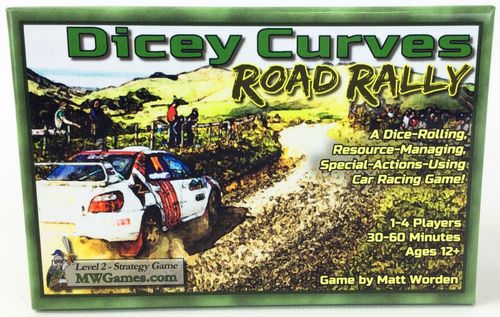
Dicey Curves
Dicey Curves Rulebook
Table of Contents
Table of Contents
Components
Base game (per the rulebook cover):
- 36 Track Cards
- 8 Race Car Pawns
- 10 Dice (5 white, 5 green)
- 32 Green Control Chips
Getting Started
Setup for a new game using these steps:
- Choose Cars … Have each player select the car(s) they will be controlling in the game. There are no differences between the cars besides color.
For games with 2 to 4 players, it works best to have each player control 2 cars. For games with 5 or more players, each player controls a single car.
-
Set out Dice & Chips … Place all dice and chips in the center of the play area. Give each player 2 control chips.
-
Setup the Start of the Racetrack … Sort through the deck of track cards and remove the following three cards: Start, Finish, and one straight section with 3 lanes.
Shuffle the remaining deck, then re-insert the Finish card somewhere near the middle of the deck. Place it lower in the deck to have a longer game, or higher for a shorter game. Set the deck of cards, facedown, in the center of the play area.
Place the Start card, followed by the 3-lane card, as shown below, in the center of the play area. Draw the top 2 cards from the deck and add them to the track to make it 4 cards long.
- Choose a Player to go First & Place Cars on the Start … There are 9 spaces on the Start card for the cars to begin the race, with the three along the black-and-white checkers being the front row.
The player chosen to take the first turn in the game places the first car. Then, going to the left around the table, each of the other players places one car.
If players are each controlling two cars in the game, have the last player to place a first car immediately place a second car. Then, going to the right around the table, each player places a second car.
Once all cars are on the Start, the race is ready to begin.
Taking a Turn
The game starts with the chosen player taking the first turn, and then play is passed to the left. Continue until the race ends.
On your turn, you will do these 4 steps, in order:
- Add a Card to the Racetrack
- Roll Dice & Form Combos
- Move Cars (optional)
- Buy Control Chips (optional)
1. Add a Card to the Racetrack
At the start of your turn, draw the card from the top of the deck and add it to the end of the racetrack. If adding the card would cause the track to curve over the top of itself or run off the table, remove the card from the game and draw the next card from the deck.
Add the new card so that the edge showing the small yellow direction arrows attaches to the existing track and aligns to the dotted lines. While most cards have 2 lanes, there are some with 3 lanes. Center the middle lane of the 3-lane card on the dotted line of the 2-lane card.
When adding a card to one that contains a curve, be sure to align the new card at the proper angle. The "gentle" curves are at a 45-degree angle, as shown by the dark shading in the corner. "Hard" curves are a full 90 degrees.
2. Roll Dice & Form Combos
Roll Dice … Start by rolling all 5 white dice. The green dice start off on the side.
For each die that shows a value of 6, add one green die and re-roll all 6's along with the newly added dice. If you keep rolling 6's, continue adding a new green die and re-rolling for each 6 until no more 6's are showing. If all 5 green dice are already in-play, just re-roll any 6's until none remain.
You have the option to use Control Chips to modify the results of your dice roll … You may return 1 of your chips to the central chip pile to take one of the following actions:
- Add 1 Green Die and set that die to any value from 1 to 5. If all 5 green dice are already in-play, you may change the value of any single green die.
- Re-Roll Any Number of Dice that are already in-play.
You may take either action any number of times as long as you pay for each one with a chip.
The original 5 white dice, plus any green dice that were added, are considered "in-play" for this turn.
Form Combos … Use the dice you have in-play to make "Combos" that will be used to move cars on the track.
A Combo is 2 or more dice that either have the same value, or have values in consecutive order. The color of the dice used in the combo does not matter.
The printed rulebook shows example 2-dice and 3-dice Combos with same values and with consecutive values (as dice pictures).
At times, up to 4- and 5-dice Combos will be needed. A "Single" is an individual die that is not combined with other dice into a Combo. It plays a special role when moving cars.
The way in which you want to move your cars will determine the type of Combos and Singles that you form.
Dice Rolling Example (shown with dice pictures in the printed rulebook): First roll, 5 white dice. Add a green die and roll it along with the 6, then add another green die and roll it along with the 6. Final results: different types of Combos can be formed based on what is needed. For example, 3 2-dice Combos (1/1, 3/3, 4/4) and a Single (2), or a 4-dice Combo (1/2/3/4), a 2-dice Combo (3/4) and a Single (1).
3. Move Cars
Cars move between the spaces on the track shown by the dotted lines. To move a car, select a Combo or a Single, and move the car a number of spaces equal to the number of dice in that Combo/Single.
In the example in the printed rulebook, a 4-dice Combo was selected to move the white car. The car moves forward twice, to the right once, and then forward one more time for 4 total moves.
Basic rules on moving cars:
- You may only move the car forward or sideways – never backwards.
- You may not move into a space that already contains another car.
Rules on using dice:
- Each die that is in-play may only be used once during the turn as part of a Combo or as a Single.
- You do not need to use all of your dice to move cars. You may choose not to move any cars at all.
- If a Combo is used to move a car, you may select another Combo/Single and continue moving that same car.
- After a Single is used to move a car 1 space, that car is done moving for the turn. When controlling more than 1 car, this "Single ends movement" rule applies to each car individually.
Gates:
Track sections with curves include "Gates" – colored bars showing 2 to 5 dice on them. The dice shown on the Gate indicates the exact size of a Combo that is needed to get past that Gate.
Rules on moving cars by Gates:
- The car must stop in the space before a Gate, even if the Combo used to move the car still has moves remaining.
- You must use a Combo of the exact size shown on the Gate to move to the space on the other side of the Gate.
- You may not move sideways across the white solid middle line separating the lanes between the Gates.
In the printed example, the blue car has the 3-dice Combo needed to get past the Gate on the inside of the curve. It uses a 3-dice Combo to approach the Gate, another to get past it, then a 2-dice Combo to set up for the next curve.
Control Chip actions while moving cars:
You have the option to use Control Chips to take some special actions when moving cars … You may return 1 of your chips to the central chip pile to take one of the following actions:
- Continue Moving a Car After Using a Single. After having used a Single, you may return 1 chip and then use another Combo/Single to continue moving that same car.
- Control Another Player's Car. Treat the other player's car as if it is one of your own. (You can use this to move it out of your way, or to corner it into a bad position or in front of a difficult Gate.)
- Juke! Flip-flop the locations of two cars located side-by-side on the track.
- Power Move! This special move allows you to ignore all of the other cars on the track and to treat the track as if it is empty. You may move through spaces occupied by other cars, but your car must end in an empty space.
You may take any of these actions any number of times as long as you pay for each one with a chip.
4. Buy Control Chips
When you are done moving cars, any of your in-play dice that were not used to move cars may be used to buy additional Control Chips.
Using your one best remaining Combo, you gain the following number of chips:
- 2-dice Combo = 1 chip
- 3-dice Combo = 2 chips
- 4-dice Combo (or better) = 3 chips
Take the new chips from the central chip pile and put them in front of you. You may not have more than 4 Control Chips at one time.
Ending the Race
When the Finish card is revealed during the "Add a Card to the Racetrack" step, add it as the final card on the track. Players will continue taking turns and moving cars, but no more cards will be added to the racetrack after the Finish has been added.
Notice that the Finish line has a 3-dice Gate that the cars must cross. Place the cars in the spaces provided to show the order in which they finished.
Scoring a Race
Races in which each player controls a single car are easy to score: You win in the order the cars finish.
When controlling 2 cars, the race is scored as follows: Add the place in which your first car finished to twice the place in which your second car finished. Lowest score wins.
Example: Anna's cars finished in 1st and 4th places, while Barry's cars finished in 2nd and 3rd places. Anna's Score = 1 + 2x4 = 9. Barry's Score = 2 + 2x3 = 8. Barry wins the race.
Other Notes
- If you do not have room in the playing area to hold the whole track as it grows during the race, you may remove track cards from the game as the last-place car moves off of them.
- When moving from a 2-lane card to a 3-lane card, a car may stay in the same-side lane, or move into the middle lane. When moving from a 3-lane card to a 2-lane card, a car in the middle lane has the choice of which lane to move into.