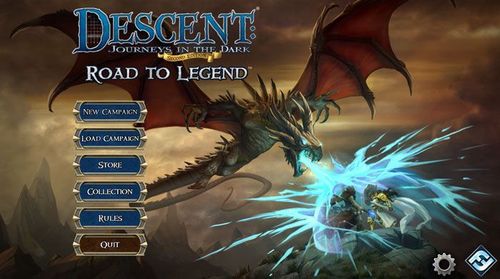
Descent: Journeys in the Dark (Second Edition) – Road to Legend
Descent: Journeys in the Dark (Second Edition) – Road to Legend Rulebook
Table of Contents
Table of Contents
- Components
- Setup
- Resuming a Game
- What does the App Do?
- Core Rules
- Round Overview
- Start of a Hero Turn
- Actions
- Already Familiar with the Core Rules?
- Two-Hero Games
- Move Action
- Rest Action
- Special Actions
- Search Action
- Open a Door Action
- Revive and Stand Up Actions
- Attack Action
- Attack Keywords
- Conditions
- Monster Activation Basics
- End of the Round
- Combat Example
- Additional Rules
- Special Abilities
- Heroic Feats
- Attribute Tests
- Equipment
- Upgrading
- Trading
- Carrying Objective Tokens
- Monster Basics
- Lieutenants
- Act I and II
- Terrain
- Familiars
- The Golden Rules
- Large Figures
- End of a Quest
- What Now?
- Saving and Loading
- Road to Legend App
- Road to Legend Quests
- Turns and Activations
- Heroes
- Solo Play
- Monsters
- Monster Activations
- App Effects
- Monster Attacks
- Decision-Making
- Peril Effects
- Road to Legend Campaign
- Cities
- Travel Events
- Training
- Inventory
- Log
- Fame
- The Delve
- Appendix I: Clarifications
- Appendix II: Figures Treated as Heroes
- Appendix III: Additional Tiles
- Appendix IV: Monsters and Conditions
- Appendix V: Monsters and Terrain
- Appendix VI: Difficulty Settings
Components
- 39 Hero and Monster Figures
- 48 Map Tiles
- 9 Dice (1 Blue, 2 Red, 2 Yellow, 1 Brown, 2 Gray, 1 Black)
- 8 Hero Sheets
- 18 Monster Cards
- 12 Lieutenant Cards
- 84 Class Cards
- 34 Shop Item Cards (20 Act I and 14 Act II)
- 12 Search Cards (2 are not used)
- 16 Condition Cards
- 6 Relic Cards
- 7 Doors (with plastic stands)
- 6 Lieutenant Tokens
- 1 Familiar Token
- 10 Objective Tokens
- 8 Villager Tokens
- 45 Damage and 35 Fatigue Tokens
- 9 Search Tokens
- 20 Condition Tokens
- 16 Hero Tokens
Travel Event Cards, Overlord Cards, and Reference Cards are not used when playing Road to Legend.
Setup
When starting a new campaign or adventure of Road to Legend, perform the following steps:
-
Prepare Supply: Gather the physical components that are frequently used during play, sort them by type, and place them within reach of all players. These components include: dice; Condition and Search cards; and damage, fatigue, and condition tokens.
- When preparing the Search deck, remove the "Nothing," "Treasure Chest," and "Secret Passage" (from expansions) cards, and return them to the game box. Shuffle this deck.
-
Prepare Set-Aside Components: Set aside Monster and Lieutenant cards, monster figures, objective and search tokens, map tiles, and doors. These components are called for at various times by the app during play.
- Not all of these components are used in every game, but they should be organized in such a manner that they can be retrieved quickly when they are needed.
- Use only the Act I Monster and Lieutenant cards (the Act icon is shown as a roman numeral on the card). The Act II Monster and Lieutenant cards are used later in the campaign.
-
Run App: Run the Road to Legend app and select "New Game." Then, choose the campaign to be played, the desired difficulty level, and an empty save slot.
- If this is the players' first time playing, select the "Rise of All Goblins" campaign—it contains a brief tutorial—and select the "Normal" difficulty.
-
Set Up Party: Each player selects a hero in the app and gathers the Hero sheet and figure that corresponds to his hero as well as one set of four matching hero tokens. He places these components in his play area. After all players are ready, select "Continue" in the app.
Each player selects a class for his hero from the list presented in the app, then gathers the Class deck that corresponds to his selected class. He places the items and the skill card without an experience icon faceup in his play area; these are his starting Class cards. The remaining cards in his class deck are set aside.
Resuming a Game
When resuming an existing campaign or adventure, set up all supply and set-aside components as normal. Then, when running the app, select "Load Game" and select the appropriate save slot.
When the game loads, instead of selecting new heroes and classes, refer to the training and party inventory screens to gather and distribute the appropriate components for the party.
What does the App Do?
In Road to Legend, the app serves as a live campaign guide. The app gives players the options for quests that they can embark upon, and during quests, provides all details for setup, rules, and monster behaviors.
Players use the physical components: moving their figures on the map, fighting monsters, and completing objectives. In between quests, they spend gold and XP (resources tracked in the app) to upgrade their heroes, gaining new abilities with matching physical components.
On occasion, players need to input information into the app regarding their progress, such as when a monster group is defeated, when a door opens, or which Class card a player purchases. The app uses this information to progress the campaign, revealing new tiles and monsters during a quest or saving information like Class card purchases for future sessions.
While the app automatically handles most campaign details, it does not track every detail of a quest in progress. It does not know monster and hero positioning on the map; it does not keep track of damage or conditions suffered; and it does not roll dice for the players. Players use the physical components for all of this per the core rules.
Core Rules
While the Road to Legend app provides a lot of information and upkeep for the players, these core rules determine how players use the physical components of cards, tiles, and dice to embark upon quests.
After players are familiar with these rules (pages 3-12), playing the tutorial within the "Rise of All Goblins" campaign provides more specific details for how players integrate these rules with the app.
Round Overview
Quests are played over a number of game rounds in which all figures, including heroes and monsters, move around the map, resolve attacks, and make progress in the quest.
Each game round consists of hero turns and monster activations. First, the hero party collectively chooses a hero to resolve his turn, and that hero performs two actions. Players inform the app when the hero finishes his two actions, and the app then automatically instructs players how to activate a randomly selected group of monsters.
This continues, with the party choosing another hero to take his turn, followed by a group of monsters activating, until every figure has resolved its turn or activation. Then, a new round begins, and this process repeats until the quest ends. How a quest ends depends upon that quest's rules.
Start of a Hero Turn
At the start of a hero's turn, he resolves two things: first, he refreshes any exhausted cards he has, and he may also change the equipment he is using, both of which are explained later.
Actions
During a hero's turn, he typically moves his figure on the map to perform attacks, explore the dungeon, and resolve objectives. To do so, the hero performs any combination of up to two of the following actions:
- Move
- Attack
- Rest
- Search
- Open a Door
- Revive a Hero
- Stand Up
- Special
Monsters also resolve up to two actions when activating but typically only resolve move, attack, and special actions.
Already Familiar with the Core Rules?
Road to Legend uses many of the rules from the core game of Descent: Journeys in the Dark Second Edition, including movement, actions, combat, and other aspects of the tactical game. However, there are a few key differences, in particular the following:
- Road to Legend is a cooperative game with no overlord player. All players are on the hero side and win or lose the quests and campaign together.
- There is no basic game or Epic Play variant. Players only play Road to Legend as part of a campaign, which consists of a series of story quests.
- The app determines the setup for each quest (including quest rules, tiles, tokens, and monsters), and most quests do not start with the entirety of the map revealed. As players explore the map and open doors, additional quest rules, tiles, tokens, and monsters are revealed.
- Instead of resolving all hero turns followed by all monster activations, hero turns and monster activations alternate. Additionally, the actions that are performed by monsters when they activate are determined by the app.
Pages 4-12 of this rulebook take players through the basic aspects of movement, combat, attribute tests, and other fundamentals of the core game.
If players are already familiar with these rules, it is recommended for players to skip pages 4-12 and immediately start the "Rise of All Goblins" campaign, which contains a brief tutorial that teaches many of the new rules of Road to Legend as players play.
Two-Hero Games
During a two-hero game, the heroes receive an additional advantage. Once during each hero's turn, that hero may perform one attack that does not require an action. At the end of each hero's turn, if that hero did not or could not perform the free attack during his turn, he may instead recover two damage (recovering damage is explained later).
Move Action
When a figure moves, it gains movement points equal to its Speed, which is printed on a hero's corresponding Hero sheet or the monster's Monster card. A figure uses the movement points to move itself around the map.
A figure can move to an adjacent space by spending one movement point. Both orthogonal and diagonal movement are allowed. A figure's movement points may be spent at any time during its turn or activation, before or after it resolves other actions.
While moving, figures cannot move into or through spaces containing enemy figures (heroes consider monsters enemies and vice versa). Though figures can move through friendly figures, they cannot stop in those spaces. Various types of terrain can also affect movement, but terrain is explained later.
Movement Example
- Grisban the Thirsty has a Speed of "3," so he could move straight ahead, but he would rather move down toward that hallway.
- He can move diagonally to cover more ground. Players should note that the black edge of the map tile does not block diagonal movement around corners.
Rest Action
During a quest, heroes can suffer fatigue to resolve special effects and gain extra movement points, but there is a limit to the amount of fatigue a hero can suffer. When a hero performs a rest action, he recovers all of the fatigue he has suffered at the end of that turn (even if he rested as his first action).
Special Actions
Certain cards, rules, or other game effects provide figures with unique actions to perform. These are either prefaced with the action icon (a right-pointing arrow) or the phrase "as an action."
A special action can allow a figure to resolve one or more effects that are normally full actions by themselves, such as moving and attacking or attacking twice. In these cases, it still only uses one of the figure's two actions.
Search Action
Searching allows heroes to examine the space marked by a search token. These can provide important rewards, such as gold and Search cards, but can also trigger deadly traps. When adjacent to or in the same space as a search token, a hero can search that space.
At any time, the heroes may examine the rules and narrative associated with a search token (even if not adjacent to it or in the same space) by selecting it in the app. This only uses an action if the hero selects the "Search" button and resolves the following instructions.
If the hero wants to use the action for something else or is not adjacent, he can instead select "Cancel."
Open a Door Action
Heroes can open adjacent doors on the map, which often reveals new map tiles, monsters, and potential quest objectives.
Similar to the search action, a hero can first select the door in the app to examine any rules or narrative and then choose to spend the action by selecting "Confirm" or save the action by selecting "Cancel."
Auxiliary Tiles
Many areas of the map make use of additional tiles that do not have a code, but can be identified by their shape. Two of these tiles are used during the tutorial:
- End Cap
- Extender
Revive and Stand Up Actions
Heroes who suffer too much damage are knocked out, which limits their options during their turns.
To recover from being knocked out, a hero can either stand up—recovering on his own—or be revived by another adjacent hero during that hero's turn. If a hero stands himself up, his turn immediately ends without that hero resolving any other actions.
When a knocked-out hero stands himself up or is revived, he rolls two red dice and recovers an amount of damage equal to the damage icons rolled and fatigue equal to the surge icons rolled.
Attack Action
Attacking is the most common way that a figure can defeat enemy figures.
When a figure declares an attack, it first chooses a hostile figure to target. Then attack, power and defense dice are simultaneously rolled. For a monster, the dice it uses to attack and defend are found on its Monster card.
For a hero, his dice for attacking are found on the one weapon he chooses to use for the attack, and the defense dice are found on his Hero sheet.
Dice for attacking are divided into two types: the attack die, which is blue in color and used for nearly every attack in the game, and the power dice, which are red and yellow (and green, with certain expansions).
After dice are rolled, the defender suffers damage equal to the number of damage icons rolled on the attack and power dice minus the number of shield icons rolled on the defense dice.
In addition to damage and shield icons, three other results appear on the dice:
- Surge: After rolling dice, the attacker can spend these results to trigger special abilities (limit once per surge ability per attack).
- X: The "X" result on the blue die causes the attack to entirely miss, causing no damage and triggering no additional effects.
- Range: The numbers on the dice are used to determine if a ranged attack misses (see below).
Attack Restrictions
All attacks are either melee or ranged attacks, indicated by icons on the weapon or Monster card.
Melee attacks can only target figures adjacent to the attacker. Ranged attacks allow figures to attack from multiple spaces away, but there are certain risks and restrictions:
- Line of Sight: A figure has line of sight to another figure if it can trace one straight, uninterrupted line from any corner of its own space to any corner of the other figure's space. This line cannot be traced through or along the side of walls (thick black lines on the map), doors, blocked terrain (red lines), or spaces containing figures.
- Range: After rolling dice, the amount of range (the sum of the numbers on the dice) must be equal to or greater than the distance to the defender (the number of spaces the defender is away from the attacker, which includes the defender but not the attacker). If it is less, the attack misses.
- Bare Hands: A hero without a weapon can still attack with bare hands but only rolls the blue attack die for his attack.
Attack Keywords
Some effects are abbreviated through the use of keywords:
- Blast: When resolving an attack with the "Blast" keyword, all spaces adjacent to the targeted space are also affected by the attack. The attacker rolls his attack dice once and applies the full damage to the target enemy and half of the damage to figures adjacent to that space, rounded up. Each figure affected by the attack (including any friendly figures) roll their own defense dice.
- Pierce X: When resolving an attack with a "Pierce X" keyword, the attack ignores a number of the defender's shield results equal to the amount shown next to the keyword, and Pierce values are cumulative. For example, an attack with both "Pierce 1" and "Pierce 2" is resolved as "Pierce 3," ignoring three shield results.
- Reach: When resolving an attack with the "Reach" keyword, the attacker can perform a Melee attack targeting a figure up to two spaces away, rather than targeting figures only in adjacent spaces. When targeting a figure two spaces away, the target still needs to be in line of sight of the attacker.
Conditions
Conditions are negative effects that harm or impede a figure, some in the immediate term and some over the course of several rounds.
When a hero receives a condition, such as "Poisoned" or "Immobilized," he places the corresponding Condition card near his Hero sheet. When any other figure gains a condition, place a condition token next to its figure on the map. While a figure has a condition, it follows the rules on the corresponding Condition card, and a figure can have only one copy of each condition at a time.
Numerous Monster cards and weapons can cause figures to receive a condition during an attack, such as through a surge ability (like "surge: Poison"). These effects always require the attack to deal at least one damage after defense results are calculated, but are ignored if the target already has that condition.
Monster Activation Basics
After each hero turn, the app randomly selects a type of monster and instructs the players how to activate all of the monsters of that type. Like a hero, when a monster activates, it also performs two actions.
Though the tutorial quest and later sections of these rules provide more details for monster activation, players should keep in mind the following:
- Only one of a monster's actions can involve an attack.
- Monster actions in the app are always displayed as special actions (right-pointing arrow). These actions are usually based around actions like moving and attacking but contain some specific instructions for destination, targeting, and additional effects. For example, an action that many monsters use is, "Attack the closest hero."
End of the Round
After all heroes have taken their turns and all monsters have activated, the round ends. At the end of the round, the players generally do not need to resolve anything unless the app instructs them to do so. Most of the time, the next round begins immediately with the heroes collectively choosing one hero to resolve his turn.
Combat Example
- Tomble has a Ranged weapon and first checks which monsters he has line of sight to. Tracing from any corner of his space to any corner of the monsters' spaces, Tomble has line of sight to two of the goblins and the zombie but not to the third goblin (he cannot trace to any corner without passing through one of the other goblins). He decides to attack the zombie.
- After declaring his weapon and target, Tomble simultaneously rolls one blue and one yellow die from his weapon for the attack and one brown die for the zombie's defense.
- Tomble now has a chance to spend any surge results rolled to trigger any abilities he might have. His weapon card has two abilities listed: "surge: +1 Range, +1 damage" and "surge: Stun." He rolled 1 surge on his attack roll and decides to spend it on "surge: +1 Range, +1 damage."
- Tomble has a total of five range (including the +1 Range from the surge result). Since the zombie is only three spaces away, the attack does not miss.
- Tomble now totals the 3 damage rolled on the dice with the +1 damage he received from the surge ability, giving him a total of 4 damage for this attack. He then subtracts the 1 shield on the defense roll, causing the zombie to suffer 3 damage. Since the zombie has 6 Health, it is not defeated by the attack. The player places 3 damage tokens near the zombie figure to keep track of how much damage it has suffered thus far.
Example result: 4 damage – 1 shield = 3 damage.
Additional Rules
During the course of a quest, there are a number of other rules that players need to know.
Health and Damage
Quests in Road to Legend can often be highly focused upon combat between the party and the foul creatures that inhabit the realm, and many game effects cause the heroes and monsters to suffer damage.
Heroes and monsters, often referred to as figures, have Health values shown on their Hero sheet or Monster card. This value indicates the amount of damage that figure can suffer before being defeated.
Fatigue and Stamina
Heroes have the unique ability to exert themselves to perform special tasks by suffering fatigue. The two most common ways that heroes suffer fatigue are by gaining bonus movement and by using special effects with fatigue costs.
A hero can only optionally suffer an amount of fatigue up to his Stamina. If a game effect forces a figure to suffer fatigue in excess of Stamina (or if the figure doesn't have a Stamina value), the figure suffers damage equal to the amount of excess fatigue.
Additional Hero Movement
During a hero's turn, that hero may suffer as much fatigue as he wishes in order to gain one movement point for each fatigue suffered. These movement points are added to the total amount of movement points that the hero has accumulated.
Attacking Multiple Monsters
When a hero performs an attack that targets or affects multiple monsters, the monsters gain an additional advantage when damage is dealt. Choose 1 monster to which you will deal damage first and resolve the step as normal. Then halve the damage results (rounded up), and apply that value to each of the additional monsters, before applying shield results. This rule applies to attacks with Blast but also actions such as "Whirlwind," "Army of Death," and Leoric of the Book's Heroic Feat.
Tracking Damage and Fatigue
When a hero suffers damage or fatigue, he places the appropriate number of corresponding tokens on his Hero sheet. For other figures, these tokens are placed on the map next to that figure.
Many game effects also allow a figure to recover damage or fatigue. When this happens, return the appropriate number of tokens from that figure to the supply.
Fatigue Recovery
The primary way that a hero can recover fatigue is by performing a rest action. Additionally, during every attack, the attacking hero can spend up to one surge to recover one fatigue.
Defeated
If a figure suffers an amount of damage equal to its Health, it is defeated. When a monster is defeated, its figure is removed from the map. When a hero is defeated, there are a few additional effects:
- The hero is knocked out, which is a temporary effect. Mark this by replacing the hero figure on the map with one of that hero's hero tokens.
- He immediately suffers fatigue up to his Stamina value.
- Any damage tokens on his Hero sheet in excess of his Health and any Condition cards he has are returned to the supply.
- Players inform the app that the hero was defeated, which can eventually cause them to lose the quest (described in the tutorial).
Knocked-Out Heroes
A knocked-out hero is represented on the board by a hero token instead of his figure. If a knocked-out hero ever recovers any amount of damage, the hero token is replaced with the hero figure, and the hero can resolve actions normally on his next turn.
The following additional rules apply to a knocked-out hero:
- The hero cannot receive any Condition cards and is immune to all attacks and all Class cards and hero abilities, with the following exception: The hero can be the target of any game effect that causes damage recovery, which immediately places him back on the map and makes him no longer knocked out. This includes the stand up and revive actions but also includes potions, Class cards, hero abilities, and anything else that allows that hero to recover damage.
- If a hero resolves his turn while knocked out, the only action he can resolve is to stand up, which immediately ends his turn.
Special Abilities
Monster and Lieutenant cards, Class cards, Hero sheets, Shop Item cards, and other physical components have a large number of abilities and effects that give the various figures new ways of interacting with each other.
A particular effect always provides text to describe when it resolves, what it actually does, and any costs it might have.
Exhausting and Refreshing
Some cards require a hero to exhaust them when they are used. When a hero exhausts a card, he rotates the card 90 degrees.
At the start of a hero's turn, he refreshes all of his exhausted cards by rotating them back to their original position. A hero cannot use an exhausted card until it is refreshed.
Ability Costs
If an effect has a particular cost, that cost must be paid, or the effect cannot be resolved. There are a few different types of costs:
- Exhaust: These effects are usable once per round, and the card is exhausted when it is used (see "Exhausting and Refreshing" above).
- Fatigue: The hero must suffer the amount of fatigue shown on the bottom-right of the Class card being used in order to resolve the effects.
- Action: The effects are resolved as an action.
- Surge: During an attack, these effects can be used by spending surge results (limit once per surge ability per attack).
Note: When attacking, every hero can spend up to one surge to recover one fatigue.
Heroic Feats
Each hero has a Heroic Feat shown on his Hero sheet. A Heroic Feat is a powerful, once-per-quest ability. When a hero uses his Heroic Feat, he flips his Hero sheet to its other side to indicate that the Heroic Feat has been used and is no longer active.
Example Heroic Feat (sample card): Action: Roll 2 red power dice. Each hero within 3 spaces of you (including yourself) may recover damage equal to the damage rolled.
Attribute Tests
Each hero has four attributes shown on his Hero sheet: might, knowledge, willpower and awareness. These attributes are often tested at different times to see if the hero is able to resolve a particular skill, resist a special monster attack, or avoid a trap.
To test an attribute, a hero rolls both one gray and one black defense die. If he rolls a number of shield icons equal to or less than the value that corresponds to the attribute on his Hero sheet, he passes the test. Otherwise, he fails the test.
A few figures other than heroes have attributes and test those attributes in the same way. Figures that do not have attributes (like monsters) automatically fail attribute tests.
Note: Cards or effects that reference defense dice do not apply to attribute tests unless specifically noted.
Equipment
Equipment represents the items a hero acquires from Shop Item, Class, and Search cards. Each equipment card contains one of the following icons: hands, armor, or other.
These icons determine how much equipment a hero can have equipped at a time, as follows:
- The combination of equipment a hero has equipped cannot have more than two hand icons.
- A hero can equip one armor item.
- A hero can equip up to two other items.
At the start of a hero's turn, he may equip different items. There is no limit to the number of unequipped cards a hero can have in his play area, but unequipped cards are flipped facedown and cannot be used.
Upgrading
At various points during the game, the heroes receive gold and experience points, which are spent to acquire new equipment and Class cards, respectively. They can also be rewarded Relic cards or specific equipment.
The app tracks what players have earned and what they have spent.
Trading
After a hero performs a move action during his turn, at any time during that turn he can freely give, receive, or exchange any number of equipped or unequipped Shop Item, Relic, and Search cards with a hero in an adjacent space.
Keep in mind that a hero cannot trade Class cards (including starting equipment), and a hero can only change his equipment at the start of his turn.
Carrying Objective Tokens
Some quests allow figures to pick up objective tokens, usually as an action while adjacent to or in the same space as the token. When a hero picks up an objective token, it is placed on his Hero sheet. When a monster picks up an objective token, it is placed on the monster figure's base.
While a figure is carrying an objective token, no other figure can pick it up, but a figure can normally drop it into an adjacent space, again as an action. When a figure carrying an objective token is defeated, the token is placed in that figure's space and can be picked up by another figure.
Monster Basics
Heroes battle many monsters during their quests in Road to Legend, and monsters of the same type (such as zombies or goblin archers) are collected into groups.
All figures in a monster group share a majority of their characteristics and abilities and activate together (with specific instructions provided by the app). Each group is comprised of a number of minion monsters and master monsters:
- Minions form the rank and file and are typically more numerous, represented by tan plastic figures on the map.
- Masters are more powerful but less numerous, represented by red plastic figures on the map.
A group's Monster card contains all of the information relevant for all monsters in that group. Details for the minion are on the top portion of the card, and details for the master are on the bottom portion.
Many of the effects that are shown on the front of the card (such as "Shadow" or "Fire Breath") are described fully on the back of the Monster card, for both minions and masters.
Group Limits
Monsters are frequently placed on the map as instructed by the app, and each monster group has a specific number of minions and masters that can be on the map at the same time. These numbers are shown on the back of the monster card at the bottom, and they change depending upon how many heroes are present (tan for minions, red for masters).
Group limits are generally used for monster placement; when a full group is placed, players place minions and masters up to the group limit in the places indicated by the app.
In the same manner, monsters already on the map can often be reinforced with one or more additional monsters. In this case, these monsters are only placed up to the group limit; any that would exceed it are simply not placed.
Lieutenants
Lieutenants are powerful characters that heroes may encounter during their games in Road to Legend, and the rules that apply to monsters apply to lieutenants as well. Each lieutenant has a corresponding card that shows its characteristics, including the number and color of attack dice rolled and special abilities. Unlike monsters, a lieutenant's speed, health, and defense change based on the number of heroes playing.
Lieutenants, like heroes, have attributes and may have to perform attribute tests. These tests are resolved using the same rules as heroes.
Act I and II
Each monster and lieutenant has two corresponding cards: Act I and Act II. Use the Act I version of the card during the beginning portions of a campaign. While each pair of cards are very similar, the Act II versions typically have more Health, higher attack and defense, and more abilities than their Act I counterparts.
During their campaign, the heroes are instructed by the app when to transition into Act II. When this happens, all of the Act I versions of the Monster and Lieutenant cards are returned to the game box, and players use the Act II versions for the rest of their campaign.
Note: Shop Item cards are also divided into Act I and Act II versions, but by default this distinction is not utilized.
Terrain
Some spaces on the map have a terrain type that is defined by the colored line around the space. Frequently, a colored line will surround multiple spaces. All spaces surrounded by a colored line follow the rules for that terrain type, as follows:
For additional clarifications about Monsters and Terrain, see "Appendix V" on page 24.
Water
Water spaces are defined by a blue line surrounding them and have the following rules:
- A space containing water costs two movement points to enter (instead of the normal cost of one).
Pit
Pit spaces are defined by a green line surrounding them and have the following rules:
- Each time a figure enters a pit space, that figure suffers two damage.
- A figure in a pit space cannot spend movement points. Other game effects that move a figure a number of spaces or place a figure in a different space without spending movement points can be used to exit a pit space.
- A figure in a pit space only has line of sight to adjacent figures, and only figures adjacent to a pit space have line of sight to a figure in that pit space.
- As an action, a figure in a pit space may remove his figure from the map and place it in an adjacent empty space; if there is no adjacent empty space, the figure cannot perform this action.
Hazard
Hazard spaces are defined by a yellow line surrounding them and have the following rules:
- A figure entering a space containing hazard immediately suffers one damage.
- Any figure that ends its turn in a hazard space is immediately defeated.
- Heroes that are defeated in this way place their hero token in the nearest non-hazard empty space (from where they were defeated).
Obstacles
Obstacle spaces are defined by a red line surrounding them. These spaces block both movement and line of sight.
Familiars
Some effects (from Hero sheets and Class cards) give heroes control over creatures known as familiars. Each familiar is represented by a token on the map and has a corresponding Familiar card.
During a hero's turn, he may activate each of his familiars, either before or after resolving all of his actions. When a familiar is activated, it may perform one move action following the same rules as heroes; a familiar's Speed is shown on its card. Each familiar may perform additional types of actions during its activation as described on its Familiar card. These actions are in addition to the familiar's move action (either before or after) unless specifically stated otherwise.
Most familiars are treated as figures, which is specified on the Familiar card. A familiar treated as a figure has the following rules:
- It can be targeted and attacked by monsters as if it were a hero.
- It is affected by hero and monster abilities.
- It blocks line of sight and movement.
- It can gain conditions and other tokens that heroes can gain.
- It is affected by terrain as normal.
Familiars that are not treated as figures do not block line of sight and movement and can occupy the same space as other figures. These familiars cannot be affected by most game effects except those specified on their cards. They also treat any special terrain, other than obstacles, as water during their movement.
For more information about monsters attacking familiars, see "Appendix II" on page 23.
The Golden Rules
There are a few very important rules that players should always keep in mind when playing Road to Legend:
- Some cards and effects come in direct conflict with the rules found in this rulebook. Cards and effects take precedence over the rules in this rulebook. Furthermore, many quest rules in the app come in direct conflict with cards, abilities, and the rules found in this rulebook. The quest rules displayed in the app take precedence over cards, abilities, and the rulebook.
- Players frequently have multiple options for how to resolve effects occurring simultaneously or effects with multiple resolution options. In these cases, the players collectively make the decision on how the effects resolve.
- Players are not limited by the number of damage, fatigue, or condition tokens found in the game. If players run out, they may use suitable replacements.
Large Figures
Certain figures are large, indicated by the size of the base on their figure. While on the map, these figures occupy more than one space. The following rules apply to large figures:
- When a large figure attacks, line of sight may be traced from any space it occupies.
- When a large figure is attacked, line of sight may be traced to any one space it occupies. As a result, effects that refer to adjacent spaces (such as Blast) refer to spaces adjacent to that one chosen space.
- When the app instructs the players to place large monsters on the map, players place monsters so any part of their base is on the indicated space.
Large Figure Movement
When moving, large figures essentially shrink to move as if they were small-sized monsters, and then expand again when they are done moving.
One of the spaces that the figure occupies is chosen, and then movement is counted from that space as if the figure itself occupied only one space. When the figure stops moving, it is placed so that one of the spaces its base occupies includes the space where it ended its movement.
- The figure may change the orientation of its base relative to its starting position, but if the figure cannot place its entire base on the map, then it cannot end its movement in that space.
- The figure can only expand again when it runs out of movement points, stops moving completely (either by reaching its destination or being unable to move further), or if it interrupts movement to perform an action.
- While a large figure is moving (before it expands), it must spend additional movement points to enter water spaces and suffers damage when it enters hazard spaces.
- When a large figure expands, it does not receive the effects of spaces that it expands into (like water and hazard spaces).
- A large figure is not affected at all by pit spaces unless its movement ends or is interrupted so that each space it occupies is a pit space.
- A large figure suffers damage moving into spaces with hazard terrain as normal, but is not defeated unless it ends its turn so that every space it occupies is hazard terrain.
Large Figure Movement Example
- The ettin resolved an attack targeting Widow Tarha, and its next action instructs it to move away from her.
- The ettin has a Speed of "3," so the players choose a space occupied by the ettin to count movement from and count three spaces, moving the ettin away.
- The shadow dragon also has a Speed of "3" and is instructed to "engage" (move adjacent to) Widow Tarha, so the players count three spaces from one of the spaces the shadow dragon occupies (of their own choice) and, with the ettin now in the other corner of the tile, there are enough free spaces for the shadow dragon to end its movement adjacent to Widow Tarha.
STOP! Players should now begin the "Rise of All Goblins" campaign, which features a brief tutorial that explains how the core rules integrate with the information presented by the app.
In case players need a refresher on any of these core rules, the tutorial quest provides a page number and heading reference to these core rules whenever it describes a related topic.
Because of this, it is recommended that players have a way of referencing this rulebook during the tutorial, either by printing pages 3-12 or having another device available.
After resolving the tutorial, players should familiarize themselves with the remaining information in this rulebook, which provides greater detail as well as some clarifications and exceptions.
End of a Quest
Quests in Road to Legend automatically end based upon circumstances dictated by the app, which also transitions the players to the next portion of their campaign. However, there are a few cleanup steps:
- Heroes recover all damage and fatigue, flip their Hero sheets face up, and discard all Condition and Search cards.
- All table components and set-aside components are returned to their respective supplies.
What Now?
Now that players have finished the tutorial, they should familiarize themselves with the remaining information in this rulebook, which contains more detailed rules for how the physical components integrate with the app.
Additionally, the appendices at the back of this rulebook describe additional rules for how specific components are treated.
Saving and Loading
When players start a new game of Road to Legend, they select a save slot to which the app will automatically save as they play. Road to Legend can have up to five games saved at one time.
Players do not manually save their games as they play; the app automatically saves at several key points during play:
- At the start of each quest.
- At the start of each round of a quest.
- At the end of each quest.
- Each time you leave a city.
Players should keep in mind that Road to Legend does not save the state of their physical content: hero and monster position, damage suffered, and so on. If the players decide to stop playing in the middle of a quest, they need to record this information themselves.
Road to Legend App
This section describes a couple of key details for players to understand about the nature of the Road to Legend app.
Physical Collection
Road to Legend allows players to integrate their physical collection of Descent: Journeys in the Dark Second Edition and expansions into the game through the Collection Manager found on the main screen of the app. As players acquire more of the physical products, they should make sure to update the Collection Manager accordingly.
Owning more physical products adds a large amount of variety to the Road to Legend experience. For example, many of the monster groups that spawn throughout a quest have multiple options that can be drawn from the player's collection. Additionally, new quests, travel events, and other effects can also occur if the player happens to own a certain product.
Because of the large variety of physical content available, players may encounter questions on how certain game effects interact with the new Road to Legend rules. Clarifications for these effects are found in the appendices at the end of this rulebook.
Note that the Conversion Kit is not supported by the app, and its cards and sheets should be set aside while playing Road to Legend to avoid confusion.
Road to Legend Quests
During a quest in Road to Legend, players resolve a series of rounds, performing actions in an effort to explore the map, defeat monsters, and pursue the quest's objectives. Much of this is assisted by the app, including the monsters that spawn, the tiles that are used, and how the quest is won.
Turns and Activations
During a quest in Road to Legend, heroes and monster groups alternate turns and activations.
At the start of each round, players collectively choose one hero to take his turn. After that hero is finished, select his portrait on the hero tracker and select the "End Turn" button.
Monster activations occur automatically after a hero selects "End Turn." The app randomly selects a group and displays instructions for how that group activates (see "Monster Activations" on page 16). Note that monster activations are not an Overlord turn, and as such, hero abilities and skills that are used "once per turn" cannot be used during a monster activation.
Play passes back and forth in this manner until all heroes have taken their turns and all monsters have activated. If one side is finished already, the other will continue to resolve its turns or activations one after another until they are finished as well. After all heroes have taken their turns and all monster groups have activated, the next round begins.
Heroes
Heroes are controlled by players and utilize their Hero sheets, Class cards, and Shop Item cards in the same way as the core rules. However, there are a few differences in how heroes operate, described in the following sections.
Hero Turns and Actions
Heroes resolve their turns by the same core rules, and many of the actions that they can perform also feature no changes. However, there are a few important exceptions:
- Reference cards are not used to track turn completion (the app manages this).
- The "Open or Close a Door" action can now only open doors. In Road to Legend, doors that are opened cannot be closed again unless the app instructs otherwise.
- Quest and monster effects that force a hero to move or attack have special rules. See "App Effects" on page 17 for more details.
Interacting with the Quest Map
Heroes can examine any element of the map (like a door or token) at any time by selecting it in the app. Selecting these often provides story information about the token as well as how the hero can interact with it on the map.
A hero figure does not need to be adjacent to the particular element in order for a player to examine it.
Exploring
Unlike the competitive mode, which often features the entire map set up at the start of each quest, Road to Legend often begins with a small portion of the map revealed. As heroes open doors, defeat monsters, and interact with tokens, the app automatically displays instructions for placing new tiles, tokens, and monsters.
While the positioning of tile and token placement is clearly shown by the app, monster placement has a couple of associated rules (see "Monster Placement" on page 15).
Morale
Morale is a new concept in Road to Legend that represents the heroes' willingness to face overwhelming odds during a quest.
Morale usually starts at a value equal to the number of heroes and decreases by one each time a hero is knocked out. When a hero becomes knocked out, players need to inform the app of this by selecting that hero's portrait and selecting the "KO" button. The same applies to when a hero is no longer knocked out; players select the portrait and select the "Recover" button.
While recovering doesn't replenish any morale, it does inform the app that the hero is no longer knocked out.
During a quest, if morale is at zero (indicated by a skull on the morale counter) and any hero becomes knocked out, the heroes automatically flee and lose the quest.
The primary way players can replenish their morale is by visiting a city during the campaign phase (see "Road to Legend Campaign" on page 20), though numerous other game effects can raise (or lower) the morale value.
Two-Hero Game: Per the updated rules of the core game, when playing with two heroes, the heroes receive an additional advantage. Once during each hero's turn, that hero may perform one attack that does not require an action. This attack cannot be a special action that includes an attack (such as the Berserker's "Rage" or the Rune Master's "Exploding Rune" abilities). This attack can be performed before or after either of the heroes' other actions.
At the end of each hero's turn, if that hero did not or could not perform the free attack during his turn, he may instead recover 2 damage.
Solo Play
Unlike the core game, Road to Legend can be played by a single player. When this occurs, that player controls all of the heroes.
Monsters
Monsters in Road to Legend are controlled by the app; players follow the app's instructions in order to handle everything monster-related.
As players activate the monsters on the map (moving, attacking, and using special abilities), they often have to make basic decisions regarding what a monster does based on the current situation in the quest.
Monster Tracker
As monster groups are spawned during a quest, they are automatically added to the monster tracker in the app. The monster tracker provides information regarding each monster group: ability clarifications (if any), if the group has activated, and if it is still in play.
The app does not know the status of individual monster figures. After initial placement, players have to use the corresponding physical components to move figures on the map and track their damage, conditions, and other effects.
Selecting a monster portrait on the tracker provides a few options:
- Defeat Group: As soon as the last monster in a group is defeated, players must select this to inform the app. This removes the group from the tracker, which means it no longer activates, and it can also trigger important events in the quest.
- Force Activate: Although the app automatically activates monster groups during the game round, players can select this option to display a monster's activation. This can occur when the app requires players to activate a group manually or if players accidentally forgot to activate a particular monster or group.
- Info: Players select this to open the info panel, which provides clarifications on the abilities found on the monster's corresponding card as well as any necessary information regarding how that monster spends its surges during an attack. The clarifications for each monster group are the same across all of its activations, so players only need to check the panel until they are familiar with that monster group's information.
Monster Placement
During a quest, monsters spawn based upon specific circumstances in the quest, such as when a door opens.
The app always provides a message telling players which monsters are to be placed but indicates this placement in two possible ways:
- Direct Monster Placement: The icon or icons of the monsters are shown on the map in the exact spaces where they should be placed. If any of the spaces are not empty, place the monster as close as possible to the indicated space.
- Highlighted Space: A specific space is highlighted. When this happens, the monsters are placed as close as possible to the highlighted space. Generally, this involves placing one monster in the space and other monsters (if any) adjacent to that space.
When placing monsters (either directly or in a highlighted space), players need to keep in mind the following:
- Always respect group limits unless the app specifies to ignore them.
- Always try to place master monsters first if they aren't already at their group limit. If masters are at their group limit, place minions instead.
Unique Monsters
Certain quests feature unique monsters that often have special rules associated with them. In addition, a unique monster can have additional Health, which is displayed in the lower-left of its portrait. The special rules for a unique monster are displayed in a message when that monster is placed, and players can reference those rules at any time by opening that monster's info panel.
Additionally, a unique monster can be placed as part of a group. Its activation is still dictated by the app, but players may need to inform the app that the unique monster is defeated even if the rest of its group is still present.
When this happens, players select the monster portrait and select the "Defeat Unique" button. This removes the unique monster (and informs the app that it was defeated) but leaves the rest of the group on the tracker.
Keep in mind that selecting the "Defeat Group" button for a group with a unique monster removes the entire group, unique monster included.
Monster Activations
When a monster group activates, an activation window is displayed on the screen. Players activate monsters in the displayed group one by one, with each monster performing two actions.
Each activation window has two main parts, the Special Effect (1), and the Activation List (2).
Info Panel
In addition, players should check the info panel when a monster group they are unfamiliar with activates. Players can open the info panel directly from the monster activation window by selecting the skull icon at the top of the window. The clarifications for each monster group are the same across all of its activations, so players only need to check the panel until they are familiar with that monster group's information.
Special Effect
Each activation features a special effect that provides benefits or particular behaviors to the monsters of the group.
For example, the Flesh Moulders activation's special effect is: "Each attack gains +1 surge."
Activation List
The activation window displays which type of monster (master or minion) is activating first, followed by a list of potential actions (each marked with the special action symbol).
For each monster of the displayed type, players resolve the displayed actions from top to bottom until the monster has performed 2 actions. Any actions that the monster cannot resolve are skipped (see "Skipping Actions" below).
If players get to the bottom of the list, they cycle back through it until the monster's activation ends. The monster's activation ends after it has resolved 2 actions or when it cannot resolve any actions in the list.
Normal restrictions and special abilities still apply. For example, most monsters cannot attack more than once per activation, so any actions that contain attacks are skipped if the monster already attacked.
The app uses new keywords and information in regard to the monsters' attacks and movements (see "App Effects" on page 17).
Skipping Actions
Generally, a monster skips over any action that it cannot resolve or will cause no change to the game state, such as the following:
- If an action instructs a monster to move in some fashion, but it is already in the space that the action would move it to, skip that action.
- If an action instructs a monster to target a hero within a certain number of spaces and there are no heroes within that number of spaces, skip that action.
- If an action would cause a monster to be defeated before it could otherwise affect a hero, skip that action.
- Retreating (see "Retreat" on page 18) is never required. If a monster cannot retreat, but another part of that activation can be resolved, the action is not skipped.
- If a hero can use a skill or ability to interrupt an action, and in doing so stops that action from having an effect, the monster still performs that action. For example, if a monster is instructed to engage as many heroes as possible, but each time it moves adjacent to the Wildlander, that hero can use "Nimble" to move away, the monster still continues to move.
- If a hero has a skill or ability that stops an action from having an effect, but that skill or ability is already in effect, the monster skips that action. For example, if a terrified monster (cannot spend surge) is instructed to attack an adjacent hero, but the only adjacent hero is a Thief who has used "Unseen" (must spend surge or miss), then that action is not attempted.
Finishing Activations
After all monsters of a particular type have activated, players select the button at the bottom of the activation window. The displayed text for the button depends on the current game situation. For example, it shows "All Minions Activated" if the flesh moulder minions activated first, and pressing it will display the master activation. Conversely, if the flesh moulder minions activated already, it reads "All Flesh Moulders Activated" instead.
Note that the app always displays both master and minion activations regardless of the situation on the map. For example, if all minion zombies have been defeated, the minion zombie activation still displays. In cases like this, players should continue as if they resolved the activation.
App Effects
In the competitive mode, a large number of decisions and game effects are resolved by an overlord player. In Road to Legend, these effects are provided as instructions in the app. A large number of these are resolved by players within monster activations, but there are also a number of game effects that can force heroes or other figures to resolve certain effects, like moving and attacking.
Because the app does not track precise elements of the game situation (like figure positions on the map), players need to interpret the instructions when they arise and make decisions in a manner that best fits the current situation.
Actions that require a target often provide the priority used to select that target (such as the hero with the highest might or most damage suffered). If there is a tie when selecting the target, select the closest target. If there is still a tie, the players are free to choose as they wish (see "Decision-Making" on page 19).
The following sections contain rules and guidelines regarding how players make these decisions.
Monster Movement
Numerous game effects include some form of movement. When a figure is instructed to move, it always has a target in mind, which is the figure or space that it moves in relation to.
The following terms are used in Road to Legend for movement effects.
Engage
When engaging, a figure is trying to get adjacent to a target. It performs a move action and moves toward the target (see "Toward" on page 18), stopping when it is adjacent or when it runs out of movement points.
Monsters engaging heroes:
- The minion zombies are instructed to engage the hero with the highest knowledge, who is Leoric of the Book. The first minion zombie performs a move action (gaining 3 movement points) and moves toward Leoric. After spending 2 movement points, it enters a space adjacent to Leoric, and ends the action.
- The next minion zombie follows the same instruction and moves toward Leoric. After moving 3 spaces, it is not adjacent, but it has spent all of its movement points, so the action ends.
- The master zombie is instructed to engage the closest hero. It performs a move action and moves toward Grisban the Thirsty, the closest hero. It spends all of its movement points and it ends adjacent to Grisban, so the action ends.
Spot
When spotting, a figure is trying to get to a good vantage in relation to the target. It performs a move action and moves toward the closest space that is within 3 spaces and line of sight of the target. It stops when it arrives in that space or when it runs out of movement points.
If a monster doesn't have enough movement points to get to the space within 3 spaces and line of sight, it stops in a space that is as close as possible to the target but still within line of sight (if possible). This facilitates attack actions further down the monster's action list.
Monsters spotting heroes:
- The master goblin archer is instructed to spot the closest hero. The goblin archer performs a move action and moves toward Grisban the Thirsty, the closest hero. After moving 2 spaces, it enters a space that is both within 3 spaces and line of sight of Grisban, so it stops. It is then instructed to attack the closest hero, so it does.
- The minion goblin archers are instructed to spot the closest hero who has not been attacked this activation. The first goblin archer performs a move action and moves toward Syndrael. With its last movement point, it enters a space within 3 spaces and line of sight of Syndrael. It is then instructed to attack the closest hero who has not been attacked this activation, so it does.
- The other minion goblin archer follows the same instructions. It performs a move action, but cannot move into a space that is within 3 spaces of Leoric of the Book (who is the only one who has not been attacked this activation). Additionally, it cannot even spend its full 5 movement points, as doing so would either end its movement in the same space as the other goblin archer or in a pit. The goblin archer moves as far as it can, 4 spaces, and ends its movement so that it still has line of sight of Leoric, even if it cannot get within 3 spaces. It then attacks Leoric, given that he is the closest hero who has not been attacked this activation.
Retreat
When retreating, a figure is trying to get away from the closest enemy, but retreating is only resolved if the figure has unspent movement points. In order to retreat, a figure spends all of its remaining movement points to move away from the closest enemy figure. If a figure has no movement points, it does not retreat.
Monster retreating from heroes: Each barghest is given the following activation:
- Engage the hero with the most Health remaining.
- Attack an adjacent hero. Then retreat.
- If within 2 spaces of a hero, perform a move action and retreat.
- The hero with the most Health remaining is Grisban the Thirsty. The barghest performs a move action, gaining 4 movement points, and moves 2 spaces toward Grisban. It attacks, and is then instructed to retreat; it spends its 2 remaining movement points to move away from the closest hero, Grisban.
- Grisban still has the most Health remaining, so the next barghest does not need to engage. It attacks as its first action, but cannot retreat—it has 0 movement points. However, because it has an action remaining and is within 2 spaces of a hero, it performs the last listed action; it performs a move action and retreats away from Grisban.
- Grisban has taken a large amount of damage by this time, so Leoric of the Book is now the hero with the most Health remaining. The last barghest performs a move action and engages Leoric, spending all 4 movement points, and then attacks him. The barghest has 0 movement points remaining, so it does not retreat after attacking. Having spent both actions, its activation ends.
Toward
When moving toward a target, a figure is attempting to decrease the number of spaces between it and the target. During the movement, the figure can increase distance if by doing so, the end result allows it to be closer.
Away
When moving away from a target, a figure is attempting to increase the number of spaces between it and the target. During the movement, the figure can decrease distance if by doing so the end result allows it to be farther away.
Monster Movement Clarifications
When players are resolving movement instructions from the app, they should keep the following in mind:
- A monster that is Immobilized cannot perform actions with spot or engage and skips those actions.
- When moving, a figure always takes the route to the target space that requires the fewest number of movement points.
- When ending a large figure's movement, it "expands" in a direction that facilitates the instructed movement (either toward or away from the target).
- Monsters always avoid pit spaces and will not move through hazard or lava spaces if doing so will damage them. Monsters only move through water and sludge spaces if doing so requires fewer movement points, and monsters always avoid ending their movement in sludge spaces if possible. Heroes being forced to move in this manner have no such restrictions.
- If a hero interrupts a monster's activation with a skill or ability, take a moment to reevaluate the monster's priority if necessary. For example, if the Wildlander is the closest hero, but he then uses "Nimble" so that another hero is the closest hero, a monster that is engaging the closest hero should target the new closest hero instead.
Monster Attacks
Road to Legend uses the core rules for resolving attacks with one major exception: how surges are spent. If a monster has multiple different types of surge abilities, the order in which it spends surges is displayed in its info panel. To display the info panel, either select the monster's portrait and select "Info" or select the skull icon in that monster's activation window.
When a monster has multiple surge abilities, it follows the order in its info panel. For each surge ability, if that ability will have no effect, or the monster does not have enough surges, skip it. Otherwise, trigger it and continue spending surges in this manner until the monster is out of them, cycling back through the list if necessary until out of surges or if none of the abilities will have any effect.
Note that surge abilities with a numerical value associated with their effect are shown with an X in place of the value (such as "+X damage" or "Pierce X"). The value of X is determined by the value displayed on the Monster card corresponding with the current Act.
Generally, a monster attempts to use surges on special abilities (such as inflicting a condition), followed by additional damage. However, the following rules take priority over the order provided in the info panel:
- The figure always spends any surges that prevent the attack from being a miss. This includes gaining additional Range when necessary but also game effects that require surges to be spent in order to not miss.
- The figure always spends surges to defeat a hero, if possible. This can cause it to ignore surges with special abilities in favor of those that cause additional damage.
- The figure will not spend a surge that has no effect. For example, a monster will not inflict a condition upon a hero who already has that condition.
- If a figure, such as a hero, doesn't have an info panel for its surge order and is forced to perform an attack, it focuses upon dealing the maximum amount of damage, still following the other instructions in this list.
Monster's Line of Sight
When selecting a target for an action that requires line of sight, do not select targets that are not in line of sight—they are ignored and a different target is chosen. For example, if an action instructs a monster to attack the closest hero, but the closest hero is not in line of sight, the target that should be selected would be the next closest hero who is in line of sight. If no target is in line of sight that meets the requirements of that action, skip it and continue down the list.
Decision-Making
When resolving app instructions, players frequently have multiple options. When this happens, it is up to the players to decide how to resolve it within the confines of the provided instructions.
How the decision-making is approached is largely up to the play group. New players or players looking for an easier experience are free to steer the monsters toward choices that favor the heroes. Players looking for a true test of skill should steer the monsters toward the tactical maneuvers that a skilled overlord would employ.
Regardless of how players approach them, these decisions need to be made as quickly as possible without excess deliberation.
Peril Effects
Peril represents the building threat of entering into the enemy's domain. A group of heroes that moves quickly and efficiently through each quest has little to worry about in the way of peril. A group that lingers too long and does not bring the fight to their foes may find themselves facing peril effects of increasing severity.
Peril effects occur at the end of various rounds, causing monsters to spawn, dealing damage, or generally inflicting harm on the heroes.
For example, the "Minor Peril: Explosive Assault" message reads: "You see the energy building and have only a moment to stand between your friends and the imminent blast. The heroes must collectively suffer 5 damage."
Players should keep in mind the following in regard to peril effects:
- Peril effects only affect the heroes themselves and not figures treated as heroes (such as some familiars and tokens).
- Some peril effects can cause certain monster groups to spawn, which can, in rare cases, be a group already on the map. If this happens, do not remove any of the other monsters; place as many as possible in the indicated places while still following group limits.
Road to Legend Campaign
After a campaign quest is resolved, the app automatically transitions back to a view of the campaign map. From this view, players resolve the campaign phase, which allows them to spend XP, visit cities, purchase new shop items, and examine options for their next quest.
Though the campaign phase is very similar in concept to the competitive game, the rules for resolving the campaign phase are very different.
While viewing the campaign map, players can choose to travel to a new quest and resolve it, they can visit a city, and they can spend XP to purchase new Class cards.
Story Quests
Each campaign consists of a series of narrative-driven story quests culminating in a finale that determines whether the heroes win or lose the campaign. Each story quest is displayed with a banner that states, "Begin in X weeks." Selecting a story quest on the map opens a description, which further allows players to attempt that quest or to close the description and return to the campaign map.
Weeks
During a campaign, there are a number of activities that advance the campaign by one or more weeks. When players resolve these activities, it decreases the number of weeks remaining for available story quests.
When a story quest has no weeks remaining, players must resolve that story quest next; they cannot travel to any other location, resolve any other quests, or resolve anything that requires one or more weeks.
Side Quests
Side quests provide an alternate source of income and fame for the heroes, and they come and go as the campaign progresses. Similar to story quests, players can select side quests on the map for more information.
Choosing not to attempt a side quest has no direct effect on the campaign's progress, though attempting one (regardless of heroes winning or losing it) advances the campaign by one week.
Which side quests are available is randomly determined by the app. The quests are drawn from the pool of side quests that players have unlocked, through their collection of physical products.
Cities
After a campaign quest is resolved, heroes often travel to a city to shop for equipment and refresh their morale. Visiting a city requires one week, and players do so by selecting the city on the screen.
Shopping
After traveling to a city, the party's inventory is displayed above the city's selection of shop items.
Players can buy items from the selection and sell items from their inventory, both for the displayed prices. What the shop has in stock is randomized each time players visit a city, depending upon certain factors such as which city players are visiting and their progress in the campaign.
To purchase or sell an item, players select the item on the screen. After confirming, the amount of gold is automatically added to or removed from the party's gold total, shown at the bottom of the screen. If purchasing, players should retrieve the corresponding card and give it to a hero of their choice. If selling, players should return the card to its corresponding deck.
When shopping, keep in mind the following:
- The gold values on the screen may be different than those found on the cards. Players ignore the values shown on the cards.
- Both Act I and Act II items can be available, often at the same time. Shop Item cards do not follow the act transition from the competitive rules and can be purchased if available in a city, even if the Act II transition has not yet occurred.
- Unlike in the competitive game, players sell items at their full value. Search cards, however, cannot be sold and are discarded at the end of each quest.
Other City Options
Aside from shopping, players have a few other options while visiting a city.
- Wait 1 Week: This advances the campaign by one week but refreshes the list of items that the shop has available.
- Leave: This returns players to the campaign map. Provided they don't immediately travel anywhere, the campaign does not advance by one week, and the selection of shop items remains the same. Note that players can still return to the city by selecting it on the campaign map.
- City Action: Each city has a unique action that players can resolve. For example, in Tamalir, players can advance the campaign by one week and select any number of their heroes, spending 50 gold per [word missing from the printed rules; the source reads "per and giving 1 XP"] and giving 1 XP to each selected hero.
Travel Events
Terrinoth is a living, breathing world, filled with struggling hamlets, wandering monsters, and ambitious individuals.
While traveling to cities and quests, the party will frequently encounter members of the world and be asked to interact with them. These events are displayed as messages on the screen, often with multiple options for how they are resolved; these events often have far-reaching repercussions.
Some options can only be selected if certain prerequisites are met; these prerequisites are displayed in brackets after the button text. If the prerequisites are not met, the button is grayed out and cannot be selected.
Training
At any time during the campaign phase, players can spend their XP to purchase new Class cards, which does not advance the campaign by any number of weeks. Players do so by selecting the training icon, which opens the training screen.
While viewing the training screen, players select one of the heroes, which provides a list of the Class cards available for that hero and displays the amount of XP that hero has to spend.
To spend XP, the hero chooses one (or more) of the Class cards in his Class deck to purchase, retrieves the corresponding card from his deck, and selects it on the screen. This automatically deducts the XP value from his total and highlights it on the screen.
The training screen is also used by players when they load a saved campaign so that they can retrieve the appropriate Hero sheets and Class card components.
Though the training screen does not lock the selections (players can freely toggle them on and off), heroes cannot decide to change which Class cards they have purchased unless a game effect allows it.
Inventory
Players can select the inventory icon on the campaign map to display the equipment that they currently have as well as the amount of gold in their possession.
This screen is primarily used by players when they load a saved campaign to retrieve the appropriate physical components. Players cannot use this screen to add or remove anything from their inventory; it is used for reference only.
Log
The log provides the history of the heroes' adventures and can be opened by selecting the log icon. Players can reference the log to see messages that have been displayed during quests or on the campaign map. The log also displays the current fame level that the party has.
Fame
Fame is a new concept in Road to Legend that determines the level of notoriety that the party has achieved, displayed below the hero portraits on the log screen.
A large variety of effects increase or decrease the party's fame. Fame itself correlates to the items that can be purchased when the party visits a city, but it can also unlock certain options during travel events or quests.
The Delve
If any have escaped from the hidden realm of the Caretaker, their tale has never been told…
The Delve is a purchasable adventure for Road to Legend in which players descend through several short scenarios of increasing challenge, upgrading their skills and items as they proceed. Rather than featuring a longer campaign to be played over many sessions, The Delve is a single-session mode of play with unique rules.
Players can choose to play The Delve through the main menu by selecting the "New Game" button.
Delve Stages
The Delve consists of a series of variable stages. Each stage is a small, self-contained set of map tiles, monsters, and special rules and objectives. In between each stage, heroes receive an opportunity to upgrade their skills and equipment, and if the heroes progress through six of these stages, they win The Delve.
Portals
Each stage contains a portal, represented by the white objective token, and the objective for every stage is for the heroes to use that portal to exit the stage and move on to the next one.
Sometimes, the portal is open when the heroes arrive, and they can exit directly. In many stages, the portal is closed, making the initial objective to open it. How this is accomplished depends upon the stage, but it often requires heroes to resolve certain rules or effects, such as securing an objective or defeating a monster. If necessary, players can always check the log to view the current objective.
At the end of any round, when the portal is open, messages may display in the app asking if all heroes are on or adjacent to the portal and if they wish to depart. If "Yes" is selected to both, the entire map is cleared, and all heroes, monsters, tiles, and tokens are removed in preparation for the upgrade phase and the next stage.
Note: Nothing remains on the map in between stages, including familiars and special class tokens. The only exception relates to Challara, whose familiar, "Brightblaze," is placed adjacent to her when the heroes are placed on the map of a new stage.
Delve Upgrade Phase
After each stage is an upgrade phase. The heroes receive XP, which they may spend or keep until later. Heroes also reveal a specified number of Shop Item cards from the current act and keep a specified number of those cards, distributing them amongst themselves as they choose.
The app provides all information in regards to when the upgrade phase is resolved, including how many cards are revealed and kept.
The actual number revealed depends upon how many rounds it took the heroes to complete the previous stage and how many search tokens they searched within that stage. Players choose 2 of them to keep (1 in a 2-hero game) but keep 1 additional card if the monster tracker was empty when they departed.
When resolving this upgrade phase, spending XP and choosing which items to keep can be done in any order.
Delve Act Transition
After heroes resolve the third stage, they follow a few steps to transition into Act II and reset certain other components.
The heroes return the Act I Shop Item deck and all Act I Monster cards and Lieutenant cards to the game box. Only the Act II Shop Item deck and Act II Monster cards and Lieutenant cards are used for the remainder of the quest.
Additionally, the heroes return facedown Search cards to the deck and shuffle it. Then, all heroes flip their Hero sheets faceup, and the heroes gain 1 morale.
Appendix I: Clarifications
When playing Road to Legend, some Hero Abilities, Heroic Feats, and class abilities do not function as written. This section lists all of those abilities and clarifies how they should be resolved.
Hero Clarifications
- Elder Mok – Heroic Feat: This Heroic Feat has no effect.
- Grey Ker – Hero Ability: After suspending Grey Ker's turn, another hero immediately begins their turn; do not select Grey Ker's "End Turn" button. Grey Ker resumes his turn after another hero ends their turn, selects the "End Turn" button, and resolves the subsequent monster activation (if any). Grey Ker then completes the rest of his turn and selects the "End Turn" button as normal.
- Roganna the Shade – Heroic Feat: When a monster is instructed to spot a hero who is protected by Roganna the Shade's Heroic Feat, it engages that hero instead.
- Seer Kel – Heroic Feat: This Heroic Feat has no effect.
Class Skills Clarifications
- By the Book (Marshal): This card has no effect.
- Cloud of Mist (Spiritspeaker): While Cloud of Mist is exhausted, a monster that attacks a hero within 3 spaces of the Spiritspeaker spends its first surge to not miss.
- Danger Sense (Wildlander): This card has no effect.
- Grim Fate (Prophet): This card has no effect.
- Just Reward (Marshal): This card has no effect.
- Payday (Bounty Hunter): Instead of the overlord choosing the search token, choose the search token closest to the Bounty Hunter's figure.
- Prayer of Peace (Disciple): While Prayer of Peace is exhausted, monsters only engage spaces that are not adjacent to the Disciple's figure. In other words, if possible, monsters choose their targets and move so that they are not affected by Prayer of Peace.
- Summoned Stone (Geomancer): Although Summoned Stones are not heroes or treated as hero figures, they are still targeted by monster actions as if they were.
- Unseen (Thief): While Unseen is exhausted, a monster that attacks the Thief spends its first surge to not miss.
- Zealous Fire (Marshal): This card has no effect.
Appendix II: Figures Treated as Heroes
Figures treated as heroes, such as familiars, follow the same rules as a normal game of Descent, with the following additions.
Familiars treated as figures are not affected by quest rules or perils.
When a monster is instructed to target a hero, tokens that can be targeted by attacks and figures treated as heroes are included as possible targets. For the purpose of targeting, if a familiar or attackable token does not have the statistic the monster is targeting, that familiar or token is considered to have a value of 0 for the corresponding statistic.
Example: A barghest is instructed to attack the hero with the lowest might. Widow Tarha and her reanimate are both adjacent. The reanimate does not have a might value listed, so it is considered to be 0. Because Widow Tarha's 2 might is greater than the reanimate's 0, the barghest attacks the reanimate.
Appendix III: Additional Tiles
Road to Legend frequently instructs players to place auxiliary tiles that were not previously defined. The following are the names and corresponding images for these tiles.
- Extenders
- End Caps
- Transition
Appendix IV: Monsters and Conditions
Some conditions require additional instructions when determining how a monster with that condition behaves.
- Bleeding: If a Bleeding monster cannot perform any action in the current activation and has at least 1 action remaining, it performs the special action to discard "Bleeding."
- Burning: If a monster cannot perform any action in the current activation and has at least 1 action remaining, it performs the special action to discard "Burning" from itself or an adjacent monster. If a monster has multiple monsters from which it can discard "Burning," it discards "Burning" from the monster with the least Health remaining.
- Cursed: A Cursed monster skips all actions that require it to perform a special action on its Monster card.
- Doomed: If a monster performs an attack and has one or more surges remaining after spending all of the surges it can (ignoring surges that have no effect and are not needed), it spends one surge to discard "Doomed."
- Immobilized: An Immobilized monster skips all actions that require it to perform a move action. At the end of each Immobilized monster's activation, discard this condition.
- Stun: When a monster is Stunned, the next action it performs must be to discard "Stun." If that monster is starting its activation, it discards "Stun" and then proceeds down the list of actions as normal. If a monster becomes stunned in the middle of its activation, it finishes resolving its current action; then, if it has an action remaining, it discards "Stun."
- Terrified: When a Terrified monster retreats, it ends its movement so that it is not in line of sight of all enemy figures if possible. This direction overrides the monster's behavior to move as far as possible from the closest hero if doing so finishes the movement out of line of sight of all enemy figures.
Appendix V: Monsters and Terrain
Some terrain requires additional instruction when a monster is on or near that terrain.
- Pit: Monsters always avoid moving into pit spaces. A large monster will move into and through a pit space if it does not end its movement so that all of the spaces it occupies are pit spaces, and so it not affected by the pit spaces. If the heroes manage to force a monster into a pit space, it will spend its next action to move 1 space, placing its figure on the closest empty space that is not a pit space.
- Elevation: Melee monsters attack heroes across elevation lines, even though they have a disadvantage. If a monster is adjacent to its target and the target is across an elevation, the monster does not move around or away from that hero in order to move into a space that is not across an elevation line—it stops its movement as normal, having moved into an adjacent space.
- Hazard and Lava: A monster always avoids hazard (and lava) spaces, unless that monster will not suffer damage for entering that space; if a monster has movement points remaining, but cannot move any further toward the target space without moving through hazard terrain, the monster does not move.
- Water and Sludge: Monsters only move through water and sludge spaces if doing so requires fewer movement points than any other path. A monster avoids sludge whenever possible, but will end its movement in a sludge space when necessary.
Appendix VI: Difficulty Settings
When starting a new campaign or adventure, players have the option of two difficulty settings: normal and hard.
Normal Difficulty
Normal difficulty is for players relatively new to Descent: Journeys in the Dark and Road to Legend. Peril increases at a gradual rate, and the heroes start with a modest amount of gold: 50 per hero.
In The Delve, heroes start with 1 XP, receive a small amount of damage recovery and condition removal in between stages, and have the default amount of time to resolve each stage.
When playing on normal difficulty, players can effectively play most hero and class combinations, not needing to be excessively concerned with filling niches and ensuring synergy across their heroes.
Hard Difficulty
Hard difficulty is for players with a large amount of Descent: Journeys in the Dark and Road to Legend experience. Peril increases at a higher rate, requiring players to progress more quickly through quests. Additionally, players start with no gold.
In The Delve, heroes do not receive any of the benefits of playing on normal: no XP and no recovery, and the amount of time players have to resolve a stage is reduced.
When playing on hard difficulty, players should consider their hero and class combinations carefully, understanding the strengths and weaknesses of the heroes in their party to best face the dangers in their path.