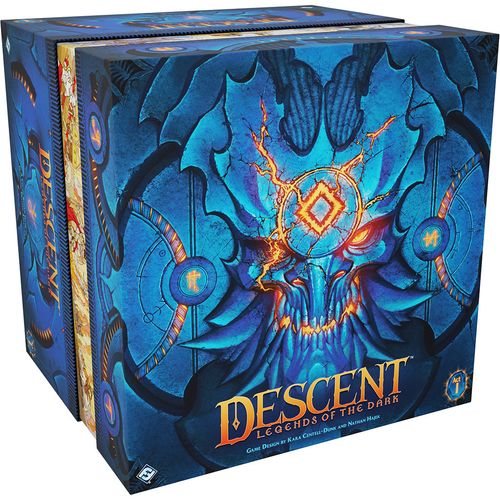
Descent: Legends of the Dark
Descent: Legends of the Dark Rulebook
Table of Contents
Table of Contents
Overview
Descent: Legends of the Dark is a cooperative game for one to four players. The players assume the roles of heroes who oppose evil throughout an expansive campaign, improving their abilities, slaying foes, exploring Terrinoth, and forging their own legend.
The App
To play this game, one player must download the free Descent: Legends of the Dark app on a compatible device. The app tracks and controls the enemies, map layout, hero inventory, and campaign progression, leaving the players free to focus on their heroes and the story they are experiencing. The app also allows the players to save their campaign to complete it over the course of many gaming sessions.
To download the app, search for Descent: Legends of the Dark on the Amazon Appstore, Apple iOS App Store, Google Play, or Steam.
Assembly
Before playing for the first time, assemble the plastic figures, health dials, and terrain pieces following the instructions on the Component Assembly insert that is included in the game box.
Rules Structure
The purpose of this document is to teach players how to play Descent: Legends of the Dark. Read this document and stop at the "Campaign Rules" section, which is not necessary to begin playing the game.
This game includes an in-app Rules Reference that describes more detailed rules and exceptions. As questions arise during the game, consult the in-app Rules Reference from the app's options menu.
Components
- 1 Component Assembly Insert
- 1 Lore Guide
- 9 Custom Dice
- 16 Plastic ID Markers (4 of each color)
- 40 Plastic Figures (34 enemies, 6 heroes) and 1 Riser
- 18 Map Tiles
- 46 Terrain Pieces
- 6 Underlays
- 6 Hero Cards
- 40 Weapon Cards
- 18 Armor Cards
- 12 Trinket Cards
- 42 Consumable Cards
- 42 Skill Cards
- 10 Injury Cards
- 4 Reference Cards
- 8 Card Sleeves
- 12 Explore/Sight Tokens
- 80 Condition Tokens (16 of each type)
- 56 Fatigue Tokens
- 4 Health Dials
Fundamental Concepts
This section contains the fundamental concepts for Descent: Legends of the Dark that provide context for players who are about to learn how to play the game.
Heroes
During a game, each player controls a hero that is represented by a hero card and a plastic figure. Each hero's plastic figure indicates that hero's position on the game map, and each hero card contains information about that hero, including their stats and unique abilities.
Only four heroes are available at the beginning of the campaign, but more heroes become available as the campaign progresses. Between games, players can choose to control different heroes, and for many quests, the app specifies heroes that players must control.
The Heroes
The following four heroes are available at the start of the campaign:
- Brynn, the human avenger, leads the charge against her foes and stands ready to defend against their reprisal.
- Galaden, the elf huntsman, is adaptable and focused, able to deliver damage wherever it is needed.
- Syrus, the human prodigy, uses magic to manipulate his attacks and enemies with help from his phoenix.
- Vaerix, the dragon-hybrid outcast, heals the party and lashes out at their foes with draconic wrath.
The following two heroes become available as the campaign progresses:
- Chance, the hyrrinx rogue, uses stealth and high mobility to attack from unexpected directions and slink away unharmed.
- Kehli, the dwarf artificer, is a bold and curious hero who crafts unique inventions to help herself and her allies.
Weapon and Attack Cards
Each hero has two weapons that are represented by a pair of weapon cards. Each weapon has a standard side, which heroes use at the start of the campaign, and an upgraded side that heroes can unlock as the campaign progresses. The upgraded side has an upgrade icon (after "Weapon") in the lower-left corner.
Both of a hero's weapon cards are stacked together and placed into a single card sleeve. This pair of sleeved weapon cards function as a single, double-sided attack card. During the game, a hero can flip their attack card to use the weapon on the other side.
Flipping Cards
During the game, a hero can flip their hero card, skill cards, and their attack card, which is made up of two weapon cards as described above.
Flipping a card changes the abilities and weapons that are available for a hero to use. Additionally, flipping a card removes all tokens that are on that card, which includes conditions and fatigue, all of which is described later.
During the game, players are challenged to efficiently manage their cards, making sure each one is flipped to the side they wish to use for a given situation.
The App
The Descent: Legends of the Dark app guides the players through their campaign by providing narratives and objectives, revealing maps and enemies, and determining when heroes win or lose a quest. The app also saves their campaign progress and inventory.
The app has two primary screens: one that displays the map that the heroes are exploring (Map Screen) and another that displays all of the enemies that are currently in play (Enemy Overview Screen).
Players can toggle between each of these screens by selecting the buttons in the upper-right corner. The current screen's button is highlighted. Both of these screens have numerous game functions that are described later.
Enemies
Enemies are the various monsters and villains that the heroes encounter during the game. Each enemy on the map is represented by a figure, and information about that enemy is tracked by the app.
When an enemy spawns, the app creates an enemy bar, assigns that enemy a color that is used to distinguish it from other enemies of the same type, and shows where that enemy is placed on the map.
Before an enemy figure is placed on the map, players must insert an ID marker of the assigned color into that figure's base. ID markers also have notches for colorblind players.
Colorblind Players
The side of each ID marker has one to four notches. If players cannot distinguish an enemy by its color, they should make sure that the number of notches that are exposed on the ID marker match the number of notches depicted on that enemy's bar in the app.
Setup
To set up a campaign of Descent: Legends of the Dark, follow the steps presented in this section.
-
Launch App: Players launch the Descent: Legends of the Dark app and select "New Game." The app guides players through a series of screens to create a save slot, select a difficulty setting, and choose starting characters.
Other than selecting a save slot, none of these choices are permanent. Players can adjust the difficulty setting at any time, and they can play different characters over the course of the campaign.
Single Player: If playing a single-player game, the player chooses and controls two heroes, but all other rules remain the same.
-
Gather Hero Components: Each player takes a reference card, a health dial, the plastic figure and hero card that match the hero they chose in the app, and that hero's two starting weapon cards, as follows:
- Brynn: Warden's Blade, Weighted Warhammer
- Galaden: Bloodwood Bow, Mirror Blades
- Syrus: Crook'd Staff, Glimmering Wand
- Vaerix: Ironthorn Warbell, Riverwatch Spear
Each player combines their starting weapons by placing one weapon on top of the other. The faces that have the upgrade icon should face each other so they are not visible. Then, the pair of cards is inserted into a card sleeve and treated as a single attack card during the game.
Then, each player sets up a play area in front of them where they place their gathered components. A hero can begin the game with either side of their hero card and attack card faceup.
-
Set Health Dial: Each player sets their health dial to the number that matches the maximum health value on their hero card. (For example, Galaden starts the game with nine health.)
-
Create Supply: Separate all tokens by type and place them in piles to create the supply. Place the map tiles, terrain, enemy figures, consumable cards, and injury cards in the supply—the injury and consumable cards do not need to be shuffled. Return all other cards to the game box, as they are not used during the first quest.
Playing a Quest
A single game of Descent: Legends of the Dark represents one quest that is played over a series of rounds, and each round consists of two phases that players resolve in the following order:
-
Hero Phase: During this phase, the heroes can move around the map, attack enemies, and interact with their environment.
-
Darkness Phase: During this phase, the app resolves the effects of time, enemies, and the quest.
After resolving the darkness phase, a new round begins, starting with the hero phase. Players continue to resolve game rounds in this manner until the quest ends.
Hero Phase
During the hero phase, the heroes choose the order in which they take their turns. This order can change from round to round. After all heroes have taken a turn, they select the "End Phase" button to proceed to the darkness phase.
During their turn, each hero may perform up to three actions in any order: one maneuver action and two additional actions of their choice. A hero can perform the same action multiple times. For example, Brynn could perform a fight action followed by two maneuver actions.
The five actions a hero can choose from are as follows:
- Maneuver
- Fight
- Explore
- Ready
- Unique
Maneuver
The maneuver action allows a hero to move around the map. When a hero performs a maneuver action, they gain a number of movement points equal to their speed.
A hero can spend one movement point to move into an adjacent space. Map tiles are divided into spaces, and two spaces are adjacent if they share a border or corner. (A hero's space is adjacent to the eight spaces surrounding it.)
A hero cannot move into a space that contains an enemy or a piece of 3D terrain, but they can move into a space that contains another hero if they can immediately move out of that space.
A hero can perform actions between spending movement points.
After a hero ends their turn, any movement points that they did not spend are lost. Unspent movement points do not carry over to a future turn.
Impeded
A hero is impeded if they are adjacent to an enemy. When a hero becomes impeded, they lose all movement points. When an impeded hero would gain more than one movement point, they gain only one instead.
Sight Tokens
Sight tokens represent points of interest. As heroes approach them, they can expand the map, reveal new details, or trigger traps.
When a hero moves into or adjacent to a space that contains a sight token, they must activate the sight token immediately. To do so, they select and drag from their hero's portrait to that sight token in the app. This does not use an action.
If an effect causes this movement to occur during the darkness phase, the hero resolves that sight token at the start of the next round.
Fight
The fight action allows a hero to attack an enemy in an attempt to defeat it and remove it from the map.
The weapon that is faceup on a hero's attack card is the weapon that a hero uses during an attack. When a hero attacks, they must choose and attack an enemy figure that is within range and in line of sight of their hero figure.
Range
Range is used to determine if an enemy is within striking distance of a hero's weapon. For all weapons, an enemy is within range of a hero if it is adjacent to that hero. For weapons that have the "Reach" keyword, an enemy is within range if it is adjacent or two spaces away from that hero.
If a hero is using a weapon that has a range value, the attack is a ranged attack. Heroes can perform ranged attacks against adjacent or non-adjacent enemies.
When attacking using a weapon that has a range value, the hero must determine the range to the enemy. To determine range, the hero counts the number of spaces between their space and the enemy's space along the shortest path of adjacent spaces. The hero starts in a space that is adjacent to them and ends in the enemy's space. If that number is equal to or less than the weapon's range, the enemy is within range.
Line of Sight
Line of sight refers to what a figure can see. To determine line of sight, a hero traces an imaginary line from the center of a figure's space to the center of another figure's space. If the line is interrupted by map edges or spaces that contain blocking terrain, line of sight is blocked.
The corners of spaces do not block line of sight. Also, figures do not block line of sight.
A figure cannot attack another figure if line of sight between them is blocked.
Line of Sight Tool: If a player is struggling to determine line of sight, they can select "Line of Sight" in the options menu. Then, the player selects any space in the app—this causes the app to highlight all of the spaces that are within line of sight of the selected space. The app also displays range from that space: red spaces are adjacent, orange spaces are two spaces away, and yellow spaces are three or more spaces away.
Hero Attacks
When a hero attacks an enemy, they use the app to select and drag from their hero's portrait to the image of the enemy that they are attacking.
This opens the hero attack screen, where the hero indicates the weapon they are using (their faceup weapon) by selecting it in the app. Then, they roll the die that is displayed next to the attack icon on their hero card.
Typically, the hero wants as many success results as possible to damage the enemy. The hero can resolve each die icon as follows:
- Success: The hero can spend each success to apply damage to the enemy.
- Advantage: The hero can place fatigue to convert one advantage result to one success result for each fatigue that is placed. Fatigue is described later.
- Surge: The hero can spend surge results to resolve surge abilities. Surge abilities provide heroes with various effects and are described later.
For each success result the hero spends to apply damage, they select the ">" button to input that success into the app. After the hero has input the total number of successes, they select "Confirm."
For each success, the enemy suffers damage, which is automatically subtracted from its health. The amount of damage that the enemy suffers for each success is determined by the damage value of the weapon the hero used. (For example, Bloodwood Bow has a damage value of "2." With two successes, the enemy suffers four damage.)
Enemy Defense and Abilities
Each enemy has a defense value displayed next to its health bar. Each time an enemy is attacked, the damage that it suffers is reduced by an amount between zero and its defense value. This is automatically calculated by the app.
Most enemies also have a defense ability that the heroes resolve when the enemy is attacked.
Damage Types
Each weapon has one or more damage types shown on the left side of the card. Most enemies are weak to some damage types. During a hero's attack, each success spent causes one additional damage for each of the weapon's damage types that the enemy is weak to. This is calculated by the app.
The damage types that an enemy is weak to are displayed as "?" until the weakness is discovered. The first time an enemy suffers damage of a type that they are weak to, that weakness is revealed for the duration of the campaign.
Explore
The explore action allows a hero to search the environment and affect the tokens and 3D terrain on the map, which can progress and alter a quest's narrative and provide the heroes with unique choices and experiences.
When a hero performs the explore action, they interact with a piece of 3D terrain or an explore token. That component must be adjacent to or in the same space as the hero's figure. To interact, the player selects and drags from their hero's portrait to the component they are interacting with and follows the instructions that the app provides.
Interacting with 3D terrain and tokens can produce a variety of effects such as performing tests, gaining items, and expanding the map, all of which is described later.
A hero can select any 3D terrain piece or token by tapping on it in the app. This allows a hero to review information about that terrain piece or token without performing an action.
Ready
The ready action allows a hero to flip one card in their play area. This lets the hero change their hero ability or weapon to something more useful for their current circumstances.
When a hero performs the ready action, they can flip their hero card, their attack card, or one of their skill cards. Skills are described later.
When a hero flips a card for any reason, they discard all tokens on that card. This is a great way for the hero to remove the hindering effects of fatigue tokens and some conditions.
Unique Actions
Many cards have abilities that are prefaced with an action icon. The number preceding the action icon indicates how many actions the hero uses to perform the unique action. (For example, an ability prefaced by "2 actions" uses two of the hero's actions.)
Darkness Phase
The darkness phase represents the passage of time, during which foes and other elements of the quest attempt to thwart the heroes' goals. The app guides players through the darkness phase, but the steps are briefly described here:
-
Time Passes: Heroes suffer the effects of the "infected" and "terrified" conditions, which are described later. Also, each hero can discard one fatigue; fatigue is described later.
-
Enemy Activation: The app activates each enemy on the map, one at a time, causing them to move and attack. Enemy activations are described below.
-
Quest: The app may display messages about new events, place enemies on the map, update the heroes' objectives, and more.
-
Tactics: Some enemies may plan to execute a powerful or cunning tactic for the next round. If they do, the app displays a message that hints at the enemy's intent.
Winning and Losing
Each quest has its own objectives that are displayed at the top of the screen.
If the heroes complete the final objective of a quest, the heroes win and the quest ends.
If the final objective cannot be completed, or if any hero who has a major injury is wounded again, the heroes lose and the quest ends. Wounded heroes and injuries are described later.
When a quest ends, the heroes progress to the next quest. However, the outcome of the quest—whether the heroes won or lost—may affect future quests and other aspects of the campaign.
Activating Enemies
During the darkness phase, each enemy takes a turn activating. When an enemy activates, it typically moves toward a specific hero and attacks them.
The order in which the enemies activate is determined by the app. When it is an enemy's turn to activate, the app opens an activation screen that displays the picture and name of that enemy as well as other information the enemy uses for its activation.
Targeting
Each enemy wants to attack a hero during its activation. That hero is the enemy's target and is displayed on its activation screen. When activating, the enemy moves so it is positioned to resolve an attack against that target if possible.
If the enemy cannot attack the displayed target, the hero who is closest to the enemy becomes the target instead. If there are multiple heroes who are the closest, the hero among them with the least health becomes the target, and if there are multiple closest heroes who have the least health, the heroes choose the target of the attack from among the eligible options.
If an enemy cannot attack any hero during its activation, that enemy moves toward the closest hero who has the least health.
Moving
The first thing an enemy does during its activation is move. When an enemy is activated, it gains movement points equal to its speed. If the enemy is impeded, it gains only one movement point instead.
Then, that enemy spends movement points to move to a space on the map where it can attack its target. An enemy that does not have a range value moves adjacent to its target. However, if an enemy does have a range value, it moves so it is a number of spaces away from its target equal to that range value, or as close to equal as possible. This may mean that the enemy moves away from its target if it is too close, or toward the target if it is too far away.
An enemy cannot move into a space that contains a hero or a piece of 3D terrain, but they can move into a space that contains another enemy if they immediately move out of that space.
Range and Line of Sight
An enemy that can attack from range must have line of sight to its target from the space it moves to. If an enemy does not have line of sight to its target from any space that is a number of spaces away from its target equal to its range, that enemy moves to a space that is as far from its target as possible while remaining within range and in line of sight.
Line of sight and range are determined using the same rules described in the "Fight" section.
Impeding
Similarly to heroes, an enemy becomes impeded if it begins its activation in a space that is adjacent to a hero or if it moves into a space that is adjacent to a hero.
Enemies prefer not to become impeded if possible. However, this preference is the final consideration after all other movement criteria are satisfied.
Attacking
After an enemy moves, it attacks its target for an amount of damage equal to the damage value displayed on its activation screen.
The target hero defends to reduce the amount of damage they suffer. To defend, the hero rolls the die that is displayed next to their defense icon on their hero card. Then, they may resolve each die icon as follows:
- Success: The hero can spend each success to reduce the damage they would suffer by one.
- Advantage: The hero can place fatigue to convert one advantage result to one success result for each fatigue that is placed.
- Surge: The hero can spend surge results to resolve surge abilities.
After reducing damage, the hero suffers all remaining damage. To suffer damage, the hero rotates their health dial to decrease their health by the amount of damage suffered. The effects of being reduced to zero health are described later.
Enemy Activation Abilities
Each enemy has an ability, such as the zealot's "Ichor Lash," that modifies their activation. When an enemy activates, the heroes read and apply the ability to the enemy's activation.
Interrupt
The enemy activation screen has an "Interrupt" button that the heroes can select if they need to resolve effects that occur before or during an enemy activation.
When a hero selects the "Interrupt" button, the enemy activation screen closes, giving heroes access to the game's main screens. When the heroes are ready to resume an enemy's activation, they select the "Resume Activation" button.
The Heroic Adventure Rule: During enemy activations, the players should move and use enemy abilities in a way that best accomplishes the enemy's instructions and avoids the enemy becoming impeded if possible. Otherwise, players are not required to make the enemies move in a way that optimally opposes the heroes.
Damage and Fatigue
This section describes the rules for damaging heroes and enemies, and the rules for hero fatigue.
Hero Damage and Injuries
A hero's health dial always displays their current health. When a hero heals, they increase their health, but they cannot have more than their maximum health.
After a hero suffers one or more damage, they decrease their health by that amount. If a hero's health is reduced to zero, they are wounded.
When a hero is wounded, they set their dial to their maximum health and select their portrait in the app to view their hero information screen. Then, they select the "Wound Hero" button and follow the instructions that the app provides.
If the hero is instructed to suffer an injury, they do so as follows:
-
Minor Injury: The hero suffers a minor injury by taking the minor injury card specified by the app and placing it in their play area with the "Minor" side faceup. The hero reads the card's effect and follows its instructions.
-
Major Injury: The hero suffers a major injury by flipping their injury card so the "Major" side is faceup. The hero reads the card's effect and follows its instructions.
If a hero with a major injury is wounded, the app typically informs the heroes that they have failed and the quest ends.
Enemy Damage and Defeat
When an enemy suffers damage from an attack, the app applies that damage automatically. If a hero's ability directly damages an enemy, the hero selects that enemy in the enemy overview screen and manually reduces the enemy's health using the "<" button.
If an enemy's health ever reaches zero, that enemy is defeated, and their figure is removed from the game map.
Fatigue
Fatigue is the result of a hero exerting additional effort during their quest. This effort can help a hero succeed at a crucial moment, but the fatigue they accumulate can hinder them if they do not manage it carefully.
Converting Advantage
When a hero rolls dice during an attack, defense, or test, they can convert advantage results to success results by placing fatigue tokens on their cards. For each fatigue token that is placed, the hero converts one advantage result to a success result. The hero can place each fatigue token on any of their cards that has a fatigue limit in the lower-right corner of the card. The fatigue limit indicates the maximum number of fatigue tokens that can be on that card.
Fatigue Abilities
If an ability is prefaced with a number and the fatigue icon, it is a fatigue ability. To resolve a fatigue ability, a hero must place the number of fatigue tokens specified by the ability, and these tokens can only be placed on the card that has the ability. If the number of tokens that would be on the card exceeds its fatigue limit, that ability cannot be resolved.
If an "X" precedes the fatigue icon, the hero may place any number of fatigue on the card as long as they do not exceed its fatigue limit.
Suffering Fatigue
Additionally, some game effects may require a hero to "suffer" fatigue. Unless specified otherwise, when a hero suffers fatigue, they must place the specified number of fatigue tokens on any of their cards that has a fatigue limit without exceeding that limit. This fatigue can be spread across multiple cards. When suffering fatigue, for each fatigue token that a hero cannot place on a card, they suffer one damage instead.
Tests
When heroes interact with terrain and tokens on the map, they often are instructed to perform a test. Each test requires a hero to use one of the stats that is displayed on their hero card: might, agility, insight, or will. Each stat can have a positive (+) or negative (–) modifier that is applied to all tests of that stat.
When a hero is instructed to perform a test of a specific stat, they roll two black dice. Then, they apply the modifier to the number of successes they rolled. (For example, if Brynn tests will and rolls five successes, she applies her will modifier, resulting in a final total of six successes.)
While performing a test, the hero can spend surge icons to resolve surge abilities and can place fatigue to convert advantage results to success results.
The total number of successes after modifiers are applied determines the outcome. There are two types of test:
-
Some tests require the hero to input the number of successes in the app. Then, the app provides the outcome of the test. The successes for some of these tests are cumulative—the heroes can perform the test multiple times, and the app tracks the total number of successes.
-
Some tests provide a number that indicates how many successes are required to pass the test (e.g., "Test might 6"). If the hero has successes equal to or greater than the required number, they pass the test. Otherwise, they fail the test. After the hero selects "Pass" or "Fail" as appropriate, the app provides the hero with the outcome.
Negating
The app may grant a hero the chance to negate damage or fatigue before they suffer it. When this occurs, the hero is presented with a stat to test (e.g., "Each hero suffers 4 damage; might negates."). Before suffering the damage or fatigue, the hero may test the indicated stat, and each success produced during that test prevents one damage or fatigue.
Hero Effects
This section describes abilities and effects pertaining to heroes.
Abilities
Most of the cards in a hero's play area have abilities. Each ability describes when and how it is resolved.
When a hero resolves an ability, it cannot affect other heroes unless the ability specifies otherwise. For example, if an ability reads "1 surge: Focus 1 card," the hero resolving that ability cannot place a focus token on another hero's card.
Surge Abilities
A surge ability is any ability that is prefaced by a surge icon. Many cards have surge abilities, including all hero cards. A hero can use their surge abilities any time they roll a die. To use a surge ability, a hero spends a surge icon from one of their die results and then resolves the ability's effect. Each surge ability can be used only once per roll.
Rerolling Dice
Some abilities allow heroes to reroll dice. Reroll abilities must be used before any die results are resolved. If a hero has multiple reroll abilities, they can reroll multiple dice or reroll any dice multiple times, using their rerolls as they choose.
Using Consumables
A consumable is an item that provides an immediate benefit. Each consumable describes when it can be used and what it does. After it is used, it is set aside and cannot be used again during that quest.
Keywords
Heroes and enemies use abilities that are presented as keywords. A keyword is a shorthand for an effect that appears frequently. The rules for each keyword are as follows:
-
Charge: After a card is flipped (which includes when it is placed in a hero's play area at the start of a quest), if the faceup side of that card has the "Charge" keyword, the type and number of tokens specified by the keyword are placed on the card. When there are no tokens of that type on that card, that card is flipped.
For example, if a hero flips a card and the ability on the faceup side reads, "Charge: Prepare 2," the hero places two prepare tokens on that card. When the hero spends the last of that card's prepare tokens, the hero immediately flips that card.
-
Reach: A weapon with this keyword can be used to attack a figure that is up to two spaces away (if line of sight is not blocked).
-
Reveal: After a card is flipped (which includes when it is placed in a hero's play area at the start of a quest), if the faceup side of that card has the "Reveal" keyword, the effect that follows the keyword must be resolved immediately.
-
Shift: This keyword allows a figure to move up to the number of spaces specified. When a figure is moved in this way, it ignores the rules of impeding, but it still obeys all terrain rules.
Hero Conditions
Hero conditions are positive and negative effects represented by condition tokens that are placed on cards. If an effect instructs a hero to "infect," "terrify," "scar," "focus," or "prepare" a card, that hero places a condition token of the appropriate type on that card. For example, if a hero is instructed to "focus" their hero card, they gain a focus token and place it on their hero card.
If a card is not specified, the hero can place the token on their hero card, attack card, or any of their skill cards.
When a card would gain a condition but already has a token of that type, the card cannot gain that condition. Resolving the "charge" keyword is an exception to this rule.
When a hero flips a card, all tokens on that card are returned to the supply.
Each condition has a unique effect, as follows:
- Infected: When time passes during the darkness phase, the hero suffers damage equal to the number of infection tokens on their cards.
- Terrified: When time passes during the darkness phase, the hero suffers one fatigue on each of their cards that has a terrify token on it.
- Scarred: When a hero flips a card that has a scar token on it, that hero suffers two damage.
- Focused: During an attack, defense, or test, a hero may discard a focus token from a card to reroll one of their dice.
- Prepared: During their turn, a hero may discard a prepare token from one of their cards to flip that card without performing a ready action.
Additional Enemy Rules
This section describes additional rules pertaining to enemies. Enemy activation is described above.
Placing Enemies
When an enemy spawns, the app displays the enemy in the space where the heroes should place the enemy's figure on the map. If that space is already occupied by a figure, the heroes move the existing figure to the nearest space of their choice.
Enemy Levels
Each enemy has a level that indicates the strength of that particular figure. The enemy's level is displayed in the app on the enemy screen. Higher-level enemies have more health and defense, and they have stronger attacks and abilities.
Small and Large Enemies
Enemy figures that occupy one space are small. Enemy figures that occupy more than one space are large. When a large enemy moves, the heroes choose one space that is adjacent to a space that the large enemy occupies. Then, they move the enemy so that any part of its base occupies the chosen space. All other movement rules apply.
When determining line of sight for large enemies, a path can be traced to and from the center of any space that the large enemy occupies. Additionally, when determining range to or from a large enemy, heroes can count from any space that the large enemy occupies.
Riser: The riser is used to prevent a large enemy from tilting on a staircase. If a large enemy figure ends its movement so that it hangs over a staircase step (or over the two spaces in front of that staircase), place the riser under the unsupported part of the figure.
Enemy Statuses
Enemy statuses are negative effects that are tracked in the app. If a hero causes an enemy to suffer a status, the hero applies it by selecting the enemy in the enemy overview screen and selecting the appropriate status.
Enemy statuses are resolved automatically by the app and are removed by the app at the end of each round. An enemy cannot suffer a status that it already has.
The app resolves each status as follows, and all percentage calculations are rounded up:
- Afflicted: During the darkness phase, each afflicted enemy suffers four damage.
- Dazed: When a hero attacks a dazed enemy, the secondary abilities on the hero's weapon are 10% more likely to be used (secondary abilities are explained later).
- Doomed: At the end of the round, a doomed enemy's "Doomed" status is removed, but all of its other statuses remain on the enemy for another round.
- Enfeebled: An enfeebled enemy's attack damage is reduced by 20%.
- Exposed: An exposed enemy suffers 20% more damage from attacks.
- Slowed: A slowed enemy's speed is reduced to one.
Terrain
Terrain represents natural elements, such as water, lava, and trees, as well as objects such as treasure chests, shelves, and gates. Some terrain is represented as underlays, which are described below; however, most terrain is represented by 3D punchboard.
Heroes can perform an explore action to interact with 3D terrain, and those interactions may include opening a door or a treasure chest, springing traps, or discovering recipes and harvesting materials.
The heroes can select a piece of 3D terrain in the app to display information about that terrain.
Terrain and Movement
Heroes and enemies cannot move into a space that contains a piece of 3D terrain unless a rule or effect specifically states otherwise (e.g., the rules for staircases). Figures can move diagonally between two spaces that contain 3D terrain.
Blocking Terrain
The 3D terrain pieces that are blocking terrain include: Pillar (short and tall), Tree, Dragon Statue, Shelf, and Door. This terrain blocks line of sight, and heroes cannot count range through blocking terrain.
Barricades
Barricades are dangerous to heroes and enemies alike.
If a hero attacks an enemy that is adjacent to a barricade, the hero adds one success to their attack.
If an enemy attacks a hero who is adjacent to a barricade, the enemy adds one damage to its attack.
Archways
An archway is a piece of terrain that consists of two pillars and an arch. The spaces that are occupied by an archway's pillars prevent movement and block line of sight. Figures can move into and trace line of sight through the two spaces between the pillars.
If a figure is too tall or too wide to fit underneath an archway, players should remove the archway until the figure is no longer positioned underneath it. It may be helpful to place a pillar or token on the spaces occupied by the archway's pillars to remind players that they cannot move or trace line of sight through those spaces.
Underlays
Some terrain is printed on sheets that are placed partially under map tiles. When placing this terrain, it is important that only the spaces shown in the app are exposed.
The spaces on underlays are adjacent to spaces that they share a border or corner with, and heroes and enemies can move into underlay spaces normally. Each type of underlay has unique effects for both heroes and enemies, as follows:
- Embers: If a hero moves into an ember space, they scar one of their cards. If an enemy moves into an ember space, the enemy becomes afflicted and doomed.
- Poison: If a hero moves into a poison space, they infect one of their cards. If an enemy moves into a poison space, the enemy becomes enfeebled.
- Spikes: If a hero or enemy moves into a spike space, they become impeded and suffer two damage.
- Water: When spending movement points to move out of a water space, a hero or enemy must spend one additional movement point.
The heroes can select an underlay in the app to display a reminder of this information.
Elevation
Maps frequently have multiple levels of elevation. When placing tiles that are elevated, those tiles are supported by inserting them into pillars.
Each pillar can attach to a map tile in two ways, either using a notch that depicts a gargoyle or a notch that does not depict a gargoyle. When constructing any elevated portion of the map, reference the app to ensure that the pillars are oriented the same way that the app displays.
Starting from the tile on the table, each level of elevation is higher than the previous level by approximately the height of one staircase (or the distance to the next notch on a pillar).
Staircases
Figures cannot move directly upward an entire level (i.e., from a level-1 map tile to a level-2 map tile). Instead, they must use a staircase. Each staircase has three steps.
The bottom and middle steps are between the levels bridged by the staircase, so a figure can move from the lower level's map tile to those steps, or from those steps to the higher level's tile.
The top step is at the same level as the higher level's map tile (even if that tile is resting on the top step). Thus, a figure cannot move directly to the top step from the lower level's map tile.
Downward Movement
In addition to using staircases, heroes and enemies can move downward any number of levels by moving off a tile edge. For the purposes of downward movement, any spaces that would be adjacent to each other if the map tiles of all levels were flattened are treated as adjacent. The best way for players to assess this is by looking at the map from overhead.
Elevation and Attacks
Heroes and enemies can trace line of sight and determine range up and down elevation as if all levels were flattened. As such, heroes and enemies can attack each other from above or below.
Overhangs
An overhang is a portion of a tile that exists one or more levels directly above a tile that is below it. Both heroes and enemies can move into a space that is underneath an overhang. However, if a figure is too large to fit under an overhang—that is, if the figure cannot stand normally without touching the tile above it—that figure cannot move or be moved into that space.
Overhangs and Line of Sight
Overhangs may or may not block line of sight between two figures. Generally, a figure can trace line of sight to another figure that is under an overhang if the line traces through a space on the lower figure's level that does not have an overhang above it. Players are encouraged to use the line of sight tool in the app. For detailed rules and examples of line of sight with overhangs, players can consult the in-app Rules Reference.
Overhangs and Range
When determining range between two spaces on different levels, heroes count range through adjacent spaces as normal. When counting range, heroes can count up and down levels. For detailed rules about range with overhangs, players can consult the in-app Rules Reference.
Because some effects do not require line of sight, it is possible for a figure or space to be in range of effects whose origin is directly above or beneath them.
Campaign Rules
The rules presented in this section are not necessary to begin playing the game. When the heroes gain access to the campaign map in the app, they should read the rules presented in this section and continue the campaign.
Early in the campaign, the heroes gain access to additional features in the app. This includes the opportunity to craft items, upgrade equipment, and acquire skill cards. These opportunities are available in the city of Frostgate, where the heroes return after most quests.
Equipment
The weapons and items that the heroes use throughout their campaign are referred to as equipment. Each hero begins the game with two weapons, and as the campaign progresses, the heroes can find and craft different weapons in addition to armor, trinkets, and consumables.
The heroes are collectively referred to as a party, and the equipment that the party has access to is tracked in the app.
The amount of equipment that the heroes can have in their inventory is limitless; however, before embarking on a quest, each hero chooses a finite number of weapons and items to equip, as follows:
- Two weapons (creating one attack card)
- One armor
- One trinket
- Three consumables
All equipment cards are double-sided with one side showing the standard version of the equipment and one side showing its upgraded version. Each hero places their chosen equipment in their play area with the standard side faceup. If the equipment has been upgraded, they place it with the upgraded side faceup instead.
Armor
Armor is used to increase a hero's health and defense and can aid in a hero's survival in other ways.
Each armor card has an ability that describes when it can be used and how its effect is resolved. In addition to an ability, armor may increase a hero's maximum health and provide additional die results or even dice when defending against attacks. If armor increases a hero's maximum health, that hero treats the health value on their hero card as if it was increased by the amount that the armor specifies.
Armor Restrictions
Each armor card indicates whether it is light, medium, or heavy armor. A hero cannot equip any armor type that is not presented on their hero card.
Trinkets
A trinket provides effects to the hero who has it equipped. The app manages the effects of all equipped trinkets automatically; however, when a hero equips a trinket, they still place that trinket's card in their play area as a reminder of its effect.
Runes
During the campaign, it is possible for a hero to find a rune. Some runes are trinkets, while others are weapons that do not have a hero restriction—any hero can equip them.
Consumables
Consumables provide unique effects, each of which is described on the card. The ability of each consumable explains when it can be used. After using a consumable, a hero removes it from their play area.
When crafting, the heroes can create batches of consumables, which allow heroes to choose those consumables for all future quests. A hero cannot equip multiple copies of the same consumable.
There are three types of consumables:
- Common: There are four copies of each common consumable.
- Limited: There are two copies of each limited consumable. These can be used only by specific heroes, who are listed on the card.
- Unique: There is one copy of each unique consumable. These are powerful brews that can only be found during quests.
Weapon Parts
Weapons are made up of three parts. The first part dictates which card the hero uses. The other two provide the weapon with secondary abilities.
Many of these abilities have a percent chance of occurring each time the hero attacks; they are calculated and resolved by the app automatically. Other abilities that may affect heroes or the map display additional reminder text at the appropriate time.
Traits
Many cards contain traits such as "Leadership" or "Spear" that are presented below their card name. Traits have no inherent effects; however, other game effects may refer to cards that have those traits.
If an effect is referencing a card with a trait, it is only referencing the faceup side of that card.
Crafting and Upgrading
Throughout the campaign heroes gain the following resources: gold, materials, essences, and recipes. All of these resources are shared among the heroes and are tracked by the app. The heroes can use these resources between quests to craft new equipment and upgrade existing equipment.
Gold
Gold is the primary currency of Terrinoth. When the heroes visit the city of Frostgate, they can spend gold to purchase materials used for crafting. Some quests and events also provide opportunities to spend gold.
Materials and Essences
The primary resources that heroes need to craft and upgrade equipment are materials and essences. Materials are a common resource that heroes can either find through exploration or purchase in the city using gold. These include metal, bone, leather, cloth, minerals, herbs, and curios. Essences are rare and represent the components that make up the fabric of reality, such as ignos (fire) and anemos (air).
Recipes
Throughout the campaign, the heroes gain recipes. Each recipe provides a hero with a list of materials and essences needed to craft a specific piece of equipment. To craft that equipment, the hero combines the listed materials with the recipe in the crafthall, which the heroes can visit between quests. After crafting a piece of equipment, the recipe and the materials that were combined with it are spent and automatically removed from the party's inventory. Any equipment that is crafted becomes part of the party's inventory for the remainder of the campaign, including consumables.
There are two recipes for each piece of equipment. The first recipe that is used crafts the equipment and it becomes available for the heroes to use during quests. The second recipe that is used upgrades the equipment, which allows the heroes to use the upgraded version.
The City Screen
Frostgate is one of the Free Cities of the kingdom of Terrinoth. While not subject to the barony of Forthyn, it exists within its borders and is both an ally and rival.
The city is home to the heroes during the campaign, and they return to it between quests. They can visit various locations to buy materials and craft equipment, as well as gather information from the residents of the bustling metropolis.
The city has three featured locations that the heroes can visit:
- Crafthall: An important way that the heroes can gain power throughout the campaign is to craft and upgrade equipment. The crafthall allows heroes to spend the recipes, materials, and essences they have gained to craft and upgrade equipment.
- Armory: The armory allows the heroes to modify the parts of their weapons so they can optimize for their upcoming quest, explore new strategies, and customize to their play style.
- Shop: The shop contains materials, recipes, and sometimes equipment that can be purchased for gold. Additionally, materials can be sold for gold.
Events
Events can appear in the city and on the campaign map and represent a variety of locations, people, and occurrences. To resolve an event, the heroes select the event in the app and follow the instructions. Some events require the heroes to travel to a particular destination. Events advance the narrative and provide the heroes with rewards and other surprises.
- Regular: This type of event can appear in the city and on the campaign map. Heroes can resolve the event by selecting it.
- Travel: This type of event can appear on the campaign map. Heroes can travel to that event and resolve it by selecting it.
Feats
Each hero has unique feats that they can complete to progress their personal growth. A hero's feats are tracked by the app, which indicates their progress and notifies them when a feat is completed. After a feat is completed, the hero claims the reward shown, such as a new skill or an exclusive recipe, and selects a new feat.
Skills and Experience
As heroes progress through the campaign, they automatically unlock skills and gain experience (xp), both of which are tracked by the app. Skills provide a hero with abilities that are resolved as described on the skill cards. At the start of each quest, heroes choose which skills to equip. The combined cost of a hero's equipped skills cannot exceed the hero's experience.
A hero can equip unlocked skills that depict that hero's image in the lower-left corner.
Similar to hero cards, skill cards are double-sided, have fatigue limits, and can be flipped during play.
Virtues
Each hero has two attributes that represent their primary virtues. These are unique, hero-specific attributes that the app uses to track a hero's narrative choices.
During the story, heroes make choices that may increase their virtues. Virtues have no inherent effects, but the app uses them to determine exclusive outcomes and choices for a hero.
Note that increasing both attributes is just as viable and useful to the app as focusing on a single attribute, so players can make their choices based on the story, gameplay, or how they would like their hero to grow.
Campaign Map
The campaign map displays the barony of Forthyn and a glimpse into the regions beyond its borders. While in the city, the heroes can access the campaign map by selecting the City Exit button. The campaign map allows the heroes to view quests and events that are available to them.
Quests
Quests on the campaign map are indicated by a quest icon. The heroes can select a quest to view a short description about it:
- Campaign Quests: These quests progress the campaign's story whether the heroes win or lose. These quests often focus on a specific hero.
- Side Quests: These quests are optional but offer additional rewards and story. Each side quest can be attempted once, and then is removed from the map.
When the heroes are ready to play another quest, they choose a quest from the map and select the "Prepare" button.
Preparing
After a quest is selected, each player must choose a hero for that quest. Players may choose a different arrangement of heroes each time they play, but many quests indicate a required hero.
After selecting their heroes, each player chooses their weapons and trinket in the Hero Loadout screen. They also choose their armor, consumables, and skills for the upcoming quest, following the restrictions described in the previous sections. Then, they select "Embark" and the quest begins.
Saving a Campaign
Players can save their campaign at any time by selecting "Save & Quit" from the options menu. If players choose to save their game during a quest, it is important that the heroes record the location of all figures on the map as well as the arrangement of their play areas—this includes the types and orientation (what is faceup/facedown) of cards, the placement of tokens, and their current health.
Continuing a Campaign
To continue a campaign, the players select the "Load Game" button on the app's title screen. Then, they select the appropriate save slot for the campaign that is being continued. Players can set up the supply by following step four of "Setup." After players select their heroes, they gather their hero components and set their health dials. Then, they select their next quest in the app and select "Embark."
Clarifications
This section clarifies some common language and rules. Entries are organized alphabetically by topic. The Rules Reference in the app provides comprehensive details for all rules, including the clarifications presented here.
Card Language
- When an ability refers to a "roll," it refers to any situation in which a hero rolls one or more dice, such as when attacking, defending, or performing a test.
- If a component moves "toward" another component, each space that the moving component moves into must reduce the distance between both components.
- If a component moves "away" from another component, each space that the moving component moves into must increase the distance between both components.
- If an ability uses the word "consecutive," it is referring to a series of contiguous spaces in which the next space in the series is adjacent to the previous space.
- If an ability instructs a hero to "swap" two components, each component is placed where the other component was previously.
- If an ability uses the word "collectively," that ability affects the party as a whole instead of an individual hero. The party must decide how the effect is divided among the heroes.
Conditions
- If a hero has a choice of where to place a condition token, they cannot place it on a card that already has that type of token on it.
- When a hero flips a card, all tokens that are on that card are discarded, even condition tokens that provide positive effects.
Fatigue
- A card that has a fatigue limit of "0" can have fatigue placed on it if an ability increases that card's fatigue limit.
Health
- A hero cannot heal above their maximum health.
- If a hero suffers an amount of damage that would reduce their health below zero, that damage reduces their health to zero instead.
Hero Turns
- A hero can still spend movement points and use abilities after performing all of their actions. The hero's turn does not end until they declare it has ended.
Staircases
- Some maps are constructed with a map tile resting on the top step of a staircase. The spaces resting on the top step are treated as part of that step.
The App
- Heroes can tap on objects in the app to view more information about them. Doing so does not use a hero's action. When a hero selects their portrait and drags to an object in the app, they are using an action.
Timing
- Each ability describes when it can be used. Most commonly, abilities can be used "before," "after," or "during" a specific time or action of the game, as follows:
- If the timing of an ability uses the word "before" or "after," the ability's effect can be resolved immediately before or after the described timing event.
- If the timing of an ability uses the word "during," the ability's effect can be resolved any time during the described timing event.
- Each ability can only be used once during its described timing. For example, an ability that can be used "During your turn" can be used once during each turn, but it cannot be used twice during the same turn.
Golden Rules
The golden rules are the fundamental concepts on which all other game rules are built.
- If information in the Rules Reference contradicts the Learn to Play booklet, the Rules Reference takes precedence.
- If a card ability directly contradicts information in the Rules Reference, the card takes precedence. If both the card and the rules can be followed at the same time, they should be.
- If a card ability uses the word "cannot," it is absolute and cannot be overridden by other abilities.
- If an ability in the app directly contradicts information in the rulebooks or on cards, the app ability takes precedence.
Quick Reference
Round Structure
Each game round consists of the following two phases:
- Hero Phase: During this phase, each hero takes a turn performing actions to move, attack enemies, and interact with tokens and terrain.
- Darkness Phase: During this phase, time passes and enemies activate.
Actions
During a hero's turn, they can perform one maneuver action and two additional actions. A hero can perform the same action multiple times (including multiple maneuver actions).
- Maneuver: The hero gains movement points equal to their speed.
- Fight: The hero attacks an enemy.
- Explore: The hero interacts with an explore token or piece of 3D terrain.
- Ready: The hero flips one of their cards.
- Unique: The hero resolves any ability that is prefaced by the action icon.
Icons
- Success
- Advantage
- Surge
- Fatigue
- Unique Action
- Upgrade
- Health
- Damage
Hero Conditions
- Infected: When time passes during the darkness phase, the hero suffers damage equal to the number of infection tokens on their cards.
- Terrified: When time passes during the darkness phase, the hero suffers one fatigue on each of their cards that has a terrify token on it. (As normal, the hero suffers one damage for each fatigue token that cannot be placed in this way.)
- Scarred: When a hero flips a card that has a scar token on it, that hero suffers two damage.
- Focused: During an attack, defense, or test, a hero may discard a focus token from a card to reroll one of their dice.
- Prepared: During their turn, a hero may discard a prepare token from one of their cards to flip that card without performing a ready action.
Underlays
Underlays have the following effects for heroes and enemies:
- Embers: If a hero moves into an ember space, they scar one of their cards. If an enemy moves into an ember space, the enemy becomes afflicted and doomed.
- Poison: If a hero moves into a poison space, they infect one of their cards. If an enemy moves into a poison space, the enemy becomes enfeebled.
- Spikes: If a hero or enemy moves into a spike space, they become impeded and suffer two damage.
- Water: When spending movement points to move out of a water space, a hero or enemy must spend one additional movement point.
Frequently Overlooked Rules
- A hero can perform actions between spending movement points.
- A hero can perform the same action multiple times during their turn.
- When placing fatigue to resolve a fatigue ability, that fatigue must be placed on the card where that ability is printed.
- When placing fatigue to convert an advantage to a success, that fatigue can be placed on any of that hero's cards that have a fatigue limit.
- When a hero flips a card, all tokens that are on that card are discarded, even tokens that provide positive effects.