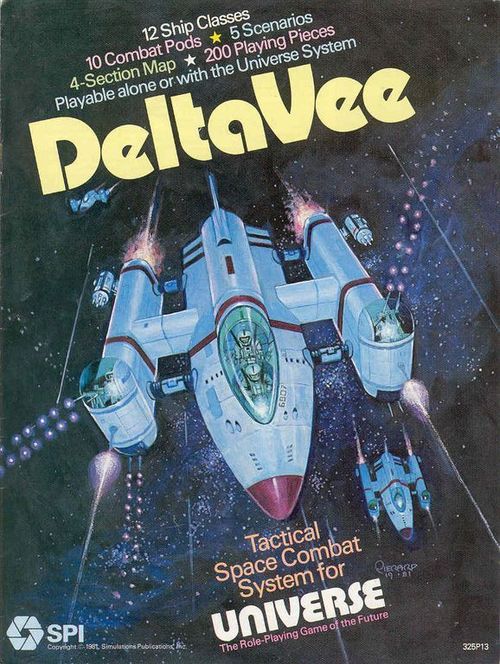
DeltaVee
DeltaVee Rulebook
Table of Contents
Table of Contents
- Read This First
- Rules Questions
- Contents
- [1.0] Introduction
- [2.0] Game Components
- [3.0] Sequence of Play
- [4.0] Spaceships
- [5.0] Pods
- [6.0] Movement and Direction
- [7.0] Commands
- Spaceship Log Nr. 1
- Charts and Tables
- Spaceship Log Nr. 2
- [7.0] Commands (continued)
- [8.0] Laser and Particle Fire
- [9.0] Missile Launch and Interception
- [10.0] How to Use the Spaceship Logs
- Spaceship Log Example
- [11.0] Scenarios
- Abbreviated Sequence of Play
- Counter Sheet and Game Map
Read This First
The rules to Delta Vee are organized by major topics arranged in the order in which they occur in the play of the game. Each such major topic is given a number and a name below which is given (usually) a General rule or Description which summarizes the rule in that section. This is usually followed by numbered paragraphs called Cases, which give the specifics of the rules. Note that the numbering of the Cases is a decimal form of the major Section number. Players should examine the map and counters and then quickly read the rules (without trying to memorize them). Then the game should be set up to play and a "trial run" made.
Rules Questions
Should you have any difficulty interpreting the rules, please write to SPI, phrasing your questions so that they can be answered by a simple sentence, word, or number. You must enclose a stamped, self-addressed envelope. We cannot guarantee a proper answer should you choose to phone in your question (the right person is not always available — and since SPI has published hundreds of games, no one individual is capable of answering all questions). Write to:
SPI Rules Questions Editor for Delta Vee 257 Park Avenue South New York, NY 10010
Contents
1.0 Introduction 2.0 Game Components 3.0 Sequence of Play 4.0 Spaceships 5.0 Pods 6.0 Movement and Direction 7.0 Commands 8.0 Laser and Particle Fire 9.0 Missile Launch and Interception 10.0 How to Use the Spaceship Logs 11.0 Scenarios
[1.0] Introduction
DeltaVee is a tactical simulation of combat among spaceships in the 24th Century. The game is intended for two players, although more may participate in scenarios devised by the players. Each hex on the DeltaVee game maps represents a volume 20,000 kilometers in diameter. The game uses a two-dimensional movement system; the "plane" of the playing area represents the ecliptic of the star system in which each battle occurs. Each Game-Turn represents 15 minutes.
During play, each player moves one or more spaceships about the game-map using a maneuver system that abstractly simulates the laws of Newtonian motion. Each spaceship is composed of a hull with a varying number of attached pods. Each pod represents a system that improves the ship's capabilities in combat, movement, and/or some other aspect of spaceship operations.
Each player controls his spaceships by issuing Maneuver Commands (so that the ship may alter its velocity or direction of movement) and Battle Commands (so that weapons and other systems aboard the ship may be prepared for use). A spaceship's combat abilities include laser fire, particle fire, four types of missiles, and battlecraft (two-man fighter craft launched from larger ships). The attributes of each spaceship are recorded on a Spaceship Log before beginning play. During the game, energy expended, missiles launched, and damage incurred by the ship are recorded on the ship's log.
DeltaVee is the tactical space combat system for SPI's science fiction role-playing game, Universe. Although there is little open warfare in the vast human interstellar empire of the 24th Century (contact with another space-faring race has yet to be established), there are many types of illegal ship traffic and disputes among self-governing worlds. These types of small conflicts form the background for the scenarios in DeltaVee. Interstellar travel in Universe is accomplished by hyperjumping with the aid of a psionic navigator. In DeltaVee, hyperjumping is very rare, since all its battles occur within the confines of a star system, where hyperjumping is impossible.
Note: One 20-sided die is necessary for playing DeltaVee. When using the die, always treat a result of 0 as 10.
[2.0] Game Components
GENERAL RULE:
The game components consist of these rules, including charts, tables, and logs; four identical game maps; and 200 playing pieces. One 20-sided die and pencils with erasers are also required in order to play the game.
CASES:
[2.1] The perforated game mapsheet is separated into four game maps which are placed end-to-end or side-to-side to form the playing area.
All maps are identical, and each consists of a hexagonal grid to regularize the positions and movement of the playing pieces. Each hexagon ("hex") on each map has its own four-digit identity number. The set-up instructions for each scenario describe how many maps are initially used and how they are placed in relation to each other. Each map used at the start of a scenario is assigned a letter (A through D), to aid in deploying the playing pieces. Once play begins, additional maps may be added to the playing area or maps may be moved to accommodate the movement of the playing pieces (see 6.2).
[2.2] The charts and tables are used to summarize and resolve certain game functions.
These charts and tables include the Spaceship Attribute Chart, Pod Attribute Chart, Command Summary, Relative Velocity Chart, Fire Results Table, Hit Table, Missile Attribute Chart, and Missile Interception Table.
[2.3] Players use the Spaceship Logs to record the status of their spaceships, battlecraft, and missiles during the course of play.
Each player uses one Spaceship Log for each of his spaceships in play. There are two types of Spaceship Logs. Type 1 is used for small ships, and Type 2 is used for large ships. The log used for a particular spaceship is stated in the scenario instructions. Photocopies of the Spaceship Logs must be made for repeated play.
[2.4] The playing pieces represent the spaceships, battlecraft, and missiles that may be used by the players.
The game also includes Velocity markers, Planet markers, Asteroid Field markers, and other game markers.
[2.5] The spaceships, battlecraft, and missiles are assigned to the players by the scenario instructions.
These three types of counters are collectively called units.
SAMPLE SPACESHIP COUNTER
All spaceship counters are identical, except for an identifying letter. The specific attributes of each spaceship are detailed in the scenario instructions, the Spaceship Attribute Chart, and the Pod Attribute Chart. The status of each spaceship during play is recorded on its Spaceship Log. The arrowhead on each spaceship counter indicates the direction in which the spaceship is moving. Each spaceship counter must have a Velocity marker under it at all times. The back of each spaceship counter is used when the spaceship's force field is active (see 7.4).
SAMPLE BATTLECRAFT COUNTER
A battlecraft is a small, manned fighter spacecraft that can be launched from a spaceship. All battlecraft counters are identical, except for a letter-number that identifies each battlecraft with the spaceship to which it belongs. For example, battlecraft A1 is the first battlecraft of spaceship A. The attributes of each battlecraft are detailed on the Spaceship Attribute Chart. The status of each battlecraft during play is recorded on the appropriate Spaceship Log. Once a battlecraft has been launched, a Velocity marker must be under it at all times. Until detected, a battlecraft is kept face-down. The owning player may always inspect his unrevealed battlecraft; the enemy player may not.
A missile is a self-propelled warhead that may be launched from a spaceship with the requisite capabilities. There are four types of missiles: unguided, guided, intelligent, and MIMS (Multi-Intelligent Missile System). All missile counters of a single type are identical except for an identity number (each guided missile has a letter-number that identifies it with the spaceship from which it is launched). The attributes of each missile are detailed on the Missile Attribute Chart and explanations follow. status of a launched missile is recorded on the appropriate Spaceship Log. Once a missile has been launched, a Velocity marker must be kept under it until the missile explodes or is moved off the playing area. The back of each missile counter is kept face-up until the missile is detected by the enemy player.
(Counter illustration: unguided missile, front and back.)
Unguided Missile. Once launched, an unguided missile may receive no Maneuver Commands. Its velocity is automatically increased by one each friendly Command Phase.
(Counter illustration: guided missile, front and back.)
Guided Missile. A launched guided missile may be issued Maneuver Commands during each Command Phase in which the ship it was launched from is issued a Command to control that particular guided missile.
(Counter illustration: intelligent missile, front and back.)
Intelligent Missile. An intelligent missile may be issued Maneuver Commands during each friendly Command Phase.
(Counter illustration: MIMS, front and back.)
MIMS. A MIMS is identical to an intelligent missile except that it may launch four unguided missiles itself during any one friendly Fire Phase (see 9.9). After doing so, it is considered an intelligent missile.
[2.6] A Velocity marker is placed under each unit in play to show its current velocity.
(Sample Velocity marker: front shows 4, back shows 5.)
The values of the Velocity markers range from 0 to 9 and are presented in five denominations. The players place and adjust the Velocity markers under their units to show each unit's current velocity. No more than one Velocity marker is placed under a single unit at a time. A missile or battlecraft that has been prepared is not assigned a Velocity marker until launched. Both players may always inspect the Velocity markers under all enemy and friendly units.
[2.7] The game markers are used on the game maps and the Spaceship Logs to show the status of various units.
Planet. Placed on the game map in accordance with certain scenarios. Spaceships may sometimes land on a planet or use its gravity well to alter the ship's velocity (see 6.5).
Asteroid Field. Placed on the game map in accordance with certain scenarios. An asteroid field presents a hazard to any units entering the hex (see 6.6).
Energy Units. Used on the Energy Unit Track of each Spaceship Log to record the expenditure of the ship's Energy Units during play (see 10.3).
Prepare Jump/Jump. Placed atop a spaceship that has been issued a Prepare Jump or Jump Command (see 7.2).
Direction Reminder. Placed adjacent to a unit that has completed a zig-zag move in the hex that the unit would enter next while maintaining its intended direction (see 6.1).
Randomizer Chits. A 20-sided die is required to play DeltaVee. If one is not available, these 10 chits can be placed in an opaque, wide-mouthed container (such as a coffee mug). Whenever a roll of the die is called for, blindly draw a chit to obtain a die result. Always return a drawn chit to the container after noting its result, so that all 10 chits are always available to be drawn from.
[3.0] Sequence of Play
DeltaVee is played in Game-Turns. Each Game-Turn is divided into six distinct Phases, three for each player. The player whose Phase is in progress is called the Phasing player. All actions undertaken by the players in a Game-Turn must proceed strictly according to the following sequence outline:
1. FIRST PLAYER MOVEMENT PHASE
The first player (as assigned by the scenario instructions) must move all his spaceships, battlecraft, and missiles currently in play.
Each unit is moved a number of hexes equal to its current velocity in the direction the unit is pointing, in accordance with the restrictions of 6.0. If a unit is moved into a hex occupied by a planet, the Phasing player may alter the unit's velocity and/or direction (see 6.5). If a unit is moved into a hex occupied by asteroids, the Phasing player must check for possible collision (see 6.6). If a missile is moved into a hex occupied by an enemy unit, or if a friendly unit is moved into a hex occupied by an enemy missile, the Interception Routine must be conducted (see 9.6).
2. SECOND PLAYER COMMAND PHASE
a. Detection Segment
The second player flips over every unrevealed enemy unit within three hexes of each of his spaceships. Once an enemy unit is revealed, it remains revealed for the rest of the game.
b. Command Segment
The second player issues Commands to each of his units. All of his eligible spaceships, battlecraft, intelligent missiles, and MIMS may be issued Maneuver Commands. Each of his guided missiles may be issued Maneuver Commands if the appropriate Battle Command is issued to the spaceship controlling the missile. An unguided missile may be issued no Commands; however, the current velocity of each of his unguided missiles must now be increased by one.
3. FIRST PLAYER FIRE PHASE
The first player may conduct laser and particle fire and/or launch missiles from each of his eligible spaceships and battlecraft.
The result of each laser and particle fire is determined immediately, as each is declared. Each launched missile is placed in a hex adjacent to the spaceship from which it is launched. Each friendly battlecraft may be used to conduct one laser fire (only). Each friendly spaceship may be used to conduct a variable number of laser and particle fires and to launch missiles, depending on the capabilities of its pods.
4. SECOND PLAYER MOVEMENT PHASE
The second player conducts the activities listed in Phase 1.
5. FIRST PLAYER COMMAND PHASE
The first player conducts the activities listed in Phase 2.
6. SECOND PLAYER FIRE PHASE
The second player conducts the activities listed in Phase 3.
One Game-Turn is now completed and another is begun. The players continue this sequence until one player has fulfilled his victory conditions.
[4.0] Spaceships
GENERAL RULE:
The 12 spaceship Classes from which the players are assigned ships in DeltaVee vary widely in size and quality. Each spaceship is actually a hull with one to 12 attached pods. (Note: The two Terwillicker ship Classes are considered battlecraft and do not carry pods.) In addition to the information listed for each spaceship Class on the Spaceship Attribute Chart, each ship possesses a sublight engine, a bridge with navigation equipment, and living quarters for a crew necessary to keep the craft running. Four industrial concerns produce the spaceships:
Terwillicker Spaceworks, Inc. manufactures the Terwillicker-5000, a high-quality two-person craft; and the Terwillicker-X fighter, an innovative adaptation of the 5000 designed for military use.
Blades Research Institute produces military craft under long-term contract. The Dagger, Sword, and Spear Class ships are their most successful models.
Harmonics, Inc. specializes in finely crafted ships for government and high level corporate use. The Piccolo, Flute, and Clarinet represent the top of their line.
The Corco Group manufactures a large line of commercial vessels, often sacrificing performance for economy. The Gamma, Zeta, and Mu Classes are well-suited for transport in safe regions. The Iota is designed to appeal to merchants working in dangerous areas.
CASES:
[4.1] The Velocity Rating represents the maximum change in velocity a spaceship may make at once.
Thus, a Sword Class ship may increase or decrease its current velocity up to three levels in a single Command Phase, while a Spear Class ship may increase or decrease its current velocity by only one level in a single Command Phase.
[4.2] The Maneuver Rating is the maximum number of Maneuver Commands that may be issued to a spaceship in a single Command Phase.
The actual number of Maneuver Commands that may be issued to a ship equals its Maneuver Rating minus its current velocity.
[4.3] The Energy Capacity and the Energy Burn Rate are used to measure a spaceship's expenditure of energy.
The total number of Energy Units a ship begins the game with is represented by its Energy Capacity. Each time a ship is required to expend an Energy Block (see 7.5), a number of Energy Units equal to its Energy Burn Rate are expended. A ship that possesses an energy pod has 144 extra Energy Units at the start of play (see 5.6).
[4.4] Each spaceship possesses a laser weapon, called a burster.
A Class 1 burster may be used to conduct laserburst only. A Class 2 burster may be used to conduct laserbursts or laser barrages.
[4.5] Nine of the spaceship Classes are armored, as a defense against enemy laser and particle fire.
Class 2 armor provides more protection than Class 1 armor (see 8.8). Three ship Classes possess no armor at all.
[4.6] Five of the spaceship Classes possess a force field generator, as a defense against enemy missile explosions.
A Class 2 force field provides more protection than a Class 1 force field (see 9.8). Seven ship Classes possess no force field generator at all.
[4.7] The Civ Level of a spaceship Class ranges from 6 to 8.
A ship's Civ (Civilization) Level may affect the performance of certain pods attached to it. Civ Levels represent the sophistication of the materials and equipment that make up the ship. As a comparison, current technology (1980's) is just under Civ Level 5.
[4.8] The Targeting Program represents the ability of the spaceship's tracking systems to target enemy ships for laser and particle fire.
The effectiveness of the Targeting Program is expressed as a modifier applied to the relative velocity of the target ship and the firing ship (see 8.5).
[4.9] The Spaceship Attribute Chart describes the specific characteristics of each spaceship Class.
See charts and tables.
[5.0] Pods
GENERAL RULE:
A pod is a compartment serving a specific function that is attached to or enclosed in a spaceship. Each spaceship is assigned a variety of pods, in accordance with the scenario being played. The number of pods a ship possesses and the nature of those pods make each ship in DeltaVee distinct. All the major attributes of each pod are listed on the Pod Attribute Chart. Additional properties of certain pods are listed in 5.6.
CASES:
[5.1] Hunter, light weapon, heavy weapon, and arsenal pods may fire laser and particle weapons and launch missiles.
All four of these pods may fire laser and particle bursts and barrages (see 8.0). The number of missiles of the four types (unguided, guided, intelligent, and MIMS) each pod carries is listed on the Pod Attribute Chart. Certain missiles require a Battle Command in order to be launched (see 9.1). No other pods may be used to either fire weapons or launch missiles.
[5.2] The number of Battle Commands a player may issue to a ship in a single Command Phase is equal to the sum of the Battle Commands provided by each eligible pod.
The light weapon, heavy weapon, and arsenal pods each contribute one Battle Command to the ship's total. The battle communications pod contributes two Battle Commands to the ship's total. No other pods contribute Battle Commands.
[5.3] The Civ Level of a pod may affect the functions it performs.
The Civ Level of a pod is reduced by one if it is greater than the Civ Level of the spaceship to which it is attached. Also refer to 4.7.
[5.4] The Targeting Program affects laser and particle fire conducted from the pod.
See 4.8 and 8.5. The Targeting Program modifier for the battle communications pod is applied to fire from anywhere on the ship. Targeting Program modifiers in other pods apply to fire from that pod only.
[5.5] The hunter, light weapon, and heavy weapon pods may be used to fire or launch one of its weapons or missiles during the friendly Fire Phase.
The arsenal pod may be used to fire or launch two of its weapons or missiles during the friendly Fire Phase. The battle communications pod allows one additional fire or launch (see 5.6).
[5.6] The following pods possess special attributes not listed on the Pod Attribute Chart:
Battle Communications. Allows one extra fire from any one pod or burster on the spaceship during the friendly Fire Phase. The player may conduct Active Search more effectively from the pod (see 7.4). The pod's Targeting Program allows a modifier of −6 for any laser or particle fire conducted from anywhere on the ship.
Tractor Beam. Allows the player to issue Maneuver Commands to another friendly or enemy spaceship or battlecraft during his Command Phase, as if he controlled the unit. The player must issue a Battle Command to use the tractor beam. If he does so, a Civ Level 7 tractor beam may be used to issue one Maneuver Command to any one unit within four hexes of the ship with the tractor beam. A Civ Level 8 tractor beam may be used to issue two Maneuver Commands to any one ship within six hexes of the ship with the tractor beam. A tractor beam may not be used to issue Maneuver Commands to an enemy or friendly missile. Each Maneuver Command issued by using a tractor beam requires the expenditure of a number of Energy Units equal to twice the Energy Burn Rate of the target unit.
Battlecraft. Contains one Terwillicker-5000 or one Terwillicker-X (as specified by the scenario) that may be launched from the spaceship. To launch a battlecraft, Battle Commands must be issued in two friendly Command Phases (see 7.4). Once a battlecraft has been launched from its pod, it is treated as any other spaceship. However, a separate Battle Log is not used; the requisite information for each battlecraft is listed on the "mother" ship's Battle Log. A battlecraft may be returned to the ship from which it was launched (only) during any Command Phase in which the two units occupy the same hex, have identical velocities, and are pointing in the same direction. If these requirements are met, the battlecraft may be docked in its pod by issuing a Rendezvous Command. Each battlecraft begins play with 15 Energy Units. When in its pod, a battlecraft may replace expended Energy Units by drawing from the supply of Energy Units aboard the ship; no Command is required to do so (see 10.4).
Standard Jump, Augmented Jump, and Hunter. In certain scenarios, one or both players may remove a ship with a jump pod entirely from play (which is better than being destroyed). Otherwise, a jump pod has no effect on play. See 7.2 for details. A hunter pod contains a standard jump engine.
Energy. Contains 144 additional Energy Units. A ship with an energy pod expends all the Energy Units in the pod before expending Energy Units in its hull.
[5.7] The following pods have no effect on play except that damaging or destroying any of them on an enemy spaceship may aid a player in fulfilling his Victory Conditions.
Luxury cabin, standard cabin, crew, advanced medical, bio-research, standard cargo, buffered cargo, living cargo, lander, survey, robot and equipment, explorer, escape/EVA. Each of these pods may have an Armor Rating ranging from 0 to 2, as specified by the scenario.
[5.8] The Pod Attribute Chart summarizes the properties of all the pods that may be used during the game.
See charts and tables.
[6.0] Movement and Direction
GENERAL RULE:
During a player's Movement Phase, he must move each and every one of his ships, battlecraft, and missiles currently in play. The number of hexes each unit must be moved is determined by its Velocity marker. The direction each unit must be moved is determined by the direction in which the unit is pointing. The player has no choice in the movement of his units during the Movement Phase (Exception: See 6.5).
PROCEDURE:
The player moves his units one at a time, in any order he desires. He moves each unit a number of hexes equal to its current velocity. Each unit is moved in a straight line, in the direction in which it is pointing. When the move is completed, the unit should point in the same direction in its destination hex.
CASES:
[6.1] A unit may point in one of 12 directions.
(Diagram: a hex with a spaceship counter at its center, showing the 12 clock-face directions numbered 1 through 12 around the hex.)
This is shown by orienting the unit marker's arrow toward a hex side or a hex corner. These directions may be equated to the numbers on a clock face.
(Diagram: a spaceship counter pointing toward a hexside, with a dashed line running along the hexrow extending from that hexside.)
A unit that is pointing toward a hexside is moved along the hexrow extending from that hexside.
(Diagram: a battlecraft counter pointing toward a hex corner, with a dashed zig-zag line across the hexes.)
A unit that is pointing toward a hex corner is moved along a line extending from that corner. However, the unit is moved in a zig-zag pattern; first to the left, then to the right, then to the left, etc.
If a unit that is pointing towards a hex corner is moved an odd number of hexes, a Direction Reminder marker should be placed in the hex immediately ahead of the unit's final position in the move (i.e., in the hex the unit would occupy if the length of its move were one hex more). This reminds the players which zig-zag hexrow the unit should be moved through in its next move, so that "slippage" of the unit's direction to either side will not occur. A Direction Reminder marker has no effect on play (except to remind the player of the unit's proper direction) and is removed when the player changes direction.
The players must make sure that the orientation of each unit is always clearly evident. When more than one unit occupies a single hex, special care must be taken to show the orientation of each unit. The direction a unit points may be changed only during the Command Phase (Exception: See 6.5).
[6.2] When a ship or battlecraft is directed to move off the maps currently in use, an unused map should be placed to abut the map edge from which the unit will exit.
This may be done whenever necessary, as long as the relative positions of all units and markers in the game remains the same. When placing a new map, make sure that the hexgrid pattern is properly aligned with the other maps. A missile that is directed to move off the map is removed from play; a map is not specially positioned for it.
[6.3] A unit with a zero Velocity marker is not moved.
A unit without a Velocity marker that is stacked with a ship (such as an unlaunched missile or battlecraft) is moved with the ship and has no effect on the ship's movement.
[6.4] A unit may be moved into and through hexes occupied by enemy or friendly units.
The Interception Routine (see 9.6) is conducted when a missile is moved into a hex occupied by an enemy unit at any point during its move, or if any unit is moved into a hex occupied by an enemy missile at any point during its move. There is no limit to the number of units that may occupy a single hex at any given time.
[6.5] The instant a spaceship or battlecraft is moved into a planet hex, the Phasing player may issue the unit Maneuver Commands.
The number of Maneuver Commands the unit may receive is determined as in 7.1. Such a unit may immediately receive the following Maneuver Commands only: Accelerate, Decelerate, and Direction Change, within the restrictions of 7.2. However, the unit's current velocity may not be reduced below 1 in this manner (but may be during the Command Phase). A unit expends no energy for Maneuver Commands received as a result of entering a planet hex.
If a unit's current velocity is altered upon entering a planet hex, the number of hexes the unit has already traversed in its move is subtracted from the unit's new velocity to determine the number of hexes the unit must now be moved (in its new direction, if also altered). If this number is 0 or less, the unit is moved no further (it remains in the planet hex).
A unit with a current velocity of 1 that occupies a planet hex is considered to be orbiting that planet, and need not be moved during the Movement Phase.
If the current velocity of a streamlined spaceship or battlecraft in a planet hex is reduced to 0 during the Command Phase, the unit is considered to land on the planet during the immediately following friendly Movement Phase. When this occurs, the unit's Velocity marker is removed and the unit remains in the planet hex for the remainder of the game. The unit may not be used for any game functions but is not considered destroyed. A unit that is not streamlined may not land on a planet.
A missile is automatically destroyed upon entering a planet hex.
[6.6] When a unit is moved into a hex occupied by asteroids, the owning player must check for collision.
When an asteroid hex is entered, the unit's movement is interrupted while the player rolls a die. If the die result is less than or equal to the current velocity of the unit, it is hit by an asteroid. The player must then use the Hit Table as if the unit had just been hit by enemy fire (see 8.7). However, if a critical hit result is obtained from the table, it is considered a no effect result.
[6.7] No Energy Units or Energy Blocks are expended during the Movement Phase.
Energy is expended during the Command Phase and the Fire Phase.
[6.8] Under certain conditions, a ship may conduct a hyperjump during the Movement Phase.
When a ship does so, it is immediately removed from play. See 7.2 for details.
[7.0] Commands
GENERAL RULE:
Each player issues Commands to his units during his Command Phase. A player may issue Maneuver Commands to all his spaceships, battlecraft, and missiles (except unguided missiles) in play. A player may issue Battle Commands to all his spaceships (only) that possess the requisite pods. The number of Maneuver Commands that may be issued to a unit in a single Command Phase equals the unit's Maneuver Rating minus its current velocity. The number of Battle Commands that may be issued to a spaceship in a single Command Phase equals the sum of the Battle Commands provided by the ship's eligible pods.
PROCEDURE:
The Phasing player issues Commands to each of his units individually, in any order he desires. For each unit, he calculates the number of Maneuver Commands it may receive and then issues those Commands to the unit by performing the appropriate function listed in 7.2. If the unit is a spaceship, he calculates the number of Battle Commands it may receive and issues those commands to the ship by performing the appropriate functions listed in 7.4. He then records the requisite expenditure of Energy Blocks (if the unit is a spaceship) or Energy Units (if a battlecraft or a missile).
CASES:
[7.1] The number of Maneuver Commands issued to a unit in a single Command Phase may never exceed the unit's Maneuver Rating.
The number of Maneuver Commands a unit may receive is further reduced by its current velocity. Thus, if a unit with a Maneuver Rating of 7 had a current velocity of 4, it could only receive three Maneuver Commands. Exception: If a unit's current velocity equals or exceeds its Maneuver Rating, the unit may be issued one Decelerate or Accelerate Command only.
No Maneuver Command may be issued to a spaceship that possesses a Prepare Jump or Jump marker, or that has an operating force field. No Maneuver Command may be issued to a guided missile unless the appropriate Battle Command is issued to the spaceship controlling the missile (see 7.4). An unguided missile has no Maneuver Rating and may not be issued Maneuver Commands. However, during each Command Phase, the current velocity of each of the Phasing player's unguided missiles must be increased by one.
A player is not required to issue a ship its maximum number of Maneuver Commands. However, Maneuver Commands may not be transferred from one unit to another or accumulated from Game-Turn to Game-Turn. These restrictions apply to Battle Commands as well.
[7.2] An eligible unit may be issued the following Maneuver Commands:
Accelerate / Decelerate. The Velocity marker of the unit is changed for a marker one greater or less in value. Thus, if a unit with a current velocity of 3 is issued an Accelerate Command, its Velocity marker is exchanged for a 4 Velocity marker. If the unit were issued a Decelerate Command instead, it would receive a 2 Velocity marker. Assuming a unit has the requisite Maneuver Commands, it may be issued any number of Accelerate or Decelerate Commands in a single Command Phase, up to a number equal to its Velocity Rating.
Direction Change. The direction that the unit is pointing is altered by one position (from a hexside to an adjacent hex corner, or from a hex corner to an adjacent hexside). Assuming a unit has the requisite Maneuver Commands, it may be issued any number of Direction Change Commands in a single Command Phase.
Weave. This Command may be issued to spaceships and battlecraft only (not to missiles). The unit is immediately moved to any adjacent hex. The unit's velocity and direction are not changed (unless additional Maneuver Commands are issued). Only one Weave Command may be issued to a given unit in a single Command Phase. A unit may not weave into an asteroid hex or planet hex.
Prepare Jump / Abort Jump / Jump. In certain scenarios, a spaceship with a standard jump pod may prepare for a hyperjump away from the playing area. A Prepare Jump marker is placed atop the ship. In the following friendly Command Phase, the player must issue a Jump Command to the ship (the Prepare Jump marker is flipped over) or issue an Abort Jump Command to the ship (the Prepare Jump marker is removed). If a Jump Command is issued to the ship, it must be removed from play in the following friendly Movement Phase. A ship with an augmented jump pod need not be issued a Prepare Jump Command; it requires only a Jump Command (place a Jump marker atop the ship). A Jump Command may not be issued to a ship that has an active force field (a Prepare Jump Command may be issued to such a ship).
[7.3] The number of Battle Commands issued to a spaceship may not exceed the allotment provided by its eligible pods.
A light weapon, heavy weapon, or arsenal pod each allow a ship to receive one Battle Command. A battle communications pod allows a ship to receive two Battle Commands. Thus, a spaceship with two heavy weapon pods and a battle communications pod could receive four Battle Commands in a single Command Phase. The number of Battle Commands a spaceship may receive has no effect on the number of Maneuver Commands it may receive, and vice versa.
[7.4] An eligible spaceship may be issued the following Battle Commands:
Prepare Missile. If a spaceship has a light weapon, heavy weapon, or arsenal pod, the Phasing player may prepare a missile for launch by placing the appropriate missile counter (without a Velocity marker) face-down atop the ship. Consult the Pod Attribute Chart to find which pods may launch missiles and which of those missiles require a Prepare Missile Command. A prepared missile may be launched in any subsequent friendly Fire Phase (see 9.4). Assuming a spaceship has the requisite Battle Commands, it may be issued any number of Prepare Missile Commands in a single Command Phase. However, the maximum number of prepared missiles that a ship may carry at one time is limited to the number of missile-carrying pods the ship possesses. Thus, a ship with two heavy weapon pods may carry no more than two prepared missiles at a time. Until a prepared missile is launched, it is moved with its ship and has no effect on play.
Control Guided Missile. The player may issue Maneuver Commands to a guided missile previously launched from the spaceship. By issuing the spaceship one such Battle Command, the player may immediately issue any number of Maneuver Commands (within the restrictions of 7.1) to one of the ship's guided missiles currently in play.
Active Search. The player may flip over every enemy unit that is currently unrevealed within six hexes of the spaceship to which he is issuing this Command. This range is counted by including the enemy unit's hex but not the searching spaceship's hex. Once a unit is flipped over, it remains revealed for the rest of the game. If the spaceship to which an Active Search Command is issued possesses a battle communications pod, every inverted enemy unit within 10 hexes is flipped over. Note: Active Search should not be confused with detection, which occurs automatically at the beginning of the Command Phase and does not require a command.
Prepare Battlecraft. If a spaceship has a battlecraft pod containing a battlecraft, the player may prepare the battlecraft for launch by placing the appropriate battlecraft counter (without a Velocity marker) face-down atop the spaceship. The battlecraft remains stacked with the spaceship (and is moved with the ship) until the player issues a Launch Battlecraft Command to the ship in any subsequent friendly Command Phase.
Launch Battlecraft. The player may launch a prepared battlecraft (that is, a battlecraft placed atop a spaceship in a previous friendly Command Phase) by placing the battlecraft in any hex adjacent to the spaceship. The battlecraft is assigned a Velocity marker equal to, one less than, or one greater than the current velocity of the spaceship. Exception: A battlecraft must be launched with a minimum velocity of 1. The battlecraft must be pointing in the same direction that the ship is pointing when launched, or one of the two adjacent directions on either side (thus, a battlecraft may be pointing in one of five directions when launched). Launching a battlecraft does not require the expenditure of energy from the involved spaceship or battlecraft.
Rendezvous. If a friendly spaceship or battlecraft occupies the same hex as an enemy or friendly spaceship or battlecraft, the two may be docked together. However, the two units must have identical velocities and must point in the same direction. This Command is used when a player wishes to dock a battlecraft in the ship from which it was launched (see 5.6) or when a player wishes to dock with an enemy ship to fulfill a requirement listed in a scenario. Two spaceships that are docked together use one Velocity marker only. During the Command Phase, the Phasing player may issue Maneuver Commands to both ships as if they were one. If the expenditure of an Energy Block is required, a number of Energy Units equal to the Energy Burn Rate of both spaceships combined is expended. In this way one ship may "tow" another.
Tractor Beam. If a spaceship has a tractor beam pod, the player may activate its tractor beam. The player then issues Maneuver Commands to one other spaceship or battlecraft, as explained in 5.6. A single tractor beam pod may only be issued one Command per Command Phase and does not remain active from Game-Turn to Game-Turn.
Activate / Deactivate Force Field. If a spaceship possess a force field (Class 1 or 2), it may be activated by flipping the spaceship over to its forcefield side. When activated, the force field provides protection against enemy missiles, but not against enemy laser or particle fire. Furthermore, the only commands that may be issued to a ship with an active force field are Prepare Jump, Abort Jump, Prepare Missile, Active Search, and Prepare Battlecraft. A missile may not be launched (but laser and particle fire may be conducted) from a spaceship with an active force field. An active force field may be deactivated by flipping the ship counter back to its normal side. A player may attempt to activate the force field of a ship that has been intercepted by a missile at the moment of interception (see 9.8).
Spaceship Log Nr. 1
(Page 7 of the rulebook: the Type 1 Spaceship Log form, shown on the page with a sample entry filled in. Blank logs are printed for photocopying.)
Form fields, as printed:
- Header: Spaceship Name, Velocity Rating, Maneuver Rating, Burster Class, Target Program, ID.
- Compartments: Bridge, Engine, Force Field, and Pods 1 through 6, each with an Armor box and a Status box.
- Unguided Missiles, Guided Missiles, Intelligent Missiles, and MIMS tracks, each with Pod # boxes and an Energy Units column (for guided missiles).
- Energy Unit Track, numbered 0 through 8.
- Energy Blocks grid.
- Battlecraft: Armor Status boxes for Bridge and Engine.
- Energy Units column.
Footer: "Players may photo-copy this logsheet for personal use."
Charts and Tables
[4.9] Spaceship Attribute Chart
| Class | Number of Pods | Velocity Rating | Maneuver Rating | Energy Capacity | Energy Burn Rate | Streamlined | Burster Class | Armor Class | Force Field Class | Civ Level | Target Program |
|---|---|---|---|---|---|---|---|---|---|---|---|
| BATTLECRAFT | |||||||||||
| Terwillicker 5000 | 0 | 2 | 7 | 15 | 1 |
See 4.0 for detailed explanation of use.
[5.8] Pod Attribute Chart
| Pod Type | Laser/Particle Weapons | Unguided Missile | Guided Missile | Intelligent Missile | MIMS | Battle Commands | Civ Level | Target Program | Jump | See 5.6 | Number of Fires | Armor |
|---|---|---|---|---|---|---|---|---|---|---|---|---|
| Hunter | Yes | 2 | 0 | 1 | 0 | 0 | 8 | -4 | Yes | X | 1 | 2 |
| Light Weapon | Yes | 5* | 3* |
See 5.0 for detailed explanation of use. *Launch of missiles requires Prepare Missile Command in previous Command Phase.
[8.3] Relative Velocity Chart
If the compared directions of the target unit and the firing unit do not fulfill the conditions of statements 1 or 2 in 8.3, use this chart to determine the relative velocity of the units. The current velocity of each unit is cross-referenced to yield their relative velocity.
| Current Velocity of Target Unit (rows) / Current Velocity of Firing Unit (columns) | 0,1 | 2 | 3 | 4 | 5 | 6 | 7 | 8 | 9 |
|---|---|---|---|---|---|---|---|---|---|
| 0,1 | 1* | 2 | 3 | 4 | 5 | 6 | 7 | 8 | 9 |
| 2 | 2 | 3 | 4 | 4 | 5 | 6 | 7 | 8 | 9 |
| 3 |
*If the velocity of both units is 0, the relative velocity is 0.
[8.6] Fire Results Table
A: Hit is automatic; no die roll is conducted. Proceed to the Hit Table. (-): Hit is impossible; no die roll is conducted. If the Target Value is greater than 14, a hit with any type of fire is impossible. See 8.6 for explanation of use.
| Energy Unit Cost | Type of Fire | 0 | 1 | 2,3 | 4,5 | 6,7 | 8,9 | 10,11 | 12-14 |
|---|---|---|---|---|---|---|---|---|---|
| 0 | Laser Burst | 7 | 6 | 5 | 4 | 3 | 2 | 1 | - |
| 2 | Laser Barrage | 9 | 8 | 7 | 6 | 5 | 4 | 3 | 1 |
| 1 | Particle Burst |
[8.7] Hit Table
| Die | Part of Target Hit |
|---|---|
| 1 | Critical Hit. If the unit is a revealed missile, it is destroyed. If the unit is unrevealed (of any type), treat as "no hit." |
| 2 | Bridge, Engine. If the unit is a missile (revealed or unrevealed), it is destroyed. |
| 3 | Force Field, Pod 8 |
| 4 | Pod 1, Pod 9 |
| 5 | Pod 2, Pod 10 |
| 6 | Pod 3, Pod 11 |
| 7 | Pod 4, Pod 12 |
| 8 | Pod 5, Pod 13 |
| 9 | Pod 6, Pod 14 |
| 10 | Pod 7, Pod 15 |
See 8.7 for detailed explanation of use.
[9.5] Missile Chart
| Missile Type | Civ Level | Velocity Rating | Maneuver Rating | Energy Units |
|---|---|---|---|---|
| Guided (A-06) | 6 | 1 | 5 | 7 |
| Guided (A-06) | 7 | 2 | 5 | 9 |
| Guided (A-06) | 8 | 2 | 6 | 10 |
| Unguided (12) | 6 | 2 | 5 | 6 |
| Unguided (12) | 7 | 2 | 6 | 7 |
See 9.5 for detailed explanation of use.
[9.7] Missile Interception Table
A: Interception is automatic; the die is not rolled. See 9.6 for detailed explanation of use.
| Missile Civ Level | 0 | 1,2 | 3,4 | 5-7 | 8-10 | 11 or more |
|---|---|---|---|---|---|---|
| 6 | 8 | 6 | 4 | 2 | 1 | 1 |
| 7 | 9 | 7 | 5 | 3 | 2 | 1 |
| 8 | A | 8 | 6 | 4 | 3 | 2 |
[7.7] Energy Expenditure Summary
Action or Situation: Energy Expenditure
- Issuing more than 1 Acceleration, Deceleration, or Direction Change Maneuver Command per Phase: 1 Energy Block if spaceship; 1 Energy Unit if battlecraft.
- Missile Maneuver: 1 Energy Unit per Maneuver Command.
- Weave Command: 1 Energy Block if spaceship; 1 Energy Unit if battlecraft.
- Activate Spaceship force field: 1 Energy Block.
- Use Tractor Beam: Energy Units equal to twice the Energy Burn Rate of the target unit per each Maneuver Command. (The printed summary reads "Enrgy Units"; the intended term is Energy Units.)
- Replenish Battlecraft energy levels: Number of Energy Units needed or desired, up to maximum of 15.
- Maneuver Docked Spaceships: Energy Units equal to sum of both ships' Energy Burn Rate.
- Particle Burst: 1 Energy Unit.
- Laser Barrage: 2 Energy Units.
- Particle Barrage: 3 Energy Units.
- If Engine is Damaged: 1 Energy Block per each and every Maneuver Command.
- If Energy Pod is Damaged: −10 Energy Units each Command Phase.
Note on the Counter Sheet
Page 9 also reproduces the Delta Vee counter sheet (Counter Section Nr. 1, front and back, 200 pieces), printed "to aid players in replacing lost or damaged counters." The sheet is a graphic of individual counter faces and their quantities, not rules text, and is not transcribed here.
Spaceship Log Nr. 2
(Page 10 of the rulebook: the blank Type 2 Spaceship Log form, for large ships. Blank logs are printed for photocopying.)
Form fields, as printed:
- Header: Spaceship Name, ID, Velocity Rating, Maneuver Rating, Burster Class, Force Field Class, Target Program, Nr. of Battle Commands, Nr. of Fires.
- Compartments: Bridge, Engine, Force Field, and Pods 1 through 12, each with an Armor box and a Status box.
- Unguided Missiles (Pod #), Guided Missiles (Pod # and Energy Units), Intelligent Missiles (Pod # and Energy Units), and MIMS (Pod # and Energy Units).
- Energy Unit Track, numbered 0 through 16.
- Energy Blocks grid.
- Battlecraft #1 and Battlecraft #2: Armor and Status boxes for Bridge and Engine, each with an Energy Units grid.
Footer: "Players may photo-copy this logsheet for personal use."
[7.0] Commands (continued)
[7.5] A unit must expend Energy Units or Blocks when issued certain Commands, depending on the type of unit.
The expenditure of Energy Units and Blocks is recorded on the appropriate Spaceship Log (see 10.3).
- A spaceship must expend one Energy Block and a battlecraft must expend one Energy Unit when it is issued more than one Accelerate, Decelerate and/or Direction Change Command in a single Command Phase. Regardless of how many of these Commands (beyond one) a ship or battlecraft receives in a Command Phase, only one Energy Block or Unit is expended. A spaceship or battlecraft that receives only one of the above Commands in a single Command Phase expends no energy (although it may expend energy as a result of other Commands it receives).
- A spaceship must expend one Energy Block and a battlecraft must expend one Energy Unit when issued a Weave Command. This expenditure is in addition to any that may be required for other Maneuver Commands.
- A missile must expend one Energy Unit each time it is issued a Maneuver Command. Thus, if a missile is issued two Accelerate and one Direction Change Commands, three Energy Units are expended.
- A spaceship must expend one Energy Block when issued an Activate Force Field Command.
- A spaceship that uses its tractor beam must expend a number of Energy Units equal to twice the Energy Burn Rate of the ship or battlecraft to which it is issuing a Maneuver Command. This expenditure must be made for each Maneuver Command issued to the target unit. A unit that is issued a Maneuver Command through a tractor beam does not expend energy for that Command.
- During the Fire Phase, a spaceship or battlecraft must expend Energy Units when conducting a laser barrage, a particle burst, or a particle barrage (see 8.2).
[7.6] A unit that has expended all its available energy may be issued no Command that requires the expenditure of energy.
[7.7] The Command Summary lists the names of every Command that a player may possibly issue to a unit.
See charts and tables.
[8.0] Laser and Particle Fire
GENERAL RULE:
During a player's Fire Phase, he may conduct laser and/or particle fire against revealed and unrevealed enemy units with all his eligible spacecraft and battlecraft. There are four types of fire: a laser burst, a laser barrage, a particle burst, and a particle barrage. Successful fire may result in a pod or other part of an enemy unit being damaged or destroyed. Fire may be conducted in any direction.
PROCEDURE:
The Phasing player declares and resolves each fire one at a time. All fires conducted from one spaceship or battlecraft must be resolved before conducting fires from another spaceship or battlecraft. For each fire conducted, the Phasing player undertakes the following steps, in order.
-
Declare what type of fire is being conducted, from where the fire is coming, and which enemy spaceship, battlecraft or missile is the target of the fire. If necessary, note the expenditure of Energy Units on the appropriate Spaceship Log.
-
Determine the range in hexes from the firing unit to the target unit. Range is counted by including the target unit's hex and all hexes lying between the firing unit and the target unit, but not the firing unit's hex.
-
Determine the relative velocity of the two units, using the Relative Velocity Chart if necessary. Subtract the Targeting Program modifier of the firing unit from the relative velocity and then add the modified relative velocity to the range to determine the Target Value.
-
Refer to the Fire Results Table, cross-referencing the proper Target Value column with the row matching the type of fire declared to find the Hit Chance. Roll the die; if the die result is less than or equal to the Hit Chance, the target may have been hit. Proceed to Step 5. If the die result is greater than the Hit Chance, the fire has missed the target and this procedure is concluded.
-
Roll the die again and refer to the Hit Table to determine which part (if any) of the enemy unit has been hit. The non-Phasing player must immediately apply the effects of the hit to the target unit.
CASES:
[8.1] The number and types of fires a spaceship or battlecraft may conduct in a single Fire Phase depends on the Class of its burster and the attributes of its pods.
- A Class 1 burster on a spaceship or battlecraft allows one laser burst each Fire Phase.
- A Class 2 burster on a spaceship or battlecraft allows one laser burst or one laser barrage each Fire Phase.
- A hunter, light weapon and heavy weapon pod each allow one fire of any type (or one missile launch, see 9.2) each Fire Phase.
- An arsenal pod allows two fires of any type (or one fire and one missile launch, or two missile launches) each Fire Phase.
- A battle communications pod allows one additional fire of any type (or one additional missile launch) from any of the above eligible items each Fire Phase.
All these items are cumulative. Thus, a spaceship with two light weapon pods may be used to conduct three fires each Fire Phase (one from its burster and one from each weapon pod). If the ship also possesses a battle communications pod, it could conduct one additional fire from its burster or either weapon pod (for a total of four fires per Fire Phase).
The number of fires a spaceship may conduct in a Fire Phase should not be confused with the number of Battle Commands the ship may receive in a Command Phase. Fires may not be conducted in the Command Phase, and Commands may not be issued in the Fire Phase.
[8.2] A unit that conducts any type of fire except a laser burst must expend one or more Energy Units.
A particle burst costs 1 Energy Unit, a laser barrage costs 2 Energy Units, and a particle barrage costs 3 Energy Units. The expenditure of Energy Units is recorded on the appropriate Spaceship Log (see 10.3).
[8.3] The relative velocity of the firing unit and the target unit is determined by comparing the direction and current velocity of each unit.
(Diagram: a firing unit with twelve arrows radiating from the surrounding hexes, numbered 1 and 2 around the hex, for the case where the firing unit points toward a hexside.)
(Diagram: the same comparison with the firing unit pointing toward a hex corner.)
Imagine the two units are in the same hex and compare their directions on one of the following diagrams. Use the first if the firing unit points toward a hexside and the second if the firing unit points toward a hex corner. The direction of the target unit is matched to one of the 12 arrows radiating from the hexes.
Depending on the unit's relative directions, one of the following statements will apply:
-
If the target unit is pointing in the same direction as the firing unit, or an adjacent direction, their relative velocity equals the difference between their current velocities.
-
If the target unit is pointing in the opposite direction as the firing unit, or a direction adjacent to the opposite direction, velocity equals the sum of their current velocities.
-
If the target unit is pointing in any of the six directions not covered in the above two statements, refer to the Relative Velocity Chart and cross-reference the current velocity of each unit on the chart to find their relative velocity.
Example: The firing unit has a velocity of 4 and the target unit has a velocity of 3. If their directions apply to statement 1, their relative velocity is 1. If their directions apply to statement 2, their relative velocity is 7. If their directions apply to statement 3, the Relative Velocity Chart is used to determine that their relative velocity is 5.
[8.4] The relative velocity and the range between the firing unit and the target unit may be reduced if the positions of the two units fulfill either of the following conditions.
- A straight line may be drawn between the two units and their indicated directions. [See Diagram A]
If this applies, the relative velocity is determined as described in 8.3 and is then halved, rounding fractions up. The range between the two units is not affected.
- The two units are pointing in the same direction and their current velocities are identical. [See Diagram B]
If this applies, the relative velocity is automatically zero and the range between the two units is halved, rounding fractions up. If conditions 1 and 2 apply in a single situation, condition 2 takes precedence.
Diagram A: a firing unit and a target unit whose indicated directions form a straight line between them.
Diagram B: two units pointing in the same direction at identical velocities.
[8.5] Each spaceship and battlecraft possesses a Targeting Program which modifies the determined relative velocity.
The modifier is listed on the Spaceship Attribute Chart. If a fire is being conducted from a hunter, light weapon, heavy weapon, or arsenal pod, the Phasing player may use the Target Program modifier of either the pod or the spaceship. If a spaceship possesses a battle communications pod, a Targeting Program modifier of −6 is applied to all fire conducted from the ship.
If, after applying the Targeting Program modifier, the relative velocity is less than zero, it is treated as zero. The Targeting Program modifier is never used to reduce the range between the firing unit and the target unit. After calculating the modified relative velocity, it is added to the range to determine the Target Value used with the Fire Results Table.
[8.6] The Fire Results Table is used to determine if a fire has hit its target.
The Target Value [Range + (Relative Velocity − Targeting Program)] is cross-referenced with the declared type of fire to determine the Hit Chance. The Phasing player then rolls the die; if the die result is equal to or less than the Hit Chance, he proceeds to the Hit Table.
[8.7] The Hit Table is used to determine which pod or other part of the target unit has been hit.
The Phasing player rolls the die and locates the die result on the table. With the exception of die result 1, each result lists two parts of the target unit. If the target unit possesses neither of the listed parts, the hit is a glancing blow that has no effect. If the target unit possesses only one of the listed parts, that part has been hit. If the target unit possesses both of the listed parts, the Phasing player chooses which of the two parts has been hit. He can inspect the opposing player's applicable Spaceship Log before choosing.
If a 1 is rolled when using the Hit Table, a critical hit has occurred; the Phasing player chooses one part of the target unit listed on the Hit Table to receive the hit. He can inspect the opposing player's applicable Spaceship Log before choosing. Exception: If the target unit is unrevealed, a critical hit is treated as no hit.
If the target unit is a revealed missile, it is destroyed on the result of 1 or 2. If the missile is unrevealed, it is destroyed on a result of 2 only. No other result on the Hit Table affects a missile.
[8.8] When a unit receives a hit, the owning player must record it on the appropriate Spaceship Log. The effects of a hit depend on the Armor Rating of the part hit.
- A part with a 0 Armor Rating is destroyed when first hit. An X is placed in the Status Box for that part on the Spaceship Log. Any further hits on that part have no additional effect.
- A part with a 1 Armor Rating is damaged when first hit. A D is placed in the Status Box for that part on the Spaceship Log. The part is destroyed when it receives a second hit.
- A part with a 2 Armor Rating is made vulnerable when first hit. A V is placed in the Status Box for that part on the Spaceship Log. The part is damaged when it receives a second hit and destroyed when it receives a third hit.
- A missile is always destroyed when first hit. Draw a line through all the boxes for that missile on the Spaceship Log and remove the missile from play.
The bridge, engine and forcefield (if any) of a spaceship are located in the main hull and are considered to have the Armor Rating of the spaceship.
[8.9] When a pod or other part of a spaceship or battlecraft is damaged or destroyed, the capabilities of that part are immediately impaired.
The following list summarizes all the effects of damage and destruction.
Bridge. Damaged: The Maneuver Rating of the unit is reduced by two and the unit may no longer receive Weave Commands. Destroyed: The Maneuver Rating of the unit is reduced to 1 and the unit may no longer receive Weave Commands.
Engine. Damaged: Each and every Maneuver Command issued to the unit requires the expenditure of one Energy Block. Destroyed: The unit may receive no Maneuver Commands at all.
Class 1 Force Field. Damaged or Destroyed: The force field may not be used at all.
Class 2 Force Field. Damaged: The force field is considered to have the protective ability of a Class 1 force field and may not be activated at the moment of missile interception (see 9.8). Destroyed: The force field may not be used at all.
Hunter Pod. Damaged: All missiles in the pod are lost, including any currently prepared for launch (cross them off the appropriate Spaceship Log); laser and particle barrages may not be conducted from the pod (laser and particle bursts may be conducted); the pod may not be used to hyperjump. Destroyed: The pod is totally eliminated.
Light Weapon or Heavy Weapon Pod. Damaged: All missiles in the pod are lost, including any currently prepared for launch; any guided missiles previously launched from the pod may not be issued Maneuver Commands; laser and particle barrages may not be conducted from the pod (laser and particle bursts may be conducted). Destroyed: The pod is totally eliminated.
Arsenal Pod. Damaged: Same as damage to a light weapon or heavy weapon pod; in addition, the pod only allows one fire per Fire Phase (instead of two). Destroyed: The pod is totally eliminated.
Battle Communications Pod. Damaged: The pod allows only one additional Battle Command per Command Phase (instead of two); the pod's Targeting Program modifier is eliminated (the modifier of the spaceship or firing pod being used instead); the pod does not allow an additional fire; the pod does not increase the range of an Active Search. Destroyed: The pod is totally eliminated.
Tractor Pod. Damaged or Destroyed: The tractor beam may not be used at all.
Battlecraft Pod. Damaged or Destroyed: A battlecraft may not be launched from or dock with the pod. A battlecraft inside the pod when damaged or destroyed may not be used at all.
Standard or Augmented Pod Jump. Damaged or Destroyed: The pod may not be used to hyperjump.
Energy Pod. Damaged: Ten Energy Units must be expended each friendly Command Phase (in addition to any other expenditures of energy) until a total of 144 Energy Units have been expended (including previously expended energy). Destroyed: The total expenditure of energy for the spaceship must be immediately brought up to 144 Energy Units; the pod is considered empty.
Damage and destruction of any other pod has no effect on play (but may affect a victory in a scenario). The capabilities of a pod or other part are not affected when made vulnerable.
[9.0] Missile Launch and Interception
GENERAL RULE:
During a player's Fire Phase, he may launch missiles from any of his spaceships that possess missile-carrying pods. Certain missiles must be prepared before launch, depending on the type of missile and the pod from which it is being launched. Once launched, each missile is moved in accordance with 6.0, and is issued Commands in accordance with 7.0 and the restrictions of the following cases. The Interception Routine is undertaken each time any missile is in a hex occupied by an enemy unit. If interception occurs, the missile explodes, destroying itself and the enemy unit (unless the enemy unit is a spaceship with an active force field).
CASES:
[9.1] The number of missiles of each type a pod possesses at the beginning of play is listed on the Pod Attribute Chart.
The chart also states whether or not the missile must be prepared before it may be launched, by issuing a Prepare Missile Command to the spaceship in a previous Command Phase (see 7.4). In order to launch a missile, it must be atop the launching spaceship at the beginning of the friendly Fire Phase, or must be a type of missile that need not be prepared.
[9.2] The launch of a missile counts as one fire towards the total number of fires that may be conducted from a spaceship in a single Fire Phase.
Thus, if a spaceship with two light weapon pods launches two missiles in a Fire Phase, it may conduct only one additional fire (from its burster). Also see 8.1. The launch of a missile does not require the expenditure of energy by the missile or by the launching spaceship.
[9.3] When the Phasing player wishes to launch a missile, he chooses a missile counter and marks his Spaceship Log.
He chooses the counter that matches the chosen missile type and, if a guided missile, whose identity letter matches that of the spaceship from which it is being launched. He then writes the number of the pod from which it is being launched and the identity number of the missile in the first unused Pod/# box for that missile type on the appropriate Spaceship Log. For example, if guided missile A-03 were launched from a heavy weapon pod (assigned pod #2), the Phasing player would write 2/3 in the first unused Pod/# box of the guided missile section of Spaceship A's Log.
[9.4] A missile is launched by assigning it a Velocity marker and placing it face-down in a hex adjacent to the launching spaceship.
A missile must be assigned a Velocity marker equal to, one greater than, or one less than the current velocity of the spaceship from which it is launched. Exception: The initial velocity of a missile must be at least 1.
The hex in which a missile may be placed and the direction in which the missile may point are restricted. The following diagrams show all possible missile placements. Diagram C is used if the launching ship points toward a hexside. Diagram D is used if it points toward a hex corner. A missile may be placed in any hex shown and, within a hex, may point in any direction indicated by an arrow radiating from the hex.
Diagram C: possible missile placements when the launching spaceship points toward a hexside.
Diagram D: possible missile placements when the launching spaceship points toward a hex corner.
A launched missile may not be initially placed in the hex occupied by the launching spaceship. More than one missile may be launched into the same hex. Such missiles may be assigned identical or different directions and velocities.
[9.5] The Velocity Rating, Maneuver Rating, and Energy Unit Allowance of each type of missile are listed on the Missile Chart.
The Civ Level of each missile is equal to the Civ Level of the pod from which it is launched. Unguided missiles may not receive Maneuver Commands and are thus not listed on the chart. Other types of missiles may be issued Maneuver Commands in accordance with 2.5 and 7.1. Note that a missile must expend one Energy Unit for each and every Maneuver Command that it receives (see 7.5). A missile must be removed from play at the conclusion of the friendly Movement Phase following the Command Phase in which it expended its last Energy Unit.
[9.6] The Interception Routine is performed whenever a friendly missile enters a hex occupied by an enemy unit, or when any enemy unit enters a hex occupied by a friendly missile, regardless of the Phase in progress.
The player owning the missile undertakes the following steps:
-
Determine the relative velocity of the two units as described in 8.3. The conditions of 8.4 may also apply, but the conditions of 8.5 do not. Since the range during interception will always be zero, it has no effect.
-
Cross-reference the determined relative velocity with the Civ Level of the intercepting missile on the Missile Interception Table to determine the Interception Chance.
-
Roll the die. If the die result is equal to or less than the Interception Chance, interception has occurred; the missile explodes, destroying itself and the enemy unit (Exception: See 9.8). If the die result is greater than the Interception Chance, interception does not occur; the missile and the enemy unit are not affected, and interception is not attempted between the two units again as long as they occupy the same hex.
The Interception Routine must be conducted whenever possible. Exception: A player may decline to conduct the Interception Routine if his involved missile has a Civ Level of 8 (but may not decline if being intercepted by an enemy missile). The Interception Routine is not conducted between friendly units; interception between friendly units is impossible.
If an enemy and a friendly missile occupy the same hex, the Phasing player, and then the non-Phasing player, conduct the Interception Routine.
If a friendly missile is in a hex occupied by more than one enemy unit, the Interception Routine is conducted with the enemy unit with the lowest relative velocity only. If more than one such unit presents the same relative velocity, the player owning the missile may choose the unit to intercept.
[9.7] The Missile Interception Table is used during the Interception Routine to determine if a missile intercepts an enemy unit.
See charts and tables.
[9.8] A spaceship with an active force field is not destroyed when intercepted by an enemy missile.
Instead, the player owning the missile rolls the die and refers to the Hit Table, in accordance with 8.7. If the spaceship has a Class 1 active force field, the Hit Table is used three times when interception occurs. If the spaceship has a Class 2 active force field, the Hit Table is used once when interception takes place.
A player owning a spaceship that possesses an inactive force field may attempt to activate the force field at the moment of interception. When the enemy player has determined that interception occurs, the player owning the spaceship rolls the die. If the die result is more than one less than the Civ Level of the spaceship, the force field is activated; flip the spaceship counter over. On any other die result, the spaceship is destroyed. No Command is required to activate a force field in this manner. However, an Energy Block must be expended (see 7.5) and a Battle Command is required to deactivate the force field (see 7.4).
[9.9] Four unguided missiles may be launched from a MIMS that is currently in play during any one friendly Fire Phase.
The player owning the MIMS declares this action and places four unguided missile counters in hexes adjacent to the MIMS, in accordance with 9.4 (as if the MIMS were a spaceship). He may use any of his unused missile counters of the appropriate type for this purpose. The launch of these missiles is not recorded on the Spaceship Log, but a single MIMS may only conduct this special launch once. No Command is required for a MIMS to launch its missiles, and the MIMS remains in play after doing so, as an intelligent missile.
[10.0] How to Use the Spaceship Logs
GENERAL RULE:
Before beginning play, each player fills out a Spaceship Log for each spaceship assigned to him by the scenario instructions. During the game, energy expenditure by each ship and the current status of the ship's equipment is updated on the Log. The status of the ship's missiles and battlecraft is also kept track of on the Log.
CASES:
[10.1] The Compartment section of the Spaceship Log is used to assign pods specific locations on the spaceship and to record hits incurred by the pods, the bridge, the engine, and the force field.
To prepare the Compartment section for play, complete the following steps:
-
If the spaceship does not have a force field, put an X in the Force Field Status box.
-
Consult the Spaceship Attribute Chart to find how many pods the spaceship possesses. Then cross out all boxes for pods beyond the number available to the ship.
-
Consult the scenario instructions to find which types of pods the ship possesses. Write the names of these pods in the available numbered Pod Type boxes. The pods may be assigned to the boxes in any order the player desires, as long as the boxes crossed out in accordance with Step 2 are not used.
-
Note the Armor Rating for the bridge, engine, and force field (that of the spaceship) and for each pod in the appropriate boxes.
During play, the Status box for the bridge, engine, force field, and each pod is used to record hits incurred, by marking a V, D, or X in each box (see 8.8).
[10.2] Each Missile section of the Spaceship Log is used to note how many missiles are available on the spaceship and to record the expenditure of energy by each missile after launch.
To prepare each Missile section for play, count the total number of missiles of that type available (the total of the amounts listed on the Pod Attribute Chart for the ship's missile-carrying pods). If this total is less than the total number of missiles shown in the section, cross out lines in the section (from the bottom up) until the totals match. Unless the Unguided Missile section is being filled out, consult the Missile Chart to find how many Energy Units each missile possesses (see 9.5). If this number is less than the number of Energy Unit boxes for each missile, cross out boxes for each missile (starting from the right) until the numbers match.
When a missile is prepared for launch or is launched (if preparation is not necessary), the owning player notes the number of the pod and the identity number of the missile counter in the first available Pod/# box in the appropriate Missile section. A pod that has launched a number of missiles equal to the amount of missiles shown for the pod on the Pod Attribute Chart may launch no more missiles of that type.
Each time a missile receives a Maneuver Command, the owning player must put an X through one of the missile's Energy Unit boxes. When all the boxes for a missile are marked, the missile is removed from play (see 9.5). Unguided missiles do not expend Energy Units, and thus have no Energy Unit boxes.
[10.3] The Energy Unit Track and Energy Block section of the Spaceship Log is used to note how much energy the Spaceship possesses at the start of play and to record the expenditure of energy during play.
An Energy Unit is a measure of energy common to all units in the game. An Energy Block is a variable measure of energy used by spaceships only. The size of an Energy Block for a particular spaceship equals the Energy Burn Rate of the spaceship (see the Spaceship Attribute Chart) and is expressed in terms of Energy Units. Thus, an Energy Block for a Flute spaceship equals six Energy Units.
To calculate the number of Energy Blocks possessed by a spaceship at the start of play, divide the Energy Capacity of the ship by its Energy Burn Rate. If the ship possesses an energy pod, add 144 to the Energy Capacity before dividing. This number is noted on the Energy Block section of the log by crossing out boxes in excess of the number (from the bottom up).
Before beginning play, cross out all the boxes on the Energy Unit Track in excess of the spaceship's Energy Burn Rate, and place an Energy Unit marker in the 0 space of the track.
Each time a spaceship expends an Energy Block during play (see 7.5) an Energy Block is marked. When all the available boxes are marked, the spaceship has no more energy (see 7.6).
Each time a spaceship expends one or more Energy Units (for conducting fire or operating a tractor beam) the Energy Unit marker is moved the appropriate number of spaces along the Energy Unit Track. Each time the marker is moved into the space matching the Energy Burn Rate of the spaceship, the marker is returned to the 0 space, and the expenditure of one Energy Block is marked. Movement of the marker is then continued (if necessary).
[10.4] The Battlecraft section of the Spaceship Log is used to record the status of a launched battlecraft.
The status of the battlecraft's bridge and engine (in terms of hits received) is recorded in the Bridge and Engine boxes. The expenditure of Energy Units by the battlecraft is recorded by marking the Energy Unit Boxes (see 7.5). When all the Energy Unit Boxes for a battlecraft are marked, it has no more energy. A docked battlecraft may receive Energy Units from its spaceship; erase marks from any number of the battlecraft's Energy Units Boxes and record the expenditure of an equal number of Energy Units by the ship. A battlecraft may never possess more than 15 Energy Units.
Spaceship Log Example
See page 7.
A Spaceship Log for a Flute with a heavy weapon pod, an energy pod, a battlecraft pod (containing a Terwillicker-5000) and a standard jump pod (all armor Class 2) has been filled out.
After crossing out the box for Pod 5, the player assigned the four pods to the remaining boxes in the Compartment section and noted the Armor Ratings of all the compartments. He then consulted the Pod Attribute Chart to see how many missiles the heavy weapon pod carries and crossed out four unguided missile boxes, two guided missile lines, two intelligent missile lines, and one MIMS line. The heavy weapon pod has a Civ Level of 7, which means that the guided missiles possess nine Energy Units each, the intelligent missiles possess seven Energy Units each, and the MIMS six Energy Units (as noted on the Missile Chart); so the player crossed out the rightmost columns of boxes in each Missile section to indicate these reductions.
The ship possesses 35 Energy Blocks (66 Energy Capacity plus 144 for the pod, divided by the Energy Burn Rate of 6). The player crossed out all but the top 35 boxes in the Energy Block section. Since the Energy Burn rate is 6, he crossed out the 7 and 8 spaces of the Energy Unit Track. He then placed an Energy Unit marker on the 0 space of the Track. Finally, the player noted the Armor Class of the battlecraft's bridge and engine in the Battlecraft section.
[11.0] Scenarios
GENERAL RULE:
Before beginning the game, the players choose which of the following five scenarios they will play. Each scenario provides a brief description of the situation, how the maps are arranged, the forces that each player receives, how those forces are set up, the deployment of planets and asteroid fields (if any), and how each player may acheive victory. Scenario 1 is recommended for those playing DeltaVee for the first time.
In all scenarios, a spaceship or battlecraft may be destroyed for purposes of victory. A spaceship or battlecraft is considered destroyed if it does not possess an active force field when intercepted by an enemy missile; or if its bridge, engine and more than half of its pods are destroyed (remove the unit from play). Unless specifically stated otherwise in a scenario, hyperjumping may not be conducted.
SCENARIO 1: The Showdown
A gang of cutthroats flying a long range pursuit craft stolen from a federal installation on a nearby planet are intercepted by a similar ship manned by the local guard. Enraged by the theft, the military authorities order the complete destruction of the criminals.
Map Deployment: A B
Player 1 Deployment: One Piccolo (spaceship counter E) with one hunter pod, in hex A0207 pointing towards 3 o'clock with a velocity of 1. Use Spaceship Log 1.
Player 2 Deployment: One Piccolo (spaceship counter D) with one hunter pod, in hex B1511 pointing towards 9 o'clock with a velocity of 1. Use Spaceship Log 1.
Victory Conditions: The instant one player's spaceship is destroyed, the opposing player is declared the winner. Neither player may conduct a jump.
SCENARIO 2: The First Shot
Tensions were high between the opposed governments of Venable and Laidley, two planets in the Eridani system. When a Venable light cruiser ventured into Laidley space to "test the waters," it encountered two Laidley patrol craft. The smaller ships opened fire and the brief Eridani War began.
Map Deployment: A
Player 1 Deployment: One Sword (spaceship counter A) with two heavy weapon pods, one battle communications pod, one battlecraft pod (with a Terwillicker-X) and one energy pod; in hex A1112, pointing towards 9 o'clock with a velocity of 3. All pods are armor Class 2. Use Spaceship Log Nr. 2.
Player 2 Deployment: Two Daggers (counters A and B) each with a heavy weapon pod and an energy pod (armor Class 2); in hexes A0706 and A0705, pointing towards 3 o'clock with a velocity of 3. Use two copies of Spaceship Log Nr. 1.
Victory Conditions: Player 1 wins if both Daggers are destroyed. Player 2 wins if the Sword is destroyed. If neither player has fulfilled his victory conditions and all opposing spaceships and battlecraft are more than 25 hexes apart at any time, the game is declared a draw.
SCENARIO 3: Escape from Tau Ceti
As four smuggler ships head out of the Tau Ceti system with a cargo of deadly drugs and escaped convicts, a federal heavy cruiser gives chase. The naval vessel's orders are to prevent the criminal ships from hyperjumping at any cost.
Map Deployment: A B C D E (map E, shown with a dashed border, is placed during play; see the victory conditions)
Player 1 Deployment: One Corco Iota (spaceship counter A) with two heavy weapon pods (neither pod has any intelligent missiles or MIMS), one energy pod, one standard jump pod, one crew pod, and four buffered cargo pods. All pods are armor Class 2. Use Spaceship Log Nr. 2.
Two Corco Gammas (counters B and C), each with one light weapon pod, one standard jump pod, and one standard cargo pod. All pods are armor Class 1. Use two copies of Spaceship Log Nr. 1.
One Corco Gamma (counter D) with one standard jump pod, one crew pod, and one standard cargo pod. All pods are armor Class 0. Use Spaceship Log Nr. 1.
All four ships must be placed within one hex of A0909. All must be placed in different hexes and must point toward 3 o'clock with a velocity of 2. Each spaceship has already expended 3 Energy Blocks.
Player 2 Deployment: One Sword (counter A) with two arsenal pods, one battle communications pod and two battlecraft pods (each with a Terwillicker-X); in any hex in the 0100 hexrow of map A, pointing in any direction with a velocity of 3. All pods are armor Class 2. Use Spaceship Log Nr. 2.
Victory Conditions: Player 1 wins if the Corco Iota or two Corco Gammas are able to jump (see 7.2). A ship may not jump until it enters map E (to be placed during play as shown in the diagram) or enters a map placed above or below map E (in the direction of the arrows). Player 1 also wins if the Sword is destroyed. Player 2 wins if three enemy ships are destroyed (including the Corco Iota).
SCENARIO 4: Pirates!
A Corco Mu loaded with passengers and valuable cargo is approaching the planet Esata after hyperjumping into the system. As it nears the dense Bicker's Asteroid Belt, it is set upon by a pair of ruthless pirate ships looking for booty. A distress call is sent to Esata in the hopes that aid will come to the Corco Mu.
Map Deployment: A B C
Player 1 Deployment: One Corco Mu (spaceship counter B) with one light weapon pod, one battlecraft pod (with a Terwillicker-5000), one standard jump pod, one energy pod, one standard support pod, three standard cabin pods, one crew pod, and three buffered cargo pods; in hex C1406, pointing at 9 o'clock with a velocity of 2. All pods are armor Class 1. Use Spaceship Log Nr. 2.
One Dagger (spaceship counter A) with one heavy weapon pod and one energy pod (both armor Class 2); in hex A0409 pointing at 3 o'clock with a velocity of 1. Use Spaceship Log Nr. 1. The Dagger may not move, fire or be fired at until alerted. During each friendly Command Phase, Player 1 rolls the die; if the result is a 1 or 2, the Dagger has been alerted and may be used normally (beginning with that Command Phase).
Player 2 Deployment: One Flute (counter A) with one arsenal pod, one energy pod, one tractor pod, and one buffered cargo pod; in hex B1612, pointing in any direction with a velocity of 0. All pods are armor Class 2. Use Spaceship Log Nr. 1.
One Flute (counter B) with one heavy weapon pod, one battlecraft pod (with a Terwillicker-X), one energy pod and one buffered cargo pod; in hex B1611, pointing in any direction with a velocity of 0. All pods are armor Class 2. Use Spaceship Log Nr. 1.
Planet: In hex A0409
Asteroid Fields: In hexes C0902, C0904, C0907, C0909, C0912 and C0915. An asteroid field is considered to exist in all six hexes adjacent to each Asteroid Field marker, as well as in the hex occupied by each marker.
Victory Conditions: Player 1 wins the moment the Corco Mu is put into orbit around Esata, or if both Flutes are destroyed. If the Corco Mu is destroyed, the game is immediately declared a draw. Player 2 wins if either Flute is able to dock with the Corco Mu (see 7.4).
SCENARIO 5: Attack on Convoy Red
A vital convoy of arms and ammunition hurriedly organized by the Imperial fleet and establishment merchants heads for the planet Zaraznov, after hyperjumping from a nearby system. A successful revolutionary uprising on the planet has gained control of small well-equipped fleet. A task force from the insurgents is patrolling Zaraznov space, awaiting the expected convoy.
Map Deployment: A B C
Player 1 Deployment: One Spear (spaceship counter A) with two arsenal pods, one battle communications pod, one battlecraft pod (with a Terwillicker-X battlecraft), one tractor pod (Civ Level 8), one standard jump pod, one energy pod, and one crew pod. All pods are armor Class 2. Use Spaceship Log Nr. 2.
Three Corco Zetas (counters B, C and D) each with one light weapon pod, one energy pod, one standard jump pod, and three standard cargo pods. All pods are armor Class 1. Use three copies of Spaceship Log Nr. 1.
One Dagger (counter E) with a hunter pod and an energy pod. Both pods are armor Class 2. Use Spaceship Log Nr. 2.
All five ships must be placed within one hex of A0407. All must be placed in different hexes. Player 1 may choose any one direction and any one velocity (from 0 to 4) for the ships, but all must point in the same relative direction and have the same velocity. Each spaceship has already expended 10 Energy Blocks. Spaceship D has no guided missiles remaining.
Player 2 Deployment: One Clarinet (counter A) with two heavy pods, one battle communications pod, two battlecraft pods (each with a Terwillicker-X battlecraft), one energy pod and one crew pod; in hex B0717. All pods are armor Class 2. Use Spaceship Log Nr. 2.
One Flute (counter B) with one heavy weapon pod, one battlecraft pod (with a Terwillicker-X), one energy pod and one equipment pod; in hex B0617. All pods are Armor Class 2. Use Spaceship Log Nr. 1.
One Flute (counter C) with one light weapon pod, one tractor pod (Civ Level 8), one energy pod and one crew pod; in hex B0816. All pods are armor Class 2. Use Spaceship Log Nr. 1.
Player 2 may choose any one direction and any one velocity (from 0 to 6) for the ships, but all must point in the same relative direction and have the same velocity.
Planet: In hex C1110.
Victory Conditions: Player 1 receives one Victory Point for each of his spaceships placed in orbit around the planet. He receives an additional VP for each undestroyed cargo pod aboard such a ship. Once a spaceship is placed in orbit, it is removed from play. When player 1 has accumulated eight VP's, he wins the game.
Player 2 receives one VP for each enemy ship destroyed and each cargo pod destroyed (thus, the destruction of a Corco Zeta is worth four VP's). Player 2 loses two VP's for each of his Flutes that is destroyed. When player 2 has accumulated eight VP's, he wins the game. If his Clarinet is destroyed, Player 2 loses the game (regardless of how many VP's he has earned).
Abbreviated Sequence of Play
- First Player Movement Phase
- Second Player Command Phase a. Detection Segment b. Command Segment
- First Player Fire Phase
- Second Player Movement Phase
- First Player Command Phase a. Detection Segment b. Command Segment
- Second Player Fire Phase
Counter Sheet and Game Map
(Pages 17 to 19 of the rulebook: the Counter Section Nr. 1 front and back, and the four-section game map with its hexgrid. These are graphic sheets with no rules text and are not transcribed. Hex identity numbers and the map layout are described in 2.1.)