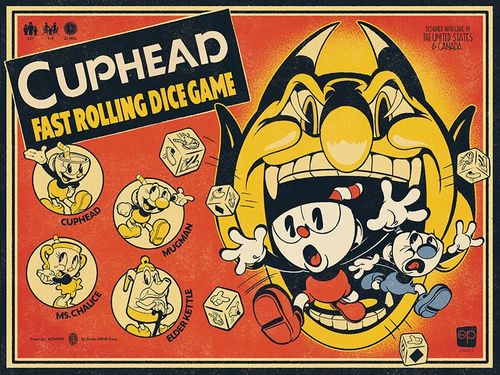
Cuphead: Fast Rolling Dice Game
Cuphead: Fast Rolling Dice Game Rulebook
Table of Contents
Table of Contents
Components
- 4 Player Boards (Cuphead, Mugman, Ms. Chalice and Elder Kettle)
- 20 Action Dice
- 4 EX Action Dice
- 24 Wallop Cards
- 1 Boss Board
- 16 Health Tokens
- 12 Parry Tokens
- 40 Coin Tokens
- 5 Time tokens
- 8 Boss Battle Card decks in closed tuck boxes, each containing:
- Cover Cards
- Character Cards
- Attack cards
- Stop Cards
- Knockout Cards
- Porkrind's Emporium Cards
- 4 Super Art Envelopes, with 4 Super Art Cards each
- 1 Pad of Save Sheets
- 1 Plastic Boss Stand
- 1 Dice and Pawn in box 7
- 1 Boss Health Dial
Download the Free Timer & Scoring App (available on the App Store and Google Play).
Set-Up
Each player selects a character and takes the corresponding player board, 6 Action dice (5 regular and 1 EX) and 3 Health tokens. Place the Health tokens on the indicated spaces on the player board.
Place the Parry, Time, and Coin tokens in a supply to one side of the playing area. Place the Boss board in the center of the play area. Shuffle the Wallop cards and place them next to the Boss board in the indicated space.
Boss Deck Set-Up
- Select the Boss deck you would like to play. If this is your first game start with box #1. After you successfully defeat this Boss you may fight it again, or move to box #2 and so on.
- Open the selected card box and remove all of the cards. Do not shuffle them. Place the deck on the table with the cover card face up.
- Remove the cover card(s) from the deck and review any additional rules printed on it. Some Boss decks will introduce new rules and play patterns to the game, which apply in addition to the rules found here.
- Next take the Boss character card off of the deck and place it into the standee base provided. Place the standee in the notch at the top of the Boss board.
Note the starting Health of the Boss based on your player count. There are 4 increasing Health values on the Boss card. The lowest value is used for a solo game, and the starting Health increases by one value for each player added. Set the Boss Health Dial to the appropriate value based on your player count, and place it next to the Boss board.
"In a 3-player game Root Pack has 10 Health to start"
- Next, gather the 'Phase 1' Attack cards from the deck. Stop when you reach the King Dice card and set the remaining deck off to the side.
Shuffle the Phase 1 Attack cards to create a draw pile for the first Phase of the Boss battle. Place these cards in the space marked 'draw' beside the Boss board.
Decide as a group if you will use a 10, 15, or 20 second timer. Using shorter timers will earn bonus points and a potentially higher grade, but will make the game much more challenging.
Download the free Cuphead: Fast Rolling Dice Game timer and scoring companion app.
How to Play
Each Round the Boss will attempt to attack the players. The players must roll their dice to avoid the attacks and shoot back at the Boss. Each Round is played simultaneously by all players using the following steps:
- Reveal the Attack cards
- Set and Start Round Timer
- Roll and Assign Dice
- Resolve Boss Attack cards
- Clear Attack cards
1. Reveal the Attack Cards
Reveal the top 3 Attack cards of the Boss deck, placing them into the empty spaces on the Boss board in the order drawn. If at least one of the revealed cards shows the Wallop image, reveal a 4th card.
The Boss Attack cards have icons that indicate actions the players must take to avoid these attacks. Each attack requires 1 or 2 actions to avoid. Players will rapidly roll their dice to get the required icons, which must be assigned to their player board using the following steps.
2. Set and Start the Round Timer
Once you have installed the Cuphead: Fast Rolling Dice Game on your smart device, follow the prompts to set your timer for 10, 15 or 20 seconds. This amount of time will be used for all rounds of the Boss battle. Alternatively, you may use any timer of your choosing with a 10, 15 or 20 second setting. The same timer length must be used for the entire Boss deck.
3. Roll and Assign Dice
Rolling Dice: As soon as the timer starts, players simultaneously roll their dice. A player may reroll their dice as frequently and as quickly as they like. When rolling and rerolling the dice a player must roll all dice that are not assigned to their player board. Thus, dice must either be locked into a space on the player board or remain in the dice pool.
Assigning Dice: After each roll, a player may assign as many dice as they like to their player board. Each pair of dice spaces on the player board corresponds to one Attack card in play. If there are only 3 Attack cards, the 4th pair of spaces is not used.
Dice are assigned using the following rules:
- Players must assign their dice to the spaces on their player board in Attack card order from left to right.
- Once a die is assigned to the player board, it cannot be moved or changed.
- Once a player has moved on and assigned dice to the next card they cannot go back to assign more dice to a previous card.
- Players may assign as many dice as they wish from a single roll. If a player is lucky, and rolls all of the needed action icons on their first roll, they may assign all of their dice immediately to all of the cards.
- For a single Attack card that requires two dice actions, players may assign the two dice from the same or separate rolls. The dice do not need to be assigned to specific slots on the card, as long as all of the required symbols are assigned before moving to the next card.
Players may choose to skip a difficult card. This may be helpful if a player can't seem to roll the symbols needed for the first card, but their roll that will complete the second, or even second and third card. Sometimes accepting the hit on the first card and moving on is better than risking getting hit by all 3 cards! See "Resolve Boss Attack cards" on page 8 for more details.
Attack the Boss: Simply dodging attacks will not harm the Boss!
To attack, players must assign extra dice showing the 'shoot' icon. Extra dice can be assigned to the player board along with the die used to dodge an Attack card, if there is an open space for the die. Players cannot assign shoot dice to Attack cards that require two actions to dodge, because both dice slots are needed to dodge the attack.
Shoot actions are only effective if the corresponding Attack card was successfully dodged. If a player assigns a shoot action die to a card, but did not roll the required action symbol before time ran out, or they assigned an incorrect action, then the shoot action does not damage the Boss.
A player can press their luck by assigning a shoot action to an Attack card first in the hopes that they will get the required action on a future roll. But this does reduce the dice remaining in the pool!
Some Boss Attack cards require the 'shoot' icon. This means players will dodge an attack by shooting. This prevents the player from taking damage from the attack but does not also damage the Boss.
For example, a player must roll a 'duck' icon to dodge an Attack card with only that icon showing. They can use the second dice slot for that card to assign a 'shoot'. Note that players must assign this 'shoot' icon before moving on to assign dice to the next Boss Attack card. Once a player has moved on, they cannot go back and assign shoot dice to empty spaces they passed over on their player board.
EX Attacks: Each weapon has a special EX attack ability that can be triggered by shooting with the EX die. These abilities are described on the player board and on weapon cards that players will encounter in the game. The starting weapon, the Peashooter, has an EX attack called 'Mega Blast'. When the EX die is used to shoot the Boss, Mega Blast deals 2 damage instead of one. Saving the EX die for an attack rather than assigning it to dodge the Boss's attack means dealing more damage, but it might be risky!
Wallops: The Boss will not deal damage if the Attack cards have the Wallop image. Assigning no dice or the incorrect dice to this space on the player board has no effect. However, assigning the shoot icon to this space will allow a player to draw a Wallop card when the Attack card is resolved. See Wallop Cards on page 11 for more details.
If a player chooses to complete the optional Attack card to earn a Wallop card, they may also assign a shoot icon to attack the Boss. If a player does not want to complete this Attack card, they must remember to skip the corresponding spaces on their player board.
Remember, if an Attack card with the Wallop image is revealed, a 4th Attack card is revealed for this round. If you assign dice to the Wallop card, you will have fewer dice left to complete any remaining Boss Attack cards!
Parry actions: Some Attack cards provide an opportunity to gain a Parry token. If a player dodges these attacks, they gain a Parry token when the Attack card is resolved. Each player can hold up to 3 Parry tokens, which are stored in the spaces on their player board.
A player may spend 1 Parry token to revive another player that has lost all of their Health (see Losing All Health on page 8). Parry tokens may also be used for certain abilities as described on some Porkrind's Emporium and Super Art cards.
4. Resolve Boss Attack Cards
At the end of the timer, all players may assign dice from their final roll, following the normal rules. Then players simultaneously resolve the Boss Attack cards from left to right. Each card must be resolved by all players before moving on to the next card.
- If a player assigned the correct dice to their player board to dodge an Attack card they do not take any damage. If they failed to assign the required dice, or assigned the incorrect dice, they will take 1 damage for that card (regardless of how many dice were needed). For each damage, a player removes one Health token from their player board.
- If an Attack card only has one icon, and a player assigns the correct die, as well as a second, unnecessary non-shoot die, the player still dodges the attack using the correct die. The extra die that was not required is simply wasted.
- If a player successfully avoided an attack and also assigned a shoot icon to that Attack card, the Boss takes damage, which is tracked using the Boss Health Dial. A regular attack deals 1 damage, but the use of an EX die, upgraded weapon, Wallop Card, Charm or Super Art may increase the amount of damage dealt.
5. Clear Attack Cards
If the Boss has any remaining Health, move the current Attack cards to a discard pile and play another turn, starting from Step 1.
- If players have depleted a Boss's deck of Attack cards, but have not defeated the Boss, they must shuffle all of that Boss's discarded Attack cards for the current phase to form a new draw pile and continue the fight. They must also take a Time token, which will count against their final grade score at the end of the fight.
- If at any point the Boss has no Health remaining proceed to "Defeating a Boss" on page 9.
Losing All Health
If a player loses all of their Health, they must discard any remaining Parry tokens on their player board. A teammate may then spend a previously earned Parry token to revive that player. The revived player returns to the game with one Health and rejoins play at the start of the next round. Revived players cannot lose Health, gain Parry tokens, or Gain Wallop cards from any remaining Boss cards to be resolved in the round. They will rejoin the action starting with the next dice roll phase.
If a player has lost all of their Health and cannot be revived by a teammate the game is over and the players have lost.
Losing All Health
- Discard all Wallop cards and Parry tokens.
- Start over at the beginning of Phase 1 in the Boss battle.
- Players may choose to play a previously unlocked Boss, or to replay the same Boss, and if they have purchased any weapons or equipment they may reconfigure these before playing again.
- All players restart the fight at full Health.
Defeating a Boss
When a Boss is reduced to zero Health, set aside the Boss card, and all of that Phase's Attack cards. This happens immediately after completely resolving the Attack card in which the Boss is defeated. Any remaining, unresolved Attack cards for the current round are ignored, including any damage that would have been dealt to players, and any rewards, such as Parry tokens and Wallop cards that the players would have received.
To begin the next Phase; remove the King Dice 'stop card' from the top of the Boss Battle deck that was set aside during set-up.
- Place the Boss card for the next phase in the standee base.
- Set the Boss Health Dial to the appropriate starting number.
- Gather the new Phase's Boss Attack cards from the top of the deck. Stop when you reach the King Dice stop card.
- Shuffle the Attack cards for the new Phase and reveal the top 3 cards (4 if a Wallop Attack card is revealed) and continue the attack.
- Players do not refill Health between Phases but do keep any Parry tokens and Wallop cards earned in the previous Phase(s).
Knockout!
If removing a King Dice stop card reveals the Knockout card the players completed the final Phase of the Boss battle and successfully defeated this Boss. The knockout card will indicate how many coins each player has earned for the victory. If you have previously defeated a Boss, as noted on your Save Sheet, each player will only earn one coin for defeating the Boss again.
Porkrind's Emporium
Within each deck players may find Porkrind's Emporium cards featuring equipment that each player may purchase using their coins. Players may equip one weapon card by placing it on their player board covering up the 'Peashooter' space. A player may also select and equip any one Super Art and one Charm they have previously obtained (see Super Arts and Charms on page 11). Weapons, Charms, and Super Arts must be equipped before starting a Boss battle and may not be changed at any point during a battle.
Players may keep any unspent coins to purchase additional upgrades that will be unlocked throughout the game. Any unpurchased upgrade cards are set aside to form a Porkrind's Emporium deck. Once unlocked, these items will remain available for future purchase. Items with a zero cost may be taken and used immediately, however they do fulfill the 'purchased' item prerequisite on some cards.
Players should keep a record of their purchased weapons and items on their Save Sheet. See Save Sheet on page 10 for details.
The Results
After a Knockout, players will also determine the grade for their performance, using the scoring tool in the companion App. After clicking on the knockout button in the App, answer the series of questions to receive your final grade. Alternatively, you may calculate your score manually by using the chart on the back of the rulebook. To determine the groups' grade without the App, first add up the following for all players combined:
- 10 POINTS for each remaining Health token
- 5 POINTS for each remaining Parry token
- 5 POINTS for all players' unused Wallop cards
- -10 POINTS for each Time tokens taken
- 0-20 POINTS Timer Bonus (20 seconds = 0, 15 seconds = +10, 10 seconds = +20)
Once the total score is determined, use the Results on the back cover to determine your final grade based on your current player count. Players can record their progress on their Save Sheet. See Save Sheets below for more information.
Next Steps
Players may replay a Boss they have defeated, using upgraded equipment if desired, in order to try to improve their grade score.
Additionally, after defeating a Boss, players may progress to the next Boss, opening the next numbered Boss deck and reviewing any additional rules contained within.
Save Sheets
In between battles players may elect to save their game progress. To do so, each player takes a Save Sheet, or continues a previously used Save Sheet.
- Player — Write your name here.
- Character — Who did you play as?
- Equip Cards — Write the name of each Weapon, Charm and Super Art card you have collected.
- Coins — Record how much unspent money you have.
- Grade Tracker — When you unlock a Boss, circle the lock icon. Circle the grade you earned for each Boss. If you improve your grade, cross out the old result and circle the new one.
- Notes — Use this space to keep notes on your favorite item combinations.
Additional Rules
Solo Play
When playing a solo game, follow all of the previous rules with the following changes:
- Between rounds (after resolving Attack cards, but before revealing new cards) a solo player may spend 2 Parry tokens to gain 1 Health.
- If a solo player loses all of their Health, and they have 3 Parry tokens, they discard the Parry tokens, and any remaining Attack cards in the current round. They then return to the fight, starting with a new round and with one Health.
Wallop Cards
Wallop cards may be used immediately when earned, or they may saved for later. Some Wallop cards show dice icons. When resolving each Attack card, these Wallops may be used by any player in place of a missing die that matches the card. A Wallop card showing the shoot icon can also be assigned during the Resolve Boss Attack cards phase to any space where a shoot die could have been assigned to do damage to the Boss. This deals damage in the same way as a regular (non-EX) Action die, taking into account any applicable Weapon, Charm, or Super Art abilities. Other Wallop cards restore Health, remove Time tokens, or provide Parry tokens.
Wallop cards are discarded after use. If the supply runs out, shuffle the discard pile to form a new draw pile. Unused Wallop cards will earn players additional points at the end of the Boss battle. (See The Results above.)
Super Arts and Charms
Four Super Art envelopes are included in the game. These can only be opened when the requirements listed on the outside of the envelope have been met. Each player may have one Super Art equipped, which they must select before starting Phase 1 of a battle. Super Arts cannot be changed at any point during a battle.
Charms may be purchased from Porkrind's Emporium after they are revealed. Each player may have one Charm equipped, which they must select before starting Phase 1 of a battle. Charms cannot be changed at any point during a battle.
How to Reset a Boss Deck
To reset a Boss deck, organize the cards from top to bottom as indicated on the Boss rules card.
- The Attack cards for each Phase of a Boss can be organized randomly.
- If you plan to continue your journey with the same characters, set aside any revealed Porkrind's Emporium cards. Players may purchase any revealed Porkrind's Emporium card(s) between battles if they have enough coins. Once purchased a player can save these cards and equip them before any Battle.
- If you would like to reset the entire game from the beginning, return the Porkrind's Emporium cards to their decks as indicated on the Boss rules cards.
- A visual example for resetting the Root Pack deck is provided below.
Reset the Root Pack
Organize the deck from top to bottom as follows:
- 1 Phase 1 Character Card
- 13 Phase 1 Attack cards
- 1 Stop Card
- 1 Phase 2 Character Card
- 9 Phase 2 Attack cards
- 1 Stop Card
- 1 Phase 3 Character Card
- 19 Phase 3 Attack cards
- 1 Stop Card
- 1 Knockout Card
- 4 Spread Weapon Porkrind's Emporium Cards
- 4 Smoke Bomb Charm Porkrind's Emporium Cards
- 4 Heart Charm Porkrind's Emporium Cards
Scoring Reference
Point Values
| Point Type | Each |
|---|---|
| HP | 10 |
| Parry | 5 |
| Remaining Wallops | 5 |
| Time tokens | -10 |
Time Bonus: 20 seconds: +0, 15 seconds: +10, 10 seconds: +20
Grade Chart
| Grade | Solo | 2P | 3P | 4P |
|---|---|---|---|---|
| A+ | 55 | 100 | 160 | 220 |
| A | 50 | 95 | 150-155 | 200-215 |
| A- | 45 | 90 | 140-145 | 180-195 |
| B+ | 40 | 85 | 130-135 | 160-175 |
| B | 35 | 80 | 115-125 | 135-155 |
| B- |