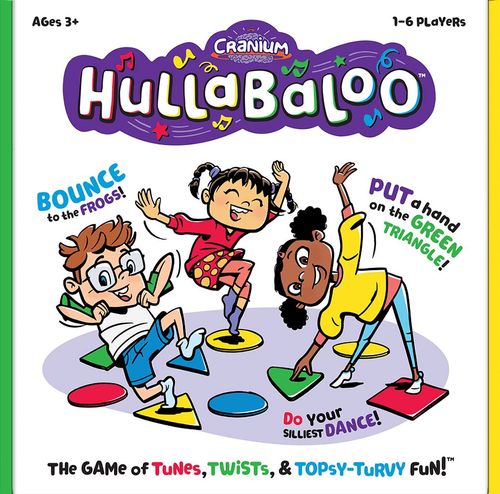
Cranium: Hullabaloo
Cranium: Hullabaloo Rulebook
Table of Contents
Table of Contents
Grown-ups Page
This page includes important information about Hullabaloo, such as how to change the batteries and what to do if Hullabaloo doesn't seem to be working properly.
Changing the Batteries
Warning: to avoid battery leakage. Please follow these battery usage instructions. Failure to follow these instructions can result in battery acid leakage that may cause burns, personal injury, and property damage.
Battery Safety:
- Do not put the batteries in backwards. Positive (+) and negative (-) ends must be inserted in the correct directions following the polarity (+/-) diagram in the battery compartment.
- Do not mix alkaline, standard (carbon-zinc), or rechargeable (nickel-cadmium) batteries.
- Do not mix old and new batteries.
- Rechargeable batteries must be removed before recharging.
- Batteries must be installed and removed by an adult only.
- Rechargeable batteries must be recharged by an adult only.
- Remove exhausted batteries and dispose of properly.
- Do not try to recharge non-rechargeable batteries.
Hullabaloo needs three AA batteries (not included). Follow these steps to install the batteries. Batteries must be installed and removed by an adult.
- Turn Hullabaloo over and unscrew the battery cover.
- Insert the batteries as indicated.
- Replace the battery cover and tighten the screw.
Troubleshooting
If Hullabaloo seems to be malfunctioning, these steps may help fix it!
| If your Hullabaloo... | Try... |
|---|---|
| Sounds garbled... | * Installing three new AA batteries. |
| Won't turn on... | * Installing three new AA batteries. * Using a paper clip to press the Reset button. |
| Stops in the middle of a game... | * Turning Hullabaloo off and then turning it on again. * Using a paper clip to press the Reset button. * Installing three new AA batteries. |
If you've tried all these steps and you're still having trouble, go to www.cranium.com/help. We value your input and we'll do our best to help!
Get Ready
Hullabaloo has five buttons and needs three AA batteries (not included). Read the Grown-ups Page before installing the batteries!
The five buttons are: Volume buttons, Play Again button, Power and Reset buttons (underneath).
Hullabaloo comes with 16 pads. These four purple pads are the Cranium Pads. Learn their names before you play! The four Cranium Pad characters are the Creative Cat, Data Head, Star Performer, and Word Worm.
Setup
- Take off your shoes.
- Spread all 16 pads on the floor about two kid-feet apart. Mix up the shapes and colors.
- Put your Hullabaloo on the floor nearby.
That's it, you're ready to play!
Playing
Every game starts on a purple Cranium Pad.
Turn Hullabaloo on and follow along! Hullabaloo will tell you what to do.
Stay still when you hear "Freeze!"
More than one player can share the same pad.
Winning
At the end of each game, Hullabaloo will tell you which pad is the lucky pad. If you're touching that pad, you win!
Playing Again
Every few games Hullabaloo will ask if you want to keep playing. If you do, push the red Play Again button. Hullabaloo will turn itself off if nobody pushes the button.