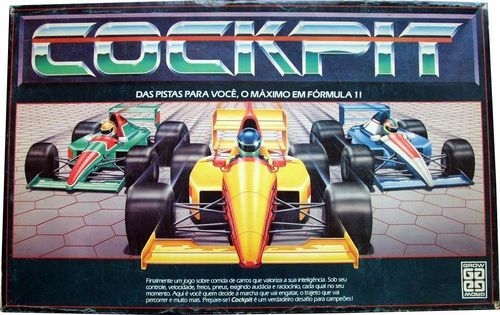
Cockpit
Cockpit Rulebook
Table of Contents
Table of Contents
Formula 3000 (F-3)
F-3 is a simplified race. Each driver uses only the area of their control panel relating to the gearbox, using one pin to mark the gears. The other pins and the cards have no application.
Preparation of the Game
Choose the car you want to race. Then take a control panel and a pin of the same colour as your car, to mark the gears. Place this pin on neutral (PM, ponto morto).
By any criterion, decide the order in which the drivers will draw their position on the starting grid. The first driver rolls the die and places their car on the square indicated by the number rolled. Then each of the other players does the same. If one of the drawn squares is already occupied, that driver rolls the die again until they obtain a position on the starting grid. It does not matter if one or more positions remain empty, when there are fewer than six players.
If only two or three drivers are playing, each one may control a team of two cars.
The drivers' positions around the board should be arranged to make turns easier. The first driver placed (pole position) is the first to play; the driver placed second, to their left, is the second to move their car, and so on. In this way, each driver plays immediately after the driver on their right.
Draw lots or choose, among the players, a supervisor, who will carry out the general checks throughout the race. At the start, the supervisor checks that all the pins are at PM and that the lap counter token is at zero.
Start
Getting away at the start takes luck, so as not to be late. If you are not paying attention, you may not see the green light and will end up falling behind.
When starting, and only on your first turn, roll both dice. If the total of the dice is greater than 5, we say you saw the green light. At the same time, engage 1st gear and move your car forward one square. Then it is the next player's turn.
If the total of the dice is less than or equal to 5, we say you were late off the line, and you must remain at PM. On your next turn you may engage 1st gear and begin your movement along the track.
Track Accidents
There are three types of accident that can slow down your progress: skidding, getting stuck in the gravel and collision.
Skidding (Derrapagem)
There are several squares with oil on the board (Fig. 1). A skid occurs when, while advancing the total number of squares required by your gear, you stop on one of them (Fig. 2).
At the end of the movement, turn your car around to face backwards, to show that it skidded, and place the gear pin at PM (Fig. 2-A).
On your next turn, point your car in the direction of the side from which it will leave the oil patch, but leave it still on the oil patch (Fig. 3). This movement counts as one turn. Only on the following turn may you engage 1st gear and continue.
Getting Stuck in the Gravel (Atolamento na brita)
A car gets stuck in the gravel when it goes beyond the limits of the track (Fig. 5). When leaving the track, place your car, still in the gravel, next to the square from which it left, and place the gear pin at PM (Fig. 5-A).
On your next turn, engage 1st gear and return to the track, moving onto a square adjacent to the one from which your car left (Fig. 6).
Collision (Colisão)
If you cannot fully complete the straight stretch required by your gear because another car is in your path, a collision has occurred. Your car must advance until it hits the car in front of it, occupying the square immediately before that car, since two cars cannot occupy the same square (Fig. 7). Place your gear pin at PM and wait for your next turn to engage 1st gear and continue.
The driver of the car that was hit must set their gear pin to 1st (Fig. 7-A).
Lap Counter (Contador de Voltas)
Whenever the leader of the race passes over or stops on the starting straight, the supervisor must move the lap counter token to the next position and note on it the lap the other drivers are on.
Final Flag (Bandeirada Final)
On completing the seventh lap, the leader receives the final flag and is declared the winner. However, the race continues until all drivers have crossed the finish line, so that the final classification can be computed.
Important: to win the race, you must cross or pass the finish line. In Fig. 8, the car on the left has not yet completed its lap, while the leader, in the car on the right, has already finished the race and is the winner.
Formula 1 (F-1)
Cockpit F-1 differs from F-3 in its wealth of detail, simulating a Formula 1 race closely. It takes into account the weather conditions during the race, the time spent by the team at pit stops, and any delay of the driver in seeing the green light at the start. Everything depends on you as the driver: you decide the gear to engage, the path you will take and the corners you will negotiate, when to use the brakes, and when to come into the pits to repair any damage your car has suffered during the race. From the qualifying sessions and the choice of tyres to the final flag, everything depends on you.
A Race Step by Step
See below the steps of a game of Formula 1:
- Adjusting the control panel
- Defining the starting grid
- Positioning the drivers
- Determining the weather conditions
- Choosing the type of tyres
- Weather routine
- Start
- Development of the race
- Final flag
1. Control Panel
How to assemble it:
- A) Fold along the dashed line.
- B) Fit the tab as shown in the illustration.
- C) Push the tab in until it is fully engaged.
- D) Repeat the operation on the other corners of the panel.
Each driver takes six pins in the colour of the car they chose, plus one limiter pin in the colour that remains, and places them on their control panel, as shown in Figure 1. Note: one of the pins will be used later to mark the choice of tyres.
The position of the pins must be updated whenever an event occurs, from a collision to a simple gear change. In this way the control panel gives you the precise information about the state of your car: problems with the suspension, condition of the tyres, state of the spoiler and wear of the brakes. The pins advance along the numbered positions on the panel as the parts of your car wear out, according to the indications in the events table.
The panel has five sections: Suspension (Suspensão), Tyres (Pneus), Spoiler, Brakes (Freios) and the Gearbox (Câmbio). Each section has speed-limit and repair boxes, labelled Speed limit (Velocidade limite), VL-1, Quick repair (Reparo rápido), Slow repair (Reparo lento), Not repairable (Não reparável) and Abandon (Abandono). The tyre section also shows Slick and Biscoito (the grooved wet-weather tyre), under the heading Type (Tipo). The brake section has a Deliberate use (Uso deliberado) box. A small Limiter (Limitador) box sits beside the spoiler and gearbox.
Events Table (Quadro de Eventos)
There are two identical events tables on the board, summarising the penalties for track accidents and for the wear of brakes and tyres (Fig. 2, and again in Fig. 9). They tell you how many positions your pins must advance on the panel, depending on the event or infraction committed.
Column key: Speed (Velocidade) is the speed band you were in when the event happened, Low (baixa) or High (alta). Set gear to (Posicione a marcha em) is the gear position your gear pin must be moved to. The four panel columns give how many positions the pin advances on the Suspension, Tyres, Spoiler and Brakes sections of the control panel (a dash means no change). Speed limit (Velocidade limite) gives the speed-limit change.
| Event or infraction | Speed | Set gear to | Suspension | Tyres | Spoiler | Brakes | Speed limit |
|---|---|---|---|---|---|---|---|
| Unsuitable tyres (pneus inadequados) | Low | Low | – | – | – | – | VL-1 |
| Completing a lap on the track (completar volta na pista) | Low | Low | – | 1 | – | – | – |
| Oil on the track / skid (óleo na pista / derrapagem) | Low | Low | – | – |
Note: in the source, the "Speed" and "Set gear to" cells for the first four rows are printed as a combined Low/High entry; they are read here as applying to both speed bands.
Examples:
a) You are at high speed (5th or 6th gear) and get stuck in the gravel. Consult the events table and check the changes on your control panel (Fig. 3 and 3-A).
b) You complete a lap of the track. Consult the events table and make the change on your control panel (Fig. 4 and 4-A).
2. Defining the Starting Grid
The grid may be determined with the dice, as in F-3, or, for more experienced players, through qualifying sessions. Although more complex, these sessions simulate what really happens in a Formula 1 race (see the item "qualifying sessions" below).
3. Positioning the Drivers
See F-3 for how the drivers should position themselves around the board.
4. Determining the Weather Conditions
Weather forecasting determines the probability of sun or rain during the race. For this, the weather cards are used. The supervisor shuffles them, draws two and removes them from the game. All players must know which are the ten remaining cards, since they determine the chance of sun or rain. Each card indicates a 10% probability. Thus four sun cards and six rain cards indicate a 40% probability of sun and a 60% probability of rain.
5. Choosing the Type of Tyres
Based on the probability indicated by the cards, the tyres for the start are chosen. Biscoito tyres (the grooved wet-weather tyre) are ideal for rain, while slick tyres are suitable for fine weather.
The pole-position driver chooses the tyre type first. Then the other drivers, in the order of their positions on the starting grid, do the same. Use one of the pins to mark your choice on the control panel, as shown in Figure 5. Once the tyre type is set, you can only change it by going to the pits.
6. Weather Routine
During a race the weather can change, according to the results of the weather routine, which is carried out as described below. Note also that along the circuit on the board there are six weather points, numbered 1 to 6. Their importance is explained below.
a) After the tyres are chosen and before the start, the supervisor shuffles the 10 weather cards and turns over the first one, leaving it face up on the pile in the appropriate place on the board. This first card stays face up, showing the weather over the circuit (sun or rain), until the next weather routine is carried out.
b) Check whether the tyre type you chose suits the weather at this moment. If it does not, place the limiter pin on the 6th-gear position of the gearbox panel, as shown in Figure 6.
This means the highest gear you can engage is 5th, because your performance is impaired by the unsuitable tyre type. (See the item "speed limit" below for more detail.)
c) The supervisor checks whether all drivers have suitable tyres or, if not, whether they have placed the limiter pin in the correct position on their control panel.
d) The supervisor then rolls one of the dice to determine where the next weather routine will be carried out. If it shows, for example, 4, they place the transparent pawn on the red circle numbered 4. When the leader of the race reaches or passes this point (Fig. 7), the supervisor pauses to carry out a new weather routine, which may result in a change in the weather conditions.
e) After each new weather routine, drivers must check whether they have the correct tyre type and, if necessary, make the change on the control panel by adjusting the limiter pin.
In short, at each weather routine the supervisor shuffles the cards and turns over the first. The drivers check their tyre type and adjust the limiter pin if necessary. The supervisor rolls the die to determine the next weather point and places the transparent pawn on it. A race may therefore have several changes of weather before it ends.
7. Start
The procedures for the start in F-1 are the same as in F-3. However, two cars may collide right at the start of the race. In that case there will be a new start, provided that:
a) all the cars, involved or not, are at low speed (at most 4th gear); and
b) none of the cars has reached or passed weather point number 5.
If there is a new start, we say the driver who caused the collision left with their reserve car. Note: each driver has only one reserve car. If the same driver causes another collision at the start, they retire from the race for lack of a car. Up to two new starts are allowed. If a collision occurs at the third start, it is treated as an ordinary collision and the race continues normally.
Note: the "reserve car" mentioned above is simply a way of making the race more like the real thing. There are no special cars in the game components for a new start. The driver who causes a collision at the start therefore leaves with their own car, imagining it to be their reserve car.
8. Development of the Race
After the start, drivers move along the circuit as in F-3. Now, however, there is a series of events that enrich the race, making it more exciting while demanding greater attention from the drivers.
Track Accidents
Normally, during a race, track accidents occur, such as getting stuck in the gravel, collisions and spins on the track. You already know how to handle these cases, since you practised them in F-3.
In F-1, however, these track accidents are penalised. The penalties are greater if the driver is at high speed (5th or 6th gear). Consult the events table on the board to check which pins you must advance on the controls of your panel. For example, if you get stuck in the gravel at high speed, set the gear to PM, advance one position on the tyre-wear control, two on the suspension-problems control, and one on the spoiler-damage box (Fig. 8 and 8-A).
Attention: whenever there is a collision, the speed of the car that hit must be taken into account to determine the penalties to be applied on the control panel. Imagine a driver is at high speed and hits your car. Even if you are at low speed when hit, see Figure 9 for the changes you must make on your control panel.
Tyre Wear (Desgaste de pneus)
The tyres on your car wear out every lap. Show this wear on your panel by moving the pin that controls the state of the tyres one position forward each time you pass the finish line.
If you manage your car's resources well and avoid accidents, you may finish a race without having to go to the pits. However, unexpected situations may occur, and a visit to the pits may become necessary.
Speed Limit (Velocidade limite)
The speed limit (VL) is the highest gear you can engage in your car. In ideal conditions your VL is 300 km/h (6th gear), but mechanical problems, or the use of tyres unsuited to the weather, may reduce it.
For example, if the pin controlling the state of the suspension is at position 5, 6 or 7 (on your control panel these numbers carry the mark "VL-1" just below them), your speed limit is reduced by one gear. Place the limiter pin on the 6th-gear position; that gear can no longer be used until you carry out the suspension repair. During this period your VL will be 250 km/h (5th gear).
If the spoiler of your car is also damaged, and the pin on its control is at position 3 (VL-1), your VL is lower still. Place the limiter pin on the 5th-gear position. Your VL is now 200 km/h (4th gear).
Attention: remember that using tyres unsuited to the weather conditions in force reduces the VL by one gear.
As you can see, you may accumulate problems to the point of being forced to limit your speed to 50 km/h (1st gear). In that case only a visit to the pits can help you (see the item "pit stops" below for more detail).
Deliberate Use of the Brakes (Uso deliberado dos freios)
You may use the brakes to avoid track accidents. Using the brakes reduces the stretch to be covered by one square. For example, if you are in 6th gear and notice that, even reducing to 5th, you will hit another car, avoid the accident by reducing gear and using the brakes in the same turn. To do so, announce aloud: "5th gear and brakes". In this way you reduce from 6th to 5th gear, as is correct, and at the same time use the brakes to reduce the stretch to be travelled by one square.
On your next turn you will still be in 5th gear. You may continue in this way, reducing to 4th, or increasing to 6th.
Using the brakes has a mechanical cost. Each time you brake, you must advance one position on the tyre and brake sections of your control panel (see the events table). When the brake-control pin passes the deliberate-use area and reaches position 3 or beyond, you may no longer use the brakes to reduce speed.
Pit Stops (Ida aos boxes)
You decide when it is convenient to go to the pits to repair any damage your car may have suffered. A pit stop takes place in three phases.
a) Entering the pits. The pit area lies alongside the finish line (its hexagons are darker than the others). On entering this area, reduce speed until you stop at PM, since repairs can only be carried out when the car is stationary. It is forbidden to increase gear inside the pits before having come to a complete stop.
To place the gear at PM you spend one turn: move your gear pin from 1st to PM, but do not move the car, which stays on the same square.
Attention: great care is needed with the speed of your car. If, for example, you enter the pit area at high speed, you may not manage to reduce to PM inside that area. In that case you cannot carry out your pit stop. The only thing to do is to continue, and return on the next lap.
b) Pit stop. On the turn after the one in which you placed your gear at PM, begin the mechanical repairs you wish to make, and you may resolve one or more problems with the suspension, tyres, spoiler or brakes. Repairing a problem means taking the control pin back to position zero, observing the following:
- You can move only one pin at a time, and each movement represents one turn. Therefore, if you have many repairs to make, you may remain in the pit area for quite some time while the other drivers continue the race normally.
- If the pin is in the quick-repair area, move it directly to position zero.
- If the pin is in the slow-repair area, the repair must take two turns. Imagine the pin controlling your car's suspension is at position 7 on the panel. Do the following:
- In one turn, move the pin from the slow-repair area to the quick-repair area (Fig. 10). Say, for example: "I am starting to repair the suspension."
- On the next turn, move the pin to position zero. Announce: "I have completed the suspension repair."
- If the pin is in the non-repairable area of the suspension, no repair to the suspension can be carried out. Keep the pin where it is, remembering that your speed will be reduced by at least two gears (twice VL-1), even if other repairs have been made to your car. Take extra care in such a case, since an accident may force you to retire from the race.
- When repairing your tyres, on the same turn in which the tyre-state marker reaches zero, you may, if you wish, change their type to suit the weather conditions.
c) Mechanic's signal. Once the repairs are done, you must leave the pits. Proceed as follows:
- Adjust the limiter pin, if necessary, to the new mechanical condition of your car.
- Roll two dice to see whether you get the mechanic's signal to leave. If you roll a double (two equal numbers), the signal is not given and you must repeat the roll the next time you play; stay at PM. If the two dice show different numbers, the mechanic gives you the OK. Engage 1st gear and begin to leave the pits.
9. Final Flag (Bandeirada Final)
The end of the game occurs in the same way as in F-3.
Qualifying Sessions (Treinos classificatórios)
As in a real race, Cockpit allows the starting grid to be determined by the drivers' performance in qualifying sessions.
The sessions are carried out individually. While one driver does their qualifying session, another acts as recorder, registering the colleague's movements. To carry out your qualifying session, proceed as follows:
- Place your car on any square between the yellow dashed line (near weather point 2) and the finish line. Once the car is placed on a square, you may no longer change your choice.
- Move the car, gradually building up speed towards the finish line. It is not necessary to move the gear pin. Simply announce aloud the gear you are using and advance the corresponding number of squares. From the moment you cross the finish line, your movements begin to be counted, until you cross it again after one lap of the circuit. Your aim is to complete a lap in the smallest possible number of movements.
- Keep playing until you complete the lap. As you announce the gears, the recorder notes your movements on a separate sheet. For example, if you cross the finish line in 6th gear, reduce to 5th, reduce to 4th and then increase to 5th again, the recorder writes: 6th, 5th, 4th and 5th. At this point the recorder has counted four movements. Figure 11 (on the following page) shows an example of how a complete lap of the track can be made in 26 movements.
- If the car gets stuck in the gravel or skids on the oil, engage PM (which counts as one movement). Then position the car correctly: in the case of a skid, turn the car around; if it got stuck in the gravel, place the car back on the track (this also counts as one movement). Finally, increase speed gradually.
- Each use of the brakes counts as one movement. It is forbidden to use the brakes more than three times in the qualifying sessions.
The driver who completes the lap in the smallest number of movements takes pole position. The others occupy the remaining grid positions according to the number of movements used in their qualifying sessions. The fewer the movements, the better the position.
Figure 11 shows an example of a qualifying lap completed in 26 movements on the track (the illustration is not reproduced here).
Tie-Breaks in Qualifying
If two or more drivers tie for a given grid position, the tie-break below applies, favouring the driver who:
a) has got stuck in the gravel fewer times; b) has skidded fewer times; c) has used the brakes fewer times; d) has used 6th gear more times; e) has used 5th gear more times.
If the tie still persists, the tie may be broken by rolling the dice.
The participants must decide whether the qualifying sessions will be one session or two. In the latter case, each driver takes the better result of their two sessions.
The original page also contains a promotional invitation to join the Brazilian Cockpit association (ABC / COCKPIT-FISA) and the association's postal address. That text is not part of the rules and is omitted.
Control Panel Photograph
The last page of the original rules is a photograph of the printed control panel. Its labels (speed limit, quick repair, slow repair, not repairable, abandon, slick, biscoito, type, limiter, and the gear dial from PM through 1st to 6th, with the BAIXA (low) and ALTA (high) bands) match the panel described in section 1 above.