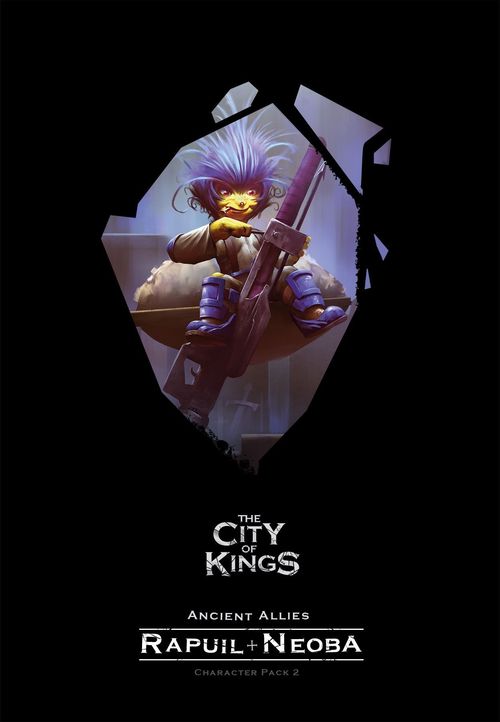
The City of Kings: Ancient Allies Character Pack 2
The City of Kings: Ancient Allies Character Pack 2 Rulebook
Table of Contents
Table of Contents
Components
- Characters: 2 Character Sheets with Miniatures and matching Tokens.
- Creatures: 2 Boss Tokens with matching Templates. 7 Easy, 8 Medium, and 9 Hard Creature Ability Tokens.
- Cards: 22 Story cards.
- Tokens: 2 NPC Pair tokens, 2 Attention tokens, 2 Fire tokens, 2 Frost tokens, 2 Poison tokens, 3 Attack tokens, 3 Heal tokens, 3 Shield tokens.
- Other Bits: 5 stands, 1 Pet (Chelon), 1 Tower.
Stories
The three stories included within this Character Pack can be played before, after, or alongside any other stories in The City of Kings. You may use any characters while playing these stories, but we recommend at least one player using either Rapuil or Neoba for a more immersive experience.
Set Up
Some Story cards will ask you to set up a Creature Stat Bar that may have already been used or is not the next one on the pile.
If the Creature Stat Bar has already been used, take it from the discard pile and set it up as instructed.
If the Creature Stat Bar is not the next one in the pile, then go through the pile, take out the required Stat bar and then put the rest of the pile back. Do not discard any Creature Stat Bars unless specifically told to do so.
In the unlikely event of the Creature Stat Bar already being in play, use the closest (higher) Stat Bar from the pile instead.
Objectives
The Rapuil & Neoba Character Pack introduces a new objective to The City of Kings, requiring you to construct a tower.
Construct a tower Objective: During the setup phase of a construct a tower objective, you will be instructed to place a Tower token on a Map tile.
To complete the objective a worker will need to pick up the Tower token, carry it to the objective location, and then place it on the tile.
A worker can use a Work action to pick up a Tower token from the tile it is currently on and place it in its storage area.
Workers can use a Work action to remove a Tower token from their storage area and place it on the tile they are currently on.
A single Tower token fills a worker's entire storage area, so no resources can be carried by a worker who is carrying a Tower token.
Rapuil Olembe
Rapuil introduces pets to The City of Kings and comes with a standee for her giant pet turtle, Chelon. When playing as Rapuil, you should take the Chelon standee and place it in front of you.
Unlocking Chelon
Before you can use Chelon, you must unlock him by placing a Skill token on the Chelon area of Rapuil's Skill tree.
When you unlock Chelon, immediately place his standee on Rapuil's current location.
Once Chelon is unlocked, you will have access to his actions.
You can unlock Chelon by placing a Skill token in the Chelon area of Rapuil's Skill tree.
Chelon's actions
The Chelon area of Rapuil's Skill tree features two new actions that can be used during the Hero and Worker actions phase of your turn. In the same way you can place an Action token on a Hero or Worker action space, you can place an Action token in the Chelon area to activate his abilities.
Move: Perform a Move action with Chelon. Chelon's Move action uses the same rules as a hero Move action.
Load: The Load action is used to perform Chelon's skills, which can be unlocked on Rapuil's Skill tree.
Resource skills
Resource skills will always start with a Resource, followed by an Action. To use a Resource skill, you must spend the listed resource from the Old Barn. If you do not have the required resource in the Old Barn, then you cannot use the skill.
Example. To activate Reinforce, you must spend 1 wood from the Old Barn and use the Special action. You cannot spend additional resources to perform the skill multiple times.
Charge slots
Chelon has 3 Charge slots under his actions; whenever you use a Skill to place a token in a Charge slot, place it in one of the three slots available. Each slot can only hold 1 token.
If Rapuil and Chelon are on the same Map tile, you may spend tokens from Chelon's Charge slots to improve your actions. To spend a token, remove it from the Charge slot and place it back in the supply area.
- Spend Attack tokens to increase an Attack action by 1 for each token spent.
- Spend Heal tokens to increase a Heal action by 1 for each token spent.
- Spend Shield tokens to reduce damage from any source by 1 for each token spent.
Chelon's stats
Chelon's stats work in the same way a hero's stats work; the stats he has are shared with Rapuil.
Available stats
- Move: Chelon shares the Move stat with Rapuil. If Rapuil has 4 Move, Chelon has 4 Move.
Unavailable stats
- Attack, Heal, Range, Luck: Chelon does not use Attack, Heal, Range, or Luck.
- Health: Chelon does not have Health; similar to a worker, Chelon does not take damage.
Rapuil's skill tree
When you play as Rapuil, your first Skill token will always be placed in the Chelon area. Chelon's area connects to all four tier 1 skills and all three columns of tier 2.
FAQ
- Rapuil does not have the option to reset her skills.
- Chelon will never be Priority Target and cannot be targeted by creature abilities.
- Chelon does not get trapped by creatures.
- For all other situations, treat Chelon as if he was a Worker.
Neoba Olembe
Neoba introduces Deep Learnin's to The City of Kings, allowing him to place fire, frost, and poison across the map.
Unlocking Deep Learnin's
Before you can use Deep Learnin's, you must unlock it by placing a Skill token on the Deep Learnin's area of Neoba's Skill tree.
You can unlock Deep Learnin's by placing a Skill token in the Deep Learnin's area of Neoba's Skill tree.
Using Deep Learnin's
Deep Learnin's is a Special skill that allows Neoba to place weak fire, weak frost, and weak poison tokens on Map tiles, based on the current time of day.
When using Deep Learnin's, you may place up to five weak tokens on any Map tiles in range. You may place a token on your current tile, but you cannot place two tokens on the same tile.
The type of token you can place is shown on the Time Tracker:
- Midnight: You can place weak poison tokens.
- Early Morning: You can place weak frost tokens.
- Late Morning: You can place weak fire tokens.
- Midday: You can place weak poison tokens.
- Afternoon: You can place weak frost tokens.
- Evening: You can place weak fire tokens.
You can only ever place one type of token on each turn.
Absorb skills
Absorb skills will always contain the word Absorb followed by either Fire, Frost, or Poison.
To use an Absorb skill, you must remove a Weak or Strong token of the required type from a Map tile in range.
If there are no tokens of the required type in range, you cannot use the skill.
Example 1. Neoba (A) wants to activate Absorption, requiring Heal + Absorb Poison. Neoba has a range of 1 and there is a poison token in range, so he places 1 Action token on the Heal action space and removes the poison token from the Map tile.
Example 2. Neoba (A) wants to activate Lava Net, requiring Attack + Absorb Fire. Neoba has a range of 3 and there are 2 fire tokens in range, so he places 1 Action token on the Attack action space and removes 1 fire token from the Map tile; he may choose which one he removes.
Skill reset
Neoba may reset his Skill tree like any other hero by placing a Skill token on the Skill Reset box. However, by doing so, Neoba will lose access to the Deep Learnin's skill for the rest of the game.
Neoba's skill tree
When you play as Neoba, the first Skill token you earn will always be placed on the Deep Learnin's skill. The Deep Learnin's skill connects to the first tier 1 skill on both the left and right sides and all three columns of the second row of tier 1.
Creature Abilities
The Rapuil & Neoba Character Pack comes with a number of new Creature Abilities. You can identify Creature Ability tokens that contain a new ability by looking at the back of the token. If the letters CP2 are shown, then the token contains an ability introduced by this pack.
The manual marks each of the abilities below with a grey star icon; the rulebook does not explain the star.
Eerie Howl
All heroes within range of the creature must move to the closest Map tile that is out of range of the creature. If multiple Map tiles are the same distance, then you may choose which Map tile you move to.
Each hero travels through every Map tile on their way, taking damage from fire tokens and triggering poison tokens they travel through.
You cannot move into a Pit.
You cannot go from an unexplored tile to another unexplored tile; you must choose a valid move.
Elemental Lance
Place 1 strong fire token, 1 strong frost token, and 1 strong poison token on every Map tile between the creature and the edge of the map in the direction of the Time Tracker.
Example. It is currently Afternoon, so the direction of the Time Tracker is West. Place 1 strong fire token, 1 strong frost token, and 1 strong poison token on every Map tile west of the creature.
Fire Lance
Place 1 strong fire token on every Map tile between the creature and the edge of the map in the direction of the Time Tracker.
Example. It is currently Late Morning, so the direction of the Time Tracker is East. Place 1 strong fire token on every Map tile east of the creature.
Frost Lance
Place 1 strong frost token on every Map tile between the creature and the edge of the map in the direction of the Time Tracker.
Example. It is currently Midnight, so the direction of the Time Tracker is North. Place 1 strong frost token on every Map tile north of the creature.
Patrol
Move the creature 1 tile in the direction of the Time Tracker.
If the creature cannot move 1 tile in the direction of the Time Tracker, then the creature does not move.
Poison Lance
Place 1 strong poison token on every Map tile between the creature and the edge of the map in the direction of the Time Tracker.
Example. It is currently Midday, so the direction of the Time Tracker is South. Place 1 strong poison token on every Map tile south of the creature.
Poison Trail
Draw 1 Position card and move the creature to the new location.
Place 1 strong poison token on every tile the creature travels through, including the one it starts on and the one it ends on.
The direction of the Time Tracker:
- If it is Midnight, the direction is North.
- If it is Early Morning or Late Morning, the direction is East.
- If it is Midday, the direction is South.
- If it is Afternoon or Evening, the direction is West.
Creature Abilities quick reference
See the Creature Abilities section above for more details of these Creature Abilities.
- Eerie Howl: All heroes within range of the creature must move to the closest Map tile that is out of range of the creature.
- Elemental Lance: Place 1 strong fire token, 1 strong frost token, and 1 strong poison token on every Map tile between the creature and the edge of the map in the direction of the Time Tracker.
- Fire Lance: Place 1 strong fire token on every Map tile between the creature and the edge of the map in the direction of the Time Tracker.
- Frost Lance: Place 1 strong frost token on every Map tile between the creature and the edge of the map in the direction of the Time Tracker.
- Patrol: Move the creature 1 tile in the direction of the Time Tracker.
- Poison Lance: Place 1 strong poison token on every Map tile between the creature and the edge of the map in the direction of the Time Tracker.
- Poison Trail: Draw 1 Position card and move the creature to the new location. Place 1 strong poison token on every tile the creature travels through.
Tokens
NPC Pair
Some Quest cards may require you to keep track of which NPC the quest is referring to. NPC Pair tokens work the same as normal NPC tokens but come in sets of two and contain a letter.
If you need to track an NPC against a quest, you can place one NPC Pair token on the Quest card and another NPC token with the same letter on the map.
Tower
Tower tokens are a Quest token used by some Quest, Story, and Scenario cards.
Tower tokens do nothing unless otherwise stated by a Quest, Story, or Scenario card.