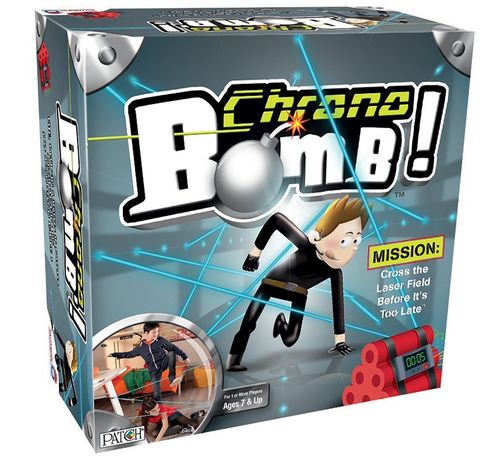
Chrono Bomb
Chrono Bomb Rulebook
Table of Contents
Table of Contents
Object
Sneak through the fantasy laser field without touching the string so you can defuse the bomb!
Note: You can play during the day, or play in the dark using the UV Light Goggles to see the strings and bomb at night!
Set Up
- First, you'll need to power the Bomb, and that requires three AAA batteries. Same goes for your trusty night vision Goggles! See the last page for details.
- Once your Bomb is powered, it's time to set up your string laser field!
- Connect the Bomb's wire to the Sensor. (Diagram A)
- Fit the Sensor on the Sensor Clamp. (Diagram B)
- Clip the Bomb and Sensor to part of your game environment (table, chair, shelf, etc.). This will be the end destination of your string. The Sensor will need to stay as level as possible. (Diagram C)
- Clip the four Standard Clamps sporadically throughout the space that will be your laser field. It's best to clamp them to a horizontal surface, such as the edge of a table or desktop. Keep in mind that the string will connect to each clamp.
- Note: Attach clamps to sturdy objects that will not be knocked over easily. Avoid attaching to anything fragile or breakable.
- Take the Reel Clamp and hook the end of the string onto the Sensor. (Diagram D)
- The Sensor connection point should remain centered. The string should not pull it to where it touches the bottom or sides of the Sensor.
- Press the button on the Reel Clamp and unwind the string.
- Pass the string through the connection point of each of the Standard Clamps throughout your laser field. (Diagram E)
- Attach the Reel Clamp to finish off the fantasy laser field! (Diagram F)
- Once everything is installed, adjust the string tension by winding the Reel Clamp. (Diagram F)
- Place the Gear Cards all along the string laser field to increase the game's difficulty. The player must pick them all up before defusing the Bomb.
Diagrams A–F are printed with the set-up steps above. Their captions are "Sensor connection point should remain centered." (D), "String should not touch the bottom or loop around." (E), and "Sample setup" (two room drawings of the laser field). The good/bad examples in the diagrams are shown with check and cross marks.
Before You Start Your Mission
- Check that the Sensor and Bomb are properly connected.
- Make sure your laser field is installed well.
- Push the switch in the back of the Bomb up, to the SINGLE position.
- Press the START button on front of the Bomb.
- Touch various locations of the string:
- If the Bomb makes a sound, it means the laser field is installed correctly!
- If the Bomb does not make any sound, check the string. It may be too tight or too loose. Adjust and try again.
Training
Need to familiarize yourself with the laser field before going on your first secret mission? Go ahead with a training mission!
- Switch the back of the Bomb to SINGLE.
- Press the START button on the front of the Bomb.
- Position yourself at the beginning of your laser field.
- Begin weaving through the field, avoiding touching the string. Do this like a real spy, stepping over some strings and crawling or dipping under others. Make it fun!
- If you touch the string, the Bomb will buzz to let you know. In this training mode, there is no time tracking.
- Pick up the Gear Cards as you go. If you miss any, then your mission will not be successful!
- When you make it to the Bomb, press the FINISH button to defuse it!
- More fun with SINGLE mode: Set up the string in your room to detect intruders! When someone enters, touching the string, the Bomb will make a sound to alert you of their presence!
Diagram labels: the Training diagram labels the Start Button and Finish Button; the Game On diagram labels the Time Button and Finish Button.
Game On
Ready to go on a secret mission, with time counting down? Maybe challenge your friends and see who's the quickest spy? Let's do it!
- Switch the back of the Bomb down to CHRONO.
- Select the Bomb countdown, from one minute to 10 minutes, by pressing the TIME button on the front of the Bomb.
Remember: In CHRONO mode, each time the string is touched, 20 seconds is deducted from the time! If you touch it hard enough, you could lose up to 60 seconds!
- Maneuver through your laser field, avoiding touching the string. Do this like a real spy, stepping over some strings and crawling or dipping under others. Make it fun!
- Pick up all of the Gear Cards as you go. Your mission will not be successful if you don't get all of the Cards.
Night Vision
Wanna take your super spy skills to the next level? Play in the dark!
- Once you have everything set up and ready to play, put on your UV Light Goggles!
- Turn them on by using the switch on the back.
- Turn off the lights, and then look at your "laser field" to see it glow!
- Note: If it's light outside and that light is filtering into the room, the Night Vision will not work well. The room needs to be very dark, so playing after sunset or in the basement is best.
- Audio cues: When the Bomb gets to only 60 seconds left on the clock, the beeping will speed up. When it only has 30 seconds left, the beeping will speed up even more.
- When you make it to the Bomb, press the FINISH button to defuse it! If you made it in time, and you picked up all the Cards, you completed your mission successfully!
- If the Bomb goes off before you get to it, or you failed to collect all of the Cards, your mission was unsuccessful. Try again!
Competition
Spies can be competitive, so if you want to challenge your friends (or yourself), go for it!
- Take turns going through the laser field and keep track of the Bomb time when it gets defused (the screen will display the time).
- You want to try to be the spy who gets through the laser field the fastest. This means you want the most time left on the Bomb countdown when you defuse it.
- Who had the best time? You are the best secret spy!
- Who sets up the laser field if multiple players are going to compete? Everyone helps! Or take turns making different laser fields!
- Challenge yourself to get quicker going through your laser field. A spy can never be too good, right?
Tips & Troubleshooting
- If your string is falling off of the Clamps, try adjusting the tension. It may be too tight or too loose.
- If the Sensor falls off of its Clamp, adjust the Clamp location or adjust the string tension.
- If the Bomb keeps making noise or counting down in chunks of time as if the string is being touched, but it isn't, check that the Sensor is level. If it is not level, this will affect its sensitivity.
- When setting up your laser field, be sure to place clamps higher and lower so you get a good variety of heights to maneuver through.
- Attach the Clamps to sturdy, stationary items that will not move easily.
- It is best to clamp the Standard Clamps to a horizontal surface, such as the edge of a table or desktop. Clamping to a vertical edge like a table leg may cause poor performance.
- When passing the string through the connection point of the Clamps, try to position it close to the top, not touching the flat base as it curves around the connector.
- Try to avoid attaching Clamps at fully opened position. If the item you are clamping onto is too big, and the Clamp cannot "give" and "grab," it may pull off easily.
Battery Installation
- Alkaline batteries are recommended for best performance. Remove the battery cover using a screwdriver and insert three AAA batteries, as shown. Then screw the battery cover back on.
- Note: The Bomb and Goggles will not function if the batteries are inserted incorrectly. Test the Bomb by sliding the ON/OFF switch down to CHRONO and tap the TIME button on front. If the Bomb turns on, you are good to go! If the Bomb does not work, slide the switch to OFF and recheck the batteries.
- To test the Goggles, simply switch them to ON to see if the light turns on.
- Note: When not playing, keep the switch on the Bomb in the middle position of OFF to conserve your batteries! Also keep the Goggles switch in the OFF position when not in use.
Diagram captions: "Bomb Battery Installment" and "Goggles Battery Installment".
Battery Info
Battery safety information
In exceptional circumstances, batteries may leak fluids that can cause a chemical burn injury or ruin your product. To avoid battery leakage:
- Adult supervision is recommended when changing batteries.
- Non-rechargeable batteries are not to be recharged.
- Rechargeable batteries are to be removed from the toy before being charged (if designed to be removable).
- Rechargeable batteries are only to be charged under adult supervision (if designed to be removable).
- Do not mix alkaline, standard (carbon-zinc), or rechargeable (nickel-cadmium) batteries.
- Do not mix old and new batteries.
- Only batteries of the same or equivalent type as recommended are to be used.
- Batteries are to be inserted with the correct polarity.
- Exhausted batteries are to be removed from the toy.
- The supply terminals are not to be short-circuited.
- Dispose of battery(ies) safely.
- Batteries may explode or leak if disposed of in a fire.
Keep these instructions for future reference as they contain important information.