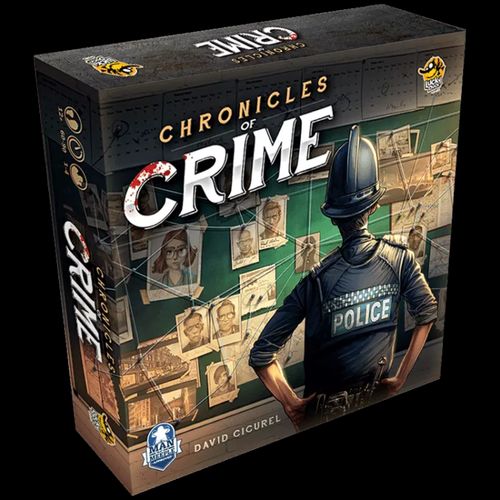
Chronicles of Crime
Chronicles of Crime Rulebook
Table of Contents
Table of Contents
Game Content
- 1 Evidence Board
- 12 Location Boards
- 4 Forensic Contact Boards
- 40 Character Cards
- 40 Evidence Category & Special Item Cards
- Free companion application (mobile app)
Chronicles of Crime is a cooperative game of police investigation. It mixes a board game with a companion application and an optional "Virtual Reality" mode.
The Free Application
Chronicles of Crime requires a free app, which you can download from Apple's App Store or Google Play. You only need the app installed on one phone or tablet to play. It is impossible to play without the app. Once downloaded, the app does not require any internet connection during gameplay. The language can be changed within the application.
The game uses "Scan & Play" technology: each component (locations, characters, items, boards, etc.) has a unique QR code which, depending on the scenario selected, activates and triggers different clues and stories.
Game Objective
Each scenario offers a unique criminal investigation. The game is fully cooperative and all players work together to solve the mystery.
The story develops as you collect evidence and interrogate suspects. When you feel you are ready to close the case, go back to the Police Station and answer a series of questions that determine your score as a team.
The base game comes with several scenarios (a tutorial plus a set of full investigations).
Setup
- Location Boards: Place the Location Boards to the side of the Evidence Board.
- Character & Special Item Cards: Place the Character Cards and Special Item Cards face down to the side of the board.
- Evidence Category Cards: All Evidence Category Cards are always in play. Split these up amongst the players.
- Forensic Contacts: All Forensic Contact boards are always in play. Split these up amongst the players.
- Home Location: Set the Home Location (the Police Station, marked with the house symbol) at the bottom of the board.
Notice that the Evidence Board has:
- 20 Evidence slots
- 6 Location slots (on the sides of the board)
- 3 Unlocated Characters slots (at the bottom of the board)
Each Location Board contains 3 character slots.
How to Play
Once the game is set, launch the app and select the scenario and episode you want to play.
Tip: Try the short tutorial investigation first to get familiar with the game. Instructions are explained within that scenario to show how the game works.
You progress in Chronicles of Crime by scanning Locations, Characters and Evidence Category cards. When the scan window is displayed, point the phone at any QR code on a card or board. Wait for the code to become green, then tap anywhere to trigger the scan.
The group should discuss together which card should be scanned.
Scanning cards
- Scan a Location card: Allows you to move to this location.
- Scan a Character card: Allows you to interrogate the character. Once scanned, the character will answer questions about any other characters or evidence — simply scan those cards and the character will speak about them. You can exit interrogation mode by pressing the "goodbye" button.
- Scan an Evidence Category card: Allows you to pick up a clue that you have spotted. Extra details become available and, if it is important, the app indicates that you should put the card on the Evidence Board.
- Scan a Forensic Contact: Allows you to call your contact. When calling your contact, every other scan will make your contact speak about that topic. You can exit the call by pressing the "goodbye" button.
Scanning warnings
In some rare cases, scanning may not work because of:
- The light in the room (avoid sharp shadows).
- Sleeved cards (they produce reflection).
- The camera of the phone (dirt on the camera lens, etc.).
Make sure the QR code is inside the indicated square and hold the phone still so the camera can focus.
Discovering Locations, Characters or Special Items
Locations, Characters and Special Item cards should stay face down until they are explicitly named by the application. During the game some of these cards will be revealed. These cards carry a symbol and a number or letter:
- Character Cards — person symbol.
- Location Cards — map-pin symbol.
- Special Item Cards — star symbol.
Rules for revealed cards:
- New Locations should be placed on one of the 6 Location slots on the side of the board.
- New Characters should be placed on one of the 3 character slots at the location indicated. If you are unsure where a character is located, place the card on an Unlocated Characters slot on the main board. Remember to move it once you find out where the character is.
- Evidence Category cards are found while searching the scene for clues. Only cards that are clues are moved to the Evidence Board, and these are essential to completing the case. (See "Search for Evidence" for how to find Evidence Category cards.)
- Special Item cards immediately go on the Evidence Board when revealed. The app notifies you if and when these come into play — search the face-down stack, then place the card face up on the Evidence Board.
Example: You scan Location F and read the screen. It says you arrive on the scene and the neighbor (character 33) is next to the body; he gives you a piece of paper with an address in Kensington (Location D). Based on this text, you should look for character 33 and place it on one of the character slots at Location F, and search for Location D and put it next to the board on one of the 6 Location slots.
Search for Evidence
Some Locations (like crime scenes) allow you to search for Evidence. Press the Search the Scene button to enter search mode.
You can search for Evidence in one of two ways:
- In 3D: Place the VR glasses in the middle of the screen over the yellow line on the phone.
- In panoramic view: Select this to experience the crime scene without extra devices.
Important: If you experience the game without the VR glasses, turn around to check the place in 360°. Alternatively, you can observe the scene by swiping left or right on the screen.
How searching works:
- You have 40 seconds to look at the scene and describe what you see to the other players.
- Other players need to search for matching Evidence Category cards corresponding to what you describe. Make sure these cards are face up and available to all players who are not using the app to search.
- When the time runs out, you can choose to have another player search for clues, or you can stop. Note that an extra search will take more in-game time.
- Finally, scan all the Evidence Category cards you picked. The phone will tell you if any of the cards are clues to place on the Evidence Board.
Time Passing and Special Events
In the world of Chronicles of Crime, time is very important. You can see the current time on the top right of the screen.
- Each time you scan an item, interrogate a suspect, or observe a scene, 5 minutes of in-game time passes.
- Each time you travel from one place to another, 20 minutes of in-game time passes.
The in-game time that passes has an influence on the final scoring. The quicker you solve the case, the better score you will earn. In some scenarios, time passing in-game also means the situation can change. Time is not always your friend.
Ending — Solve the Case
When you believe you have solved the case, you can give your report to your superior.
Go back to the Home location and press the Solve the Case button. A series of questions will be asked. To answer them, scan the cards that support your deductions. Your score will depend on your answers.
Good luck, team!