Chock-A-Block
Chock-A-Block Rulebook
Table of Contents
Table of Contents
Components
- 40 Neighbour tiles
- 12 Scoring tokens
- 64 Block cards
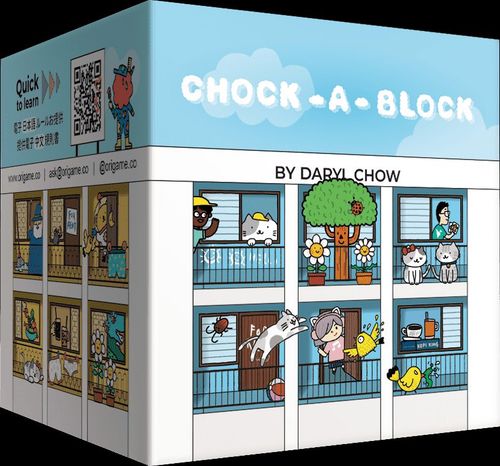
The Block cards show four feature types: cats, underwear, plants and birds. They are also marked with room colours. Each Block card has a back and a front that are mirrored.
Game Setup
- Shuffle the Block cards to form a deck and randomly deal each player 2 cards for their starting hand. Place the deck in the middle of the playing area and flip 4 Block cards to form the Block display.
- Shuffle the 40 Neighbour tiles face-down to form a draw pile and flip 5 Neighbour tiles face-up in a row to form the Neighbour display.
- Place the 12 scoring tokens face-up in rows, sorting them clearly by number and type.
- Determine a Start Player by your preferred method. Otherwise, the player who recently visited the highest floor is the Start Player.
You are ready to begin!
Flow of the Game
Each player takes turns placing a Block card into their display, building their Apartment Block and creating feature chains to score points.
The game ends when all players have built an Apartment Block that is 4 Blocks high and 3 Blocks wide. The player who has the most Chain points at the end of the game wins!
Flow of a Turn
Beginning with the Start Player, players take turns in a clockwise order. On their turn, a player chooses one of their two Block cards to play to their Apartment Block. Block cards have a back and front that are mirrored, players may place either side.
The rules for placing an Apartment Block are as follows:
- The blocks must obey gravity (i.e. they must face the right side up, and placed at the lowest possible level).
- The blocks placed must be orthogonally adjacent to at least one existing block.
Placement example (figure): the figure shows correct options and incorrect options. Incorrect options are marked as: exceeds height limit; not orthogonal; incorrect direction; defies gravity; not adjacent.
Placing Neighbours
After placing your Block card, check if you meet the 2 conditions:
- There is a connected bloc of 4 or more spaces of the same colour (orthogonal, NOT diagonal). And,
- There is a For Rent space within that bloc.
If these 2 conditions are met, you must choose a Neighbour tile and place it over the For Rent space. The Neighbour tiles are not considered to have a colour. You may place more than one Neighbour tile in the same turn, and you may choose the sequence in which you place them. Refill the Neighbour display immediately upon placing a Neighbour.
Neighbour example: A bloc with 5 spaces was formed this turn. If a neighbour is placed in space A, that leaves a bloc of 4 pink with space B, which means that another neighbour can be placed in space B immediately in the same turn.
However, if a tenant is placed in space B, there will only be 2 connected pink spaces and a second neighbour will not be placed this turn.
Claiming Scoring Tokens
On your turn, if you have a feature chain that is as long as or longer than one of the scoring tokens (you have at least 6/8/10 connected features in a type), you may claim it and place it on that chain. Don't forget that diagonals count when counting feature chains! You can claim as many scoring tokens as you can satisfy on your turn. You can hold more than one scoring token of the same type if you have multiple and separate chains of that Feature. Chains with scoring tokens placed on them are considered closed. Even if they are added to in later turns, closed chains will only score the value of the token.
Ending the Turn
The player ends their turn by drawing a Block card from the Block display or the top of the deck (skip this on the last turn of the game). Refill the Block display with the top card of the deck (there should be 5 cards to choose from at all times).
End of the Game and Scoring
The game ends when all players have built an apartment block consisting of 12 Block cards 4 high and 3 wide. Players now count their points scored from the scoring tokens on their closed chains. All other open chains with at least 4 features will score exactly 4 points each.
Scoring example (figure): one closed-chain example shows scoring tokens on closed chains. A second example shows an open chain of 5 Underwear and 4 Birds, scoring "4 points x 2 types = 8 points", with the total "+ 8 = 36" shown alongside the tokens.
The player with the most points is the Block Champion! In the case of a tie, the player(s) with the most neighbours win.
5 Player Mode
In a 5 Player game, starting from the second last turn (i.e. on the turn you play your 10th Block card), do not draw a Block card to refill your hand. This means you will end the game with no cards in hand.
Building Block Variant
You are not restricted to build the block in a 4x3 shape. You do not need to place the Block cards flush with each other and may overhang the cards by one space (but you do need to obey gravity).
Solo Mode
Try solo mode after playing the multiplayer mode at least once. You'll need a solid grasp of the game to take on Chock-A-Block Automa, AutoBlock! You can also add AutoBlock to 2-4 player games if you want as an extra player. You can also play co-operatively against AutoBlock - everyone wins if they beat AutoBlock's score!
Solo Setup
Set up the game as per usual. Before setting up the game, decide on a feature (Bird/Cat/Plant/Underwear) which AutoBlock will not score for. For this mode, make sure that the 4 Block cards are in a row from top to bottom, with the deck on the top of these 4 cards. The 5 Neighbour tiles should also be in a row from top to bottom.
Solo Turns
The player starts the game and takes their turn as per normal. Slide the Block cards down to the bottom, filling any empty space before drawing a Block card to refill the empty space. Do the same with Neighbour tiles.
It is now AutoBlock's turn. AutoBlock discards the bottom Block card and takes the bottom Neighbour tile, then fill the empty spaces as mentioned above. AutoBlock keeps its Neighbour tiles and will score 2 points per feature if it can obtain that scoring token. Therefore, when they have 3 of a feature, they take the 6 point scoring token of that feature if available.
When it has 4 of a feature, they take the 8 point scoring token of that feature if available (return the 6 point scoring token if it has it). When it has 5 of a feature, they take the 10 point scoring token of that feature if available (return the 6 or 8 point scoring token if it has it). In the rare case that it has 8 of a feature (scoring 16), they take the 6 point scoring token in addition to the 10 point scoring token (if available).
Turn example (figure): four numbered turns show AutoBlock's scoring tokens building up over the 1st to 4th turns.
Continue the game as per normal until both the player and AutoBlock have taken 12 turns. At the end of the game, AutoBlock's score is equal to the scoring tokens that it has. If your score is higher, you win! For a greater challenge, try beating GrandAutoBlock. GrandAutoBlock scores all 4 feature types (do not choose a type to eliminate at the start)!