Century: A New World – G1/H1 Location Board
Century: A New World – G1/H1 Location Board Rulebook
Table of Contents
Table of Contents
Compatibility
This mini expansion is compatible with the Century: A New World base scenario only.
Game Setup
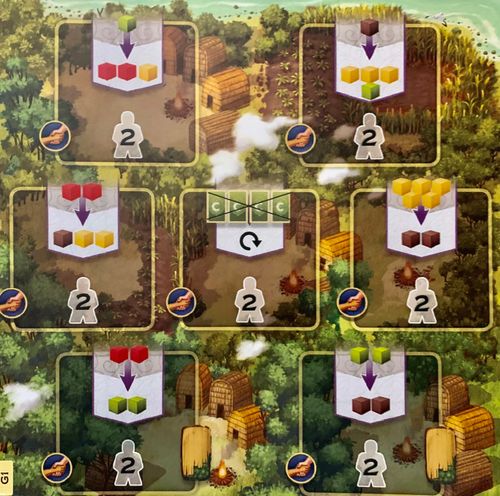
During Step 1 of the Game Setup, create the game board by using either face of Location board G1/H1 instead of D1, E1 or F1. Follow the rest of the setup normally.
New Trade Locations
First, perform the trade shown in the center of the location as many times as you like (at least once). Then take another turn immediately.
New Refresh Fort Location
Remove all four face-up Point cards displayed above each Fort location and place them face down at the bottom of the Point cards draw deck. Then draw 4 new Point cards from the draw deck and place one of them above each of the Fort locations. Then take another turn immediately.