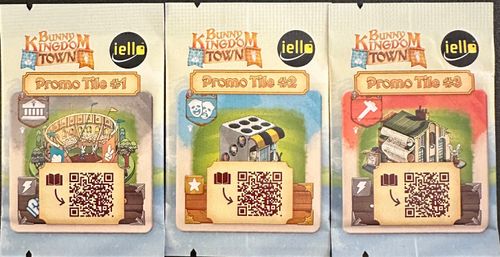
Bunny Kingdom Town: Promo Tiles
Bunny Kingdom Town: Promo Tiles Rulebook
Table of Contents
Table of Contents
Setup
- During setup step 5, add one or more of the Building promo tiles to the Building tiles, then shuffle all tiles together.
Promo Building Tiles
Coliseum
Icons: rock, paper and scissors hands, with the number 10 and a Golden Carrot. Activation icon: lightning bolt.
- Play rock-paper-scissors with your opponent. The winner gains 10 Golden Carrots.
Dice Tower Building
Icons: a silver coin with a rabbit and a padlock, an arrow, and a star. Activation icon: star.
- Pay 1 coin to add 1 star to this Neighbourhood each time it is activated.
Newspaper Office
Icons: a plus sign and two open books. Activation icon: lightning bolt.
- Take 2 random Upgrade tiles from the game box and add them face up to the shared reserve.