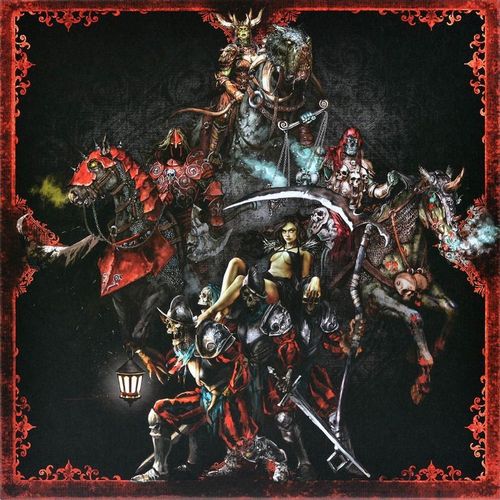
Black Rose Wars: Rebirth – Apocalypse
Black Rose Wars: Rebirth – Apocalypse Rulebook
Table of Contents
Table of Contents
Components
- 36 Famine Spell Cards
- 36 War Spell Cards
- 36 Death Spell Cards
- 36 Pestilence Spell Cards
- 4 School Reference Cards
- 12 Personal Spell Cards
- 4 Forgotten Spell Cards: add these cards to the Forgotten Spells deck of the core game.
- 18 Competitive Event Cards: in Apocalypse Mode and Tournament Mode, these Event Cards replace the core game ones.
- 6 Pestis Evocation Cards: add these cards to the Evocation Cards deck of the core game.
- 19 Evocation Cards: add these cards to the Evocation Cards deck of the core game.
- 18 Destiny Tokens: used by the Death School of Magic Effects.
- 18 Infectio Tokens: used by the Pestilence School of Magic Effects.
- 4 Mage Cards / Apocalypse Mage Cards: Mage Cards are used in standard games. The Apocalypse Mage Card side is used in Apocalypse Mode.
- 50 Customizable Mage Cards: these are filled out to create your own Mage in Tournament Mode.
- 50 Tournament Sleeves: ideal for playing in Tournament Mode; they can be used for your Library and Forgotten Spells deck.
- Mage Models for Fames, Bellum, Pestilentia and Mors.
- 10 Pestis Models.
- 6 Large Mage Bases, 1 for each color (6 colors).
- 2 Activation Tokens: these tokens can be used in Tournament Mode.
Standard Game
Follow these directions to use the Apocalypse components in a standard Black Rose Wars game:
- Bellum, Fames, Mors and Pestilentia can be chosen as a Mage during step 8 of the Setup described in the core game rulebook. The player using one of these Mages must use the matching Mage Card on its standard side.
- You can change one or more of the Schools of Magic featured in the core game with the Schools of Famine, War, Death and Pestilence during step 9 of the Setup described in the core game rulebook.
- During step 9 of the Setup described in the core game rulebook, if one or more Mages were chosen among Bellum, Fames, Mors and Pestilentia in step 8, remove the following cards from the Forgotten Spells deck:
- Bellum: the Epic Finale Forgotten Spell cannot be added.
- Fames: the Denutrition Forgotten Spell cannot be added.
- Mors: the Requiem Forgotten Spell cannot be added.
- Pestilentia: the Violent Epidemic Forgotten Spell cannot be added.
Apocalypse Mode
Apocalypse Mode can be used as an introduction to the Tournament Mode (see the Tournament Mode section below): it is recommended to play at least one game of this mode before tackling Tournament Mode.
Apocalypse Mode allows games to be played by 2 to 4 players. Each player must choose a Horseman of the Apocalypse as their Mage, and will gain access exclusively to the School of Magic matched to them.
Game Setup for Apocalypse Mode
- Replace the Events Decks of each Moon Phase with the matching Competitive Events Deck during step 7 of the Setup.
- Only Bellum, Fames, Mors and Pestilentia can be selected as a Mage during step 8 of the Setup described in the core game rulebook. When using one of these Mages, the player must use the matching Apocalypse Mage Card.
- Do not form the Library during step 9 of the Setup described in the core game rulebook. Instead, each player obtains the School of Magic Deck associated with their Mage as shown below and places it next to themself:
- Bellum: War
- Fames: Famine
- Mors: Death
- Pestilentia: Pestilence
- During step 9 of the Setup described in the core game rulebook, remove the Epic Finale, Denutrition, Requiem and Violent Epidemic Cards from the Forgotten Spells deck.
Apocalypse Game Rules
A game in Apocalypse Mode uses all the standard rules of the core game, save for the following.
Feats
In Apocalypse Mode, each Mage has Feats, listed on their Mage Card. A Feat changes certain rules of the game for the Mage who has it. The list of Feats and their detailed explanation can be found in the Feats List below.
Library
There is no shared Library; instead, each player has their own Personal Library, consisting solely of the deck obtained by the Mage during step 9 of the Setup.
Any Effect that would direct a Mage to draw cards from the Library instead causes that Mage to draw cards from their Personal Library. Effects that allow Forgotten Spell Cards to be drawn, on the other hand, follow the standard rules.
Using the Options
Tournament Mode Options, shown in the Tournament Format section below, can also be used freely in Apocalypse Mode.
Tournament Mode
In Tournament Mode, each player can create the Mage of their dreams and their Personal Library through a points system that balances their potential.
Creating a Mage
Creation Points
To create a Mage and Personal Library, a player has 10 Creation Points available; the player can spend all or some of these points to improve their Mage's Characteristics values and acquire Feats that will provide them with new and powerful options.
Creating a Mage
The first step in playing in Tournament Mode is to create your own Mage. To do this, use a Customizable Mage Card provided in this box. If you run out of them, you can download them for free at the Rebirth link on our website: https://bit.ly/BRWR-Apocalypse
At the beginning of their formation, a Mage has the following values for their starting Characteristics: Health 9, Hand 5, Strength 1, Speed 1, Maximum Quest 1.
For each individual Characteristic value you want to increase, you need to spend the corresponding Creation Points as shown in the chart below. A dash (—) marks a cost that is not available for that Characteristic.
| Characteristic | Starting value | Cost 1 | Cost 2 | Cost 3 | Cost 4 | Cost 5 |
|---|---|---|---|---|---|---|
| Health | 9 | 10 | 11 | 12 | — | — |
| Hand | 5 | 6 | 7 | 8 | 9 | 10 |
| Strength | 1 | — | 2 | — | — | 3 |
| Speed | 1 | — |
After choosing how to spend Creation Points to change the Mage's Characteristics, the new values should be noted on the Customizable Mage Card.
Mage Model
To represent your Mage in the Lodge, you can choose any Mage Model from Black Rose Wars.
Feats
Feats affect the rules of the game for the Mage who has them, and are acquirable during its creation. Each Feat alters or adds for the Mage who gains it a special rule, stated in its description, or gives them new Physical Actions to use by exhausting their Physical Action Tokens.
A Feat can be acquired by a Mage by spending Creation Points as shown in the Feats List below. Please note: each Feat can be acquired only once.
Once the Feats for the Mage have been chosen, they are to be noted on the Customizable Mage Card. There are three types of Feats, each denoted by a different symbol: Physical Action, Library, Trait.
- Physical Action Feats: this type of Feat grants new Physical Actions. For a full explanation of how Physical Actions work, see page 24 of the core game rulebook.
- Library Feats: this type of Feat changes the creation parameters of the Personal Library.
- Trait Feats: these Feats change a game rule or give the Mage access to a special rule.
Feats List
Each entry gives the Creation Points cost, the Feat type in brackets, and its effect.
Channeling (Physical Action) – 3 Creation Points
- Move 1. You can perform this Effect a number of times equal to your Speed value. Each separate Movement, separated by a period (.) counts as a different Effect; you can use all or part of them, but you cannot use other Effects between them. Unused Movements are lost.
- Place 1 Instability Cube in a Room within range 0.
- Place 1 Instability Cube in a Room within range 1 other than the Room you are in.
Charge (Physical Action) – 3 Creation Points
- Move 1. You can perform this Effect a number of times equal to your Speed value. Each separate Movement, separated by a period (.) counts as a different Effect; you can use all or part of them, but you cannot use other Effects between them. Unused Movements are lost.
- Perform a Physical Attack on a Model within range 0.
Teleportation (Physical Action) – 6 Creation Points
- Place yourself in a Room at any distance.
- Activate a Room within range 0.
Study (Physical Action) – 2 Creation Points
- Draw 1 Spell Card from your Personal Library.
- Activate a Room within range 0.
Dominion (Physical Action) – 3 Creation Points
- Choose one of your Evocation Models with the [horned-beast icon] at any distance. It activates. It has [Strength icon] +1 for the duration of this Activation. At the end of the Activation the [curled-figure icon] inflicts 1 Damage on it.
Horde (Trait) – 2 Creation Points
- At the beginning of the Cleanup Phase, heal all Damage suffered by your Evocations.
Creator (Library) – 1 Creation Point
- You can include in your Personal Library up to three copies of a single Mage's Personal Spell (instead of none).
Belligerent (Library) – 1 Creation Point
- You can include up to 21 [lightning-bolt icon] Spell Cards in your Personal Library (instead of 15).
Pacifist (Library) – 1 Creation Point
- You can include up to 21 [crystal-ball icon] Spell Cards in your Personal Library (instead of 15).
Incautious (Library) – 1 Creation Point
- You may include 0 or more [shield icon] Spell Cards (instead of at least 3) in your Personal Library.
Pragmatic (Library) – 1 Creation Point
- You may include 0 or more [toothed-mouth icon] Spell Cards (instead of at least 3) in your Personal Library.
Trimagic (Library) – 2 Creation Points
- You can include Spell Cards from up to 3 different Schools of Magic in your Personal Library (instead of 2).
Builder (Library) – 1 Creation Point
- You can include up to 21 Spell Cards displaying the [black circle icon] symbol in the center in your Personal Library (instead of 18).
Creating a Personal Library
Once the player has created their Mage, they must create their Personal Library.
The choice of Spell Cards to include in the Personal Library must meet the following building rules, which can be modified by Library Feats chosen during the creation of the Mage.
Building Rules
- The Personal Library must consist of exactly 36 Spell Cards.
- Spell Cards included in the Personal Library can belong to a maximum of 2 different Schools of Magic.
- No Personal Spell Cards can be included.
- A maximum of 3 copies of the same Spell Card can be included.
- A maximum of 15 [lightning-bolt icon] Spell Cards can be included.
- A maximum of 15 [crystal-ball icon] Spell Cards can be included.
- At least 3 [shield icon] Spell Cards must be included.
- At least 3 [toothed-mouth icon] Spell Cards must be included.
- A maximum of 18 Spell Cards displaying the [black circle icon] symbol in their center can be included.
- The section Creating a Personal Library has been updated in case a Spell Card has 2 different symbols on Light Side and Dark Side.
Tournament Game
Tournament Mode games use the rules of the core game, save for the following.
Change of Moon
Mages do not gain the Personal Spell Card upon the change of Moon.
Drawing Spell Cards
Any Effect that would direct a Mage to draw cards from the Library instead causes that Mage to draw cards from their Personal Library. The normal rules apply to Effects that allow you to draw Forgotten Spell Cards instead.
Tournament Mode Game Setup
- During step 1 of the Setup, arrange the Lodge as shown in the Layout. (The printed hexagonal Layout diagram is an image and is not reproduced in text.)
- During step 7 replace the Events Deck from each Moon Phase with the corresponding Competitive Events Deck. Unlike what is described in the core game, randomly choose the player who gets the Crown Token ([crown icon]) during this step.
- During step 8 players do not choose a Mage, but instead use the Model they chose for their Mage and use the Customizable Mage Card they previously filled out.
- During step 9 of the Setup described in the core game rulebook do not form the Library. Instead, each player places their own Personal Library next to them.
- During step 10 of the Setup described in the core game rulebook, instead of proceeding as indicated, follow these instructions:
- Each Mage shuffles their Personal Library before drawing seven cards from it and consulting them (these cards will form their Grimoire).
- Mulligan: each Mage may take a mulligan one single time, proceeding as follows:
- They pick any number of drawn cards and set them aside, forming the mulligan pile.
- They draw cards from their Library until they have a hand of seven.
- Shuffle the mulligan pile into the Personal Library.
- Each Mage shuffles the seven drawn cards and uses them to form their Grimoire; they place it to the left of their Mage Sheet, in the Grimoire Slot ([Grimoire icon]), then take the first card of the Grimoire and place it revealed in the Memories Slot of their Mage Sheet ([Memories icon]).
Tournament Format
This chapter introduces a number of options that modify the rules of the core game. By choosing one or more of these options to apply to your games in Tournament Mode, you will define your Tournament Format, through which you can disclose to all participants the variations from the core game.
New options and Tournament Formats will be released over time, and will be available in the game app (see Rules Updates below).
Options
Plentiful Quests
During step 5 of the Black Rose Phase, each Mage who is to draw 1 Quest Card draws 2 instead, chooses one of them to add to their Active Quests, and places the other at the bottom of the Quest Card Deck of the current Moon.
Crown of the Summoner
Follow the optional rule indicated on page 30 of the core game rulebook, with the following exceptions:
- All Evocations under the Black Rose's control activate before the first Evocation activated by the First Player.
- In the case of Evocation Models which are not paired to a specific Evocation Card (such as Pestis), indicate their activation by placing one of your unused Tokens (e.g. Protection/Trap, Trophy, Persistent) next to the Model; remove this Token during step 1 of the next Cleanup Phase.
Quick Study
Replace the rules of the Study Phase with the following. In the Study Phase each Mage performs these steps:
- Draw 2 Spell Cards from your own Grimoire.
- Draw 2 Spell Cards from your own Personal Library.
- If they have more Spell Cards in their hand than their Hand Value ([Hand icon]), they discard cards to their Memories until they have a number equal to their Hand Value.
When all the Mages have performed these points, the Study Phase ends.
Magic Tutor
The Forgotten Spell Deck is not used in games where this option is applied: remove it from the game. During game setup, place the Activation Token A on the Black Rose Room. This token is not turned to the Exhausted side (it does not have it) when a Mage activates the Black Rose Room.
If the Black Rose Room is rebuilt, remove the A Token and place the Activation Token B on the Room. This token is turned to the Exhausted side when a Mage activates the Black Rose Room.
When this option is used, if a Mage has a chance to gain a Forgotten Spell for any reason (Effect of a Spell, Effect of a Quest, etc.), they do not gain it; instead, they search for a Spell Card from their Personal Library and add it to their Hand, then shuffle the Personal Library.
The printed text of the two Black Rose Room Activation Tokens is as follows:
- Activation Token A, Black Rose Room: [person icon]: discard 3. If you do, search for 1 Spell Card in your Personal Library and add it to your Hand, then shuffle your Personal Library.
- Activation Token B, Black Rose Room: [person icon]: discard 2. If you do, search for 1 Spell Card in your Personal Library and add it to your Hand, then shuffle your Personal Library.
Instinctive Spell
During the Preparation Phase, Mages do not place any Spell Cards in the Quick Spell slot.
During their Activation, when a Mage uses the Cast a Spell Action, they may place a Spell Card from their Hand in the Quick Spell slot in the Ready (covered) position. If they do, they must use the Cast a Spell Action to reveal (or activate, in the case of Trap or Protection Spells) the Spell in the Quick Spell slot.
Rules Updates
Limited and Banned Spell Cards
The Personal Library can include any Spell Card taken from the Schools of the Black Rose Wars: Rebirth core box and the Apocalypse expansion.
New Schools will be added to those available for Tournament Mode.
The updated list of Spell Cards Restricted and Banned from Official Tournaments can be found on our website.
Rules
The Tournament Mode Rules included with this rulebook are meant to be current as of the date of printing and may not accurately reflect the current state of the game. We recommend that you always consult the updated Tournament Mode Rules on our website in order to always have the most up-to-date information and avoid showing up at a Tournament with unusable material.