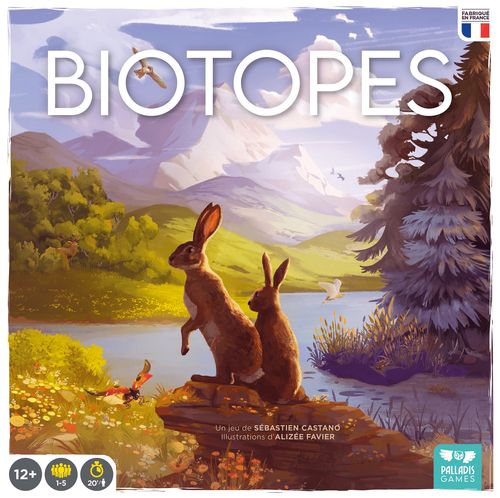
Biotopes
Biotopes Rulebook
Table of Contents
Table of Contents
Components
- 5 Ecosystem boards
- 1 Environmental Conditions board
- 20 Biotope cards
- 10 basic Landscape tiles
- 2 special Landscape tiles
- 8 Environmental Condition tokens
- 160 wooden cubes (40 of each color)
- 88 Species cards
- 60 Territory tokens (12 of each color)
- 5 cloth bags
- 1 Initiative token
- 1 Cycle token
Setup
-
Everyone takes an Ecosystem board, the 12 Territory tokens of the matching color, and a cloth bag. Determine a first player using the method of your choice. Give that player the Initiative token.
-
Build a common reserve of cubes according to the number of players:
- 2 players: 16 cubes of each color.
- 3 players: 24 cubes of each color.
- 4 players: 32 cubes of each color.
- 5 players: all the cubes.
-
Shuffle the Species cards and form 3 face-down decks:
- 1 Herbivores deck (no symbol on the back).
- 1 Insectivores deck (back marked with 1 star).
- 1 Carnivores deck (back marked with 2 stars).
The 3 Species decks can be identified by their backs, marked with 0, 1, or 2 stars. This corresponds to the victory points each card can be worth at the end of the game.
-
Take the Environmental Conditions board with its butterfly side up (6 cycles) and place the Cycle token on space 1.
For your first games, we recommend using the Environmental Conditions board with the butterfly side up. Once players are comfortable with the rules, flip the board to the ant side (5 cycles).
-
Randomly choose 4 Environmental Condition tokens (2 with a gray back and 2 with a black back) and place them on the matching spaces of the Environmental Conditions board (see example below).
-
Prepare the central landscape: randomly choose two Landscape tiles per person among the basic tiles (they are numbered A1 to A10 on one side and B1 to B10 on the other), then place them at the center of the table to form one of the configurations shown below.
You are now ready to begin the game.
Playing a Round
A game of BIOTOPES takes place over several cycles, during which players will be able to play actions. Cycles break down as follows.
1. Primary Production
Draw from your bag a number of cubes equal to your number of occupied territories (so 4 cubes on the first cycle). Add any bonuses granted by the effects of certain Species cards.
To determine your number of occupied territories, you can refer to the empty spaces on your Ecosystem board.
Example: there are 4 empty spaces on Florence's board, and she has played the Rose Chafer, which grants her a +1 cube bonus. She will therefore draw 5 cubes in total during her Primary Production step.
Place the cubes drawn this way onto the Biotope cards according to their color (see illustration opposite):
- Gray: Mountains.
- Green: Forests.
- Yellow: Grasslands.
- Blue: Wetlands.
2. Action Phase
- Once Primary Production has been carried out, the player holding the Initiative token may carry out an action. Then it is the turn of the next person clockwise, and so on.
- If you choose to stop carrying out actions, you pass your turn permanently for this cycle and must wait for the next cycle. The other players keep playing, until everyone has passed their turn.
- Once everyone has passed their turn, the cycle ends.
3. End of Cycle
Recycle the cubes present on your Ecosystem board back into your bag. Cubes present on Biotope cards and Species cards remain in place from one cycle to the next.
Discard the rightmost card of each river and replace it with a new card.
Advance the Cycle token by one space. Pass the Initiative token to the next person clockwise and begin a new cycle.
End of Game and Scoring
The game ends at the end of the 6th cycle if the Environmental Conditions board is placed butterfly side up, and at the end of the 5th cycle if it is placed ant side up.
Environmental Conditions Points
The environmental conditions are determined during setup and displayed throughout the game. Before scoring, all Species cards with no cube in the Ecosystems are discarded. The remaining cards are shifted to the left to fill the spaces left empty.
Calculating the Environmental Conditions score (from left to right):
- 2 VP per territory controlled in the central landscape corresponding to the biotope indicated by the 1st token.
- 2 VP per Species card whose biotope matches that of the 2nd token.
- 2 VP per Species card of the type matching the 3rd token.
- 1 VP per cube present on Species cards matching the type of the 4th token.
Territory Fragmentation Penalty
If the territories you control in the central landscape are separated from one another, you suffer a penalty of -3 VP per group of territories beyond the first.
If all your tokens form a single connected group, you suffer no penalty.
Example: Magali's tokens (in purple) are all together, so she suffers no penalty. Jimmy's tokens (in orange) are spread over two separate zones, so he suffers a penalty of -3 VP.
Victory
The Ecosystem with the most victory points wins the game. In case of a tie, the Ecosystem with the most Carnivores Species cards wins. In case of a further tie, victory is shared.
To tally your victory points, no paper or pencil is needed: flip your Ecosystem board to the score-track side and use wooden cubes to mark your points.
Card Bonuses
This equals whatever is indicated on the cards: 1 VP per Insectivores card and 2 VP per Carnivores card.
Certain Species cards and advanced Biotope cards also grant an end-of-game bonus.
Example: the European Badger is worth 2 VP because it is a Carnivore. It also grants a bonus of 1 VP per Mammals card present in your Ecosystem.
Biodiversity Bonus
You gain a bonus for each complete column of 4 Species cards. This bonus varies according to the number of columns and is cumulative:
- 2 VP for the 1st column,
- 4 VP for the 2nd column,
- 6 VP for the 3rd column (and so on).
Example: Karl finishes the game with the ecosystem shown below. His 1st column earns him 2 VP, his 2nd 4 VP, and his 3rd 0 VP. Karl therefore wins a biodiversity bonus of 6 VP.
The Actions
During each cycle, you will be able to play several actions – whether from your player board or thanks to a card.
Apart from the Adaptation action (which is not limited), you may only play the actions on your Ecosystem board once per cycle. To help you remember which ones you have played during a cycle, the cube or cubes used to pay their costs must be placed on the marker or markers provided for that purpose.
Example: Solal decides to play an Evolution action. To do so, he uses a Plants cube, a Mammals cube, and a Birds cube (their colors do not matter here). He places the 3 cubes on the markers of his board and draws that many cards.
Several cards let you play certain actions more than once per cycle. Place the cubes used side by side on your board to clearly show how many times the different actions have been played.
Adaptation
Play a new Species card into your Ecosystem.
Frequency per cycle: none (unlimited).
Cost: recycle the cube types shown on the Species card (top left) by placing them in your bag. You may recycle cubes from any biotope row of your Ecosystem, not necessarily the one matching the card you wish to play.
Effect: play a Species card from your hand into your Ecosystem (to the right of the row dedicated to its biotope). Then take a cube of the color matching that card's biotope from the reserve and place it on the newly played Species card.
Example: to play the Crested Tit card, Pascal must recycle a Plants cube and an Invertebrates cube, regardless of their colors.
When you need to take a cube to place on the card, if the reserve is empty you may take a cube of the matching color from your bag. If you have no cube of the right color in your bag, do not place any cube on the card.
Reproduction
Add new cubes to your Species cards.
Frequency per cycle: once.
Cost: move an Invertebrates or Reptiles & Amphibians cube from one of your cards to the Reproduction space of your Ecosystem board.
Effect: place an extra cube from the reserve on every Species card of yours that already has two or three cubes on it (this cube is the same color as the card it is placed on).
If the reserve is empty, you may take a cube of the matching color from your bag. If you have no cube of the right color in your bag, do not place any cube on the card.
Species cards can never hold more than 4 cubes. Biotope cards are not affected by the Reproduction action.
A cube moved by the Discreet Species effect onto a card of a different biotope counts toward the number of cubes available on the card for benefiting from a Reproduction action.
Transfer
Move cubes from your Biotope cards to your Species cards.
Frequency per cycle: once.
Cost: move a cube of any type from one of your cards to the Transfer space of your Ecosystem board.
Effect: take the cubes present on each Biotope card of your Ecosystem, and place one cube on each Species card of the same row, starting with the one furthest to the left. Then, if any cubes remain, place them back on their matching Biotope card.
Species cards can never hold more than 4 cubes. During this action, ignore Species cards that already have 4 cubes.
Cube movements during this action are mandatory, and must be resolved for every row.
Example: Loubna takes the 4 cubes on her Wetlands Biotope card. She places 1 on the Large Copper, none on the European Water Vole (which already has 4 cubes), and 1 on the Green Frog. The 2 remaining cubes go back onto the Biotope card. She then does the same for the 3 other rows of her ecosystem.
Evolution
Draw new Species cards.
Frequency per cycle: once.
Cost: move 1 to 5 cubes of different types from your cards to the Evolution space of your Ecosystem board, and discard as many cards as you wish. You may choose not to discard any cards, but you must spend at least one cube to pay the cost of this action.
Note that even if there are cube spaces still free after a first activation of this action, you may not play it again during the same cycle.
Effect: draw as many new Species cards as the total number of cubes moved and cards discarded during this action. You may draw the cards one at a time, from one or more rivers or from the top of the decks.
Example: Thomas chooses to move 3 cubes from the cards in his Ecosystem (1 Plants cube, 1 Mammals cube, and 1 Birds cube). He also discards 2 cards. Once this is done, he decides to draw 2 cards from the Herbivores river, 2 cards from the Insectivores river, then 1 face-down card from the Herbivores deck, for a total of 5 cards.
At the end of each of your actions, if you have more than 5 cards in hand, you must discard until you have exactly 5 left.
Expansion
Colonize an empty territory.
Frequency per cycle: once.
Cost: move a Plants-type cube from one of your cards to the Expansion space of your Ecosystem board.
This cube must be the color of the territory you wish to colonize.
Effect: colonize an empty territory adjacent to one of your territories. Take one of the tokens from your Ecosystem board and place it on the colonized territory.
Then take a cube of the color of the colonized biotope from the reserve and add it to your bag.
Example: Manue plays an Expansion to colonize the Grassland at the center of the tile opposite. She must move a yellow Plants cube to her Ecosystem board – the color of the territory she wishes to colonize. Once this is done, she places one of her tokens on the Grassland, takes a yellow cube from the reserve, and adds it to her bag.
If you have no Territory token available, you cannot carry out this action.
Competition
Colonize a territory occupied by an opponent.
Frequency per cycle: once.
Cost: move a Mammals or Birds cube from one of your Species cards to the Competition space of your Ecosystem board.
This cube must be the color of the territory you wish to colonize.
Effect: colonize a territory occupied by an opponent and adjacent to one of your own.
The opponent must fall back their token to an empty, adjacent territory. If this is not possible, the token is returned to their Ecosystem board. Then take one of the tokens from your Ecosystem board and place it on the territory that has become available.
Then take a cube of the color of the colonized territory from the reserve and add it to your bag.
Example: Virginie (orange tokens) plays a Competition to colonize Miguel's Mountain (purple tokens). She must move a gray Mammals or Birds cube to her Ecosystem board. Miguel has no choice but to fall back his token to the adjacent Grassland. Once this is done, Virginie places her token on the Mountain, takes a gray cube from the reserve, and adds it to her bag.
If you have no Territory token available, you cannot carry out this action.
Migration
Move one of your Territory tokens across the central landscape.
Frequency per cycle: once.
Cost: move a Birds or Reptiles & Amphibians cube from one of your Species cards to the Migration space of your Ecosystem board.
This cube must be the color of the territory you wish to colonize.
Effect: move one of your Territory tokens to an empty territory at a maximum distance of 3 hexagons.
You may pass over other tokens during this move, as long as you end on an empty territory.
Then take a cube of the color of the destination territory from the reserve and add it to your bag.
Example: Nils plays a Migration to move his Forest Territory token from the tile on the left to the Mountain on the tile on the right. He must move a gray Reptiles & Amphibians or Birds cube to his Ecosystem board. Once this is done, he moves his token onto the Mountain, takes a gray cube from the reserve, and adds it to his bag.
Species Card Actions
Frequency per cycle: none (unlimited).
The effect of certain Species cards is preceded by the keyword "Action." This means you must recycle a cube from that card to benefit from this effect. This counts as your action for the turn.
There is no limit to the number of times you can play Species card actions each cycle.
Example: Justine played a Hazel Dormouse into play on a previous turn. On her turn, she decides to use its effect: she recycles a cube from the Hazel Dormouse and draws a card. She has just played her action for the turn, so it is now the next player's turn to begin playing.
Game Aids
Biotope Cards
Biotope cards represent a natural environment. There are 4 types: Mountains, Forests, Grasslands, and Wetlands.
Unlike Species cards, there is no limit to the number of cubes on Biotope cards.
Biotope cards have two sides. For your first games, use the basic Biotopes side (identifiable by the green banner reading "Biotopes"). Once you have mastered the game, you can use the advanced Biotopes side (Preserved, Adapted, Favorable, Abundant, and Populous habitats — see the variant on page 18).
- Type icon: indicates what type of cubes this card produces. All Biotope cards produce Plants-type cubes.
- Base effect: a reminder that cubes drawn from the bag during Primary Production are placed on this card. On the advanced Biotopes side, this effect is shown by an icon placed next to the type icon.
- Advanced effect: advanced Biotope cards each have a unique additional effect.
Species Cards
There are 4 types of Species: Invertebrates, Reptiles & Amphibians, Mammals, and Birds.
- Diet: shows the type and number of cubes you must recycle from your Ecosystem to play this card (from your hand into your Ecosystem). Here, one Invertebrates cube, one Mammals cube, and one Birds cube.
- Type icon: indicates what type the cubes placed on this card will be. Here, they will be Mammals cubes.
- Action icon: a visual reminder that helps identify two types of cards more easily.
- Action icon: this card gives you access to an action that can be carried out by paying a cost.
- Reaction icon: this card lets you react to an action triggered by another card, including an opponent's card, outside your turn.
- Effect: the name and description of the effect produced by this card. If the effect is preceded by the keyword "Action," it requires recycling a cube from this card. This counts as your action for the turn.
- Victory points: the number of victory points this card is worth at the end of the game.
Glossary
Colonize: to take control of a hexagon of the central Landscape by means of an Expansion, Competition, or Migration action.
Cube color / Cube type: a cube has two attributes – a color and a type.
A cube's color determines which Biotope card it is placed on during Primary Production (see page 7) and which row of cards it moves through. The cube's color is also essential for Colonization actions.
A cube's type depends on the card it is placed on. The same cube can therefore change type as it moves from one card to another.
The cube types are: Plants, Invertebrates, Birds, Mammals, Reptiles & Amphibians.
Cycles: a game of BIOTOPES is made up of 6 cycles (5 on the ant side). Each cycle is divided into turns, which let players carry out their actions.
On the Environmental Conditions board, you will find a track for counting cycles. Use the Cycle token to keep track.
Moving cubes: you will move cubes from your Biotope and Species cards onto specific spaces of your Ecosystem board. This lets you show that the action has been carried out this turn. These cubes stay in place until the end of the current cycle, when they are recycled into your bag.
See page 11 for the Transfer action and page 10 for Discreet Species cards.
Territory tokens: colored disks placed on an Ecosystem board and used to show who controls a hexagon on the central Landscape.
Central Landscape: the set of landscape tiles making up the shared play area assembled at the start of the game.
Ecosystem board: each player's personal board.
Draw (from the bag): to randomly take one or more cubes from your bag.
When an effect tells you to draw a cube from the bag, the cube's color determines the color of card it can be placed on (for example, a green cube must be placed on a Forest Biotope or Species card).
Recycle cubes: to send a cube from an Ecosystem board or a card back to its owner's bag. This can be required when playing the Adaptation action (see page 10), to activate the effect of certain Species cards (such as Adaptive Genius), or at the end of a cycle for the cubes on your Ecosystem board.
The Predatory Species effect lets you recycle an opponent's cube into your own bag instead of its owner's.
Card Icons
- Colonize action of the type shown: colonize a territory of the type shown by playing a Colonization action (Expansion, Competition, or Migration).
- Control a territory of the type shown: you control a territory as long as one of your Territory tokens is placed on it.
- The "x2" symbol means you may play the indicated action (Expansion, Competition, or Migration) a second time during each cycle. That action must still be played normally, i.e. during your Action phase and by paying its cost.
- Draw a card.
- Primary Production phase.
- Draw an extra cube during the Primary Production phase.
- Recycle a cube from this card into your bag.
- Draw a cube from your bag and place it on one of your cards. This card must be the same color as the cube.
- Move a cube from one of your cards to another card. This card may be located on a different row. This action is the only one that lets a cube of a given color end up on a card of a different color.
- Defensive Species: all cards on this row and this column are protected from the Predatory Species effect.
- Predatory Species: after playing this card, recycle a cube from an opponent's card, of the type matching your card's diet, and place that cube in your bag. You may play your card even if there is no target for the Predatory Species effect on the table.
- Reaction that can be carried out when a Predatory Species card is played by any player.
Frequently Asked Questions
When am I allowed to look at the contents of my bag? You may look at the contents of your bag at any time, except while drawing from it.
Is the number of cubes on Biotope cards limited to 4, as on Species cards? No, only Species cards are subject to that limit.
Can I benefit from the effect of one of my cards even if there is no cube on it? Yes.
What color is the cube generated by the Reproduction action? This cube is always the color of the card it is placed on, regardless of the color of the "parent" cubes (for example, if a cube of a different color had arrived on the card through the Discreet Species effect).
The Discreet Species effect is the only one that allows a cube to be placed on a card of a different biotope than the cube's own color (for example, placing a yellow cube on a Species card of the Forests biotope). The cube moved by this effect keeps its color regardless of which biotope it is on.
Does the Reproduction action apply to Biotope cards? No, the Reproduction action does NOT allow adding new cubes to Biotope cards.
Am I required to resolve reproduction for all my Species cards, and in what order? Yes, if a species can reproduce you are required to do so. You may choose to resolve this action in the order of your choice (especially when there are not enough cubes left to resolve all of them).
When can I use the effect of an Action card? The action of an Action card can be used on your turn. It is played like any action from your Ecosystem board, except that it is not limited to once per cycle. If you decide to play this action, it counts as the one action you may take on your turn.
When can I use the action of a Reaction card? The action of a Reaction card triggers automatically when its activation conditions are met – most often the arrival of a certain type of card in play, whether in your Ecosystem or an opponent's.
Game Variants
Landscape Construction
Follow steps 1 to 5 of setup (see pages 4-5), then deal 2 Landscape tiles to each player. Taking turns clockwise, each player places a first Landscape tile at the center of the table.
Tiles must be placed so as to have at least 2 hexagons adjacent to the tiles they touch (see diagram below). Apart from this constraint, placement is free.
Once everyone has placed their first tile, start another round of turns to place a second one.
Depending on the players' imagination, this variant can produce central landscapes that are more elongated, or that group hexagons of a certain biotope more closely together, for example, and noticeably changes the way territories are colonized.
When placing landscape tiles, you may choose to leave empty spaces in the middle of your central landscape (see example opposite). Empty spaces count as edges for initial placement. Migrations may not pass over empty spaces.
Advanced Biotopes Draft
Follow steps 1 to 9 of setup (see pages 4-6), then lay out all the Biotope cards (Mountains, Forests, Grasslands, and Wetlands) within reach of everyone, advanced side up. Give players 5 minutes so they have time to read the different Biotope effects (Preserved Habitat, Adapted Habitat, Favorable Habitat, Abundant Habitat, and Populous Habitat).
Taking turns clockwise, place 1 Territory token on a hexagon at the edge of the central landscape. Then choose a Biotope card of the same type as the territory you just colonized. Place it to the right of your Ecosystem board, then place a cube of the matching color in your bag. Repeat this until everyone has an advanced Biotope card of each type and a cube of each color in their bag.
This variant lets you develop or optimize a strategy right from the setup stage of the game.
Solo Mode
- Place 4 Landscape tiles (side A or B) assembled as shown opposite, and place tokens of a single color on all the hexagons that are not on the edge of the Landscape.
- Take the Environmental Conditions board butterfly side up (6 cycles), then randomly draw the Environmental Conditions as in a normal game. Build a reserve of 16 cubes of each color, as for a 2-player game.
- Place your 4 first tokens following the initial placement rules.
- Take one card of each of the 4 Biotopes.
- Play the 6 cycles and try to score as many points as possible. In advanced mode, play only 5 cycles.
Competition actions can be carried out against the tokens of the other color placed at the center of the landscape. You choose which empty, adjacent territory the opposing token must fall back to. If there is no space available, the token is simply removed from the game.
When you play a Predatory Species card, take a cube of the color of your choice directly from the reserve.
You may use the Advanced Biotopes variant for solo mode. In that case, use the ant side (5 cycles) of the Environmental Conditions board.
Here is where to place your solo score on the food chain:
| Score | Rank |
|---|---|
| 120 VP and above | Red Fox |
| 90-119 VP | Purple Heron |
| 60-89 VP | Sand Lizard |
| 30-59 VP | Rose Chafer |
| 0-29 VP | Plant |
Round Summary
1. Primary Production
Draw from your bag a number of cubes equal to your occupied Territories. Place the cubes drawn this way onto the Biotope cards according to their color.
2. Action Phase
On your turn, you may:
- Play an Action from your Ecosystem board:
- Adaptation, Reproduction, Transfer, or Evolution.
- Expansion, Migration, or Competition.
- Play the Action of a card in your ecosystem.
- Choose to pass your turn until the next cycle.
3. End of Cycle
Once everyone has passed their turn:
- Pass the Initiative token to the next player clockwise.
- Recycle all cubes from your Ecosystem board into your bag.
- Advance the Cycle token.
4. End of Game
The game ends once everyone has passed their turn during the last cycle.
Before scoring, discard Species cards with no cubes and shift the remaining cards to the left to fill the spaces left by the discarded cards.
5. Scoring
Tally the points as follows on the back of your Ecosystem board:
- Environmental Conditions.
- Species card bonuses.
- Bonuses from card effects (Species and advanced Biotopes).
- Biodiversity bonus.
- Territory Fragmentation penalty.
The Ecosystem with the most victory points wins the game.
Distribution of Species Across the 3 Decks
| Herbivores | Insectivores | Carnivores | |
|---|---|---|---|
| Invertebrates | 16 | 5 | 1 |
| Reptiles & Amphibians | 0 | 12 | 7 |
| Birds | 9 | 6 | 9 |
| Mammals | 11 | 5 | 7 |