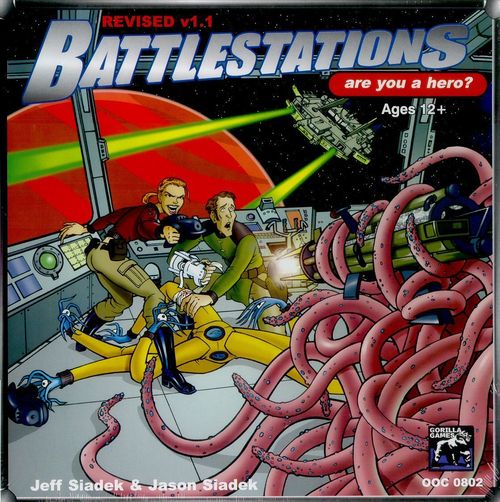
Battlestations
Battlestations Rulebook
Table of Contents
Table of Contents
- Introduction to the Game
- Skills and Skill Checks
- About the Rules
- Select an Enemy
- Create Characters
- Species
- Species in Detail
- Bot
- Bot Built-ins
- Bot Damage
- Repair Bot
- NPC Bots
- Bots and Life Support
- Deactivating Bots
- Upgrading Bots
- Advanced Species
- Character Actions
- Special Character Actions
- Other Types of Actions
- Character Movement
- Personal Damage
- Skills
- THE 5 BASIC SKILLS
- MORALE CHAR
- SPECIAL ABILITIES
- Special Ability Index
- Equipment
- Equipment Indexes
- Ranged Weapons
- Heavy Ranged
- Melee Weapons
- Explosives
- General Equipment
- Drugs and Toxins
- Cyberware
- Modules, Cargo Bay Items, Hulls, Pods, Etc.
- Starship Modules
- EXAMPLE
- Sick Bay
- Starting Your Adventure
- Upgrades
- Setup Mission
- Run Mission
- Ship Movement
- Hero Actions
- Enemy Actions
- End of Phase
- End of Round (If Phase 6)
- Ending The Mission
- After the Mission
- Death
- Requisitions
- Advancement
- Fire Effects
- Gas Effects
- Interstellar Movement
- Navigation Hazards
- Mind Control
- Playing the Enemy
- Plot Twists
- Treasure
- Campaign Rules
- Missions
- List of Missions
- Guest Star Missions
- Alternate Modes of Play
- Dirtside
- Astral Bodies
- Sectors 7, 8, and 9
- Galactic Map
- Planetary Opportunities
- Starship Registry
- Starbases, Starlabs, and Outposts
- Freighters
- Random Species Chart
- Naming Conventions
- Glossdex
- Modifiers for Skill Checks
- Sequence of Play
- Hull Checks
- Action Reference
Introduction to the Game
Battlestations is a cooperative game about being a hero onboard a starship. One player is the Enemy controlling the enemy characters, space anomalies and secrets in the rules. Other players each play a single character and collectively crew a ship to accomplish a mission. A few simple systems interact here to simulate the workings of a starship. Your character will be moving around on the ship taking actions to operate the ship.
This overview will give you an idea of how it all works and tell you where to find the specific rules for each section. Bold words have special meaning in the game as defined in the glossdex (page 288).
It is worthwhile for everybody on the crew to be familiar with this brief overview section. Each player should also be familiar with the rules section associated with their profession.
Pilots should read the Helm section (page 128).
Scientists should know about the Science Bay and Hyperdrive when you want to warp out (pages 140 and 132). Only worry about the Teleporter or Cloaking device if you have those modules. Engineers should read the Engine section (page 127) and the Marine should know about personal (page 38) and ship to ship combat (page 104). There is a lot here but you only need to know about the stuff you have at hand. If you are already a Battlestations fan, some stuff has changed (ships are faster, you can use Cannons, Engines and Missile Bays with used markers on them) but the basics have remained intact.
If you have the 32 page rulebook, and you are new to Battlestations, I recommend starting with that book and moving on to this book after you’ve completed the introductory campaign.
Time
After the setup, the game takes place in a turn structure of Phases and Rounds. There are 6 Phases in each Round. During each phase, ships move and missiles move then each player gets to move and act in any order and when enemies move and act as controlled by the Enemy.
At the end of the 6th Phase of each round, there are bookkeeping tasks to perform and then you start a new round on Phase 1.
This continues until a victory condition has been met by either side based on the mission parameters. A single session of Battlestations is a Campaign Turn and generally takes 2 to 4 hours to play out. See the sequence of play on page 300.
Your Starship
Starships are assembled out of modules into an array based on the ship’s size and registry (see page 263). Each module of the ship has a function: Engines must be at the back of the ship and produce power; Cannons allow you to attack other ships on the side of the ship the gun is facing; Life Support allows for crew to breathe (or whatever they do instead!); the Helm must be on the front and allows you to change the facing or Speed of your ship. Missile Bays allow you to put missiles on the map that will track down your enemies and blast them.
Some modules will acquire used markers indicating they cannot be further used this Round or can be used but at a penalty on the Skill Check to use them. Each module is described in detail alphabetically starting on page 102.
Here’s a size 3 human ship that is pretty much standard:
Each turn you move and act and then the enemies move and act. All actions in the game require you to roll 2d6 and add your skill then compare to a target number.
Ship Control Card
The variables for your ship are tracked on the ship control card by sliding glass beads. Speed is the number of hexes your ship moves each phase. Unless somebody takes a piloting action to stall, sideslip, or turn, it will go this many hexes in the direction it is headed. OOC (Out of Control) measures how much the ship is rocking. You’ll find the ship rocking when it attempts maneuvers or is hit by heavy enemy fire. To simulate this, each ship has an “Out Of Control” level that applies as a penalty to movement and actions aboard the ship.
Add the OOC level to the difficulty of your skill checks and subtract it from your personal movement.
The ship automatically steadies a little at the end of each phase. Pilots may take an action to steady the ship completely.
OOC maxes out at 4. Any OOC generated beyond this is converted to hull damage. Power Levels show available power in the indicated systems. Your ship will generate power at this start of each round if it has at least one functioning engine (and when anybody takes an Engineering action to pump more power).
Use Helm power to maneuver, Guns power to fire weapons and Shields to retard incoming weapons fire. The maximum power level for each system is the ship’s size.
Note: If you want the ship to do something different, go to the helm and change speed or facing.
Characters
Your character moves around on the starship taking actions to make stuff happen. You can use a sample character provided in the cards or you can build your own character in about 10 minutes by choosing a species, profession, special ability, skill set and personal equipment on these next few pages.
Character Actions
Each Phase, you’ll get to take one action with your character. You may move either before or after your action. The list of actions on page XX details rules for everything you can do in Battlestations. The summary chart on the punchout sheet covers most of what you can do.
Many of your actions are dependent upon the module you are in (see pages 103 to 142) or personal equipment you are using (see pages 74 to 99). Automatic actions such as drawing a weapon or movement are accomplished without any dice rolls. Some actions require a Skill Check to determine if they are successful.
Battlestation Actions
Any action to activate the ship is a Battlestation Action. It must be taken at a Battlestation (starred square) on the ship it is affecting. If it is not in the module that is being activated, the battlestation action is at a remote penalty of +3 difficulty.
Skills and Skill Checks
There are 5 basic skills in Battlestations representing the major areas relevant to manning a starship in battle:
Athletics, Science, Engineering, Combat and Piloting.
When an action requires a skill check determine the target number and roll 2 dice. Compare your result to a target number. The target number will be reduced by your skill level and other bonuses such as preparation or assistance and the target number will be increased by penalties such as OOC, Range, Popping, or Peeking. If your result is equal to or higher than the target number, you succeed. You can even attempt a skill check with a skill of zero (but you are less likely to succeed). You may not attempt a skill check for which you have no hope of success. A natural dice result of 2 ( “1,1”) is an automatic failure regardless of the difficulty.
Luck
The heroes have luck to help them face the daunting odds presented by the Enemy. Each point of luck allows you to reroll one die. This is commonly used on your own skill checks or damage that you would sustain from an enemy attack or a hull check to see if the ship you are on explodes.
Your pool of luck replenishes at the start of each mission. See page 13 for a list of things that are “luckable” (meaning you can spend your luck to reroll them).
Special Abilities
Your hero (not enemies or bots) starts with one special ability at Rank one. This represent tricks, knacks, and training that allow your character an advantage that operates somewhat outside the normal boundaries of the rules.
Special Abilities with a limited number of uses have a “Pool” that you mark off as you use them. See page 50 for a summary of special abilities and the following pages for detailed descriptions.
If a special ability calls for an extra die to be thrown, use one of a different color to distinguish it for purposes of doubles in the skill check etc.
Profession
Each player chooses one skill as their character’s profession. When attempting a skill check within the scope of your profession (e.g., a pilot trying to turn the ship), you may reroll one of the dice in your skill check.
Advancement
After each mission, you’ll be awarded Experience, Prestige, and Credits based on your crew’s success. You spend these awards to increase your skills, rank and equipment respectively, and to gain hit points and special abilities. You also might get treasure. Failing a mission earns you 100 Experience, 100 Prestige and 100 Credits. Succeeding earns you 200 Experience, 200 Prestige and 200 Credits. Overwhelming success earns 300 Experience, 300 Prestige and 300 Credits. You also might die but there’s cloning so death isn’t too bad.
See Character Advancement on page 149 for details.
About the Rules
These rules supersede the rules that came in the original box. If this is your first time playing, you should consider playing using the 32 page Quick Start Guide. You can graduate to this complete book after you get the hang of the basics.
Note to Players of First Edition Battlestations
This game is 90% the same as the original. There are a lot of minor changes but the major changes are these:
-
Ships are faster. Ships move their movement every Phase instead of per Round.
-
You can use Engines, Cannons, and Missile Bays again at +3 difficulty per used marker.
-
You cannot Luck personal damage you deal.
-
Ship size is now 1/3 the number of modules.
-
The difficulty for maneuvers is double ship speed + double ship size.
There are more but these are the most important distinctions.
Select an Enemy
The Enemy brings the mission to life by controlling everything in the game except for the characters’ actions. The Enemy even has the last word on the rules. They play the enemies (or space monsters or anomalies) to the best of their abilities. The fact that the crew working together have special abilities and luck means that they should win most of the time. In this game, there is cloning so even if the Enemy’s forces manage to kill some or all of the crew once in a while, the game isn’t over. Go ahead and play hard. The players deserve your best effort.
As an Enemy you’ll have to oversee every aspect of the rules. Generally, the Enemy is the most experienced Battlestations player but even a novice can referee. As needed, get the help of the other players in running things. See the Enemy section on page 157 for details about playing as the Enemy.
Create Characters
Each player plays a single character on the starship. If your Life Support allows more crew than you have players, you’ll fill the extra spots with bots. Having your own character puts you into the action in a more visceral way.
Your character will have several characteristics to differentiate you from other characters:
Species, Profession, Skill Set, Equipment
To build a character, you will need to do the following:
-
Start at Rank 1
-
Pick a species
-
Select a profession
-
Assign skill numbers
-
Select a starting Special Ability
-
Calculate Hit Points
-
Get starting Equipment
Rank reflects your character’s pull with the brass as well as calm under fire. Characters start at Rank 1 and spend prestige to rank up after missions (see character advancement page 149).
Each rank adds 1 to your Hit Points and Luck as well as giving you a Special Ability.
Rank also adds to your check when requisitioning shiny new equipment after a mission and figures into some special abilities such as “Calm” or “Smooth”.
| RANK | LUCK | HP+
---|---|---|---
1 | Ensign | 6 | 1
2 | Lt. Jr. Grade | 7 | 2
3 | Lieutenant | 8 | 3
4 | Commander | 9 | 4
5 | Captain | 10 | 5
6 | Major | 11 | 6
7 | Colonel | 12 | 7
8 | Commodore | 13 | 8
9 | Admiral | 14 | 9
10 | Fleet Admiral | 15 | 10
11 | Commander in Chief | 16 | 11
12 | Senator of the Republic | 17 | 12
Luck
As a hero, you get the special advantage of having fortune on your side. Nobody likes a story where the good guy dies in the first five minutes. Characters have a base of 5 Luck plus one for each Rank. So a starting character is Rank 1 with 6 Luck.
The judicious use of Luck can mitigate what would otherwise be catastrophic results. Spend one Luck to reroll a die in the following circumstances:
| LUCKABLE | NOT LUCKABLE |
|---|---|
| Damage dealt to you | Damage you deal or damage dealt to your ship |
| Survival checks for a ship or fighter you are on (that are failing). | Survival checks that are successful. |
| Survival checks for a ship you aren’t on. | |
| Your Skill Checks | Enemy Skill Checks |
| Other things as specified by mission, equipment or special ability. | Anything not specified as luckable. |
| Hit allocation for Cannons and Teleporters | Hit allocation for missiles, mines, and rams |
| Requisitions |
Species
Everybody has a different set of attributes based on what kind of creature they are. Each species has attributes that affect game play; Base Hit Points, Move, Hands, Alien Ability, Target number, and whether they can wear Armor. There are 14 standard species to choose from as well as 4 advanced species and 12 varieties of beastmen. All of these are described on pages 14 to 27.
Base Hit Points
Hit points reflect the amount of damage a character can take. You go unconscious when your damage equals or exceeds your total Hit Points and begin dying when your damage exceeds your total Hit Points by 6 or more. Add your Rank and Athletics to your Base Hit Points to get your Hit Points.
Armor Option
Some species are able to wear personal equipment armor (Humans, Xeloxians, Diploids, Vomegs, Kerbites and many of the beastmen among others). Others have physiology unsuited for it. It’s a Yes (Y) or No (N) stat.
Move
This is the number of squares you can move each phase either before or after your Character Action.
See page 31 for details on character movement.
Hands
This is the number of appendages you have to hold and operate equipment that must be in a “hand” to be used. You must have an empty hand to operate a Battlestation at no penalty.
Hands Full: You can do stuff even with your hands full. It just becomes harder. Consider a human driving with a weapon in one hand and an beverage in the other. They can still steer with their wrists and knees but won’t be as capable as a person with a hand holding the wheel (regardless of the beverage). Any action with hands full is at a penalty of +3 to the difficulty. You can drop things as a free action during your turn. Actions using the object in the hand such as a ToolKit to repair or MedKit to heal do not incur the “full hands” penalty.
Target Number
This represents how easy it is to hit you with a personal weapon attack. It is also a rough approximation of size. Larger characters have lower target numbers because they are bigger targets that are easier to hit. Characters with lower target numbers have an advantage in grappling because of their greater size. Willing or unresisting characters (such as the unconscious or dying) are 3 easier to target.
Alien Ability
Each Species has a unique alien ability that differentiates it from others. The Rocky Silicoids and Carapaced Zoallans block damage. The Tumbling Canosians have a bonus move action. Humans are more refined in their skill checks within their profession. Aggressive Xeloxians deal more damage in personal combat as well as being able to use free hands as extra feet. Resilient Tentacs get to retard damage that they would sustain by rolling an extra die and removing the highest.
SPECIES | | | | |
Armor Option |
ALIEN ABILITY
---|---|---|---|---|---|---
Base Hit Points | Target Number | Hands | Move
Bot (Sentient) | 4 | 8 | 1 | 4 | N | Mechanical : -1 point per die of damage. 1 free upgrade per Rank (no other upgrades allowed). No cyberware. No drugs or toxins.
Blootian | 0 | 11-
0-4 | 1+
0-4 | 2+
0-4 | N | Bubbly : Free Reroll on Life Support Checks and the largest die in an attack (or a needler hit) pops a limb bubble instead of dealing damage. Add limb bubbles to move and hands attribute. Subtract limb bubbles from Target #. Athletics check of 8 to regrow limb bubble or when healing regrow one limb bubble in place of a die of hit point healing. Begin play with maximum bubbles (4).
Canosian | 8 | 8 | ∞ | 5 | N | Tumble : You get a second move action either before or after your action.
Diploid | 4 | 8 | 2 | 3 | Y | Bifurcation : You get two separate turns each phase as if you were two characters with the same body. All active skill check actions in phases (not upgrades, requisitions) are at a +3 difficulty penalty.
Fungaloid | 8 | 9 | 2 | 4 | N | Regenerate : Recover 2 points at the end of each phase as long as damage isn't more than your Hit Points.
Human | 5 | 8 | 2 | 5 | Y | Willpower : You may reroll one or both dice when making a skill check within your profession. You need not decide whether to reroll both before rerolling either.
Kerbite | 5 | 9 | 5 | 6 | Y | Cooperative : Once per phase, you get a free Assist action on a friendly as you are moving adjacent to them during your move action.
Silicoid | 9 | 7 | 1 | 4 | N | Rocky : Each time you would be dealt damage reduce it by 1d6.
Strong : Add +10 Carry and +1 point of damage dealt with melee attacks.
Tentac | 6 | 9 | ∞ | 6 | N | Resilient : Roll an extra die each time you are damaged and remove the highest die.
Trundlian | 0 | 8 | 7 | 2 | N | : You may reroll “1”'s in your initial skill checks. Add your empty hands to your Hit Points or move in any combination at any time.
Vomeg | 7 | 7 | 3 | 5 | Y | : You may act from any adjacent square as if you were in it. Doing so does not provoke free attacks and is at no penalty for being occupied.
Whistler | 9 | 7 | 4 | 5 | N | : One of your moves in each move action may be a jet move that doesn't require a skill check.
Xeloxian | 5 | 8 | 6 | 2 | Y | : Add free hands to move value.
: Add +1 point to direct personal attack damage.
Zoallan | 4 | 9 | 3 | 7 | N | : -2 points of damage from all sources.
ADVANCED SPECIES | | | | |
Armor Option |
ALIEN ABILITY
---|---|---|---|---|---|---
Base Hit Points | Target Number | Hands | Move
These Species aren’t necessarily more effective than the others but they are more challenging to play. Beginning players are strongly encouraged to select other species.
Chronosian (Advanced) | 7 | 8 | ∞ | 5 | N | Timehop : May choose on phase 1 to jump back in time from phase 6 to phase 1 as a free action in the future. Future self does not move or act on phase 1. You must spend the automatic action on phase 6 in the spot you jumped back from to jump back or you are annihilated. When you jump back, all damage and states (stun, ionization, etc.) from both selves converge into the remaining self. Each extra or missing piece of equipment causes a die of damage and is annihilated.
Minutian (Advanced) | 2 | 11 | ∞ | 4 | N | Tiny : Divide carry by 2. You don't slag squares you occupy and occupied squares aren't slagged for you (jetpack restrictions still apply). You are not entitled to take free attacks on things entering your square.
Featherweight : Suffer ½ damage (round down). Convert the rest into movement you must spend immediately. You may not enter a square you have already been in with this movement. If forced to do so, it becomes damage. Getting moved through occupied squares subjects you to free attacks.
Pyreltian (Advanced) | 6 | 8 | 2 | 5 | N | Phasing : In phase 1 you always exist as normal. On other phases roll a die (luckable) when it would be your turn to act. If the die roll is less than the phase number you are “in phase” and get a number of “phases” complete with moves and actions equal to the die roll. If the die roll is equal to or greater than the phase number, you phase out and cannot act or be acted upon until you phase in. You are still subject to restrictions such as abilities that can be used once per phase.
Whaloid (Advanced) | 13 | 3 | 1 | 0 | N | Immense : You occupy each square of the module you are in (slagging them for others). You cannot leave the module except at a specially equipped starbase (or with Psychic Shifter, page 65). You can reach into the first square of each adjacent module and act from there. You cannot grapple or be grappled but you can as an action pick up an unresisting character and deposit them in any square in your module or adjacent to the first square of adjacent modules. You may ignore 2 OOC. You suffer half damage from all sources (round up).
BEASTMEN | | | | |
Armor Option |
ALIEN ABILITY
---|---|---|---|---|---|---
Base Hit Points | Target Number | Hands | Move
Avianoid | 3 | 9 | 2 | 4 | N | Wings : Ignore up to 2 OOC for movement purposes. May move a number of your natural moves as automatically successful Jet moves equal to your Athletics (see Jet moves, page 33).
Cheetahoid | 4 | 8 | 2 | 9 | Y | Sprint : Once per phase you may suffer 1 die of damage to take an additional action during your turn at a penalty equal to the damage roll (including movement). This damage is not mitigated by armor.
Bite : Your unarmed attack deals 1d6 damage.
Crocodillian | 5 | 7 | 2 | 5 | N | Patient : (see Patient, page 57).
Bite : Your unarmed attack deals 1d6 damage.
Thick Hide : 1 point natural armor.
Elephantoid | 8 | 5 | 3 | 5 | N | Huge : Adjacent squares are considered slagged for other characters.
Tusks : Your unarmed attack deals 1d6 damage
Thick Hide : 1 point natural armor.
Felinoids (aka Meeks) | 6 | 8 | 2 | 6 | Y | Ferocious : May make a free melee attack with claw once per phase.
Claws : Your unarmed attack deals 1d6 damage.
Gorilloids | 6 | 7 | 4 | 2 | Y | Fistwalk : Add free hands to move value.
Tough : (see Tough, page 68).
Lupinoids & Caninoids | 5 | 8 | 2 | 6 | Y | Flanker : Add +1 to melee damage they deal and reduce difficulty to target by 1 for each adjacent hero and/or ally to them as long as you are adjacent to them. (This ability does not otherwise stack). Example, you and your bot are adjacent to an enemy, you each reduce the target number to attack them by 2 and increase your melee damage by 2 if you do hit. If you are alone, you still get -1 difficulty to hit and +1 damage.
: Your unarmed attack deals 1d6 damage.
Lapinoid | 3 | 9 | 2 | 7 | Y | : You get +3 Luck.
: You may force opponents to reroll one die in personal attack skill checks against you.
Rhinoceroid | 7 | 6 | 2 | 6 | N | : (see Charger, page 55).
: Your unarmed attack deals 1d6 damage.
: 1 point natural armor.
Reptilianoid (Snakoid) | 4 | 8 | 2 | 5 | N | : Your unarmed attack deals 1d6 damage.
: Anyone bit by a snake suffers as if hit by Oucho toxin (see Oucho, page 97).
1): (see Contortionist, page 56).
Testudinoid (Turtloid) | 3 | 8 | 2 | 4 | N | : Reduce all damage by one point per die.
: (see Braced, page 55).
Ursinoid | 8 | 7 | 2 | 5 | N | : (see Death Marcher, page 56). This is already figured into your base Hit Points.
: 1 point natural armor.
: Your unarmed attack deals 1d6 damage.
Species in Detail
Some species are further explained in the books of their original appearance. The stats here are official and current and all you need for play but the background story and examples of species abilities in those books may be useful.
NEW UPDATED ERRATA TO PRINTED BOOK
Bot
(BAHT)
Sentient and otherwise
| SPECIES | Base Hit Points | Target Number | Hands | Move | Armor Option | ALIEN ABILITY |
|---|---|---|---|---|---|---|
| Bot (Sentient) | 4 | 8 | 1 | 4 | N | Mechanical : -1 point per die of damage. 1 free upgrade per Rank (no other upgrades allowed). No cyberware. No drugs or toxins. |
Sentient bots can be heroes. The extra crew slots on a heroes’ ship will be filled by nonsentient bots. The rules for sentient and nonsentient bots differ slightly as outlined below.
A bot as a hero has luck, skills and gains credits, experience, prestige, rank and special abilities just like organic characters. Character bots get built in equipment like nonsentient bots according to their profession. Bots cannot use cyberware or wear armor other than powered armor. Nonsentient bots in powered armor are broken only on a “6”.
Alien Ability : Mechanical
Character bots cannot be upgraded like nonsentient bots but they get one free upgrade per rank (this upgrade is completely free and happens automatically as soon as you rank up). This is in addition to the Special Ability characters normally get. Character bots suffer damage and can be healed just like organic characters. Character bots suffer one less point of damage per die they sustain. Note that effects that don’t deal dice of damage are not reduced. All bots are unaffected by drugs or toxins.
Bot Built-ins
Each bot has a built-in blaster as well as one built- in according to their profession. These built-ins do not count against the bot’s Carry capacity. As an Engineering or Science action of 11, you can swap out a bot’s built-in item for another item that you have but any additional mass will count against the bot’s carry limit. This does not count as an “upgrade”.
-
Marine-bot - Vibraknife
-
Engineer-bot - ToolKit
-
Pilot-bot - JetPack
-
Sci-bot – MedKit (enemy Science Bots in the Bot Wars campaign have a vibraknife instead of a MedKit)
Bot Damage
Nonsentient bots have no Hit Points, per se. They are broken when a personal damage die against them shows a 5 or 6 and are irrevocably destroyed if they are damaged with a roll of a 6 while or after being broken (in the same or subsequent attack). Apply the higher die first. For example, a bot suffering a 5,6 or 6,5 or 2,5,2 in one attack would be broken but not destroyed. A result of 6,6 would destroy a bot. Damage dice results of 1, 2, 3 or 4 do not damage bots. Bots cannot function when they are broken.
If a nonsentient bot is damaged by point based effects that don’t roll dice (other than a needler), roll a die and the bot is broken on a 5 or 6. If the amount of damage that would be dealt is more than 6, roll one damage die for the bot for each 6 points of damage (rounding up). Bots treat EMP and Stun effects as Stun. Bots are unaffected by gas, drugs and most needler effects.
Sentient Bots can only be healed in exactly the same way as non-bot characters with a Sick Bay, MedKit, etc.
Repair Bot
(Science or Engineering skill vs. difficulty 11)
Success removes a damage marker from a non- sentient bot.
NPC Bots
Enemy ships are normally manned by the species of a given mission. If there is more than one Life Support, Enemies may substitute a set of bots for 4 of the crew. The heroes’ ships are manned by the heroes with bots or freebooters (see Pirates of Trundlia1) page 8 ) filling in the extra crew slots as space allows. Personnel willing to join the U.R.E.F. are in short supply and cloning is expensive. You may make use of these robotic mechanical assistants (a.k.a. Bots) to take over the functions of what would normally be handled by an organic crew member.
Bots take up a Life Support slot just like a living character for required maintenance materials, recharge station, spare parts, etc. The standard (nonsentient) bot has one selected skill in which they are professional and a built-in blaster. They have a skill level of 3 in their profession and are entitled to a professional reroll. In all other skills, they have an effective skill level of 1. An ally bot doesn’t act unless commanded to act by a hero or ally. Any ally or hero may command a bot as a free action even out of turn.
Bots and Life Support
Bots require Life Support to function just like other characters or they will breakdown (failing a life support check and suffering a 5 or 6 on the damage die.)
If you don’t want this to happen, give your bot a battery upgrade or have it carry an EVA. A non-sentient bot that is doubly broken by failed Life Support is not destroyed. It is deactivated and can be reactivated at a starbase.
This can be useful if you have a rescue mission and need to free up some crew slots. The powered down bots do not require Life Support.
Deactivating Bots
A bot that is broken can be deactivated with a Science or Engineering check of 14. Deactivated Bots may only be reactivated at the end of the campaign turn.
Upgrading Bots
(Science or Engineering skill vs. difficulty 11)
There is no limit to the number of different upgrades a bot can have except that it can only have each one a maximum of once. This action counts as an upgrade action and must be taken during the Upgrades portion of the campaign turn (see page 145). WristComps give a +1 bonus to this attempt if using Science skill and ToolKits give a +1 bonus to this attempt if using Engineering skill.
Any failed Upgrade attempt destroys the bot irrevocably. Player character bots cannot be upgraded in this way.
| UPGRADE | EFFECT |
|---|---|
| Battery | Bot has built-in EVA |
| Combat | -1 on Combat skill check difficulty |
| Dedicated | -1 to specific Skill check difficulty but +1 difficulty for all other skill checks |
| Engineering | -1 on Engineering skill check difficulty |
| Extra Hand | Bot gets an extra hand |
| Gravsled | -1 move but built-in Gravsled |
| Gyros | Ignore 1 OOC |
| Hydraulics | Double Carry Capacity |
| JetPack | Built-in JetPack |
| MedKit | Built-in MedKit |
| Motivated | Hero may spend Luck to give this bot rerolls and can command bot even if they are dead |
First edition module
Advanced Species
These species aren’t necessarily any more effective than the basic species but they have unique abilities that provide additional challenges to track in play. Beginners should not use these species. Veteran players should think twice before they play them. Enemies who want to crew an entire ship with these species must have failed a sanity check.
- Chronosian
|
---|---
- Minutian
|
- Pyreltian
|
- Whaloid
|
Character Actions
During the “hero actions” portion of each phase, the players’ characters and their bots and/or allies will act and move in the order of their choosing.
Each character must resolve their entire turn before another character begins their turn. (Note that you can use “overwatch” to get around this restriction.)
On your turn, you can move and act in either order.
You may take free actions during your turn either before or after your main action or your move action.
Your Action
You can attempt any action which you have a chance of success with. Actions in this book are described as follows
-
Action Name (modifiers)
-
Relevant skill vs. Difficulty
-
Additional modifiers
-
Action Description
Action Name
This is the title of the action. It should give you an idea of what the action is intended to accomplish. Some of the more popular actions are “Attack with personal Weapon” you would use to shoot your blaster at somebody or “Simple Helm Maneuver” for turning or accelerating the ship.
(Modifiers) This appears after the Action Name. It is where it may indicate that the action is “automatic” requiring no skill check or “free action” meaning it doesn’t require you to spend your action for the phase on it.
Note that automatic is different from free. Drawing power from a battery is an automatic action that doesn’t require a skill check. Taking a free attack on an enemy trying to move through your square is a free action that requires a skill check.
Some of the Special Abilities are marked “Psionic” here. This is usually only relevant if you are deciding to run a less fantastic campaign that is grittier.
Relevant Skill vs. Difficulty
All skill checks require you to throw 2 dice and reduce the difficulty by the relevant skill (such as Combat for shooting somebody with a blaster). This line indicates which skill is relevant for the action and the method for determining the difficulty total your roll needs to reach.
Additional Modifiers
This optional section provides details about adjusting your difficulty to modify the outcome. For example, you might want to turn an additional facing with your Helm maneuver and that would add 3 to the difficulty.
Action Description
This is where the outcomes for success or failure are detailed. Two common actions are “Attack With Personal Weapon” and “Turn Ship.”
Attack With Personal Weapon
(Combat vs Target # of intended target)
The target must be in unobstructed line of sight for a ranged weapon or adjacent (including diagonally) for a melee weapon. Success indicates you apply the effects of the weapon you were using. Failure indicates a chance to damage the module the target is in. Roll damage and any die result of “6” breaks the module and causes one point of hull damage.
Turn Ship
(Helm Maneuver, Piloting vs Ship Size x2 + Ship Speed x2, +3 per additional turn)
Spend a Helm power to attempt and adjust the OOC level up by one for each turn. If successful, rotate the ship within its hex that number of facings.
If this check fails, cause an additional amount of OOC equal to the amount by which the attempt failed.
Special Character Actions
This is a list of things you can do that are kind of different. Spending your action to help somebody else get a -1 difficulty this turn or preparing to get a bonus of -1 difficulty on your next action can be valuable. These slightly advanced rules make the game feel more natural and provide a little more tactical texture.
Assist
(Relevant skill vs. 8 )
You can spend your action to try to help another character in their action they take this phase by making a skill check in the skill they will be using for their action against a target number of 8. The assist reduces the difficulty of the assisted character’s action by 1.
You may assist a non-battlestation action only if you are adjacent to the character taking the action or the square that is being acted upon.
For a battlestation action you may assist locally if adjacent or at another battlestation in the same module or assist remotely at a +3 difficulty from a battlestation in another module. This assist will last until used or the end of the phase whichever comes first. A character may benefit from at most one assist on a given action.
Anything that would give you a benefit had you been taking the action yourself will aid you in your assist attempt. Having a ToolKit in hand reduces your skill check difficulty to repair by 1 so it reduces your skill check difficulty to assist a repair by 1. Assisting to pump power in an upgraded Engine will reduce your skill check difficulty to assist by 1 even if remote.
Brace
You may spend your action cowering and huddling in a defensive posture. This allows you to reroll one of the dice of damage any time you would sustain one or more dice of damage until your next action.
Overwatch
You may hold ready an action until your next turn but you must declare the action. This is called going on overwatch. You need not declare a trigger. The action must be specific but the target need not be. You can interrupt anything to complete your overwatch action.
Typical overwatch actions:
-
“I’m on overwatch with my Blaster.”
You can shoot it at any time before your next turn. If no targets present themselves, you can forgo the shot or fire into the deck of any spot in line of sight in hopes of breaking the module. -
“I’m on overwatch to dodge at aHelm battlestation.”
During ship movement on the next phase, you can take a dodge action to attempt to avoid a missile, ship, asteroid, etc.
Note that since going on overwatch doesn’t spend your next phase action, that pilot who dodged the planet with his overwatch action from the previous phase may take his action on this phase to decelerate the ship.
- “I’m on overwatch to transfer power.”
You can take a transfer power action and decide at the time how much power to attempt to transfer and between which systems.
Characters on overwatch have priority over those not on overwatch. Heroes and their allies on overwatch have priority over enemies on overwatch.
Popping
In a firefight, you might want to pop out into a corridor to take a shot and pop back out of line of sight. This is called “Popping”. Your hurried action will be at a +1 difficulty penalty. This same rule can be applied to ANY action. You could pop into a battlestation and use it or pop one square while you draw your blaster. Note that in the latter case, there is no skill check involved so the +1 penalty doesn’t affect you.
You can add a single space of movement to an action by “Popping”. This gives you a +1 penalty to the action and allows you to do any of the following:
-
Move one square, take the action and move back.
-
Move one square, take the action and stay.
-
Take the action and move one square.
Note: you can’t pop in a move action.
Prepare
If you spend your action to prepare for a specific action, you essentially do nothing now but on your next action, you will get -1 to your difficulty. You must specify what equipment and skill you will be using when you announce your prepare action. There is no benefit to preparing multiple phases.
Other Types of Actions
Automatic Actions
Some actions such as readying a weapon, deactivating the tractor, expending a battery, or spending your action to move require no skill check. These are automatic actions. You must spend your action to take them but needn’t roll the dice.
Free Actions
Some actions are so simple and easy that they don’t even require you to spend your action to do them. Unless otherwise stated, a Free action must be taken on your turn. You can take it before or after your move or standard action or another free action you might get.
You may not take free actions during movement unless specifically allowed by the action or an ability. You may spend a standard action to go on overwatch to do a free action such as dropping something or letting go of the ship to become a spacewalker.
Example of free actions include:
-
Dropping something in your square or an adjacent square.
-
Recovery at the end of a phase if you are healed to the point where your Hit Points exceed your damage.
-
Opening a door. This may be taken during movement. You may open the door to get out even in the middle of a jet action.
-
Holding a door open. If a door is held open this way, others may walk or jet through it as if it were an internal door. If you are inside an enemy ship and your crewmates want to board, you can open the door from the inside as a free action and declare that you are holding it open.
Some special abilities offer free actions with certain restrictions. Unless specified within the description, the free action is restricted as described here.
Linking up
Any number of characters that exit the same airlock on the same phase may be considered “linked up” for purposes of being tractored or picked up in a rescue pod. Those characters are all adjacent to one another until they declare otherwise.
Passive Skill Checks
Sometimes a character will be forced to make a skill check to resist something such as being disintegrated, stunned, or suffering unsupported Life Support damage if spacewalking without an EVA. These do not require an action and are not subject to penalties such as OOC. Note that drugs affect passive skill checks.
OVERWATCH AND PREPARE
These actions have some similarities but marked differences.
Preparing costs you your action while Overwatch suspends your action. If you prepare to shoot on phase one, you get to shoot (at -1 difficulty) on phase 2 during character actions as your action.
If you go on overwatch to shoot on phase one, you may shoot at any time up until character actions on phase 2 and then take an action on phase 2 (which could be shooting again!)
Character Movement
Movement, Personal
You can move a number of squares equal to your move value either before or after your action. You cannot move diagonally. You can choose to move as your action, allowing you to move twice. (3 times for Canosians!)
You may not spend your Move to do anything other than Move. You can always move 1 square with each move action regardless of whatever penalties there are.
If you are moved by a friendly character, you forfeit your move action for the phase. If more than one other character moves you, you lose your standard action as well.
OOC
OOC penalties apply only once per phase to your movement so if there is 3 OOC and you have a move of 5 you get to go 2 squares and take an action or if you choose move as your action, you’ll go a total of 7 squares (5+5-3=7).
Occupied Squares
You may not end your move in a square that is occupied by a conscious character. You may end your move in an occupied square if your action includes moving or “Popping” out of that square into an empty square.
Enemy occupied squares are considered slagged for your movement and actions.
Friendly occupied squares can be moved through at no penalty but if you pop into them as part of an action, your action will be at a penalty of 1 for the pop and 1 more for the friendly occupied square.
Movement in Slagged Squares
Movement into a slagged square costs 2 movement points. Squares with enemies, barrels (and all squares in a slagged module) are considered slagged for movement. You may never jet through slagged squares regardless of what Special Abilities, Alien Abilities or equipment you have.
Peeking
You may peek with the last square of your movement. This puts you effectively in both squares.
Unless they have line of sight to both your squares, any attempt to target you with personal attacks is at +3 difficulty and you are considered “around the corner” for explosions. You may draw line of sight from either square for targeting purposes. You may not operate battlestations from a peek.
A peeking character is in the best of both squares for purposes of being targeted (including target by friendlies to heal you) but in both or the worst of both squares for all other purposes (including movement, so when moving you count your starting square as the worst square). Thus, a character peeking between two modules would suffer two dice of collateral damage if either module suffered a 4, 5, or 6 damage die but would not suffer collateral damage from both modules.
A character that ends a move action (even a pop) in the square of a peeker, forces the peeking character into the other square to end their peeking state.
Free attack
When somebody enters the square you are in, or takes an action in your square such as picking up an object or healing a foe you are standing over, you may take a free melee attack on them. This represents using their momentum and whatever harmful melee object you have in hand to make things painful for the intruder. You may do this once per phase per enemy. So if the entire enemy crew wants to waltz by you, you can hold out your vibraknife and give each one a whack as they pass. Note that your attack takes place just prior to their entering your square so their presence in your square does not make it count as slagged.
Doors
There are no doors in the interior of ships.
The external doors can be opened as a free action on any ship as you move past them going out (even on a jet move). If you are next to a door at the end of your turn, you can declare that you are holding the door open for others. External doors on enemy ships, fighters and stations can be hacked with a Science Skill check action vs. 11 or broken down as described below.
Breaking a door
Weapon damage with a “6” in it breaks a door. A placed explosive (satchel charge, grenade) with a prepare action as a coup de grace rolls damage twice on the door but everything else is considered around the corner. When a door is broken or hacked, any character may pass through it as though they had access.
Ships have a static air envelope that keeps the vacuum of space from sucking all the air out when a door is opened or the hull is breached by weapons fire. Characters that step outside become spacewalkers (see page 134) and have Life Support issues. Note that it is a free action for all characters who jump out the same airlock in the same phase to link up.
Note that a broken door can be repaired but a hacked door remains hacked for the remainder of the campaign turn.
Jet Move (move action)
Avianoids and Whistlers naturally get some of their moves as Jet Moves that are automatically successful. Anybody else has to use a JetPack (page 93) to convert one or more of their points of movement to Jet Moves.
Each Jet move allows you to move up to ten squares in a straight line. If your straight line is on a diagonal, count each square your line passes through. You may not jet through a slagged square even if you have a special ability that allows you to move easily through slagged squares.
Moving Outside the Ship
Characters can move around on the outside of the ship by clinging to the hull and moving along in the virtual squares outside the ship. You must have a free hand to do this and movement along the outside of the ship costs an extra point of movement per square. You cannot climb over or under the ship under any circumstances even if you have the MagBoots from page 94.
While you are outside the ship, you are a spacewalker and subject to all effects of spacewalking but you also suffer the effects of being in the module you are clinging to for purposes of collateral damage and ship explosion. MagBoots cost you a point of movement when activated but allow you to move outside at a cost of one point per square.
Linking up
Any number of characters that exit the same airlock on the same phase may be considered “linked up” for purposes of being tractored or picked up in a rescue pod. Those characters are all adjacent to one another until they declare otherwise.
Run
(Athletics vs 11, +3 difficulty per additional square)
At the start of a move action, you may attempt to run by making an Athletics skill check against a difficulty of 11. If successful, you may move an extra square during that move. You may add 3 to the difficulty for each additional square you want to add to your move. Failure on this check reduces your move by the amount of failure.
Jetting Outside the Ship
You may use Jet Moves outside your ship only around the ship you are on or a ship that is docked with. You must begin and end your move in contact with the ship. You may not move between undocked ships. Space is big.
A character can jet across these gaps as normal but must end the Jet Move on the external door unless there is somebody holding open the door on the other side of the gap. Ending your jump outside a door requires an additional point of movement or you become a spacewalker unless you have MagBoots (page 94).
Move Actions
-
Moving your movement value
-
Run
-
Jet Moving with a pilot skill check
-
Moving a Fighter
-
Getting moved by somebody else (carried)
Personal Damage
Whenever a character suffers personal damage, they apply damage reduction and the effects of drugs if any. Personal damage you would sustain is luckable. Record the resulting damage on your character sheet (or track it with polyhedrals or something next to enemies).
Damage Reduction
Anything other than drugs that mitigates damage is counted as Damage Reduction. This includes but is not limited to: Special Abilities, Armor, and Species Abilities. Some abilities or weapons allow the attacker to ignore Damage Reduction as listed in their descriptions.
Unconscious
If the damage for a character is equal to or greater than their Hit Points, the character is unconscious. They may not move or take any actions including free actions. They are incapacitated and it is easier to target them (+3).
If a character’s damage drops to this level, they can do nothing for the entire phase. If they are subsequently healed, they spend the rest of the phase they are healed recovering.
A recovering character may not move or take actions even free actions: it is as if they don’t get a turn at all. They cannot use Alien or special abilities to get more actions. Recovering characters will not get free attacks on characters moving through their square.
Dying
A character whose damage exceeds their Hit Points by 6 or more is dying. They will not recover unless they are treated in a Sick Bay (page 141). If there is no Sick Bay in the Scenario, the character is just dead.
Dying characters have a tough time breathing (or whatever they do). They automatically suffer 1 die of unsupported Life Support damage at the end of each round as though they were in a ship with no functional Life Support modules unless somebody performs CPR on them.
CPR
(Science vs. 11)
If successful, the dying character is entitled to an Athletics check of 11 to resist the unsupported Life Support damage they receive at the end of each Round. If you have a MedKit, subtract 1 from the difficulty of this check.
Healing
A character who has wounds that do not exceed their Hit Points by more than 6 may be healed for one die of damage with a Science check vs 11 by a character with a MedKit (page 94)
The Sick Bay (page 141) is also useful in healing.
Targeting Modules
You may target a module. It has a target number of 3. If you hit, roll damage. Each die result of “6” puts a broken marker on the module and deals a point of hull damage. Modules can have at most 2 broken markers on them and are then slagged (see page 108 for details on broken and slagged modules).
If you miss, you deal no damage.
Targeting Personal Equipment
The target number for personal equipment is 11. If you hit, roll damage. Each die result of a “6” breaks the item. An item that is doubly broken is destroyed beyond repair. Note that an item on the ground will almost always be at a +3 bonus to target because it is motionless. A hurled grenade is not motionless until the end of the phase.
A broken grenade is destroyed without generating its effect.
Repair Equipment
(Science vs. 11)
A broken piece of personal equipment can be repaired with a Science skill check action vs. 11. A WristComp reduces the difficulty by 1 for this skill check. Doubly broken personal equipment is destroyed. There are no consequences to a failed repair check.
Profession
Designate one basic skill as your profession. This is normally one of the main skills (Combat, Engineering, Piloting or Science). You may reroll up to one die in each Skill Check you attempt when using that skill. The skills are color coded to match the modules that use those skills.
Choosing a profession dictates only the skill checks you'll get a reroll in. It does not pigeon-hole you into a role on the ship. Every character will find themselves taking actions outside their profession.
A pilot who says “I just fly the ship” might find his precious Helm occupied by boarders that require some convincing to leave in the form of some Combat. Or the Helm is broken and it takes an Engineering check to fix it. The Scientist is in charge of healing with a MedKit but what if he's knocked out and the unskilled Marine needs to pick up the MedKit to heal him?
Skills
Basic Skills
There are five basic skills in the game:
-
Athletics
-
Combat
-
Engineering
-
Piloting
-
Science
Athletics is the only skill that must be at least level one. There are ancillary skills: Diplomacy, Psionics, Sanity, etc. that may be relevant for a specific mission or campaign but you can get along just fine by ignoring them.
When you build a character, you will choose a set of numbers to arrange in the skills however you choose with the caveat that Athletics skill cannot be zero. It is a good idea to put your highest skill in your profession.
For example, an engineer might choose the first set (4,2,0,0,0). put 2 in Athletics, 4 in Engineering and zeroes to start with in all other skills. This will make you great at Engineering but you'll be pretty one dimensional. If your ship gets boarded and you have to fire your blaster, you might wish you'd paid a little more attention to Combat at the academy.
Ancillary Skills
The basic skills cover what is standard. These ancillary skills aren't used often in the game. They are treated the same as the basic skills in all regards. That list is not exhaustive. An enterprising Enemy might create a new skill relevant to a mission or campaign. It would probably be better to assign the operation of a mining device to Engineering than to create a “Mining” skill. Some missions call for using Science skill to cook.
Technically, you could choose one of the ancillary skills as your profession but it is not recommended.
Ancillary skills include the following:
-
Diplomacy
-
Psionics
-
Sanity
Additional information regarding these skills begins on page 46.
THE 5 BASIC SKILLS
Athletics | A measure of your health.
Combat | Includes the entire spectrum of fighting.
Engineering | Governs the repair of anything bot-sized or larger.
Piloting | The art of power assisted movement.
Science | A broader range of uses than the other skills, from repair to healing.
Starting Skill Sets:
(4,2,0,0,0) (4,1,1,1,0) (3,3,1,0,0) (3,2,2,1,0) (2,2,2,2,1)
(3,2,1,1,1,1)
Rearrange these as desired but Athletics must be at least 1. Note that the last set includes an extra “1”. This might be used if you are using ancillary skills.
Athletics
This is a measure of your health. Add Athletics to your Rank and your species' Base Hit Points to determine your Hit Points. You will make skill checks with this skill to resist effects such as stunning or disintegration as well as for quickdrawing equipment or trying to get extra movement in a move action.
Unlike other skills, Athletics must be a minimum of 1. Professional Athletes wear white uniforms but you really shouldn't choose Athlete as your profession.
Use Athletics for:
-
Running for extra movement (Difficulty 11)
-
Quickdrawing a personal item (Difficulty 8 )
-
Resisting Unsupported Life Support, Toxins, Disintegration, Stun, etc.
-
Carry Capacity is determined by your Athletics x 10
Carry Capacity
The total mass of gear you can carry is determined by your Athletics x 10. Carry Capacity represents how much something affects you rather than a sheer weight cost. A cyber-chip doesn't actually weight ½ as much as a blaster but having something jammed into your head literally puts it on your mind.
Dropping Stuff
You can drop things only during your turn. If you go unconscious or have a cyberlimb EMPed you are still holding the stuff in your hands. You just can't use it.
Overburdened
If, for some reason, you care carrying more than your capacity (you picked up a wounded comrade, or your skeletal enhancement was EMPed) your move value is reduced by one and any Active Skill Check you attempt is at a penalty of +3 difficulty.
If you are already overburdened and you want to pick up another object, you must make an Athletics check of 8 + 3 for each additional barrel-sized object you are already carrying.
Quickdraw (Quickgive, Quickholster, etc.)
(Athletics vs. 8 )
If successful, you may put a piece of equipment that is on your person ready into your hand as a free action (i.e. draw a blaster). You may still take your standard action this turn (either before or after readying the item) but it will be at a penalty of +3 difficulty to any skill check or -1 square if it is movement. Failure in this check expends your action with no result.
If you add a “pop” to a quickdraw action, you may not add a “pop” to the subsequent action but you will still suffer the +1 penalty.
You may add +3 to the difficulty of this check each to draw additional items.
Add +3 to the difficulty of this check to draw an item from the floor or the person of an unresisting adjacent character.
EXAMPLE
You could make an Athletics check of 11 to quickdraw your blaster, shoot it (at +3 difficulty) and then holster it.
The difficulty would be 14 if you wanted to pick it up off the floor, shoot and holster it.
Note that reaching into an occupied square entitles the occupant to make a free attack on you.
You may use these same rules to put something away or put something into somebody else's hand.
Combat
This skill includes the entire spectrum of fighting from smacking somebody with your bare hands (or tentacles or whatever) to firing a blaster or hurling a grenade up to operating a starship's weapons systems.
Professional Marines wear red uniforms.
Use Combat for:
-
Attacking with Personal Weapons or unarmed
-
Attacking with Ship 's Weapons – Cannon, Missile Bay (see pages 103, or 136)
-
Grappling
-
Hurling Grenades
-
Shooting aFighter Gun (see page 122)
Personal Weapon Combat Rules
If you find yourself on the same ship as a hostile, you might want to take an action to reduce their readiness. This is what personal combat is for.
Melee Attacks
These are dealt with exactly as per ranged attacks except that you must be adjacent to your target to make a melee attack.
Ranged Attacks
The most basic and obvious type of personal combat is shooting your weapon at an enemy that you have in your line of sight. To do so, make a Combat skill check against the target number of your target. If you succeed, consult the weapon to see what effect you have. Most deal damage.
There is a list of modifiers to the difficulty to shoot on page 299. Butted weapons have a range band of 10. Most other weapons have a range band of 5 but grenades and rocket launchers have special rules.
Line of Sight
If you can draw a straight uninterrupted line from the center of your square to the center of your target's square, you have line of sight. If the line passes through any illustration (including corners) it is blocked. See illustration on the right.
Range Penalty
If your target is not within 5 squares, you are at a penalty to shoot them of +1. The range band is 5 squares and each complete range band you are beyond adds an additional penalty of +1 to shoot. Note that butts add +5 to the range band, a scope halves the distance while an upgraded scope divides it by 3. So a character shooting a ranged weapon with a butt and a scope would have no penalty up to 20 squares away and then a +1 penalty up to 40 squares away.
Misses
If you miss everything with a ranged attack, you roll damage anyway to see if your errant shot breaks the module the target is in. Add a damage marker to the module and score one point of hull damage for each 6 that comes up. This damage does not cause OOC. It is not subject to rerolls for luck or special abilities such as “Brutal”, or “Cutthroat”. See page 108 for broken modules.
Cover
Add +1 to the difficulty to shoot your target if there is a conscious character along the line of sight. If you miss by exactly one, you might hit the first intervening character. If there are two or more intervening characters, each adds one to the difficulty and you assign the possible chance to hit them in order. If you miss by exactly two you might hit the second and so forth. To see if you hit an indicated target by accident, roll an attack against their target number without applying any other factors. You do not add or subtract for skill or any modifiers or apply professional reroll. Simply roll 2 dice and compare the result to their target number. You may spend Luck but no other rerolls. If you roll their target number or higher, they are hit.
Adjacent Corner Exception
If you are diagonally adjacent to a target, you are considered to have line of sight and can target or assist them at no penalty.
Peeking
If the target is Peeking and you can't trace line of sight to both squares they are straddling, your shoot will be at a penalty of +3.
Personal Attacks
(Against a ship 's module or personal equipment)
If you want to attack a personal item or a ship's module, you are going to make an attack just as if you were attacking a person, with the following differences.
The target number for a module is 3. You do not get the “prone target” bonus against a module. The target number for personal equipment is 11. You will get the “prone target” +3 bonus to shoot personal equipment if it is not carried, or if it is carried by a prone person.
If you hit a module, roll the damage dice and add a damage marker to the module for each 6 and score a point of hull damage. If you hit a personal item, roll the damage dice and break it on a 6. A personal item that is doubly broken is destroyed.
Dangerous Weapons
Weapons indicated as “Dangerous” in their descriptions generate their damage against the user when the skill check to operate them is doubles (both dice of the skill check match). For explosives, this includes skill checks to quickdraw them.
If it is an area effect weapon, it will harm the operator and those in the operator's square. This is in addition to harming the intended target if the skill check was high enough to indicate success (box cars on our skill check hurts you with your enemy blade in addition to harming your target).
Example: An attack with an Energy Blade is a 3,3 after resolving professional rerolls and Luck if any. That is doubles, so the attacker will take damage. If the attacker also has sufficient skill to make this roll a hit (they have at least a 2 skill and their target's target number is 8 ), they also deal damage to their target.
Area Effect Personal Weapons
Area effect personal weapons ignore the target numbers of their intended victims. Instead, you'll have a target number of 8 for the Combat skill check to generate an effect.
Some area effect weapons (Sonic Beam, Plasma Pistol, Grenades) affect all adjacent squares, in line of sight, or a line of squares as specified.
Sonic Beams and Plasma Guns affect an area specified in their description. For other Area Effect weapons, count the amount by which your skill check exceeded the target number of 8 then designate a number of contiguous squares in line of sight to affect based on that amount. For a plasma projector, the first of these squares must be adjacent to the weapon operator. Note that succeeding by zero doesn't affect anybody.
Since area effect weapons aren't directly targeted, they don't trigger or allow such effects such as but not limited to: Dirty Fighter, Brutal, Cutthroat, Stunner, etc.
Dirty Weapons
Any weapon can be modified with an upgrade action to deal one less point of damage per die but the lowest die of damage cannot be healed until the end of the campaign turn. This is not standard UREF equipment as the practice was outlawed by the Zoallan Compromise. Characters will not earn pay from the UREF when they use a dirty weapon on a mission.
Fire
Weapons that deal fire damage put the target on fire on an even damage result. See page 150 for fire details.
Disarm
(Combat vs. 11)
Attack a piece of personal equipment. Roll damage. Any 6 breaks it. The character holding the object makes an Athletics check vs. 11 or drops it. Broken personal equipment can be repaired with a Science skill check action of 11. Doubly broken personal equipment is destroyed.
Grappling
Pushing, holding, and grabbing fall under the umbrella of grappling.
To make a grappling attack, declare an adjacent target who may take a free melee attack on you, then you both make a Combat skill check against your own respective target numbers. Note that your check takes place in your own square and your target's check takes place in their square for purposes of penalties, assistance, etc.
The character with the most successes chooses one of the following to do to his opponent: damage, take, throw, or hinder. Note that this means you might initiate an attack and find yourself getting the worst of it. A defenseless opponent makes your check 3 easier.
Damage
Deal one die of damage with a maximum equal to your Athletics skill, or deal damage with your natural weapons (if any).
Take
Take one object from your opponent. The object can be from the opponent's hand or on their person. It goes into your hand or you may drop it as a free action. (Technically, you could also “give” here to apply a flare or electrocuffs or administer drugs to an unwilling target).
You could also “take” the pin on any grenade they are carrying and arm it as if it were in your hand.
Throw
Move the opponent a number of squares in line of sight equal to the amount your successes exceeded your opponent's successes. If they would go through an airlock, they get a passive Athletics check of 8 to catch themselves in the doorway.
Hinder
Add the amount by which your successes exceeded those of your opponent to the difficulty of all the opponent's Actions (active skill checks) and subtract it from their Move value until the end of their next turn. If their move value is reduced to zero or below, they cannot move.
Sequence of Grappling
-
Declare Target.
-
Free Attack – Target may take a free melee attack against you.
-
Grapple – Make a Combat skill check against your own target number. Reroll with professional reroll if any, and Luck. Count your successes.
-
Target makes a Combat skill check against their own target number with professional rerolls and Luck as available. Count their successes.
If either character has more successes, they get to choose whether to Damage, Take, Throw or Hinder their opponent.
Hurled Weapons
You may hurl a melee weapon as a ranged attack. The range band is your Athletics. This can not be combined with a multi-weapon attack unless you are hurling two objects.
Coup de Grace
You may land a devastating blow on an adjacent target that is unresisting (stunned, unconscious, or willing).
You must take a Prepare action first. The target may not move or be moved between the time you take your Prepare action and the time you deliver your coup de grace. Make an attack (with a single weapon). Roll for damage twice but ignore any damage reduction.
Explosives can be placed this way against a single target (like a character or a door) or the module. In this case, all other objects are considered not in line of sight, or around one corner.
Note that a Grenadier cannot place explosives as a free action. They may arm, throw or drop them as a free action but must take an action to place them in addition to the Prepare action for the Coup of Grace.
Attacking with Two Weapons
This is a special kind of double attack action. Whenever you are making an attack as an action (not a free attack for somebody entering your square) you may take the double attack action and choose to attack with two weapons of like type (two melee weapons or two ranged weapons or two hurled weapons) but both attacks will be at a penalty of +6 difficulty.
You may never attack with two weapons that are area effect weapons, or the Voltrex.
These attacks are simultaneous so they don't benefit or suffer from advantages or penalties imposed by one another (i.e. a hit with a stunner will not make the second attack at +3 to hit for a stunned target) but you may choose the resolution order (your stunner hit lands last so your blaster shot doesn't wake the target up). Note that hitting with two ion weapons allows the second weapon to gain the benefit of increased ionization.
Standoff
On the action when you could deliver the Coup de Grace action, you may go on overwatch to do so. This allows you to be on overwatch to deliver the Coup de Grace.
You may deliver it at any time as long as your target is adjacent. If the target attempts to take an action or move, your Coup de Grace will take precedence.
ANY ATTACK WITH TWO WEAPONS IS DANGEROUS!
Treat the weapons as if they are dangerous (page 38). Rolling doubles in your skill check will cause them to damage you. If either weapon is already dangerous, doubles on either shot will cause both to damage you.
Note that you cannot use a double attack in conjunction with Charger, Dervish, Shock Trooper, Trampler, etc. or when people move into your square because these abilities give you free attacks and you may only take a double attack with an action. You can use this ability with Nimble and Battle Frenzied because they give you full actions (even though the actions may be restricted).
Engineering
Engineering is the skill that governs the repair of anything bot-sized or larger (yes, there is an overlap with Science on bots). You'll also use it to pump the engines for more power as well as power transfers and the operation of a few Cargo Bay items like Tractors, and Damage Control.
Professional Engineers wear blue uniforms.
Use Engineering for:
-
Repairing anything bot-sized or larger that is broken (Bots, Cargo Bay items, Modules) with an Engineering skill check of 11.
-
Pumping anEngine for more power (page 127) with an Engineering check of 8 for 1 power. Add 3 difficulty for each additional power and for each Used marker.
-
Transferring Power in anEngine (page 127) between systems just like Pumping for power above but ignores Used markers and does not generate them.
-
Breaking a Module with an Engineering check of 11.
-
Upgrade anything bot-sized or larger (page 145).
-
Operation ofMine Layer (page 135) and some Cargo Bay items (page 109).
Repair
(Engineering vs. 11)
Repair anything bot-sized or larger (like a Module or a Cargo Bay item). Reduce the difficulty by one for this check if you have a ToolKit in hand.
Break a Module
(Engineering vs. 11)
This puts a module into a broken state without causing hull damage. Reduce the difficulty by one for this check if you have a ToolKit in hand.
Add a Broken marker to the module (see page 108). This can be done to sabotage a module or stuff it with contraband or Downgrade it to create an upgraded Barrel.
De-Ionize
(Science or Engineering vs. 11, and must use a MedKit]],ToolKit, or battlestation)
This reduces the ionization markers on an adjacent target to zero. You may add +3 per additional adjacent target. May be done remotely at normal remote +3 penalty from a battlestation to de-ionize a target(s) at other battlestation(s).
Extinguish Fires
(Engineering vs. 8 )
(you may add +3 per additional adjacent target)
This removes fire from an adjacent target. You may take this action from anywhere in a module to put out the fire in the module or as a battlestation action to put out fire on a module.
Add +3 to the difficulty to put out all fires in the module. See more details on Fires on page 150.
Open Modules and Smuggling
There are various things you can do with a broken module that might matter in certain campaigns. Disregard this stuff unless it becomes relevant.
Cramming
(Automatic Action)
A module in a broken state can be stuffed with barrels or stowaways as an automatic action. Each barrel or stowaway takes up one square of the module that isn't empty. Two crammed squares cannot share a side. You could cram an Engine with up to 6 barrels (but it would be at +6 difficulty to use!).
A subsequent repair action will put the module back in working form but it will be impaired. A module with crammed objects in it functions at a +1 difficulty per crammed object. A Life Support crammed in this fashion supports one less character per penalty (to a minimum of zero). A module with a battlestation suffers the penalty to skill checks to use the module.
Crammed characters (stowaways) tax Life Support just as much as the rest of the crew. A crew of 4 with a stowaway crammed in a Life Support would suffer 2 dice of unsupported Life Support damage. One die for the extra passenger and one die because the Life Support module is being compromised. You are better off cramming the Hyperdrive.
You cannot cram a Cargo Bay.
Cramming less than a barrel still harms the functionality of the module.
Stowing Away
(Automatic Action)
This is essentially cramming a person into a module. It is an automatic action to cram yourself into a module. You are operating in a slagged square while you do so. You may repair the module while crammed.
While stowed or crammed, you suffer collateral damage that all occupants of the module suffer as do any crammed pieces of gear or barrels.
Breaking Out
(Automatic Action)
It is an automatic action to break out and it puts you in the nearest empty square. Most enemy stowaways go on overwatch to break out during the first Phase so they aren't just sitting ducks during character actions on the second Phase. Breaking out does not harm the module. Crammed objects can only be removed from a broken module.
Downgrading a Module
(Engineering vs. 11, while crammed in a module)
In some campaigns (Pirates1), How Much for Your Planet2), Zombies , etc.) the heroes may not have access to all of the spare parts they'll need to upgrade modules. You can create an upgrade barrel for a module by making an Engineering check of 11 while stowing away inside a module to remove the most valuable bits from that module.
This downgrades the module. It functions permanently at +1 difficulty to use and puts a barrel in your hand that can be used as an upgrade barrel as your upgrade action to upgrade a module of the same exact type.
- , 2)
first edition
Piloting
This is the art of power assisted movement. Use this skill to operate the Helm or fly a JetPack if you have one.
Professional Pilots wear yellow uniforms.
Use Piloting to:
-
Maneuver in theHelm (page 128).
-
Move with aJetPack (page 93).
-
Fly aFighter (page 122).
-
Fly aBoarding Missile (page 139).
-
Operate any Vehicle (upcoming expansions).
Science
Science is something of a catch-all with a broader range of uses than the other skills. Science is used to repair anything bot-sized or smaller.
You'll also employ Science to use a MedKit for healing, as well as operating the science-based modules: Cloaking Device, Hyperdrive, Science Bay, Sick Bay and Teleporter.
Use Science to:
-
Hack enemy doors and battlestations.
-
Heal personal damage with aMedKit (page 94).
-
Neutralize Toxins and Drugs with aMedKit or Sick Bay.
-
Operate Science Modules:Cloaking Device (page 126), Science Bay (page 140), Hyperdrive (page 132), Teleporter (page 142), Sick Bay (page 141).
-
Repair or Upgrade anything bot-sized or smaller.
Repair
(Science vs. 11)
Repair anything bot-sized or smaller (such as personal equipment). Yes, there is overlap with Engineering and bots. Reduce the difficulty of this check by 1 if you have a WristComp.
Hack
(Science vs. 11)
This removes security encryptions to allow anyone to use the module or door.
De-EMP
(Science vs. 11, +3 per additional target)
This removes the EMP effect from any adjacent target and all of their equipment.
De-Ionize
(Science or Engineering vs. 11, and requires aMedKit, ToolKit, or battlestation)
This reduces the ionization markers on a target to zero. You may add +3 per additional adjacent target.
Neutralize Toxins and Drugs
(Science vs. 11, requiresMedKit or Sick Bay)
Success removes all toxin and drug effects from the target. You may reduce the difficulty by 3 if you are using a Sick Bay.
Diplomacy
(Ancillary Skill)
Diplomacy encompasses the full range of the art of communication. It is not generally used in play but there are some instances where it comes in handy such as negotiation, information gathering, bluffing and morale.
Professional Diplomats wear purple uniforms.
Use Diplomacy for:
-
Approaches to start some missions as indicated.
-
Haggling on prices.
-
Demoralizing enemies.
-
Rallying your crew (or a prized enemy crew).
-
Confusing enemies.
Diplomatic Approach
(Diplomacy vs. MD)
If a mission calls for a Diplomatic Approach, it means that you have already warped in and are moving toward a hostile planet, ship, or installation at Speed 2 using your skills at communication to bluff or bluster your way closer. The Diplomatic Approach indicates how close you get before they decide to begin hostilities. The ship begins at a distance of 18 hexes and pointed in the right direction. One character at any battlestation may make a Diplomacy check against a target number of MD. This counts as your action for the first Phase just as warping in would. Success moves the ship one hex close. Each 3 additional successes move the ship an additional hex closer. This marks the official start of the mission and you begin Phase one just as if you'd warped in.
Confuse Enemy
(Diplomacy vs. distance, in squares or hexes, +3 per additional penalty)
You can use double-talk, intimidation, coercion etc. to influence an enemy's effectiveness. This works the same for ship to ship as it does in person.
If successful, target is at +1 difficulty on all actions and -1 movement until the end of their next turn.
Morale
(Optional)
You needn't bother with morale unless one of the heroes is interested in calling for enemy surrender. Heroes are never subject to morale but any freebooters or allies are.
A crew's morale level indicates its willingness to fight.
Roll 2d6 and consult the morale chart to find a crew's starting morale. Some circumstances would dictate morale. Zoallans fighting to protect their queen would start at “Fanatic” but a slave ship pressed into service might begin at “Poor” morale. Successful demoralizing or rallying attempts will lower or raise the morale respectively by forcing a morale check.
MORALE CHAR
12 | Fanatic | fight fearlessly to the death
10-11 | High | stay and fight unless things start going poorly
8-9 | Steady | stay and fight as long as things go well
6-7 | Fair | open to negotiations but maintains readiness to fight
4-5 | Weak | will not initiate hostile action
2-3 | Poor | flee if possible or fight if cornered
- | Routed | flee if possible or surrender if cornered
Note that morale can only be moved a maximum of one step in each direction on each Phase.
Demoralize Enemies
(Diplomacy vs. ½ Distance)
You may add +3 per bonus penalty you with to give to all morale checks they attempt this Phase.
Success forces a morale check. A morale check is treated as a hull check with the following modifiers.
| CIRCUMSTANCE | MODIFIER |
|---|---|
| Enemy ship bigger | +1 |
| Outnumbered | +1 |
| Bonus penalties | +1 |
A failed morale check lowers the enemy's morale level by one step.
Rallying your Crew
(Diplomacy vs. 0 / +3 per +1 bonus to the morale check)
If successful, make a hull check. If this is successful, your crew's morale increases by one step. This is also used for rallying an enemy crew on a ship you have prized.
If you can bring their morale up high enough, they will work to accomplish your goals.
Modify this check based on the opposite of the Demoralize Enemies chart above. There is no consequence for a failed Rally attempt.
Psionics
This skill isn't normally part of a character's makeup. It represents amazing talents to manipulate the universe with the power of your mind.
Professional Psions wear black uniforms.
Depending on the campaign you are playing in, Psionics may be an important part of it or officially excluded.
There are no Psionic actions in the game other than those allowed by the Special Abilities. Note that some Special Abilities are considered Psionic because they stretch the bounds of believability. If playing in a more “realistic” campaign, the group may wish to limit or exclude some or all Psionic abilities.
Sanity
This is the skill you use to keep your head together in the Deep Ones in Deep Space1) campaign book that features a horror mechanic.
Professional Psychiatrists wear gray uniforms.
If you aren't running a Deep Ones campaign, you can count double your Sanity as a pool of rerolls for passive Athletics checks.
First Edition module
Special Abilities
With each Rank you select one Special Ability. Some Special Abilities have a pool that limits the number of times the ability may be used in a campaign turn. If this pool is based on a skill, use only your base skill to determine the pool. It is unaffected by drugs, cyberware, toxins, etc. Unless otherwise stated, you may only take each ability a maximum of once.
**Special Ability Chart: ** On the next four pages1) is a color-coded chart that will help you decide which Special Ability to choose for your character.
| COLOR | USEFULNESS TO PROFESSION |
|---|---|
| All around marines | |
| Best for shipboard marines | |
| Best for boarding marines | |
| Good for engineers and scientists | |
| All around engineers | |
| Best for shipboard engineers | |
| Best for boarding engineers | |
| All around scientists | |
| Best for shipboard scientists | |
| Best for boarding scientists | |
| All around pilots | |
| Denotes a Psionic Ability
---|---
Psionics
Some feats are amazing. Others stretch beyond the bounds of science. Generally, abilities that do something that looks otherwise impossible are psionic.
A “Brutal” character can be very effective albeit mundane by rerolling his damage based on his training and talent. A “Prestidigitator” pulling stuff out of thin air or a “Slipster” moving through walls are using Psionics.
Some Special Abilities require a Psionics skill check to use and/or have a pool based on Psionics. No Special Ability requires a Psionics skill unless they have a pool based on Psionics.
Just like a character with a zero Piloting can try to fly the ship, a character with a zero Psionics (and the “Beguiler” ability) can try to Beguile an enemy.
Retraining
If you want to change one of your Special Abilities or your profession, you must spend one mission without it. After the mission, you may replace it with another.
Sample Character Sheet
SPECIAL ABILITIES
ABILITY | NOTES | POOL | USED
Spacelegs | Ignore OOC | - | -
Speed Demon | Reroll Accelerate/Decelerate | Piloting x2 = 8 |
Miracle Worker | Roll a 12 (and +1 Luck) | 1 |
Unsinkable | Reroll Hull & Survival checks | 8 |
Above is part of a character sheet for a Rank 4 character named Theo Retica who happens to be a pilot. There is no pool for Spacelegs. It just keeps working. Theo can use Speed Demon 8 times for Piloting checks to change Speed.
One can also use it for Fighter movement but since Theo isn't planning on being on a fighter, I didn't bother writing that note down.
Miracle Worker is a one time shot and Unsinkable gives Theo 10 rerolls on survival checks.
The “Used” column is there so you can mark in pencil as Theo uses up the abilities that have a pool. Pools replenish after the campaign turn.
50-53 of the printed manual.
Special Ability Index
| COLOR | USEFULNESS TO PROFESSION |
|---|---|
| All around marines | |
| Best for shipboard marines | |
| Best for boarding marines | |
| Good for engineers and scientists | |
| All around engineers | |
| Best for shipboard engineers | |
| Best for boarding engineers | |
| All around scientists | |
| Best for shipboard scientists | |
| Best for boarding scientists | |
| All around pilots | |
| Denotes a Psionic Ability
---|---
| | NAME | | SPECIAL ABILITY
---|---|---|---|---
| | Acrobatic | | Pop 2 squares. Add OOC for movement. +3 target number when in motion. Enemies don't get free attack.
| | Adaptable | | Spend a Luck and an action to have another ability instead.
| | Adv. Combat Expert | | +1 target number, +1 Hit Point, opponents must reroll highest die in attacks against you.
| | Assembly Line Worker | | Each upgrade you make can be applied to three like objects.
| | Assistant | | May add +3 to the difficulty skill check for each additional bonus assisting.
| | Battle Frenzied | | Bonus action every Phase but may only melee, grapple or move. Must spend action to calm.
| | Blaze of Glory | | 1/Phase may force survival checks for all except your fighter in hex with your fighter.
| | Bloodlusted | | Bonus action when you put someone down. +1 difficulty penalty on action per use.
| | Bosun | | Remote penalty 1 lower. Reroll pool of 5 for battlestation actions.
| | Bot Genius | | 2 bonus bot upgrades. Reroll die when attacking, grappling, upgrading, repairing or damaging bots.
| | Braced | | May reroll one die any time you sustain damage.
| | Brutal | | You may reroll one of the dice each time you deal personal damage with a direct attack.
| | Calm | | May take an “8” on a skill check instead of (and before) rolling the dice. Pool of Rank x 2.
| | Cannon Expert | | Free reroll to attack with, repair, or reconfigure Cannon. Reconfigure Cannon as a free, automatic action.
| | Cannon Specialist | | Pool to reroll attacks, reconfigure, or repair a Cannon module. Pool of Combat x 2.
| | Charger | | Free unarmed (or natural weapon) melee attack at the end of your move action.
| | Coach | | You may use Diplomacy instead of the listed skill for your Assist actions.
| | Connected | | You get an additional requisition and double your pay for each mission.
| | Contortionist | | Move and act in slagged squares as though not slagged. +1 target number except for grappling.
| | Cortex Overloader | | Pool to blow up people's heads psionically. Pool of Combat + Psionics.
| | Courtier | | Move and act in slagged squares as though not slagged. Others may spend your Luck.
| Crafty | | Checkup, Focus Sensors, Tune Shields. Pool of Science.
| | Cutthroat | | Spend from this pool to reroll a damage die you deal directly in personal combat. Pool of Science x 2.
| | Death Marcher | | +3 Hit Points. May take simple movement actions when unconscious. “Recover” immediately.
| | Death Striker | | Unarmed / natural weapon attacks force target to Athletics check of 8 or be brought instantly to -6 Hit Points.
| | Dervish | | As an action, melee attack on all adjacent targets.
| | Destroyer | | Free action to release a Psionic energy blast like a satchel charge in your square. Pool of Athletics + Psionics.
| | Dirty Fighter | | Targets you hit are +3 on all active skill check difficulty. Coup de grace without preparing.
| | Displaced | | Psionically shimmer to add +3 to your target number until end of Phase. Pool of Athletics + Psionics.
| Doctor | | Pool to reroll skill checks to heal, detoxify, etc. or on the healing dice. Pool of Science x 2.
| | Dogfighter | | Add Piloting to Combat when shooting fighter's gun. +1 difficulty to target your fighter. -1 difficulty survival check.
| Empowered | | Spend ship's power as though it were Luck. Reallocate power. Pool of Engineering + Psionics.
| | EMT | | Pre-emptively heal incoming damage. Pool of Combat x 2.
| | Energy Deflector | | Combat 11 to negate direct attack. Difficulty goes up by 1 for each use.
| | Engine Overloader | | Pool to make Engine pump + 2 per extra power but satchel charge detonates. Pool of Engineering x 2.
| | Engine Specialist | | Pool of rerolls to use when pumping, transferring power, or repairing an Engine. Pool of Engineering x 2.
| Enraged | | +3 Combat skill until end of Round when injured by an enemy.
| | Fast Healer | | Any skill check to heal or treat you is at a bonus of +3 to the skill check. Heal +1 point per die.
| | Fast Learner | | Increase your experience awards by 10%. Perform all four skills to get a bonus.
| | Fated | | Choose the result of the first and last points of Luck instead of rerolling.
| Field Surgeon | | Reduce healing difficulty by 3 and get a reroll but target must make an Athletics check of 8 or dies.
| | Fighter Jock | | Board, launch and disembark from fighter as a free action. Reroll survival checks in microships.
| | Fighter Mechanic | | 2 free upgrade actions on fighters and a reroll when repairing, upgrading, or survival in a fighter.
| | Fire Starter | | Start fires with your mind. Pool of Combat + Psionics.
| | First Mate | | May let others spend your Luck as it it were their own. Reroll on all attempts to assist. +1 Luck.
| | Florentine Fighter | | Reduce your penalty to attack with two personal weapons by 3.
| | Foresighted | | Start retroactively on overwatch. You can go generically on overwatch.
| | Forethinker | | Roll your skill check before declaring your action.
| | Fortunate | | You may spend 1 Luck to nudge a luckable die upwards by one instead of rerolling.
| | Fume-Runner | | Take actions that require power without it (causing 1 point of hull damage).
| | Ghost in the Machine | | Operate a battlestation from anywhere aboard ship at no remote penalty. Pool of Engineering + Psionics.
| | Grease Monkey | | Reroll on any skill check to repair, reconfigure or upgrade. Move between battlestations.
| | Grenadier | | Rerolls with grenades. Free action to arm, draw or detonate. Explosives weigh half for you.
| | Gunner's Mate | | Fighter's guns can be fired 2/Phase. Damages your fighter and the occupants.
| | Hacker | | Hack as a free action 1/Phase with difficulty -3 and a reroll. Your cyberware behaves as upgraded.
| | Hardened | | Pool to reroll a die that deals damage to you. Pool of 5.
| Healer | | Whenever you heal anybody for at least one die, heal them for an additional die.
| | Hot Dog | | Doubles succeeds on your Piloting checks but cause OOC as if it had failed.
| | Hull Stress Empath | | You may suffer to reroll hull damage dice your ship is taking. Pool of Engineering + Psionics.
| | Hunch Follower | | +2 Luck and reduce the difficulty to use the Science Bay by 1 for each time you've asked questions.
| | Hyper-Do UV Belt | | Reroll unarmed attacks, damage, grappling checks. Move into enemy squares with no penalty.
| | Hyper-Physicist | | Pool to reroll when using the Hyperdrive and facing on warp in. Pool of Science x 2.
| | Intuitive | | Add Psionics skill to scan or ask questions. Pool to ask yes/no or enemy's actions. Pool of Science + Psionics.
| | Jack of All Trades | | You get two rerolls per campaign turn in each skill.
| | JetPack Jockey | | You get a reroll on your JetPack Piloting skill checks and reduce the difficulty by 3.
| | Jury Rigger | | Once per Phase, you may take a free action to attempt to repair the module you are in.
| Killer Instinct | | +1 difficulty on passive checks you cause. No prepare before coup de grace. May spend Luck on damage.
| | Lucky | | Add +3 to your Luck.
| | Mechanical Empath | | Repair remotely as a free action. Pool of Engineering + Psionics.
| | Mentally Shielded | | Retard personal energy damage. Pool of Athletics + Psionics.
| | Mind Mender | | Absorb others damage onto yourself. Pool of Athletics + Psionics.
| | Miracle Worker | | Choose a die roll instead of rolling it once per campaign turn. Also +1 Luck.
| | Mobile | | +2 Move. Ignore OOC for movement. Reroll on any attempt to move extra squares.
| | Mr. Fixit | | Pool to reroll repairs and upgrades or repair as a free action. Pool of Engineering + Science.
| | Multi-Shot Expert | | Fire multibarrel twice as a single action. Reconfigure Cannons as an automatic action.
| | Nimble | | Take bonus actions at +3 difficulty max once per Phase. Pool of Athletics.
| | Noble | | You get an allowance. Use others' Luck. Difficulty to assist you is 1 easier and 1 more effective.
| | Numb Runner | | Ignore toxins and drug side effects. Dose as a free action. Your toxins hard to resist. Pool of Athletics + Rank.
| | Obsessive | | Spending a second or subsequent Luck on a reroll gives you 3 rerolls each instead of 1.
| | Omniscient | | Pool to ask ANY question. Add Psionics when hacking or gathering data. Pool of Science + Psionics.
| | Overloader | | Pool to fire with bonus guns power but satchel charge in your square. Pool of Engineering x 2.
| | Pack Mule | | Double carry capacity. -3 difficulty and reroll to quickdraw. Reduce penalty to act after quickdrawing by 1.
| | Patient | | Preparing reduces difficulty by 3. May convert prepare to overwatch. Moving doesn't disrupt prepare.
| | Persevering | | When you fail skill checks, reduce difficulty by 3 and get a reroll on your next action if it uses that skill.
| | Plasma Wizard | | Fire weapons aren't dangerous to you. You may reroll skill checks and damage with fire weapons.
| | Polarizer | | Pool to EMP or de-EMP objects in line of sight. Pool of Science + Psionics.
| | Power Slider | | You may combine different kinds of Helm maneuvers.
| | Powered Armor Expert | | Reduce PA penalties by 1. Add +1 Piloting for jetting. May move in Phase you equip. Power up automatic.
| | Preconceived | | Spend 2 Luck to select the result of a die that you would luck instead of rolling the die. (Special pool.)
| | Prestidigitator | | Extradimensional pockets. Reduced quickdraw penalties. Add Psionics for quickdraw checks.
| | Psychic Blaster | | Pool to deal 1d6 + successes as damage ignoring damage reduction. Pool of Combat + Psionics.
| | Psychic Shifter | | Pool to move yourself to another module with your mind. Pool of Piloting + Psionics.
| | Psychic Stunner | | Pool to add a stun effect to a direct attack. Pool of Athletics + Psionics.
| | Puppeteer | | Pool to select target's next action. Pool of Diplomacy + Psionics.
| | Quartermaster | | Assist in upgrades and requisitions. Don't pay for upgrades. Repair personal equipment as automatic action.
| | Quick on the Stick | | Shooting the fighter's cannon is a free action for you. (It still uses the fighter's cannon for the Phase.)
| | Quick-Minded | | Spend 2 from a Psionic Ability pool to perform that Psionic action as a free action.
| | Reckless | | Add 1 die of damage to a personal attack 1/Phase but suffer the lowest die without reduction if it is odd.
| | Reflexive | | You may dodge or ram once per Phase during ship movement or missile resolution as a free action.
| | Research Specialist | | Count half Used markers on Science Bay. Pool to reroll any use of the Science Bay. Science x 2.
| | Resourceful | | Substitute Science or Engineering for any other skill. Pool of Engineering or Science (whichever is lower).
| | Rolls With It | | Pool to count OOC as a bonus instead of a penalty to your action or move. Pool of Piloting.
| | Saboteur | | Free action to attempt to break something. Reroll all dice you would deal to equipment.
| | Seer | | Line of sight to anywhere aboard the ship or get scans as a free action. Pool of Science + Psionics.
| Sharpshooter | | Reroll allocation with ship's weapons or attacks with direct personal ranged attacks. Pool of Combat x 2.
| | Shield Harmonizer | | Target's shields become 1 lower, yours are 1 higher.
| | Shock Trooper | | You may go on overwatch as a free action at the end of your move action. Pool of Combat x 2.
| | Slipster | | Move through walls during movement. Pool of Athletics + Psionics.
| | Smooth | | Take actions that don't require skill check or include movement. Pool of Athletics + Rank.
| | Smuggler | | Move and act in slagged square at no penalty. Free reroll to use Cargo Bay equipment.
| Sniper | | Count range as closer. Reroll damage die if attack exceeded target by 3.
| | Spacelegs | | Ignore OOC.
| | Spacer | | 5 rerolls for use in any skill check. Pool of 5.
| Speed Demon | | Reroll acceleration and fighter movement checks. Pool of Piloting x 2.
| | Steady Handed | | Maneuvers always generate half OOC (round up). Steady the ship as an automatic action.
| | Stunner | | Unarmed and natural weapon attacks generate a stun effect.
| | Sure Handed | | Ignore the “dangerous” effects. Reroll the damage die vs. friendlies, quickdraw, repair. +1 Luck.
| | Swashbuckler | | You may take your actions during your move. Pop without penalty.
| | Sympathetic | | Your attacker also suffers the highest die of damage. Pool of Athletics + Psionics.
| | Tailgunner | | Reroll Combat checks when firing a fighter's gun. Go on overwatch with fighter. Pool of Combat + Piloting.
| | Telekinetic | | Pool to move stuff with your mind. Pool of Athletics + Psionics.
| | Teleporter Specialist | | Count half Used markers on Teleporter. Reroll pool for skill checks, allocation. Pool of Science x 2.
| | Tinkerer | | Additional upgrade attempt. Reroll on all upgrade or repair attempts.
| | Tough | | Athletics counts as 1 higher and free reroll on any Athletics check.
| | Tough Silicoid | | +1 Hit Point. When you roll your Silicoid damage reduction, roll an extra die and count the higher one.
| | Trampler | | Free melee attack as you move through enemies.
| | Triage Medic | | Heal additional targets at +1 difficulty each.
| | Trick Shot | | Ignore peeking, popping, OOC, shields, cover for ranged attacks. Bank shots around corners.
| | Tricky | | Pool to distract microships with trash, focus sensors, or steady ship. Pool of Engineering.
| | Turn Specialist | | Pool to reroll maneuvers to turn, dodge, ram, or sideslip. Pool of Piloting x 2.
| Unconventional | | Pool to roll an additional die alongside your skill check. Odd it adds. Even it subtracts. Pool of Science.
| | Unflappable | | Pool to ignore a total of up to +3 in penalties each time you use this ability. Pool of Rank.
| | Uniminded | | You may use an ally's skill instead of your own as long as that ally is within line of sight. Pool of 5.
| | Unlimited | | Once per campaign turn, you may reset up to two of your special abilities to their starting values.
| | Unpredictable | | Random skill each Phase gives you -1 difficulty with a free reroll.
| | Unsinkable | | Pool to reroll passive checks such as ship's hull check, disintegration, stun, death, etc. Pool of 10.
| | Wake Rider | | Explosions move your microship instead of damaging it. Also may move along with a ship or fighter.
| | Weapons Officer | | Reroll hit allocation and damage die in each shot you take with a fighter or Cannon.
| | Wild Flyer | | Spend a Helm power, reroll a die, and apply an additional OOC (that takes effect after the maneuver).
| | Wingman | | Reduce difficulty for survival checks or shots by friendlies.
| | Wrestler | | Choose to apply up to three different effects. Also a pool of rerolls to use in grapples. Pool of Athletics x 2.
| | Xenobiologist | | Your direct attacks ignore alien damage reduction abilities.
| | Zone Controller | | All adjacent squares are considered occupied by you (slagged) for enemies.
Equipment
The finishing touch to your character is to add the tools you will use to further your dominance of the universe. Personal equipment, weapons, ship’s modules, Cargo Bay items, pods and more are listed in the charts on the following pages and detailed in the sections starting after the lists.
A starting character will be given a blaster and their choice of a MedKit or ToolKit. Characters that wear armor will also be issued armor. A one time bonus of 500 credits is given to each starting character.
A character that dies or is captured on a mission will have their clone wake up with a shiny new blaster and a MedKit with the fondest of hopes they learn how to use at least one of them before they return to the cloning vats.
Item
The item’s name.
cr
This is how many credits you may pay to acquire the item new. If you have one to sell, you get ¼ of this price (round down) as long as it isn’t something issued for free by the UREF.
Mass
How much of your carry capacity this item takes up. Note that this isn’t a measure of actual mass (a skill chip doesn’t way half as much as a blaster) but more a measure of the toll it takes on you to carry such an object. (Having a chip in your head is literally a load on your mind).
e?
Declares whether an object is energized. This is important if an EMP field is encountered (see page 82).
rq#
An item that has a number here indicates how high you must roll on two dice (adding your rank) to acquire this item during requisitions at the end of the campaign turn (see page 149).
Items that have rq# X cannot be requisitioned.
Items that have rq# “-” are automatically successful to requisition.
Damage/Effect
This is a brief description of the item. See the relevant section for further details.
Area Effect, Indirect
A weapon that is Area Effect will deal damage to all in an area. Typically special abilities will not apply to area effect damage (such as arc lasers, sonic beams, grenades, plasma projectors, etc.)
Upgraded
Unless otherwise stated upgraded weapons reduce the difficulty of the combat skill check to use them by 1 and all other objects have their mass reduced by half when upgraded.
Safe
| (Safe) | A safe weapon does not have a chance to cause damage to the module if it misses. |
|---|
Dangerous
| (Dangerous) | A dangerous weapon damages you if doubles are rolled in a skill check to use or quickdraw it. |
|---|
Equipment Indexes
-
Ranged Weapons
-
Heavy Ranged
-
Melee Weapons
-
Explosives
-
General Equipment
-
Drugs and Toxins
-
Cyberware
-
Modules, Cargo Bay Items, Hulls, Pods
Ranged Weapons
These are weapons you use to apply effects (usually damage) to an enemy or module that might be next to you or some distance away. Unless otherwise specified, you must have Line of Sight to your target (see page 38).
Range Bands
The difficulty to use a ranged weapon assumes the target is within the range band for the weapon. The range band for an unmodified weapon is 5 squares. Butts and scopes modify this number.
For each additional range band (or fraction thereof) you are away from the target add one to the difficulty of your skill check. You can add a butt to any ranged weapon to increase its range band to 10 and use as a melee weapon (page 88).
Scope
Adding a scope to any ranged weapon allows you to consider the distance to target as half as far. Upgraded scopes divide range by 3. This benefit is cumulative with a butt.
Safe
| (Safe) | Weapons with this symbol will not have a chance to cause damage to the module if they miss their target. |
|---|
Dangerous
| (Dangerous) | Weapons with this symbol are dangerous and harm the user if doubles are thrown in the skill check to use or quickdraw them. |
|---|
| RANGE WEAPON | cr | MASS | e? | rq# | DAMAGE/EFFECT |
|---|---|---|---|---|---|
| Arc Laser (Dangerous) | 600 | 7 | y | 10 | 1d6 damage (ignore Damage Reduction). Area Effect (indirect) |
| Blaster | 250 | 4 | y | 8 | 2d6-1 damage |
| Disintegrator | 550 | 9 | y | 10 | 1d6 damage and Athletics check of 8 or disintegrate |
| EMP Pistol (Safe) | 300 | 5 | y | 8 | EMPs a target |
Heavy Ranged
(RequiresArmory Cargo Bay item page 112)
To store and service a heavy weapon requires an Armory Cargo Bay Item (which can hold up to 6 heavy weapons).
Heavy weapons cannot be carried and used like regular weapons even if you have the carry capacity to carry them. If you have insufficient carry (and most of us do!) you are overburdened when moving a heavy weapon (see page 37).
It is an automatic action to setup or breakdown a heavy weapon.
Heavy weapons provide cover to the character in their square like a shield and add +1 to the Combat check to use them.
Heavy weapons have a range band of 20. They cannot be equipped with butts or scopes.
| HEAVY RANGED | cr | MASS | e? | rq# | DAMAGE/EFFECT |
|---|---|---|---|---|---|
| Heavy Blaster | 750 | 75 | y | 10 | 3d6-2. |
| Heavy Disruptor | 850 | 75 | y | 11 | 3d6-5 any damage causes target to drop all carried items. |
| Heavy Ion Bore | 900 | 75 | y | 12 | Raise ionization level. Deals 1d6 +1d6/ionization (max 4d6). |
| Heavy Laser | 650 | 75 | y | 12 | 2d6 damage, ignore Damage Reduction. -1 difficulty to target. |
Melee Weapons
These are dealt with exactly as per ranged attacks except that you must be adjacent to your target to make a melee attack.
Note that butts, fists, and heavy objects are listed here for use as makeshift clubs. There are separate rules for Grappling on page 40 if you want to do something other than beat on your enemies.
| MELEE | cr | MASS | e? | rq# | DAMAGE/EFFECT |
|---|---|---|---|---|---|
| Butt | 100 | 4 | n | 5 | Add to ranged weapon to add 5 to range band and allow use as a melee weapon, 1d6 damage. |
| Club | 0 | 3 | n | 0 | |
| EMP Baton | 100 | 3 | y | 7 | Melee EMP weapon. |
| Energy Blade (Dangerous) | 1300 | 8 | y | 14 | 3d6-3 damage. 1/6 break module. |
Dangerous
| (Dangerous) | A dangerous weapon damages you if doubles are rolled in a skill check to use or quickdraw it. |
|---|
Explosives
Explosives are Dangerous. Any skill check to quickdraw or use explosives that results in doubles detonates it in your square instantly.
Grenades
Grenades cost 25cr each and have a mass of 1. Frag and Energy grenades deal damage to all in line of sight. Subtract distance from damage. Anybody not in Line of Sight gets a reroll for each corner away they are from the explosion. Roll damage dice for module they detonate in and 1 die for each adjacent module in L.O.S. “6” results break the module and cause a point of hull damage. Nonsentient Bots more than 6 squares away from the explosion ignore the largest die of damage. Non damaging grenades generate other effects as listed.
Arming Grenades
A grenade can be armed as an automatic action. It can also be armed as a free (and automatic) action when it is thrown. You can arm a grenade to any of the following circumstances.
| ARMING | DETONATES |
|---|---|
| Immediate | Instantly (in your hand, just after being armed)1) |
| Short Fuse | At end of the arming character's turn (after they are completely done with their actions and movement) |
| Phase Delay | At the end of the specified phase (0 to 6 phases) |
| Proximity | Select a number of squares when arming for proximity. The device arms at the end of your action (and move if any) just like short fuse above. The device detonates as soon as anything moves into a square within the proximity and Line of Sight. |
| Remote | Whenever the remote detonation signal is given as an automatic action from an authorized wristcomp if on the same ship or Science Bay if in the same system. (This cannot be hacked.) |
| Combination | Any combination of the above. |
Remote Detonation
If you have a wristcomp, or Science Bay, you and your crew can detonate explosives you’ve set for remote detonation with a Science skill check.
The distance is measured in squares for a wristcomp or hexes for a Science Bay. Add +3 to the difficulty for each additional remote explosive to detonate.
(First Edition players note. You can no longer hack explosives armed for remote detonation.)
Throwing Explosives
Explosives can be dropped in your square or an adjacent square as a free action. Grenades can be thrown by making a Combat skill check against 3+ the distance to the target square. The difficulty to throw satchel charges is 3+ double the distance to the target. A failed throw puts the object one square closer per point of failure.
Intercepting Grenades
Any character along the line of sight may take a free attack on the grenade to try to bat it, or fall on it. Characters with “reach” can intercept as if they were in squares adjacent to themselves.
The difficulty to intercept a rocket powered grenade is 3 higher.
Each character gets only one free attack on a given grenade. Otherwise, we’d have “grenade-minton”.
Batting Grenades
The target number to hit a grenade just like any other piece of personal equipment is 11. Grenades that are in flight do not give the attacker the -3 difficulty to the Combat skill check for a stationary target. Grenades are considered “in flight” for the rest of the phase they are thrown as they bounce to a stop. If you hit a grenade roll damage. A damage die result of “6” destroys it with no other effect. If the grenade is not destroyed, it can be batted by the interceptor a 1d6 squares in a straight direction in Line of Sight.
Falling On Grenades
You may spend your free attack to fall on a grenade in or passing through your square with no skill check needed. You are effectively taking a free action to turn the grenade into a Coup de Grace attack on yourself. The grenade will deal its effect twice to you (ignore Damage Reduction) but everything else that would have been in Line of Sight of the grenade (including the module) is now considered out of Line of Sight around 1 corner.
| EXPLOSIVES | e? | DAMAGE/EFFECT |
|---|---|---|
| Grenades | Cost 25, mass 1 for all grenades. | |
| EMP | y | EMP all energized equipment and cyberware in L.O.S. |
| Energy | y | 2d6 damage. |
| Flare | n | Makes person or object holding 3 easier to be targeted. |
| Frag | n | 2d6-1 damage. |
| Fritzer | y | 1d6 personal damage. Roll 4d6 to break module. |
| FrostBomb | y | Frost effect on all in L.O.S. |
| Gas | n | Contains needler toxin. All in cloud affected as if shot by needler (see page 96). |
Errata
General Equipment
| GENERAL EQUIPMENT | cr | MASS | e? | rq# | DAMAGE/EFFECT |
|---|---|---|---|---|---|
| Armor | 200 | 10 | n | 8 | Stops 1 point of damage. Many species cannot wear armor. |
| Barrel | ? | 100 | n | - | Holds stuff. |
| Bayonet Clip | 50 | 2 | n | - | Allows clipping a melee weapon to ranged weapon. |
| Bipod | 50 | 2 | n | - | If setup, bipod reduces Combat check difficulties by 1 and adds +10 to Range. |
Drugs and Toxins
Drugs
25cr, mass 1, non-energized, rq# -
Drugs generate effects as indicated and can be neutralized like a Toxin with a Science check of 11 and a MedKit or 8 in a Sick Bay or with administration of a “Detox” drug. It is an automatic action to administer drugs to an unresisting target (willing, stunned, unconscious, dead, etc.) Resisting targets can be drugged with a successful grapple attempt (page 40).
Patches
Drugs can be applied as patches. This increases their mass to 2 but does not require a free hand to activate. If you want to apply your patch to somebody else, it requires 3 automatic actions: remove it from your body, apply it to target’s body and activation.
*Drugs marked with an asterisk give the listed benefit but put a +1 difficulty penalty on all other skill checks.
| DRUGS | DAMAGE/EFFECT |
|---|---|
| Aggro* | Combat skill check difficulties reduced by 1. |
| Charme* | Diplomacy skill check difficulties reduced by 1. |
| Detox | Eliminate all drugs and toxins in the recipient's system. |
| Dull* | -1 point of damage per die. |
| Equilout* | Ignore OOC. |
| FlyBoy* | Piloting skill check difficulties reduced by 1. |
| Numb | Reroll highest die in your skill check and nay reroll highest damage die you suffer. |
| Patches | Drug patch technology mass +1 but need not be in hand. |
| Roid* | Athletics skill check difficulties reduced by 1. +100 to your Carry and +1 melee damage. |
| Stim* | +3 to movement even if unconscious or dying (up to -20 hp). |
- These drugs give the listed benefit but a +1 penalty on all other skill checks.
Toxins
Needlers and Gas grenades are loaded with poisons. Consult the specific Toxin to see the effect it generates. You can purchase single doses of toxins to administer just like any other drug with a successful grapple (page 40)
Needlers
Any character shot with a Needler is automatically under the effect of the Needler toxin.
See Needler on page 83.
Gasses
A character in a module with a gas cloud at any point during the phase including the end of the phase must make a passive Athletics check of 11 to avoid the Gas effect. Once a character is affected, they suffer just as if shot by a needler with the toxin.
Ending Toxic Effects
A Science skill check of 11 as an action with a MedKit can be taken to neutralize all toxins and drugs in a character’s system. (Science check vs. 8 with a Sick Bay).
The Detox drug clears all drugs and toxins from the system.
| TOXINS | DAMAGE/EFFECT |
|---|---|
| Death | Target makes an Athletics check of 8 or drop to -6 hit points. |
| Goof | Target must reroll the highest die of each active skill check. |
| Ionizer | Raise the target's ionization level by 2. |
| Kayo | Athletics check of 8 or target knocked out until damaged. |
| Nervo | Target makes Athletics check of 11 or drops everything in hand. |
| Oucho | Target suffers 1d6-1 damage at the end of each phase. |
| Paino | Target takes +2 points per die from all dice-based damage sources. |
| Slowgo | Target's move attribute is reduced to 1. |
| Stun | Target must make an Athletics check of 11 or be stunned see page 85. |
| Suscepto | Target must reroll the highest die of any otherwise successful Athletics check |
Cyberware
Advanced technologies allow a character to enhance their bodies with built-in equipment.
Cyberware is always energized and does not require a hand to use.
A character will gain the benefit from at most one of each piece of cyberware. You can have multiple skill chips but only one chip of each skill will give you a benefit.
Installing/Uninstalling Cyberware
(Science vs. 11)
Normally cyberware is installed or uninstalled between missions. You can install or uninstall cyberware from yourself or a non resisting character. Failure in this check deals a die of damage.
Broken or EMPed Cyberware
Broken or EMPed cyberware confers a penalty rather than a bonus. i.e. a skill chip gives a penalty to your skill checks instead of a bonus.
Upgrades
Unless otherwise stated in the description, upgraded cyberware has half the mass.
Skill Chips
1000cr, mass 2, energized, rq# 13
Reduce the difficulty by 1 for skill attempts to use the listed skill:
-
Athletics
-
Combat
-
Diplomacy
-
Engineering
-
Piloting
-
Psionics
-
Sanity
-
Science
Mentor Chip
Adds +10% to experience gained. If the chip is uninstalled, or broken at all during the campaign turn, it confers no bonus or penalty.
| CYBERWARE | cr | MASS | e? | rq# | DAMAGE/EFFECT |
|---|---|---|---|---|---|
| Athletics Skill Chip | 1000 | 2 | y | 13 | -1 difficulty for Athletics skill checks |
| Combat Skill Chip | 1000 | 2 | y | 13 | -1 difficulty for Combat skill checks |
| Diplomacy Skill Chip | 1000 | 2 | y | 13 | -1 difficulty for Diplomacy skill checks |
| Engineering Skill Chip | 1000 | 2 | y | 13 | -1 difficulty for Engineering skill checks |
Modules, Cargo Bay Items, Hulls, Pods, Etc.
Modules are detailed in the next section on Starships.
Cargo Bay Items are detailed under Cargo Bay on page 109.
Hulls
When you are commissioned by the UREF, acquiring a ship’s hull is free when you want to increase the size of your ship. In campaigns where you aren’t under the aegis of the UREF or a navy, you’ll have to pay 1000cr per size of ship to get a new hull. You can turn in the old hull for ¼ salvage value.
Pods
Pods are a special type of detachable module that can be added to the outside of a ship. Each pod adds half a point to the size of a ship (round up) for purposes of difficulty to maneuver and warping but not for any other purpose (hull checks, explosions, ramming etc.) Pods must be attached to an external edge of the ship.
Fighter, Drone, and Missile Pods can be activated as an automatic battlestation action by anybody on the ship. This costs no power from the ship. There is access to the pod from the attached module if there is a door.
While a Pod is attached to a module, that Module will not function except to activate or detach the pod. A module can have at most one Pod attached.
Pods can be jettisoned with an Engineering check of 8 as a battlestation action in the module where they are attached. This can be done remotely at the standard remote penalty of +3 difficulty. Pods attached to Life Support modules must obviously be remotely detached because there is no battlestation. Once jettisoned, Pods are treated like microships that are -3 on the difficulty to be targeted.
Missile Pod
This puts two standard missiles in space targeted just as if the ship launched them with the exception that it is as if they were launched by another ship entirely. These missiles cannot be retargeted and don’t benefit from any missile enhancements or count against the ship’s limit of 6 missiles.
Cargo Pod
This holds 3 slots of Cargo. Note that no Cargo Bay items within this Pod will function.
Drone Pod
This holds 2 drones that launch automatically and move and act as directed by the ship launching them. The ship need not have a Launch Tube or Drone Bay. These drones have no way of being returned to the ship.
Fighter Pod
This holds one fighter and enough power to launch it. The fighter in the Fighter Pod will be lost unless it docks in the pod or is stored in a Cargo Bay for the return home.
Whaloid Fighter
The launching ship requires a Launch Tube Cargo Bay Item.
This Pod behaves in all respects as a fighter except that the difficulty to target it is 3 lower and can hold up to 6 crew in addition to one whaloid. It must begin docked to a Launch Tube to be launched. The only two battlestation actions available to that Cargo Bay are “launch” and “detach”
Upgrades
Whaloid Fighters are upgraded like other fighters. Other Pods cannot be upgraded. (see page 124)
Damage to Pods and Silhouettes
Attached pods become a module just like any other on the ship adding to its silhouette. They suffer damage like a module with the exception that if they become slagged, they are destroyed. Any cargo inside a destroyed pod is destroyed. Characters in a destroyed pod suffer 1 more die of damage and become spacewalkers.
Cargo Bay Items
Basic Cargo Bay items cost nothing to equip on UREF vessels. Otherwise, they cost 500 cr. They are issued free of charge but cannot be sold for scrap. All Cargo Bay items are detailed alphabetically starting on page 110.
| BASIC ITEMS | cr | rq# |
|---|---|---|
| Battery | Free* | - |
| Cargo Netting | Free* | - |
| Damage Control | Free* | - |
| Drone | Free* | - |
| Fighter | Free* | - |
| Hull Stabilizer | Free* | - |
| Inertial Dampener | Free* | - |
| Local Life Support | Free* | - |
| Launch Tube |
| PODS & MODULES | cr | rq# |
|---|---|---|
| Cargo Pod | 500 | 11 |
| Drone Pod (holds 2 drones) | 500 | 13 |
| Fighter Pod | 500 | 14 |
| Missile Pod | 500 | 13 |
| Modules | 3000 | 14 |
Starship Modules
So you've got your character with a species, skills, luck, a special ability and equipment. Now you need a method to get to the adventure.
The players collectively crew the starship. Starting characters should get a Size 3 ship in the hull registry of their choice outfitted with the modules of their choosing (Human ships are good for beginners).
See page 263 for a list of hull registries and ship layouts.
Arrange the modules of the ship in the configuration of the heroes choosing keeping in mind that certain modules will have restrictions (Helm must have forward facing, Engines face the rear, Cannons will only be able to shoot in the facings where they aren't blocked).
Each module provides functionality to the ship.
You operate modules from the starred “battlestation” squares. You must "hack" (page 45) enemy battlestations before you can use them.
The following modules are required on all starships:
-
Helm
-
Engine
-
Life Support
-
Science Bay
-
Hyperdrive
It is highly recommended you have two Engines and a weapon or two as well as some way of getting off the ship (Missile Bay or Teleporter) for away action as needed.
A ship can have no more than 4 of any given module.
External Facing
This means the module is not obstructed from a given side. It may have External Facing in several directions (like the Human's scout forward Cannon on page 272).
Pages in this namespace:
C
-
Cannon
-
Cargo Bay
-
Cloaking Device
E
- Engine
H
-
Helm
-
Hyperdrive
L
- Life Support
M
- Mine Layer
M cont.
- Missile Bay
S
-
Science Bay
-
Sick Bay
T
- Teleporter
Cannon
(requires external facing)
This is the basic ship's weapon. You use this to try to put some hurt on the enemy immediately as long as the enemy is within your arc of fire. Using the Cannon in any mode but Multi puts a Used marker on the Cannon. It will be at a penal to fire of +3 difficulty for each Used marker. The Cannon's arc of fire includes each direction that it has external facing for.
Fire Cannon
(Battlestation Action: Combat Skill check vs. Distance to target + 2 x speed + 3 per Used marker on the Cannon.)
Expend one Guns power after resolving the shot.
If you are successful, deal a penetrating hit with damage based on the Cannon configuration (see below) and Guns power as retarded by enemy Shields power.
Spacewalkers are speed zero when determining the difficulty to hit them. Cannon hits to spacewalkers cause 3 dice of damage regardless of configuration.
Note that microships (missiles, mines, drones, relay stations, fighters) are considered to be speed 6 for purposes of targeting so the difficulty to shoot them is distance + 12. Microships are easier to hit if they are damaged. Subtract one from the difficulty to target for each Damage marker on a microship.
Reconfigure Cannon
(Battlestation Action: Engineering Skill check vs. 8, cannot be done remotely.)
If you are successful, you may select a configuration for your Cannon: Standard , Multi , or Long Range (or Fusion mode if you have the Cannon Enhancement Fusion Node Cargo Bay item on page 113).
Standard mode deals the most damage in one shot. In Standard mode the power of the Cannon is equal to the ship's Guns power level. The Long Range configuration has half the Guns power (round down) but counts the distance as half as well (round up) before adding double the target's speed to the difficulty.
The Multi configuration does not add Used markers. It deals damage at an effective Guns of 11). This is useful for shooting at microships.
Unless it is on a Diploid ship, a Cannon cannot fire more than once in a Phase.
Cannon Enhancement Cargo Bay Items
There a number of Cargo Bay items that modify the function of a Cannon as described on page 113.
If outfitted with a functioning Fusion Node, the Cannon can be configured to fire in Fusion Cannon mode.
Fire Fusion Cannon
(Battlestation Action: Combat Skill check vs. 3 x distance + 3 per Used marker on the Cannon2), requires Cannon Enhancement Fusion Node and configured in Fusion mode.)
If successful, create an explosion in the target hex with a power equal to the Guns power of the firing ship, exactly like a ship explosion. If unsuccessful, move the explosion one hex closer to the firing ship for each point of failure on the check.
Missing in the printed manual
Used marker cost missing from the printed manual
Ship to Ship Combat
The Cannon is a direct fire weapon and must have facing and line of sight to come to bear on the target. The Missile Bay is indirect so it just needs any external facing to let the missile out (see page 106). The Cannon configured to Fusion mode needs facing and line of sight to a target hex and then deals indirect damage to everything in range and line of sight of the explosion it generates. Although technically a Science-based module, the Teleporter can also deliver ordinance or boots on the deck to an enemy ship. Its use is covered in page 142.
Even though their use is described in their respective module descriptions, Missiles and Teleporters both use the hit allocation rules outlined here.
A ship's Cannon applies a hit in a column or row going into the target ship based on the Guns power of the attack. a Cannon in Multi configuration delivers damage at a Guns power of 1 and does not get a Used marker when used.
Line of Sight (Ships)
Draw a line from the center of the hex your ship is in to the center of your target's hex. This is the line of sight.
If the line passes through (not just along, but through) a hex that contains an asteroid or larger object, line of sight is blocked. Starbases, ships, fighters, missiles, spacewalkers do not block line of sight. Asteroids, moons, planets and stars block line of sight.
The edge of the hex where the line of sight passes through your ship counter and your target's counter determines facing.
Facing
A ship laid out in modules has four sides but the hex map has six hex facings. This is resolved by counting the front and rear of a square module as one facing each and each side (port and starboard) as two hex facings.
Thus, if the 1 position is the front of your ship and the 4 position the aft, 2 and 3 would be starboard making 5 and 6 port, giving a total of 360 degrees.
If a ship module is the first thing that would be hit along a row or column from a given direction, it has line of sight in that direction regardless of its orientation.
Note how the Cannon placed at the forward-most point of a Human scout (page 272) isn't blocked to port, starboard or forward, so it has facing in every direction but aft, giving it 300 degrees of facing. The module is pointing forward but still has facing to port and starboard because it is not blocked in those directions.
The line of sight also determines which side of a target ship is struck by an incoming hit. If the line passes through the forward or aft hex side of the target's hex, the shot strikes the forward or aft side of the ship. If it passes through either of the port side hexes, it hits the port side of the ship, and likewise for the starboard side.
When a line of sight hits a corner of a ship, the firing character chooses which side to hit.
If a ship is in the same hex as another ship, all weapons on all sides are considered to have facing on the enemy and the firing ship chooses which facing it will strike with each shot.
Hit Allocation
After a shot hits and the side is determined, you use hit allocation to see where on that side, the ship is struck. In the case of missiles, rams and indirect fire weapons, you use the center mark as indicated on the ship layout as your center line.
When firing a ship's Cannon or a Teleporter, you can choose your center line by picking a spot and calling that the “7”.
To roll hit allocation, roll 2 dice and total them. If it is a 7, you hit the center line (or the place you declared as your target).
If the hit allocation roll is higher the shot goes further starboard, if hit from the forward or aft angles, or aftward if hit from either side.
A lower hit allocation is the opposite (portward if shot from the front or rear, or forward if the hit is coming from either side).
Each scan you have on a ship may be expended to reroll one of the hit allocation dice. The firing character may spend Luck on the hit allocation roll.
Each ship's weapon has a specific effect as detailed the module description. Cannons are the workhorse of ship's weapons and are detailed here.
Cannons can be in on of three modes: Standard, Long, or Multi; and deal penetrating damage that is mitigated by shields.
(A ship with a Fusion Node Cargo Bay item may also configure Cannons in Fusion mode.)
A Standard Cannon will have a shot with power equal to the Guns of the firing ship. A Long Range configuration makes the Cannon count range has half (round up) but also its Guns power (round down). A Cannon configured in Multi mode has effective Guns power at only 1 but firing does not add Used markers.
Cannon Hits
After hit allocation finds the strike point of the hit, you'll need to determine how severe the hit is by rolling an amount of dice equal to the Guns power for the firing ship plus the Shields power of the target ship. Cannon fire is retarded by shields so you'll take away a number of the highest dice equal to the Shields level of the target ship. Thus a ship with Guns power 5 firing on a target with Shields power 4 will throw 9 dice but remove the highest 4. This is how shields retard the damage. A roll of (6,6,6,4,4,3,2,2,1) becomes (4,3,2,2,1) after you remove the shield dice. Reduce the Shields level of the target ship by 1 each time it is struck.
After you've thrown the dice and removed the highest dice for shields, apply the remaining dice one at a time to the modules in order, starting in the module of impact and stretching directly away.
Our example above puts the 4 in the module of impact and the 3 in the next module and so on. The amount on the die indicates the number of points of hull damage the target ship sustains.
Any die result that is 4, 5 or 6 breaks the module, causes two dice of collateral damage to anybody in it, and raises the ship's OOC level by one.
Any die result that is 1, 2 or 3 causes only one die of collateral damage to the occupants and does not break the module or cause OOC.
See Personal Damage (page 34) for the effect of damage on characters.
Dice that miss the silhouette of the ship (whether by passing through the ship or missing entirely) deal only 1 point each of hull damage but generate OOC if they are 4, 5 or 6. These dice still whiz by close enough to do a little hull damage, reduce the shields and possibly rock the ship, but don't break anything important or harm any of the crew.
Broken Modules
A module that has a Broken marker on it will not function until it is repaired. It requires an Engineering Skill check action of 11 to remove a Broken marker from a module.
Slagged Modules
A module that has two Broken markers on it is “slagged”. This means each square in the module is considered slagged.
Any action (including repairs!) taken in a slagged square is at a penalty of +3 difficulty. A module can have at most two Broken markers on it.
Movement in a slagged square costs 2 points of movement. (Exception: You may always move 1 square even if it is a “pop” in a slagged square; see page 30).
Hull Damage and Ship Explosion
The total hull damage for a ship adds up over the course of a session. You can track it on the ship record sheet (page 264). Common practice is to use polyhedral dice to count it near the ship control card. When hull damage reaches the minimum threshold to require a hull check, and each time it is hit thereafter, the ship needs to make a hull check or be destroyed.
The difficulty of the hull check is based on the amount of damage the ship has sustained as indicated on the following chart, and is reduced by ship size.
| Damage | 1 | 3 | 6 | 10 | 15 | 21 | 28 | 36 | 45 | 55 | 66 | 78 | 91 | 105 | 120 | 136 | 153 | 171 | 190 | 210 |
|---|---|---|---|---|---|---|---|---|---|---|---|---|---|---|---|---|---|---|---|---|
| Hull Check | 1 | 2 | 3 | 4 | 5 | 6 | 7 | 8 | 9 |
To make a hull check anybody rolls two dice. A Hull Stabilizer Cargo Bay item allows you to reroll one of the dice. Any character on board the ship may spend Luck to reroll a hull check die. You can keep rerolling as long as your Luck holds out. If the ship runs out of Luck and hasn't rolled high enough (or if it can't roll high enough) the ship explodes and all aboard suffer 10 dice of damage and become spacewalkers.
Ship Explosion
A ship that explodes deals damage like a Cannon blast at a Guns strength equal to its Size to each object in its hex, and less damage to things further out. Treat hit allocation and Shields as normal. Subtract one from the explosion power for each hex of distance away. Thus, a Size 5 ship would deal 5 dice in its hex, 4 dice one hex out, 3 dice two hexes out and so on. Anything docked to an exploding ship suffers the effect twice.
Threat these blasts as standard Cannon hits on ships (reducible by shields). Spacewalkers suffer the full amount as damage dice.
For microships, you do not add a Damage level but you do make one survival check of 7 plus the number of Damage levels they already have.
Missiles are detailed in the module description on page 136.
Docked Combat
See Tractor Dock on page 120 for details on docked combat.
Cargo Bay
(some Cargo Equipment requires external facing)
This module is a catch all for various items that a ship could be fitted with but don't quite warrant a complete module. A Cargo Bay has 4 slots in which to put Cargo Bay items.
The UREF provides basic Cargo Bay items (Battery, Cargo Netting, Damage Control, Drone, Fighter, Hull Stabilizer, Inertial Dampener, Launch Tube, Local Life Support, Megatorpedo, Tractor) to its crafts free of charge (and their ubiquity makes them worthless if you try to sell them for scrap). Otherwise, Cargo Bay items each cost 500 credits and take up a single slot.
The Cargo Bay has a battlestation in the center of the module which is used to operate Cargo Bay items in that bay.
Cargo Bay Items
Unless otherwise specified by the mission, enemy ship Cargo Bays are equipped with a Battery, Hull Stabilizer, Damage Control and Inertial Dampener.
Damage to Cargo Bays
Each time a Cargo Bay is hit with ship's weapons, roll damage for the items inside as if they were characters (hull damage die of 1, 2 or 3 deals one die of damage. Results of 4, 5 or 6 deal two dice of damage).
Any damage die of 6 breaks the Cargo Bay item.
Cargo items that are doubly broken are destroyed.
(On/Off)
Some Cargo Bay items, as indicated, have an on/off switch to indicate that they are generating their effect. They are assumed to be on unless switched off. It is an automatic action to switch the setting of an on/off switch taken from any battlestation.
Installation/Reinstallation
Normally Cargo Bay items are installed at shipyards.
Occasionally, you'll find the need for a quick re-fit on the fly. Here's how that goes. You must make a Detach action in order to free it. You may then Move it, and Install it.
Detach
(Battlestation Action: Engineering vs. 11)
Success detaches the Cargo Bay item from the Cargo Bay.
Move Cargo Bay Item
Can be done with a Tractor as an automatic action (page 120) or manually as follows:
Manual Cargo Item Movement
(Athletics vs. 14, multiple Assists are possible and each reduces the difficulty by 3)
Note that for this task you may get assistance from multiple characters in contact with the item, and each assistance reduces the difficulty by 3. Success maneuvers the item into space or into an adjacent Cargo Bay.
Installation
(Battlestation Action: Engineering vs. 11)
Success attaches the Cargo Bay item to the Cargo Bay. It is now fully operational.
Cargo Bay Glossdex
| CARGO BAY ITEM | FUNCTION |
|---|---|
| Armory | Allows Heavy Weapons |
| Atmospherics | -3 difficulty on maneuvers in atmosphere. Only 1 OOC |
| Auto-Engine, Helm, etc. | Operates specific type of module |
| Battery | Holds 2 power. Distribute as an automatic action |
| Boarding Plank | Temporary link between two ships in the same hex |
| Brig | Holds bad guys |
| Cannon Enhancement EMP | Hits break personal equipment that isn't broken |
| Cannon Enhancement Fusion Node | Can be reconfigured to fire blasts like ship explosions |
First Edition module
Cargo Bay Items
Armory
Stockpile and service heavy weapons. Holds up to 6 heavy weapons (must be acquired separately). Also allows storage for up to 500 mass of personal equipment items. Items stored in a functioning Armory are not subject to EMP effects and get a reroll vs. damage.
It is an automatic action to access an item or heavy weapon from the Armory. A ship equipped with an Armory confers a bonus on personal upgrades. Any attempt to upgrade or repair personal equipment (bot sized or smaller) is at 1 lower difficulty.
Atmospherics
Your ship is equipped for planetfall. The difficulty to maneuver in atmosphere is reduced by 3 and generates only 1 OOC regardless of ship size.
Auto-Engine, Helm etc.
Some processes can be automated. The Auto devices can operate a module for you as if they were a bot. The AutoHelm can fly the ship but you also can have an AutoEngineer to pump the engines or an AutoTeleporter to operate the Teleporter.
These devices ignore OOC, have a skill of 4 with a professional reroll and can only be used to operate a given module type remotely but with no remote penalty. Engine, Helm, Missile, Science, etc.
I.e. an AutoCannon could not reconfigure the Cannon or launch missiles. Like a bot, these devices can go on overwatch but cannot Prepare.
An Auto-whatever (etc.) in an upgraded Cargo Bay reduces the difficulties of its skill checks by 1.
Battery
Need a little extra power? The Battery holds 2 power. It is an automatic action to expend the Battery and allocate the power as you see fit..
To recharge the Battery, you must make an Engineering check of 11 and expend 2 power from any system(s). Broken batteries discharge.
Boarding Plank
How about a personal visit as the ships pass? The boarding plank can be activated as an automatic action by any character at any battlestation.
The boarding plank fires out a temporary chute between your ship and any other ship or installation in the same hex allowing boarding between those ships connecting the Cargo Bay of the firing ship and any external door of the target ship.
This breaks the door of the target ship. This connection lasts until the two ships are not in the same hex or the boarding plank becomes broken or is manually switched off. Beastman ships have this item built in to their hull.
Brig
Has somebody been misbehaving? How about this handy gadget for holding up to 4 prisoners in timeout. Cannot be broken or unlocked from inside. Must have access code or hack to unlock. Those inside get reroll against collateral damage.
It cannot be opened if it is broken but if it is destroyed, if will open.
Note that the prisoners still require Life Support.
Cannon Enhancements
These objects can be added to your Cargo Bay to offer optional enhancements to your ship.
They all can be turned on or off as an automatic action by anybody with access.
Cannon Enhancement Ion
(on/off)
Ramp up the ionization on enemies with a shipboard Cannon. Your ship's Guns power is considered one lower. Those in the module suffer damage as though hit by an ion weapon (page 83) instead of suffering normal collateral damage.
Damage to the module is resolved like a normal Cannon hit.
Cannon Enhancement EMP
(on/off)
Your Cannon shoots EMP (see page 82) which effects all personal items in the struck modules.
Cannon Enhancement Fusion Node
(on/off)
If you have this item aboard your ship, you have the option to reconfigure your Cannons to Fusion Cannon mode (see page 103).
Cannon Enhancement Radium Feed
(on/off)
This little gem is outlawed by the Zoallan Compromise (you'll be docked your pay for a mission if you use it).
Your Cannon shots deal "dirty" damage (see page 39).
Cannon Enhancement Stun
(on/off)
Give your enemies a time out right where they are sitting. All taking collateral damage make Athletics check of 11 or suffer Stun effect (see page 85).
Cannon Enhancement Plasma
(on/off)
This enhancement holds the enemies feet to the fire. Literally! Even die results (2, 4, 6) put the module on fire.
Cannon Enhancement Strafing
(on/off)
You apply the damage across the enemy in a sweep instead of a penetrating shot. Apply the largest die to the module indicated by the hit allocation and then select a direction.
Apply the rest of the dice to modules along the line of sight in that direction.
Cargo Netting
Free. Allows rerolls for damage to objects held in it.
Damage Control
A ship equipped with a functioning Damage Control lowers the difficulty for module repairs by one.
You may expend the Damage Control as an action in the Cargo Bay and make an Engineering check vs. 0. Each point of success allows you to remove one point of hull damage from the ship.
Expending the Damage Control in this manner does not stop it from giving the bonus to repairs above.
Diplomacy Studio
Halves distance to target ship for Diplomacy. All enemies on your ship are adjacent to you for Diplomacy.
Drone
Drones are unmanned fighters. They behave as a bot in a fighter except as noted here. Drones move 4 hexes/Phase. They have Piloting and Combat skills of 3, but get rerolls in nothing.
Drones are microships.
Drones require a Launch Tube Cargo Bay item in the same Cargo Bay to launch.
EMP Generator
(on/off)
At the end of each Phase, this item generates an EMP effect throughout your ship (see page 82).
Explosion Modulator
Count the range and your Shields as double against explosion effects.
False Cargo Item
Allows contraband smuggling. It looks like it functions but doesn't. Instead it holds a Cargo Item sized piece of contraband or 4 barrels.
Fighter
Fighters are detailed on page 122.
Galley
Each member of your crew gets one bonus Hit Point at the start of the campaign turn. This point can be suffered as normal but cannot be healed.
Gas Generator
Expend as an automatic action to put a gas cloud like a gas grenade in the Cargo Bay, all Life Supports and each module adjacent to those modules. It replenishes after campaign turn (see Gas, page 151).
Gymnasium
Each crew member who started aboard a ship with a Gymnasium gets a free reroll on their Athletics checks.
Hull Stabilizer
You may reroll one die in your failed hull check.
(Silicoid ships have this item built in.)
Inertial Dampener
The ship reduces OOC by 2 instead of 1 at the end of each Phase. (Xeloxian ships have this item built in.)
Ionizer
(on/off)
Ion levels aboard ship are effectively one higher.
Launch Tube
(Requires external facing)
This item allows a ship to launch Figthers and Drones from this Cargo Bay. The Fighters and Drones also take up slots in the Cargo Bay.
See Fighters, page 122.
Local Life Support
Allows you to have one additional crew aboard. If functional and all regular Life Support Modules are down, it provides Life Support at the end of the Round to all occupants within its Cargo Bay.
Long Range Sensors
Halve distance for scans and yes/no questions. Also gives all characters a reroll on any checks to avoid a navigation hazard.
Ignore 1 Used marker on the Teleport.
Megafin
(Left/Right/On)
Any skill check to turn in the indicated directin is at 3 lower difficulty. It is 3 harder to turn in the opposite direction. If it is turned off or broken, it has no effect.
Megatorpedo
(Single Use)
This is a single use missile with the following exceptions. Requires launch from an adjacent Missile Bay and that counts as a launch for that Missile Bay.
It rolls 3 dice to hit and adds 2 to the total, moves 8 hexes per Phase, has a 3 dice damage explosive payload that starts a fire in the module of impact. It only gets one Damaged marker each time it is hit. It reduces the difficulty of its survival checks by 3 and may reroll one or both dice in a failed survival check (one at a time).
The Megatorpedo does not benefit from missile enhancements (below).
Missile Enhancement Device
All missiles launched from this ship while this device is operational get +1 hex speed and reduce the difficulty to hit targets and make survival checks by 1. (Zoallan ships have this item built in.)
Multi-Capacitor
Your ship's maximum power levels are one higher. You can count the benefit from at most a single Multi-Capacitor.
Ouchifier
(on/off)
Boarders getting you down? How about a little disincentive program? This baby deals 1d6-1 damage to all aboard at the end of each Phase.
Powered Armor
Powered Armor is detailed on page 118.
Relay Station
This object can be put into space to provide a sensory data platform to help your ship. It requires an Engineering skill check of 11 to launch. Each Relay Station reduces the difficulty by 1 for all targeting activities of friendly ships, fighters, drones, missiles etc. targeting in the system. You can gain the benefit of a maximum of 3 Relay Stations.
It can be recovered by docking with it. Target number 12 to shoot at. Treat as a stationary microship. Can be hacked locally only with Science 11 to gain the benefit for your side as well.
Rocket Booster
Want some speed in a hurry? Use this object as an automatic battlestation action. Roll 3 dice. The highest generates OOC, middle is hull damage. Change the ship's speed by the lowest die (to a maximum of 5). This object requires external rear facing to accelerate, or external forward facing to decelerate.
It can be used in either way in a Tentac ship or in a ship with a Cargo Bay with forward or rear facing. It can be repositioned by physically moving it to the right spot (see page 109).
Rocket Refuel
Refuel Rocket Booster up to 3 times as an Engineering action of difficulty 8. Expend one charge each time it is used. This is a battlestation action.
Safety Chamber
Everything in the Cargo Bay gets a free reroll against all incoming collateral damage. This item functions in a broken but not slagged Cargo Bay.
Self Destruct
(on/special)
Initiate countdown (or shutdown) by actions at two Helm battlestations in the same Phase. Ship detonates at the end of second following Phase unless shutdown. Functions even if item destroyed, Cargo Bay and Helm are slagged.
Shield Capacitor
As long as there is at least one power in your Shields, your ship's Shields power is considered one level higher for inbound attacks and one lower for outgoing Teleportation (page 142). Canosian ships have this item built in.
Shieldcutter
Enemy shields count as half (rounded up).
Smuggler's Hatch
Reduce the difficulty by 1 on attempts to open or close access panels or repair or upgrade modules. Count the number of crammed objects in a module as ½ (round up) for penalty purposes.
Solar Sails
Generate 1 power to each system at the start of each Round during power generation as long as the ship is in a system with a star. This effect does not occur on the Phase you warp in.
Stun Generator
Anybody may activate as an Automatic action to generate a Stun effect for entire ship. Use this at most once per Phase (see page 85).
Targeting Computer
Reduce the distance to other objects in the system by 1 (before halving for long range) for targeting purposes. Vomeg ships have this item built in.
TeleChute
Mini-wormhole connects two squares on a ship. They are treated as adjacent to one another. Fungaloid ships have this item built in.
Please also note:
-
You can draw line of sight through the Telechute only from the connected squares to each other.
-
You may draw line of sight outside the Telechute squares as normal.
-
You may add any number of these devices to your ship an they all link up.
-
Track which link to one another in case of a broken Cargo Bay or items.
Tractor
Tractors are detailed on page 120.
Warp Inhibitor
(on/off)
Add your Guns power to the difficulty to any attempt to operate a Hyperdrive within the system. Also can be used to drop ships out of warp for ambush in certain scenarios.
This use has no effect in the tactical engagement.
Warp Optimizer
Reduce the difficulty by 3 to use the Hyperdrive and on all Jump activations (HMFYP campaign).
Blank Cargo Bay Items
On the opposite page1) are blank Cargo Bay items you can print and use as often as you like.
117 of the Advanced Rulebook
Powered Armor
This energized exoskeleton is equipped with extra shielding and weaponry to provide both offensive and defensive capabilities. It requires an entire Cargo Bay item slot to house the charging and supply station for a single suit of powered armor and an entire Phase to strap yourself into it.
Penalties
All actions other than personal combat and Piloting skill checks to use the built-in JetPack are at a penalty of +3 difficulty.
Any attempt to heal or administer medical attention to a character in powered armor is at a penalty of +3 difficulty.
Characters in unpowered powered armor have their move reduced to 1.
Donning Powered Armor
A character can strap on an empty suit of powered armor at the battlestation of the Cargo Bay where the armor is housed as an action. You may not take a move action during a Phase when you get into or out of powered armor. If the powered armor is later vacated it can be donned and powered up wherever it is.
Power Up
(Engineering vs. 11)
Powered armor provides no benefits until powered up. In fact, it provides all of the penalites while in unpowered powered armor. It requires an Engineering check of 11 to power up. This action may be taken by the operator or any adjacent character. The operator will be at the standard penalty of +3 for being in powered armor when taking the action to power up.
Stepping Out
You may not exit powered armor as long as it is powered up. It is an automatic action to power down a suit you are wearing. Anybody else must succeed at a Grapple and then make an Engineering check of 11 to power down a suit from the outside as a “take” grapple effect. This Engineering attempt will be considered in a “slagged” square. To exit a powered down suit you must spend an action. You end up in the same square. You may not take a move action in a Phase when you enter or exit powered armor.
Defensive Benefit
Powered armor provides Damage Reduction of halving damage after taking into account other damage mitigation (alien abilities, armor, drugs, etc.). Round the damage up.
EXAMPLE
A human in armor and powered armor that would suffer 7 points of damage reduces it by one for his armor, and then halves the remaining 6 to get 3 points of damage. A Canosian suffering that same 7 damage in powered armor would end up taking 4 points of damage while a Zoallan would reduce the 7 to 5 for caparace and then halve the result (rounding up) to 3 points.
Offensive Benefits
Reduce difficulty of all personal Combat checks by 1.
Built-ins
You must have a hand free to use the built-ins or you will do so at the standard full hands penalty of +3 difficulty.
Built-in Rocket Launcher
The rocket launcher has 3 rockets ready to go. As an action, you can fire a rocket into any square in Line of Sight by making a Combat skill check against half the distance. If you fail this check, the rocket falls short by a number of squares equal to the amount your check failed.
As soon as the rocket reaches its target square it detonates like a satchel charge (see page 91).
The UREF will replenish used rockets at the end of the campaign turn.
Built-in Heavy Weapon
This is usually a Heavy Blaster built it could be any heavy weapon. It does not require actions to mount. It can be fired as if it were a simple ranged weapon. Unlike the floor mounted heavy weapons on page 86, this does not provide cover or gain the benefit of a bipod.
Built-in Vibraknife
A sharp elbow of the powered armor acts as a Vibraknife melee weapon (see page 89).
Carry
While in powered armor, you may carry one heavy object or up to 100 additional mass of objects before you are overburdened. Equipment may be slung on the powered armor or on your person.
Movement
Powered armor has a built-in JetPack. The operator may ignore the powered armor penalties to their Piloting skill for purposes of using the built-in JetPack.
Equipment
A character may use the powered armor's built-in weapons (one vibraknife, one heavy weapon, 3 rockets) as long as they have a hand free. You may take quickdraw actions (page 37) at no powered armor penalty. You may also use weapons in your hands as normal.
Targeting Powered Armor
The target number for a character in powered armor is reduced by 3 for all purposes except needlers. In that case, the number goes up by 3. People targeting the powered armor bearer may choose to target the armor itself against a target number of 11 like shooting any personal equipment. If successful, roll damage. Each dice result of 6 puts a Broken marker on the powered armor and causes it to make a survival check (luckable) of 7 + the number of Broken markers. Failure destroys the powered armor. The good news is you didn't have to spend an action getting out of it.
Area Effect vs. Powered Armor
Just like any other personal equipment, the powered armor is not subject to Area Effect damage as long as it is being operated. Empty powered armor is affected like anything else.
Broken Markers
Each Broken marker provides a penalty of +1 difficulty to all actions taken in the powered armor (including repairs).
Repair Powered Armor
(Engineering vs. 11, may add +3 for additional repairs)
Success allows you to remove a Broken marker from a suit of powered armor. For each +3 added to the difficulty, you may remove an additional Broken marker.
EMP
Each time a powered up suit is hit by an EMP effect, it must make a survival check against a difficulty of 7 + the number of Broken markers, or power down.
Tractor
This little cargo equipment warrants its own section as there is a lot it can do.
The Tractor is used to grab or hold anything ship sized or smaller. The Tractor does not acquire Used markers but it is at a penalty to use equal to the number of objects it is holding. Each use of the Tractor spends a point of Guns power.
Tractor Ship
(Engineering vs. Distance + 2 x Speed + 2 x Size)
If successful, move the target ship one hex closer to the tractoring ship. If in the same hex with the same heading and Speed, you can initiate a tractor dock. You cannot initiate a tractor on a ship if either you or your target are within two hexes of a moon, planet or larger object.
Tractor Dock
Select external doors for both ships that line up to provide a link allowable by the geometry of the ship layouts. Ships may link forward to aft or port to starboard. Ships at Speed zero may link on any external doors allowed by geometry but cannot accelerate.
Note that these doors lining up does not grant access to the enemy ship. The doors must be hacked or broken down in order to pass through (see page 31).
Count the greater Shields value for both ships with regards to third party attacks. Apply the total Shields for both ships when they are attacking one another. They may attack one another with weapons having arc on the facing side only (or those that don't require arc).
The Speed of tractored objects is considered 0 with respect to the tractoring ship.
Add the Size of the other ship as a penalty to maneuvers while docked. Apply changes to Speed and facing to both ships.
Increase the OOC on the ship with lower OOC until it matches that of the higher OOC ship. Anything that affects OOC to either ship affects both.
The Tractor dock lasts until a character with access spends an automatic action to disengage the Tractor or the Tractor is broken or the Guns power of the tractoring ship is reduced to zero.
A ship that is docked to another ship or an installation adds that other object to its silhouette for purposes of hit allocation by everything except one another. This means it might be shielded by its Tractor buddy (until that ship blows up in a Tractor and deals a ton of damage).
Exploding while docked
If a ship is docked with something that explodes, they suffer the explosion effect twice.
Tractor Spacewalker or Microship
(Engineering vs. Distance + 2 x Speed + 2 x Size)
Microships are considered Speed 6.
Spacewalkers and microships are considered Size 0. Spacewalkers have their personal target number. For a linked group, select the smallest target number and reduce it by one for each additional member in the linked group.
If successful, bring the object (spacewalker, missile, fighter, drone, mine, relay station, etc.) into your hex and immediately decide whether to hold it or reel it into any external module on your ship. (You can tractor land a fighter in a launch tube in this fashion).
You may choose at a later time to reel it in. Objects held in your hex provide a penalty of +1 each to any attempt to use the Tractor. They are released if the Guns level of your ship drops to 0, the tractor is broken, or by an automatic action from any authorized user.
If reeled in, warheads must be defused by an adjacent character (with a Science skill check of 11) or they detonate during the next missile resolution.
Boarding Missiles, Life Pods and Rescue Pods reeled in immediately disgorge their contents into the module as though a boarding missile hit (page 139).
A tractored missile held in place rolls its attack dice during missile movement to break away. Any character aboard a held boarding missile may make a Piloting skill check instead of the missile's attack dice. If the attack dice or Piloting skill check is greater than or equal to the tractoring ship's Guns power + 8, the missile is freed from the tractor. It will move a number of hexes this Phase equal to the successes (to a maximum of 6) and attack if possible.
Tractored missiles that are targeting the ship they are tractored by roll their attack as normal but subtract the Guns power of the tractoring ship.
Defuse Missile or Mine
(Science vs. 11)
Renders the object harmless. Failure detonates it instantly in the module where it is reeled in.
Any tractored object is at Speed zero for purposes of being targeted by the tractoring ship.
Tractored Fighters
A tractored fighter adds the tractoring ship's Guns power to the difficulty of any skill check taken aboard the figher and subtracts the ship's Guns power from its movement. If after suffering both of these penalties, the remaining movement is 1 or more, the fighter is free of the tractor.
Tractoring Non-spacewalkers
You cannot tractor anything off another ship. You cannot tractor anything off the surface of an asteroid, planet, or moon unless you are docked to that body.
Fighters
Although Fighters can't match the durability or power of a capital ship their versatility and nimbleness makes them an effective mobile strike force useful in many tactical situations. Fighters can launch from a Cargo Bay with a Launch Tube cargo item.
Fighters hold up to two characters. Either one or both may operate the Fighter. It is important to note that the Fighter can only take one move action and one shoot action per Phase and can only make contact with a given starship or installation a maximum of once per Phase. (You cannot launch or undock and dock a Fighter on the same Phase to the same ship.)
Fighter Movement
Movement in a Fighter requires one of the occupants to spend a move action to make a Piloting skill check and then consult the following char to see how many hexes you may go. Each Fighter may only move once per Phase and it spends the move action only of one character to move the Fighter.
| PILOT CHECK | 3 | 4 | 5 | 8 | 11 | 14 | 17 | +3/ |
|---|---|---|---|---|---|---|---|---|
| MOVEMENT | 1 | 2 | 3 | 4 | 5 | 6 | 7 | +1/ |
MICROSHIPS
Fighters, drones, relay stations, and all types of mines and missiles including boarding torpedoes form the class of objects called microships.
Microships have a target number of 12 but each damage level makes it one easier to target.
You cannot target a microship with a Teleporter.
Any hit with a ship's weapon on a microship causes a damage level to it, a die of damage to any occupants and the microship must make a survival check of 7 + the number of damage markers it has, or be destroyed. Characters aboard a destroyed microship suffer one die of damage and become spacewalkers. Warhead missiles gain an additional damage marker each time they gain one.
Any action within a microship (Fighters, boarding torpedoes) is at a penalty equal to the number of damage levels it has.
Explosions
If a microship is in the range of an explosion it does not get a Damage marker or deal damage to the occupants but the microship must make a survival check.
Astral Bodies
Microships ignore asteroids. Microships moving at a speed greater than one into hexes containing astral bodies larger than an asteroid get a free dodge check of 7 + damage markers. Characters aboard (if any) on overwatch to dodge may make this check a Piloting check. Note, this is a special case where you can go on overwatch to dodge during your move action when piloting a microship. Failure to dodge causes a hit to the microship.
Cargo Bay Battlestation Fighter Actions
Board/Disembark Fighter
(automatic action)
It requires an action to strap yourself into or out of a fighter. This action must be taken at a Cargo Bay battlestation for a landed fighter or any adjacent square for a docked fighter.
Other characters in or adjacent to the docked fighter or the Cargo Bay battlestation for a landed fighter may spend their actions to put any unresisting character within their reach into (or out of) the fighter.
Only bots can begin a mission in a fighter unless otherwise specified in the mission briefing.
Launch Fighter
(Piloting vs. 11)
Spend 2 Guns power. There is no consequence for failure other than not launching and losing the power. This action can be taken from the Cargo Bay or from within a fighter at no remote penalty.
Repair Fighter
(Engineering vs. 11)
Remove all damage from any fighter in the Cargo Bay.
Fighter Actions
Any of the following actions may be taken aboard a fighter.
Assist
(Piloting vs. 8 )
You may assist any fighter or drone in your hex with any skill check they are attempting, including movement.
Launch Fighter
(As per the Fighter battlestation action above)
Land Fighter
(Piloting vs. target ship 's OOC + 2 x Speed)
Success puts your fighter in the unoccupied Cargo Bay slot of your choice. Failure damages the fighter, deals 1 die of damage to the occupants and causes a survival check.
You can land in a Cargo Bay this way but will not be able to launch again unless it has a Launch Tube.
Dock with a Starship Portal
(Piloting vs target ship 's OOC + (2 x Speed) + 3)
Success puts your fighter at the external port of your choice for the target ship. Note that this does not open enemy doors. They can be hacked, blown open or opened from the inside by a confederate (see page 31).
ANY maneuver by the starship undocks the fighter unless it is clamped (see below).
A fighter may only dock or undock with a ship once in a Phase. Thus, you cannot use a fighter to shuttle people around a ship in one Phase.
A fighter is damaged when the module it is docked to is struck by weapons fire. This causes a die of damage to the occupants, a damage marker and a survival check for the fighter.
Clamp (or Unclamp) Fighter
Automatic Action
This action can be taken from inside or outside the fighter. The fighter will remain docked to the external door of the starship even if the starship maneuvers.
If the fighter does any movement or maneuver while clamped, it suffers a damage marker (and survival check) and is free but causes no damage to occupants or the ship.
Pickup a Spacewalker
(Piloting vs. smallest personal target number + 3 per additional pickup)
It is a free action to cling on or climb in when getting picked up. Cling-ons provide a +1 difficulty penalty to all actions taken by the fighter. Two characters linked together count as a single pickup but two cling-ons.
Cling-ons are spacewalkers. Unconscious cling-ons fail off unless something is holding them.
In-Flight Repairs
(Engineering vs. 11 + 3 per additional damage marker to be removed)
Success removes a damage marker from the fighter. Note that like all actions, there is a penalty to the skill check equal to the number of damage markers on the fighter.
Fire Cannon
(Combat vs. target Distance x 2 + Speed x 2)
If successful, roll hit allocation as per a standard Cannon shot configured to Multi-Cannon.
Fighters in the same hex as their target ignore the target's shields and choose the direction they hit from.
A fighter's cannon may only be fired a maximum of once in a given Phase.
Crash Land
(Piloting vs. target ship 's Speed x 2)
If successful, crash the fighter into a ship in the same hex like a boarding missile. This destroys the fighter and disgorges all occupants into the module of the pilot's choosing.
Dodge a Planet or Moon
(Piloting vs. 7)
You may choose this as your action during movement in place of having to make a survival check when entering a hex with a moon or planet. Failure damages your fighter.
Targeting Fighters
A fighter is considered Speed 6 for targeting purposes. Any attempt to target a fighter has its difficulty reduced by the number of damage markers it has.
Personal weapons fire against a fighter causes a Broken marker and a survival check on a damage die roll of 6 but does not cause damage to occupants.
Tractoring Fighters
See Tractor (page 120).
Explosion Damage Versus Microships
Any microship in the blast area of an explosion must make a survival check but does not gain a damage marker or cause damage to the occupants.
Damage Level and Survival Checks
When a fighter is hit, do not roll hit allocation.
The fighter gets a Broken marker and each occupant suffers one die of damage.
Any action taken aboard a fighter is at a penalty equal to the number of Broken markers it has.
Each time a fighter is hit, it must make a Survival Check at a difficulty of 7 + the number of Broken markers on it. This is luckable. Nothing else adds to this roll. If this roll fails, the occupants suffer an additional die of damage and become spacewalkers.
Fighter Upgrades
Fighters can be upgraded with an Engineering skill check of 11. They can be upgraded multiple times (with multiple actions, possibly over multiple campaign turns) but the difficulty to upgrade a fighter goes up by 1 for each upgrade it already has.
Each Fighter begins play with one upgrade as determined by the ship it flew in on. Each species has a preference for the starting upgrade for its fighters.
See the full list on next page.
Fighter Upgrade Chart
| UPGRADE | SPECIES | BENEFIT |
|---|---|---|
| Accessport | Tentac | -1 difficulty on Engineering checks for repairs to the fighter |
| Accurate | Vomeg | You may count the distance to targets as 1 hex closer |
| Aerodynamic | Human | -1 difficulty on all Piloting checks |
| Armored | Zoallan | -1 collateral damage to all occupants when fighter is damaged |
| Auto Lock | (none) | May reroll one hit allocation die on shots |
| Comfortable | Diploid | Any penalized action is at one less penalty |
Cloaking Device
(requires external facing)
Sometimes it can be advantageous to be harder to target or even disappear entirely.
The Cloaking Device is built for those occasions.
Cloak
(Science vs. Ship Size) You may add +3 to the difficulty for each additional level of cloaking you wish to attempt.
This raises the ship's Cloak level by 1 and places a Used marker on the Cloaking Device. The Cloaking Device is at a penalty of +3 difficulty for each Used marker. It does not require power. A ship can have a maximum cloak level of 5. Track the Cloak level with a Used marker on the Speed track of the Ship Control Card.
Cloaking Level
Each cloaking level of a ship provides a +1 difficulty to any attempt to target that ship (including but not limited to: direct ship's weapons fire, missile attack rolls, fighter or drone attacks, scans, teleporting, cloak penetration, etc.).
The cloaking level drops by one at the end of each Round. It also drops by one if the Cloaking Device is hit, or drops completely if the Cloaking Device is damaged.
The cloaking level is reduced to zero whenever the ship takes any action that targets something or puts something into space.
The cloaking level can be raised. The cloak can be re-engaged any number of times in a Phase or Round.
Cloak Penetration
(can also be done from the Science Bay)
(Science vs. distance to cloaked ship. May add +3 per additional level of cloaking you wish to lower.)
Success lowers the target's cloaking level by one. Note that you must target the correct hex to have any effect on it.
Running Silent
If the ship's OOC and each of its power levels is at or below the cloaking level, the ship is running silent. The Enemy will remove silent enemy ships from the map and track them in secret. With any attempt to target a cloaked ship, you must guess the correct hex they are in if they are running silent.
Any hit to a silent ship gives away the location but does not reduce the cloaking level unless it strikes the Cloaking Device.
The heroes will be well advised to use their Science Bays to consult the computer. Due to the fact that the cloaked objects still have mass, the Hyperdrive is available to be used to “Ping” for distance or facing.
Silent Heroes' Ships
Enemy ships will not search for cloaked heroes in the same way. If they need to guess (there has been ship movement since the last sighting) roll a die to see if they guess the correct hex. On a result of 5, or 6, they have guessed correctly. On a result of 1, 2, 3, or 4, they have missed their guess by one hex in the direction most favorable to the heroes.
Engine
(requires external aft facing)
The Engine generates power. At the start of each Round, if a ship has at least 1 functioning engine, the Helm, Guns, and Shields levels each rise to 1 if they are at zero.
The maximum power level for each system is the ship's size.
Pump Engine
_(Battlestation Action)
You may add +3 to the difficulty for each additional power you wish attempt to generate.
Add 3 to the difficulty for each Used marker._
Make an Engineering skill check at a difficulty of 8 to add one power to the system of your choice. You may add 3 to the difficulty for each additional power you wish to generate. Each power can be put into any of the 3 systems.
Place a Used marker on the Engine after this action.
Note: ToolKits do not give a bonus to pump Engines or transfer power.
Transfer Power
(Battlestation Action)
Make an Engineering skill check of 8 to transfer one power from one system to another. You may add 3 to the difficulty for each additional power you wish to transfer. This action does not put a Used marker on the engine and ignores Used markers on it.
Helm
(requires external forward facing)
The Helm is where you fly the ship from. Maneuvers here will allow you to speed up, slow down, stall, ram, dodge, change facing, dock, evasive maneuvers, pickup spacewalkers, land, enter atmosphere, blast off or steady the ship.
Flying the Ship
Technically the ship flies itself. The crew can take piloting actions to change the speed and heading of their craft and other various maneuvers.
Each Helm action you attempt costs one Helm power regardless of how many maneuvers it contains. (I.e. doing a double turn or triple acceleration still only costs one Helm power.)
Other than Steady the Ship all maneuvers generate one OOC per maneuver attempted and extra OOC if they fail equal to the amount by which they fail.
OOC in excess of 4 becomes 1 point of hull damage each.
Maneuver
(Piloting Skill vs. 2 x Ship Size + 2 x Speed)
Add +3 to the difficulty for each additional maneuver of the same type you want to do.
The Speed here is the current ship speed.
Example: Size 5 ship at Speed 2 wants to accelerate by one. The difficulty is 10 (double Size) + 4 (double Speed) for a total of 14.
TACTICAL NOTE
You can double turn to keep going the same direction. This is called a waggle and can be useful when you are trying to bring forward facing weapons on overwatch to bear on a target that is chasing you.
Accelerate/Deccelerate
Adjust the ship Speed by one. Minimum Speed is 0. Maximum Speed is 5.
Turn
Rotate the ship facing 60 degrees.
Sideslip
On the ship's next movement it will slide one hex diagonally instead of straight ahead.
Note that this does not move the ship right now but you can slide it to the edge of its hex to remind you that when it does move, it will move that direction but maintain its current heading. A double sideslip makes the ship sideslip twice.
Stall
The ship skips its next hex of movement. You can multi-stall to skip additional hexes of movement.
Steady the Ship
Clear all OOC. This maneuver ignores OOC and does not generate OOC if it fails. A character can be on overwatch to steady during a maneuver and cancel the OOC as it is generated.
Dock
Choose a ship in the same hex with matching speed and heading. Connect a door on your ship with a door on the opposite side of the target ship (geometry must match). Those doors are now adjacent. Treat this as a Tractor Dock (page 121) with the exception that any attempted maneuver by either ship breaks the dock instead of being penalized by the other ship's size. Note that you must hack or break the door to go into the other ship unless you have access. At Speed 0, you do not need to match facing to dock.
Ram (Must be on overwatch)
(Piloting vs 2 x Ship Size + 2 x Speed)
Count your successes as a penalty to the target's attempt to dodge your ram.
Starships will not ram one another unless somebody on one ship was on overwatch to ram. Space is big.
Ramming is the process of causing your warp bubbles to collide as your ship is moving into the hex of another ship (or it is moving into your ship's hex). Note an actual collision at superluctic speed would obliterate both ships! This ram is about the interference of your respective warp bubbles.
If successful, your ship strikes the target with its Speed as a Cannon hit and its Size as another Cannon hit (see page 106). Both hits ignore shields. The ship you strike deals damage to your ship in the same way (hits of Speed and Size). The facing of the ships determines the face hit by the ram.
After any ram, each ship loses 1 speed and gets a random facing. Bases don't change speed or facing.
Note that you can ram the same object a maximum of once per Phase in a given hex. You can't have both of your pilots on overwatch to ram and both ram the same target. If your random facing happens to put you both into the same new hex, your second pilot then ram.
Ramming Astral Bodies
Entering the hex of an astral body at a Speed greater than 1 will cause a collision unless somebody aboard successfully dodges. Ships ramming a moon or larger body suffer as if hit by a ship of their own Size and Speed as you skip the atmosphere. Entering the hex of a black hole or any type of star destroys the ship.
Ramming Spacewalkers
It is a simple maneuver to ram a spacewalker. Add +3 to the difficulty to ram additional spacewalkers in the same hex.
The spacewalker suffers a number of dice of personal damage equal to the larger of the ship's Speed or Size. The starship might suffer damage. Roll a die and the starship sustains one point of hull damage if the die result is a 6. Extremely few ships are equipped with wiper blades for removing the debris left behind.
Pickup Spacewalkers
Ship must be at Speed zero. It is a simple maneuver to pickup a spacewalker. Add +3 to the difficulty to pickup additional spacewalkers. Success puts the spacewalker(s) just inside the external door(s) of your choice. Failure by exactly 1 rams the spacewalker (see above).
Dodge
(Piloting vs 2 x Ship Size + 2 x Speed + Ram Succeses, +3 per additional dodge to perform in a Phase)
Entering the hex of an asteroid or larger object at a speed greater than 1 requires a Dodge or the ship will ram the object.
You can also use Dodge to avoid: rams, mines and missiles. The difficulty to avoid rams and missiles is increased by the successes of those attacks. It is a simple maneuver to avoid a mine or planetary body.
Add +3 to the highest dodge difficulty for each additional object you wish to dodge. Thus a Size 3 ship at Speed 3 needs a 12 to dodge one object but if it is travelling through 2 difficult hexes it will need a piloting check of 15 to get through unscathed.
Similar to sideslipping, a dodge action taken not during ship movement lasts until the next ship movement.
Evasive Maneuvers
(Piloting vs. 2 x Ship Size + 2 x Speed, +3 per level of maneuver to increase the OOC)
Add the ship's OOC level to the difficulty of any attempt to target the ship until the ship attempts another maneuver.
Orbit
An object moving at speed 1 along the hex side of a planet will automatically turn toward the planet at the end of movement and does not decelerate at the end of the Round.
This is called “orbiting.”
Planetfall
Ships can enter atmosphere, land and take off. Note that landing on a planet, moon or asteroid without atmosphere allows you to skip the “enter atmosphere” and “leave atmosphere” stages. All maneuvers entering, within, or leaving atmosphere, have a difficulty equal to triple the ship's Size and generate an additional amount of OOC equal to the ship's Size. Ships cannot accelerate when within an atmosphere.
This a Size 3 ship landing on the surface would generate 4 OOC.
Enter Atmosphere
(Piloting vs. Ship Size x 3)
If your ship is at Speed zero and in the same hex as a planet with an atmosphere you can use this maneuver to enter atmosphere.
You must take a separate action to land or leave the atmosphere.
Land
(Piloting vs. Ship Size x 3)
A failed landing attempt succeeds anyway but causes 1 die of hull damage, 1 die of personal damage to all aboard and breaks a random module from a random facing for each point of failure.
Example: A Size 3 ship wants to land (difficulty 9) and the Piloting skill check totals to 6. All aboard suffer 3 dice of personal damage. The ship suffers 3 dice of hull damage and 3 modules break.
Note that his is in addition to the OOC converting to hull damage at the end of the Phase you land.
Blast Off!
(Piloting vs. Ship Size x 3)
Success moves the ship from the surface to “in atmosphere”. You must take another maneuver to leave the atmosphere (or land).
If you are blasting off from a moon, you do not need to leave atmosphere.
Leave Atmosphere
(Piloting vs. Ship Size x 3)
Success puts your ship in space in the same hex as the planet you're leaving headed in the direction of your choice.
Hyperdrive
This module literally allows for interstellar flight.
Travel from system to system would take years without a Hyperdrive. Unfortunately, the Hyperdrive is adversely affected by the gravity well of planetary bodies and the warp bubble of other vessels.
Used Markers
Each attempt to use the Hyperdrive puts a Used marker on it, and any use of it is at a penalty of 3 for each Used marker.
Damage and Slagging
Each time the Hyperdrive suffers a Damage marker, it loses a Program marker. If it becomes slagged, it loses all Program markers.
Warping In
(Battlestation Action: Science vs. Ship Size)
Unless otherwise specified in the mission briefing, ships that warp in begin play 20 hexes from the nearest planet, ship, or star of their choice at Speed 1. Note that you must be at least 20 hexes from all such objects. Roll a die to determine the random facing for the ship after it warps in.
As the first action at the start of the first Phase of Round 1, a character may use the Hyperdrive to attempt to warp in closer.
Unlike most other actions in Battlestations, the Warp In check does not require you to declare a target before rolling the dice. Every 3 successes moves the ship one hex in the direction of your choice.
Warping In in Formation
A fleet of two or more ships can warp in “in formation”. The lead ship warps in as normal and the other ships warp in with the same facing.
They'll be at a distance of 2 hexes further from any objects that inhibit warp.
Note: when two or more ships travel in formation like this, it appears like an invasion to the destination and they generally turn out the whole navy if they are a world of significance.
Programming the Hyperdrive
(Battlestation Action: Science vs. 8, +3 per additional Program marker you wish to attempt)
Success gets you a Program marker. When a ship has as many Program markers as its Size, it is eligible to Warp Out (see below).
You may not attempt to get Program markers while within 12 hexes of a planet or star. A ship that is within that distance loses all Program markers.
Warp Out
(Battlestation Action: Science vs. 8)
A ship with a number of Program markers equal to its Size may warp out to leave the system. Usually this ends the mission but if there are unfriendlies aboard the ship you will need to resolve the boarding action.
In System Warp
You cannot do this. If you warp out, you've left the mission.
Ping for Cloaked Objects
Since the Hyperdrive uses technology that interacts with the gravitational fields in a system (you can't program within 12 hexes of a planet), you can use the Hyperdrive to detect cloaked objects.
Ping
(Battlestation Action: Science vs. 0, add +3 for each additional question)
Success answers any of the following questions of your choice:
-
Distance to the nearest cloaked object
-
Speed of the nearest cloaked object
-
Facing of your ship to the nearest cloaked object
-
Number of cloaked objects in the system
You may substitute “second closest” or “third closest” etc. for “closest”.
Life Support
Each Life Support module allows a ship to have up to 4 crew aboard. Note that this is long term crew. During the Phases and Rounds of a mission, ignore this restriction. A single boarder showing up will not overstress your Life Support but if you were to capture them and bring them home, the ship's Life Support would get overstressed.
Life Support damage is subject to alien and special abilities but not armor.
Overstressed Life Support
If there are more characters aboard a ship for a leg of a long space voyage than it has sufficient Life Support, those aboard will suffer damage. For each character aboard the ship that exceeds its carry capacity, each character aboard suffers a die of damage. Thus, each of 6 characters aboard a ship with a capacity for 4 would suffer 2 dice of damage. This damage is luckable but cannot be healed until the end of the campaign turn.
Unsupported Life Support
Spacewalkers
Any character in space that is not aboard a starship or fighter must make an Athletics skill check of 11 at the end of each Phase or suffer 1 die of damage. This is not mitigated by armor but is subject to alien abilities.
Broken or Slagged Life Support
If all Life Support modules are broken or slagged, all characters aboard must make a passive Athletics check of 11 or suffer 1 die of damage at the end of Phase 6.
Dying
A character with damage exceeding their hit points by 6 or more is dying. They will automatically suffer a die of unsupported Life Support damage at the end of each Round as if their ship's Life Support had failed, unless a successful CPR is performed on them (see page 34). If it is, they must make the Athletics check of 11 or suffer unsupported Life Support damage.
Upgrade
An upgraded Life Support supports an additional crewman.
Mine Layer
(requires external facing)
This device powers up and launches a mine into an unoccupied space hex using a hybrid technology somewhere between a teleporter and a tractor.
Place Mine
(Engineering vs. 2 x Distance, +3 difficulty for each Used marker)
If successful, place a mine in any empty target hex within the firing arc of the Mine Layer. There is no penalty for failure (besides the power expenditure and the Used marker).
It may be used multiple times in a Round but only once per Phase.
Spend a Guns power and place a Used marker on the Mine Layer module each time it is used regardless of success.
Drop Mine
(Engineering vs. 0, +3 difficulty for each Used marker)
This works the same as for Place Mine above, except that you may drop a mine in your own hex. It does not arm until it is alone in a hex with nothing microship-sized or larger in it.
Mine Attacks
Mines blindly attack anything that moves into their hex. If two or more ships move in, the mine attacks each in turn (until it hits one or misses all of them) in the order they enter the hex.
A character on overwatch may attempt to dodge mines during ship movement (see page 146).
Microships and Mines
Mines will not attack microships.
Mines are unaffected by cloaking.
Mine Hits
Mines ignore Speed. Roll hit allocation to see where the mine strikes, choosing 7 as the centerline for the ship. A mine that misses the ship's silhouette does not detonate.
Mines can be in any of the following types as chosen when placed:
| MINE TYPE | EFFECT |
|---|---|
| Warhead | Deals 2 dice of damage like a missile (page 136) |
| Gas | Per missile page 136 |
| Chaff | Place 6 Chaff markers in the hex. Remove 1 at end of each Phase. Line of sight into or through the hex of a Chaff mine is at a penalty = number of chaff markers in the hex. |
| Plasma | Like a plasma missile (page 138). Starts a fire |
| Seeker | +3 difficulty to dodge. 1 reroll if hit allocation misses silhouette. Deals only 1 die of damage if it hits. |
| OOC | Roll a die for random facing. Each turn causes 1 OOC |
| Anchor | Decelerate ship by 2 and add 2 OOC |
| Probe |
Missile Bay
(requires external facing)
The Missile Bay lacks the punch of a Cannon but adds versatility in the form of various types of missile to launch. A Cannon deals more raw damage but you can't ride a cannon blast onto an enemy ship.
Each Missile Bay may be used once per Phase.
The user determines type and target upon launch but the missile can be retargeted.
You may not target your own ship with a warhead missile. Missiles ignore shields.
Attempts to launch a missile from a Missile Bay with at least one Used marker are at +3 difficulty per Used marker and, if they fail, detonate a standard warhead inside the Missile Bay regardless of what type of missile you were trying to launch.
A ship may have at most 6 missiles in flight.
Missile Variety Chart
| PAYLOAD | ATTACK DICE | SPECIAL | MOVE PRIORITY
---|---|---|---|---
WARHEAD TYPE | Standard | 2 dice | 2 | n/a | 6
Heavy | 3 dice | 1 | n/a | 5
Seeker | 1 die | 3 | n/a | 10
Plasma | 1 die | 2 | Starts fire | 7
Gas | - | 3 | Cloud in target and adjacent modules | 4
BOARDING | Standard | 2 chars | 2* | n/a | 2
Heavy | 3 chars | 0* | Must be piloted by an occupant or will not land | 1
Light | 1 char | 3* | n/a | 3
Rescue Pod | 3 chars | - | Retrieval | 8
OTHER | Science Probe | Science | - | Science Bay questions | 9
Flare | - | 3 | Struck object becomes 1 easier to be targeted | 11
Burst | - | - | Cause survival and hull checks for all in hex | 12
*Any character on overwatch to do so may spend their action to use a piloting skill check instead of the boarding missile's attack dice.
Launch Missile
(Battlestation Action: Combat vs. 11, +3 per Used marker)
If successful, select a missile and a target (it need not be in Line of Sight). Place a Missile marker in your ship's hex. Eligible targets include objects such as ships or planets or a specific hex. After the launch attempt, spend 1 Guns power and place a Used marker on the Missile Bay.
If you are launching a boarding missile, the occupants must be within one square of the Missile Bay battlestation. A conscious unwilling character gets a free passive Athletics check against a difficulty of 8 to avoid being snuffed into a missile and launched.
Tractored Missiles
If a missile is tractored, any action by or within the missile including attacking the ship is at a penalty equal to the tractoring ship's Guns power (see Tractor, page 120).
Retarget Your Missile
(Battlestation Action: Combat vs. Distance to missile, +3 per additional missile to retarget)
On success, redirect one missile launched by your ship to a new target. In the same action, retarget additional friendly missiles for a +3 difficulty each as long as they are no further away. Missiles cannot be otherwise steered or controlled except by ECM (page 140) or tractoring (page 120). You may not redirect a warhead missile to your own ship. Boarding missiles can only be retargeted by the occupants.
Missile Movement
Missiles move 6 hexes each Phase after ship movement. Missiles ignore facing restrictions for launch. They must move along the shortest route possible toward their target. If two hexes are equidistant, the player who fired the missile moves it into the hex of their choice.
If the target runs silent and disappears from the map, the missiles will continue to its last known location and then spin around there waiting for it to come back.
Missiles move in order of move priority, from lowest to highest, but resolve attacks in reverse order.
For the purpose of being targeted, missiles move at Speed 6 regardless of how many hexes per Phase they are moving.
Missile Resolution
After all missile movement is completed, each missile resolves in the order of resolution. A missile in the same hex as its target will attack. Thus, a seeker missile gets a chance to blow up a heavy missile target before the heavy gets its chance to blow up the ship it is targeting. In the case of two missiles of the same size, missiles targeting smaller objects move after and attack before other missiles and further ties are resolved in favor of the heroes.
Roll the number of attack dice listed for missiles with attack dice. The difficulty is double the Speed of the target. Burst missiles detonate after missile movement at the start of missile resolution. Science probes don't attack. They just hang around their target or target hex sending telemetry back to the mothership.
If a missile attack hits, a character aboard the target ship on overwatch to dodge may attempt to dodge the missile (see page 130).
If there is no successful dodge, the missile hits.
Hit Allocation
In the case of a boarding missile that was piloted in, the character piloting chooses any module along the facing the missile struck.
In the case of a warhead missile (or an unpiloted boarding missile), see hit allocation on page 107. Characters aboard an unpiloted boarding missile may spend Luck on the hit allocation roll.
Obstacles
If a microship moves into a hex containing a body larger than an asteroid (moon-sized or larger), it must make a survival check of 7 + Damaged markers, or be destroyed. This roll is luckable by everybody aboard a boarding missile. A character in a boarding missile on overwatch to pilot from the previous Phase may attempt a Piloting skill check to dodge instead of the survival check before the dice are rolled.
Missing with Missiles
If the missile fails the attack roll or misses the silhouette with hit allocation, it becomes a “chaser” and will move and attack again on the subsequent Phases until it hits, is redirected, or the target is no longer on the map. Chasing missiles are still subject to attacks, explosions, and ECM.
Micromissiles
Missile Bays now have the option to launch any type of missile as a micromissile. Micromissiles do not put Used markers in the Missile Bay and move at a rate of 1 hex per Phase. They roll 2 dice against double the target's speed to see if they hit.
Micro warheads deal 1 die of damage. Micro boarding missiles and rescue pods hold 1 character.
Warhead Missiles
When a warhead missile strikes its target, roll the damage dice as follows. A seeker missile rolls one die, a standard missile rolls two dice, and a heavy missile rolls three dice. Each result of 4, 5 or 6 raises the OOC level of the struck ship by 1. Apply the dice according to the appropriate diagram for warhead damage to see which modules are affected and which dice apply.
Note that OOC is only generated by the dice once whereas hull damage is generated by each module that is struck.
Each die of damage that results in 1, 2 or 3 deals one die of damage to the occupants of the affected module. Each die of damage that results in a 4, 5 or 6 causes the indicated module to be broken (add a Broken marker) and deals two dice of damage to its occupants.
A plasma or seeker missile will only affect the module it strikes.
A standard warhead applies the larger die to the module it strikes, and the smaller die to each module that shares a side with the module of impact.
Heavy missile warheads fill in the corners with third die.
Hits to Missiles
Any hit to a warhead or burst missile adds 2 Damage markers before you make the survival check of 7 + Damage markers. Note that Megatorpedoes only add 1 Damage marker per hit. Hits to Science Probes add only 1 Damage marker per hit.
Science Probes
A science probe has instruments for a payload instead of a warhead. It can be used to learn more about remote phenomena when using the Science Bay. You may use your science probe(s)' position(s) in addition to or instead of your ship's position when consulting the computer to ask a yes/no question.
Note: Science probes can only be used for consulting the computer, not for scans. They have no effect on any other function such as data gathering specific to a mission.
Burst Missiles
These missiles detonate in their target hex causing no actual damage but causing a survival check for each microship and a hull check for each ship in the hex and two dice of personal damage to all spacewalkers.
Flare Missiles
3d6 attack dice. Struck object becomes 1 easier to be targeted. You can spacewalk to clean off the flare with Engineering 8 or a personal weapon damage die of “6”.
A micromissile Flare missile rolls 2 dice to hit and moves at 1 hex per Phase.
Boarding Missiles
Boarding missiles provide EVA for their occupants for the first 10 Rounds or until the missile is destroyed. The missile is destroyed upon impact. It causes no hull damage to the ship it strikes and disgorges its contents into the module forming a seal.
Characters aboard a boarding missile can take any action except battlestation actions. Common actions include “Bracing”, drawing weapons, healing oneself with a MedKit or going on overwatch to pilot the boarding missile in or shoot upon impact.
A character aboard a boarding missile may choose to spend an action to pilot the missile in with a Piloting skill check instead of the missile's attack dice. (Note this Piloting action must be taken as an overwatch action from the previous Phase.) Successfully piloting a boarding missile means you get to select a module of impact instead of rolling hit allocation.
Hits to Boarding Missiles
Each hit on a boarding missile causes one die of damage to the occupants, raises the damage level of the missile by one, and causes a survival check for the missile. The difficulty of this check is 7 + the number of Damage markers (luckable). If it fails, the occupants suffer an additional die of damage and become spacewalkers. Note that the Damage marker is added before the survival check so your first check is at 8.
All actions in a damaged missile are at a penalty equal to the number of Damage markers.
Damaged missiles cannot be repaired.
Arrival Location for Boarders
The character arriving selects a square without a character in it to land in. All fellow passengers in a boarding missile must arrive in the nearest square(s) of their choice that are unoccupied.
Boarding Missiles as Landing Craft
A boarding missile can be crash landed on a planet or asteroid using its attack dice against a difficulty of 8. Any character aboard on overwatch to do so may spend their action to make a Piloting skill check to replace the missile's attack dice. If this check fails, the occupants of the craft suffer one die of damage for each point of failure margin.
In any event, the boarding missile is destroyed and the characters had better hope the planet is hospitable.
If you are in a boarding missile and decide to leave the mission, the Enemy will adjudicate your chances of eluding hostiles until you can be picked up by a friendly ship. Boarding missiles are not equipped with astrogation equipment or a Hyperdrive so they can't leave a star system. It may be a long, long walk home.
Rescue Pods
Rescue pods move normally to their target hex, capture their target during missile resolution and return to the launching ship with missile movement on subsequent Phases. They have sufficient Life Support for 10 Rounds. The target may be up to 3 character-sized objects linked together. A character in a powered armor counts as two character-sized objects. A barrel counts as one character-sized object.
If the target of a rescue pod is conscious and unwilling, they may attempt one free Athletics check at a difficulty of 8 to resist capture. Successfully resisting a rescue pod destroys it.
Rescue pods will not open until they reach the launching ship. They can be hacked open or shot open like enemy portals (see pages 31 and 33).
Rescue pods cannot be used in an atmosphere.
Targeting Missiles
Regardless of actual movement, missiles are targeted as if they are moving at speed of 6. Damaged missiles are 1 easier to hit for each Damage marker. Teleporters cannot target a missile.
ECM a Missile
See Science Bay, page 140.
Tractor a Missile
See Tractor, page 120.
Science Bay
The Science Bay allows the generation of shields, scans, ECM missiles, and is used to ask the computer Yes or No questions. It can be used many times in a Phase but each time it is used it gets a Used marker. Subsequent uses add +3 to the difficulty to use the Science Bay for each Used marker.
Shields
If the Science Bay is broken the ship cannot put power into Shields. If slagged, the ship loses all Shields power. Putting power into Shields does not put a Used marker on it or require an action (other than the action to pump the engine, transfer power or discharge the battery to generate the power). You can take power out of Shields on a ship with a broken Science Bay but you can't put power in.
Scan/Counterscan
(Battlestation Action: Science vs. ½ Distance, rounded up, +3 per additional scan you wish to get)
Having a scan on a target allows you to see the contents of a ship, base, missile or fighter. This effects expires when the scan is spent or removed, or at the end of the Round (whichever comes last). You may expend scans to reroll hit allocation rolls on the target. You may not use scans for hit allocation of your missiles.
A ship may have a total maximum number of scans equal to its Size. If you generate more, choose which to discard.
Note that the difficulty to scan your own ship is zero (because the distance is zero) and a successful scan will tell you about stowaways or Plot Twists aboard your ship. Counterscans remove enemy scans from your ship.
Note that you do not need to have Line of Sight to get scans or counterscans.
Research
Ask a Yes or No Question.
(Battlestation Action: Science vs. Distance, +3 per additional question you want to ask)
You can use the Science Bay to ask a question about anything in the system. The difficulty is the distance to the farthest hex you are asking about.
Example: There are missiles 3 hexes and 7 hexes distant. If you ask whether the 3 hex distant missile is a boarding missile, your difficulty is 3. Asking whether the 7 hex distant missile is a boarding missile, is a difficulty 7 check. If you ask whether either is, you difficulty is still 7. If you ask whether each is (two questions: “Is this one a boarding missile?”, “How about this one?”) your difficulty goes up by 3 to 10.
Collect Data
(Battlestation Action: Science vs. Distance to object)
Many missions require the collection of data. The number of successes indicates the amount of data gained. Some missions have a required amount of data to gain to complete the mission or gain a valuable clue as to the nature of the mission.
ECM
(Battlestation Action: Science vs. Distance to furthest missile, +3 for each additional missile)
You can fool any missile other than a boarding missile into thinking it has found its target by using Electronic Counter Measures. An ECMed missile will squander its movement and action instead of moving and attacking its target.
Success puts a Used marker on the missile. It will stay where it is and remove the Used marker on its next chance to move or act, instead of moving and acting.
A missile can only have one Used marker on it.
Sick Bay
A Sick Bay is an amazing piece of equipment. It can do anything a MedKit can do and more. It can heal the wounded, diagnose disease and even bring back the dying.
The Sick Bay does not acquire Used markers. It must be operated from a battlestation (or remotely at +3 difficulty) but the targets to be treated may be anywhere inside the Sick Bay.
Detox
(Science vs. 8 )
Neutralize all drugs and toxins in the patient's system.
Diagnostics
(Science check vs. 0, +3 to the difficulty per additional question)
The Sick Bay can be used to ask Yes or Not questions just like the Science Bay, but only about objects within the Sick Bay.
Heal
(Science vs. 8, +3 per additional die)
The target must be anywhere in the Sick Bay to be healed. Heal the target for 1 die of wounds. This is healing just like with a MedKit, so healing abilities such as “Healer”, “Fast Healer” and the Autonurse cyberware will apply their benefits.
Revive the Dying
(Science vs. amount by which damage exceeds hit points)
Success brings the target to -5 hit points. This is not the same as healing, so healing abilities such as “Healer” and “Fast Healer” and the Autonurse cyberware will not apply their benefits, but “Doctor” and “Field Surgeon” will.
Teleporter
This module delivers boarders or bombs to enemy ships and platforms.
Note the following:
-
Teleporters are one way trips. You must find your own way off the enemy ship.
-
You cannot teleport to anything smaller than a ship or larger than a ship. You need just the right amount of gravity to teleport. You may not teleport onto fighters, missiles, or into space. You may also not teleport onto asteroids, moons, planets or stars.
-
Failed teleportations are painful. If you fail the skill check to teleport or miss the silhouette of your target, whatever you are teleporting comes back to the Teleporter. If this is a character, they suffer a die of damage (armor won't help but other abilities will). If it is a bomb, it detonates in the Teleporter.
-
You must have one power in Guns to use the teleporter. The teleporter doesn't use Guns power unless you're launching a Teleporter bomb.
Teleport
(Science vs. your Shields + target 's Shields + Distance)
Declare before the attempt whether you are teleporting yourself, a character on the other battlestation, or a bomb. Add a Used marker after you resolve the Teleport action. The Teleporter is at +3 difficulty to use for each Used marker.
These bombs are balls of energy that are always available to teleport but cost a Guns power.
If the skill check is successful, roll hit allocation for a direct fire hit (pg 107) to see where the bomb or boarder shows up.
If the hit allocation misses the silhouette, the teleport fails just as if you'd failed the skill check.
If the hit allocation roll hits for a bomb, it deals one die of hull damage to the target ship. If this die is 1, 2 or 3, it deals one die of damage to the occupants in the struck module. A damage result of 4, 5 or 6 deals two dice of damage to the occupants and breaks the module causing 1 OOC.
Arrival Location for Boarders
The teleported characters place themselves in any unoccupied square in the module where they arrive.
Starting Your Adventure
Setup
Select Mission
Now that you’ve got everything you need to start your adventure it is time to get underway (see sequence of play page 300). If you want to play a campaign, consult the campaign rules on page 176. Alternately, the Enemy may select a one-off mission.
Setup Ship
Arrange the modules according to the layout for the given ship as listed on pages 265. If the heroes don’t already have a ship, select a size 3 scout ship of human registry to start. Players may rearrange these modules as desired before the mission begins as long as they keep the same modules and the facings for them are legal. Depending on the campaign and Enemy’s discretion, the players may substitute modules or select a different registry.
Place Characters on Ship
At this time, the heroes place their characters on the ship. It is advisable to place characters on Battlestations that correspond to their profession. Keep in mind that performing upgrades (page 145) has certain placement restrictions.
If the ship has more Life Support capacity than characters the heroes may fill the unused spots with bots (see page 24).
Mission Difficulty
The mission difficulty (MD) is based on the average Rank of the heroes. This will determine the Ranks for enemy characters and mission specific parameters such as how much data to gather etc. If you have fewer than 4 players reduce the MD by one. If you have more than 5 players increase the MD by 1.
Plot Twists
The Enemy gets to draw a number of Plot Twist cards equal to the Rank of the highest ranking character plus the total number of characters. Thus a crew of 4 with the highest among them at Rank 3 would allow the Enemy to draw 7 cards.
Some missions have suggested Plot Twists. The enemy may spend the listed number of Plot Twist cards before the mission starts to add the suggested Plot Twist to the mission.
Morale Ability
The enemy may spend Plot Twists to select a morale ability from page 162 for the crew of one of their vessels. This is optional.
Using Plot Twists & Enemy Luck
The enemy can use Plot Twist cards at any time as specified on the card. The enemy may instead discard a Plot Twist card to get 2 Luck Tokens.
The enemy can spend this Luck in the same way heroes can except a given Enemy character may only spend one of this Luck on a given event. i.e. a pilot is failing a Helm maneuver to dodge an asteroid after his professional reroll and may spend one of the Luck to reroll one die of the skill check.
If that fails, crunch. He could spend a luck subsequently on the damage he’s about to receive.
If the resulting collision causes a Hull check, each enemy aboard could spend up to 1 luck on the Hull check.
Upgrades
Space is huge and there is a lot of downtime while you are in hyperspace between planets. Most of us like to spend this time productively by souping up our gear and optimizing it. Of course, there is always the danger that you’ll go too far in sharpening your Vibraknife and it will just snap.
The upgrade portion of the campaign turn gives everybody a chance to attempt to upgrade a module or piece of personal equipment.
Upgrading Modules
To upgrade a module, you need to be in it (although you need not be at a Battlestation).
Make an Engineering Skill check vs. 11. If successful, the module will perform at its upgraded level. Failure breaks the module.
Upgraded Life Support Modules support 5 crew instead of 4. All other modules reduce the difficulty of Battlestation actions in that module by 1.
Upgrading Personal Equipment
To upgrade a piece of personal equipment, you must be adjacent to it or have it in hand. Make a Science Skill check vs. 11. If successful, the item functions at the upgraded level. Failure destroys the item.
Upgraded items generally give a bonus of reducing the skill check needed to use them by one. Items that don’t require a skill check to use reduce their mass in half when upgraded. Exceptions are noted in the item descriptions on pages 74 to 99.
Multiple Upgrades
A character with a special ability allowing them to perform multiple upgrades must be adjacent to any personal equipment or bots they are upgrading and equidistant between modules they are upgrading. If there are multiple equidistant squares, they may choose between them.
Losing Upgrades
A module loses its upgrade if it becomes slagged (has two damage markers on it).
Upgraded Personal Equipment keeps its upgrade until it is destroyed (doubly broken).
Setup Mission
The Enemy reads the mission briefing aloud to the players and sets up the mission according to the setup. There may be secrets about the mission that the Enemy will keep secret. (That’s why they are secrets).
Space maps (hexes)
The mission setup will indicate whether to use the empty hex maps or asteroid covered map sides for space. If using asteroid covered sides the Enemy will select which to use unless specified.
Enemy ships and crews
If there is an enemy ship called for in the mission setup, the Enemy player will crew it with as many of the indicated species as there are heroes and fill the empty spots with bots. Unless otherwise specified, the crew will be evenly distributed between the 4 professions. The Enemy makes any decisions about which professions to replace with bots if necessary.
Enemy crews will have attributes and equipment as determined on page 160. They may also have a morale ability as determined on page 162.
In the rare case that the species is not indicated (or if desired for further randomness) you may select a random species with the chart on page 284.
Run Mission
The Enemy will announce the start of the mission and after warp in run it in phases and rounds (6 phases per round) until an end of mission goal has been met or (more likely) it has become obvious that a mission is successful or a failure. There will be more on this in the Enemy’s section.
Warp In
At the start of the mission, place the heroes’ ship at speed 1 with random facing 20 hexes from the nearest of any powered up ship or planetary sized body or larger.
At the start of the first phase a ship arrives only, a character may use the Hyperdrive in an attempt to warp in closer by making a Science Skill check against a difficulty of the ship’s size.
Success moves the ship one hex in any direction of your choice. Each 3 points above what is needed moves the ship one additional hex.
Note: this movement does not trigger rams, mines, asteroid collision, etc.
Note: unlike most actions in Battlestations, you do not declare a target before rolling the dice.
Begin Phase 1 of Round 1
Use an off color die to mark the Phase at 1. Adjust this at the end of each Phase.
Power Generation
On Phase 1 of each round, each ship goes up to a minimum level of 1 power in all systems if at least one Engine is functional.
Power cannot be added to the Shields if the Science Bay is broken.
Ship Movement
Ships travel a number of hexes each phase equal to the ship speed in the direction they are heading.
A few ship’s manoeuvres (sideslip, stall) or an overwatch action to change facing or speed will modify this. See Helm page 128 for details.
The speed limit for ships is 5.
Movement Order
-
Move each ship one of its hexes at a time.
-
Start with the fastest ship.
-
Ships of the same speed move in size order (small to large). If tied in speed and size, heroes’ move first.
-
After each hex of movement, check for collisions.
-
If a ship moving at speed greater than 1 moves into a hex with an astral body, it will collide unless an overwatch action to dodge is successful.
-
Ships moving into the same hex as another object smaller than an asteroid will not collide unless one of the characters on the moving ship or the ship already in the hex is on overwatch to ram.
-
A collision with a planet, moon or asteroid is like a ram with a ship of your same size and speed and then your ship gets a random facing and skips off in a random direction.
-
Anything moving into a hex with a star, black hole, pulsar, or quasar is destroyed.
-
Line of Sight - All Astral bodies except rings block line of sight. Rings count as 2 hexes each when determining line of sight.
Missile Movement
Missiles move in order of priority from lowest number to highest.
Missile Resolution
Missiles resolve in order of priority from highest number to lowest.
Hero Actions
All characters and their bots and allies take their actions at this time in whatever order of their choosing.
Each character may move or act first when resolving their phase but each character must resolve their turn completely before another character begins their turn.
Enemy Actions
Enemies go through the same sequence of actions as heroes and their bots and allies.
End of Phase
Adjust the Phase die upwards by 1.
Repeat for Phases 2-6 then go to End of Round.
Steady Ship
Reduce the OOC level for each ship by 1.
Reduce the OOC for all bases to 0.
Convert the OOC for all landed ships to Hull Damage.
Fire, Gas, Life Support Effects
See fire effects, gas effects on pages 150-151 and life support on page 134 if necessary.
Character Recovery
Characters who have fewer wounds than hit points are now active.
End of Round (If Phase 6)
If it is Phase 6, address the following:
-
Remove Used Markers - Remove all used markers from ships modules.
-
Reduce Power - Reduce all ship’s power levels by one each in Helm, Guns, and Shields.
-
Reduce Speed - Reduce each ship’s Speed by 1.
-
End Round and Begin a new Round at Phase 1.
Ending The Mission
If a mission end parameter has been met, the Enemy will end the mission and proceed to “after the mission” .
Note that a wise Enemy will call a mission over as soon as it becomes obvious that it is all over but the shouting. Even fearless enemies with clones won’t fight to the last man without a little hope especially if it gets tedious.
After the Mission
Hooray! We won! Or Boo-hoo, we lost.
Either way, the mission is over and it is time to clean up the aftermath. Since there is cloning, even a total party kill isn’t the end of the universe. It still hurts, though.
After Mission Order Resolution
Heroes may resolve mission aftermath in the order of their choosing excepting that the replenishment of Luck and Pools always is the last thing to happen in a a campaign turn. Thus, if you Rank up, you’ll be able to use your new Rank and the Luck or Special Ability you gained on requisitions but not replenish the Luck you spent during the mission before requisitions.
Award Experience, Prestige, and Credits
Each character that participates in a mission gets experience, prestige and pay according to the success of the mission.
Failed Mission
Even for a failed mission, heroes earn 100 experience, 100 prestige and 100cr of pay.
Success
For a successful mission, the reward jumps to 200 each of experience, prestige, and pay.
Overwhelming Success
A mission that is an overwhelming success earns the heroes 300 each of experience, prestige and pay.
You may roll 2 dice and consult the following chart on the right to see what special reward they get for overwhelming success.
Overwhelming Success Chart
| 2d6 | REWARD | DESCRIPTION |
|---|---|---|
| 2 | Second Helping | Each hero may keep an additional prize from the enemy ship |
| 3 | Caught the Admiral’s Eye | Replenish Luck and pools before requisitions. Luck and pools one level deeper next mission only |
| 4 | Gambling | Each character has the opportunity to bet as much of their total credits as they like and roll 2 dice (luckable) a result of 10 breaks even, 11 doubles their bet and 12 triples it! |
| 5 | Cash Reward | Each hero is awarded a bonus of 2d6 (luckable) x 100 credits |
| 6 | Supply Ship | There is a bonus round of Requisitions this campaign turn |
| 7 | Personal Equipment Upgrades | There is another round of upgrades this campaign turn for personal equipment only |
| 8 | Ship Upgrades | There is another round of upgrades this campaign turn for ship’s modules only |
Capture
A captured character earns experience as normal but no prestige or pay and skips the requisitions portion of the end of campaign turn. Unless otherwise stated, they lose all gear and are issued new equipment as if they’d died.
Spoils
The heroes may each claim one item each of captured enemy spoils in a successful engagement. This item could be a module, piece of personal equipment or a Cargo Bay Item.
Heal Damage to Characters and Ships
Remove all used and damage markers from the ship and remove all hull damage and character damage. It is a good idea to record the modules and equipment on the heroes’ ship.
Adjust any End of Campaign Turn indicators
Many campaign books have Campaign Indicators that represent the big picture of how things are going in an ongoing struggle between the heroes and their enemies. Depending on the campaign and the indicators this could have an effect on anything from requisitions to enemy skill levels or equipment.
Replenish Luck and Pools
This is always the final step in a campaign turn. Reset your starting Luck and Pools to their fresh state.
Death
If a character dies, they earn a 100 prestige bonus in addition to whatever prestige they earned based on mission success. Dead heroes get no experience but do get standard pay. Their clone is surprised to wake up with a shiny new medal.
New clones are issued a new blaster and a MedKit with the fervent hope that they will learn to use at least one of the objects before they return to the clone vats.
They will also be issued armor if they can wear it. Other equipment lost when you die may be recovered with a special round of requisitions called “Alms for the dead”. The hero gets a free chance to requisition each lost item.
Requisitions
At this time, each hero may select an item they wish to get without having to pay for it. Roll 2 dice and add your Rank. If you rolled equal to or higher than the rq# for the item, it is yours. Heroes may spend their requisition to assist another hero’s requisition. The difficulty to assist is 8 but reduce this by your Rank.
Advancement
It costs 100 times the Rank above your current Rank to achieve the next Rank. If you have enough Prestige to achieve the next Rank, you must spend it to do so. Thus a Rank 1 character would have to spend 200 Prestige to go to Rank 2. You may save leftover Prestige.
Skill increase is paid for with Experience in the same way. A character with a 0 Piloting skill may spend 100 Experience to make it level 1. If they still have 200 Experience left, they may spend it to raise their Piloting again to level 2. You may save leftover Experience.
Fire Effects
Fire can happen to a person or a module. Fire can spread from a person to a module or an adjacent person or from a module to its occupants or adjacent modules.
Personal Fire
Any character taking fire damage catches fire if the damage die result is even. Those on fire suffer a die of burning damage at the end of each phase until the fire goes out. This damage die roll at the end of the phase also determines whether the fire goes out (on a “1”) or splashes an adjacent square (on a “2-5”) or sets the module on fire (on a “6”).
Personal weapons Fire damage to a module has no effect unless it is a “6”. In that case, it breaks the module, catches it on fire, and causes a point of hull damage. Once a module is on fire from whatever source treat it as a module on fire (see below).
Personal equipment, barrels, and cargo bay items are damaged on “6” but do not catch on fire.
Burning Damage and Fire Spread
| d6 | DAMAGE | SPLASH DIRECTION |
|---|---|---|
| 1 | 1 | Extinguishes |
| 2 | 2 | Forward |
| 3 | 3 | Starboard |
| 4 | 4 | Aft |
| 5 | 5 | Port |
| 6 | 6 | Same square and Catches Module |
Damage mitigation (such as luck, tentac retardation, etc.) will not change the fire spread roll. For Tentac damage mitigation roll a second die and then choose one but only the first die roll applies for spread.
Roll a die for damage on all characters, barrels, cargo bay items or untended personal items in the square of splash. The square of splash for a rolled 6 is the same square. Characters sustain the damage as normal and catch fire on even die results.
Module Fire Spread
At the end of each phase, roll 1 die for each module on fire. On a “1” it goes out, “2” = forward, “3” = starboard, “4” = aft, “5” = port, “6” = break the module and deal a point of hull damage. If the indicated direction does not contain a module, the fire doesn’t spread.
At the end of each phase, roll 1 die of fire damage to each character, barrel, Cargo Bay item, and unattended piece of equipment in a module on fire. Even results catch the character on fire.
Fires started at this time do not spread until the end of the following phase.
Ships make only one hull check for fire damage at the end of the fire phase.
Characters suffer at most one die of damage from fire at the end of a phase. So if you are on fire and the module is on fire, or the guy next to you is and it splashes you, you don’t suffer a die from each.
Extinguish Fire (Personal)
(Engineering vs. 8,+3 to target all adjacent fires)
Can be taken on any target in or adjacent to your square. You must be in a module to extinguish a fire in it with this method. Make an Engineering check of 8 to extinguish the fire. You may add +3 to the difficulty to extinguish all legal target fires (in or adjacent to your square). Reduce the difficulty by 1 if you have a toolkit in hand.
Extinguish Fire (Battlestation)
(Engineering vs. 8,+3 to target all fires in the module)
Battlestation action (may be taken remotely) to extinguish a fire in a functioning module.
Grappling with Fire
When a character grapples with or carries a character on fire roll a die. On an even result they catch fire too. This does no immediate damage when it happens. At end of the phase they suffer fire damage as normal.
Spacewalkers and Fire
Spacewalking extinguishes a fire before taking fire damage but subjects you to unsupported Life Support damage if you don’t have an EVA.
A character standing or moving next to a door can opt to open it as a free action during their turn. If an external door was opened at any point during the Phase, roll a die after rolling for fire damage and spread.
All fires in the module go out on a roll of a 1 or 2.
If a character is holding a door open, roll an extra die.
These rules for opening doors are not specific to fire. They are just suddenly very relevant. Opening or holding a door open does not cost you your action. If you leave adjacency from the door, it will close.
Gas Effects
Each character in a module with a gas cloud suffers the effect of the gas as indicated on page 97. For some toxins there may be a passive check involved.
Gas Dissipation
Roll a die at the end of each phase after checking for gas effects. The gas dissipates on a 1 or 2.
If an external door was opened at any point during the phase or the module is a functioning Life Support module, make a second dissipation check.
If a character is holding an external door open, make an additional dissipation check.
Interstellar Movement
During most Battlestations games, you won’t have to worry about movement on the galactic map. These rules are included here for clarity.
To make any jump on the galactic map costs an amount of days equal to 1 die plus 1 additional die per hex distance. Add an additional die if the jump is to a hex that doesn’t have a listed system in it because the well traveled routes are easier to plot.
This time cost can be mitigated by Jump actions. The ship may take a maximum total of 3 Jump actions per jump: One piloting in the Helm, one Science in the Hyperdrive, and one Engineering in an Engine. These actions may be assisted as per normal assist rules.
Jump Action
(Skill check vs 2x Ship Size)
Each success gives a mitigation die. Note that succeeding just barely gives no benefit.
Roll and add the mitigation dice to the time dice then take away the number of mitigation dice you threw. This works to reduce the time you need for a jump exactly the way shields work to retard incoming damage.
Dice cannot be reduced below 1 so the minimum time a trip could take between two known stars is the hex distance in days plus 1 day.
EXAMPLE
The crew of a size 3 ship is making a 7 hex jump to a known location so they roll 8 dice for time. For a result (ordered for clarity) of:
1,1,2,2,4,4,5,6
The engineer bot uses an Engine battlestation and rolls a total of 9 after applying his bonuses including skill, an assist, and an upgraded Engine.
This is 3 over the target number of 6 for a size 3 ship so the ship gets 3 mitigation dice (1,2,5) and applies them to the total to now look like this:
1,1,1,2,2,2,4,4 (discarding the 5,5, and 6 because you only keep 8 dice in a 7 hex journey)
The pilot rolls a total of 14 which is 8 over the target of 6 so he rolls 8 dice getting:
1,2,3,3,3,4,5,6
This filters into the current jump total to make it look like this:
1,1,1,1,2,2,2,2
The Scientist rolls a total of 12 in the Hyperdrive. The six success dice look like:
2,2,2,3,6,6
The lowest die in the jump is already a 2 so the Scientist has no effect on the time. The trip takes a total of 12 days.
Navigation Hazards
Each time a ship jumps there is a chance that something (usually bad) will happen to the ship.
Roll 2 dice. If the total is higher than the number of hexes the heroes are jumping, they are safe. Otherwise, there is a navigation hazard. The base severity for a navigation hazard is equal to the MD.
Add one to this difficulty for each point by which the navigation hazard check was lower than the distance to be traveled. The crew may collectively spend an amount of luck equal to the MD to reroll one of these dice.
Thus if the MD is 3, one hero could spend 3 luck himself or two or more heroes could spend a total of 3 luck to reroll one of the Navigation hazard chance dice.
A ship may only attempt a maximum jump distance of 12 (this would guarantee a navigation hazard).
Resolving Navigation Hazards
Resolve a Navigation Hazard as a single phase of action (phase 1 of a round). Characters can use abilities and equipment including drugs that will last only for the single phase of the Navigation Hazard.
Roll 2d6 and consult the chart on the next page to see which hazard the heroes are facing and what skills and modules can be used to mitigate the severity.
At the start of the Navigation Hazard roll a number of dice equal to the strength of the Hazard.
Actions taken to mitigate the severity add additional dice to the strength but then you take away a number of the highest dice equal to the number of dice you added (this works just as shields retard guns damage and jump actions mitigate time dice).
Each Hazard has a list of which mitigating actions are available for it. If the mitigating action has a module listed for it, it indicates battlestation actions may be taken in the module with the appropriate skill.
“Weapons” indicates a combat check may be taken in any Cannon or Missile Bay module to mitigate the time.
The base difficulty of these checks is Ship Size x2. Add an additional +3 for each additional mitigation die you wish to earn. You must declare the level you are attempting before you roll. If you fail, you earn nothing. There are no further consequences for a failure on this check beyond using the resources expended (putting a used marker on the module, spending guns power, etc.).
Piloting, Hyp, Science: indicates that mitigation actions may be taken in the Helm, Hyperdrive or Science Bay. Helm Actions cost Helm power and Hyperdrive and Science Bay actions are subject to used markers.
Shields: indicates each level of shields provides a mitigation die.
Other: indicates which module(s) can be used to mitigate this hazard.
After the single phase of action, the remaining hazard strength dice will be read based on the hazard “Severity” chart.
“X” = the number of severity dice that are not “1” This means that if you have a Hazard with 5 severity and 2 of the dice are “1”s then X will be 3. So getting Lost with an X of 3 would add 3 days to your journey.
For the Dust Cloud, the total number of remaining Severity dice that are not “1” indicates the number of phases that shields will not function at the beginning of the next mission.
“Y” = The total of the severity dice.
EXAMPLE
The heroes are traveling 7 hexes on the galactic map. They throw a 5 so they suffer a Navigation hazard at plus 2 MD.
| 2d6 | EVENT | Piloting | HYP | Science | Shields | OTHER | EFFECT |
|---|---|---|---|---|---|---|---|
| 2 | Dust Cloud | Engines | Shields will not function for the rest of the campaign turn for the first X phases of the mission | ||||
| 3 | Energy Vortex | x | x | Engines | Apply a Cannon hit from the front at a power of double Y. Count Shields normally | ||
| 4 | Temporal Shockwave | x | x | x |
Tractored Objects (Enemy’s Eyes Only)
| 2d6 | APPEARS TO BE | ACTUALLY IS |
|---|---|---|
| 2 | Useless junk | Priceless relic as per #3 below. If it survives until end of the campaign turn, they’ll be paid well. |
| 3 | Priceless Relic | Bomb that will detonate like a Megatorpedo (page 115) if damaged during the mission but if not will sell for 1d6x1000 cr |
| 4 | Rescue Pod | Purports to be an ally and is random species and rank = MD but during the mission, they turn on you. |
| 5 | Rescue Pod | An ally with rank = MD. Will fight for you as an ally until they die. |
| 6 | Rescue Pod | Appears to be a wealthy person as below but is actually an enemy spy who will turn against the heroes |
| 7 | Rescue Pod | containing a wealthy person of note who will pay handsomely if they survive to the end of the campaign turn.They pay 1d6x1000 cr |
| 8 | Karma Toad |
Mind Control
There are some missions, effects or abilities that generate a “mind control” effect. In the quick start book, the “Mindfield” mission has mind control effects that are clearly delineated and designed to make the characters slam their ship into mines.
However, true mind control such as from “Puppeteer” special ability on page 65 allows a little more leeway.
Unless specifically stated in the mission details, mind control doesn’t give you complete control of the target. They won’t take an immediate suicidal action and they won’t space themselves or drop their gear.
Guidelines
A target that is under mind control will not:
-
Space themselves or their own personal equipment.
-
Target themselves with a weapon.
-
Drop their equipment (except for a grenade and then only if they move at least 4 squares away from it).
-
Be forced to spend from their Luck or Pools or use up expendable resources (except grenades as noted above).
-
Take an obviously suicidal action such as turning the ship into a collision course with the sun on the next Phase.
A target under mind control may:
-
Use special abilites and equipment that are not expendable. (Except Grenades as noted).
-
Spend from their Luck or Pools as they like.
-
Attack their crewmates, allies, ship or anything but themselves.
-
Attempt to launch a second missile or Teleport themselves even if it looks likely that they’ll harm themselves.
Playing the Enemy
As the Enemy, you are in charge of everything. You must interpret rules and make rulings as well as controlling all enemies, neutrals, space anomalies, traps etc.
You will do fine as long as you remember that the point of Battlestations like all games is to have fun. These rules are here to create an artificial reality where starships whiz around in space and characters take bold actions to meet the challenges you put in front of them. The fun we are trying to provide is the excitement of heroic starship adventure.
Please don’t let these rules get in the way of your fun. If there is a rules question and the answer isn’t easy to find, make a snap judgment and look it up later. The difficulty to do just about anything is 8 for most stuff or 11 for hard stuff. If you get it confused, it won’t ruin the game as much as stopping the fun to search through the rulebook.
If a player wants to bluff that a toolkit he tosses down the hall is a grenade to buy some time, have him make a Diplomacy check and move on. Let the players have their fun. Use these rules to provide a framework and a jumping off point, not a cage. OR just tell them there aren’t rules for grenade bluffing and move along. Do whatever works for you and your game.
Since the players have clones, you can play your role as the Enemy as mean as you like. Even a total party kill can be fun (but I wouldn’t make a habit of it). Often in playtest, I’ll realize that something is wrong and make a change on the fly (one missile per phase would blast them! I’d better make it one per round.) Since everything in this book is perfectly playtested, you won’t ever have to modify anything.
Since there isn’t a font for sarcasm, I’ll have to explain that last sentence. With dozens of species, special abilities, and pieces of equipment, it is impossible for us to playtest every combination. Even the combinations we do test, tend to favor the tastes and rank of my local playtest group.
A mission that works fine at MD4 with 5 players at rank 3 might become a nightmare at MD 7 for 7 players at rank 5. You will have to use your judgment more often than I care to admit.
The tools you have at your disposal are these rules, missions, plot twists, and your wits. Use them wisely to create a balanced experience and then have fun with it.
As the Enemy, you do get to play to win. You also have to be a bit of a referee. Intentionally selecting plot twists such as “Sirens” that causes a stun check at the mission start and “Scurvy” that gives the heroes a +3 penalty on stun checks is the kind of sneaky cheap trick you should only pull on the Dutch when their regular Kiwi referee complains that they are beating him too easily.
Enemy Ship and Crew
Unless otherwise specified in the mission parameters, the enemy ship should be equal in size to that of the heroes and of a random registry. See page 284.
Enemy ships should be crewed by a single species with an even distribution of professions. There should be as many Enemy crew of that species as there are heroes. Fill out the extra spots with bots just as you would for heroes. See page 160 for crew generation.
Controlling Enemies
Obviously, being in charge of an entire enemy crew of 16 characters on a dreadnought can be daunting (more daunting with additional ships, installations or other factors). Try the following shortcuts to make life easier on the Enemy:
Track Enemy Damage with Polyhedral Dice
This game uses only six-sided dice. Using multi-sided dice from other games like 10 or 20 sided dice for damage markers means you’ll never accidentally pick up a hit point marker and roll it.
Resolve Enemy Actions During Character Actions When Possible
After the heroes have done as much as they are going to do to the enemy on a given phase, you can start in on enemy actions. That way you don’t have to wait until the heroes are completely done. Even if you can’t do anything yet, you can start planning your actions and figuring the difficulties during hero actions.
If it turns out the players do manage to fire a shot at the enemy ship, just backtrack your moves to the point where the heroes shot.
Enemy Actions
For enemy actions, go for 8 difficulty where you have a professional reroll as a rule of thumb. That means going for fewer scans, power, or turns if the difficulty is 9 or more and holding off firing weapons until the difficulty is 8 or less.
In general, tend to resolve enemy actions in the order of Engineering, Science, Combat and Piloting.
Use the following checklist as a reminder not a rule.
Enemy Action Checklist
-
Not crashing the ship into an astral body
-
Dealing with boarders
-
Power pumping
-
Scans
-
Direct Weapons Fire
-
Missile Launch
-
Helm Actions
Enemies and Allies Skills
Enemy rank should be equal to the Mission Difficulty unless otherwise modified by mission parameters or Plot Twists.
Roll 2 dice and consult the following chart to determine the Enemy skill levels.
Find the rank (MD) of the enemies along the top row and cross reference to the die roll along the left column. The set of numbers given represents all enemy characters’ Athletics, Primary skill, and Secondary skill respectively. Thus, rolling a 7 for rank 6 enemies yields 4/8/1 giving them all 4 Athletics, 8 in Primary skill and 1 in all other skills. NPC’s of rank zero are fixed at 1/2/0.
Equipment
Bots will be equipped with standard bot equipment. Roll on the chart to see the primary weapon for the non-bot enemies.
If a character has greater than 1 Athletics and can wear armor, it will. Roll on the equipment chart for one lower Athletics. i.e. A human with a 2 Athletics will have armor and roll on the 1 athletics equipment chart. Silicoids get a butt for their ranged weapon and a JetPack. Minutians roll on a chart based on half their Athletics (round down).
Characters with hands and Athletics both of 3+ will have a shield (raising their target number by one) and roll on the chart for one Athletics lower.
Enemies can roll once for each column. Lazy Enemies (like I usually am) can roll once and just track it across the columns. Note that you might need to adjust so that each Scientist gets a MedKit. No crew will space without a MedKit. Swap a heavier weapon like an ion bore for a blaster and a MedKit as needed.
Hopefully, some enterprising battlestations programmer will build something to make this chart clickable somewhere to generate random enemies. You don’t often think that you want people to generate random enemies for you but this is where I am.
EXAMPLE
A rank 5 Zoallan crew (MD5). I roll an 9 for their skills making them 4/6/3. This gives them a hefty 4 Athletics and they have 3+ hands so they’ll get a shield and look on the 3 Athletics chart. On this chart I throw a 5 so they are armed with:
Ion bore, grenade, VibraKnife, grenade, Cybergyros, and their basic kit. This gives them each their basic kit (MedKit for Scientist and Marine, ToolKit for Engineer and JetPack for Pilot). They’ll carry the shield.
Enemy Skills Chart
| 2d6 | MD0- | MD1 | MD2 | MD3 | MD4 | MD5 | MD6 | MD7 | MD8 | MD9 | MD10 |
|---|---|---|---|---|---|---|---|---|---|---|---|
| 2 | 1/2/0 | 1/2/1 | 1/3/1 | 2/5/1 | 2/4/4 | 4/5/3 | 4/5/4 | 4/8/2 | 1/8/5 | 2/8/7 | 3/9/8 |
| 3 | 1/2/0 | 1/2/1 | 1/2/2 | 2/3/3 | 1/6/3 | 1/7/3 |
Enemy Equipment
| 2d6 | 1 ATHLETICS | 2 ATHLETICS | 3 ATHLETICS | 4 ATHLETICS |
|---|---|---|---|---|
| 2 | Sonic Beam + Kit + g | Knife, Stun, Kit | MedJack with 1 of each drug | Kit + Kit |
| 3 | Needler + Kit | Sword + ggg | Skeletal Enhancement, Slug Machine Gun, | Kit + Kit |
| 4 | Slug Gun + Kit | Kit + 2 Flyntlocks + Emp grenade | Cyberfoot+Pro Chip | Kit + Kit |
| 5 | Ion bore + g | VibraKnife+Kit + g | Cybergyros | Kit + Kit |
| 6 | Disintegrator + scope | Phase Pick |
- g = grenade of Enemy’s choice
Enemy Kits
| PROFESSION | 1 KIT = | 2 KIT = | 3 KIT = | 4 KIT = | 5 KIT = |
|---|---|---|---|---|---|
| Marine | VibraKnife | MedKit | JetPack | EVA + WristComp | Grenade Pack - 1 each of: |
| 1. Frag | |||||
| 2. Energy | |||||
| 3. EMP | |||||
| 4. Stun |
Plot Twists
Plot Twists help balance the game and provide a little flair.
Many missions will have recommended Plot Twists that you can select by spending Plot Twist cards before the mission. The number on the Plot twist indicates how many Plot Twist cards you must spend to select this plot twist.
Morale Ability
There is a special category of Plot Twist “Enemy Morale Ability.” You may select one Twist from this group regardless of the mission by spending the listed amount of Plot Twist cards before the mission. This chart has a randomizing column for use if the enemy likes or in the case that you are using solitaire rules.
Standard bots in the enemy crew do not gain these benefits. Apply the benefits to the crew of one vessel or all enemies if it is a mission that doesn’t have an opposing vessel.
As always, use good judgement and don’t select abilities that would be absurd or unduly harsh based on the circumstances.
This ability goes away as soon as the enemy fails a morale check aimed at disrupting this ability (see morale page 46).
Enemy Morale Ability Plot Twist Chart
Use the chart below to select enemy abilities. These abilities are all disrupted when the enemy crew fails a morale check aimed at disrupting the ability.
| d66 | VALUE | TWIST | EFFECT |
|---|---|---|---|
| 11 | 2 | Agile | Add +2 target number for enemies. |
| 12 | 1 | AllEngineer | Enemies get a reroll on all Engineering skill checks. |
| 13 | 1 | AllMarine | Enemies get a reroll on all Combat skill checks. |
| 14 | 1 | AllPilot | Enemies get a reroll on all Piloting skill checks. |
| 15 | 4 | Allpro | Enemies get professional reroll in all skills. |
Starship Specific Plot Twists
The Enemy may spend Plot Twist cards to roll on the following chart during the missions. (You can spend at most one card per Phase in this way.) If a Plot Twist already in effect would occur again, use the next Plot Twist down the list. After you roll, select a ship to apply the effect.
| 2d6 | PLOT TWIST | EFFECT |
|---|---|---|
| 2 | Shipsy Turvy | Rotate the ship to a random facing (add no OOC). |
| 3 | Power Drain | The ship loses 1 power at the end of each Phase. This is taken from the system with the most power (Helms, Guns, Shields). Resolve ties in that order. Break and repair any Engine to end this effect. |
| 4 | Cracked Hull | Doubles fail on hull checks. End this effect by making an Engineering check of 8+MD in any module nearest to the center of the ship (7,7 hit allocation). |
| 5 | Sensor Array Overload | All objects in the system add the Phase number to the difficulty for this ship to target them. This effect ends when the Science Bay is broken and repaired. |
| 6 | Lockout | Each battlestation on the ship is at a penalty of +3 difficulty to be used until it is hacked. |
Treasure
Fantastic items can make or break your campaign. If there isn’t enough of the amazing, things look a little mundane. Too much whimsy, though will make it goofy or have characters overburdened or overpowered. Please put a little thought into adding the possibility of a treasure item to each mission. Treasure is more appreciated if the acquisition process includes having to fight a foe that is using it against you. Hard won rewards are all the sweeter.
Sure, a doubly upgraded blaster is nifty but a blaster that shoots around corners or is sentient and climbs into your hand when danger is near is cooler. I often say that if this weren’t my game, I’d really make it my own. By this I mean that because I test and run the official rules, I don’t get the chance to go off the rails. You do. Go ahead and make unbalanced treasure items. If it doesn’t work out, you can have HQ confiscate it for research purposes or enemies will seek it out because of its famous power. Try to give out a doubly upgraded skill chip or something as compensation if you pull this, though.
Having said all of that about making it special and not just rolling on a chart, here’s a series of charts. Think of it as a suggestion or a stepping off point for creating the treasure that will make your campaign unique.
Treasure Chart
Roll 3d6 (reading each die as a separate digit) and consult the charts. For some of the items, you’ll have to roll on a further chart to find which item you’ll be creating.
For example, if you roll a 3,4,2, you’d go to chart 3, item 42 which is “Ignores Defenses”. This indicates it is a weapon that ignores defenses. Most of the time you’ll just designate one of the enemies as having one of their weapons with this effect as rolled on the enemy equipment chart on page 161.
If in this example you determined the weapon is a laser (which ignores defenses anyhow) you might select something else or do something super cool such as having defenses actually count against the defender so a Silicoid suffers an additional d6 or an armored character suffers an additional point etc.
The point here is to make the treasure exciting rather than pedestrian.
When an enemy is using the item make sure to play up the flavor of it. Note that it is fancier than the other enemies’ weapons. It might be of a different material or have more or fewer fiddly features on it. Please make treasure special.
-
111 - 266 Module
-
311 - 366 Personal Equipment
-
411 - 466 Special Personal Equipment
-
511 - 566 Cargo Bay Items
-
611 - 666 Other
EXAMPLE TREASURE ITEMS
Here are some examples of some treasure items I’m creating on the fly for my next game session.
I’m testing Dirtside right now with my home playtest group.
I rolled a 463 for a Stun gun that each time it hits somebody, their check difficulty goes up by one. I’m going to say this increase happens before the first check so it is at least “+1”.
I also rolled a 464. I’m not even going to look at the chart. It is probably another personal weapon. It would be boring to have two items so similar show up as treasure. I’m rerolling. As the Enemy, I can do that.
I rolled 2 more “4” results (and rerolled) before rolling a 532 which is an autopilot with a skill of 5. I’m going to name the autopilot “Kal” and it will speak in a slow voice and be my avatar amongst the heroes. I’ll use it to give problem solving hints and for comic relief.
The first time it is ordered to do something, I’m going to say, “I’m sorry, Dave. I can’t do that…just kidding.”
I might also decide to make it automatically successful at Atmospheric maneuvers just to make it cooler (and to encourage my players to bring it along even though it gives me an excuse to be annoying).
| 3d6 | MODULE | ATTRIBUTE |
|---|---|---|
| 111 | WildCard | Module that can be reconfigured with an Engineering check of 11 into any other module. Characters in it move to the closest spot in the new module |
| 112 | Pick 'em | Select anything in the modules section of the chart (1 and 2) |
| 113 | Cannon, Switcher | Reconfigures as a free action |
| 114 | Cannon, Uber | Add the lower of Helm or Shields to your Guns1) power for shots with this Cannon |
| 115 | Cannon, Deadeye | Any result of doubles on the skill check to fire the Cannon automatically hits (if a 12 would have hit, of course) |
| 116 | Cannon, Sleeper |
*Roll on Random Module Chart below.
Random Module Chart
| d66 | MODULE | d66 | MODULE |
|---|---|---|---|
| 11‑13 | Cannon | 41‑43 | Teleporter |
| 14‑16 | Cargo | 44‑46 | Hyperdrive |
| 21‑23 | Helm | 51‑53 | Science Bay |
| 24‑26 | Cloak | 54‑56 | Sick Bay |
| 31‑33 | Mine Layer | 61‑63 | Life Support |
| 34‑36 | Missile Bay | 64‑66 | Engine |
| 3d6 | RANDOM EQUIPMENT* | ATTRIBUTE |
|---|---|---|
| 311‑2 | Ultralight | Mass of only 1 |
| 313‑4 | Prehensile | Doesn't require a hand |
| 315‑6 | Empathic | Puts itself into your hand |
| 321‑2 | Gyrostabilized | Ignores OOC when you are using it |
| 323‑4 | Unbreakable | Unbreakable |
| 325 | Psionic | Add your Psionic skill to skill checks you use to operate this device |
| 326 |
*Roll on Enemy Equipment chart.
| 3d6 | PERSONAL EQUIPMENT | ATTRIBUTE |
|---|---|---|
| 411 | WristComp | Gives you double the questions |
| 412 | Plasma Bolt | Target put on fire unless the damage is “1” |
| 413 | Plasma Gun | Target put on fire unless the damage is “1” |
| 414 | Stun Stick | You may reroll one of target's Athletics check dice to resist the Stun effect |
| 415 | Stun Pistol | +1 Athletic check difficulty |
| 416 | Plasma Projector | Target put on fire unless the damage is “1” |
| 3d6 | CARGO BAY ITEM | ATTRIBUTE |
|---|---|---|
| 511 | Tractor | Doesn't spend Guns power to use |
| 512 | Damage Control | Has built-in Auto-Damage Control with a skill of 5. Can be used twice |
| 513 | Hull Stabilizer | You can use ship's power to reroll hull check dice that fail |
| 514 | Telechute | 3 spots instead of 2 |
| 515 | Hull Stabilizer | You may reroll one or both dice on failed hull checks (1 at a time) |
| 516 | Safety Chamber | Doesn't take up a Cargo Bay slot |
| 3d6 | OTHER | MASS | ATTRIBUTE |
|---|---|---|---|
| 611 | Blue Pill * | 1 | (drug) Does what any non-treasure drug does |
| 612 | Clone-Micro-updater | 1 | If this device survives a mission, your clone gets experience |
| 613 | Destabilizer | Cargo Bay Item | All items in system must reroll highest die in survival checks or hull checks (not disintegration or stun) while this is on |
| 614 | EMPlosion Grenade * | 1 | As per standard EMP grenade and energized objects broken this way have 50% chance of exploding like a 1d6 grenade (Luckable) |
| 615 | Extradimensional Handbag |
- Items with an asterisk are consumable and can be scrounged up in numbers equal to the MD at the end of a successful mission.
Unique Treasures
These objects can be installed in the Helm module between missions. They are not destroyed unless the ship they are modifying is destroyed. They can be taken out of the ship between missions or with the "downgrade" action (BSA 43).
If you roll a treasure you've already seen, use the next higher one and then roll over to “2” if you've finished the chart.
| 2d6 | NAME | BEHAVIOR |
|---|---|---|
| 2 | Reverse | This starship can have negative speed. Track reverse speed by flipping the indicator bead. |
| 3 | Luck Spool | When a hero spends luck at a battlestation, roll a die. On a roll of 6, the Luck point is replenished. |
| 4 | Homing Laser | The ship adds the number of scans it has on an object to any attempt to target that object. |
| 5 | Fresh Air | Any attempt to heal aboard the ship is at -3 difficulty and heals an extra point per die. |
| 6 | Rabbit 's Foot | Skill checks for battlestation actions aboard this ship succeed on doubles other than “1,1”. |
| 7 |
Reconfigure
(Engineering vs. 8, +3 per additional reconfiguration, +3 if remote)
Success rotates the module or switches it with an adjacent module or moves it to an empty space. At the end of the action, the ship must be left with all modules sharing a side with at least one other module.
Modules in an illegal position will not function and must be moved with the Reconfigure action before they will.
- , 2) , 3) , 4) , 5) , 6) , 7)
Errata
Campaign Rules
Battlestations is great for one-off missions. You can advance your characters and have a great time with a minimum of bother between sessions. The stars really sparkle when you create a campaign. This runs exactly the same as for one-off missions with a little extra story arc helping to drive the drama. Other Battlestations books have great campaign systems built in.
The campaign system here assumes a galactic civil war between factions within the Universal Republic. The heroes choose one side (rebel or republic) and the other side is run by the Enemy. There are four campaign indicators indicating the progress of each side in advancing their agenda toward an eventual victory. The indicators are affected by the mission results that in turn modify future missions and ultimately allow for victory for either side. If the heroes win a victory mission, the campaign is a success. If they fail an enemy victory mission, the campaign is a failure.
Each campaign turn will have some added complexity but it will add texture to the campaign that is well worth a modicum of bookkeeping. The heroes choose from two available missions each campaign turn. Each one will affect a different campaign indicator.
Mission Selection
The Enemy selects two missions by choice or at random (see the chart on page 299). To each mission you will assign an indicator by rolling a die.
| d6 | INDICATOR |
|---|---|
| 1 | Economic |
| 2 | Military |
| 3 | Political |
| 4 | Scientific |
| 5 | Enemy's choice* |
| 6 | Heroes' choice* |
Randomly determine the indicator for one mission first and then randomly determine the indicator for the second mission.
If the same indicator is randomly chosen for the second mission, the enemy gets their choice of which indicator to make it (different from the first).
Each time a side succeeds at a mission, they advance that indicator by one.
The mission that the heroes do not choose counts as an automatic loss for them. The enemies advance the indicator of missions that the heroes fail. Thus, if the heroes choose mission A (that happens to be Scientific) and eschew mission B (Political), the enemies will advance Political immediately and also advance their Scientific indicator if the heroes fail their mission.
Campaign Indicators
These represent the far-reaching effects of the individual missions that the heroes attempt.
Note that there is not a specific indicator for each mission. Instead, apply indicators by die roll after you determine the mission. Tailor the mission briefing to make the random campaign indicator make sense. Rescuing scientists is likely to advance your science indicator. Destroying enemy military bases should raise your military indicator. If the mission is supposed to be political, make the rescued scientists into dignitaries. Those military bases might just be factories instead if the indicator is economic.
Raising a campaign indicator grants the heroes' side a benefit based on the indicator as follows:
| INDICATOR | HEROES BENEFIT PER LEVEL (CUMULATIVE) |
|---|---|
| Economic | +10% pay |
| Military | +1 on all requisitions |
| Political | +5% experience |
| Science | +1 on all upgrade attempts |
Thus if the heroes raise their science indicator to 3 and economic to 2, they will get +3 on upgrade attempts and +20% pay.
Similarly, the enemy gets a bonus when they get their indicators up.
| INDICATOR | ENEMY BENEFIT PER LEVEL |
|---|---|
| Economic | Number of enemy modules upgraded |
| Military | Number of enemy characters with all equipment upgraded |
| Political | All enemies are 1 Rank higher/2 levels (round up) |
| Science | Add this number of bonus Plot Twist cards |
Victory Missions
When either side has an indicator up to a level of 5, they are eligible for a victory mission.
The heroes may choose to take a victory mission when they have an indicator up to level 5. In this case, they declare the first mission option is a victory mission in the category they qualify for. The other mission is of the enemies choice and of course, the enemies win at it.
Don't go for your victory mission too soon, though. The heroes will be at a penalty based on the indicators they have not brought up to at least level 2 according to the following chart. This chart applies only for the heroes' victory mission.
| INDICATOR | LEVEL 0 PENALTY | LEVEL 1 PENALTY |
|---|---|---|
| Economic | +8 bonus enemies aboard an enemy vessel | +4 bonus enemies aboard an enemy vessel |
| Military | +2 size enemy ship | +1 size enemy ship |
| Political | All enemies are 2 Ranks higher | All enemies are 1 Rank higher |
| Science | +2 MD | +1 MD |
If a victory mission for the heroes ends in success, the campaign is successful. Award each hero double experience, prestige and pay for the final mission.
Campaign Log
Use the ledger below to track the indicators for both heroes and enemies. Add the unchosen indicator to the enemy indicators. Add the chosen indicator to the enemy indicators if the heroes fail the chosen mission.
| CT 1) | HEROES | ENEMIES | CHOSEN | UNCHOSEN |
|---|---|---|---|---|
| Economic | Military | Political | Science | |
| 1 | ||||
| 2 | ||||
| 3 | ||||
| 4 |
Enemy Victory Missions
As soon as the enemies qualify for a victory mission, they will attempt it. If they fail, they will attempt one every other campaign turn until the end of the campaign. When the enemy is attempting a victory mission, there is no “other” mission that the heroes fail.
Each time the enemy victory is thwarted, the MD for their future victory missions goes up by one. That's right, the heroes can't just wait around until they get all their ducks in a row before going for their own victory mission.
If the heroes fail at an enemy victory mission, the campaign ends in failure for the heroes.
If both the heroes and the Enemy qualify for a victory mission, the heroes may opt first to select it unless they attempted a victory mission on the previous campaign turn.
After the Campaign
Assuming the heroes are successful, big rewards, smiles and medals for the heroes. If the campaign was a failure, the heroes might become rebels against the new order.
Either way, you should consider another campaign or a campaign book for them to move onto either continuing the same or new characters.
During playtesting we generally don't get characters above Rank 9 but that doesn't need to stop you.
Campaign Turn
Missions
Each Battlestation game takes place in the context of a mission with specific details outlined as to the setup and objectives the heroes are to accomplish for success.
Title
This gives a name to the scenario that may or may not give a clue about its nature.
Briefing
This call to action gives a synopsis of the situation and objectives.
Objective
This clearly states the victory conditions for the mission.
Overwhelming Success
If the mission is successful and this goal is also reached, the heroes will have overwhelming success which indicates bonus rewards as detailed on page 149.
Note : Official missions in this wiki do not include the following sections to avoid spoiling the fun to players.
Setup
This describes what pieces need to be put in place before you begin the scenario. Typically, it includes an enemy ship that will be of equal size to that of the heroes unless otherwise stated and crewed as outlined in the NPC crew rules on page 160.
Setup may also include planets or enemy installations. Unless otherwise stated, during Setup the players should assemble their own ships and place their characters, bots, and allies on it. Put all ships at speed 1 with no OOC and starting power levels of 1 in each system.
Special Rules
Most missions have something special going on such as a data gathering requirement, black hole, etc. This is where you find out what the special rules are.
Enemy's Eyes Only
Some missions contain special secrets for only the Enemy to see, which will be highlighted1) with a colored background. In some missions (It's a Trap!), this will change the mission objective at a certain point.
Plot Twists
Some of the missions in this book have recommended Plot Twists (and Epic Plot Twists) that the Enemy can apply before the mission starts by discarding the appropriate number of cards.
List of Missions
| MISSION | PAGE |
|---|---|
| Assault Lab | 179 |
| Assault Outpost | 180 |
| Assault Mine | 180 |
| Assault Planet | 181 |
| Asteroid Investigation | 182 |
| Bad Apple Shakedown Cruise | 184 |
| Crystal Planet | 185 |
| Diplomatic Immunity | 186 |
| First Contact | 187 |
| Ghost Ship | 188 |
| Hot Pursuit | 190 |
| Infestation | 190 |
Quickstart Missions
| MISSION | PAGE |
|---|---|
| Rebellion | 12 |
| First Contact | 14 |
| Showdown | 18 |
| Ghost Ship | 20 |
| Dark Data | 22 |
| Breakout | 24 |
| Gotta Getta Bigger Boat | 26 |
| Mindfield | 28 |
In the published manual.
Guest Star Missions
This section includes 35 new missions that were designed or inspired by a wide variety of people with a wide range of knowledge about games and Battlestations. I originally employed this as a crass marketing technique to draw attention to the game but it has turned into a real gold mine.
The chief benefit of these missions is that they come from far outside the box. Many of these collaborators weren't even aware there was a box.
I've done the best job I can to shoehorn these fantastic ideas into a form that is compatible with “proper” Battlestations. I have gone over everything here so all the mistakes are mine. My efforts to “fix” some things may have broken them instead.
If any of the missions really tickle your fancy, please thank my collaborator. I was merely a translator.
You can randomize Guest Missions with 2d6 reading the first die as the 10's digit and the second as a 1's digit. On a result of 66 reroll with +1 MD and a +1 Treasure item.
| MISSION | CONTRIBUTOR | d66 | PAGE |
|---|---|---|---|
| A Stitch in a Haystack | Richard Garfield | 11 | 218 |
| Asteroid Armageddon1) | Paul, Ann Dupuis | 12 | 234 |
| Automated Weapons Testing Depot | Mike Stackpole | 13 | 230 |
| Between a Rock and a Hard Place | Jason Little | 14 | 243 |
| Big Little Trouble | Sean Garrity | 15 | 210 |
- , 2) , 3) , 4) , 5) , 6)
Solo Compatible
Alternate Modes of Play
Battlestations is designed to be crewed by a group of friends working together against another player playing the role of the “enemy”. There are other ways to play, if you are so inclined as outlined below.
Semi-moderated
In this mode of play, one of the players takes on the role of the Enemy as normal but they also have a character in the crew. Obviously, they can’t participate directly in efforts to problem solve about a mystery but they can take normal Battlestation actions and participate in strategy and planning. Players can take turns as the Enemy switching between campaign turns.
The advantage to this style of play is that everybody gets to be part of the crew. The “Enemy” player is restricted somewhat in their actions but some would say it is better than just having to be the bad guy.
Note: you could be the enemy in the First Contact game (you know the answer) and just not tell. You could actually play the hero Scientist asking yes/no questions to find the answer, you’d just have to defer to the rest of the crew to pose your questions.
PvP
This mode pits 2 crews against one another without a referee.
At the start of each round, one player from each side rolls 2 dice for initiative (luckable). The high roller acts as “heroes” for the phase. The other side acts when “enemies” act. If this die roll is tied, roll again.
Battlestations Unmoderated (Solo Play)
Here is a system that acts as an artificial intelligence to operate Enemy characters without needing an Enemy player. You can use it to play both solitaire and as a group.
Setup
Set up an Unmoderated mission as normal, but if you are playing entirely alone then you can have multiple Heroes. (Normally I never allow this, but when running the game solo it’s the only way to have an effective crew other than being a bot specialist.)
Mission Difficulty
Unmoderated opponents won’t make the best decisions possible, so increase the mission’s MD by 1.
Secrets
If the mission contains secrets players aren’t meant to know, one player must become the Oracle. The Oracle’s job is to read the “Enemy’s Eyes Only” section and only reveal information from it as they deem necessary during play. They’ll have to carefully compartmentalize their Oracle role from their Hero role to avoid taking advantage of their forbidden knowledge.
In some missions, the only secret is the location of something. In that case you won’t need an Oracle. Instead, the Science Bay’s Research action can be used to randomly determine which half of a search area contains the location. For example, a mission objective is hidden on one of eight asteroids. The first successful Research will eliminate four of them, and the second will eliminate two more. One more Research, and you’ll know where it is. (Just as in real life, it’s always in the last place you look.) You can use a similar method for things that could be hidden in an area rather than a discrete set of objects, just split the area down the middle each time until you narrow it down to one hex or square.
Plot Twist Cards
Right before starting the first Round, draw the usual number of Plot Twist cards face-up. Play all “At Start of Mission” cards normally, then convert the remaining cards directly to Enemy luck.
Order of Action
Enemies aboard the Heroes’ ship act first, then ones aboard their own ships.
If there is 3 or 4 OOC and Helm power, Enemy pilots will steady the ship first.
Otherwise act in the following order:
-
Engineers
-
Scientists
-
Marines
-
Pilots
Break in-profession ties on who goes first by location in the ship: furthest forward first, then furthest to port.
Behavior Overrides
Certain conditions will override the tactical doctrines. Check these first, in order, to see if they apply.
Victory:
If the Heroes will win the mission this Round and this Enemy character can do something which will directly prevent it, then do that.
Aggression:
Marines on the same ship as Heroes always select Personal Combat, as do Enemies of any profession on board the Hero ship.
Self-Defence:
If a Hero will be able to attack this character in personal combat next phase, select Personal Combat.
Chaotic Behavior
Enemies who run off the bottom of their action list will decide to do something “off-script” by rolling two dice on this chart:
| ROLL | RESULT |
|---|---|
| 2–3 | Pilot |
| 4 | Marine |
| 5 | Science |
| 6–8 | Do Your Damn Job |
| 9+ | Personal Combat |
Add 1 to the dice roll for Xeloxians or pirates, and +1 for Marines.
Enemies that roll “Do Your Damn Job” will go through the same flowchart they just fell off of, but this time increase all acceptable risk values by 2.
Enemies that run off the bottom of the new chaos- inspired chart just twiddle their thumbs (or equivalent manipulators) and take the Overwatch action to shoot the first reasonable target. Note that if no targets present themselves, they will just blast the floorboards of the ship if they are on the heroes’ ship.
Strategy
The sole focus of Enemy strategy is to prevent the Heroes from meeting their mission objectives. Enemy casualties – even including losing the whole ship – are a minor concern, since they’ve got clones too.
If the Heroes need their ship intact to win:
the Enemy strategy will be Assault, and they
will simply try to destroy the Heroes’ ship.
This includes missions where the Heroes
must retrieve an object or data, and ones
where they need to deliver something.
If the Heroes need to destroy something:
the Enemy will Guard. They will prioritize
keeping their ship near the target and
sniping at the Heroes’ ship from range. If
the target is destroyed, they will switch to
Assault.
These strategies will affect Enemy tactics, as detailed on the next 2 pages.
Tactics
Risk Levels
A lot of the automated decisions the Enemy will make are based on their current risk level, which is sort of like Difficulty in reverse. To compute the risk level, subtract all of the additions you’d normally make to the skill check die roll from the action’s difficulty. The simplest use of risk levels is to choose between actions.
Example: An Enemy scientist with a skill of 3 is considering teleporting a Marine to the Heroes’ ship at a range of 6; both ships have 1 power in their shields but the module has one used marker. The difficulty is 11 (6 base for Teleport, plus 2 for the shields, plus 3 for the used marker). There are 3 adds (for skill) and thus the risk level is 8. If the Enemy tactical doctrine specifies “Teleport on a 7-” then the scientist would consider their next option, as this is too risky.
Risk levels are also used to select targets for actions that allow variable difficulty.
Example: An Enemy engineer with a skill of 4 who prepared last turn is going to pump the engines remotely. The base risk level is 6, from 11 difficulty (8 base plus 3 for remote operation) minus 5 adds (4 skill and 1 for preparing). If doctrine says to go for 7- risk, the engineer would pump for one power. If it said 9-, then two power would be OK, as the risk level would be 9.
Luck Use
Enemies will use luck for skill check rerolls that have a 50% or better chance of success.
Note also that enemies can only spend one luck per check. The exception to this is the hull check which each enemy can spend one luck on.
Example: The engineer in the above example went for two power, but rolled a 5 and a 3. That’s one short of the target, but rerolling the 3 will result in success if the die comes up 4, 5 or 6. So they burn a point from the Enemy luck pool and go for it. If the original roll was a 2 and a 3, a reroll would only succeed on a 6, so they’d save the luck instead.
They’ll also use luck when an incoming personal damage die is a 5 or 6. However, they won’t do this if it won’t help.
Example: An enemy has 3 hit points left and a missile explosion just did a 6 and a 2 for damage. It’s not worth rerolling the 6 – they’re going down anyhow.
Tactical Doctrines and General Behavior
Each profession has their own flowchart at the end of this section noting how they make tactical decisions. (Personal Combat is an exception, as it’s not linked to a particular profession – everyone can get shot at equally regardless of their uniform color.)
These charts are in priority order; the Enemy will go down the chart and do the first thing that’s allowed by risk level and circumstances. Enemies will move as necessary to enable an action; jet-equipped ones will jet-move to replace their longest stretch if they have a 7- risk to do so.
Example : A Silicoid engineer is in its ship’s far-starboard engine module wondering what to do. So it refers to the Engineering flowchart. It first checks the helm, which is undamaged. Then it checks the power levels, which are 1 helm, 2 guns, 1 shields. No bots are aboard, so it moves on to damaged modules – the adjacent engine is slagged. It decides to move into the module and attempt a repair.
Enemies can look two phases into the future when making decisions. So if a directive says “repair damaged modules” and the closest one is within two phases of movement, the Enemy in question will start running toward the damaged module despite not being able to actually repair it this phase. However, they don’t have memories, so don’t bother to track what they were up to – just go through the flowchart again. Usually if circumstances haven’t changed, they’ll do the same thing anyway.
Example : If the Science Bay had been broken instead, the engineer would still have run over to it intending to fix it next phase, and ending up just barely in the door. But if the Missile Bay had been broken, clear over on the other end of the ship, the engineer wouldn’t even bother – it’s too far away.
Similarly, if an Enemy has movement left over after performing their action, they will run through the flowchart again to plan next phase’s action and then move as appropriate in support of that.
Tactical Doctrine Flowcharts
Engineer
-
If the helm is damaged, repair it. Take as many phases to get there as necessary – this breaks the usual “two phase” movement rule.
-
If any power level is at zero, pump an engine at risk 7-.
-
Distribute the power to make levels even
-
For ties, prefer Helm, then Guns, then Shields
-
-
If there are damaged Enemy bots, repair them.
-
If there are damaged modules, repair them. If at an engine battlestation, pump it first at risk 7- and then go off to do the repairs.
-
Operate Mine Layer to put a mine in path of the Heroes at risk 7-.
Science
-
If there are inbound missiles, overwatch to ECM as many as possible at risk 7-.
-
If there are wounded enemies – including broken bots – heal them in order of proximity starting with self.
-
If there are no scans, get some at risk 7-.
-
If there are scans, operate the Teleporter at risk 7-. Wait until the Marines have gone over before sending yourself.
-
If there is a cloaking device, go on overwatch to raise the cloak level after enemy actions at risk 7-.
Personal Combat
-
Attack the closest target. If more than one is equidistant, pick randomly.
-
Move as close as possible to the closest target and go on overwatch to attack with a ranged weapon.
-
If there are no targets aboard, teleport or boarding missile at risk 7- onto a ship that does.
Marine
-
Fire the closest ship’s weapon at risk level 7-.
- Aim for the lowest-risk target. If tied, target in the following order: fighters, inbound missiles, Heroes’ ship.
-
Fire a ship’s weapon remotely at risk 8- (same tiebreaker).
-
If risk is 9+ but another enemy will be firing this phase then overwatch to assist them.
-
If there is 1 or more Hero microships in flight, and the risk level to hit them is 10+, convert to multicannon.
-
If the risk level to hit the Hero ship is 8+ due to range, convert to long range cannon.
-
Switch to Personal Combat mode and board Hero ship at risk 7-. Recruit a Scientist if possible to act as combat medic and/or get the Teleporter risk into acceptable range.
Pilot
-
If the Helm is damaged, repair it.
-
If there is no Helm power, transfer one in (probably remotely).
-
Maneuver the ship at a risk of 7-.
-
If the ship’s course will intersect the Heroes’ next phase, go on overwatch to ram.
-
If the OOC is greater than 2, steady the ship.
-
Accelerate to maximum safe speed (one that gives future maneuvers a 7- risk)
-
If on Guard, turn if necessary to stay within 6 hexes of the target.
-
If on Assault, turn to intercept the Heroes’ ship, taking into account their current course.
-
-
If another Enemy will be maneuvering the ship this phase, go on overwatch to assist.
Dirtside
Are we there yet?
Until now, Battlestations has focused on the action between the planets. Now, you put your feet (or tentacles or whatever) on solid ground or dive into a water planet in the Dirtside supplement.
We’re still busy designing and playtesting so we don’t know exactly what’s in store yet, but you can be sure we’ll have the following:
Ground Pounding
Rules for buildings on the ground. Watch out, they’ll shoot back!
Vehicles
Zip around on Hoverbikes, or in Jetcars. Drop from Atmo with JetPacks or Parachutes
Ground Objectives
There is plenty of stuff to rescue, capture, gather, destroy, or defend.
City Map Tiles
Move around on the city map with hospitals, labs, factories, gun emplacments and much more.
Landscapes
Explore the lay of the land surrounding the cities to bring the planet to life.
COMING SOON
to a tabletop near you!
Astral Bodies
Asteroids
Asteroids have no atmosphere. They can be landed on by a ship at speed zero with a simple docking maneuver at speed zero. This is different from how you land on moons or planets.
Asteroids do not affect the movement of microships.
Black Holes
After ship and missile movement:
-
Move everything in the system one hex closer to the black hole.
-
Move everything within 24 hexes an additional hex.
-
Move everything within 12 hexes an additional hex.
-
Move everything within 6 hexes an additional hex.
Black hole movement moves the object closer to the black hole. Where there is a choice of which hex to move to, the object goes to the one more in line with where it is heading (or just moving if it is a missile. If it has no heading, resolve ties clockwise.
Each hex of movement causes one point of damage to a capital ship. Roll survival checks for black hole damage if needed once per phase. Microships are moved but not damaged.
Gas Giants
These are treated as planets except that anything that tries to land on them is destroyed.
Moons
These are treated as planets without atmosphere. The landing procedure is the same but you don’t have to enter or leave atmosphere.
Nebula
Nebulae block line of sight from outside to inside them. You cannot program a Hyperdrive or warp while within a nebula.
Planets
Most sentient creatures in the galaxy live on planets with atmosphere. Planets that don’t have atmosphere are treated like moons. See the Helm section page 128 for details on entering atmosphere and landing on a planet.
Pulsars
Pulsars pulse at the end of each phase. For each pulse, roll 2 dice and add the MD. Subtract the distance from the pulsar. The result is a guns power hit on the ship. This ignores speed. Roll for hit allocation and apply shields as per a normal gun hit.
Repeat this process for each item in the system (microships, spacewalkers, other ships, etc.) Any spacewalker suffers an amount of dice of personal damage equal to the effective guns power at that range. Any microship gets a damage marker and must make a survival check.
| BODY | COLLISION | WARP | LAND |
|---|---|---|---|
| Asteroid | Ram | - | Yes |
| Black Hole | Destroyed | 12 | Destroyed |
| Gas Giant | Ram | 12 | Destroyed |
| Moon | Ram | 12 | Yes |
| Nebula | - | 1 | - |
| Planet | Ram | 12 | Atmosphere |
| Pulsar | Destroyed |
Quasars
These function exactly like Black Holes and Pulsars combined.
Rings
Planetary rings (like those of Saturn) interfere with line of sight and movement. Count a ring hex as 2 hexes when determining targeting distance for an object. Moving into a Ring hex at a speed greater than 1 deals a 1 die attack on the moving ship for each speed beyond 1. Treat these as separate missile attacks (that automatically hit and are immune to ECM etc.). It is a separate action to dodge each of them. Each missile that hits deals one die of damage to the point of impact.
Microships do not take damage from Rings. Instead, they make a single survival check each phase regardless of how many ring hexes they enter unless they enter by moving only one hex for movement.
Stars
Stars have a corona. At the end of each phase, a flare reaches out 1d6 hexes away from the star similar in some ways to a cannon shot with a strength equal to the MD.
Ships apply shields. The highest die left after applying shields becomes a damage die that applies to each module on the side of the ship facing the star. If this die is a 1,2, or 3, the occupants all suffer 1 die of damage. If it is a 4, 5, or 6, occupants suffer 2 dice of damage, the ship suffers 1 OOC, and the modules are broken.
The strength of the corona may vary by mission or star system.
Sectors 7, 8, and 9
Since Freetrader published its guidebook of the Galaxy there has been much exploration “south” of the bottom border of the galactic map. Sectors 7, 8 and 9 have been officially added to the Galactic Map. Sector 8 is an extension of the Sector 4 rift that separates the spiral arms of the galaxy.
| PLANET / LOCATION / FOUNDER | NOTES |
|---|---|
| GAIDASZGRAD | |
| 7.23 | |
| David Gaidasz | The sun here has an unusual energy signature, making it very good for energy processing. The bad news is - that same energy signature makes missiles VERY unreliable. Before the Galactic Civil War, a human energy corporation built a pair of large orbital facilities to take advantage of the abundant energy resources. During the GCW, it became one of the secondary “battleground” systems, as both sides saw the readily available energy as valuable for the war effort. This system saw more than a half dozen indecisive space battles before the last battle ended with one of the stations destroyed and the other heavily damaged. Post war, a small population salvaged the damaged station, turning it into a unaligned freehold nicknamed “SuperMart”; where they sell energy and salvaged weapons, and purchase bio. This system has the dubious honor of having the most remaining unexploded ordinance, per capita, left over from the Galactic Civil War. |
| BENWILKIA | |
| 7.45 | |
| Bryan Daniels | This planet was barely habitable when a castaway botanist named Ben Wilkins landed on it in an escape pod. Wilkins languished here for decades using his farming skills to terraform the world. He modified crops to grow and spell out his name in letters that measured in kilometers as he grew the planet into a lush and verdant paradise. |
Galactic Map
The Galactic Expansion
Since the last publication of FreeTrader’s guide to the galaxy three new sectors have been explored. Sector’s 7, 8, and 9 add on to the bottom of the original map. The entire map is shown here at right.
Of course this makes random sector generation a little more difficult than throwing a single six-sided die but that is the price we pay for progress (along with the fact that the Xeloxians declared war on all three new sectors for religious reasons).
Note that the information contained herein has not yet been completely verified by UREF historians so take it with a planet sized grain of salt.
To randomly determine a sector roll a d66 and consult the following chart.
| d66 | SECTOR |
|---|---|
| 11-14 | 1 |
| 15-22 | 2 |
| 23-26 | 3 |
| 31-34 | 4 |
| 35-42 | 5 |
| 43-46 | 6 |
| 51-54 | 7 |
| 55-62 | 8 |
| 63-66 | 9 |
After determining a random sector, you can determine which planet is indicated by rolling 2d6 and totaling the result.
Thus, a result on the first 2 dice of 5-3 would indicate sector 7 and a result of 4-2 would make planet 6 in sector 7 which happens to be “Reisom.”
Planetary Opportunities
| SECTOR/SYSTEM | PLANET | OPPORTUNITY | NOTES |
|---|---|---|---|
| 7.23 | GAIDASZGRAD | Missile Upgrades | All ships leaving this system gain the benefit of a Missile Enhancement Device (page 115) for the next campaign turn. |
| 7.45 | BENWILKIA | Bio Barrels | Each hero that leaves this system is given a free barrel of BIO. |
| 7.6 | REISOM | Psionics Training | It costs half as much experience to increase Psionics skill here. |
| 7.7 | ACCIODORR | Fireproofing | Any armor purchased or upgraded here gives you a reroll against fire damage. |
| 7.8 | GURARG | Rescue | Leaving with a Criminal gives you 1d6x1d6x1d6x1d6x1d6x1d6 credits (luckable) |
| 7.91 |
Starship Registry
Each ship registry provides a benefit based on the hull configuration.
| REGISTRY | BENEFIT |
|---|---|
| Beastman | Built-in Boarding Plank. Ship can connect any external module to any other ship in the same hex. (see page 112) |
| Bot | Each Life Support allows for an additional Bot. |
| Bubbloid | Count remote penalties as 1 lower |
| Canosian | Built in Shield Capacitor. If there is any power in Shields consider it one higher for purposes of attacks or Teleports in and one lower for Teleporting out |
| Diploid | Ship can fire multi-cannons and operate Teleporters and Mine Layers twice in a Phase (still a maximum of 6 times in a Round) |
| Fireling | All modules and Cargo Bay Items are immune to fire. All modules catch fire at the start of every Phase |
| Fungaloid | Built-in Telechute. Connect any two squares on the ship (see page 116) |
| Human | Reduce the difficulty of all maneuvers by 1 |
| Kerbite | The difficulty to pump Engines for power (page 127) is one lower |
Starbases, Starlabs, and Outposts
Bases
The class of objects that is basically stationary or orbiting ships (Starbases, Starlabs, and Outposts) is collectively referred to as “bases”. Starlabs are bases that exchange one weapon module for a second Science Bay. Outposts are bases that exchange their only Science Bay for a weapon module.
Bases do not track power levels but they do track OOC.
Count their effective Guns and Shields power levels equal to the number of functional Engines they have. They cannot transfer or pump power. Their power levels don’t drop unless the Engines are taken offline.
Shields power is considered zero if the base does not have at least one functional Science Bay. This could be due to it not having one in the first place (an Outpost) or having their Science Bay broken or slagged for a traditional starbase or both Science Bays broken or slagged for a Starlab.
The Speed of a base is zero unless it is orbiting in which case the Speed is 1.
OOC for a base drops to zero at the end of each Phase.
Bases have 360 facing with all external modules for targeting purposes but themselves can only be targeted from the front unless you are in the same hex with them.
The size for a base is considered exactly as per a ship (size =1/3 modules). The back row of a base consists of Engines. The middle and top rows vary based on the type of base and its size.
Crew
Bases have 1 character of each profession on them of a random species unless otherwise specified. If they have 2 or more Life Supports, add one set of bots regardless of how many additional Life Supports.
Sample Base Layouts
-
Base 3x3
-
Base 4x3
-
Base 5x3
-
Base 6x3
-
Base 7x3
Freighters
Freighters are built to go long and slow. They handle differently from standard starships.
Freighter Modules
Only the 4 modules down the center line of a freighter have actual function. Use whatever modules you like for the other modules to represent that they are loaded up with stuff the Freighter is carrying but the modules do not function or have battlestations.
Freighter Power
Freighters do not generate power to Guns or Shields. Their Engines operate as normal.
Freighter Maneuvers
Freighter are automatically successful in one simple maneuver per Phase to accelerate to Speed 1, decelerate by 1 to Speed 0 or turn 1 hex facing.
Any attempt to maneuver the Freighter outside of these limited parameters (including landing) treats the Freighter as size 8.
Freighter Explosions
A Freighter makes hull checks as a size 0 ship but if it does explode, it detonates like a size 5 explosion.
Freighter
| | | |
---|---|---|---|---
| | | |
| | | |
| | | |
| | | |
2017/07/23 16:56 * curufea
Random Species Chart
Sometimes you want to determine a random species for whatever reason. The first column uses a d66 to select a species at random oblivious to the demographics of the galaxy as if whaloids and fungaloids were as common as humans. The second column uses a d666 to select a species at random taking into consideration the varying population sizes of the known species of the galaxy.
Note: this too is arbitrary as it relates more to the prevalence of spacefaring beings rather than sheer numbers. There are probably oceans with trillions of sentient shrimplings somewhere that might outnumber the humans but the humans get all the attention because they travel the stars (and most of my players are human).
| SPECIES | d66 | d666 1) |
|---|---|---|
| Bot (sentient) | 11 | 111-116 |
| Blootian | 12 | 121-126 |
| Canosian | 13 | 131-156 |
| Diploid | 14 | 161-166 |
| Fungaloid | 15 | 211-226 |
| Human | 16 | 231-326 |
| Kerbite | 21 | 331-336 |
| Silicoid | 22 | 341-366 |
| Tentac |
weighted randomly
Naming Conventions
| SPECIES | NAMING CONVENTION | EXAMPLES |
|---|---|---|
| Beastmen | Grunts or sounds as the beast children name themselves | CaCaw, Howoo, Grrr |
| Bot(sentient) | Self-selected often reflecting moment of sentience | Unreal, Whispertech, Sourceror, Now, 00001, Freedom, Pew-Pew |
| Blootian (Bubbloid) | Lampoon of human naming schema recombining names | Billy rich bob, Liam Will Bill, TeddyEdNed, Betheliza |
| Canosian | Binary clicks and clacks of their language | TKT, Ktkt,TkTkah |
| Chronosian | Palindromic | NealeaN, BoB, CarolloraC, PartstraP, Emitime |
| Diploid | Two hyphenated monosyllabic names | Mack-Jack, Tom-Sue, Bo-Jeff |
| Fungaloid | Organic activities and sounds of mud | Leaf-poot, Kloorp, Sklush |
Glossdex
1-2
1d6 - Roll a single die and count the pips on top.
251 - Newly discovered planet in Sector 9, 259
2d6 - Roll 2 dice and total up the pips on top.
2d6-1 - Roll 2 dice. Total the pips on top and subtract 1 from the total.
A
A Stitch in a Haystack - Mission, 218
Accelerate - Helm maneuver, 128
Accessport - Tentac Fighter Upgrade, 125
Acciodorr - Newly discovered planet in sector 7, 256
Accurate - Vomeg Fighter Upgrade, 125
Accurate Hyperdrive - Treasure, 165
Acrobatic - Special Ability, 54
Action - Thing you do during your turn in addition to movement, 28
Action List - Summary of things you can do, 300
Action, Automatic - Action that requires no skill check, 30
Action, Free - Action that doesn’t use up your action for the turn, 30
Action, Move - Moving your character on the squares of the modules, 31
Acuna, Mario - Gracious Host, 246
Adaptable - Special Ability, 54
Additional Modifiers - Increasing the difficulty of a task by 3 to increase its effect, 28
Adjacent Corner Exception - You have line of sight on everything adjacent to your square, 39
Adkison, Peter - Revolutionized Gaming while remaining delightful, 213
Advanced Combat Expert - Special Ability, 54
Advancement - Spend Experience to increase skills and Prestige to Rank up, 10, 149
Aerodynamic - Human Fighter Upgrade, 125
Aggressive - Xeloxian Alien Ability, 22
Aggro - Combat Drug, 96
Agile - Enemy Morale Ability, 162
Alien Ability - Innate ability based on your creature type, 13
Alien Pill - Treasure, 170
AllEngineer - Enemy Morale Ability, 162
AlllMarine - Enemy Morale Ability, 162
AllPilot - Enemy Morale Ability, 162
Allpro - Enemy Morale Ability, 162
AllScience - Enemy Morale Ability, 162
Anchor Mine - Decelerates ship by 2 and causes 2 OOC, 135
Ancillary skills - Diplomacy, Psionics, Sanity, 36
Anti-Quark - Misssion specific phenomena, 195
Arc Laser - Ranged Area Effect Weapon, 82
Area Effect - Weapon damages all in an area rather than targeting an individual, 39, 74
Arming - Setting explosives to detonate, 90
Armor - Equipment that reduces incoming damage by 1 point, 92
Armored - Zoallan Fighter Upgrade, 125
Armored Module - Treasure, 166
Armory - Cargo Item, 112
Artifact - Mission, 226
Arya - Human senator’s daughter, 229
Assault Lab - Mission, 179
Assault Mine - Mission, 180
Assault Outpost - Mission, 180
Assault Planet - Mission, 181
Assembly Line Worker - Special Ability, 54
Assist - Spending your action to reduce another’s difficulty, 29
Assistant - Special Ability, 54
Asteroid - Rock that blocks line of sight, 254
Asteroid Armageddon - Mission, 234
Asteroid Field - Navigation Hazard, 155
Asteroid Investigation - Mission, 182
Astral Bodies - Stuff in space that can affect flying and shooting, 254
Athletics - Health, strength, quickness, 37
Athletics Skill Chip - Cyberware: Reduce Athletics skill check difficulties by 1, 98
Atmospherics - Cargo Item, 112
Attack with 2 weapons - Combat check with +6 difficulty, 41
Auto Lock - Fighter Upgrade, 125
Automated Weapons Testing Depot - Mission, 230
Automatic Action - Action that doesn’t require a skill check, 30
AutoNurse - Cyberware: Increase healing you do by +1 point/die, 99
Avianoid - Alien Species (Beastmen), 16
Aydyu - Kerbite moon, 228
B
Backlashing - Treasure Effect, 167
Bad Apple Shakedown Cruise - Mission, 184
Barrel - Used to carry materials in various missions and campaigns, 92
Base - Helmless ships, 282
Base Hit Points - Hit Points you get because of your Species, 13
Basic Cargo Bay Items - Items issued free by UREF, 81
Battery - Cargo Item, 112
Battery - Bot upgrade: Bot has built-in EVA, 25
Batting Grenades - Deflecting an explosive in your square, 90
Battle Frenzied - Special Ability, 54
Battlestation - Starred square you use to operate a ship’s module, 147
Bayonet clip - Attaches melee weapon to ranged weapon, 92
Behavior Overrides - Conditions affecting unmoderated Enemy actions, 249
Ben Wilkins -Castaway botanist founder of Benwilkia, 256
Benwilkia -Newly discovered planet in Sector 7, 256
Between a Rock and a Hard Place - Mission, 243
Bifurcation - Diploid Alien Ability, 18
Big Little Trouble - Mission, 210
Bio Barrels - Planetary opportunity at Benwilkia, 262
Biolab Science Bay - Treasure, 166
Bipod - Increases accuracy and range band when setup, 92
Bite - Beastman Alien Ability, 16
Bizzarreobject - Treasure, 171
Black Hole - Great sucking mass that destroys stuff, 254
Black Hole - Navigation Hazard, 155
Blanchett, Dan - Miracle Worker, 232
Blank Cargo Bay Items - Write in Cargo Items on these, 117
Blast Off - Helm maneuver to leave planet surface, 131
Blaze of Glory - Special Ability, 54
Bloodlusted - Treasure Effect, 167
Bloodlusted - Enemy Morale Ability, 162
Bloodlusted - Special Ability, 54
Blootian - Alien Species AKA Bubbloid, 17
Blue Pill - Treasure, 170
Board Fighter -Get into a Fighter as an automatic action, 122
Boarding Missile - Carries passengers, 139
Boarding Plank - Cargo Item, 112
Boarding Torpedo - Aka boarding missile, 136
Bob - Newly discovered planet in sector 8, 257
Bonus Escort - Mission specific Plot Twist, 201
Bonus Luck - Overwhelming Success Reward, 149
Bosun - Special Ability, 54
Bot - Alien Species, also, non- sentient crew, 24
Bot Genius - Special Ability, 55
Bot, Sentient - Hero or enemy character that uses standard damage and may have skills, 24
Botrel, Norson - Brazilian Wiz, 207
Brace - Action to reduce incoming damage, 29
Braced - Enemy Morale Ability, 162
Braced - Special Ability, 55
Break Module - Engineering check 11 to add broken marker (no hull damage), 42
Breaking Out - Stowaways climbing out of their hiding place., 43
Briefing - Mission synopsis, 178
Brig - Cargo Item, 112
Broken Marker - Indicates a module will not function. 2 broken markers slags it, 108
Brutal - Special Ability, 55
Brutal Foes - Enemy Morale Ability, 162
Bubbloid - Alien Species (Blootian), 17
Bubbly - Blootian Alien Ability, 17
Bugs, Asteroid - Mission specific enemies, 182
Bugs, Infestation - Mission specific enemies, 191
Built-in - Equipment bots have that don’t require a hand or carry capacity, 24
Burst - Mine or Missile causes survival check in hex, 135, 138
Bussard Ramjet Engine - Treasure, 165
Butt - Melee Weapon, 88
C
Calm - Special Ability, 55
Campaign Indicator - Measure of strategic objective progress, 176
Campaign Log - Track Campaign missions and progress, 177
Campaign Rules - Ongoing interlinked Battlestations missions, 176
Caninoids - Alien Species (Beastmen), 16
Cannon - Module for shooting at enemy targets in space, 103
Cannon Enhancement - Cargo Item, 112
Cannon Expert - Special Ability, 55
Cannon Hits - Damage dealt to a ship along a row or column, 106
Cannon Long - Combat vs ¬O distance +2x Speed to deliver ¬O Guns hit, 103
Cannon Multi - Cannon mode 1 Guns power but don’t add Used markers, 103
Cannon Specialist - Special Ability, 55
Canosian - Alien Species, 17
Cantina - Privately owned recreational base, 220
Captain Tom Overlord - Human explorer, 208
Captain, I Shrank the Enemy! - Mission, 207
Capture - Alive but in Enemy hands at end of mission, 148
Carapace - Zoallan Alien Ability, 23
Cargo Bay - Module allowing 4 slots for Cargo Bay Items, 109
Cargo Bay Items - Special functioning equipment installed in Cargo Bay, 100, 109
Cargo Bay Items, Basic - Items issued free by UREF, 81
Cargo Netting - Cargo Item, 113
Cargo Pod - Module-sized object, carries non-functioning material externally, 100
Carry Capacity - Athletics x10 is total mass of equipment you can have on you, 37
Cash Reward - Overwhelming Success Reward, 149
Casting Pods - Mission, 208
Caught the Admiral’s Eye - Overwhelming Success Reward, 149
CE - Cannon Enhancement, 110
Chaff Mine - Makes targeting more difficult, 135
Chaotic Behavior - Actions for unmoderated Enemy characters, 249
Character - Any being in the game, 5
Character Actions - What your character can do in the game, 28
Character Sheet - Track your characters status, 286, 287
Charger - Special Ability, 55
Charme - Diplomacy Drug, 96
Chasing Missile - Missile missing target or hit allocation continues to attack from aft, 137
Cheetahoid - Alien Species (Beastmen), 16
Chill - Mission specific effect, 188
Chip - Cyberware, 98
Choronzon - Newly discovered planet in sector 9, 258
Chronosian - Alien Species (Advanced), 26
Clamp Fighter -Tie down docked Fighter so ship maneuver doesn’t shake it loose, 123
Claw - Beastman ship, 188
Claws - Beastman Alien Ability, 16
Clickster - Canosian ship, 230
Cloak - Module for making ship stealthy, 126
Clone-Micro-Updater - Treasure, 170
Clonesicles - Treasure, 170
Cloud - Mission specific effect, 188
Coach - Special Ability, 55
Cold Vacuum - Mission, 224
Cole, Stephen V - Blustering Sweetheart, 223
Collect Data - Science Bay action used in some missions, 140
Collisions - Ships hitting one another or astral bodies, 147
Colony Ship - Mission specific ship, 213
Combat - Skill for attacking with ship’s weapons or personal weapons, 38
Combat Skill Chip - Cyberware: Reduce Combat skill check difficulties by 1, 98
Combat Test - Planetary opportunity at Foust IV, 262
Combat Training - Planetary opportunity at Shamir, 262
Combination Arming - Arming a grenade to detonate in 2 or more arming configurations, 90
Comet - Navigation Hazard, 155
Comfortable -Diploid Fighter Upgrade, 125
Commandrix - Zoallan ship, 193
Confuse Enemy - Use Diplomacy to reduce enemy effectiveness, 46
Connected - Special Ability, 55
Contortionist - Special Ability, 56
Conveyer Cargo - Treasure, 165
Cooperative - Kerbite Alien Ability, 19
Cornman - Newly discovered planet in Sector 9, 259
Corona - Stars flare out damaging nearby hexes, 255
Cortex Overloader - Special Ability, 56
Counterscan - Science Bay action vs ½ distance to remove enemy scan markers, 140
Coup de Grace - Spend a preparation Phase then deal 2x damage to a helpless target, 40
Courtier - Special Ability, 56
Cover - Intervening characters increase shot difficulty, have a chance to get hit, 38
CPR - Attempt to give a dying character a chance to avoid further damage, 34
cr - Credits indicate the cost to purchase an item, 74
Crafty - Special Ability, 56
Cramming - Hiding people or objects in a module, 43
Crash Land -Expend Fighter as boarding missile, 123
Credits - Points earned through missions spent to acquire equipment, 148
Cristifratti - Newly discovered planet in sector 9, 259
Crystal Planet - Mission, 185
Cubes - Planetary opportunity at Vixle, 262
Curse Your Sudden But Inevitable Bar Fight - Mission, 230
Cutthroat - Special Ability, 56
Cutting - Treasure Effect, 167
Cyberfoot - Cyberware: Add +1 to your Move, 99
Cyberhand - Cyberware: Add +1 to your Hands, 99
Cyberhook - Cyberware: Vibraknife or use as hand at +1 difficulty, 99
Cybernurse Sick Bay - Treasure, 166
Cyberpatch - Cyberware:Reduce remote penalties and hacking difficulty by 1, 99
Cyberware - Enhancements for non-bot characters, 98
D
d66 - Roll 2 dice with one as the “10’s” digit and the other as the “1’s” digit
d666 - Roll 3 dice. First is hundreds, second is tens, third die is ones
Damage Control - Cargo Item, 113
Damage Reduction - Armor, alien abilities, & special abilities that mitigate wounds, 34
Damage, Personal - Wounds suffered by characters, 34
Damage/Effect - What an item does, 74
Dangerous - Rolling doubles to use or quickdraw these weapons damages you., 39, 74
Daniels, Bryan - Genuine Friend, 215
De-EMP - Make all the EMPed equipment on a target functional, 45
De-ionize - Science or Engineering 11 to remove ionization markers, 42,45
Deadeye Cannon - Treasure, 165
Death - Brought to dying with no hope of recovery, 148
Death Marcher - Special Ability, 56
Death Marchers - Enemy Morale Ability, 162
Death Striker - Special Ability, 57
Death Toxin - Athletics 8 or die, 97
Decelerate - Helm maneuver, 128
Dedicated - Bot upgrade: -1 to specific Skill check difficulty but +1 difficulty for all other skill checks, 25
Defuse Missile or Mine - Science 11 to render it harmless otherwise kaboom!, 121
Demoralize - Use Diplomacy to reduce enemy morale, 46
Dervish - Special Ability, 57
Destroyed - Equipment that has been doubly broken cannot be repaired, 34
Destroyer - Special Ability, 57
Detach - Engineering 11 to disconnect an item from a Cargo Bay, 109
Detox - Science vs 11 with MedKit or 8 with Sick bay to remove drugs and toxins, 141
Detox - Drug Cancels all drugs and toxins in your system, 96
Dhelmn - Newly discovered planet in sector 8, 258
Dhelmnitych - Planet Dhelmn, 258
Diagnostics - Science vs 0 to ask yes/no questions about objects in Sick Bay, 141
Dictatorship - Muddian ship, 186
Difficulty Number - The number you need to roll equal to or higher than in a skill check, 10
Diploid - Alien Species, 18
Diplomacy - Ancillary skill used to confuse/demoralize enemy, 46
Diplomacy Skill Chip - Cyberware: Reduce Diplomacy skill check difficulties by 1, 98
Diplomacy Studio - Cargo Item, 113
Diplomacy Training - Planetary opportunity at Unity, 262
Diplomatic Approach - Bluff or bluster your way closer to begin some scenarios, 46
Diplomatic Immunity - Mission, 186
Directed Helm - Treasure, 165
Dirtside - Preview of the next Battlestations project, 252
Dirty - Treasure Effect, 167
Dirty Fighter - Special Ability, 57
Dirty Fighters - Enemy Morale Ability, 162
Dirty Weapons - Deal 1 less point of damage but lowest die can’t be healed, 39
Disarm - Attack equipment to cause target to Athletics check of 11 or drop it, 39
Discipline Collar - Cyberware: Bonus roll on active skill checks but damages you on failure, 99
Disembark Fighter -Exiting a Fighter is automatic action, 122
Disintegrate - Athletics 8 or be turned to dust, 82
Disintegration Grenade - Treasure, 171
Disintegrator - Ranged Weapon, 82
Displaced - Special Ability, 57
Ditditdit - Canosian ship, 185
Dock Ship - Helm maneuver, 129
Dock Fighter -Fighter maneuver, 123
Docked Combat - Shooting at a ship you are docked with, 120
Doctor - Special Ability, 57
Dodge - Helm maneuver, 130
Dogfighter - Special Ability, 57
Dominator - Human ship, 204
Donor MedKit - Treasure, 171
Doors - To enter, these must be hacked or broken if not authorized, 31
Double Barrelled - Treasure Effect, 167
Double Dirty - Mission specific Plot Twist, 203
Double Tap - Treasure Effect, 167
Double Vision - Mission specific Plot Twist, 204
Downgrade - Mission specific Plot Twist, 204
Downgrading a Module - Removing bits from a module to create an upgrade barrel., 43
Downsizer - Automated Human ship, 235
Dr. Derrick Winterer - Human scientist, 208
Dragonia - Diploid ship, 229
Dreams - Planetary opportunity at Choronzon, 262
Driven - Enemy Morale Ability, 162
Drone - Cargo Item, 113
Drone Pod - Holds 2 drones, 100
Droned Out - Mission, 235
Drop Mine - Mine doesn’t activate until hex empty, 135
Dropping Stuff - Placing things that are in your hand in yours or an adjacent square, 37
Drugs - Expendables that go into your system, 96
Dual Action Missile Bay - Treasure, 166
Dull - Reduce damage -1/die, 96
Dupuis, Ann, Paul - Godparents of storytelling, 234
Dust Cloud - Navigation Hazard, 155
DV8 from the Norm - Mission, 228
Dying - Wound total 6 or more greater than your hit points, 34
Dying and Life Support - Dying characters suffer unsupported life support damage, 134
E
e? - Whether an item is energized (subject to EMP), 74
ECM - Science Bay action to spoof missiles, 140
Economic - Campaign Indicator, 176
Efficient Enemies - Enemy Morale Ability, 162
Efficient Module - Treasure, 166
Eklund, Matthew - Super nice guy with bright ideas, 231
Eklund, Phil - Gentle Genius, 226
Electrocuffs - Slags and ties up 2 hands of target (likely overburdened and hands full), 92
Elephantoid - Alien Species (Beastmen), 16
Elusive - Lapinoid Alien Ability, 16
Emily’s World - Planet in the path of an asteroid, 234
EMP - Treasure Effect, 167
EMP - Effect that “breaks” energized equipment, 82
EMP Baton - Melee Weapon, 88
EMP CE - Cargo Item, 113
EMP Field - Nav Hazard, 155
EMP Generator - Cargo Item, 113
EMP Grenade - EMPS those in Line of Sight, 91
EMP Pistol - Ranged Weapon, 82
Empathic - Treasure Effect, 167
EMPlosion Grenade - Treasure, 170
Empowered - Special Ability, 57
Empowered module - Treasure, 166
EMT - Enemy Morale Ability, 163
EMT - Special Ability, 57
Enemy - Player controlling characters and forces outside the heroes’ control, 158
Enemy - Player who controls the game system and opposition forces, 24
Enemy Equipment Chart - Table for randomly determining enemy gear, 161
Enemy Kit - Enemy gear, 161
Enemy Luck - Rerolls enemy may use during the mission, 144
Enemy Skills and Equipment - Enemy character abilities and gear, 160
Enemy Skills Chart - Table for randomly determining enemy attributes, 160
Enemy Victory Mission - After Enemy gets a campaign indicator to a victory threshold, 177
Enemy’s Eyes Only - Hidden information for the Enemy player only to see, 178
Energized - e? whether equipment is subject to EMP, 74
Energized Hyperdrive - Treasure, 165
Energy Blade - Melee Weapon, 88
Energy Cutlass - Melee Weapon, 88
Energy Deflector - Special Ability, 57
Energy Grenade - Explosive Expendable, 91
Energy Vortex - Navigation Hazard, 155
Engine - Module for generating and transferring power, 127
Engine Overloader - Special Ability, 59
Engine Specialist - Special Ability, 59
Engineering - Skill for repairing anything bot-sized or larger and pumping Engines, 42
Engineering Skill Chip - Cyberware: Reduce Engineering skill check difficulties by 1, 98
Enhanced Module - Treasure, 166
Enraged - Special Ability, 59
Enso - Newly discovered planet in Sector 7, 257
Enter Atmosphere - Helm maneuver, 131
Epattcud - Treasure, 171
Equilout - Ignore OOC, 96
Equipment - Items you can use, 74
Ergonomic -Kerbite Fighter Upgrade, 125
Ernest, James - Multi-talented Gem of a Guy, 225
EVA - Removes Life Support requirements, 92
EVA Pill - Treasure, 171
Evasive Maneuvers - Helm maneuver, 130
Experience - Points earned in missions spent to improve skills, 148
Explosion Modulator - Cargo Item, 114
Explosives - Grenades, satchel charges, 90
External Facing - The module is not blocked from an outside edge, 102
Extinguish Fire - Engineering 8 to put out a fire (+3/additional), 150
Extra Hand - Bot upgrade: Bot gets an extra hand, 25
Extradimensional Handbag - Treasure, 170
Extreme Mass Ratio Inspiral - Mission, 237
F
Facing - Side of a ship (forward, aft, starboard, port), 106
Failed Mission - Heroes were unable to achieve mission objective, 148
Failsafe Missile Bay - Treasure, 166
Failure, Automatic - A dice roll of 1,1 in a skill check fails regardless of difficulty, 211
Falling on Grenades - Coup de Grace yourself with a grenade passing through your square instead of trying to bat it., 90
False Bottom Barrel - Used to conceal contraband, 92
False Cargo Item - Cargo Item, 114
Fanatics - Enemy Morale Ability, 163
Fast Enemies - Enemy Morale Ability, 163
Fast Healer - Special Ability, 59
Fast Healers - Enemy Morale Ability, 163
Fast Learner - Special Ability, 59
Fated - Special Ability, 59
Fearsome Predations of Everett Dingo - Mission, 240
Featherweight - Minutian Alien Ability, 26
Felinoids - Alien Species (Beastmen) (AKA Meeks), 16
Ferocious - Meeks Alien Ability, 16
FiberDerm - Cyberware: +1 Hit Point, reduce Athletics difficulties by 1, 99
Field Surgeon - Special Ability, 59
Fighter -Microship with movement and firepower capabilities, 122
Fighter -Cargo Item, 114
Fighter Actions -Things you can do in a Fighter, 123
Fighter Jock - Special Ability, 59
Fighter Mechanic - Special Ability, 59
Fighter Pod -Holds a Fighter, 100
Fighter Upgrades -Fighter improvements, 124, 125
Finegold - Ancient earth exploratory vessel, 225
Fire - Flaming dmg state that can continue, spread or go out, 150
Fire Starter - Special Ability, 59
Fireproofing - Planetary opportunity at Acciodorr, 262
First Contact - Mission, 187
First Mate - Special Ability, 59
Fist - Melee Weapon, 89
Fistwalk - Xeloxian and Gorilloid Alien Ability, 16, 22
Flanker - Lupinoid Alien Ability, 16
Flare - Marks target, reduces difficulty to target by 3, 91
Flobee Gabrisch - Human Ambassador, 192
Florentine Fighter - Special Ability, 59
Flyboy - Piloting Drug, 96
Flyntlock - Ranged Weapon, 82
Focus - Planetary opportunity at Sheffield Prime, 262
Foresighted - Special Ability, 59
Forethinker - Special Ability, 60
Fortunate - Special Ability, 60
Foust IV - Newly discovered planet in sector 9, 258
Free Action - Action that doesn’t require spending an action, 30
Free Attack - Take a free melee combat action when others enter your square, 31, 54
Freighter - Lumbering cargo vessels, 283
Fritzer Grenade - Damages modules more than personnel, 91
FrostBomb - Puts out fires, generates frost effect, 91
Froster - Ranged Area Effect Weapon, 83
Frozen Controls - Mission specific Plot Twist, 199
Ft. Wayne Planet - Planetary home of a prestigious youth academy, 229
Fume-Runner - Special Ability, 60
Fungaloid - Alien Species, 18
Fusion Cannon - Combat vs. 3x distance to put a Guns sized explosion in space, 103
Fusion Node CE - Cargo Item, 113
G
Gaidaszgrad -Newly discovered planet in sector 7, 256
Galactic Map - Revised picture of known galaxy, 260
Galley - Cargo Item, 114
Garfield, Richard - Nicest Genius Ever, 218
Gargantuan -Whaloid Fighter Upgrade, 125
Garrity, Sean - Confidante and collaborator, 210
Gas - Cloud in a module that may affect occupants, 151
Gas Generator - Cargo Item, 114
Gas Giant - Planet that destroys anything that lands on them, 254
Gas Grenade - Puts a gas cloud in module, 91
Gas Missile - Delivers gas cloud, 136
Generator Helm - Treasure, 165
GenexTank - Treasure, 169
Gerritson, Tim - Generous Soul, 229
Ghost 34-5 - Uncharted planet, 225
Ghost in the Machine - Special Ability, 60
Ghost Ship - Mission, 188
Ghosts - Mission specific enemies, 188
Gimballed Module - Treasure, 166
Glossdex - Index/Glossary you are looking at it, 288
Goatee - Signifier of evil, 192
God of Peace - Mission, 216
Goof - Reroll highest die in active skill checks, 97
Gorilloid - Alien Species (Beastmen), 16
Grand Entrance Teleporter - Treasure, 166
Grappling - Combat check to take, hinder, or throw, 40
Grav Sled, Sentient - Treasure, 171
GravSled - Lowers move but increases carry by 200, 92
Grease Monkey - Special Ability, 60
Great Dining - Planetary opportunity at 251, 262
Grenade-minton - Infinite batting back and forth of grenades (cleverly prevented herein), 90
Grenades - Expendables, 90
Grenadier - Special Ability, 60
Guest Star Missions - Missions inspired and/or designed by Jeff’s friends, 206
Gunner’s Mate - Special Ability, 60
Gurarg - Newly discovered planet in sector 7, 257
Gweeds - Inhabitants of planet 251, 259
Gymnasium - Cargo Item, 114
Gyros - Bot upgrade: Ignore 1 OOC, 25
Gyroscopic Stabilizer -Xeloxian Fighter Upgrade, 125
Gyrostabilized - Treasure Effect, 167
H
Hacker - Special Ability, 60
Hands - Number of limbs you can use to manipulate objects and battlestations, 13
Hands Full - =+3 penalty on actions that require a free hand, 13
Hangar Cargo Bay - Treasure, 165
Hardened - Special Ability, 60
Hatching - Bug generation in Infestation mission, 191
HazMat Suit - Bonus against hazardous effects -1 move, 93
Heal - Remove wounds, 94, 141
Healer - Special Ability, 60
Heavy Blaster, Disruptor, Ion Bore, Laser, Slug - Heavy Ranged Weapon, 86
Heavy Mine - Heavy Missile dmg. -3 difficulty to dodge, 135
Heavy Missile - Less accurate, greater payload, 138
Heavy Object - Melee Weapon, 89
Heavy Particle Gun - Heavy Ranged Weapon, 86
Heavy Ranged - Floor mounted weapon deals greater damage, requires Armory, 86
Heavy Shield - Increases your target number by 2, 95
Heavy Shielded - Treasure Effect, 167
Heavy Slug Gun - Heavy Ranged Weapon, 86
Heavy Slug Machine Gun - Heavy Ranged Area Effect Weapon, 86
Helm - Module for controlling ship speed and heading, 128
Hero - Each player’s character is a hero, 121
Hero’s Choice - Overwhelming Success Reward, 149
High Capacity Cargo Bay - Treasure, 165
High Performance Hyperdrive - Treasure, 165
High Quality Numb - Treasure, 170
Hinder - Grapple effect to increase difficulty of target’s next action, 40
Hit Allocation - Method used to determine where a Missile, Teleporter, or Cannon hits, 107
Hit Points - Amount of damage you can sustain before going unconscious, 122
Hollingsworth - Newly discovered planet in sector 8, 258
Homesick - Mission, 211
Homing Beacon - Mission specific Plot Twist, 201
Honeycutt, JR - Gaming Media Mogul, 211
Horn - Rhinoceroid Alien Ability, 16
Hostages - Mission, 229
Hot Dog - Special Ability, 60
Hot Pursuit - Mission, 190
HP - Hit Points, 122
Hull Check Chart - Shows number needed to roll to survive based on hull damage, 108, 300
Hull Damage - Aggregate damage ship has sustained may cause hull check, 108
Hull Stablizer - Cargo Item, 114
Hull Stress Empath - Special Ability, 61
Human - Alien Species, 19
Hunch Follower - Special Ability, 61
Hurl - Use a melee weapon for a ranged attack, 40
Hydraulics - Bot upgrade: Double Carry Capacity, 25
Hydroponics Module - Mission specific experimental module, 222
Hyper-Do Ultraviolet Belt - Special Ability, 61
Hyper-Physicist - Special Ability, 61
Hyperaggressive -Whistler Fighter Upgrade, 125
Hyperdrive - Module for warping in and warping out of system, 132
Hyperg Barrel - Treasure, 171
I
Imbalance of Terror - Mission, 229
Immediate Arming - Instant detonation of an explosive, 90
Immense - Whaloid Alien Ability, 27
In-Flight Repairs (Fighter) - Engineering 11 to Remove a damage marker, 123
Indicator - Campaign indicator, 176
Indirect - Damages an area rather than targeting an individual, 74
Inertial Dampener - Cargo Item, 114
Infestation - Mission, 190
Innerspace - Condition within a specific mission, 195
Installation - Engineering 11 to attach an item to a Cargo Bay, 109
Intercepting Grenades - Deflecting an explosive that is hurled into your square, 90
Interstellar Movement - Movement on the galactic map isn’t usually part of a game, 152
Into the Void - Mission, 246
Intuitive - Special Ability, 61
Ion Bore - Ranged Weapon, 83
Ion CE - Cargo Item, 112
Ion Grenade - Raises ionization level of those in L.O.S., 91
Ion Hammer - Melee Weapon, 89
Ion Storm - Navigation Hazard, 155
Ionizer - Cargo Item, 114
Ionizer Toxin - Raise target’s ionization by 2, 97
Irrational - Silicoid marine, 194
J
J* - Evil genius, 196
Jack of All Trades - Special Ability, 62
Jet Juice - Treasure, 171
Jet Move - Using a JetPack or alien ability to turn one square of your movement into a 10 square line of movement, 33
JetPack - Piloting 8 to Jet-Move, 93
JetPack Jockey - Special Ability, 62
Johnson, Jonah - Jonah, Just Jonah, 216
Jump Action - Action taken to speed up interstellar movement, 152
Jump Seat -Bot Fighter Upgrade, 125
Jury Rigger - Special Ability, 62
Jury Riggers - Enemy Morale Ability, 163
K
Kayo - Athletics check of 8 or knocked out now and at end of Round, 97
Kerbite - Alien Species, 19
Kevric - Diploid diplomat, 220
Kharrrggg - Troll planet, 227
Kidnap Dignitary - Mission, 192
Killer Instinct - Special Ability, 62
Kit - Enemy gear, 161
Klickit - Canosian ship, 201
Knife - Melee Weapon, 89
L
Land - Helm maneuver, 131
Lang, Eric - Cool Game Designer, 220
Lapinoid - Alien Species (Beastmen), 16
Laser - Ranged Weapon, 83
Laser Monocle - Ranged Weapon, 83
Launch Tube - Cargo Item, 114
Leave Atmosphere - Helm maneuver, 131
Lien, Dennis - Beacon of Joy, 228
Life Support - Module allowing crew to live aboard ship, 134
Light’s Out - Mission, 193
Lightning Rod - Melee Wpn, 89
Line of Sight (Ships) - Whether a ship can target another and where it will hit, 106
Line Of Sight, (Personal) - Tracing an unobstructed path for personal weapons fire, 38
Link up - Joining hands as spacewalkers, 33
Little, Jason - Battlestations fan before he was famous, 243
Local Life Support - Cargo Item, 114
Long Cannon - Combat vs ½ distance +2x Speed to deliver ½ Guns hit, 103
Long Range Sensors - Cargo Item, 114
Loomis, Rick - Industry Legend, 212
Lost - Navigation Hazard, 155
Lost Children - Mission, 225
Luck - Rerolls you can use on your skill checks, damage you take and more, 10, 13
Luck, Enemy - Rerolls enemy may use during the mission, 144
Lucky - Special Ability, 62
Lucky Devils - Enemy Morale Ability, 163
Lupee - New senator from Mud, 186
Lupinoids - Alien Species (Beastmen), 16
M
Macroplastic Putty - Treasure, 171
MagBoots - -1 move but may walk outside ship at no penalty, 94
Magnum - Treasure Effect, 167
Maiden Voyage - Fiction, 172
Majesty - Zoallan ship, 181
Maneuver - Helm action to fly the ship with Piloting skill, 128
Mass - Amount of your carry capacity an item takes up, 74
Master Engine - Treasure, 165
MD - Mission Difficulty, 144
Mechanical - Bot Alien Ability, 24
Mechanical Empath - Special Ability, 62
MedJack - Cyberware: Stores Drugs, makes it easier to heal you, 99
MedKit - Science to Heal, Detoxify, De-ionize, 94
Meeks - Alien Species (Beastmen) (Felinoids), 16
Megafin - Cargo Item, 114
Megateleportometer - Functionality got folded into long range sensors Cargo Item, 114
Megatorpedo - Cargo Item, 115
Megatronic Helmet - Treasure, 170
Melee - Personal combat with adjacent targets, 38
Mentally Shielded - Special Ability, 63
Mentor Chip - Cyberware: Earn 10% bonus Experience, 98
Mephisto Incident - Mission, 232
Micro Blaster - Ranged Weapon, 83
Microship -Fighter, drone, relay station, mine, missile, boarding torpedoes, 122
Military - Campaign Indicator, 176
Mind Control - Ability to select another’s action, 156
Mind Mender - Special Ability, 63
Mine Layer - Module for placing mines, 135
Minutian - Alien Species (Advanced), 26
Miracle Worker - Special Ability, 63
Mirror Universe - Mission, 192
Misses - Failed personal attacks might break modules, 38
Missile Bay - Module for launching missiles, probes and boarding torpedoes, 136
Missile Enhancement Device - Cargo Item, 115
Missile Pod - Launches 2 missiles, 100
Missile Upgrades - Planetary opportunity at Gaidaszgrad, 262
Missiles - Deliver troops or munitions, 136
Mission Difficulty - (AKA MD) Challenge difficulty based on the average hero Rank, 144
Mission Objective - Heroes goal for a mission, 178
Mission Selection - Choosing a mission in a campaign, 176
Mission to the Heart of the Ambassador - Mission, 215
Missions - Scenarios, 178
Mobile - Enemy Morale Ability, 163
Mobile - Special Ability, 63
Moble Battlestation - Treasure, 171
Modifier Table - Skill Check, 299
Module - Square tiles that make up ships, 102
Module Upgrade Barrel - Needed in some campaigns where upgrades aren’t free, 94
Modules - 5” Square tiles with specific functionality that collectively form a ship, 102
Monomolecular Blade - Melee Weapon, 89
Moon - Planet without atmosphere, 254
Morale - Measure of an enemy’s willingness to fight (optional), 46
Morale Ability - Enemy ability they can purchase with Plot Twist cards, 162
Motivated - Enemy Morale Ability, 163
Motivated - Bot upgrade: Upgrading hero may spend their luck to give this bot rerolls, 25
Move Cargo Item - Tractor as automatic or Athletics 14 to move a Cargo Bay item, 109
Move, Personal - Changing a figure’s location on modules, 31
Move, Ship - Ships move on starmap each Phase based on Speed., 146
Movement Order - Order in which ships move, 147
Mr. Fixit - Special Ability, 63
Muddian - New civilization, 186
Multi - Treasure Effect, 167
Multi Cannon - Cannon mode 1 Guns power but don’t add Used markers, 103
Multi-Capacitor - Cargo Item, 115
Multi-Missile Bay - Treasure, 166
Multi-Shot Expert - Special Ability, 63
Multitasker - Bot upgrade: Take an extra action during move., 25
N
Naming Conventions - Cultural explanations for selecting monikers, 285
Nannite Grenade - Treasure, 170
Navigation Hazard - Potential troubles with interstellar movement, 154
Nebula - Phenomena that blocks warping and line of sight, 254
Needler - Ranged Weapon, 83
Nerve Disruptor - Ranged Weapon, 83
Nervo - Athletics check of 11 or drop everything in hand, 97
Neutralize Drugs and Toxins - Science 11 (and MedKit) to remove all drugs and toxins from target, 45
Neutron Grenade - Ouchos those in L.O.S., 91
Neworked Module - Treasure, 166
Nimble - Special Ability, 63
Nimble Engine - Treasure, 165
Nire -High queen of Reisom, 256
Noble - Special Ability, 63
NPC Bots - Bots that are not sentient, 25
Numb - Reroll highest die of damage and skill checks, 96
Numb Runner - Special Ability, 63
O
Obsessive - Special Ability, 63
Omniscient - Special Ability, 64
On/Off - Indicates whether a Cargo Item is activated, 109
OOC - Out Of Control, 7
OOC and movement - Penalty to move for ship being out of control applies only 1/Phase, 31
Open Module - Broken modules allow you to stow people or contraband, 43
Opportunity - Cruise liner, 202
Order of Play - Step by step process of preparing and playing, 146
Ouchifier - Cargo Item, 115
Oucho - Suffer 1d6-1 at end of each Phase, 97
Out Of Control - (AKA OOC) Penalty to movement and actions based on ship buffeting, 7
Overburdened - Exceeding carry capacity penalizes your Move by 1 and actions by +3, 37
Overloader - Special Ability, 64
Overloaders - Enemy Morale Ability, 163
Overstressed Life Support - Having too many people aboard long term, 134
Overwatch - Hold a specific action, 29
Overwhelming Success - Heroes were able to achieve secondary objective, 148, 178
Ovoid - Secret key to unmentionable power, 244
P
Pack - Objects inside have half mass but inaccessible, 94
Pack Mule - Special Ability, 64
Padded -Minutian Fighter Upgrade, 125
Paino - Suffer +2 points per die of damage, 97
Partial E-Grail - Treasure, 171
Particle Gun - Ranged Weapon, 84
Passive Skill Check - Out of turn skill check to resist Stun, etc. ignores most penalties., 30
Patches - Drug is in hand for you without spending hand, 96
Patient - Enemy Morale Ability, 163
Patient - Special Ability, 64
Patient - Crocodillian Alien Ability, 16
Peek - Ending your move between 2 squares to get partial cover, 31
Peeking - Ending your move between 2 squares gives you partial cover., 31
Pegaasus - Planet in sect 5, 238
Penrose Process - Gathering accretion disk material, 237
Pentaquarks - Mission, 194
Perpetual Bots - Mission, 196
Perpetual Mine Layer - Treasure, 166
Perpetual Motion Helm - Treasure, 165
Persevering - Special Ability, 64
Personal Attacks - Combat unarmed or with personal weapons, 39
Personal Combat - Using Melee or Ranged attacks, 38
Personal Damage - Wounds taken onto a character, 34
Personal Equipment Upgrades - Overwhelming Success Reward, 149
Personal Upgrade Kit - Needed in some campaigns where upgrades aren’t free, 94
Personal Wormhole Generator - Treasure, 171
Peterson, Paul - Approachable Legend, 242
Phase - Unit of time in which Ships move and characters act (6 per Round), 146
Phase Delay - Arming a grenade to detonate at the end of 0-6 Phases, 90
Phase Die - Tracks the Phase you are on., 146
Phase Pick - Melee Weapon, 89
Phasing -Pyreltian Fighter Upgrade, 125
Phasing - Pyreltian Alien Ability, 27
Pick’em - Treasure, 165
Pickup Spacewalker (Fighter) -Piloting vs. smallest Target number +3/additional group, 123
Pickup Spacewalker (ship) - Helm maneuver, 130
Piercing Missile Enhancement Device - Treasure, 168
Piloting - Skill used to operate JetPacks, Fighters, or Helm, 44
Ping - Hyperdrive module action to look for cloaked objects, 133
Pinkerton - Independent security contractors, 226
Place Mine - Mine Layer action Engineering vs 2x distance, 135
Planet - Hunks of rock with atmosphere, 254
Planet Eater - Mission, 238
Planet of the Trolls - Mission, 227
Planet Parkes - Newly discovered planet in sector 9, 259
Planetary Defenses - Mission specific Plot Twist, 199
Planetary Shield - Mission specific special rule, 181
Planetfall - Helm maneuver, 131
Plasma Bolt - Ranged Area Effect Weapon, 84
Plasma CE - Cargo Item, 113
Plasma Dagger - Melee Weapon, 89
Plasma Fire Disaster - Mission, 197
Plasma Grenade - Fire damage to those in L.O.S., 91
Plasma Mine - Starts fire, 135
Plasma Missile - Sets Fire, 138
Plasma Pistol - Ranged Weapon, 84
Plasma Projector - Ranged Area Effect Weapon, 84
Plasma Wizard - Special Ability, 64
Playtester - People who try to make my game better, 2
Ploetz, Markus - German Genius, 238
Plot Twist - Enemy cards or mission specific benefits Enemy can buy with cards, 162, 178
Plot Twist Cards - Enemy cards they play or surrender for abilities or Luck, 144
Pods - Jettisonable external module sized objects, 100
Poisonous - Treasure Effect, 167
Poisonous bite - Reptilianoid Alien Ability, 16
Polarizer - Special Ability, 64
Political - Campaign Indicator, 176
Pop - Move 1 square as part of an action, 30
Porta-Ram - Beastmen Fighter Upgrade, 125
PortaRam - Melee Weapon, 89
Power Generation - Ships go to minimum of 1 Power in each system on Phase 1, 146
Power Grubber - Mission specific monster, 224
Power Slider - Special Ability, 64
Powered Armor - Cargo Item mechanized fighting suit, 118
Powered Armor - Cargo Item, 115
Powered Armor Expert - Special Ability, 64
Preconceived - Special Ability, 65
Prehensile - Treasure Effect, 167
Prepare - Spending this Phase’s action to reduce difficulty of action next Phase, 30
Prepared - Enemy Morale Ability, 163
Prestidigitator - Special Ability, 65
Prestige - Points earned through missions spent to increase Rank, 148
Private Tutelage - Overwhelming Success Reward, 149
Privateer - Mission specific Plot Twist, 199
Probe -Fungaloid Fighter Upgrade, 125
Probe Mine - Acts as Science Probe, 135
Profession - Skill checks you get a free reroll in, 10, 36
Proton Ray - Mission specific phenomena, 239
Proximity - Arming a grenade to detonate when approached, 90
Psi Drugs - Planetary opportunity at Bob, 262
Psionic - Treasure Effect, 167
Psionic Ability - An ability that stretches beyond realism, 49
Psionics - Skill used to manipulate the universe with your mind (optional), 48
Psionics Skill Chip - Cyberware: Reduce Psionics skill check difficulties by 1, 98
Psionics Training - Planetary opportunity at Dhelmn, 262
Psionics Training - Planetary opportunity at Reisom, 262
Psychic Blaster - Special Ability, 65
Psychic Shifter - Special Ability, 65
Psychic Stunner - Special Ability, 65
Puff - Whistler Alien Ability, 22
Pulsar - Dangerous phenomena, 254
Pulsar - Mission specific phenomena, 195
Pump Engine - Engineering 8 to get 1 Power, 11 for 2 etc., 127
Punisher Cannon - Treasure, 165
Puppeteer - Special Ability, 65
PvP - Playing heroes against heroes, 248
Pyreltian - Alien Species (Advanced), 27
Q
Quadrinary - Silicoid Cruiser, 197
Quartermaster - Special Ability, 65
Quasar - Black Hole combined with Pulsar, 255
Queen, Infestation - Mission specific enemy, 191
Quick on the Stick - Special Ability, 65
Quick-Minded - Special Ability, 65
Quickdraw, give, holster - Attempting to ready or stow an object without expending your action, 37
Quiet! - Tentac ship, 185
R
Radiation Storm - Navigation Hazard, 155
Radium CE - Cargo Item, 113
Rally - Use Diplomacy to increase your crew’s morale, 47
Ram - Helm maneuver, 129
Random Mission Table - List of scenarios, 299
Random Module Chart - List of modules, 166
Random Species Chart - Use to generate foe/vessel registries, 284
Range Band - Distance at which range penalty is imposed, 38
Range Penalty - Increased difficulty to hit a target based on distance, 38
Ranged Combat - Personal combat, 38
Reach - Vomeg Alien Ability, 21
Reckless - Special Ability, 65
Reckless Foes - Mission specific Plot Twist, 203
Reconfigure Cannon - Engineering 8 to put cannon into Standard, Long Range, Multi, or Fusion mode, 103
Recycling Life Support - Treasure, 165
Redundant -Blootian Fighter Upgrade, 125
Redundant Module - Treasure, 166
Reflection - Mission, 210
Reflexive - Enemy Morale Ability, 163
Reflexive - Special Ability, 66
Regenerate - Fungaloid Alien Ability, 18
Reinforced -Silicoid Fighter Upgrade, 125
Reisom -Newly discovered planet in sector 7, 256
Relay Station - Cargo Item, 115
Relevant skill - Skill used in a task, 28
Remote - Arming a grenade to be detonated with a WristComp or Science Bay, 90
Remote Penalty - Operating a battlestation in a different module from yours, 9
Repair Equipment - Science skill vs 11 to fix broken objects, 34
Repair Fighter -Engineering 11 to Remove a damage marker, 123
Repair Module - Engineering 11 to remove a broken marker from a module, 42
Reptilianoid - Alien Species (Beastmen), 16
Requisitions - Rank check to get free gear at end of mission, 149
Rescue - Planetary opportunity at Gurarg, 262
Rescue Pod - Navigation Hazard, 155
Rescue Pod - Pickup spacewalker, 139
Rescue the Envoy - Mission, 235
Research - Science Bay action vs distance to ask a yes or no question, 140
Research Specialist - Special Ability, 66
Resilient - Tentac Alien Ability, 20
Resonant Matrix -Trundlian Fighter Upgrade, 125
Resourceful - Special Ability, 66
Rest - Planetary opportunity at Hollingsworth, 262
Retarget Missile - Combat vs distance action to select new target for missile, 137
Retraining - Spend a mission without a special ability or profession to change them, 49
Reversi-Juice - Treasure, 170
Revive the Dying - Sick Bay action to bring the dying to -5 hit points, 141
Rhinoceroid - Alien Species (Beastmen), 16
Ring - Surrounds some planets interferes with movement and visibility, 255
Risk Levels - Decision making tool for unmoderated Enemies, 250
Rock’em Cannon - Treasure, 165
Rocket Booster - Cargo Item, 115
Rocket Launcher - Powered Armor weapon, 119
Rocket Pistol - Ranged Weapon, 84
Rocket Refuel - Cargo Item, 115
Rocky - Silicoid Alien Ability, 20
Roid - Athletics Drug, 96
Roll Twice - Enemy Morale Ability, 163
Rolls With It - Special Ability, 66
Round - (6 Phases) Unit of time, 146
Rowe, Tony - Gaming Scholar, 236
rq# - (AKA Requisition Number) Difficulty to requisition an item, 74
Ruby Slippers - Treasure, 171
Run - Athletics check of 11 to move an extra square, 33
Run Mission - Follow the Sequence of Play until success or failure, 146
Running Silent - Ship invisible if Cloak level exceeds power levels and OOC, 126
S
Saboteur - Special Ability, 66
Safe - Treasure Effect, 167
Safe - Weapon does not harm modules, 74
Safety Chamber - Cargo Item, 115
Sample Character Sheet - Example of Theo Retica’s special ability list, 49
Sanity - Skill used to keep your head together in horror games (optional), 48
Sanity Skill Chip - Cyberware: Reduce Sanity skill check difficulties by 1, 98
Satchel Charge - Heavy Explosive damages module, occupants, 91
Saw Gun - Treasure, 170
Scan - Science Bay action vs ½ distance to get information about a target, 140
Science - Skill used to operate green modules, and use MedKits, 45
Science Bay - Module allows Shields, Research, Scans, ECM, 140
Science Probe - Count distance to probe for research, 138
Science Skill Chip - Cyberware: Reduce Science skill check difficulties by 1, 98
Scientific - Campaign Indicator, 176
Scope - Count range to target as half, 94
Second Helping - Overwhelming Success Reward, 149
Secret Goals - Mission specific modifier, 208
Secret of the Ovoid - Mission, 244
Seeker Missile - More accurate, less payload, 138
Seer - Special Ability, 66
Self Destruct - Cargo Item, 115
Semi-moderated - Playing with Enemy player on your crew, 248
Sentient Engine - Treasure, 165
Sentient Module - Treasure, 166
Sequence of Play - Full list of order of operations, 300
Setup - Prep before play, 144
Shamir - Newly discovered planet in sector 8, 257
Sharp-shooters - Enemy Morale Ability, 163
Sharpshooter - Special Ability, 66
Sheffield Prime - Newly discovered planet in sector 9, 259
Shell - Testudinoid Alien Ability, 16
Shield - Increases your target number by 1, 94
Shield Capacitor - Cargo Item, 116
Shield Harmonizer - Special Ability, 66
Shield, Heavy - Increases your target number by 2, 95
Shieldcutter - Cargo Item, 116
Shielded - Treasure Effect, 167
Shielded Engine - Treasure, 165
Shielded Module - Treasure, 166
Shields - Power level that retards incoming cannon shot damage, 140
Shifty Cloak - Treasure, 170
Ship - Starship, 6, 265
Ship Control Sheet - Used to track ship data, 264
Ship Explosion - Ships failing hull checks send out a blast based on size, 108
Ship to Ship Combat - The art of delivering damage to targets in space, 104
Ship Upgrades - Overwhelming Success Reward, 149
Shknorkleblorp - Rosetta stone word for new life form, 187
Shock Trooper - Special Ability, 66
Shock Troopers - Mission specific Plot Twist, 203
Shock Troopers - Enemy Morale Ability, 163
Shooting Spacewalkers - Combat check vs. distance to deal 3 dice personal damage, 103
Shore Leave - Planetary opportunity at Cristifratti, 262
Short Fuse - Arming a grenade to detonate at the end of your turn, 90
Showdown - Mission, 198
Sick Bay - Module used to heal, diagnose and revive the dying, 141
Sideslip - Helm maneuver, 128
Silence - Planetary opportunity at Cornman, 262
Silicoid - Alien Species, 20
Silverback - Canosian desroyer ship, 224
Skeletal Enhancement - Cyberware: Increase carry by 10, 99
Skill - Athletics, Combat, Engineering, Piloting, Science, Sanity, Diplomacy, 10
Skill Check - Roll 2 dice. If equal to or higher than difficulty, succeed., 10
Skill Chip - Cyberware: Reduce difficulty of skill checks within a specific skill, 98
Skill, basic - Athletics, Combat, Engineering, Piloting, Science, 36
Sklortch - Vomeg crime lord, 210
Slagged - Modules with 2 broken markers. Actions and movement impaired, 108
Slagged Movement - Costs 2 squares of movement to enter a slagged square., 31
Slater - Newly discovered planet in sector 7, 257
Sleeper Cannon - Treasure, 165
Slipster - Special Ability, 66
Slowgo - Move attribute reduced to 1, 97
Slug Machine Gun - Ranged Area Effect Weapon, 84
Slug Pistol - Ranged Weapon, 84
Smart Cannon - Treasure, 165
Smoke Grenade - Blocks vision and Life Support in Module, 91
Smooth - Special Ability, 66
Smuggle - Mission, 199
Smuggler - Special Ability, 67
Smuggler Cargo Bay - Treasure, 165
Smuggler’s hatch - Cargo Item, 116
Snakoid - Alien Species (Beastmen), 16
Sneaker Cloaking Device - Treasure, 165
Sneaky Mine Layer - Treasure, 166
Sniper - Special Ability, 67
Sofge, Neal - Joyful Curmudgeon, 237
Solar Sails - Cargo Item, 116
Solo Play - Playing without an Enemy player, 248
Sonic Beam - Ranged Area Effect Weapon, 84
Space Maps - Hexagonal gridded boards for starships to move on, 146
Space Slug - Mission specific monster, 211
Spacelegs - Special Ability, 67
Spacer - Special Ability, 67
Spacewalker - Outide the ship you have no Life Support, 134
Special Abilities - You can have 1 amazing trick per Rank, 49
Sp. Ability Chart - Special Ability Index, 50
Special Delivery - Mission, 212
Special Rules - Features that may be unique to this mission, 178
Specialized Tutor - Overwhelming Success Reward, 149
Species - Your type of creature affects your abilities, 13
Speed Demon - Special Ability, 67
Spiteful Devils - Enemy Morale Ability, 163
Spoils - Heroes may claim one personal item of captured gear, 149
Sprint - Cheetahoid Alien Ability, 16
St Andre, Ken - Delightful Icon, 227
Stackpole, Mike - Author, Dancer, Raconteur, 230
Stall - Helm maneuver, 128
Standard Cannon - Combat vs distance +2x Speed to deliver Guns hit, 103
Standoff - Convert a Coup de Grace opportunity to overwatch, 41
Star - Suns dangerous coronas lash out into nearby hexes, 255
Star Fortress - Mission, 236
Star Generator - Treasure, 170
Star-Crossed - Enemy Morale Ability, 163
Starship - Modular object you fly around the galaxy, 62
Starship Registry - Benefit for ships produced by a certain shipyard, 263
Staseostasis - Planetary opportunity at Enso, 262
Stasis Grenade - Treasure, 171
Stasis Rifle - Treasure, 171
Stasisville - Mission, 200
Stationary Battlestations Station - Mission, 214
Steady - Helm maneuver, 129
Steady Handed - Special Ability, 67
Steady Helm - Treasure, 165
Stealth Tech -Otyssian Fighter Upgrade, 125
Stim - Movement Drug (even for dying), 96
Stoccy’s Outpost - Newly discovered planet in sector 9, 259
Stoccy’s Trail - Planetary opportunity at Stoccy’s Outpost, 262
Stowing Away - Hiding inside a module, 43
Strafing CE - Cargo Item, 113
Strong - Silicoid Alien Ability, 20
Stun - Athletics 11 or incapacitated, 85
Stun CE - Cargo Item, 113
Stun Generator - Cargo Item, 116
Stun Grenade - Creates Stun effect in L.O.S., 91
Stun Stick - Melee Weapon, 89
Stun toxin - Athletics 11 or stunned, 97
StunGone - Stun resistance Drug, 96
Stunner - Special Ability, 68
Sturdy - Enemy Morale Ability, 163
Sturdy - Bot upgrade -1 on Athletics Skill check difficulty, 25
Success, Overwhelming - Heroes were able to achieve overwhelming objective, 148
Successful Mission - Heroes achieve mission objective, 148
Super - Treasure Effect, 167
Super EMP - Mission specific phenomena, 239
Superheavy Shielded - Treasure Effect, 167
Superlucky - Enemy Morale Ability, 163
SuperMart -Planet Gaidaszgrad, 256
Supernova Jump - Mission, 234
Supply Ship - Overwhelming Success Reward, 149
Support - Planetary opportunity at Planet Parkes, 262
SupSci - Science Drug, 96
Sure Handed - Special Ability, 68
Suscepto - Reroll highest die in successful Athletics check, 97
Swashbuckler - Special Ability, 68
Switcher Cannon - Treasure, 165
Sword - Melee Weapon, 89
Symbiont - Mission specific monster, 224
Symbiote - Treasure, 170
Sympathetic - Special Ability, 68
Synchronized -Chronosian Fighter Upgrade, 125
T
Tables Turned - Mission, 242
Tactical Doctrine Flowchart - Unmoderated play system aid, 251
Tailgunner - Special Ability, 68
Take - Grapple effect to grab opponent’s equipment, 40
Tanker Freighter Convoy - Mission, 201
Target Number - Difficulty for others to hit you with personal attacks, 13
Targeting Computer - Cargo Item, 116
Targeting Modules - Attacking the ship from the inside, 34
Targeting Personal Equipment - Attacking objects, 34
Techlab Science Bay - Treasure, 166
TecKnow - Engineering Drug, 96
Teflon Cloaking Device - Treasure, 165
TeleChute - Cargo Item, 116
Telekinetic - Special Ability, 68
Teleoptic - Treasure Effect, 167
Teleporter - Module used to deliver people or bombs to other ships, 142
Teleporter Specialist - Special Ability, 68
Tempora - Star lab, 200
Tentac - Alien Species, 20
Tentac Corner Gun - Treasure, 170
Terrorist Cruise Liner - Mission, 202
Testudinoid - Alien Species (Beastmen), 16
Thick Hide - Beastman Alien Ability, 16
Throw - Grapple effect to move target, 40
Throwing Grenades - Combat difficulty 3+distance, 90
Throwing Satchel Charge - Combat difficulty 3+ 2x distance, 90
Tidball, Jeff - Arguably the better Jeff, 240
Timehop - Chronosian Alien Ability, 26
Tinkerer - Special Ability, 68
Tiny - Minutian Alien Ability, 26
TKTK - Canosian scientist, 194
ToolKit - Reduces Engineering difficulties to Upgrade, Repair or put out Fires by 1, 95
Tough - Special Ability, 68
Tough - Gorilloid Alien Ability, 16
Tough Cargo Bay - Treasure, 165
Tough Silicoid - Special Ability, 69
Toward Ice - Human scout ship, 208
Toxin - Poisons delivered by Needler, or gas grenade, 97
Tractor - Cargo Item for grabbing things, 120
Tractor Dock - Holding a docked ship fast with Tractor, 120
Tractored Fighters -Holding a Fighter penalizes its actions and move, 121
Trampler - Special Ability, 69
Tramplers - Enemy Morale Ability, 163
Transcendence - Mission, 231
Transfer Power - Engineering 8 to move 1 Power, 11 for 2 etc., 127
Trauma Center Sick Bay - Treasure, 166
Treasure - Special Items, 164
Treasure Maps - Planetary opportunity at Slater, 262
Triage Medic - Special Ability, 69
Trick Shot - Special Ability, 69
Tricky - Special Ability, 70
Trolls - Mission specific monsters, 227
Trundlian - Alien Species, 21
Tumble - Canosian Alien Ability, 17
Turn - Helm maneuver, 128
Turn Specialist - Special Ability, 70
Turtloid - Alien Species (Beastmen), 16
Tusks - Elephantoid Alien Ability, 16
U
Uber Cannon - Treasure, 165
Ulisses - Human Dreadnought, 238
Ultralight - Treasure Effect, 167, 169
Unbreakable - Treasure Effect, 167
Uncanny Intelligence - Enemy Morale Ability, 163
Unclamp Fighter -Allow Fighter to fly away from ship, 123
Unconscious - Wound total equal to or greater than your hit points by up to 6 you may not act, 34
Unconventional - Special Ability, 70
Unflappable - Special Ability, 70
Uniminded - Special Ability, 71
Unity - Newly discovered planet in sector 9, 258
Unlimited - Special Ability, 71
Unpredictable - Special Ability, 71
Unsinkable - Enemy Morale Ability, 163
Unsinkable - Special Ability, 71
Unsupported Life Suppport - Spacewalking or broken Life Support on Phase 6, 134
Upgrades - Improving personal gear with Science or modules with Engineering, 145
Upquark Missile - Mission specific phenomena, 195
Ursinoid - Alien Species (Beastmen), 16
Used Marker - Most modules increase difficulty to operate them by 3 for each of these, 127
V
Vampiric - Treasure Effect, 167
Vasel, Tom - Honest reviewer, 208
Vaughan, Peter - True Gamer, 210
Vectored -Canosian Fighter Upgrade, 125
Verdant Toadstool - Treasure, 171
Versatile - Trundlian Alien Ability, 21
Versatile Science Bay - Treasure, 166
Vibraknife - Melee Weapon, 89
Victory Mission - After bringing a campaign indicator to a victory threshold, 177
Vigour, Joey - Awesome Pal, 244
Vixle - Newly discovered planet in sector 8, 257
Void Brute - Canosian ship, 246
Voltrex - Ranged Weapon, 84
Vomeg - Alien Species, 21
W
Waggle - Helm maneuver, 128
Wake Rider - Special Ability, 71
Warhead Mine - Like a missile, 135
Warp Driven Mine Layer - Treasure, 166
Warp Inhibitor - Cargo Item, 116
Warp Optimizer - Cargo Item, 116
Warping In - Hyperdrive module action at start of mission, 132
Warping Out - Hyperdrive module action to leave system, 132
Waste Management Failure - Mission specific Plot Twist, 204
Watts, Darren - Who I want to be if I grow up, 224
Weapons Officer - Special Ability, 71
Whaloid - Alien Species (Advanced), 27
Wheels - Bot upgrade: +2 Move, 25
Whistler - Alien Species, 22
Whitacre, Bryce - Scored 40+ pts in Lifeboat, 214
Whole E-Grail - Treasure, 171
Wierdling - Pacifist colony, 213
Wild Dog - Human frigate ship, 240
Wild Flyer - Special Ability, 71
Wildcard - Treasure, 165
Williams, Chris - Man I’d gladly lead into a supernova, 234
Williams, Kenneth R - Fanatical friend, 235
Willpower - Human Alien Ability, 19
Wilson, Kevin - Awesome Game Designer, 220
Wingman - Special Ability, 71
Wings - Avianoid Alien Ability, 16
Wipeout Cannon - Treasure, 165
With Your Shield or On it - Mission, 204
Wormhole Nest - Mission, 205
Wrestler - Special Ability, 71
WristComp - Ask yes/no questions and reduces Science difficulties to Upgrade or Repair by 1, 95
Wrong Way - Mission, 213
X
Xeloxian - Alien Species, 22
Xenobiologist - Special Ability, 71
Xxx - Page reference to be changed later that escaped our scrutiny.
Y
Young, Kirby - Great Guy, 229
Z
Zoallan - Alien Species, 23
Zone Controller - Special Ability, 71
Zone Controllers - Enemy Morale Ability, 163
Modifiers for Skill Checks
The following chart shows the difficulty modifier for each Skill Check:
| SKILL CHECK MODIFIER | DIFFICULTY | PAGE |
|---|---|---|
| Skill | - skill | 10 |
| Prepare | -1 | 30 |
| Assist | -1 | 29 |
| Drug | +/-1 | 96 |
| Equipment (relevant) | -1 | 74 |
| Upgraded Module or Equipment | -1 | 145 |
| Special Abilities | * | 49 |
| Overburdened | +3 | 37 |
| OOC |
Random Mission Chart
To randomly determine a mission, roll a d66 and consult the following:
| d66 | MISSION | PAGE |
|---|---|---|
| 11 | Assault Lab | 179 |
| 12 | Assault Outpost | 180 |
| 13 | Assault Mine | 180 |
| 14 | Assault Planet | 181 |
| 15 | Asteroid Investigation | 182 |
| 16 | Bad Apple Shakedown Cruise | 184 |
| 21 |
Add another treasure item (the enemy will be using it!) and roll again each time you get this result.
Sequence of Play
| SEQUENCE OF PLAY | PAGE |
|---|---|
| BEFORE THE MISSION | |
| Select an Enemy | 12 |
| Select Characters | 12 |
| Determine Mission Difficulty | 144 |
| Select Mission | 144 |
| Heroes Build Ship | 144 |
| Place Characters on Ship | 144 |
| Determine Enemy Skills and Equipment | 160 |
| Enemy Draws Plot Twist Cards | 144 |
| Enemy Morale Ability (Optional) | 162 |
| Enemy Determines Treasure (Optional) | 164 |
Hull Checks
Damage and Hull Check chart:
| DAMAGE | HULL CHECK |
|---|---|
| 1 | 1 |
| 3 | 2 |
| 6 | 3 |
| 10 | 4 |
| 15 | 5 |
| 21 | 6 |
| 28 | 7 |
| 36 | 8 |
| 45 | 9 |
| 55 | 10 |
| 66 | 11 |
| 78 | 12 |
| 91 |
Action Reference
Commonly used actions and difficulty parameters.
| ACTION | SKILL | MODULE | DIFFICULTY |
|---|---|---|---|
| Fire Cannon | Combat | Cannon | Distance + 2x Speed |
| Launch Missile | Combat | Missile Bay | 11 |
| Personal Attack | Combat | - | Target's Target # |
| Pump Engine | Engineering | Engine | 8 +3 per additional |
| Transfer Power | Engineering | Engine | 8 +3 per additional |