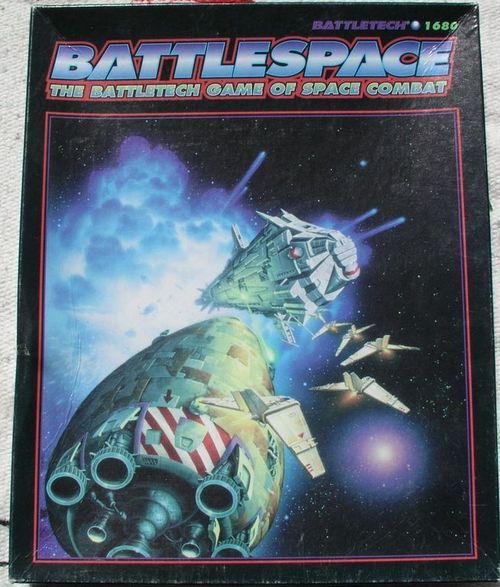
BattleSpace: The BattleTech Game of Space Combat
BattleSpace: The BattleTech Game of Space Combat Rulebook
Table of Contents
Table of Contents
Introduction
BattleSpace is a game for two or more players that simulates battles in space between the Houses of the Inner Sphere, and the invading Clans. Players command a range of craft, from DropShips, the workhorse vessels of transport and planetary travel, through fighter units, to the flimsy needle-like JumpShips, necessary for interstellar travel. BattleSpace also provides rules for the huge, deadly WarShips, powerful, jump-capable combat ships unseen in the Inner Sphere since the beginning of the Succession Wars.
The rules for playing BattleSpace begin with Playing the Game. The Movement and Combat sections expand on the elements of the sequence of play. Optional Rules allows players to add more complexity to the basic BattleSpace game, and Campaign Operations covers situations likely to occur during a campaign. The Construction Rules section outlines the procedure and formulas for creating custom-made craft of all sizes. The AeroBattle section incorporates fighter-to-fighter engagements into the larger scale of BattleSpace.
BattleSpace was designed to allow players to run a campaign in space, playing out all those elements usually neglected in the rush to land BattleMechs and start slugging it out. This book supplements DropShips and JumpShips by streamlining the operations rules and expanding other sections, and provides an alternative to AeroTech by incorporating those rules into the BattleSpace sequence of play and construction rules. Players will need the BattleTech Compendium and MechWarrior, Second Edition, to play BattleSpace.
Components
BattleSpace provides the following components to play the game. As used here, the word unit refers to a single vessel of any type or a squadron of fighters.
Counters
BattleSpace provides a number of color counters to mark the position and orientation of each unit on the map. The following counters represent shuttlecraft, DropShips, JumpShips, fighter units, WarShips, and space stations. Additional counters mark asteroids and other obstacles (such as destroyed units), mark a craft's heading (or orientation), and show the formation of a fighter unit.
Record Sheets
BattleSpace provides a record sheet for each unit, to keep track of any damage inflicted against the unit during the game. Each type of unit, DropShip, JumpShip, WarShip, space station, and fighter, has a unique record sheet. Every record sheet, regardless of the type of unit it represents, divides needed information into several common sections, described below.
When the rules refer to a crossed-out box (a damaged area of the ship), that part of the ship has taken damage, which is indicated by X-ing out the appropriate boxes. Unmarked boxes refer to location boxes that remain intact (that part of the ship has taken no damage), and so the boxes are not crossed out.
Armor Data. The boxes on the left-hand side of each record sheet represent the amount of armor plating on each facing of the unit. Fighters use a single set of Armor boxes to represent the armor on each unit; DropShips have four armor facings, Fore, Aft, Left Side, and Right Side. WarShips, JumpShips, and space stations have six armor facings, Fore, Aft, Fore-Left, Aft-Left, Fore-Right, and Aft-Right. Successful attacks damage the armor (reduce the number of unmarked Armor boxes); when no Armor boxes remain unmarked, the unit will take critical damage if hit on that facing.
Weapon Data. The table in the upper right-hand side of the record sheet lists the weapons bays of each vessel. Each line provides data on the type of weapons in the bay, their firing arc, and the damage they inflict at a given range. See the Combat section, p. 14, for more information on weapons. This table also gives the amount of heat generated by using that weapons bay.
Unit Data. Each record sheet also lists the unit's important statistics, including its Safe and Maximum Thrust (see Movement, p. 11). The same section provides space to record the amount of thrust currently available, and the unit's velocity and fuel reserves.
Critical Damage Data. The final section of the DropShip and WarShip Record Sheets provides a template of the unit's vulnerable internal components. Each class of ship has a different number and layout of Critical Damage boxes, and a different mix of internal components. The Fighter Record Sheets do not have a Critical Damage section; the amount of damage required to destroy a fighter is much smaller. See Critical Damage, p. 20 of Combat, for more information.
BattleSpace provides two WarShip Record Sheets. The Small WarShip Record Sheet is for WarShips massing less than 750,000 tons. Heavier WarShips use the Large WarShip Record Sheet.
Mapsheets
The game provides two mapsheets printed with a grid of hexagons (or hexes). These hexes regulate movement in the game, and provide a quick means of calculating the distance between units. Each hex represents approximately 18 kilometers (just over 11 miles). This is the distance that a craft would cover every Game Turn (1 minute) after accelerating at one-half gravity (5 meters/sec./sec.) for one minute (moving at 1,080 kph or 670 mph).
Dice
The BattleSpace game system often requires players to roll dice to determine their unit's success or failure at certain maneuvers. Whenever dice rolling is required, BattleSpace uses two standard six-sided dice, included in the game. The rules may ask the player to roll one six-sided die (1D6) or two six-sided dice (2D6). When rolling multiple dice, add the results of each die to get a single total. For example, rolling 1D6, that is, rolling one six-sided die, will produce a result between 1 and 6. Rolling 2D6 and adding the results will give a total between 2 and 12.
Game Terms
The following information reviews game terms introduced in previous products and defines terms used in BattleSpace. See MechWarrior, Second Edition and the BattleTech Compendium for more information.
Fire Factor
In BattleSpace, weapons damage is grouped together in single values called Fire Factors. Each weapons bay of a DropShip, JumpShip, WarShip, or space station has a single Fire Factor. The Fire Factor, or damage, of each weapons bay is different at different ranges. (See Combat, p. 16, for more information.)
Piloting Skill Rolls
Whenever a pilot attempts to execute a difficult maneuver or his ship is exposed to circumstances that might cause the pilot to lose control, the player makes a Piloting Skill Roll. The BattleSpace rules indicate when the player should make a skill roll, and also provide modifiers to this roll. Add any appropriate modifiers to the Piloting Skill Level.
To make a Piloting Skill Roll, the player rolls 2D6. If the result is equal to or greater than the modified Piloting Skill Level, the pilot maintains control of his craft. If the result is less than the modified Piloting Skill Level, the pilot loses control and suffers the consequences given in the rules for each situation.
Other Rolls
BattleSpace uses dice rolls to resolve other types of actions and situations. In these cases, the rules will instruct the players to make a Repair Roll, Landing Roll, and so on. The player rolls 2D6 and compares the result to a base or modified number to determine the outcome of the action. For example, a player making a Repair Roll compares the result of the 2D6 roll to the repair difficulty (a target number provided for each component of a ship).
Margin of Failure
When a player makes a roll and fails (gets a result less than the target number), how badly he failed may affect the pilot and the craft. The difference between the dice roll result and the target number is called the Margin of Failure.
Playing the Game
The BattleSpace game system allows players to run a campaign using all the resources required to approach a target system, evade or blast through the system defense, land ground troops on the target planet, and take the objective or effect an orderly retreat.
Sequence of Play
The sequence of play provides a framework for the rules of BattleSpace, regulating the players' actions and giving structure to the game. The optional and campaign rules add complexity to the basic sequence of play. Players repeat the sequence of play until the action or battle is resolved. The sequence of play consists of:
- Initiative Phase
- Movement Phase
- Combat Phase
- End Phase
Initiative Phase
One player from each team rolls 2D6 to determine the team's Initiative. The team with the higher roll has the Initiative throughout the turn. Having the Initiative is an advantage; because the team with the Initiative moves last, those players see what moves their opponents intend to make in each turn, and can take advantage of those maneuvers and counter them if necessary.
Movement Phase
Vessels move in the following order, according to size:
- JumpShips
- WarShips
- DropShips
- Fighter Units
- Escape Pods
- Lifeboats
The player or team with the lowest Initiative chooses one unit and moves it. A unit's move may be to remain stationary, if the craft has a Velocity of 0.
The player or team with the next lowest Initiative chooses one unit and moves it.
The player or team with the highest Initiative chooses one unit and moves it. Movement alternates between sides until all units on the map have moved or chosen to remain stationary.
If at any stage during the Movement Phase a player or team has twice as many units left to move as the opposing sides, that player or team should move two units at his next opportunity. If one side has three times as many units left to move, that player or team should move three units, and so on. The player or team with the lowest Initiative will always move the first unit, and the player or team with the highest Initiative will always move one of its units last.
Where possible, each team should move an identical number of craft in each Movement Phase. If each team has a different number of craft left to move, the players should determine the maximum number of turns required for the team with the lowest Initiative to move all its units. The teams with larger numbers of vessels should then move an appropriate number of units each turn to move an equal number of turns, starting with the largest group of craft. (See example below.)
Example. Three teams play a game of BattleSpace. Each team rolls 2D6 for Initiative. Team A rolls a 7, Team B rolls a 10, and Team C rolls a 4. Because Team C rolled the lowest Initiative, Team C must move one of its units first, followed by Team A, and then Team B.
Team A has 3 units, Team B has 4, and Team C has 2. Normally, each team would move only one unit at a time, but the differing numbers of craft mean that the teams must move different numbers of units. Team C (who lost the Initiative) must move 1 craft first. Team A, with the second lowest Initiative, must move at least 1 craft next. However, Team A's 3 craft do not divide equally between two sets of nominations (the minimum number of turns it will take for Team C to nominate all of its movement), and so they move 2 units in their first nomination. After Team A moves its 2 units, Team B also moves 2 units (half of its total). The second round of nominations begins with the movement of Team C's second (and last) unit. Team A then moves its last unit, and Team B moves its remaining 2 units.
Players should only move units that can expend Thrust Points. Units that cannot expend Thrust Points, such as space stations, Out-of-Control units, or units suffering from serious engine damage, may not move to give the owning side an advantage. At the end of the Movement Phase, any Out-of-Control units should move straight forward a number of hexes equal to their velocity. All other units incapable of expending Thrust Points continue to move straight forward at their current velocity. Resolve any potential collisions immediately.
If ordered to abandon ship in the previous End Phase, the crew will leave the vessel using escape pods and lifeboats at the beginning of the Movement Phase. (See Optional Rules, p. 36.)
Combat Phase
In the Combat Phase, units declare any attacks and then resolve them.
The player or team with the lowest Initiative should choose a unit and declare all the attacks that unit will make according to the rules in the Combat section, p. 14. This declaration should specify the targets to be fired upon and the weapons bays to be used in the attack. The player or team with the next lowest Initiative then selects a unit and declares the targets it will attack. Declaration rotates between the teams until the players have nominated attacks for all units.
If at any stage a player or team has twice as many units remaining to declare fire as the opposing sides, that player or team should declare the attacks of two units in the next nomination. If one side has three times as many units, it should declare the attacks of three units, and so on. The player or team with the lowest Initiative will always nominate the first attack, and the player or team with the highest Initiative will always declare the attack of its units last. Once a player nominates the targets for a unit's attack, that unit must fire at the selected targets. The player may not change the target of that unit's attacks, even if other weapons fire destroys the target before the player's unit fires.
After nominating the attacks for all units, resolve the attacks unit by unit. Resolve all fire from one unit before resolving another unit's attacks. Because all combat is simultaneous, with damage taking effect in the End Phase, a craft destroyed by fire from a unit with higher Initiative in the current turn may still carry out any nominated attacks.
End Phase
In the End Phase, players apply any damage and determine its effects, attempt to regain control of Out-of-Control units, and may order crews to abandon ship.
After all units have resolved their attacks, damage takes effect. Remove any destroyed units from the mapsheet.
All Out-of-Control units may attempt to regain control. (See Control Rolls in Movement, p. 12.) A successful Control Roll will end the effects of being Out-of-Control. A failed roll means the craft continues to suffer the effects of being Out-of-Control. The player may attempt another Control Roll in the next End Phase.
A player may give orders for a crew to abandon ship. Under those circumstances, escape pods and lifeboats eject at the beginning of the next Movement Phase.
Clan Rules of Engagement
The idea of massed naval engagements is somewhat new to the Clans. Their society, though placing great emphasis on warriors, has historically favored the ground-based military. Clan military philosophy decreed that only ground troops could seize and hold an objective. The Clans' system of honor and love of battle meant they always preferred a stand-up fight between 'Mechs and infantry. Only rarely did a commander appreciate that the best way to prevent a challenge to possession was to prevent the enemy force from arriving at its destination. The Inner Sphere forces, drawing on the experience provided by more than two and a half centuries of continuous war, held no such reservations.
The Clans did not lose any DropShips in their invasion into the Inner Sphere, mainly because the Clans mounted better arms and armor than their Inner Sphere counterparts, but the Inner Sphere's willingness to attack what the Clans considered essentially non-combatant craft forced the Clans to radically rethink their aerospace tactical procedures. One immediate result was that the Clans assigned more aerospace fighters to escort their DropShips insystem. Commanders also began assigning AeroStars to hunt down and destroy potential aerospace threats. The most important result of rethinking their aerospace strategy gave the Clans a new set of rules governing aerospace engagements.
Rule 1. Once a Clan unit attacks an enemy unit, no other Clan unit may engage that target. Only if the original Clan attacker is destroyed, or under one of the conditions laid out in Rules 2 or 3 can another unit attack that target.
Rule 2. A Clan unit may engage any unit that has fired on it, even if this contradicts Rule 1.
Rule 3. Attacks against capital ships are exempt from the above rules. Any number of fighter units or DropShips can engage a single WarShip.
Rule 4. A Clan unit will, by preference and ideology, always engage a single enemy unit until that unit is destroyed or Rule 2 occurs. Attacking more than one target simultaneously changes the nature of the engagement from a mass of one-on-one duels to a huge "grand melee" (no restrictions). Few Clan commanders are willing to open a battle up to a grand melee. The punishment meted out to warriors who initiate such melees (if they survive) is severe.
Rule 5. If a Clan AeroStar engages a smaller fighter unit, it will use offensive firepower appropriate to the number of fighters in the smaller unit. In other words, the Clan unit will fire as if it had as many fighters (rows of armor) as the target unit. For example, if an Inner Sphere unit has only four fighters, a Clan unit will fight as if it had only four fighters. Its firepower will still be greater, but the odds will go from the standard 10 to 6 (1 Star vs. 1 squadron) to 1 fighter vs. 1 fighter.
Rule 5 applies to most Clan engagements, but does not apply in some very specific situations. For example, the forces prosecuting a Trial of Annihilation will use maximum force to eliminate the tainted enemy; this trial represents a battle of total destruction. Units engaged in hunting bandits may also use maximum force, because they are fighting honorless scum.
Clan pilots who disobey any of the above rules and survive the battle receive punishment ranging from a reprimand to execution. The specific punishment depends on the attitude held by the offender's commander and Clan.
Movement
In the frictionless vacuum of space, a moving craft will continue in a straight line at a constant speed unless acted upon by a force. The application of force may result in changes in velocity or direction. This force can be natural, such as the gravitational pull of a star or planet, or, as is more relevant to this game, can result from thrust applied by a craft's engines.
Facing
Every unit, be it a DropShip, squadron of fighters, JumpShip, and so on, must face one of the six sides of the hex in which it is placed. This facing (the direction in which the unit's nose is pointing) not only determines the direction in which the unit moves, but also determines where the unit can fire, and where attacks against that unit will strike. In the basic BattleSpace rules, a unit's heading (the direction of the unit's motion) and facing are the same. The Advanced Movement rules, p. 30 in Optional Rules, describe additional rules for those players who prefer to use separate headings and facings.
[Diagram: "LEGAL" and "ILLEGAL" examples of unit headings in a hex grid. Legal headings point along one of the six hex-sides. Illegal headings point between sides or at a corner.]
Thrust Points
Every unit in the game can use thrust to a greater or lesser degree. The thrust of space stations and JumpShips is used only for station-keeping, and so these craft are effectively immobile (see JumpShip/WarShip Construction, p. 68, for more information). Other craft can use varying amounts of thrust to accelerate, decelerate, or change direction. BattleSpace uses the term Thrust Point to indicate the thrust available to a unit. One Thrust Point is equal to approximately 5 meters per second per second acceleration (0.5 G).
Each unit has two thrust values. Safe Thrust is the amount of thrust, or number of Thrust Points, that the unit can expend without suffering any adverse effects. Maximum Thrust is the total number of Thrust Points that the unit can expend in one Game Turn (60 seconds), and is equal to the Safe Thrust plus 50 percent. Spending Thrust Points in excess of the Safe Thrust value degrades the unit's handling, making the unit harder to control if damaged (see Control Rolls, p. 12). The increased vibration created by operating the engines beyond "safe" limits also makes it harder to target enemy units accurately (see Combat, p. 17).
Using Thrust Points
Each moving unit will travel at a constant speed, in a constant direction, using thrust from the engines only to change velocity or heading. At either the beginning or the end of the unit's movement, it may expend Thrust Points to increase or decrease velocity. Thrust Points used to change velocity at the beginning of the movement affects the number of hexes the unit can move in that turn (see below). Because each moving unit travels at a constant speed, Thrust Points used to change velocity at the end of the movement will affect the starting velocity of the next turn.
Each Thrust Point used will increase or decrease the unit's velocity by 1. Units in BattleSpace have no maximum velocity, but the difficulty of changing heading at high speeds places a practical limit on operational velocity. A unit's velocity may be reduced to 0, but it is not possible to reduce the velocity below zero (to a negative value): a unit may not move backward.
Whether or not a unit accelerates or decelerates at the beginning of the Movement Phase, the craft must move a number of hexes equal to the unit's velocity. Any remaining Thrust Points may be used to change the unit's heading by 60 degrees (one hex-side) any time during movement. The Thrust Point Cost to turn depends on the velocity of the unit (see Turning Cost Table, p. 12), though damage to the unit will also modify this cost (see Critical Damage, p. 22 in Combat). If a unit does not have enough thrust to turn at its current velocity, it may not turn unless it slows to a speed where its current thrust is sufficient to turn the craft. Fighter units may turn as many hex-sides in a hex as their movement allows. DropShips may turn a maximum of 2 hex-sides in any hex. JumpShips and WarShips may turn a maximum of 1 hex side in any hex.
The first movement of any unit (unless at Velocity 0) must be to move forward 1 hex. Craft at Velocity 0 may turn as many hex-sides in a single hex as the player wishes, at a cost of 1 Thrust Point per hex-side.
TURNING COST TABLE
| Current Velocity | Thrust Point Cost |
|---|---|
| 0 | 1 |
| 1 | 1 |
| 2 | 1 |
| 3 | 2 |
| 4 | 2 |
| 5 | 2 |
| 6 | 3 |
| 7 | 3 |
| 8 | 4 |
| 9 | 4 |
| 10 | 5 |
| 11 | 6 |
| 12 |
Transcriber's note: the rows for velocities 13 and 14 are smudged in the scan; both are read here as 8.
Stacking Limit
Because BattleSpace takes place in the infinite reaches of space, the units have no stacking limit. This means that any number of units may occupy the same hex.
Control Rolls
Some situations or types of damage may cause a unit to handle poorly, crash, or generally function (or malfunction) in a way that makes it difficult for the pilot to control the craft. BattleSpace uses Control Rolls (a dice roll result compared to a specific (target) number to decide whether the pilot of the craft in question maintains control) to represent these difficult and dangerous situations.
Making Control Rolls
Any time the pilot is in a situation that requires a Control Roll (see the Damage and Atmospheric Operations sections on pp. 17 and 32), the player rolls 2D6. If the result is equal to or greater than 6, the pilot remains in control of the craft. Modify the Target Number of 6 if the unit is damaged (consult the table below; see also Damage, p. 17), using more thrust than is safe, or operating in atmosphere (see Space/Atmosphere Interface, p. 32). Make any required Control Rolls in the End Phase of the turn in which the conditions creating the potential loss of control arise.
CONTROL ROLL MODIFIER TABLE (Note: Base Target Number 6)
| Condition | Modifier |
|---|---|
| Bridge: Damage | +1 per crossed-out box |
| Bridge: Destroyed | Add +1 to Bridge Damage modifier |
| Life Support: Damage | +1 for second and each subsequent crossed-out box |
| Life Support: Destroyed | Add +1 to Life Support Damage modifier |
| Atmospheric Operations | See page 32. |
| Too much thrust | +2 |
A successful Control Roll means that the unit suffers no adverse effects from damage, atmospheric conditions, and so on. A failed roll means the unit goes Out-of-Control. This prevents the unit from spending any Thrust Points in the following Game Turn and forces the unit to continue moving at its current velocity along a straight line. The erratic movement of an Out-of-Control unit also makes target acquisition more difficult; add +2 to all to-hit rolls the Out-of-Control unit makes. These penalties remain in effect until the player makes a successful Control Roll, thus regaining control of his craft. The player may make another Control Roll in each subsequent End Phase. As well as the general adverse effects listed above, each class of unit also suffers a unique effect of being Out-of-Control.
Fighters. Fighter units may not attempt to "land" on a DropShip or JumpShip while Out-of-Control. The unit is destroyed if its movement forces it to re-enter the atmosphere.
DropShips. An Out-of-Control DropShip (or DropShip attached to an Out-of-Control JumpShip) may not attempt to launch or recover fighters, or dock with a JumpShip or space station. The unit is destroyed if its movement forces it to re-enter the atmosphere.
JumpShips/WarShips. An Out-of-Control JumpShip or WarShip may not launch or recover fighters, launch or dock DropShips, dock with a space station, deploy a jump sail, or attempt a jump. Any jump sail deployed when the ship goes Out-of-Control is destroyed. Docked DropShips may attempt to disembark from an Out-of-Control JumpShip/WarShip, but must immediately make a Control Roll (this is an exception to the usual requirements for Control Rolls). On a failed roll, the launching unit also goes Out-of-Control. The unit is destroyed if its movement forces it to re-enter the atmosphere.
Special Actions
At the beginning of a unit's movement, the player controlling the unit may announce that the unit is carrying out a Special Action. The basic BattleSpace rules allow the special maneuvers of evading, rolling over, and changing formation. The additional special actions listed below are optional or campaign rules, and are described in detail in the appropriate section. Space stations may not use any of the special actions listed except for Launch/Recover Fighters.
Evade (All Craft)
Any unit may evade by traveling an erratic path and constantly varying its velocity. This maneuver makes it hard for an attacker to hit an evading craft. However, the constant changes of heading and velocity also affect the evading craft's ability to fire. See Making the Attack, p. 17 in Combat, for more information. A craft ordered to evade must spend at least 1 Thrust Point in the turn in which it evades to receive the advantages of the maneuver.
Roll-Over (All Craft Except Fighters)
DropShips, JumpShips, and WarShips sometimes roll along their horizontal axis. This movement allows them to effectively reverse their right and left sides, enabling them to shield a damaged side or bring undamaged weapons to bear on a target. Invert the counter of any unit carrying out such a maneuver so that "Rolled" appears on the top of the counter. When a ship rolls over, attacks against the left side of the ship strike the right side (and vice versa) for purposes of marking off damage and critical hits. For a rolled-over ship making an attack, the left-side weapon bays become the right-side bays, and vice versa.
[Illustration: a ship counter marked "ROLLED".]
Change Formation (Fighters Only)
Fighter units may change their formation between tight and loose, which affects their ability to fight. In tight formation, the fighters are close together and can concentrate all their fire on a single target (or targets). A unit in loose formation is harder to hit, but only part of the unit will be able to attack. See Fighters, p. 16 in Combat, for more information on the effects of formations.
Hover (Spheroid DropShips Only)
Their unique construction allows spheroid DropShips to hover in atmosphere. See Atmospheric Operations, p. 32, for details on this optional rule.
Docking (All Craft Except Fighters)
All units except fighters may attempt to dock with another unit in the same hex. The target of the docking attempt must have the same heading and velocity as the maneuvering unit. A boarding action may follow docking. For more information see Boarding Actions, p. 37 in Optional Rules.
Launch/Recover (Large Craft/Stations)
During the Movement Phase, a unit may launch or recover fighters or small craft in the same hex. The player controlling the unit should issue this order to the unit and follow the procedures and restrictions outlined in Launching and Recovering Small Craft, p. 50 in Campaign Operations.
Landing
Landing on a planet requires all the skill and concentration a ship's crew has to offer, and must prove hazardous. Any unit in a Ground hex with a Velocity of 0 may attempt to land. An order to land cannot be carried out outside a Ground hex, or by units with a Velocity greater than 0. Details of the landing procedure appear in Planetary Landing, p. 53 of Campaign Operations.
Jump (JumpShips/WarShips Only)
Any JumpShip or WarShip that has successfully made the navigation calculations for a jump and programmed them into the K-F drive may execute this order. This order initiates the jump program and commits the craft to the jump. The program will execute shortly thereafter, and the JumpShip will enter hyperspace. See Hyperspace Travel, p. 42 in Campaign Operations, for the exact procedure for entering hyperspace.
Combat
The goal of ships fighting in BattleSpace is to kill any enemy units or render them ineffective (referred to as a mission kill). To accomplish this, units attempt to maneuver into the most advantageous firing position while limiting the possibilities for return fire. The primary combatants are usually fighter units and DropShips, though some engagements may include JumpShips, WarShips and space stations. The primary emphasis of BattleSpace combat is on engagements in space, usually near-orbit, but may include atmospheric operations and even ground-attack missions. This section provides the rules for conducting space combat. The rules for atmospheric and ground-attack combat appear in the Optional Rules section, p.30.
At the beginning of combat, the players declare a target for each unit's attack. In the basic BattleSpace rules, units automatically detect all other units on the mapsheet. Then, taking into consideration their unit's firing arcs as related to the target, and their unit's capacity for dissipating the heat generated by firing its weapons, the players determine what weapons or weapons bays their unit will fire, and the angle of attack. The player makes a to-hit roll to make the attack and determine whether it hits the target, then determines the damage inflicted by the attack. Because all damage takes effect simultaneously, every unit that declares an attack will make that attack before taking damage.
Detection
The standard BattleSpace rules assume that because of electromagnetic emissions (usually radio traffic and ships' highly visible drive exhaust) and active sensors (mostly radar), all units automatically detect any craft on the mapsheet. Damage to a craft may reduce the range at which it can detect and engage other units (see Damage, p. 17) or may prevent engagements altogether. See the Campaign Operations section for advanced detection rules that allow some units to remain undetected.
Weapons Fire/Firing Arcs
Each unit has an array of weapons, usually an assortment of energy (laser and PPC) and ballistic (autocannon, Gauss, and missile) types. Weapons bays, systems that group together similar weapons, simplify targeting and fire-control. Most ships use some or all of eight standard types of weapons bay: PPC, autocannon, LRM, SRM, laser, LB-X autocannon, pulse laser, and point-defense weapons. The WarShip section below provides rules for the naval bays of WarShips. Fighter units do not have weapons bays in the same sense as other units; in effect, a fighter unit acts as a weapons bay when attacking. See Fighters, p. 16, for specific rules for fighter combat.
BattleSpace weapons group their damage together into a single value called a Fire Factor. Unlike in AeroTech or BattleTech, where each weapon has an individual Damage Value that produces the same damage at any range, four different numbers represent the capabilities of each bay, describing the Fire Factors (damage) for that bay at short, medium, long, and extreme ranges (see Range, p. 16). If the Fire Factor for a particular range bracket is 0, that bay cannot engage targets at that range.
Nearly all craft in the game make use of the standard weapons bays, which have relatively small Fire Factors. In addition to standard bays, WarShips carry capital ship bays, bays containing huge naval weapons designed to engage very large targets. The Fire Factors of capital ship bays, called Capital Ship Factors, are generally much larger than those of standard bays.
The area into which each weapons bay can fire, called a firing arc (see the diagram below), remains fixed relative to the craft's nose, but changes as the unit moves and turns. Each unit type uses slightly different firing arcs. Fighters may fire into the fore and aft arcs, and also have special "wing" arcs. Fighters cannot fire sideways. DropShip weapon bays may use any of the standard firing arcs, as can those of WarShips and space stations. WarShips have an additional "broadside" firing arc.
Because the standard firing arcs converge, a unit may attack a target from more than one arc.
[Diagram: "FIRING ARCS". Six hex-grid diagrams show the arcs. Three "GENERAL" diagrams show the NOSE and AFT arcs, the FORE RIGHT and AFT LEFT arcs, and the FORE LEFT and AFT RIGHT arcs. Two "FIGHTER" diagrams show the NOSE and AFT arcs, and the AFT LEFT and FORE RIGHT wing arcs. A "WARSHIP" diagram shows all general arcs plus the LEFT BROAD SIDE and RIGHT BROAD SIDE arcs.]
WarShips
The combat JumpShips known as WarShips first employed during the Star League era, currently fielded by the Clans, and in development in the Inner Sphere, carry huge naval weapons weighing many thousands of tons and capable of inflicting serious damage on large targets, in space or on a planet's surface. Mounted in capital ship bays, these weapons cannot track small, agile targets effectively; they can only engage targets of DropShip size or larger (i.e., massing 500+ tons). See the Orbit to Surface Bombardment section, p. 41 of Optional Rules, for rules on using these weapons against surface targets.
Some WarShips carry missiles in their capital ship bays, usually one of three main types: the huge Killer Whale, the medium-sized White Shark, and the small, but accurate Barracuda. Backed by a technologically advanced targeting system, these missiles may engage targets of any size. Only one missile may launch from each bay per turn, and it will hit the target in that same Game Turn. If the missile misses its target, it will self-destruct.
Fighters
BattleSpace players control fighters in groups to simplify operations. Inner Sphere players use a squadron of six fighters. Clan players control an AeroStar of ten fighters. This configuration would seem to give the Clans an advantage, but their rigid rules of engagement (see Clan Rules of Engagement, p. 9 in Playing the Game) even up the odds slightly. ComStar uses a variety of fighter unit configurations, but most often fields six-fighter squadrons.
Though grouped together for movement and for recording damage to their armor, each fighter in the unit makes a separate attack. The player controlling the fighter unit makes one Attack Roll per arc per fighter unit; each arc may engage only a single enemy unit. The Fighter Record Sheet shows the Attack Values for each fighter in the unit. BattleSpace provides special rules for damage inflicted on fighters. To determine how much damage the unit's attack inflicted, the player rolls additional dice and consults the Fighter Hits Table (see Determining Fighter Damage, p. 18) to determine how many of the fighters in the unit struck the target. Assume all fighters in a unit have the same general heading and facing. Capital ship weapons cannot engage fighter units.
Fighters may operate in two types of formation, loose and tight. When in loose formation, the fighters disperse throughout the hex, making the unit harder to damage. Modify the to-hit number for all attacks against a fighter unit in loose formation by +2. However, in loose formation the same unit brings less firepower to bear against an opposing unit, because only half the available fighters are in position to attack at any one time. A fighter unit in tight formation may attack with all available fighters, but makes an easier target for opponents. For attacks made against fighters in tight formation, use the standard to-hit number, modified according to the Attack Table, p. 17.
If opposing fighter units end a turn in the same hex, they enter into a dogfight. Units involved in a dogfight concentrate on attempting to shoot the enemy unit(s) involved while avoiding being shot. Consequently, any fighter involved in a dogfight that attempts to attack a unit not involved in that fight modifies its to-hit roll by +2. This modifier reflects the fact that part of the pilot's attention is devoted to avoiding the enemy dogfighters. Other fighters in the dogfight modify their to-hit numbers by -2 against a unit firing at a target outside the dogfight, as long as the unit is distracted. Assume all fighter units involved in a dogfight are in tight formation, though the swirling mass of fighters allows the units to use all their weapons (including aft) against other units in the dogfight. In other words, all other units are automatically in all the firing arcs of the fighter unit.
Dogfights can also be run using the AeroBattle rules, p. 80.
Heat
The majority of weapons used in BattleSpace are very inefficient and generate massive amounts of heat every time they fire. It is very important that units disperse this heat efficiently, to avoid damaging the crew and the ship's fragile systems. All units carry a number of heat sinks, devices designed to disperse some (but rarely all) of the heat generated by weapons.
Each weapons bay has a Heat Value based on the weapons in that bay. The combined heat of all bays used during combat in a single Game Turn must be equal to or less than the total number of heat sinks the unit carries. The Heat Value of fighter units equals the number of heat sinks per fighter, and each fighter unit can only fire a combination of weapons per turn that produce heat less than or equal to its total heat sinks.
Example. A DropShip has 20 heat sinks and eight weapons bays. The weapons bays generate the following heat: 6, 6, 5, 4, 4, 3, 2, and 1. The DropShip may fire any combination of the bays as long as the total heat remains equal to or less than 20. For example, the DropShip could fire weapons producing heat of 6, 6, 5 and 3 (20) or 6, 5, 3, 2 and 1 (17), but could not fire weapons producing heat of 6, 6, 5 and 4 (21) in one turn.
Range
To shoot at a target, first establish the range between the target and the attacker. Determine the range by counting the number of hexes between the attacker and the target, including the target's hex, taking the shortest possible route. The range to the target determines the likelihood of the attack hitting the target, and which of the vessel's weapons can reach the target. The greater the distance to a target, the harder it is to hit. BattleSpace uses four weapon ranges: short, medium, long, and extreme. The table on p. 17 shows the number of hexes in each range. If both the attacker and target are in the same hex, treat the Range as 1. Weapons classified as point defense use the short-range Fire Factor, but have a maximum range of 1 hex from the attacker.
Consult the Master Weapons Table, p. 70, to determine how many Fire Factors can be fired by a weapon at a given range. Very few units carry weapons effective at extreme range.
RANGE TABLE
| Range | Number of Hexes |
|---|---|
| Short | 1–6 |
| Medium | 7–12 |
| Long | 13–20 |
| Extreme | 21–25 |
| Out of Range | 26+ |
Bays in the same firing arc may engage different targets. However, each bay may only engage one target per turn. Make separate Attack Rolls for each weapons bay, even if several bays are attacking the same target.
Making the Attack
The likelihood of making a successful attack, or hitting the target at each range, is represented by a to-hit number. To make an attack, roll 2D6. If the total is equal to or higher than the to-hit number, the attack hits the target. Certain circumstances, such as the attacker being Out-of-Control or the target evading, make it more or less likely that the attack will hit the target. The Attack Table provides to-hit numbers for firing at all four ranges, followed by to-hit modifiers for various circumstances. Adding or subtracting a modifier to or from the to-hit number makes the target easier or more difficult to hit. All to-hit modifiers are cumulative.
ATTACK TABLE
| Range | To-Hit Number |
|---|---|
| Short | 6 |
| Medium | 8 |
| Long | 10 |
| Extreme | 12 |
| Situation | To-Hit Modifier |
|---|---|
| Attacker used more thrust than was safe | +2 |
| Attacker Out-of-Control | +2 |
| Attacker damaged | See Critical Hit section |
| LB-X type weapons bay | -1 |
| Pulse laser weapons bay | -2 |
| Barracuda missile | -2 |
| Target is fighter unit in loose formation | +2 |
| Target is evading | +2 |
| Attacker is evading | +2 |
| Target is at 0 velocity | -2 |
Unlike in BattleTech, the speed of the target in BattleSpace has little effect on to-hit numbers. All craft involved in space combat are traveling at thousands or tens-of-thousands of kilometers per hour; slight changes of speed make little difference to these vessels' targeting computers. The one exception to this general rule is when firing at a craft with a Velocity of 0, usually JumpShips, space stations, or stationary DropShips.
Damage
Every successful attack damages the target. Each unit can withstand a certain amount of damage before the damage becomes critical. Armor bonded to the hull of every craft provides this resilience. The Armor boxes on the record sheet represent this protection.
Armor
Because of their small size, fighter units have only one set of Armor boxes that represents the total damage resistance of all the fighters in the unit. BattleSpace provides special rules for damage inflicted on fighters (see Damage to Fighters, p. 19).
All other units have several sets of Armor boxes, each representing the protection armor provides on each side of the craft. DropShips have Armor boxes for the fore, aft, and both sides. WarShips, JumpShips, and space stations use separate sets of Armor boxes for each hexside: fore, aft, fore-right, fore-left, aft-right and aft-left. Damage is applied to the facing hit.
Cross off one Armor box for each point of damage from the Fire Factor that hits the unit, starting with the box in the upper left corner and proceeding to the right along the row. For example, a unit hit by a 4-point Fire Factor must cross out 4 Armor boxes from the appropriate side. After crossing out all boxes in that row, mark additional damage in the left-hand box on the next row, then proceed to the right along that row. Apply any damage that occurs after the destruction of the last Armor box to the appropriate Critical Damage section (see Critical Damage, p. 20).
Applying Damage
To determine the side damaged by a successful attack, draw a straight line (or place a straightedge) between the center of the hexes occupied by the attacker and the target. Apply the damage to the side of the vessel facing the hex-side crossed by that line. For example, if the line enters the target's hex through the rear hex-side, the target takes damage to the aft section. On large units that have six armor facings, such as space stations, JumpShips, or WarShips, apply the damage directly to the hex-side indicated. Because DropShips have only four armor facings, apply damage from a shot entering through either the fore or aft sides of the hex occupied by the DropShip to the nose or aft armor of the unit. Apply any damage that enters the target hex through a side hex (including fore left and right or aft left and right) to the appropriate side. If the shot enters the target's hex between two hex-sides (in a corner), the target may choose the side the shot hits. If an attacker can make multiple shots against a target, all attacks hit the same armor facing.
[Diagram: "HITS ON SMALLCRAFT": any side, to location. "HITS ON DROPSHIPS, JUMPSHIPS": hit front, hit left, hit right, hit back. "HITS ON WARSHIPS": hit nose, hit front left, hit front right, hit aft left, hit aft right, hit aft.]
As they have no "sides," fighter units take damage according to a special rule (see below).
Determining Fighter Damage
When a fighter unit attack hits a target, the player for the attacking unit makes a second 2D6 roll for each arc fired on and consults the Fighter Hits Table on p. 19, cross-referencing the result of the roll with the number of fighters remaining in the attacking unit. This number is the number of fighters whose attacks hit and caused damage.
Multiply the unit's base Attack Value (the Fire Factor for the range to the target) for each arc fired in (consult the Attack Values on the record sheet) by the number of fighters that hit to determine the actual damage of the attack. The target will take this number of points of damage, either to the armor or the internal structure.
The Clan rules of engagement will limit the number of fighters actively involved in any attack. In honorable combat, Clan units will only use their maximum strength against targets of equal or greater size. A Clan unit engaging a smaller unit will use only as many fighters as are in the smaller unit. (See Clan Rules of Engagement, p. 9.)
FIGHTER HITS TABLE
| Number of Fighters | 2 | 3 | 4 | 5 | 6 | 7 | 8 | 9 | 10 | 11 | 12 |
|---|---|---|---|---|---|---|---|---|---|---|---|
| 1 | 1 | 1 | 1 | 1 | 1 | 1 | 1 | 1 | 1 | 1 | 1 |
| 2 | 1 | 1 | 1 | 1 | 1 | 2 | 2 |
Example. A unit of six SL-17 Shilone medium fighters attacks a Union class DropShip. They approach the target head on. Because the Shilone has 20 heat sinks, each fighter can fire the weapons of both wings and the nose (Fire Factors of 14 and 3 each, respectively). The DropShip is at short range. According to the fighter's Attack Value Table on the record sheet, each fighter could inflict 1 point of damage with the weapons of each wing, and 2 points with the weapons mounted on the nose. The player makes 3 to-hit rolls for the unit, one for each arc from which the unit fired, and is lucky. All attacks hit. The player controlling the Shilones then rolls a second 2D6 for each arc to determine the number of fighters whose individual attacks struck the DropShip. The first result, for the left wing, is a 9. Cross-referencing the die roll result of 9 with the number of fighters in the unit (6) on the Fighter Hits Table, the player finds that 4 attacks hit, for a total of 4 points of damage (4 x 1 Fire Factor). The second roll, for the nose weapons, is a 7, which indicates 3 hits, for a total of 6 points of damage (3 x 2 Fire Factors). The last result is a 4, and so only 2 fighters hit, producing an additional 2 points of damage (2 x 1 Fire Factor). The total damage inflicted is a respectable 12 points. One side of the DropShip loses most of its armor, but now it is the DropShip's turn to fight back.
Transcriber's note: the example's parenthetical reads "Fire Factors of 14 and 3 each, respectively" in the scan, which does not match the 1-point wing and 2-point nose damage stated in the same paragraph and used in the calculation. Transcribed as printed; the damage figures in the example follow the stated 1 and 2 values.
Damage to Fighters
Unlike other units, the combat effectiveness of a fighter unit degrades for each row of Armor boxes crossed off. A fighter unit is considered destroyed for game purposes when no Armor boxes remain unmarked.
The number of fighters in a unit determines the number of rows of armor with which each unit begins the game. A Clan Star can have a maximum of 10 rows of armor (10 fighters); an Inner Sphere squadron can have a maximum of 6 rows of Armor boxes (6 fighters). Divide the armor evenly between the rows. Place any short rows at the top.
Example. A player with a unit consisting of 6 fighters with a total Armor Value of 30 would place 5 Armor Points on each row of Armor boxes. A player running a unit comprised of 6 fighters with 28 Armor boxes would place 5 points of armor on each of the bottom five rows, and 3 points on the top row. Fighter example. A full squadron (6 rows of armor) will multiply the base damage for each arc fired on by 6. If the player crosses out all the Armor boxes on 3 rows, he is left with only 3 individual fighters to attack the target, and would multiply the base damage for the attack in each arc by 3. The fewer fighters left in the unit, the less damage the unit is likely to inflict on a target.
Each unmarked armor row represents the combat readiness of one fighter, and affects the amount of damage a fighter unit can inflict. A fighter unit taking increasing damage suffers a steady reduction in its ability to inflict damage. See the Determining Fighter Damage section for more details.
Each row crossed off represents the effective (but not always actual) destruction of an individual fighter. The Campaign Operations section, p. 50, provides a system for determining the actual status of each eliminated fighter. Though crossing off the final Armor box for a fighter unit means that that unit is destroyed for game purposes, this does not mean the individual fighters are destroyed, just that the unit ceases to exist as a cohesive fighting entity.
Critical Damage
When damage breaches an armor location (i.e., all Armor boxes for that location are crossed off), any subsequent damage to that facing is critical damage. Rather than applying the damage row-by-row, as for armor, divide any penetrating Fire Factors into 4-point groups. Apply each of these groups vertically to a randomly determined column of the Critical Damage box.
To determine the affected column, roll 1D6 twice. The first die roll result determines whether the damage will be marked on the left (1 to 3) or right (4 to 6) side of the Critical Damage box. The second die roll result determines which column takes the critical damage. For example, if the first die roll result is a 4 and the second die roll result is a 2, apply the damage to the second column of the left-hand side of the Critical Damage Box.
The critical damage die roll results are also modified to take into account the angle of attack and so shift the damage toward the attacked side. The modifier depends on the hex-side (or corner) through which the shot entered the target's hex. Consult the diagram below and apply the modifier (either +2, 0, or -2) to each roll as appropriate for the angle of attack. Treat a result of less than 1 as 1, and a result greater than 6 as 6.
The Critical Damage box is laid out so that the left half represents the forward of the craft and the right half represents the aft.
Apply the Group Damage Points (1–4 boxes) vertically down the indicated column, starting with the first undamaged box. Cross off one box for each point of damage. The section below lists the effects on the unit's functioning of each crossed-off box. The unit is destroyed if any damage penetrates to the Ship Destroyed row. Remove the counter of any destroyed units from the mapsheet during the End Phase.
The damage inflicted by capital ship bays is usually greater than that caused by standard bays. If a weapons bay (capital ship or otherwise) inflicts 12 or more points of critical damage, divide the damage into groups of 12 points each, and apply each group as a block 3 points wide and 4 points deep, centered on the appropriate column (determined as above). If the total damage cannot be divided into 12-point groups, apply as many groups of 12 points as possible, and apply the remaining damage using the standard rules. If part of the area to be damaged has already been marked off as damage, the damage that would be applied to those boxes simply dissipates. Because the 12-point groups of damage are centered on a column, very high or very low dice rolls could result in a portion of the damage missing any Critical Damage boxes. In this case, assume that the shot glanced off the target, and some of the weapons missed.
Example. A DropShip is hit several times by another craft, and 7 points of damage penetrate the armor. The shot comes through the fore-right hex (-1, +2 modifier). Apply the damage in two groups, one of 4 points, and the other of 3. The player rolls 1D6 to determine the location of the first group of damage. He gets a result of 2, and subtracts -1. The final result of 1 indicates that the shot hit on the forward part of the ship (the left-hand side of the Critical Damage box). The player rolls a second 1D6 for a result of 1 and adds 2 to it, for a total of 3. This means that the first group of 4 points of damage is applied to Row 3 of the left-hand side of the Critical Damage Box. By marking off 4 points in a vertical column, the player sees that the attack damaged the KF-boom, the nose weapons, the computer, and the doors to Bay 1. The player repeats the procedure for the second group of 3 points of damage. Two 1D6 rolls produce results of 1 (modified to 0) and 3 (modified to 5), indicating that the damage should be applied to Column 5 of the left-hand section of the Critical Damage box. This time the docking collar, the fore-right weapons, and the bridge all sustain damage.
Transcriber's note: the DropShip Critical Damage box printed with this example is partly covered by the scan's shading and cut off at the page edge, so its individual cell labels are not fully legible. The complete critical damage templates are on the record sheets. The example text above is complete as printed.
Critical Hit Location Modifiers
The diagram is printed as a hex grid with the target's nose (the arrow) pointing up. Each hex is labeled with its 1ST and 2ND modifier, shown here as "1ST / 2ND". Unlabeled hexes have no printed modifier.
                 [ blank ]
        [ -2 / -1 ]     [ -2 / +1 ]
                 [ -2 / 0 ]
        [ -1 / -2 ]     [ -1 / +2 ]
  [ 0 / -2 ]    ( target )    [ 0 / +2 ]
        [ +2 / -2 ]     [ +1 / +2 ]
                 [ +2 / 0 ]
        [ +2 / -1 ]     [ +2 / +1 ]
                 [ blank ]
Example. A Lola destroyer hits an Overlord class DropShip with the naval autocannons mounted in its left broadside and left rear. The damage strikes the previously undamaged Overlord on the nose, and a massive 58 points of damage penetrate the armor. This damage is applied in four 12-point groups, with the remaining damage applied as two 4-point columns and one column of 2 points. The first set of dice rolls have a modified result of 2 and 5, indicating a hit to Column 5 of the left-hand side of the Critical Damage Box. The second block of 12 points of damage also hits on the left-hand side, this time centered on Column 3. Four points of damage are wasted, as the critical damage they would cause overlaps with boxes already crossed out. The third block strikes Column 1, but because part of the area affected is outside the Critical Damage box, and part overlaps an area already destroyed, the block of damage only affects 4 boxes. The fourth block again strikes Column 1, this time wasting only 4 points. The fifth block of damage, a 4-point column, strikes Column 6, and the second 4-point column strikes Column 4. The last 2 points of damage are applied to Column 3. The DropShip has been wrecked, but its structure remains intact—for a few seconds. The destruction of three-quarters of the craft's fuel tanks results in a huge explosion, destroying the drifting hulk.
Critical Damage Effects
The following section describes each part of a ship that may take critical damage and how that damage affects the ship's operations. The description of each critical ship component provides information on the effect of the damage, and the time, location, and difficulty of repairing the component. The damage effects for DropShips are followed by damage effects for components unique to JumpShips, WarShips, and space stations.
Critical systems are arranged in alphabetical order.
Standard Name. The first line of each component provides the common name for the critical system being affected. The name for the system as given in the Critical Damage box appears first in parentheses immediately below, followed by the official name for the system.
Effects. This section provides a brief description of the internal system and gives details on how different degrees of damage to that section affect the operation of the system and the ship.
Repair. The repair section provides a brief notation of the repair information and parameters for the system. Repairs are effected by making a Repair Roll (rolling 2D6) against a modified target number. For more information, see the Repair section, p. 60 in Campaign Operations. Time to repair is given in hours per box of damage unless otherwise noted. Difficulty of repair represents the target number to make a successful repair. The number to the left of the slash is the target number to repair the system if damaged. The number to the right of the slash is the target number to repair the system if destroyed. A notation of NR following the difficulty target number means the repair cannot be repeated. A notation of X means the repair cannot be made. Repair location indicates whether the repair can be made in the field or requires the ship to be in dry-dock.
General Critical Damage
Bay Doors
(Bay Door)
Effects. Each DropShip has several bays, each usually containing cargo (e.g., general cargo, 'Mechs, fighters, passengers). Each box crossed off reflects damage to the doors of the cargo bays. Each hit increases the time required to load or unload the bay. When all the boxes have been crossed off, that door no longer works and the relevant cargo bay is depressurized. See Cargo, p. 56 in Campaign Operations for more information.
Repair. Time: 1. Difficulty: 7/7NR. Location: Dry Dock.
Bridge
(Bridge, Command Deck, Main Bridge)
Effects. Each Bridge box crossed out represents damage to vital equipment and injury to vital crew. For each box crossed out, add +1 to any Control Rolls. After taking bridge damage, the player controlling the unit must make a Control Roll for any single maneuver using more than 2 Thrust Points. When all the boxes have been crossed out, the bridge is destroyed and the unit adds an additional +1 to the above penalties. A unit with a destroyed bridge must make a Control Roll every time it expends a Thrust Point.
As a precaution against the devastating effects of a destroyed bridge, some large craft maintain an auxiliary bridge that duplicates the functions of the main bridge. A craft with both a main and auxiliary bridge will suffer the above penalties only if both locations take damage. If both bridges take damage, use the least damaged to judge the ship's operations. If both the main and auxiliary bridges are destroyed, the unit may not expend Thrust Points. On smaller craft that are unable to carry an auxiliary bridge, use the Combat Information Center (CIC) as the auxiliary bridge. Using the CIC to control the craft does not eliminate the above penalties, but enables the craft to maneuver. If both the CIC and main bridge are destroyed, the unit cannot expend thrust.
Repair. Time: 8. Difficulty: 3/9. Location: Dry Dock.
Cargo Bay
(Bay)
Effects. Each Cargo Bay box crossed out destroys an appropriate portion of the cargo in that bay. When all the boxes are crossed out, the bay and its cargo are destroyed. Players cannot move cargo between bays. See Cargo, p. 56 in Campaign Operations. Repairing a bay does not allow the player to recover its cargo.
Repair. Time: 2. Difficulty: 7NR/7NR. Location: Dry Dock.
CIC
(CIC, Combat Information Center)
Effects. The Combat Information Center is the military brain of a vessel. Its primary function is to oversee and coordinate all operations of the vessel during combat. Every box crossed out reduces the effectiveness of efforts to coordinate the different elements of the ship. To represent this difficulty, add +1 to all target numbers for rolls required to use this system. When all the boxes have been crossed off, add an additional +1 modifier to the above effects (due to the difficulty of local control).
Repair. Time: 2. Difficulty: 6/7NR. Location: Field.
Computer
(Computer, Primary computer core)
Effects. The main computer controls every internal system on the ship, and any damage inflicted on the computer will cause operating problems for most other systems on the ship. For each box crossed off for damage, add a +1 penalty to the target numbers for using the following systems: Navigation systems, Bridge, Radar, and CIC. The computer being destroyed (all boxes crossed off) does not cause any additional penalties, as secondary systems will take over the computer's functions. However, the +1 penalty to all target numbers for the above systems remains in effect. A ship whose main computer is destroyed can still operate, but with some difficulty. Some large craft carry an auxiliary computer core that duplicates the functions of the primary computer. For ships carrying an auxiliary core, the above penalties only apply if both the primary and auxiliary computers take damage. To determine effects of further damage on operations, assume that a unit will use the least-damaged computer core.
Repair. Time: 6. Difficulty: 6/7NR. Location: Field.
Crew Quarters
(Crew Quarters)
Effects. Crossing off boxes from this critical location reflects damage to the crew's living quarters. Damage to this area has no combat effect, but a lack of rest facilities does affect the crew's performance during a campaign. See Crew Quality, p. 62 in Campaign Operations, for more information.
Repair. Time: 2. Difficulty: 7/7NR. Location: Dry Dock.
Docking Collar
(Dock coll, Docking collars)
Effects. The docking collar consists of the servos and latches that enable a DropShip to dock with a space station, JumpShip, or another DropShip. The first box crossed off for damage doubles the time required to dock. The second hit destroys the mechanism, preventing the ship from docking.
Because JumpShips, WarShips, and space stations have multiple docking collars, they suffer different effects for docking collar critical damage. See the appropriate sections below for more information.
Repair. Time: 2. Difficulty: 6NR/6NR. Location: Field.
Fuel System
(Fuel System Destroyed)
Effects. Crossing out one of these critical damage boxes means the ship can no longer expend thrust. Because these boxes apply to the fuel transfer systems, each hit to the drive may result in an explosion. Every time the player crosses out a Fuel System Destroyed box, he should roll 2D6 against a Target Number of 4, adding +2 to the target number for each additional Fuel System Destroyed box crossed out. If the dice roll result is greater than the target number, the fuel does not explode. Make only one roll per turn to check for an explosion. An explosion destroys the craft and its contents.
Repair. Time: 2 months. Difficulty: 6NR/XX. Location: Dry Dock.
Fusion Plant
(Fusion Plant)
Effects. Damage to the fusion plant reduces the unit's ability to maintain its systems. The plant provides 8 Power Points, one allocated to each firing arc (to power the weapons bays), one each to life support and the transit drive, plus two additional points. [Damage] to the fusion plant always knock out the excess points. Each box of the fusion plant crossed off reduces the ship's available power, and means that fewer systems can be used. For example, crossing off 4 Fusion Plant boxes (2 excess points + 2 points) means that only six systems receive power.
The unit's commander may allocate power to different systems each turn, but standard procedure requires that life support be the last system taken off-line. When no boxes remain unmarked, the ship is without power. Treat unpowered systems as destroyed. This means that if the weapons system is off-line, the ship may not fire its weapons; if the fuel system is off-line, the ship cannot use thrust Points; and so on.
The fusion plants of WarShips and space stations provide 8 Power Points (2 boxes per 1 point of power) to run the internal systems. Capital ship bays of each firing arc also draw on this power; the scan clips the amount per bay. See the errata on p. 24–25 for the corrected WarShip and space station fusion plant values.
Repair. Time: 5. Difficulty: 5/7NR. Location: Dry Dock.
Hull Collapse
(Hull Collapse, Failure of structural integrity)
Effects. Crossing out even one of these critical damage boxes compromises the ship's structural integrity. The craft loses its internal atmosphere, and the crew must wear pressure suits. A hull collapse result also destroys the power conduits (rendering weapons inoperative), and the engine and power plant cease operation. When all Hull Collapse boxes are crossed out, the craft is destroyed.
Repair. Time: 2 days. Difficulty: 8NR/XX. Location: Dry Dock.
Landing Gear
(Landing Gear)
Effects. Each hit to the landing gear makes safe landings more difficult. Add a +3 modifier to the target number of any Landing Rolls for each box crossed out. The landing gear has been destroyed when all boxes are crossed out. Because this makes landing safely even more difficult, landings attempted by units whose landing gear is destroyed must add an additional +6 modifier to the Landing Roll. If a craft with destroyed gear does manage to land, it cannot take off again.
Repair. Time: 2. Difficulty: 6NR/12NR. Location: Dry Dock.
Left/Right Thruster
(Left/Rt Thruster, Left/Right Maneuvering Quad Thrusters)
Effects. Each Thruster box crossed out represents damage to the maneuvering thrusters on the hull. Each hit adds +1 to the number of Thrust Points required to turn in the appropriate direction (for example, damage to the left thruster makes it harder to turn left). When the thruster on one side is destroyed (all the boxes crossed out), the craft can no longer turn in that direction.
Repair. Time: 1. Difficulty: 6NR/6NR. Location: Field.
Life Support
(Life Support)
Effects. Each hit to this system degrades the craft's life support. The first box of damage crossed out imposes no penalty, but for the second and subsequent boxes crossed out, add a +1 modifier to any Control Rolls. When the last box is crossed out, the unit's life support system has failed. The crew must put on pressure suits and add an additional +1 modifier to all Control Rolls. On civilian craft, where the crew usually have minimal training in suited operations, any maneuvers to change direction or velocity require extra time, and occur after a delay of 1 turn. In other words, the controlling player must announce the unit's movement 1 turn before it occurs.
Repair. Time: 2. Difficulty: 7/8NR. Location: Field.
Navigation Systems
(Nav sys, In-system or Astro-navigation systems)
Effects. This system provides the means for in-system navigation and navigation between stars on JumpShips. Any damage to this system makes the transit or jump more difficult. For more specific information, see System Transit, p. 52 in Campaign Operations. It is possible for a craft to operate successfully with a damaged or destroyed navigation system, but it is very difficult and time-consuming.
Repair. Time: 6. Difficulty: 7/7. Location: Field.
Plant Destroyed
(Plant Destroyed, Fusion Plant Destroyed)
Effects. Crossing out one of these critical damage boxes means the ship has lost power. It cannot fire weapons, expend thrust, or maintain life support. The crew must wear pressure suits to survive.
Repair. Time: 2 months. Difficulty: 6NR/XX. Location: Dry Dock.
Radar
(Radar)
Effects. The radar system allows the unit to track any nearby units or planetary bodies within 100,000 miles. The first box crossed off for damage makes it harder for the DropShip to detect an enemy, and makes precision maneuvers more difficult. In game terms, the player adds +1 to the target number of all Detection Rolls (see Detection in the Campaign Operations section, p. 48), and +1 to all Docking Rolls. Crossing out a second box for damage forces the unit to rely on inferior back-up systems. In this case, add +3 to the target number for all Detection and Docking Rolls.
Repair. Time: 2. Difficulty: 6/6NR. Location: Field.
Reaction Mass
(Reaction Mass)
Effects. Each hit to this location reduces the current amount of available fuel by 30 points, and reduces the total fuel reserves by the same amount. When all the Reaction Mass boxes are crossed out, the ship can no longer store any fuel. Every time this location is hit, there is a chance the fuel may explode. The first time a unit carrying fuel is hit in this critical location, the player should roll 2D6 against a Target Number of 4. Add a +2 modifier to the target number for each subsequent time the location is hit. If the dice roll result is greater than the target number, the fuel does not explode. A fuel explosion will destroy the ship and its contents. If the reaction mass takes damage but does not explode, and if no fuel remains, the vessel may not expend Thrust Points. When all the Reaction Mass boxes have been crossed out, the tank is destroyed and must be replaced in dry dock.
Repair. Time: 24. Difficulty: 6NR/XX. Location: Field.
Ship Destroyed
(Ship Destroyed)
Effects. A critical hit to this location means the unit is destroyed. Roll 1D6. On a result of 1–3 the ship explodes. On a result of 4–6 it disintegrates.
Transfer
(Transfer)
Effects. Nominally part of the docking collar, these critical damage locations represent the ship's umbilical cord, the access-ways for the transfer of fuel, cargo, and personnel. As soon as the first of these boxes is crossed out, double the time required to perform any transfer of fuel, materials, and so on. A second hit to this internal system prevents any transfers taking place.
Repair. Time: 2. Difficulty: 6NR/6NR. Location: Field.
Transit Drive
(Transit, Transit Drive, Transit Drive and/or Maneuvering Drive)
Effects. These critical damage locations represent the craft's engines. Each box crossed out reduces available thrust by 1 Thrust Point. When all the Transit Drive boxes have been crossed out the transit drive is destroyed and the craft can no longer expend Thrust Points. The player does not need to check for an explosion when the drive is destroyed in this manner; this damage represents damage to the thrusters and exhaust nozzles, not fuel transfer systems or the reaction chamber.
Repair. Time: 5. Difficulty: 7/9NR. Location: Dry Dock.
Weapons Bays
(WP, Weapons Bay)
Effects. Each Weapons Bay box crossed out represents damage to the weapons bays and ammo or power feeds for that arc. The first hit destroys 50 percent of the bays in that arc (round up and randomly determine those affected), preventing their use. A second hit destroys the remaining bays, and the ship can no longer fire in that arc.
Repair. Time: 2.5. Difficulty: 6NR/6NR. Location: Field.
Note: The Weapons Bay boxes for critical damage indicate the firing arc for that bay. AR = aft right, AL = aft left, FR = fore right, FL = fore left. When repairing weapons bays, roll once for each bay in the arc. On a failed Repair Roll, all of that bay's weapons must be replaced.
JumpShip/WarShip Critical Systems
Capital Weapons Bays
(Cap WP, Capital Weapons Bay)
Effects. Each Capital Weapon Bay box crossed out represents damage to the weapons bays and ammo or power feeds of that arc. The first hit destroys 25 percent of the bays in that arc (round up and determine those affected randomly) and makes them useless. Each additional hit destroys another 25 percent of the bays. Crossing out all the boxes for an arc means no weapons can fire in that arc.
Repair. Time: 5. Difficulty: 6NR/6NR. Location: Dry Dock.
Note: The firing arc is designated on the Critical Damage Box as AR = aft right, AL = aft left, FR = fore right, FL = fore left, R = Right Broadside, L = Left Broadside. When repairing weapons bays, roll once for each bay in the arc. A failed Repair Roll means all weapons in that bay must be replaced.
Communications
(Comm, Communication Systems)
Effects. Many WarShips act as flagships for a fleet, and so carry additional communications systems that allow them to communicate with their fleet and with their bases. When centered on a hyperpulse generator, as on the WarShips of the defunct Star League (and the Clans), these systems provide an unrivaled communications advantage. The WarShips belonging to the Houses rely on radio communications, and so their communications are limited to the speed of light. When a WarShip takes 1 box of damage to communications, it loses contact with its base. Crossing the second box for damage means the flagship loses contact with its fleet.
Repair. Time: 6. Difficulty: 5/8NR. Location: Field.
Crew Quarters/Recreation Facilities
(Crew Quarters/Recreation, Recreation Facilities)
Effects. Crossing off boxes from these critical damage locations represents damage to the living and recreation areas of the vessel. These areas have no importance in combat, but a lack of R&R facilities will make a difference in a campaign. See Crew Quality, p. 62 in Campaign Operations for more information.
Repair. Time: 20. Difficulty: 7/7NR. Location: Dry Dock.
Docking Collar
(Dock Coll or Docking Collars)
Effects. Each JumpShip, WarShip, and space station supports a number of hardpoints at which DropShips may dock. Each Docking Collar box crossed out will reduce the number of DropShips that may dock with that craft by 12.5 percent (with a minimum of one, and all fractions up). Apply damage to unoccupied hardpoints. When docking collar damage applies to occupied hardpoints, choose the affected hardpoints and roll 1D6. On a result of 1 to 3, the DropShip immediately undocks from the JumpShip. Emergency doors prevent either craft from depressurizing. On a result 4 to 6, the docking mechanism locks, and the DropShip may not undock until the collar is repaired. If the mechanism cannot be repaired (see Repair, p. 60 in Campaign Operations), the DropShip must remain attached to the JumpShip until the JumpShip can reach a dry dock.
Repair. Time: 2. Difficulty: 6NR/6NR. Location: Field.
Engineering
(Engineering, Engineering Control Center)
Effects. The engineering control center coordinates the work of the drive and fusion plants of large vessels. Damage to engineering will make it more difficult to control the ship's engines or plant. If the plant or drive systems are functioning normally, damage to engineering will have little effect on those systems. However, if engineering is damaged, and either the plant or drive systems take damage, double the effects of that damage for each Engineering box crossed out.
Repair. Time: 40. Difficulty: 7/9. Location: Field.
Example (gray box). Engineering and the transit drive of a WarShip both take 1 box of damage. Normally, the WarShip would decrease its Thrust Values by 1 for this damage, but because engineering is damaged, the transit drive thrust is reduced by 2. If 2 Engineering Boxes had been crossed out (i.e., engineering was destroyed), thrust would be reduced by 4 points.
Escape Systems
(Esc Sys, Escape Systems, Emergency Exit Systems)
Effects. JumpShips, WarShips, and space stations carry so many crewmen that the emergency escape systems require a sizable area of the craft. The escape systems critical location represents this important emergency system. For each box crossed out, reduce the number of functioning escape systems. On a space station, each box crossed out reduces the number of functioning systems by 25 percent. On a JumpShip or WarShip, each box crossed out results in a reduction of 50 percent. When all damage boxes are crossed out, the crew of the vessel can no longer escape via escape pods or lifeboats. They must rely instead on the ship's small craft (if the small craft bays are intact). At first glance, this rapid degradation of the escape systems appears harsh; however, most ships carry only sufficient escape pods and lifeboats for one third of the crew, and so if even a few of the escape systems are destroyed, this loss will seriously affect the number of people who can escape.
Repair. Time: 6 per pod/boat. Difficulty: 4/8. Location: Field.
Grav Deck
(Grav Deck, Artificial Gravity Deck)
Effects. Prolonged exposure to zero gravity can prove detrimental to the health of crews stationed in space over prolonged periods. To counter the common problems of zero gravity, many large ships and space stations maintain a grav deck, an area of the ship that spins around the craft's axis, producing artificial gravity by means of centrifugal force. The drive motors and bearings creating this artificial environment are very delicate, and any damage to the deck will prevent its use. Grav decks cannot be used while a craft is in motion: any attempt to do so causes one box of damage to the grav deck for every minute it is in use.
Repair. Time: 10 days. Difficulty: 8/11NR. Location: Dry Dock.
Observation Deck
(Obs Deck, Observation Deck)
Effects. The observation deck provides a place for visiting senior officers to observe the activity on the craft's main bridge and still be out of the way. Damage to the observation deck has no effect on the craft's performance. On Clan WarShips, the observation deck is often the site of the batchall between commanders, but this ceremony may also occur on the main bridge, the auxiliary bridge, or in the CIC.
Repair. Time: 8. Difficulty: 3/6. Location: Field.
Shielding
(Shielding, Ballistic Shielding)
Effects. Found only on large WarShips, ballistic shielding consists of an additional layer of armor carefully positioned to provide extra protection for the bridge. Crossing out the boxes of this system has no effect on the craft's performance.
Repair. Time: 2. Difficulty: 2/4. Location: Field.
Station-Keeping Drive
(Station-Keeping Drive)
Effects. Found only on JumpShips and space stations (WarShips have transit drives), this small drive allows the craft to maintain its position or move very short distances. Any damage to the system will reduce the ability of the craft to expend thrust, but as long as 1 box remains unmarked, the craft will be able to maintain position. On a JumpShip, each box crossed out reduces the ship's Thrust Value by 0.1G (0.2 Thrust Points). Thus, the station-keeping drive must take 5 boxes of damage to affect the ship's thrust by even 1 Thrust Point.
Repair. Time: 5. Difficulty: 7/9NR. Location: Dry Dock.
Space Station Critical Damage
Battery
(Battery, Energy Storage Banks, Energy Storage Batteries)
Effects. These huge banks of capacitors store the energy gathered by the station's jump sail. Each energy bank may store sufficient energy to charge one JumpShip's K-F drive. For each box crossed out, reduce the number of charges a station can store by 1. When all the damage boxes have been crossed out, the station can no longer store energy.
Repair. Time: 60. Difficulty: 6/10NR. Location: Field.
Energy Transfer
(Energy Transfer System)
Effects. Only space stations have energy transfer systems, which allow for the transfer of power from the station's batteries to a JumpShip's K-F drive through either microwave transfer or direct hook-up. For each box crossed out, add 25 percent to the time needed to transfer power to a DropShip. When all damage boxes have been crossed out, the station can no longer transfer power.
Repair. Time: 60. Difficulty: 5/8NR. Location: Field.
Grav Deck
(Grav Deck, Artificial Gravity Deck)
Effects. For description of damage effects, see p. 29.
Repair. Time: 10. Difficulty: 8/11NR. Location: Field.
Repair Facilities
(Repair Facilities)
Effects. Some large space stations maintain dry docks that provide repair facilities for DropShips and some JumpShips. Many of these facilities can be pressurized to provide atmosphere, which makes conducting repairs considerably easier. Any vessel that needs to make repairs requiring a dry dock may dock for such repairs at any orbiting station with repair facilities. Repairs carried out in a dry dock require the standard repair time if the facility is depressurized (or cannot be pressurized), but repairs in pressurized facilities require only 75 percent of the stated repair time. Repairs that can be made in field facilities may also be made in dry dock, and require only 50 percent of the stated repair time. Any damage to the repair facility (crossing out boxes) will decompress the dry dock, and those facilities can no longer be used as a pressurized dry dock. If the bay contains atmosphere (is pressurized) when it takes damage, the damage results in explosive decompression and kills all unsuited personnel in the facility. The station may also take collateral damage from explosive decompression. Because of this possibility, most stations depressurize their repair facilities if combat is imminent.
Repair. Time: 40. Difficulty: 8/9. Location: Field.
Station-Keeping Drive
(Station-Keeping Drive)
Effects. For description of damage effects, see above.
Repair. Time: 5. Difficulty: 7/9NR. Location: Field.
Jump Sail Array
(Jump Sail Array)
Effects. The jump sail array is the mechanism that stores, furls, and unfurls the jump sail used by JumpShips, WarShips and space stations. The material used to make the sail is very delicate and must be furled and unfurled carefully. Any damage to the mechanism that performs this task will drastically increase the time needed for these operations. For each box crossed out, add 100 percent to the time required to furl or unfurl a sail. For example, if the jump sail array takes 2 boxes of damage, add 200 percent to the base time to furl or unfurl the sail, making the minimum time required 8 hours. When all boxes are crossed out, the unit can no longer deploy or recover its jump sail.
Repair. Time: 40. Difficulty: 5/8NR. Location: Field.
K-F Drive Destroyed
(KF Drive Destroyed)
Effects. Crossing out one of these boxes for damage prevents the ship from making a hyperspace jump. All drive components must be replaced.
Repair. Time: 6 months. Difficulty: Replace all components. Location: Dry Dock.
K-F Drive System
See the Hyperspace Travel section, p. 42 of Campaign Operations, for the effects of damage to the K-F drive systems. The name of each component of that system, the Critical Damage box designation, and the repair codes follow.
Drive Charging System
(Charging System, K-F Drive Charging System)
Repair. Time: 2. Difficulty: 8NR/9NR. Location: Field.
Helium Tank
(Helium Tank)
Repair. Time: 3. Difficulty: 5NR/9NR. Location: Field.
Field Initiator
(Field Initiator, K-F Field Initiator)
Repair. Time: 2 months. Difficulty: Must be replaced. Location: Dry Dock.
Drive Coil
(Drive Coil, K-F Drive Coil)
Repair. Time: 2 months. Difficulty: Must be replaced. Location: Dry Dock.
Drive Controller
(Drive Controller, K-F Jump Controller)
Repair. Time: 5. Difficulty: 10NR/10NR. Location: Field.
Lithium Fusion Battery
(Lithium Battery, Lithium-fusion Battery)
Repair. Time: 2 months. Difficulty: Must be replaced. Location: Dry Dock.
KFFC Boom
(KF Boom, Kearny-Fuchida field conducting-boom)
Effects. The K-F boom allows a JumpShip to expand its K-F field around a DropShip it wishes to transport. As soon as the first damage box is crossed off, double the time needed to dock ships and prepare for jump. A second hit destroys the K-F boom, making it impossible to extend the field around the DropShip (thus preventing the JumpShip from transporting that DropShip). A DropShip can dock with a JumpShip damaged in this way, but the JumpShip will be unable to jump with that DropShip.
Repair. Time: 6. Difficulty: 6/6NR. Location: Field.
Navigation Lights
(Nav Lights, Navigation Lights, Running Lights)
Effects. The navigation lights tell other ships the direction in which a ship is heading. Different colors and patterns distinguish port, starboard, fore, and aft while a craft is maneuvering. Damage to this system makes little difference to the game, as the navigation lights are turned off or changed to create camouflage during combat.
Repair. Time: .5. Difficulty: 4/5. Location: Field.
Optional Rules
This section provides rules that add complexity to the game of BattleSpace. As with most advanced rules, these are best added to the game after all players feel comfortable playing the basic rules. The Optional Rules allow players to design their movement and attacks to achieve more specific goals, and add more realism to every facet of the game. The optional rules are divided into two types, movement and combat. Advanced Movement, Atmospheric Operations, Asteroids, Shuttlecraft, and Emergency Exit Systems all expand on the basic BattleSpace movement rules. The remaining sections expand on the basic combat rules, providing additional attack options and rules for dropping troops.
Advanced Movement Rules
The basic rules represent a massive simplification of the mechanics that govern movement in space. The following rules provide a more realistic situation.
The first advanced movement rule allows players to spend Thrust Points over several turns, which allows low-thrust units such as JumpShips to pick up sufficient speed to move around the mapsheet, and allows faster vessels to turn at higher speeds. The second advanced movement rule explains how high-thrust vessels may face a different direction than their heading indicates.
Optional Thrust Point Use
Units may find it impossible to change their direction of travel at their current velocity. This optional rule allows the unit to expend thrust over several turns and so gather enough momentum to perform maneuvers that, under normal circumstances, would be impossible. A player who intends to have his craft perform a high-thrust maneuver must expend maximum thrust for as many turns as the player wishes, recording the accumulated thrust on the record sheet. If, while attempting to accumulate thrust, the unit moves slower than maximum thrust, or uses thrust for any other maneuver or velocity change, the unit loses all accumulated Thrust Points. All accumulated points must be used on a single maneuver. The unit must make the maneuver at the end of its movement (after the unit has moved a number of hexes equal to its velocity), and can perform only that single maneuver to expend the accumulated Thrust Points. The maneuver uses up the accumulated Thrust Points. JumpShips may use this stored thrust to accumulate the fractional thrust values that enable them to accelerate, decelerate, and turn (see JumpShip/WarShip Construction, p. 68).
Optional Facing
In real space, a craft's heading (the direction of motion) does not always coincide with the direction in which the nose of the craft is pointing. Forget the cinematic concept of space fighters, where craft swoop and dive like atmospheric fighters (the maneuvers of which form the basis of space-fighter footage in movies). In reality, a spacecraft must maneuver so that its main drive points away from the direction it wishes to move, and then expend sufficient thrust to offset its current momentum and change its vector to the desired direction. (Of course, this is a gross simplification. Most physics textbooks provide a fuller explanation.) Most units can turn quite easily—it is the thrust required to change vector that restricts a unit's movement. The following rules provide a crude analog to the above principles.
Each ship has maneuvering thrusters designed to allow the craft to turn almost on the spot. Spending 1 Thrust Point changes the unit's facing by one hex side. Damage to the maneuvering thrusters means the craft must spend more Thrust Points to turn one hex side.
Place a Heading counter (arrow) under the unit marker. This counter indicates the direction of travel, as opposed to the facing of the unit. At any point during its movement, a unit may change its heading by expending a number of Thrust Points equal to its current velocity. After spending the appropriate number of Thrust Points, the heading of the unit will change to match its facing. The unit then proceeds at its current velocity along the new heading. Thrust applied to change heading does not increase the unit's acceleration. To decelerate when using this optional rule, a unit must be facing the opposite direction of its heading, and then apply thrust to accelerate the craft. This maneuver decreases the unit's velocity by the thrust applied to accelerate.
In atmosphere, the heading and facing of a unit will always be the same (though technically not true for spheroid craft, this generalization will suffice for the game). Use the standard Movement rules.
Advanced Movement Example. A Union class DropShip is traveling at a Velocity of 5. The pilot chooses to continue at the same velocity, and moves 5 hexes forward. However, the pilot does decide to change the unit's facing, and turns one hex-side left. The craft must now use a Heading counter, as its facing and heading are not the same. In the following turn, the pilot decides to change the craft's heading again to match the facing. The DropShip must expend 5 Thrust Points (the maximum thrust of a Union) to change heading. The pilot changes heading after the craft moves 4 of its 5 hexes, and the last hex of movement is along the new course. In the next turn the pilot decides to decelerate (see above), and thus turns the craft through 180 degrees (using 3 Thrust Points). The pilot uses the last 2 Thrust Points to reduce the ship's Velocity to 3. The DropShip then moves 3 hexes in the direction of travel (which is "backward" to the DropShip).
[Diagram: "ADVANCED MOVEMENT EXAMPLE" shows the DropShip's path over three turns on a hex grid, labeled TURN ONE, TURN TWO and TURN THREE, with velocity and heading counters at each step.]
Atmospheric Operations
Engagements fought in near-orbit almost always spill over into the upper atmosphere. When fighting an engagement near a planet's atmosphere, make the following changes to the map and rules.
Nominate one edge of the map as the surface of the planet. Treat the 4 hex-rows above the ground as the planet's atmosphere. Row 5 serves as the space/atmosphere interface.
The proximity of ships to the planet makes the effects of gravity very important. Gravity affects any craft on the same mapsheet as the planet's surface. The following information describes the effects of the space/atmosphere interface, atmosphere, and ground on ship operations.
Space/Atmosphere Interface
The space/atmosphere interface marks the border between the effective vacuum of space and the denser planetary atmosphere. Because it acts as a barrier, the interface can damage or destroy any craft entering the Interface hex-row. When a unit moves from a Space hex to an Interface hex, the player makes a Control Roll. Modify the Target Number of 4 for the following existing conditions:
INTERFACE TABLE
| Condition | Modifier |
|---|---|
| Craft has no thrust | +4 |
| Craft has engine damage | +1 per box of damage |
| Craft has damage to maneuvering thrusters | +1 per box of damage |
| Craft has internal damage | +1 per box of damage |
| Bridge damage | +1 per box of damage |
If the Control Roll result is equal to or greater than the target number, the re-entry attempt succeeds. The craft then enters the destination hex and continues its movement. If the result is less than the target number, the re-entry has failed. The unit's Velocity becomes 0, and it must remain in the hex from which it tried to enter the interface. For each point by which the roll failed, apply 5 points of damage to the nose of the craft (transferring any critical damage as appropriate).
The player need not make a Control Roll for a unit moving from an Atmospheric hex to the interface, or from an Interface hex to another Interface hex. Only craft capable of expending 4 or more Thrust Points (2 Gs of acceleration) may move from an Interface hex to a Space hex. JumpShips, WarShips, and Out-of-Control units cannot safely enter the space/atmosphere interface. An attempt by such units to do so destroys the unit (remove the counter from the mapsheet in the End Phase).
Atmosphere
In atmosphere, certain additional factors influence movement. For example, lift and drag alter flight dynamics considerably, giving aerodyne DropShips and fighters a distinct performance edge over spheroid DropShips. Transcriber's note on this section: the scan of the atmosphere and ground pages is clipped at the left and right page edges, so the first or last letters of some lines are missing. Where a word was lost it is marked [?]; the surrounding text is complete.
Atmosphere (continued)
For all types of units operating in atmosphere, the velocity of any unit decreases by 1 in the End Phase of every turn. For all units operating in atmosphere, increasing a unit's velocity by 1 requires 2 Thrust Points. Use the standard rules to decrease a unit's velocity.
Because spheroid DropShips must use their thrusters to provide lift, control, and velocity, these craft are impractical for atmospheric combat. Spheroid DropShips have a maximum Velocity of 2. However, they may "hover" in an Atmosphere hex by turning their nose directly away from the planet and reducing their velocity to 0. The unit must then spend 2 Thrust Points per turn to resist gravity and remain in place. As long as the DropShip is hovering, this thrust will not increase the unit's velocity.
Aerodyne DropShips and fighter units may operate at higher speeds in atmosphere than spheroids by using their wings and lifting surfaces to provide the means of flight, and using ailerons, flaps, and rudders to maneuver. Atmospheric density limits the speed at which these streamlined craft may travel. As a craft approaches the surface of the planet, atmospheric density, and thus friction, increases, and the maximum speed possible decreases. The table below gives the maximum safe speed for each altitude above the planet's surface (each row of the mapsheet). If a craft exceeds the Safe Thrust for the altitude, for each point of excess thrust it will automatically take 5 points of damage to the nose armor. Fighters and aerodyne DropShips cannot hover: if the velocity of a fighter or aerodyne DropShip drops to 0, gravity immediately affects the unit as described below (see Gravity). Units may enter Ground hexes in the same way as an Atmosphere hex.
MAXIMUM ATMOSPHERIC SPEED TABLE
| Mapsheet Location | Altitude (in kilometers) | Thrust Points (Velocity) |
|---|---|---|
| Interface | 90–107 | 15 (16,200 kph) |
| Row 4 | 72–89 | 12 (12,960 kph) |
| Row 3 | 54–71 | 9 (9,720 kph) |
| Row 2 | 36–53 | 6 (6,480 kph) |
| Row 1 | 18–35 | 3 (3,240 kph) |
| Ground | 0–17 | 2 (2,160 kph) |
A craft in atmosphere must make a Control Roll in every turn in which it takes damage. Use a Target Number of 6 and apply all applicable standard modifiers (see Control Rolls, p. 12 in Movement). When applicable, also apply any of the additional following modifiers to the target number:
| Condition | Modifier |
|---|---|
| Per 5 points of critical damage | +1 |
| Unit is spheroid DropShip | +1 |
| Unit is aerodyne DropShip | 0 |
| Unit consists of fighters | -1 |
An Out-of-Control unit in atmosphere automatically loses 1 altitude level each turn it is Out-of-Control (see above), and crashes if it enters (or is in) a Ground hex.
Atmospheric interceptors (e.g., the MechBuster fighter) may only operate in Ground hexes and the two hex-rows above the surface. Propeller-driven craft, such as the Karnov UR transport, may only operate in the Ground hexes and the first hex-row above the surface. These conventional craft may hover using the same rules as for spheroid DropShips, and may turn for half the normal cost in Thrust Points.
Gravity
Gravity influences the position of any units at zero velocity on the same mapsheet as the surface of the planet. In the End Phase, move any units on the planetary mapsheet that have Velocity 0 one hex-row closer to the planetary surface. If there are two possible hexes into which a unit may move to represent the effects of gravity, the player controlling the unit chooses in which hex the unit ends the turn. Craft displaced into the Interface hex must make a Control Roll for re-entry. Gravity will not influence units in the interface, or Atmosphere or Ground hexes unless those units have a Velocity of 0. A unit in a Ground hex with a Velocity of 0 must either land, hover, or crash.
Combat (Atmospheric)
Conflicts carried out within a planet's atmosphere use additional rules to simulate the restricting effects of the atmosphere. Atmospheric distortion, clouds, and wind drastically reduce the ranges of fighter and DropShip weapons. To represent this reduced range, each Atmosphere hex counts as 4 hexes for range, reducing the maximum range of engagement to 5 hexes. Treat any hexes that fall on the boundary between ranges as the longer range. This means short range is in the same hex as or 1 hex away from the attacker, medium range is 2 or 3 hexes from the attacker, and long range is 4 or 5 hexes from the attacker.
Combat in the space/atmosphere interface is similar to combat in the atmosphere. The atmospheric distortion in the interface also reduces the effective ranges of weapons: each Interface hex counts as 2 hexes for determining range. The row of Interface hexes also acts as a barrier between space and the atmosphere. Standard weapons bays may fire into but not through an Interface hex. Units in an Interface hex can fire at units in space and in atmosphere, and can be attacked by units in space and atmosphere, but a unit in space cannot fire into the atmosphere, and a unit in atmosphere cannot attack a unit in space.
Only capital ship Fire Factors may pass through the interface, and so these weapons bays can engage DropShips in atmosphere or bombard ground targets. The Orbit to Surface Bombardment section, p. 41, contains more information on space-to-surface fire.
Ground
Any BattleSpace unit that ends its movement in a Ground hex may attack BattleTech units on one of the mapboards that make up that hex.
The rules given here for attacking targets on the ground are somewhat abstract, and players may wish to use the AeroBattle rules, p. 80 to simulate more realistic situations in greater detail (such as strafing or bombing). Because one BattleSpace turn lasts 60 seconds, and one BattleTech turn lasts 10 seconds, a BattleSpace turn takes place once every six BattleTech turns. On every sixth BattleTech turn, the BattleTech and BattleSpace Movement, Combat, and End Phases will coincide. The BattleSpace Initiative and Movement Phases take place separately from those of the BattleTech game. In the BattleSpace Combat Phase, any BattleSpace unit in a Ground hex may attack BattleTech units on an appropriate BattleTech mapboard.
Ground Attacks. A fighter unit may attack one ground target for each remaining fighter (each row of unmarked Armor boxes) in the unit. Individual fighters may target the same ground unit, but make separate Attack Rolls to determine if each fighter hits the target. DropShips in a Ground hex use the standard rules for multiple targets, and may split their fire between as many targets as they have Fire Factors.
To determine line-of-sight, assume that any unit attacking targets on the ground is in the center of the BattleTech mapboard (Hex 0808). This does not affect which targets fighter units can attack, but provides a reference point for determining the angle of attack and the position of a DropShip's firing arcs. The player controlling the DropShip chooses the DropShip's facing, which may be any of the hex's six sides.
Roll 2D6 for each target against a Base To-Hit Number of 6. Modify the to-hit number for damage to the attacking craft, for using more thrust than is safe, and for the terrain the unit is in (see the Modifiers to Weapons Fire Table, p. 25 in the BattleTech Compendium). Intervening terrain does not provide protection, as a BattleSpace craft will be able to shoot over terrain. Resolve attacks normally against targets in Depth 1 water or on the surface. BattleSpace units cannot attack units submerged to Depth 2 or lower. All BattleSpace attacks against ground targets are considered short range. A successful hit will inflict a number of points of damage equal to the Fire Factors that hit the unit, multiplied by 10. Apply the damage in 5-point groups [?] to determine the hit location. Use the BattleMech Hit Location and Punch Locations Tables, pp. 27 and 31 in the BattleTech Compendium, to determine the specific location damaged. The ground-attack Fire Factor of each fighter in a unit appears under the Velocity section at the bottom of each Fighter Record Sheet.
BattleSpace units may attack buildings using a To-Hit Number of 4. A successful hit causes damage to the building equal to the Fire Factors that hit the building multiplied by 10.
Ground units may fire at any BattleSpace units making attacks against the BattleTech mapboard by using any weapon with a Range of 6 or greater. Regardless of the weapon fired, the To-Hit Number for a ground unit to successfully return fire against a BattleSpace unit is 10. Reduce this to-hit number by 1 for each level of the attacker's Gunnery Skill below 4, and increase it by 1 for each Gunnery Skill level above 4 (per BattleTech).
Ground Attacks (continued)
A pilot with a Gunnery Skill level of 3 would use a To-Hit Number of 9 to return fire, and a pilot with a Gunnery Skill of 6 would use a To-Hit Number of 12 to return fire. Total all damage hitting the BattleSpace unit, and divide by 10. Apply a number of points of damage equal to the result to the nose of the unit.
Ground units may only attack a BattleSpace unit during the BattleTech/BattleSpace Combat Phase (every sixth BattleTech turn). The attack of a BattleTech unit that fires at a BattleSpace unit during any other BattleTech turn has no effect.
Asteroids
Space battles do not occur in clear space, instead being fought in or near asteroid fields. These vast [?] of large rocks can be a boon and a curse in combat. Most ships and DropShips create an electromagnetic field [?] that attracts dust and loose obstacles, [?] a series of [?] (usually large-caliber autocannons or PPCs) destroy [?] pieces of [?]. However, all [?] craft must [?] any large object larger than a cubic meter.
It is possible for a unit to [?] through a hex occupied by an asteroid, but any unit doing so [?] a collision. Make a Control Roll against a Target Number of 6 to determine whether the unit collides with the asteroid. Apply the [?] modifiers to the target number for damage to the unit or [?] using more thrust than is safe. A failed roll (a result less than the target number) means the ship and the asteroid collide; roll 1D6 x 10 points of damage to the unit's nose armor. A successful roll means the unit avoids a collision. Asteroids suffer no effects in a collision.
Units may end the Movement Phase in the same hex as an asteroid. Doing so has advantages and disadvantages: neither the unit occupying the hex nor other units may trace a line-of-sight through a hex containing an asteroid. While this prevents other units from attacking a unit in a hex with an asteroid, the unit sharing the hex also cannot make any attacks.
Transcriber's note: the asteroid rules are clipped at the left edge of the scan in several places; the lost words are marked [?] and the rules as legible are transcribed without guessing.
Shuttlecraft
Shuttlecraft represent the intermediate stage between fighters and DropShips. Though massing only slightly heavier than the average fighter, shuttlecraft can carry a substantial load of cargo or passengers. Most shuttlecraft are aerodynamic and ideally suited to servicing vessels or stations in orbit, saving the expense of using a DropShip for such minor tasks. Many DropShips and JumpShips carry shuttlecraft to transfer cargo between vessels, thus avoiding the relative hazards of docking. Carried in the same type of bays as fighters, shuttlecraft use the fighter rules for maneuvering, launching, and landing. Each Shuttlecraft counter represents a single shuttlecraft.
Emergency Exit Systems
Most vessels of DropShip size and larger carry small craft for use in emergency evacuations, for example, if the craft is in imminent danger of destruction. There are two distinct groups of craft. Escape pods are small, teardrop-shaped craft, capable of limited maneuvering and designed to support four people (six at a pinch) for between 12 and 20 days. Lifeboats are larger than escape pods, but cannot maneuver. Though designed to accommodate only 6 people, lifeboats carry sufficient supplies to support life for 24–30 days.
When a unit launches escape pods and lifeboats, place an appropriate number (see the unit record sheet) of Escape Pod and Lifeboat counters (1 counter for every 10 pods or boats) on the mapsheet in the launching unit's hex. Lifeboats will drift in the same direction, at the same velocity, as the launching unit. Escape pods will launch with the same facing and velocity as the launching unit, but may change velocity and direction. Escape pods have a Safe and Maximum Thrust of 4. The pods have sufficient fuel to expend a total of 9 Thrust Points.
Any standard weapons bay may attack flights of lifeboats or escape pods. Their poor (or nonexistent) mobility makes them easy targets. Any units attacking lifeboat units reduce the to-hit number for the attack by 2, and units attacking escape pod units reduce the to-hit number for the attack by 1. Both lifeboats and escape pods have 1 point of armor per five pods (or fraction of five) in the unit. Crossing out all the Armor boxes of a lifeboat or escape pod unit means that unit is destroyed. Escape pod units maneuver as if they were a fighter unit. See Launching/Recovering Small Craft, p. 50 in Campaign Operations. See also Atmospheric Operations, p. 32.
Advanced Point Defense Weapons
The limited range of point defense weapons (machine guns, flamers, and small lasers) makes them almost useless in an offensive role. However, these weapons may engage and destroy incoming missiles and so help defend the unit. Point defense weapons cannot engage or destroy autocannon or Gauss rifle shells, as these projectiles travel too quickly for the targeting computers to track.
If a unit is using its point defense weapons defensively, the player may subtract half of the point defense weapon's Fire Factors from all enemy missile attacks that pass through a hex within the point defense weapons' firing arc. This represents how many missiles the point-defense weapons managed to destroy. Point defense weapons may also protect units other than the unit firing the weapons. If a missile attack passes along the line between two point-defense firing arcs, the point defense weapons can defend both arcs. A point-defense bay used for an attack cannot defend a unit in the same turn.
[Diagram: "POINT DEFENSE ARCS". A hex-grid diagram of a unit showing the NOSE, FORE LEFT, FORE RIGHT, AFT LEFT, AFT RIGHT and AFT arcs, with a heavy black line marking the maximum range of point defense weapons.]
Docked DropShips
A DropShip docked with a JumpShip, WarShip, or space station may continue to fire at any attacking units. Treat any docked DropShips as if they are in the same hex as the transporting vessel and have the same orientation, i.e., the nose points the same way as that of the JumpShip. However, because the DropShip is so close to the transport (or station), it cannot use any weapons that fire directly aft.
Attacks made against a JumpShip, WarShip, or station carrying docked DropShips may strike a docked unit. Attacks made against a space station carrying docked JumpShips or WarShips may hit a docked ship. To determine whether or not the attack hits a docked ship, roll 1D6. On a result of 1, the attack hits a docked ship. If the JumpShip or station has more than one docked unit, randomly determine the unit struck. Use the standard rules to determine the damaged side (see Applying Damage, p. 18 in Combat).
Boarding Actions
The naval tactic of boarding an enemy vessel is as old as naval warfare itself. Even in the 31st century, boarding is the only effective way to seize control of an enemy vessel short of destroying it. Most DropShips and JumpShips carry personnel trained for such operations. On civilian DropShips and JumpShips, the security staff assigned to provide a minimum level of defense are also trained in boarding procedures. On military DropShips and JumpShips, marines trained to attack as well as defend serve the role of security personnel. For ease of reference, this rulebook uses the term "marine" to refer to any personnel trained to fight in zero-G conditions aboard a spaceship.
The first stage in any boarding attempt requires the attacker to match velocity and heading with the defender, and then to either dispatch marines using a shuttle/assault craft, or to dock with the target. Docking is generally very difficult, and particularly dangerous to attempt with a hostile vessel. Few captains will risk this maneuver. To dock with a hostile craft, the attacking craft must first cripple the defender (i.e., prevent it from expending thrust), or the target will be able to maneuver and prevent docking indefinitely. Even a few meters-per-second difference in velocity can pose a major problem for the docking vessel. Thus, docking assault actions remain rare, usually restricted to actions against JumpShips (which tend to surrender if given the option), space stations (unable to maneuver away), or crippled DropShips and WarShips. Most military boarding actions use assault craft to deliver troops onto the hull or into the airlock of a defending craft.
Most assault craft are shuttles modified to carry troops as weapons. Any shuttle may operate as an assault craft, with each ton of cargo space holding five marines in pressure suits or one marine (or Elemental) in battle armor. Add a +2 modifier to any hit numbers for attacks against assault craft to represent the erratic maneuvers the craft must make to avoid being hit. To deploy marines against an active (not crippled) target, the assault craft should maneuver to end the Movement Phase in the same hex as its target, with the same heading and velocity. The assault craft then attempts to attach grappling lines to the target, and if successful may deploy forces to board the target. Roll 2D6 against a Tar[get]
Boarding Actions (continued)
Roll 2D6 against a Target Number of 8 to determine the success of grappling. A successful roll means the craft attaches a grapple to the target.
To determine the result of a boarding action, establish the ratio of attackers to defenders. Marine Points are assigned to each person on the vessel, providing a value that represents the strength of the attacking and defending forces. The following table lists the Marine Point values of various personnel. Total the Marine Points for each side and determine the ratio of attackers to defenders. After determining the ratio, roll 2D6 and cross-reference the result with the ratio on the Boarding Action Table, p. 40. It is unlikely that the ratio will exactly match one of the columns on the table. In such circumstances, use the closest-matching column that benefits the defender.
MARINE POINT TABLE
| Personnel | Marine Points (each) |
|---|---|
| Clan Elemental in battle armor | 5 |
| Inner Sphere marine in power suit | 4 |
| Clan Elemental (no armor) | 2 |
| Marine | 1 |
| Non-combat ship crew/Fighter pilot | .25 |
| Other service personnel (e.g., MechWarriors/Infantry) | .25 |
| Civilians | 1 |
The number to the left of the slash in each ratio column is the percentage of the defenders' total strength that should be subtracted from the attackers' strength as the result of a successful attack. The number to the right of the slash is the percentage of the attackers' total strength to be subtracted from the defenders' strength. Round up for results of .5 and above. If an E (eliminated) result appears to the left of the slash, eliminate the attacking force. If the E is to the right of the slash, eliminate the defending force. An additional letter may appear in parentheses following some results. Interpret these as follows:
R = Attacker repulsed. The attacking force doubles any casualties taken this turn. If the defenders wish, they may take the offensive, and counter-board a docked DropShip or attack craft.
P = Partial Control. The attacking force has seized control of a large portion of the ship, and the defenders must take the full damage indicated until an R result occurs or they eliminate the attackers. Until a P result occurs, the defending force will only take half the indicated damage. When the defender's Marine Point total reaches 0 (or the defender chooses to surrender) the attacker captures the ship, and gains control of all systems. If an R result occurs, or the attacker's Marine Point total reaches 0, the boarding action fails.
Boarding actions may also be played out using the rules for BattleTroops or MechWarrior, Second Edition.
Example. A player sends a unit totaling 50 Marine Points to board a DropShip defended by crew totaling 20 Marine Points. The ratio of attackers to defenders is 2.5:1, rounded (in the defenders' favor) to 2:1. The player rolls 2D6 for a result of 8, indicating a 35/55 result in the boarding action. The attackers lose a number of Marine Points equal to 35 percent of the defenders' strength (7 Marine Points worth of personnel). The defenders lose a number of Marine Points equal to 55 percent of the attacker's strength (27 Marine Points). However, because there was no P result, the defenders only take half the losses and lose 13 Marine Points worth of personnel. Now 7 Marine Points of troops face 43 (a greater than 3:1 ratio). The player rolls 2D6, and attackers get an unlucky result of 3. The attackers lose 50 percent of the defenders' strength (4 points) but the defenders lose 13 points (reduced to 6 for lack of a P result). One man survives. The odds are now 39:1, and the sole survivor surrenders.
Debris
When any ship other than a fighter is destroyed, replace the unit counter with a Debris counter. The debris has the same velocity and heading as the destroyed unit. Units whose line-of-sight for an attack lies through a hex containing a Debris counter must add +1 to the to-hit number to make an attack that will pass through that hex. This modifier is cumulative for each Debris counter that line-of-sight passes through.
Dropping Troops
BattleMechs may leave a DropShip while the ship holds one of three positions: on the ground, at high altitude, or in space. Battle-suited infantry may exit a DropShip in atmosphere or on the ground.
BattleMechs and battle-suited units that debark a DropShip at high altitude will descend under the influence of gravity, falling 1 hex per turn. Jump-capable BattleMechs and infantry in battle suits will use their built-in thrusters to control their descent. BattleMechs that lack jump jets are fitted with special, disposable thruster packs to allow them to land safely.
Fighters or DropShips may attack a descending 'Mech or battle-suited unit. All standard combat rules apply. Multiply the number of Fire Factors that hit the target by 10 to determine the damage that affects the descending unit. Divide this damage into 5-point groups and apply it to the unit using the BattleTech rules. All descending 'Mechs take damage to their backs.
Upon reaching the Ground hex-row of the BattleSpace mapsheet, the player controlling the dropping unit should nominate a hex on the BattleTech mapboard on which to land. The player then rolls 2D6 against a Target Number of 4 to determine whether the landing was successful. Modify the target number for the following damage:
| Damage | Modifier |
|---|---|
| Per gyro critical hit | +4 |
| Per head hit | +2 |
| Per 10 points of damage received during descent | +1 |
| Per leg actuator damaged | +1 |
| Per hip critical hit | +2 |
| Leg missing (ignore hip/actuator modifiers) | +5 |
| Pilot unconscious | +5 |
The above modifiers are cumulative. If the die roll result is equal to or greater than the modified target number, the landing is successful. Any other result is a failure.
If a landing fails, find the difference between the target number and the dice roll result. The 'Mech or battle-suited infantry will take damage equal to its tonnage divided by 10 (round up) for each point by which the roll fails. A failure resulting from a difference greater than 7 means the unit is automatically destroyed. A failed landing may also mean that the unit does not land on the target landing site. The unit will "scatter" 1D6 hexes for every point by which the result falls below the target number. If the roll fails by 5 or more, the unit will miss its landing site by 1D6 x (the number of points of failure greater than 4) mapboards. Battle-suited units will take 5 points of damage for each level fallen.
[Diagram: "SCATTER DIAGRAM". Six hexes numbered 1 to 6 surround a central TARGET HEX, with an N arrow marking north.]
BattleMech units may also launch from a DropShip in space, after being encased in a special ceramic cocoon to protect them during re-entry into the atmosphere. The cocoon provides no means for powered flight, and will fall toward the planet's surface under the influence of gravity (see Gravity, p. 33). Upon reaching the space/atmosphere interface, the player makes a Control Roll against a Target Number of 8. If the result is equal to or greater than 8, the 'Mech survives re-entry, jettisons the cocoon, and falls toward the planet's surface as described above. [The scan clips the rest of this paragraph's wording at the page edge.]
Transcriber's note: parts of the dropping-troops text at the scan's edges are clipped; the figures above are as legible on the page.
Attacking the Jump Sail
The energy-collecting sail used by most JumpShips (combat or otherwise) to gather the energy needed to move through hyperspace makes a prime target for attack. The tremendous size of the sail, and the fact that the JumpShip must remain stationary when the sail is deployed, makes an attack against the jump sail the easiest means of preventing a JumpShip's escape. Even a deployed sail will not prevent a JumpShip with a fully charged K-F drive from jumping out of the system, however.
When an attacker fires on a deployed sail, reduce the standard to-hit number for the attack by 4. However, the size and fragility of the jump sail limits the effectiveness of weapons used against it. Explosive rounds often pass straight through the sail because warheads fail to explode on such slight contact. Energy weapons simply burn holes. As a result, the maximum amount of damage that can be inflicted per successful hit is 1 point. However, the physical integrity of most JumpShip sails is low, and even minor damage to a sail will allow the sail to rip itself apart.
Surface to Orbit Fire
When ComStar opened its historical archives in 3052, [?] of the Inner Sphere learned that elements of the Terran Space Defense System remained operational. Though badly damaged during the final days of General Kerensky's campaign to liberate Terra from Amaris the Usurper in 2779, some weapons from this formidable array of surface-to-space weaponry remained functional. ComStar still declines to reveal the location of these missile launchers, particle cannons, and laser batteries for fear that a warlord will begin to win control of them, but willingly made data available relating to the effectiveness of the weapons.
Three primary types of surface-to-space weapons still exist. Two of these systems can engage JumpShips and DropShips, although the third can engage targets of any size, which allows the SDS systems to engage fighter units.
Naval-grade lasers and particle projection cannons comprise the anti-WarShip weaponry, with modified LRM missile batteries serving as the anti-fighter weaponry. The slow tracking speed of the naval lasers and PPCs limits the ability of these weapons to engage small, agile targets, and such weapons may only fire upon targets of DropShip size or larger. The missile batteries fire a spread of missiles to saturate the target area, an ideal weapon type to engage smaller targets. Missile units may engage any unit.
Each SDS base mounts at least one anti-WarShip weapon (laser or PPC) and three to ten missile batteries.
The Ground Arc Firing Diagram shows the firing arc of ground-based SDS weapons. The range of all weapons is 20 hexes. Use the standard modifiers for the effects of atmosphere.
The weaponry of an SDS base may engage any unit in its firing arc. The To-Hit Number for these weapons is 6.
If an SDS base is attacked, treat it as an attack against a standard ground base (see Atmospheric Operations, p. 32).
SDS Weapons Table
(Ground Fire Arc diagram: a side view of the Ground Fire Arc on the BattleSpace mapsheet, with Rows 1 through 4 above the Ground hexes, the Space/Atmosphere Interface row, the Atmosphere rows, and a Base hex flanked by two Ground hexes.)
| Weapon | Damage (in Fire Factors) |
|---|---|
| Light Naval PPC | 7 each |
| Medium Naval PPC | 9 each |
| Heavy Naval PPC | 15 each |
| Light Naval Laser | 4 each |
| Medium Naval Laser | 5 each |
| Heavy Naval Laser | 6 each |
| Missiles | 5 per battery |
Weapons of Mass Destruction
The fierce, uncontrolled warfare of the Age of War, characterized by the utter decimation created in the Tintavel systems by Capellan and Free Worlds League forces in 2412, prompted the Houses of the Inner Sphere to draw up rules for "civilized" warfare. Aware that no House could continue to survive the terrible, bloody destruction of human lives and planetary economies created by the ensuing conflicts, the leaders of the Great Houses wrote the Conventions. The Conventions banned warfare in heavily populated areas and prohibited military destruction of civilian economies. These two basic principles by definition also banned orbital bombardment of ground targets and the use of nuclear weapons. All Inner Sphere Houses abide by these precepts of the Conventions.
On 12 May 3050, Clan Smoke Jaguar declared a Trial of Annihilation against Edo, a city on the Kurita world of Turtle Bay. The following day the Smoke Jaguar flagship, the Saber Cat (a Texas class battleship) fired a sustained laser and missile bombardment against the city, effectively wiping it off the map. More than one million people died. Most modern WarShips possess similar capability. Despite this incident, the Clans generally disdain weapons of mass destruction. Their warrior code honors those who defeat an enemy or take a target with the least possible loss of life and property. They particularly shun the use of nuclear weapons because they abhor the genetic damage such weapons inevitably create.
Players interested in exploring the use of such weapons of mass destruction in any scenarios set during the First or Second Succession Wars may do so with the following rules. However, no Clan or Inner Sphere force will use these weapons in modern-day warfare: as Theodore Kurita wrote in Modern Tactics, published in 3036, "[the use of weapons of mass destruction] is unethical even by the loose standards of any military definition of right and wrong." Their use also completely destroys any semblance of game balance in BattleSpace.
Orbit to Surface Bombardment
A WarShip in low orbit (just above the space/atmosphere interface) may fire its capital ship bay Fire Factors at surface targets. The 18-kilometer Ground hex of the BattleSpace mapsheet (containing the 1-kilometer BattleTech mapboard) must be within the firing arc of the bays used, and must be in range (allowing for the effects of atmosphere). Nominate a hex on the BattleTech map as the target for the bombardment, and roll 2D6 against a To-Hit Number of 10. If the result is equal to or greater than the to-hit number, the bombardment has landed directly on target.
If the result is less than the to-hit number, the bombardment deviates from its intended point of impact. Roll 1D6 and consult the Scatter Diagram, p. 38, to determine the direction in which the bombardment missed.
Find the distance in hexes by which the bombardment missed the target by rolling 1D6 and multiplying the result by the difference between the Attack Roll result and the to-hit number. For example, if the result of the Attack Roll was 6, the roll failed to hit by 4 (10 – 6 = 4). The player rolls 1D6 for a result of 4. The strike missed its target by 16 hexes.
Whether the bombardment lands on target or not, the blast will create damage over a large area. The damage from the bombardment will decrease with distance from the point of impact. At the impact point, the damage inflicted will be equal to the number of Fire Factors used for the attack, multiplied by 10. For each hex away from the impact, reduce the damage by 2 Fire Factors (20 points of BattleTech damage). To apply damage to any victims in the blast area, use the angle of attack for damage originating in the impact hex. Woods provide no protection against this type of damage, but if terrain 2 levels higher than either the impact or target hexes lies between the impact point and the target unit, the terrain shields the unit from damage. A victim in the hex of impact will take damage as if punched in the back.
Nuclear Weapons
Certain rumors are currently circulating about the use of a missile (code-named Alamo) designed to deliver a low-yield nuclear warhead against a target in space or on the ground. Unlike the Star League-vintage Davy Crockett ground-based missile, Alamos are carried on a centerline pylon by fighters. No records exist of an Alamo-type missile being used by any forces of the Star League era; still, it remains unclear whether these weapons come from an SLDF cache or are recent developments to counter the Clan WarShips.
Any attempt to use an Alamo will require the fighter transporting it to enter the hex of the target (in space or on the ground). The player then rolls 2D6 against a To-Hit Number of 10. If the result is equal to or greater than the to-hit number, the attack succeeds. A successful attack against a target in space will automatically destroy the target, even if the target could normally survive the damage. Attacks against a ground target with an Alamo missile use the space-to-surface bombardment rules, with three exceptions:
- No terrain can protect against an atomic weapon.
- Remove any terrain features (including hills and lakes) or buildings within 25 hexes of ground zero (the point of impact). Buildings beyond the 25-hex area will take damage normally.
- Automatically destroy any infantry within 50 hexes of ground zero. Battle-suited units take damage normally.
Alamo missiles have an effective Fire Factor of 100.
Boarding Action Result Table
(Referenced from Boarding Actions, p. 37. Results are given as: % of defender's strength subtracted from attacker's strength as casualties / % of attacker's strength subtracted from defender's strength as casualties.)
| Dice Roll | Less than 1 to 3 | 1 to 3 | 1 to 2 | 2 to 3 | 1 to 1 | 3 to 2 | 2 to 1 | 3 to 1 | Greater than 3 to 1 |
|---|---|---|---|---|---|---|---|---|---|
| 2 | E/1 (R) | E/1 (R) | E/5 (R) | E/10 (R) | 75/25 (R) | 70/25 (R) | 65/25 (R) | 60/25 (R) | 55/25 (R) |
| 3 | E/3 (R) | E/3 (R) | E/7 (R) | E/15 (R) | 70/30 (R) | 65/30 | 60/30 | 55/30 | 50/30 |
R = Attackers repulsed. The attacking force doubles any casualties taken this turn. The defender may attempt to counter-board the attacker's craft. (An R result also ends the effects of a P result, i.e., defenders take only 50% casualties.)
P = Attackers seize partial control of the defender's craft. The defenders now take full casualties.
E = Indicated force eliminated.
Until a (P) result occurs, the defenders will take 50% of the indicated casualties.
Campaign Operations
The first four sections of this book provided rules for how to simulate space combat in the BattleTech universe, and how to integrate space combat with ground combat using the BattleTroops, MechWarrior, Second Edition, and BattleTech rules. But space combat involves much more than simply arriving in-system, deploying fighters, and dropping troops on the planet's surface. The campaign leader must take many factors into consideration. Arriving in-system requires a certain amount of time and fuel, and the ship's pilot affects how much of both is required; certain procedures restrict the successful launch and recovery of fighters; and troop quality and availability and ship maintenance determine how smoothly a DropShip lands on the planet and debarks its troops. This section provides rules for determining how and if all of the above and more is accomplished.
The rules for BattleSpace campaign operations expand on the basic and optional BattleSpace rules, and provide additions to the rules for MechWarrior, Second Edition and BattleTroops. Some elements of the rules assume that MechWarrior, Second Edition, statistics are available for a craft's pilot. If such statistics are not available, assume Gunnery and Piloting Skill Levels of 4. The rules in this section are arranged in roughly the same order as a planetary campaign takes place; the ships jump into the system, find out what else is there, rendezvous with the rest of their force, fight their way to the planet's surface, and drop and retrieve troops. This section also covers the universal campaign concerns of cargo transfer, maintenance and repair, and crew.
Hyperspace Travel
JumpShips travel through hyperspace by means of the Kearny-Fuchida jump drive. The K-F drive operates by opening a hole into hyperspace and moving the JumpShip through this hole to another location in rational (real) space. The Naval Technology section of the BattleSpace Sourcebook explains the principles by which the K-F drive functions. A JumpShip may travel up to 30 light years every time it jumps.
Jump Point
To perform a jump safely, a JumpShip must be free of gravitational influences, and so must maintain a safe distance from a system's star and any planets. In fact, all Kearny-Fuchida drives are manufactured with a built-in, tamper-proof safety mechanism that prevents a JumpShip from arriving in-system closer to the primary star than is safe. The terms "proximity point" or "jump point" refer to points from which a JumpShip can safely enter hyperspace. The minimum safe distance from a star varies considerably, depending on the star type. The Proximity Point Table gives the minimum safe distance from each class of star.
PROXIMITY POINT TABLE (Distances in billions of kilometers)
| Star Type | 0 | 1 | 2 | 3 | 4 | 5 | 6 | 7 | 8 | 9 |
|---|---|---|---|---|---|---|---|---|---|---|
| M | .18 | .16 | .15 | .13 | .12 | .11 | .10 | .09 | .08 | .07 |
| K | .55 | .49 | .43 | .39 | .34 | .31 | .28 | .25 | .22 |
(Star Subtype across the top, Star Type down the side.)
For example, Sol is a class G2 star. To determine the distance from the star to the closest safe jump point, cross-index the G row with the 2 column on the table. The result is 1.52. Because the figures given are in billions of kilometers, the closest safe "jumping" distance from Sol is 1.52 billion kilometers.
The two most commonly used jump points are at the zenith and nadir of a system's gravity well, along the line that passes through the system's gravitational center and which is perpendicular to the plane of the star system. These two points lie at the minimum safe jump distance from the main star, and are the easiest distances with which to perform navigational calculations.
Pirate Points. A JumpShip may travel to any point in a star system that is at least as far away from the star as the distance given in the Proximity Point Table. The zenith and nadir are the most commonly used points, especially for civilian traffic, but are not the only options. Alternate jump points form a sphere around the star, though the gravitational fields of large planets may distort this sphere. A skillful navigator can use information on a planetary system to calculate a jump point much closer to the intended destination than the zenith or nadir. This can drastically reduce transit times and fuel consumption, and will give defenders less time to react than would arriving at a standard jump point. For example, the normal transit time from the zenith or nadir jump points of Luthien, capital of the Draconis Combine, is 8 days. However, a pirate point exists only eleven hours out from the planet.
Raiding forces, invaders, smugglers, and pirates mainly use these non-standard jump points, giving them their common nickname of pirate points. Using non-standard jump points has two major disadvantages. First, the necessary calculations take a much longer time to perform because many more factors must be taken into consideration than when calculating for a zenith or nadir point. Second, the almost infinite number of pirate points makes it very unlikely that another ship would ever arrive at or near that point. [No] rescuers will arrive to help a ship suffering drive failure at most pirate points.
[Diagram: a sphere around a star showing the ZENITH POINT and NADIR POINT, the STANDARD TRANSIT DISTANCE to a planet's orbit and a NON-STANDARD TRANSIT DISTANCE to a pirate point.]
Jump Field Damage
When a JumpShip opens a hole into hyperspace, it places great stress on nearby objects. These tidal stresses may cause damage out to as far as 2,000 meters away from the JumpShip, and may destroy closer objects. Standard operating procedure requires that a JumpShip must confirm that all other craft are more than 2,000 meters away before it makes a jump. The Jump Field Damage Table below lists the damage inflicted on objects and craft occupying space at various distances from a JumpShip entering or exiting a star system. Apply the damage equally to all armor facings of the unit. Cross off one Armor box for each point of damage, and apply any remaining damage to the Critical Damage boxes.
JUMP FIELD DAMAGE TABLE
| Distance from jump field (in meters) | Points of Damage |
|---|---|
| Less than 100 | 3D6 |
| 100–249 | 2D6 |
| 250–499 | 1D6 |
| 500–999 | 1D6/2 (round up) |
| 1,000–2,000 | 1D6/3 (round up) |
| 2,000+ | None |
Each fighter in a unit takes damage from proximity to a jump point. Multiply the appropriate damage given in the table by the number of armor rows remaining. Individuals on board vessels damaged by proximity to a jump point receive injuries. Each person takes a number of points of damage equal to the ship's damage multiplied by 10.
Making the Jump
Before a JumpShip enters hyperspace, the crew must perform a number of tasks. The first is to make the navigation calculations for the jump, and feed these calculations into the drive controller. Calculations are much simpler when a craft jumps to or from a zenith or nadir jump point, and thus the calculation time is shorter. Find the exact time required for the jump using the Hyperspace Jump Time Table below. The minimum time to perform the navigation calculations is 10 minutes with a computer, and 1 hour without.
Once the drive controller receives the navigation calculations, the system initiates the jump program, and fires up the K-F drive. Until the jump point, it becomes impossible to abort the jump. Within just 5 minutes, the K-F drive is ready, and a warning klaxon sounds through the ship. Ten seconds later, the K-F field expands around the ship, the ship moves into hyperspace, and then (if all goes as planned) materializes at the target point. Remove a JumpShip or WarShip from the mapsheet during the End Phase if it enters hyperspace during a BattleSpace game.
HYPERSPACE JUMP TIME TABLE
| Calculations for | Time |
|---|---|
| Zenith or Nadir: With computer | 2D6 x 10 minutes (-10 minutes per Navigation Skill Level) |
| Zenith or Nadir: Without computer | 2D6 hours (-1 hour per Navigation Skill Level) |
| Non-standard jump point: With computer | 2D6 x 30 minutes (-30 minutes per Navigation Skill Level) |
| Non-standard jump point: Without computer | Impossible |
| Drive Programming | 3D6 minutes |
| Program Initiation | 2D6/2 minutes (round up) |
| Jump Process | (Light years traveled/2) x maximum number of DropShips carried |
K-F Drive Damage
Damage to the K-F drive may increase the time required for the jump, or may decrease the likelihood of a successful jump. Five major systems are affected:
Drive Charging System. Damage to the drive charging system does not affect the jump itself, but will affect the time required to recharge the K-F drive to make the jump. For each Charging System box crossed out, add 10 percent to the recharging time.
Helium Tank. The K-F drive uses liquid helium in its power-storing system. Roll 2D6 against a Target Number of 5 to attempt a jump with a damaged helium tank. Add 2 to the target number for each Tank box crossed out. If the result is equal to or greater than the target number, the jump is successful. If the roll fails, the drive does not receive the necessary power, and the JumpShip goes nowhere. The failure caused by a damaged helium tank occurs before the drive uses any charge, and so the ship may attempt another jump as soon as all the jump systems are reset (one hour).
Field Initiator. Damage to the field initiator may prevent the K-F field from activating properly. A functional drive controller will automatically abort a jump if it senses a fault in the initiator. If any Field Initiator boxes are crossed out, roll 2D6 against a Target Number of 8 when attempting a jump. If the result is 8 or greater, the jump occurs. If the roll fails, the controller aborts the jump and wastes 10 percent of the drive charge. The pilot may attempt the jump again after recharging the drive.
Drive Coil. Any damage to the drive coil, the system that generates the K-F field, usually causes the jump to fail. If any Jump Coil boxes are crossed out, roll 2D6 against a Target Number of 9, modified by +1 for each box crossed out, when attempting a jump. If the result is equal to or greater than the target number, the craft jumps safely. If the roll fails, the drive controller detects a fault in the K-F field and prevents the ship from entering hyperspace. The craft loses all its charge in this situation, and the crew suffers the physical effects of hyperspace travel (see below).
Drive Controller. Damage to this system, the "brain" of the vessel, is perhaps the most dangerous type of damage. This system contains all the hyperdrive regulating systems, and so ensures the safety of the craft and crew. Damage to the drive controller creates the possibility of a misjump. Whenever a ship with drive controller damage attempts to jump, roll 2D6 against a Target Number of 6, modified by +1 for each additional Drive Controller, Drive Coil, or Field Initiator box crossed out. If the roll succeeds, the JumpShip arrives safely at its destination (other systems permitting). If the roll fails, determine the Margin of Failure and consult the Failed Jump Table below.
FAILED JUMP TABLE
| Margin of Failure | Effect |
|---|---|
| 1 | Successful jump. Drive coil takes 1 box of damage. |
| 2 | Successful jump. Drive coil takes 1 box of damage. Drive controller destroyed. |
| 3 | Off course. The jump was successful, but the ship missed the destination by a large margin. Add 2D6 x 10 percent of the original calculated in-system distance to the travel distance. Drive coil takes 1 box of damage. |
| 4 | Off course. The jump was successful, but the ship missed the destination by a large margin. Add 2D6 x 10 percent of the original calculated in-system distance to the travel distance. Drive coil destroyed. |
| 5 | Misjump. The craft did not arrive at its intended destination. Drive coil takes 1 box of damage. In a MechWarrior, Second Edition game, the gamemaster should determine the distance to the nearest star system. Any craft that misjump during a BattleSpace game are destroyed. |
| 6+ | Misjump. The craft did not arrive at its intended destination. Drive coil destroyed. In a game, the gamemaster should determine the distance to the nearest star system. Any craft that misjump during a game are destroyed. |
Jump Sail Recharging
Under normal circumstances, a JumpShip recharges its K-F drive via its huge energy-collector sail. Deploying the jump sail is a delicate procedure, as the sail is very fragile. Deployment usually takes 80 minutes. Equal care must be given to furling the sail; this operation usually takes 160 minutes. When deploying (or furling) a sail, the controlling player should roll 2D6. A result of 3 or more means the sail was successfully deployed (or furled). If the result is 1 or 2, the sail takes 1 point of damage. Increase the target number by 3 for each 10 minutes less than the recommended time that is taken to deploy or retrieve the sail. Reduce the target number by 1 for each 10 minutes added to the recommended time.
Find the amount of time required to recharge the K-F drive using the jump sail by cross-referencing the star type from which energy is being collected with its subtype on the Jump Sail Recharging Table. This time is the minimum required, and increases by 10 percent for each point of damage the charging system or the jump sail is currently suffering.
JUMP SAIL RECHARGING TABLE (Results in hours; Star Subtype across the top, Star Type down the side)
| Star Type | 0 | 1 | 2 | 3 | 4 | 5 | 6 | 7 | 8 | 9 |
|---|---|---|---|---|---|---|---|---|---|---|
| M | 201 | 202 | 203 | 204 | 205 | 206 | 207 | 208 | 209 | 210 |
| K | 191 | 192 | 193 | 194 | 195 | 196 | 197 | 198 | 199 |
Transcriber's note: the G row, subtype 8, is printed as "198" (the sequence in the rest of the table suggests "189"); transcribed as printed.
A JumpShip may recharge its drive using methods other than the jump sail. The same process can be accomplished using the ship's power plant. Charging this way may be faster than using a solar sail, and the rate of charging does not depend on the star type. The delicate machinery of the K-F drive does not tolerate such treatment well, however, and may easily be damaged by this method of charging. Ships usually try to charge the drive at the same rate when using the power plant as when using the sail to avoid such damage. However, in some situations the ship may need to charge its drive more quickly; for example, if they know they are being pursued. If charging the drive using a rate faster than charging by sail, roll 2D6 after the ship commits to a jump, and consult the Quick Charge Table. This table provides a target number for a successful jump based on the time taken to charge the drive with the ship's power plant.
If the result is equal to or greater than the target number, the jump is successful. If the roll fails, consult the Quick Charge Failure Table.
QUICK CHARGE TABLE
| Time Spent Charging (in hours) | Target Number |
|---|---|
| 150+ | 2 |
| 125–150 | 3 |
| 100–124 | 4 |
| 75–99 | 5 |
| 25–74 | 6 |
| 22–24 | 7 |
| 20–21 | 8 |
| 19 | 9 |
| 18 | 10 |
| 17 | 11 |
| 16 | 12 |
| 15 or less | NA |
QUICK CHARGE FAILURE TABLE
| 2D6 Result | Effect |
|---|---|
| 2 | 40% charge lost |
| 3 | 60% charge lost |
| 4–5 | 80% charge lost |
| 6–7 | 100% charge lost |
| 8 | 100% charge lost. Charging system takes 1 box of damage. |
| 9 | 100% charge lost. Field initiator takes 1 box of damage. |
| 10 | 100% charge lost. Drive coil takes 1 box of damage. |
| 11 | 100% charge lost. Drive controller takes 1 box of damage. |
| 12 | 100% charge lost. Drive coil destroyed. |
A quick charge from the ship's power plant is not the only alternative to charging the drive by jump sail. A second alternative exists in many star systems, where recharging stations offer their services at the zenith or nadir jump points. These stations maintain huge power storage and collection facilities. Each station offers between four and six power banks, each capable of giving a JumpShip one full charge. Power is transferred to the JumpShip one of two ways. In the first method, the JumpShip deploys its jump sail and the station beams the power to the JumpShip. This option takes 150 hours. The second method requires that the JumpShip dock with the station. Once docked, the station quick-charges the JumpShip, but with the same potential for damaging the drive as if the JumpShip used its power plant.
One final option, which has been returning to use over the last decade, is the expensive lithium-fusion battery. This Star League-era system acts as a second energy storage system capable of directly powering a K-F drive. However, few military craft are so equipped, and no civilian vessels are known to carry this power system. If fully charged, a lithium-fusion battery enables a JumpShip to make a second hyperspace jump without recharging the K-F drive. The lithium-fusion battery can be charged using any of the above methods. If the battery is quick-charged, roll 2D6 and consult the Quick Charge Table. A failed roll means the battery is destroyed and its charge lost.
Physical Effects of Hyperspace Travel
Some people suffer adverse effects whenever a craft jumps through hyperspace, even when the jump is successful. Roll 2D6 for each character. If the dice roll result is a double (both numbers identical), that character becomes nauseous every time the ship he or she is on jumps. Such characters should make a Build Saving Roll. A failed roll indicates the character will suffer a +2 penalty on all skill rolls for 15 minutes after the jump. Characters who make a successful Build Saving Roll will suffer a +1 penalty for all skill rolls for 5 minutes after the jump. All characters suffer a +1 modifier to their skill rolls for 1 minute after a hyperspace jump.
Detection
When a JumpShip arrives in-system, it automatically advertises its presence with both an electromagnetic pulse and a localized infrared (IR) signature. Only craft in relatively close proximity to the arriving JumpShip (approximately 50,000 kilometers) can detect the IR signature. Any combat-capable craft detecting the IR signature can easily pinpoint, identify, and engage any hostile vessels arriving in-system.
The electromagnetic pulse can be detected at much longer range. However, because the pulse radiates out from the ship's arrival point at the speed of light, ground-based sensors may not detect a ship until several hours after it arrives in-system. As a result of this delay, a detected electromagnetic pulse only indicates the general position of the JumpShip and any DropShips it carries. In addition, as it spreads the signal becomes steadily more diffuse, and often cannot be detected beyond a distance of 15 AU (1 Angstrom Unit = about 150 million km). This phenomenon prompts most Houses to maintain small response-forces at "listening" posts throughout key systems.
DropShips are harder to detect than JumpShips, but if found, can be tracked. The active radar system of any vessel can detect and track any other craft within approximately 100,000 kilometers. However, it is possible to detect radar emissions out to approximately 1,000,000 kilometers. The obvious solution would seem to be for DropShips to travel without using radar. After all, the radar system cannot "see" very far, but can be detected at long distances. However, radar serves a more vital purpose than simply detecting hostile ships: it also serves to warn the operating crew of any obstacles in the ship's flight path. A collision with an object of any size when traveling at tens of thousands of kilometers per hour is like being shot with a very large (and fast) Gauss rifle—the results would be devastating. The DropShips use their radar to avoid these obstacles and aim the meteorite-defense systems used to destroy very small space debris. Deactivating their radar also does not prevent anyone within 3,500,000 kilometers from detecting the electromagnetic emissions (radiation and light) of the DropShip's transit drive, and so only a stationary DropShip is likely to deactivate its radar.
The following rules put the above principles to work in BattleSpace. To begin with, BattleSpace assumes that any military craft will not emit an identifying IFF (Identify Friend or Foe) signal, and will be operating under EMCON (EMission CONtrol, radio silence) orders. Any unit not operating under EMCON, or with an active IFF transponder may be tracked by any DropShips or JumpShips in the same system. Fighter units' detection arrays lack the power needed to detect and track hostile units, and must be "vectored" toward a target by the flight controllers on their home carrier. The radar unit carried by most fighters has an effective range of approximately 1,000 kilometers (55 hexes).
A JumpShip arriving in-system will be automatically detected by any units within 10,000 kilometers. Only military DropShips or JumpShips can detect a JumpShip arriving at greater distances. For JumpShips arriving at distances of greater than 10,000 kilometers from any unit currently occupying the system, the players controlling any military craft other than fighters must roll 2D6 to see if they detect the arriving JumpShip. The target number is equal to 7 plus one-half the distance from the JumpShip (in AU), rounded up. Modify the target number by subtracting a number equal to the sum of the arriving craft's K-F drive integrity plus the number of DropShips carried (see descriptions in Large Craft, p. 43 of the BattleSpace Sourcebook), divided by 10 (round up). Each unit may make one attempt to detect each target unit. The maximum range at which a ship can be detected is 15 AU. Detection may only occur after the JumpShip arrives in-system; because the electromagnetic pulse travels at the speed of light (314,000 km per second), it will take the pulse approximately 8 minutes to travel 1 AU.
Example. A DropShip is 3 AU from an arriving Invader class JumpShip. If the DropShip attempts to detect the JumpShip, it will succeed on a 2D6 result equal to or exceeding the base Target Number of 7 plus 2 (1.5 for distance, in AU, rounded up) and minus 1 (the sum of the Drive Integrity of 4 and the DropShip capacity of 3, divided by 10 and rounded up), for a modified Target Number of 8. If the DropShip successfully detects the JumpShip, it will become aware of its position 24 minutes (8 minutes x 3 AU) after the JumpShip arrives.
Any craft with an active radar system may attempt to detect any objects (including units) within 100,000 kilometers. Roll 2D6 against a Target Number of 6. If the detecting unit is a military DropShip, a WarShip, or a JumpShip attached to a military unit, subtract -2 from the target number. Increase the target number by +1 for each Radar Critical Damage box crossed out. Once detected, an object will remain detected as long as it remains within 100,000 kilometers of the detecting craft. Each unit may make one detection attempt against each target per hour.
Military craft will automatically detect any craft with active radar within 150,000 kilometers. Most civilian craft lack the necessary ECM (Electronic CounterMeasure) systems to detect radar emissions, and may not detect ships using this method.
Any unit may detect the exhaust plume of any other unit actively using its drive. The plume, seen as a moving point of light, provides information on the thrusting unit's heading, velocity, and [?] distance from the detecting craft. The detection limit for the plume does not reflect how far a craft can "see," but the distance at which the motion of the unit becomes apparent. Each unit may roll to detect another unit's drive emission once per hour. Once a unit has been detected, the player may send defending craft to intercept the hostile unit.
Transcriber's note: the detection rules are clipped at the page edges on the scan; the wording above is the legible text and the bracketed [?] marks a lost word.
Deep-Space Rendezvous
Deep-space rendezvous is difficult for any DropShip pilot to accomplish successfully. Though similar to system transit, the target area is much smaller, and the destination point may be moving. Because of the number of variables, it is almost impossible to achieve a successful deep-space rendezvous without a ship's computer.
Estimate the time required to reach the destination and the fuel used; treat the target as stationary and use the system transit rules on p. 52. The player makes a Piloting/Spacecraft Skill Roll, adding +3 to the pilot's target number (e.g., a Target Number of 4 becomes a Target Number of 7). For every point by which the Skill Roll exceeds the target number, subtract 1 percent from all travel times and fuel usage. If the roll fails, add 5 percent for every point of failure to the travel time and fuel consumption. For each box of damage to the Navigation system crossed out, add +2 to the target number. If all the Navigation boxes are crossed out, modify the target number by +5. For each box of damage to the computer system, add +1 to the target number. If the maneuvering DropShip maintains constant radio contact with the target ship, reduce the target number by 1.
Docking
Docking with another vessel is one of the most difficult and dangerous operations a JumpShip or DropShip can perform. One unit, the target, remains stationary or maintains a constant velocity, while the second unit does all the work. The following docking rules assume that the two units wish to dock. Before making a hostile docking attempt (see Boarding Actions, p. 37 in Optional Rules), the attacker must disable the drive unit of the target craft. Even a disabled craft may resist boarding, as the crew may fight to avoid being boarded.
Docking normally takes about 30 minutes, but may take longer, either because the docking collar is damaged, or because the pilot chooses to dock more slowly to increase the likelihood of a successful attempt. A ship may also attempt to dock more quickly than half an hour, but this increases the difficulty. A DropShip docking with a JumpShip requires one docking point for every 60,000 tons of mass. Any DropShip docked with a JumpShip that has a working K-F boom may be transported through hyperspace.
Docking requires absolute accuracy; pilots always use the ship's computer and radar to provide the precise control required for this maneuver. A ship attempting to dock must be in the same BattleSpace hex as the JumpShip, and with the same heading and velocity. Roll 2D6, using the pilot's Piloting/Spacecraft Skill as the target number, modified for the conditions listed below. A result equal to or greater than the target number means the docking attempt succeeded. If the result is lower than the target number, the docking attempt was unsuccessful, and the ship has caused damage. Determine the difference between the target number and the 2D6 dice roll result and consult the Docking Damage Table on p. 50 for the effects of the mishap.
DOCKING MODIFIERS TABLE
| Docking Condition | Target Number Modifier |
|---|---|
| Maneuvering thrusters damaged | +1 per box of damage |
| Docking during combat | +2 |
| Docking unit is JumpShip | +4 |
| Docking unit is WarShip | +3 |
| Docking unit is DropShip over 20,000 tons | +2 |
| Docking unit is DropShip under 5,000 tons | -1 |
| Per 15 minutes added to docking time | -1 |
| Per 5 minutes subtracted from docking time | +1 |
| Radar damage | +1 for one box of damage, +3 for two |
| Computer damage | +1 per box of damage |
| Trained docking pilot used | -2 |
Determine the margin of failure (the difference between the target number and the 2D6 result), then consult the table below.
| Margin of Failure | Effect |
|---|---|
| 0 | Docking successful. |
| 1 | Docking successful. Both docking collars damaged (cross out one box). |
| 2 | Docking unsuccessful. Craft miss each other. The pilot may attempt to dock again in 10 minutes. |
| 3 | Docking unsuccessful. Both docking collars take damage (cross out one box). The pilot may attempt to dock again in 10 minutes. |
| 4 | Docking unsuccessful. Docking unit takes 1 point of damage to its nose. Target unit takes 1 point of damage to its side (if the target is a JumpShip, the controlling player decides which side takes damage) or nose (for a DropShip). The pilot may attempt to dock again in 10 minutes. |
| 5 | Docking unsuccessful. Docking unit takes 2 points of damage to its nose. Target unit takes 2 points of damage to its side (JumpShip), or nose (DropShip). The pilot may attempt to dock again in 10 minutes. |
| 6 | Docking unsuccessful. Docking unit takes 3 points of damage to its nose. Target unit takes 3 points of damage to its side (JumpShip), or nose (DropShip). Both docking collars take damage. If either craft is a JumpShip or WarShip, apply 1 point of damage to the helium tank (cross out any Helium Tank box). |
| 7 | Docking unsuccessful. Docking unit takes 5 points of damage to its nose. Target unit takes 5 points of damage to its side (JumpShip), or nose (DropShip). The impact destroys both docking collars. If either craft is a JumpShip or WarShip, apply 2 points of damage to the helium tank (cross out any 2 Helium Tank boxes). |
A successful contact between the docking ships means the docking collars lock the two ships together. Cargo and passengers may transfer between the two craft.
Un-docking requires no special rolls or rules. However, a unit attempting to un-dock from an Out-of-Control unit must make a Control Roll to avoid adverse effects (see Control Rolls, p. 12 in Movement).
Moving Damaged Craft
Badly damaged vessels commonly cannot travel under their own power to a dry dock for repairs, but must be "towed" to a suitable facility. Because their superheated exhaust plume prohibits its towing, specially modified DropShips push crippled craft to suitable facilities. These "tugs" attach themselves to the damaged vessel using a special reinforced adapter that does not require the target ship to have a working docking collar. Using its engines and thrusters to maneuver the two craft, the DropShip then carefully pushes the damaged DropShip (or occasionally JumpShip) to a nearby orbiting facility, or to the nearest jump point. Because of the risk of damage to both craft, a DropShip never expends more than 1 Thrust Point per turn during this maneuvering, making the tow a very slow operation. Players can calculate the tug's Safe Thrust Value while pushing a damaged vessel by multiplying the tug's tonnage by its Safe Thrust Value and dividing the result by the combined tonnage of the tug and load.
Once it has maneuvered itself into position, the tug can then attach itself and its load to a JumpShip for transport to other systems if required. For every 60,000 tons (round up) of combined weight, the tug and its load take up one docking collar on the JumpShip. JumpShips may not transport other JumpShips. If needed repairs on a ship cannot be made in its current system, crews strip damaged JumpShips of all usable parts. The tug then pushes the remaining hulk into a decaying orbit around the system star, so that it will eventually burn up on re-entry.
Launching/Recovering Small Craft
Small craft, i.e., fighters and shuttles, do not dock with large units, but instead land on a launch-and-recovery bay within a larger unit. The transporting unit technically "recovers" these craft, and BattleSpace uses the term recovery rather than the term landing to refer to small craft returning to a larger unit. The term landing refers to craft landing on a planet's surface. While the transporting ship travels to and from its destination, these small craft remain in protective storage cubicles located in or near the launch-and-recovery bay. These cubicles provide the necessary equipment to refuel and rearm the craft, and load cargo and passengers. See Cargo, p. 56, for rules for loading and unloading cargo.
Refueling and re-supplying a craft takes about 10 minutes. In any efficient military operation, all small craft are refueled and re-supplied each time they return to storage to reduce launch time.
To launch a small craft, the transporting vessel must be "coasting," moving without changing course or velocity. Small craft may launch while the transporting vessel is accelerating, as long as the vessel moves straight ahead during the turn in which the craft launch. The effect of this maneuver on the small craft is similar to being pushed off a cliff; the craft appear to fall away from the transport. It takes 5 minutes to launch a prepared craft, most of which is spent maneuvering the craft into the launch bay and performing last-minute checks. Two small craft may exit each bay each Game Turn. If launching a unit of fighters takes more than one Game Turn, place the unit on the mapsheet when the last fighter exits the launch bay. Small craft may not launch from an Out-of-Control unit, or a unit operating in atmosphere at a Velocity higher than 2.
BattleMech units also may launch from a DropShip and land on the planet's surface according to the procedure outlined in Dropping Troops, p. 39. 'Mech units may exit a DropShip in space, but will fall under the influence of gravity. Battle-suited units may only launch from DropShips in atmosphere. DropShips moving through atmosphere must have a Velocity of 2 or less in order to launch 'Mechs or battle-suited infantry. [The scan clips the times for fitting a thruster pack to a non-jump-capable 'Mech and for fitting a 'Mech into an ablative cocoon and drop pod.] An actual BattleMech launch takes 1 minute. In each Game Turn, one prepared BattleMech may exit each functional bay door. Battle-suited units are automatically equipped to launch and may exit a DropShip, usually by jumping out a cargo-bay door, at the rate of [clipped] infantry per minute.
To recover small craft, the unit on which the craft are to land must shut down its drive (expend no thrust) until all craft have landed. Most units prefer to recover small craft after rather than during combat, as a drifting ship is easy prey for enemy aerospace fighters and DropShips. Make a Control Roll by rolling 2D6 against a Target Number of 4 for each unit (individual shuttle or fighter unit) in the turn of recovery. Players make this roll for a fighter unit in the turn in which its last fighter lands. Increase the target number by 5 for each turn during the landing in which the target (recovering) unit expends thrust. The unit lands successfully if the Control Roll result is equal to or greater than the target number. If the result is less than the target number, apply 2 points of damage to the landing unit for each point of the Margin of Failure. Each operational bay door can accommodate two small craft landing per minute. Remove a fighter unit from the mapsheet when the last of the unit's fighters lands.
The unit attempting to land must also maneuver to maintain a heading and velocity identical to the target craft. If the unit on which the craft are landing turns to a new heading, any craft attempting to land must make a Control Roll against a Target Number of 6 to avoid being destroyed. If a fighter unit has landed only some of its craft when the target unit turns, the player must make a Control Roll against a Target Number of 6 for the remaining fighters. A failed Control Roll means any fighters of that unit waiting to land are destroyed. Shuttle and fighter recovery during acceleration. In order for a shuttle to land on an accelerating DropShip, the player must make a Control Roll equal to or higher than a Target Number of 9 (Target Number 4 + 5 for target unit thrusting). For a fighter unit that must land during two turns on a DropShip that is accelerating during both turns, the die roll result must be equal to or higher than a Target Number of 14 (the unit will automatically take 4 points of damage).
A DropShip may maneuver to recover small craft that run out of fuel or lack thrust capability (e.g., lifeboats, escape pods). The unit attempting the recovery must enter the hex of the unit being recovered, and match velocity and heading. An attempt to recover one craft takes 5 minutes. Roll 2D6 at the end of the five-minute recovery attempt. If the result is equal to or greater than 4, the craft is safely recovered. A result of less than 4 indicates some kind of delay in recovering the unit. The recovering unit can make another attempt in 5 minutes. No damage occurs to either unit.
Recovering Fighter Casualties
Every row of armor crossed out on a Fighter Unit Record Sheet represents a fighter from that unit that may have been destroyed. To determine if a fighter survives and can be recovered, roll 1D6 for each armor row crossed off. If the result is a 5 or a 6, the fighter survives and can be repaired before the next major engagement. A result of 1 to 4 means the fighter was destroyed. To recover a damaged fighter, the recovering unit must enter the hex of the unit being recovered and match velocity and heading. An attempt to recover one fighter takes 5 minutes. Roll 2D6 against a Target Number of 4 to attempt the recovery. If the result is equal to or greater than 4, the fighter is safely recovered. A failed roll means the recovering unit must wait 5 minutes and try again. Players should also attempt to recover the pilots of destroyed units. Roll 1D6. A result of 6 means the pilot survives and can be recovered with his fighter. Where records exist of the unit composition, determine the destroyed fighter randomly, and recalculate the actual strength of the fighter unit.
System Transit
After arriving in-system, a DropShip carrying troops or materiel must travel from its point of arrival to the target planet. This deep-space transit usually takes several days, depending on the distance between the point of arrival and the planet. Determine the transit time between two such points in space using the following formula:
T = 2√(2 × (D/A))
D is the distance from the starting point to the midway point (in kilometers), and A is the acceleration rate (in kilometers per hour per hour). 1G = 127,008 km/hr/hr (9.8 m/sec./sec.). The result is in hours. The Proximity Point Table in the Hyperspace Travel section, p. 44, provides the distance in billions of kilometers from a star to a standard jump point to a planet.
Fuel Consumption
Though unimportant in tactical situations, fuel becomes an important factor in a strategic campaign. Each DropShip carries a number of tons of fuel, which it must use to accelerate, decelerate, and change heading. Individual craft use fuel at different rates. BattleSpace uses a unit called a burn-day to indicate the rate of fuel consumption. One burn-day is the amount of fuel consumed by a unit accelerating at a constant rate of 1 G for one day. Determine the amount of fuel used by DropShips in system transit using the following formula:
F = T × A
T is the total number of days that the engine has been burning, and A is the average acceleration, expressed in Gs. The result is the number of burn-days of fuel used. Consult the description for each craft in Large Craft, p. 43 in the BattleSpace Sourcebook, and multiply the result (F) by the indicated tons per burn-day to determine how much fuel the ship used in system transit.
Fuel (Optional Rule). Players may add the following fuel rules to the standard BattleSpace rules. Each point of thrust used will consume one point of fuel from the DropShip's reserve. The number of Thrust Points available per ton of fuel varies from ship to ship. See Large Craft, p. 43 in the BattleSpace Sourcebook, for specific information for each craft. The fuel consumption determined in this manner will seem excessive, especially compared to the amount of fuel used during transit, but keep in mind that each DropShip has two fuel systems.
The first system is simple, requiring minimal maintenance. This system pumps small amounts of fuel into heated storage tanks. The temperature causes the fuel to expand, and the resulting increase in pressure feeds fuel into both the engine cores and the power plant's fusion reactor. This efficient system supplies fuel at a constant rate, as required during system transit, but cannot supply the surges in fuel demand required during combat maneuvering.
The second fuel system uses high-speed pumps to maintain the constant fuel pressure required by the fusion reaction. This system, functioning like a sports car's turbo-charger, supplies enough fuel to provide the short bursts of high-G thrust required to maneuver the craft during combat, but at the expense of efficiency.
Fighters lack the fuel-efficient temperature/pressure system of DropShips, and so cannot carry the fuel reserves necessary for system transit. For game purposes, fighters are incapable of system transit.
Flight Refueling
Cargo holds of some specially equipped DropShips are converted to carry fuel tanks. Each cargo hold can carry a number of tons of fuel equal to the number of tons of cargo space in that hold. Fuel may be fed directly into the DropShip or JumpShip's fuel system, effectively acting as a reserve tank; refuel fighters while landing on the vessel; or refuel docked DropShips and any craft that docks with it. A single tanker may fill all three roles, refueling itself, the craft it carries, and any craft that docks with it.
A cargo fuel tank supplements the craft's own fuel tanks, and is used to refuel according to the ship's normal consumption. Use the cargo-hold fuel only after using any fuel from the DropShip's reserve tanks, keeping the cargo-hold fuel in reserve.
It takes five minutes to refuel a small craft or fighter from the DropShip's fuel tanks, assuming the craft requires 5 tons or less of fuel. To refuel a small craft or fighter, the DropShip crew must hook the craft's fuel lines to the DropShip's own fuel system, then pump that fuel into the craft's tanks. Refueling is done in the fighter bay. The DropShip may also refuel craft from its cargo tanks, keeping the cargo-hold fuel in reserve.
A DropShip or JumpShip can refuel from another ship of that type if both vessels have functioning docking collars and transfer systems. Fuel transfers into the docking vessel's tanks (built-in or cargo) at the rate of 1 ton per minute, unless the transfer system has sustained damage. With a damaged transfer system, it takes 2 minutes to transfer each ton of fuel.
A cargo bay containing fuel takes damage during combat, and the cargo bay as a reaction mass critical location (see Critical Damage, p. 20 in Combat).
Pilot Modifiers
Any pilot can take a ship through an interstellar journey with difficulty. However, experienced pilots may be able to reduce the time and fuel required. To calculate how much, if any, fuel and time the pilot's experience saves the craft, roll 2D6 and compare the result to the Piloting/Spacecraft Skill. (If statistics are not available for the pilot, assume a Piloting Skill of 4.) For every point by which the roll exceeds the target number, subtract 1 percent from all travel times and fuel usage. If the roll fails, add 1 percent for every point of failure to the ship's travel time and fuel consumption. For each box of the navigation system crossed out for damage, add 2 to the target number. If all Navigation boxes are crossed out, modify the target number by 5. Damage to the computer will also affect the transit time. For each Computer box crossed out, add +1 to the target number (see Critical Damage, p. 20 in Combat).
Transcriber's note: the left edge of the pilot-modifier paragraph is clipped on the scan; the percentage on a failed roll is read from the text layer and should be checked against the page image if this section is corrected.
Planetary Landing
Any units with a Velocity of 0 that end the turn in a Ground hex may attempt to land on any available space on the BattleTech mapboard that Ground hex covers. (Except see Atmospheric Operations, p. 33, for hovering.) BattleSpace units may make two types of landing, vertical and horizontal.
Vertical landing requires the least amount of space, but is the most difficult to perform, requires more fuel, and causes more ground damage. All spheroid DropShips and shuttles must land vertically. Aerodyne DropShips attempting to land on an airless world may also make vertical landings. For craft making vertical landings, reduce the terrain modifiers given in the Failed Braking Maneuver Table below by half. A craft landing vertically expends 1 ton of fuel hovering over the landing site. If a DropShip lands in any terrain other than an airfield, water, a road, or a concrete surface, the area becomes a Depth 1 crater.
Only fighters and aerodyne DropShips and shuttles may make horizontal landings. A DropShip needs a 600-meter (20 BattleTech hexes) runway on a flat surface to land horizontally. Fighters and shuttlecraft may land in a distance of 300 meters (10 BattleTech hexes). Fighters land as a unit. Every pilot must make a successful Piloting/Spacecraft (Piloting/Aerospace for fighters) Skill Roll to land.
Experienced pilots may safely land an aerodyne DropShip in a distance of less than 600 meters by tilting up the nose of the DropShip, cutting the aft drive, and using the bottom-mounted drive to provide braking thrust. To make this braking maneuver, the player controlling the pilot of the craft must roll 2D6 and compare the result to his character's Piloting/Spacecraft Skill. For a result greater than the skill level, reduce the required landing distance by 50 meters for each point of the Margin of Success. If the dice roll result is less than the target number, consult the Failed Braking Maneuver Table.
FAILED BRAKING MANEUVER TABLE
| Margin of Failure | Effect |
|---|---|
| 1–4 | Landing requires full distance. The pilot may circle and try again, or may attempt to land in a different area. |
| 5 | The vessel must land. However, the DropShip becomes harder to control. Add 1 to the pilot's Piloting/Spacecraft Skill. |
| 6+ | The vessel must land, using all 600 meters. The vessel automatically takes 2 points of damage on the nose and the landing gear is destroyed. Add 2 to the pilot's Piloting/Spacecraft Skill. |
Whether or not he attempts a braking maneuver, the pilot must make a Piloting/Spacecraft Skill Roll (Piloting/Aerospace for fighters and shuttles) when landing. To make this skill roll, apply the appropriate modifiers from the failed braking maneuver to the skill level, plus any applicable modifiers from the Braking Maneuver Damage Table.
BRAKING MANEUVER DAMAGE TABLE
| Condition | Modifier to Skill Level |
|---|---|
| Maneuvering thrusters damaged | +4 |
| Landing gear damaged | +3 per box of damage |
| Nose armor destroyed | +2 |
| Craft reduced to 50 percent or less of starting thrust | +2 |
| No thrust available (aerodyne craft) | +4 |
| No thrust available (spheroid DropShip) | +8 |
| Runway too short for craft | +2 |
| Craft landing at manned, friendly airfield | -2 |
| Craft landing at unmanned, friendly airfield | -1 |
| Craft landing on road or paved surface | 0 |
| Craft landing on unfriendly airfield | +1 |
FAILED LANDING TABLE (DROPSHIPS)
Note: All spheroid craft take damage on the aft side rather than the nose.
| Margin of Failure | Effect |
|---|---|
| 1 | Landing gear destroyed. Craft takes 1 point of damage on its nose. |
| 2 | Landing gear destroyed. Craft takes 2 points of damage on the nose. One bay door is destroyed. |
| 3 | Landing gear destroyed. Craft takes 2 points of damage on the nose, and 2 points on one side. Two bay doors are destroyed. |
| 4 | Crash. Any non-secured personnel take 2D6 points of Lethal damage. The crew must spend 1D6 minutes to free each 'Mech or vehicle. |
| 5 | Crash. All secured personnel take 2D6 points of Lethal damage. Non-secured personnel take 4D6 points of Lethal damage. Roll 2D6 for each 'Mech or vehicle. If the dice roll result is 10 or higher, the unit takes 8D6 + 10 points of damage, allocated in 10-point groups to the front of the unit. If the dice roll result is less than 10, the unit takes 2D6 points of damage. The crew must spend 2D6 minutes to free each 'Mech and vehicle. |
| 6 | Crash. All secured personnel take 6D6 points of Lethal damage. The crash kills any non-secured personnel. Roll 2D6 for each 'Mech or vehicle. If the result is 8 or higher, the unit takes 8D6 + 10 points of damage, allocated in 10-point groups to the front of the unit. If the dice roll result is less than 8, the unit takes 2D6 points of damage. The crew must spend 2D6 minutes to free each 'Mech and vehicle. |
FAILED LANDING TABLE (FIGHTERS/SHUTTLES)
If the Piloting Skill Roll is successful, the craft touches down safely. If the roll fails, consult the appropriate Failed Landing Table. When the result of a failed fighter or shuttle landing is damage but the craft is not destroyed, apply the result given in the table to each craft in the unit. For example, if a unit containing 4 fighters fails to land safely, and the Margin of Failure was 3, apply 4 points of damage to the unit (4 points of damage x 4 fighters).
| Margin of Failure | Effect |
|---|---|
| 1 | Craft damaged. Craft takes 1 point of damage. |
| 2 | Craft damaged. Craft takes 2 points of damage. |
| 3 | Craft damaged. Craft takes 4 points of damage. |
| 4 | Craft crashes. Ship destroyed. Passengers and crew escape. Cargo is salvageable. |
| 5 | Craft crashes. Ship destroyed. Passengers and crew take 1 row of damage (per MechWarrior, Second Edition) as they escape. Cargo is salvageable. |
| 6 | Craft crashes. Ship destroyed. Passengers and crew take 3 rows of damage (per MechWarrior, Second Edition) as they escape. Cargo is destroyed. |
| 7 | Craft crashes. Ship destroyed. Passengers and crew take four rows of damage (per ) as they escape. Cargo is destroyed. |
Transcriber's note: the Failed Landing Table (Fighters/Shuttles) as printed has no entry for a Margin of Failure of 8; it is transcribed as printed.
Liftoff
Aerodyne DropShips, fighters, and shuttles may lift off by accelerating along a runway (or other open ground) until they reach takeoff velocity. All craft need a runway at least 600 meters long. Aerodyne craft can use their bottom-mounted transit drives to provide enough lift for takeoff. A craft may not lift off if it has a Thrust Value of [clipped] or less, or cannot power its transit drive. Skill rolls are not required for horizontal liftoff.
Vertical liftoff is much more difficult, as DropShips tend to be unstable at low velocity. Spheroid DropShips must lift off vertically; aerodyne DropShips may do so only on an airless world. A vertical liftoff requires the pilot of the craft to make a Piloting/Spacecraft Skill Roll, modified by the following conditions.
VERTICAL LIFTOFF MODIFIERS TABLE
| Condition | Modifier |
|---|---|
| Landing gear damaged | +1 |
| Maneuvering thrusters damaged | +3 |
| Craft lifting off from a crater | +3 |
| Computer damaged | +1 per box of damage |
| Door damaged | +1 per door jammed open |
| Drive damaged | +1 per box of damage |
| Craft lifting off from an airfield | -1 |
If the skill roll result equals or exceeds the pilot's skill level, place the unit in the appropriate Ground hex on the BattleSpace map. If the roll failed, determine the Margin of Failure and consult the Failed Liftoff Table.
FAILED LIFTOFF TABLE
| Margin of Failure | Effect |
|---|---|
| 1–2 | Liftoff. Vessel lifts off, but uses 1 additional ton of fuel. |
| 3–4 | Landing gear damaged. (Cross out 1 box.) The pilot makes an unmodified Piloting/Spacecraft Skill Roll. If the roll is successful, the craft has lifted off. If the roll fails, the craft falls back to the ground, taking 2 points of damage on the aft side. |
| 5 | Landing gear is destroyed. The craft strikes the ground, causing 5 points of damage on the aft side. Each unsecured person on the craft takes 2D6 points of Lethal damage. The craft may not attempt another liftoff. |
| 6+ | Landing gear is destroyed. The craft suffers the results given above, but takes 10 points of damage on the aft side. All secured personnel take 1D6 points of Lethal damage. All unsecured personnel take 4D6 points of Lethal damage. The craft may not attempt another liftoff. |
Cargo
Both merchant and military craft must regularly transfer cargo and passengers. Whether conducted in space or on the ground, the goal of such a transfer is to load or unload the ship quickly, efficiently, and safely.
Most ships use crew members in industrial exoskeletons (IEs) to move cargo, though almost every cargo contains something that must be moved by hand. Some military units use BattleMechs to move cargo. To determine how quickly cargo can be moved out of or onto a ship (or between ships) under various conditions, consult the Cargo Transfer Table. Treat battle suits as industrial exoskeletons. Maneuvering cargo in zero-G is very difficult unless the cargo comes with maneuvering devices, such as null-G packs, attached. The amount of cargo that can be moved during any given period depends on the means of transfer and the conditions that currently apply to the craft.
CARGO TRANSFER TABLE
| Equipment Used | Tons Transferred (per minute) |
|---|---|
| In zero-G | |
| IE with null-G packs | .5 |
| 10 men in pressure suits | .5 |
| 2 men in pressure suits w/null-G packs | 1 |
| BattleMech in zero-G | Weight of cargo/30 |
| In gravity | |
| IE | 1 |
| 10 men | 1 |
| Heavy cargo platform | 2 |
| Light cargo platform | 1 |
| BattleMech | Weight of cargo/20 |
Unloading cargo from one ship and loading it onto another doubles the total time required for the operation.
When working on the surface of a planet, BattleMechs, vehicles, and other military units may move out of the DropShip at the rate of one unit (individual 'Mech or vehicle, point of battle-suited infantry, or platoon of infantry) every 30 seconds. This number of units may exit each operational bay door.
Example. A crew must unload 100 tons of cargo from a DropShip sitting on a planet's surface. Because the planet has a breathable atmosphere, consult the In Gravity section of the table. Five battle suits are available for unloading, and 25 men. Five men pilot the battle suits, leaving 20 men available to move cargo by hand. Each battle suit can move 1 ton of cargo per minute. The men can move 2 tons of cargo per minute, for a total of 7 tons moved per minute. It will take 14.5 minutes to unload 100 tons of cargo.
Maintenance
Spacecraft require almost constant maintenance. Many of the DropShips and JumpShips operating in the Inner Sphere are decades old, held together by a prayer as much as by technical expertise. Though all crews know several ways to reduce the maintenance requirement of a vessel, few ships can afford to take these measures. Avoiding atmospheric operations and active maneuvering will reduce stress on the hull and drive systems, reducing required maintenance. Shutting down the ship's power plant and drive system reduces the ship's maintenance requirement substantially, but also makes the craft uninhabitable. The most drastic option is to mothball the vessel. A mothballed vessel requires no maintenance, but requires additional work in the week before it is put into storage. The following table shows the actual maintenance reductions created by each of the above strategies.
MAINTENANCE REDUCTION TABLE
| Condition | Percent of Standard Maintenance Required |
|---|---|
| No atmospheric operations | 90 |
| No active maneuvers | 70 |
| Powered down | 10 |
| Mothballed | 0/double in week before mothballing |
Maintenance for each craft falls into three distinct elements: Structure, Power and Life Support, and Weapons. The maintenance requirements of each element can be determined separately, then the crew required to perform the maintenance can also be determined.
Support Points
BattleSpace uses a system of maintenance similar to that presented in the Mercenary's Handbook: 3055. A ship's technical crew (known as engineers, though they need not possess the Engineer Skill) provides Support Points (SP), which indicate the amount of work an engineer can accomplish in a given time. Support Points are based on the skill level each engineer possesses in an appropriate skill. The Support Points each engineer produces must be applied to an appropriate craft or system. For example, an engineer with the Tech/DropShip Skill must apply his SP to DropShip work. An engineer with the Tech/Weapons skill may use his SP on any type of craft, but only on the weapons systems for that craft. One Support Point repairs one point of required maintenance.
The engineers of each craft are divided into two groups. Primary engineers make up the largest group on each craft, but usually have Tech Skills of Level 3 or below. The second group, secondary engineers, usually act as team leaders, commanding a group of up to five primary engineers. Secondary engineers usually possess at least one Tech Skill at a level ranging from 4 to 7, with an average of Skill Level 5. One engineer on each ship commands all the rest. This Chief Engineer (or Chief of Engineering) possesses Technician Skill Levels of 6 and above. On average, the crewmen of Clan vessels have an additional 2 levels in appropriate skills, with [clipped] engineers possessing average skills of Level 5 or [clipped], secondary engineers having an average Skill Level of 8, and chief engineers having an average Skill Level of 8+.
An engineer may work a maximum of 80 hours per standard week (168 standard Terran hours). However, he or she will receive only 75 percent of his or her SP in the first 50 hours ([the percentage per hour beyond that is clipped on the scan]). After 50 hours, fatigue reduces the number of Support Points an engineer can generate. See the Support Points Per Hour Table below to determine how many SP an engineer of each skill level can produce in an hour. Most spacecraft crews expect long hours (an average of 12 hours out of 24), and gladly accept the reward of extended (and rowdy) shore leave on a frequent basis.
An engineer with more than one Technician Skill may divide his time between the two skills as he sees fit, but is still limited to a maximum of 80 hours per week.
An engineer who spends some of his time on repairs will not produce his full Support Point value to maintenance, losing 2 percent of his potential SP for each hour on repair detail. An engineer who spends 50 hours or more on repair detail produces no SP toward maintenance, but will not create a negative SP value. For example, an engineer with Tech/Weapons Skill Level 3 normally produces 1,238 SP in a 50-hour week. However, the engineer spends 5 hours repairing weapons after a battle, and so only produces 1,114 SP that week (1,238 SP x [.02 x 5] = 124; 1,238 - 124 = 1,114 SP).
Example. An engineer has a Skill Level 4 in Tech/Aerospace and Skill Level 5 in Tech/DropShip. He is assigned to spend half of his time on each. He works 30 hours on aerospace systems, producing 2,295 ÷ 2 = 1,148 SP, and then produces 1,530 points of maintenance work on the unit's DropShip (3060 ÷ 2 = 1,530 Support Points).
SUPPORT POINTS PER HOUR TABLE
| Skill Level | 50 | 60 | 70 | 80 |
|---|---|---|---|---|
| 1 | 563 | 638 | 713 | 750 |
| 2 | 788 | 893 | 998 | 1,050 |
| 3 | 1,238 | 1,403 | 1,568 | 1,650 |
| 4 | 2,025 | 2,295 | 2,565 | 2,700 |
| 5 | 2,700 | 3,060 | 3,420 | 3,600 |
(Columns are the work week in hours.)
MPV (Small Craft)
The Combat Values provided in the Mercenary's Handbook, 3055, may be used as the fighter MPV (Maintenance Point Value). Players may also calculate an approximate MPV using the following formula:
(Craft Tons × Heat Sinks) + (Craft Tons × Thrust) + (Total Fire Factors × 90) + (Armor Value × 15)
A calculated MPV will only approximate the Combat Value in the Mercenary's Handbook, because the Combat Value involves a more detailed breakdown of the craft's systems.
Each fighter requires maintenance equal to 20 percent of its MPV (or Combat Value) per week.
MPV (Large Craft)
Each craft of DropShip size or larger has a specific maintenance requirement (the Maintenance Point Value, or MPV). Each craft's total Maintenance Point Value is represented by three separate MPV, the Power and Life Support MPV, Structure MPV, and Weapons MPV, calculated using the following formulas. Please note that MPV are not the same as the Combat Value used to determine the maintenance requirement of ground units. One Support Point repairs one Maintenance Point.
The Maintenance Table, p. 59, provides the maintenance requirements for each vessel of DropShip size or larger currently in use in the Inner Sphere (including occupying Clan vessels), not including space stations. The ships appear in alphabetical order within ship type for easy reference.
Power/Life Support Systems. Determine the Maintenance Point Value of the power and life support systems using the following formula:
MPV = Engine MPV + K-F Drive MPV + Life Support MPV
Consult the Power/Life Support MPV table, p. 59, for the individual values. Structure. Determine the Maintenance Point Value of the ship's structure using the following formula:
MPV = Structural Integrity MPV + Bridge MPV + Sail MPV + Grav Deck MPV + Docking MPV + Bay MPV
Consult the Structure MPV table for the individual values.
Weapons. Determine the Maintenance Point Value of the weapon systems using the following formula:
MPV = Weapons MPV + Heat Sink MPV
The weapons MPV is equivalent to the MPV value of the weapons. Weapon MPVs appear in the Master Weapons Table, pp. 70–71. The heat sink MPV is equal to the number of heat sinks of the vessel x 10.
POWER/LIFE SUPPORT MPV
| Engine MPV | Craft Mass (in tons) | MPV |
|---|---|---|
| Less than 9,000 | Engine tonnage x 10 | |
| 9,000–50,000 | Engine tonnage x 5 | |
| 50,001–400,000 | Engine tonnage x 2 | |
| 400,000+ | Engine tonnage |
| K-F Drive MPV | Type | MPV |
|---|---|---|
| Standard Core | K-F Drive tonnage/100 | |
| Compact Core | K-F Drive tonnage/10 |
| Life Support MPV | MPV |
|---|---|
| Number of crew and passengers x 50 |
STRUCTURE MPV
Note: MPV = Armor tons + Structure tons x a multiplier. The second column of the chart provides the multiplier for this formula.
Structural Integrity MPV
| Craft Mass (in tons) | MPV Multiplier |
|---|---|
| DropShip: Less than 50,000 | 100 |
| DropShip: 50,000+ | 80 |
| JumpShips, WarShips, Stations: Less than 100,000 | 10 |
| JumpShips, WarShips, Stations: 100–200,000 | 8 |
| JumpShips, WarShips, Stations: 200–300,000 | 6 |
| JumpShips, WarShips, Stations: 300–400,000 | 4 |
| JumpShips, WarShips, Stations: 400–500,000 | 2 |
| JumpShips, WarShips, Stations: 500,000+ | 1 |
Bridge MPV
| Type | MPV |
|---|---|
| DropShip | Bridge tonnage x 10 |
| JumpShip | Bridge tonnage |
Miscellaneous MPV
- Jump Sail = Sail tons x 10
- Grav Deck = Deck tonnage x 10
- Docking Hardpoints = 100 each
- Tug Adapter = 500
- Cargo Bays: Vehicle/'Mech/fighter = Tonnage of bay
- Cargo Bays: Cargo = Tonnage of bay/100
Effects of Maintenance
The Support Points generated by a ship's crew offset the maintenance required on each craft by a ratio of 1:1; in other words, using 1 SP cancels out 1 Maintenance Point. If the crew cannot generate enough Support Points to cover all the Maintenance Points, some systems may fail. Roll 2D6 for each system that does not receive full maintenance, adding 1 to the result per 10 percent of shortfall. If a system that did not receive full maintenance also had a maintenance shortfall in the previous week, add those modifiers to the dice roll result. Compare the total to the Systems Failure Table to determine the number of systems that fail.
As might be expected on such venerable vessels, even if the craft receives full maintenance, a system still might malfunction. Once per week, roll 2D6 for each of the three areas of maintenance, Structure, Power and Life Support, and Weapons. A result of 12 means a single system failed in that area.
When a structure or power/life support system malfunctions despite complete maintenance, roll 2D6 and consult the Affected Systems Table to determine the system that failed. Cross out one box of the affected system (Structure or Power/Life Support) as if it had been damaged by weapons fire (the player controlling the craft determines which maintenance area is affected). This damage can be repaired using the repair rules rather than the maintenance rules. If the randomly determined system is already destroyed, roll 2D6 again and apply one box of damage to another system.
SYSTEMS FAILURE TABLE
| Modified 2D6 Result | Number of Systems Failing |
|---|---|
| 2–6 | 0 |
| 7–9 | 1 |
| 10–12 | 2 |
| 13–15 | 3 |
| 15–17 | 4 |
| 18–19 | 5 |
| 20 | 6 |
| 21+ | 1 additional system fails per point |
Example (grey box). In one week, the crew of a Union class DropShip can only meet 80 percent of the maintenance requirements for their craft's power systems. The player must roll 2D6 and add 2 to the result (+1 per 10 percent of shortfall). The result of the dice roll is 4, modified to 6. The crew is lucky, and no systems fail for lack of maintenance.
The following week, the crew finds itself in a similar position, and only performs 80 percent of the ship's required maintenance. The player again rolls 2D6, but this time adds 4 to the result (+2 for the 20 percent shortfall, and +2 for last week's lack of maintenance). The result is a 7, modified to an 11. According to the Systems Failure Table, two systems fail. If the 80 percent maintenance continues for a third week, the player must add +6 to the dice roll result (+2 for the 20 percent shortfall, and +4 for the previous two weeks' shortfall). Let's hope they sort out their crewing difficulties soon!
Maintenance Table
The maintenance requirements for each vessel of DropShip size or larger currently in use in the Inner Sphere (including occupying Clan vessels), not including space stations. Values are Structure MPV, Support MPV, Weapons MPV and Total MPV. Ships appear in alphabetical order within each ship type.
Transcriber's note: on the scan, the left edge of this table is clipped, so the first letters of some ship names and the group headings are cut off. Names below are restored from the visible tails and from the names used elsewhere in the rulebook; group headings are given as "[heading clipped]" where the scan does not show them. The numbers are complete on the scan and the totals match the sum of the three MPV columns wherever a total is printed.
| Ship | Structure MPV | Support MPV | Weapons MPV | Total MPV |
|---|---|---|---|---|
| JumpShips | ||||
| Hunter | 7,507 | 5,183 | 2,100 | 14,790 |
| Invader | 10,030 | 7,522 | 1,160 | 18,712 |
| Merchant | 7,486 | 5,980 | 980 | 14,446 |
| Monolith | 14,828 | 16,930 | 1,370 |
Transcriber's note on the table: on the scan, the left edge of this table is clipped and some ship names are cut off. The names were restored by matching the group membership and row order against the Crew Requirements Table (p. 63), which lists the same ships in the same order. Scout, Fury, Mule and Texas, and the Titan row, print no total on the scan; the totals are left blank rather than computed. If a weapons system fails, apply one box of damage to a randomly determined weapons bay. Capital-ship bays always suffer system failure before standard weapons bays.
If an aerospace craft suffers a system failure, cross out one Armor box per system failure. When no Armor boxes remain unmarked, the craft cannot be used, but may still be repaired. (Treat it as recovered. See Recovering Fighter Casualties, p. 52.)
Maintenance Costs
Maintenance costs include the wages of the engineers and a steady stream of small, inexpensive parts to keep the vessel functioning. This cost averages out to 1 C-bill for every 100 points of maintenance required. On most craft, this cost is minor, but crews operating larger and more sophisticated vessels find that these minor expenses mount up!
AFFECTED SYSTEMS TABLE
| 2D6 Result | Structure | Power/Life Support |
|---|---|---|
| DropShips | ||
| 2 | Hull Collapse | Fusion Plant |
| 3 | Bay Door | Fusion Plant |
| 4 | Cargo Bay | Radar |
| 5 | Crew Quarters | Life Support |
| 6 | Right Thruster | Bridge |
| 7 | Transfer | K-F Boom |
| 8 | Left Thruster | Computer |
*Fifty percent of the time, the auxiliary system fails. **Fifty percent of the time, the systems of the recreation deck fail.
K-F DRIVE FAILURE TABLE
| 2D6 Result | Affected Component |
|---|---|
| 2 | Drive Coil |
| 3 | Charging System |
| 4 | Lithium-Fusion Battery |
| 5 | Helium Tank |
| 6 | Helium Tank |
| 7 | Helium Tank |
| 8 | Helium Tank |
| 9 | Helium Tank |
| 10 | Lithium-Fusion Battery |
| 11 | Field Initiator |
| 12 | Drive Controller (battery system on space station) |
Repair
Most parts of all types of ships can be repaired. Information on the effects of damage to internal components and their repairability appears in the Combat section, p. 22. The information below explains how to make these and other vital repairs to ships and small craft in BattleSpace. These rules assume that units have the necessary tools and parts available to make all needed repairs.
If an attempt to repair a destroyed component fails, that component must be replaced. The Construction section, p. 77, figures the cost of new parts. Installing a new part requires 10 times the base repair time, unless the text specifies a replacement time. To install most new components, the player makes a Repair Roll against a Target Number of 7. The Target Number for installing a new K-F drive system is 9.
Repair Modifiers
Repairs are possible only if appropriate facilities are available. To attempt a repair, roll 2D6 and compare the result to the difficulty (target number). If the result equals or exceeds the target number, the repair succeeds. If the result is less than the target number, the repair fails. Whether or not a repair succeeds, the time indicated to make the repair elapses.
Clan WarShips, JumpShips, and DropShips carry a self-sealing system that aids in all repairs. Reduce the target number for the difficulty of any repairs to a Clan vessel by 1.
Each repair requires the presence of at least one engineer and one secondary engineer. A good engineer may reduce the difficulty of the repair, and reduce the time required. If the engineer supervising the repairs has a Base Target Number for the Tech/(Craft) Skill Roll of less than 4 (see Skill Rolls, p. 10, MW2), reduce the target number of the repair by 1 for each point below 4. For example, if the Base Target Number is 3, subtract 1; if it is 2, subtract 2; and so on. The player must increase the difficulty (target number) of the repair by 1 for each point by which the Base Target Number for the Tech/(Craft) Skill of the engineer supervising the repairs exceeds 4. For example, add 1 to the difficulty if the Base Target Number is 5; if it is 6, add 2; and so on.
Each point added to or subtracted from the difficulty of a repair also adds or subtracts 10 percent from the base time required to perform a repair. For example, if the difficulty for a repair is modified by +2, increase the repair time by 20 percent; if the difficulty modifier is -2, reduce the repair time by 20 percent.
Component Repair
The Critical Damage section, p. 22 in Combat, lists the time (in hours), facilities required, and difficulty (represented by a target number) of repairing internal components. To repair internal components, players must make a Repair Roll against one of two target numbers. When all boxes of a component are crossed out, that component is considered destroyed; use the "destroyed" target number to attempt the repair. If some boxes remain unmarked, use the "damaged" target number to attempt the repair. A result equal to or greater than the target number indicates a successful repair (on a destroyed component, unmark one box of damage on that component). If the Repair Roll result is less than the target number, the repair attempt failed. Failed repairs can be tried again unless the repair cannot be repeated, indicated by NR. If a repair succeeds, but more boxes of damage remain crossed out on that component, the player may attempt to repair more damage, even if the repair target number indicates that the repair cannot be repeated.
Transcriber's note: the printed sentence "A result equal to or greater than the target number indicates a successful repair (on a destroyed component)..." is partly clipped at the scan edge; the wording above follows the legible text. The printed phrase "even if the repair target number indicates that the repair cannot be repeated" is transcribed as printed.
The rules for repairing weapons bays are slightly different. For each weapons bay, make a Repair Roll for each bay (not each Weapons Bay box) against the target number provided (see Critical Damage). If at least one of the bays in a firing arc remains operational (the Repair Roll is successful), unmark one box of damage. If the repair attempts for all weapons bays are successful, unmark both boxes.
Armor Repair
Armor cannot be repaired, but damaged sections can be replaced. A field armor repair requires 20 minutes to replace each point of armor (assuming the craft is carrying spare armor). In dry dock, the same repair takes 10 minutes. No Repair Roll is required.
Jump Sail Repair
A JumpShip's energy-collecting sail cannot be repaired, but damaged sections can be replaced at a dry-dock facility. It takes 4 hours to replace each damaged sail section (each point of sail integrity lost). No Repair Roll is required.
Fighter Repair
Any fighter or small craft that survives a battle may be repaired after the battle. Use a Target Number of 6 to repair each crossed-out damage box, and a base repair time of 6 hours. When the player can determine the exact type of fighter being repaired, each box of damage repaired costs 1 percent of the craft's purchase price. These repair attempts may be repeated. If the exact type of craft is unknown, the repairs cost 1 percent of the average price of the fighters in that unit. If the player cannot identify any of the fighter types in the unit, assume an average cost of 40,000 C-bills (aerospace fighter) or 200,000 C-bills (OmniFighter).
Recovered small craft may also be repaired. Treat each recovered craft as having no unmarked Armor boxes remaining. Each box of damage may be recovered at a cost of 5 percent of the craft's cost. If the player cannot identify the type of craft, assume a cost of 200,000 C-bills for an Inner Sphere craft or 1,000,000 C-bills for a Clan craft. The Target Number to repair each box of damage is 6, and the base repair time is 18 hours.
Crew
The following information allows players to add another level of complexity to their BattleSpace game by further incorporating MechWarrior, Second Edition, and using the systems found in Mercenary's Handbook: 3055. The information on crew quality provides more definitive movement and attack modifiers for pilot actions during the game, and further refines the system for determining how much it will cost to crew various vessels. The modifiers in the Crew Quality Table are cumulative with any other appropriate modifiers. The wages multiplier can be applied to the information in the Average Wage Report table, below.
Crew Quality
Most DropShip and JumpShip captains swear that their vessels' crew can make or break that craft's performance in battle. A good crew functions almost as a single entity, always anticipating the demands on the ship and increasing efficiency and accuracy. On the other hand, members of a bad crew tend to get in each other's way, decreasing the craft's overall performance. In BattleSpace, the entire crew (or all the pilots in a fighter unit) use a single Experience Rating to reflect their abilities. A crew's Experience Rating modifies to-hit numbers and Control Rolls. Add all modifiers to the dice roll result; positive modifiers make success more likely, and negative modifiers reduce the likelihood of success. Clan and Inner Sphere vessels normally mount crews of Regular experience. The Clan's lack of DropShip combat experience is the primary reason why their DropShip and JumpShip crews fall below the Veteran experience level that serves as the norm for their ground forces.
CREW QUALITY TABLE
| Crew Experience | To-Hit Modifier | Control Roll Modifier | Wages Multiplier |
|---|---|---|---|
| Green | -1 | -1 | 1 |
| Regular | 0 | 0 | 1.3 |
| Veteran | +1 | +1 | 1.7 |
| Elite | +2 | +2 | 2 |
Damage to a craft's crew quarters will ultimately affect the crew's performance as fatigue and other factors come into play. For every day the craft must continue to operate after having its crew quarters damaged, increase the difficulty of any to-hit numbers or Control Rolls by 1 per 4 boxes of damage to the crew quarters (round all fractions up).
Crew Requirements
The crews of all space-faring craft work in alternating shifts, eight hours working and eight hours resting. Usually only the senior crew, the pilots and engineers, hold a permanent contract with a DropShip. Other crewmen are hired on a casual basis, for a few months or a single journey. This arrangement means that crews constantly move between vessels, and so most spaceports maintain a central area from which a DropShip's executive officer can hire crew. Major companies and other large organizations often support an agent at each port who oversees the hiring of crew. However, security reasons dictate that craft operated by military units or state governments hire a permanent crew, which is security-screened by the appropriate intelligence agencies.
The exact wages paid to a crewman vary from DropShip to DropShip, and depend on the crewman's experience and position. As a point of reference, every month ComStar publishes a statistical survey of the wages for a number of professions, based on samples from each Inner Sphere state. This survey allows agents to observe national and regional trends when hiring, but the wages for spacecraft crews tend to be surprisingly uniform throughout the Inner Sphere. The June 3056 report gave the following minimum wages for crewmen, plus or minus 2 percent.
AVERAGE WAGE REPORT
| Position | Average Wage (in C-bills per month) |
|---|---|
| Pilot | 550 |
| Engineer | 450 |
| Secondary Engineer | 250 |
The report also shows that the base wage varies according to crew experience, with experienced senior crew receiving up to [clipped] percent of the base wage (see the Crew Quality Table above).
The crew requirements of each craft depend on the complexity of the vessel, but usually increase with the size of the craft. Each vessel usually supports sufficient engineers to meet its maintenance requirements, though the exact number needed depends on the skill of the individual engineers. Each craft requires one, and occasionally two, pilots per shift. Unlike engineers, pilots generally work one shift per 24-hour period. Most craft only require the pilot to supervise the computer-controlled operations, and many craft of various sizes manage with only two pilots.
Larger vessels, most notably WarShips, maintain a large number of additional crew and junior officers, and so have a larger proportion of non-engineer crew. On average, these craft have one non-engineer crewman for every 50,000 tons of the craft.
The Crew Requirements Table contains crew requirements for the major craft designs currently in service, arranged in alphabetical order.
CREW REQUIREMENTS TABLE
Number of crew type required. Columns for JumpShips and DropShips are Pilots, Engineers, Secondary Engineers, and Avg. SP Produced. Columns for WarShips are Non-Engineers, Pilots/Engineers, Secondary Engineers, and Avg. SP Produced.
| Ship Type | Pilots | Engineers | Secondary Engineers | Avg. SP Produced |
|---|---|---|---|---|
| JumpShips | ||||
| Hunter | 2 | 2 | 6 | 17,700 |
| Invader | 2 | 3 | 7 | 23,250 |
| Merchant | 2 | 2 | 4 | 14,400 |
| Monolith | 3 | 4 | 9 | 30,450 |
| Ship Type | Non-Engineers | Pilots/Engineers | Secondary Engineers | Avg. SP Produced |
|---|---|---|---|---|
| WarShips | ||||
| Aegis | 45 | 105 | 30 | 459,000 |
| Black Lion | 49 | 120 | 39 | 532,350 |
| Bug-Eye | 3 | 3 | 14 | 34,800 |
| Cameron | 52 | 40 | 195 |
Construction Rules
Transcriber's note on the Construction Rules and the AeroBattle/Expanded Combat section (printed pp. 64–88): the right-hand column on many of these scan pages is cut off at the page edge, so the final word or words of some lines are missing from the source. Where the missing word is unambiguous from the continuation of the line or the next line, it is restored silently; where it is not, the gap is marked [clipped]. The grey example boxes are also cut off on the right and are marked accordingly.
Though some Inner Sphere factories have begun to produce DropShips and JumpShips again, many of the techniques and tools to do so have changed over the last thousand years. Distinctions between technology bases, classified as pre-Succession Wars, Star League-era, and Clan technology, grossly oversimplify the real situation. No two classes of DropShip or JumpShip, and, in many cases, no two ships within a class, use exactly the same technologies or assembly techniques. Manufacturers have always used whatever they could get at the time of construction, not always what was best; where a craft was built also affected its components. For example, a ship constructed at a major facility in the Terran Hegemony would probably have a more efficient propulsion system than a ship of similar mass and design built in the Taurian Concordat.
Because crews have been forced for centuries now to jury-rig their beloved spacecraft to keep them running, those ships listed as "Standard" technology are anything but. Most of the older ships listed in the BattleTech Technical Readouts were built one at a time from whatever material was available.
The dissemination of the Gray Death memory core created an almost uniform distribution of Star League-era naval technology throughout the Inner Sphere by 3056, and so players from all Houses and the Clans may use this single set of rules for construction. The text explains how to modify ship construction based on the advanced technology of the Clans.
DropShip Construction
Manufacturers construct DropShips in four major parts. Each part incorporates several important systems, but for construction purposes, players can concentrate on these four areas: parameters, propulsion, structure, and weapons. The parameters determine the type, use, and mass of the ship. The construction of the propulsion system determines how the ship is powered. The structure determines how much armor the ship can carry and how much damage it can withstand. The final step of construction is to mount weapons. Each of these basic areas of construction require several steps.
Determine Parameters
The parameters of a DropShip determine its type, use, and mass.
Technology. Decide what technology will be used to construct the craft, either Inner Sphere (including Star League) or Clan.
Type. Next, determine the type of DropShip to be constructed: spheroid (egg-shaped) or aerodyne (with wings). Spheroids are cheaper to construct and simpler to operate in space; aerodynes operate better in atmosphere.
Use. Decide whether the craft is for military or civilian use. Military craft are usually more powerful, with more efficient systems. They also cost more than civilian vessels.
Mass. Finally, decide on a mass for the craft. A spheroid DropShip may weigh anywhere between 100 and 100,000 tons. An aerodyne DropShip may weigh anywhere between 100 and 35,000 tons. The total mass of all the ship's components must be equal to or less than the total mass of the craft.
Players must decide the mass of their ship at this point because the plant size and other components are determined by the ship's mass. However, because mass also determines how many weapons a ship can carry and how well it will perform its function, players may want to take these factors into consideration when choosing their ship's mass. The Large Craft section of the BattleSpace Sourcebook provides this type of information for all ships in current use; players may find it useful to study this section to determine what each mass allows the ship to do before deciding on their ship's mass.
Example (grey box). Bill decides to construct a 5,000-ton fighter carrier using Clan technology. This DropShip will be a military aerodyne vessel.
Determine Propulsion
The propulsion system determines how the ship is powered, its safe and maximum speed, and its maneuverability.
Engine Size. Determine the size of a DropShip's engine using its mass and intended Safe Thrust Value. A DropShip may use any Thrust Value up to a maximum of 10, but the greater the Thrust Value, the larger the engine. The engine takes up 6.5 percent of the craft's mass for each Thrust Point. For example, the engine of a DropShip massing 1,000 tons with a Thrust Value of 3 will weigh 195 tons.
Clan DropShips run slightly more efficiently than their Inner Sphere counterparts, and each Thrust Point of the engine takes up only 6.1 percent of the ship's total mass. For example, the engine of a Clan DropShip massing 1,000 tons with a Thrust Value of 3 will weigh 183 tons.
The Maximum Thrust of a craft is equal to the Safe Thrust multiplied by 1.5 (round fractions up).
Strategic Fuel Efficiency. A ship accelerating at a constant rate is usually conducting the strategic operation of system transit (see Campaign Operations). For this type of movement, DropShips can use their more efficient heat-expansion fuel system, which drastically reduces fuel consumption. On military DropShips, this system provides a Burn-day Value (the number of tons of fuel used in one day of constant 1G acceleration) of 1.84 tons per G per day. Players building civilian DropShips, which usually lack this efficient heat-expansion system, should consult the Civilian Fuel Consumption Table below for the Burn-day Value for various ship masses.
CIVILIAN FUEL CONSUMPTION TABLE
| Ship Mass (in tons) | Tons/Burn-day/G |
|---|---|
| 100–999 | 1.84 |
| 1,000–3,999 | 2.82 |
| 4,000–8,999 | 3.37 |
| 9,000–19,999 | 4.22 |
| 20,000–29,999 | 5.19 |
| 30,000–39,999 | 6.52 |
| 40,000–49,999 | 7.71 |
| 50,000–69,999 | 8.37 |
| 70,000–100,000 | 8.83 |
Tactical Fuel Efficiency. Though the engine and Safe Thrust determine the actual [clipped] of a craft, the size of a craft will determine the amount of fuel required to maneuver. The number of Thrust Points per ton of fuel determines the fuel efficiency of a craft maneuvering during battle, a value that is important on a tactical level. This value is important for players using the Fuel (Optional Rule), p. 52 in Campaign Operations. The Fuel Consumption Table gives the number of Thrust Points per ton of fuel yields, based on the craft's mass.
FUEL CONSUMPTION TABLE
| Ship Mass (in tons) | Thrust Points/Ton |
|---|---|
| 100–399 | 16 |
| 400–799 | 14 |
| 800–1,199 | 12 |
| 1,200–1,899 | 10 |
| 1,900–2,999 | 8 |
| 3,000–19,999 | 6 |
| 20,000–39,999 | 4 |
| 40,000+ | 2 |
| Fuel Tanks. Reserve space in the ship for fuel tanks. The minimum space for fuel usually equals a number of tons of fuel equal to 20 times the Burn-day Value of the craft, but the actual space allocated is usually much larger (especially on military craft). Each ton of fuel requires 1 ton of ship space. Fuel pumps will take up a number of tons equal to 2 percent of the fuel tank space. |
Example (grey box). Bill chooses a Safe Thrust of 5 for his fighter carrier, and so the engine weighs 1,525 tons. As a 5,000-ton craft, the DropShip gets 6 Thrust Points per ton of fuel. Because it is a military craft, its fuel efficiency is 1.84 tons per burn-day. Bill reserves space for 337 tons of fuel, and 7 tons of pumps.
Determine Structure
The ship structure determines how much armor the ship can carry and how much damage it can withstand. The structure also determines how efficiently the ship can use its weapons, depending on the number of heat sinks the ship carries.
Structural Mass. A ship's framework and bulkheads take up a certain proportion of the craft's mass. The player should assign a numeric value (expressed in .5 G Thrust Points) to the ship's structure. That value, the ship's Structural Integrity (SI), represents the G force the frame can withstand. The Structural Integrity has a minimum equal to the maximum Thrust Value of a craft. Most designers, especially of military craft, provide a higher structural integrity than required to allow the ship to compensate for the effects of external G forces (for example, weapons fire and collisions). A high Structural Integrity also will boost the craft's Armor Value (see Armor, p. 67). Find the weight of the framework using the following formula:
DropShip Structural Mass: Spheroid = (Integrity x Tonnage) / 500; Aerodyne = (Integrity x Tonnage) / 200
Example (grey box). For example, a 1,000-ton aerodyne DropShip with a Safe Thrust Value of 3 (Maximum Thrust Value of 5) will need a minimum of 25 tons of structure (SI of 25) to withstand the standard stress of acceleration. A 1,000-ton spheroid DropShip would require only 10 tons of structure (SI of 10).
DropShip structure includes a standard docking collar and the appropriate airlocks, allowing the DropShip to dock with JumpShips, space stations, and other DropShips.
A craft intended for use as a tug must have a reinforced structure. Add 10 percent to the required structural mass.
Bridge. The bridge of a DropShip takes up a relatively small portion of the ship's mass. The minimum mass reserved for the bridge should equal .75 percent of the ship's total tonnage. The bridge contains all the computers, sensors, and avionics needed to operate the ship.
Heat Sinks. The heat generated by weapons and the rate at which heat dissipates together limit how frequently BattleSpace craft can fire their weapons. Each ship has a certain number of heat sinks built into the engine. The exact number depends on the mass of the engine and the type of craft. The heat sinks built into the engine do not take up any extra mass, and in terms of construction are considered "free" heat sinks. Most manufacturers add more heat sinks (that take up mass) in order to increase firing efficiency of a ship. Players should use the following table to calculate the number of free heat sinks the structure receives. For aerodyne DropShips, use the following formulas, with the result equal to the number of free heat sinks.
Aerodyne DropShip Heat Sinks: Military = Engine weight / 20; Civilian = Engine weight / 60
For spheroid DropShips, consult the Heat Sink Table below, divide the number in the left column into the ship's engine mass in the appropriate column (round up). The result is the number of heat sinks for that ship and engine size.
HEAT SINK TABLE (SPHEROIDS)
| Divisor | Military Engine Mass (in tons) | Civilian Engine Mass (in tons) |
|---|---|---|
| 1 | 0–19 | — |
| 2 | 20–49 | — |
| 3 | 50–99 | 0–19 |
| 4 | 100–159 | 20–39 |
| 5 | 160–229 | 40–49 |
| 6 | 230–299 | 50–69 |
| 7 | 300–389 | 70–89 |
| 8 | 390–499 | 90–119 |
| 9 | 500–619 |
Example (grey box). A military spheroid DropShip with a 150-ton engine would have 37.5 free heat sinks, rounded up to 38 (150/4). A civilian spheroid DropShip with a 300-ton engine would have 300/14 = 21.4) or 22 free heat sinks.
Installing additional heat sinks helps dissipate heat more quickly and efficiently, allowing ships to use more weapons at the same time and in the same turn. Each heat sink takes up 1 ton of mass. Double-strength heat sinks are also available; each double-strength heat sink takes up the same mass as a standard heat sink, but costs three times the standard price (see Calculating the Cost, p. 76). Players may replace the free heat sinks in the engine with double heat sinks, but must pay the full cost of those heat sinks.
Armor. Manufacturers provide all DropShips with some armor protection. The amount of protection each ton of armor provides depends on the size and type of DropShip. In addition, the structural integrity of the craft limits how many tons of armor the ship can support. Use the following formulas to determine the amount of armor each craft may carry. Consult the Armor Point Table for the number of Armor Points per ton of ship that that armor provides.
DropShip Armor: Aerodynes: Structural Integrity x 3.6 tons; Spheroids: Integrity x 4.5 tons
ARMOR POINT TABLE
| Ship Mass (in tons) Spheroid | Ship Mass (in tons) Aerodyne | Armor Points per ton, Inner Sphere | Armor Points per ton, Clan |
|---|---|---|---|
| 100–12,499 | 100–5,999 | 1.6 | 2 |
| 12,500–19,999 | 6,000–9,499 | 1.4 | 1.7 |
| 20,000–34,999 | 9,500–12,499 | 1.2 | 1.4 |
| 35,000–49,999 | 12,500–17,499 | 1 | 1.2 |
| 50,000–64,499 | 17,500–24,999 | 0.8 | 1 |
| 65,500+ | 25,000–35,000 | 0.6 | 0.7 |
Determine the total Armor Points for the craft (round to the nearest whole number), then divide the total evenly between the four armor facings. Add additional Armor Points to each armor facing equal to the Structural Integrity divided by 10 (round to the nearest whole number).
Other Structural Components. Use the Miscellaneous Structural Components Table to add the remaining necessary structural components to the DropShip.
MISCELLANEOUS STRUCTURAL COMPONENTS I
| Component | Mass (in tons) |
|---|---|
| CASE (ammo storage) | 1 (free on Clan craft) |
| 'Mech/Fighter/Small craft bay | 150 |
| 'Mech/Fighter/Small craft bay door | Free (maximum of 8) |
| Heavy vehicle bay (to 100 tons) | 100 |
| Light vehicle bay (to 50 tons) | 50 |
| Cargo bay | * |
| Cargo bay doors | Free (maximum of 40) |
| Crew passenger/quarters | 7 per person |
| Officer/First class passenger quarters | 10 per person |
| Infantry (foot) | 5 |
| Infantry (jump) | 6 |
*Use any tonnage remaining after installing weapons for cargo. Example (grey box). Bill gives his DropShip an SI of 10 (250 tons). The bridge takes up an additional 37.5 tons. Because the DropShip is a military aerodyne, the engine comes with 76 free heat sinks. Bill decides not to add any additional heat sinks, but converts all free heat sinks to double heat sinks. He also adds 40 tons of armor to the ship (less than the 45 tons allowed) providing a total of 84 Armor Points (21 each on the nose, sides and aft). Then Bill adds the following miscellaneous structures:
- 10 Fighter bays: 1,500 tons
- Crew quarters (2 pilot, 5 engineers, 10 secondary engineers): 220 tons
- Passenger quarters (10 aerospace pilots, 10 fighter techs): 140 tons
- 3 Lifeboats: 21 tons
Choose Weapons
The final stage in DropShip design is to add weapons. Most DropShips mount weapons, even if only for self-defense. Choose any weapons from the appropriate section of the Master Weapons Table, pp. 69–71.
Each player must observe three restrictions when choosing weapons, aside from the consideration of available tonnage.
-
Each ballistic weapon must be allocated one ton of ammunition.
-
Assign the weapons to bays in each firing arc of the craft. Allocate no more than eight weapons to each bay, and assign only one bay of each type of weapon per firing arc. Bay weapons consist of the following:
- Particle Projection Cannons (including ER versions)
- Autocannons (including Ultra versions and Gauss rifles)
- Long Range Missiles (including Artemis versions)
- Short Range Missiles (including Artemis and Streak versions)
- Laser Weapons (including ER versions)
- LBX Autocannons
- Pulse Lasers
- Point Defense Weapons (machine guns, flamers, small lasers, anti-missile systems)
- Some side firing arcs must contain identical weaponry to maintain the ship's balance. These include the fore-left and fore-right arcs, and the aft-left and aft-right arcs.
To determine the Fire Factor of each weapons bay, add together the Fire Factors of all the weapons in a bay and round the total to the nearest whole number. If a weapon fires fewer than 10 shots per round, add only 75 percent of its Fire Factor to this total. Record the bay Fire Factor for each range and the total heat generated by the weapons of each bay on the DropShip Record Sheet.
Example (grey box). Bill adds the following weapons to his DropShip: 6 SRM-6 Streak (18 tons, Nose); Ammo (SRM Streak) 90 (6 tons); 6 Anti-Missile Systems (3 tons, Nose); Ammo (Anti-Missile) 144 (6 tons); 5 ER Large Lasers (20 tons, Nose); 3 Large Pulse Lasers (18 tons, Right Wing); 4 Machine Guns (1 ton, Right Wing); Ammo (MG) 800 (4 tons); 5 ER Medium Lasers (5 tons, Right Wing); 2 Gauss Rifles (24 tons, Right Wing); Ammo (Gauss) 18 (2 tons); 3 Large Pulse Lasers (18 tons, Left Wing); 4 Machine Guns (1 ton, Left Wing); Ammo (MG) 800 (4 tons); 5 ER Medium Lasers (5 tons, Left Wing); 2 Gauss Rifles (24 tons, Left Wing); Ammo (Gauss) 18 (2 tons); 2 Gauss Rifles (24 tons, Right Wing (location clipped)); Ammo (Gauss) 18 (2 tons); 2 AC/10 (20 tons, Right Wing (location clipped)); Ammo (AC/10) 20 (2 tons); 3 Medium Lasers (6 tons, Right Wing (location clipped)); 2 Gauss Rifles (24 tons, Left Wing (location clipped)); Ammo (Gauss) 18 (2 tons); 2 AC/10 (20 tons, Left Wing (location clipped)); Ammo (AC/10) 20 (2 tons); 3 Medium Lasers (6 tons, Left Wing (location clipped)); 2 AC/20 Ultras (24 tons, Aft); Ammo (AC Ultra) 5 (10 tons); 5 ER Large Lasers (20 tons, Aft). Total: 323 tons. The remaining space, 599.5 tons, is reserved for cargo. Bill's completed DropShip belongs to the Carrier class (see the statistics and description in the Large Craft section, p. 43 of the BattleSpace Sourcebook).
Transcriber's note: the right edge of the weapons example is clipped on the scan, so the location of some wing-mounted entries is cut off; those are marked "location clipped" rather than guessed.
Master Weapons Table
Transcriber's note: the Master Weapons Table is read from 150-dpi renders of printed pp. 69–71. The left edge of the table is clipped on the scan, so a few weapon names are restored from the table's pattern, and a few Heat cells that are unreadable on the scan are marked [clipped] rather than guessed. The Clan SRM and Streak tonnage cells and the Inner Sphere Pulse Laser and Point Defense tonnage cells were read at low resolution and are the cells most worth checking against the page image. Columns: Heat; Fire Factor; Max. Range; Shots/Ton; Tons; Cost (in C-bills); Ammo Cost (in C-bills); MPV.
Inner Sphere
| Weapon | Type | Heat | Fire Factor | Max. Range | Shots/Ton | Tons | Cost | Ammo Cost | MPV |
|---|---|---|---|---|---|---|---|---|---|
| ER Large Laser | Laser | 12 | .8 | Long | — | 5 | 200,000 | — | 108 |
| ER PPC | PPC | 15 | 1 | Long | — | 7 | 300,000 | — | 136 |
| Flamer |
Clans
Note: Multiply the cost by 5 if purchased on the black market.
| Weapon | Type | Heat | Fire Factor | Max. Range | Shots/Ton | Tons | Cost | Ammo Cost | MPV |
|---|---|---|---|---|---|---|---|---|---|
| ER Large Laser | Laser | 12 | 1 | Extreme | — | 4 | 200,000 | — | 166 |
| ER Medium Laser | Laser | 5 | .7 | Medium | — | 1 | 80,000 | — | 51 |
| ER Small Laser |
Capital Weapons
| Weapon | Type | Heat | Fire Factor | Max. Range | Tons/Shot | Tons | Cost | Ammo Cost | MPV |
|---|---|---|---|---|---|---|---|---|---|
| Capital AC 10 | Capital AC | 30 | 10 | Long | .2 | 2,000 | 2,000,000 | 30,000 | 2,370 |
| Capital AC 20 | Capital AC | 60 | 20 | Long | .4 | 2,500 | 5,000,000 | 60,000 | 4,740 |
| Capital AC 25 |
*The AR10 system can fire any of the three capital missile types as long as appropriate ammunition is available.
Transcriber's note on the Capital Weapons rows: the first column of the Capital table is clipped on the scan, so the bay-type names are restored as "Capital AC", "Capital Laser", "Capital PPC", "Capital Gauss" and "Capital Missile" from the Type column. The Light/Medium/Heavy NPPC and N-Gauss names are read from the scan's partial first letters and should be checked against the page image before this table is relied on.
JumpShip/WarShip Construction
JumpShip and WarShip construction consists of five major steps. As with DropShips, each step of construction incorporates several important systems. Players construct JumpShips and WarShips using the same areas as for DropShips, but must also build the K-F drive, the system that allows these ships to jump through hyperspace. Each of the five steps, parameters, K-F drive, propulsion systems, structure, and weapons, require several smaller steps.
Determine Parameters
The parameters of a JumpShip or WarShip determine its type, use, and mass.
Type. First decide whether the ship is to be a standard JumpShip or a WarShip (also known as a combat JumpShip).
Mass. Decide the mass of the ship. Because no K-F drive may be smaller than 2,500 tons, this limits the minimum size of a JumpShip, which may mass up to 500,000 tons. A WarShip may mass up to 2,500,000 tons. The total mass of all the ship's components must be equal to or less than the total mass chosen. (See the explanation under Mass, p. 64 for guidelines for choosing mass.)
Example (grey box). For his next vessel, Bill decides to build a new JumpShip, again using Clan technology. He decides on a 95,000-ton standard JumpShip to be used for reconnaissance.
Add K-F Drive
The K-F drive consists of two elements: the drive itself, used to produce the massive power required to jump through hyperspace, and the energy collecting sail, the most common technique of recharging the drive.
The K-F drive forms the core of all types of JumpShips, and comes in two types. The standard Kearny-Fuchida drive takes up 95 percent of the ship's mass (this mass includes all helium tanks, controllers, and other vital components). WarShip construction requires a more compact drive, to allow the vessel to transport maneuvering engines and naval weapons in addition to DropShips. The compact core takes half the space of the standard core (45.25 percent of the ship's mass), but costs 100 times more than a standard core.
Each K-F drive has an Integrity value that represents the fragility of the drive's largest component, the helium tank. Find the Integrity of the tank using the following formulas. Round the result, the Drive Integrity, to the nearest whole number. See Hyperspace Travel, p. 42 in Campaign Operations for the effects of drive integrity.
K-F Drive Integrity: Standard Core Integrity = 1.2 + (K-F drive mass/60 tons); Compact Core Integrity = 2 + (K-F drive mass/25,000)
Jump Sail. JumpShips normally recharge their K-F drives using a huge jump sail, a device specially designed to gather energy from nearby stars. The mass of this sail depends on the size of the JumpShip and the type of drive core. Use the following formulas to determine the required size for the jump sail. Round the sail mass to the nearest whole number.
Jump Sail Mass: For Standard Drive = 30 + (JumpShip mass/7,500); For Compact Core = 30 + (JumpShip mass/20,000)
Jump sails are designed to withstand a certain amount of damage and still function. Use the following formula to determine this tolerance, called the Sail Integrity. Round the Sail Integrity to the nearest whole number.
Sail Integrity = 1 + (Sail Mass/20)
Example (grey box). Bill gives his JumpShip a standard K-F drive core. At 95 percent of the craft's mass, the core will weigh 90,250 tons. The drive will have a Drive Integrity of 2.7 (rounded up to 3). The jump sail will weigh 43 tons, and will have a Sail Integrity of 3.
Determine Propulsion
JumpShips and WarShips use different propulsion systems. JumpShips use their engines for station-keeping only, and require only a 0.1- or 0.2-G thrust capability (0.2 to 0.4 Thrust Points). WarShips, which need to maneuver in-system, usually have thrust values comparable to a DropShip. The engine unit includes both the drive system and fusion plant for the craft.
Determine Engine Size. Determine the size of a JumpShip's engine using its mass and intended Safe Thrust Value. The engine takes up 1.2 percent of the ship's weight for each tenth of a G in thrust (or 0.2 Thrust Points). For example, the engine of a WarShip weighing 500,000 tons with a Thrust Value of 3 would weigh 90,000 tons. The Maximum Thrust of a craft is equal to the Safe Thrust multiplied by 1.5 (round fractions up).
FUEL CONSUMPTION TABLE
| Ship Mass (in tons) | Thrust Points/Ton |
|---|---|
| 5,500–89,999 | 4 |
| 90,000–109,999 | 2 |
| 110,999–249,999 | 1 |
| 250,000+ | 0.5 |
Tactical Fuel Efficiency. Though the size of the ship's engine determines the craft's maneuverability, the size of the ship itself determines the amount of fuel required to maneuver. Rather than list the fractional amounts of fuel required to generate 5 meters per second per second acceleration (1 Thrust Point/0.5 Gs), the Fuel Consumption Table provides the number of Thrust Points per ton of fuel required to maneuver. This value is important for players using the advanced rules (see Fuel (Optional Rule), p. 52 in Campaign Operations).
Strategic Fuel Efficiency. When using the engine at a constant rate for long periods, whether at a low level to maintain station at a jump point or to travel through a system, a ship can use its more efficient heat-expansion system, drastically reducing fuel consumption. The exact consumption (given in tons of fuel per day per G of acceleration) depends on the size of the ship. This value appears in the Heat-Expansion Fuel Table.
HEAT-EXPANSION FUEL TABLE
| Ship Mass (in tons) | Tons/Burn-day |
|---|---|
| 5,500–49,000 | 2.82 |
| 50,000–99,000 | 9.77 |
| 100,000–199,999 | 19.75 |
| 200,000+ | 39.52 |
To determine the actual amount of fuel consumed for station-keeping or system transit, multiply the number of tons per burn-day by the acceleration in G. For example, a WarShip accelerating at 2 Gs would use twice the indicated number of tons per burn-day. A JumpShip holding its position by using 0.1 Gs of thrust would consume only one tenth of the fuel indicated.
The player may assign any amount of the available space to fuel tanks. The minimum space for fuel usually equals a number of tons of fuel equal to 20 times the Burn-day Value of the craft, but is usually much larger than this. Each ton of fuel requires 1 ton of ship space. Fuel pumps will take up a number of tons of space equal to 2 percent of the fuel tank space.
Example (grey box). Bill decides that his JumpShip's station-keeping drive will provide 0.1G of thrust. At 1.2 percent of the ship's mass, the engine will weigh 1,140 tons. This drive will use 9.77 tons of fuel per burn-day. One ton of fuel will provide 2 Thrust Points. Because the JumpShip is to operate away from base for long periods on recon missions, Bill equips the ship with enough tanks to carry 400 tons of fuel (enough for at least one Terran year). The fuel pumps for these tanks take up 8 tons of space.
Determine Structure
The ship structure determines how much armor the ship can carry and how much damage it can withstand. The structure also determines how efficiently the ship can use its weapons, depending on the number of heat sinks the ship carries.
Structural Mass. A ship's framework and bulkheads take up a large proportion of the craft's mass. The player assigns a numeric value to the ship's structure, representing the strength of the structural framework and its ability to withstand G force and other stresses. This numeric value is the ship's structural integrity (SI). The SI has a minimum value equal to the Maximum Thrust Value of a craft, but most designers provide a higher structural integrity than required (up to thirty times the Maximum Thrust on WarShips) to allow the ship to compensate for those G forces resulting from an external source (usually weapons fire). WarShips have a minimum Structural Integrity equal to their mass divided by 22,000. A ship's Structural Integrity limits the amount of armor the ship can carry; a high Structural Integrity allows the ship to carry more armor and boosts the craft's Armor Value (see Armor, below).
Find the weight of the ship's framework using the following formula.
Structural Mass:
- JumpShip (Standard Core) = Ship Mass/150
- WarShip (Compact Core) = (SI/10) x (Ship Mass/100)
Example (grey box). A 100,000-ton JumpShip will require 667 tons of structure (100,000/150). A 500,000-ton WarShip with a Maximum Thrust Value of 5 will need a minimum of 11,500 tons of structure (minimum SI of 23/10 multiplied by 500,000/100 = 2.3 x 5,000). Note that except when dealing with small WarShips, the thrust value is irrelevant to this calculation.
Bridge. The bridge of a JumpShip (or WarShip) takes up a relatively small part of the craft. Allocate 0.25 percent of the ship's mass for the bridge.
Heat Sinks. The drive of a WarShip or JumpShip (either station-keeping or maneuvering) has a certain number of built-in heat sinks to help dissipate heat generated by the system's operation and by firing weapons. The exact number provided depends on the size of the drive. The heat sinks built into the engine do not take up any extra mass, and in terms of ship construction are considered "free" heat sinks. Most manufacturers add additional heat sinks (that take up mass) in order to increase the firing efficiency of the ship. Players should use the following formula to determine the number of heat sinks the ship they are constructing receives.
Free Heat Sinks = 45 + √(Engine weight x 2)
Installing additional heat sinks helps dissipate heat more quickly and efficiently. Each heat sink takes up 1 ton of mass. Double-strength heat sinks are also available; each double heat sink takes up the same mass as a standard heat sink, but costs three times the standard price (see Calculating the Cost, p. 76). Players may replace the free heat sinks in the engine with double heat sinks, but must pay the full cost of those heat sinks.
Armor. Manufacturers provide all JumpShips with some armor protection. The amount of protection each ton of armor provides varies depending on the size of the craft and its technology (Inner Sphere or Clan). On JumpShips, players may add a maximum of 1 ton of armor for every 12 tons of mass dedicated to structure. WarShips can carry 1 ton of armor for each 50 tons of structure. Use the following table to determine the number of Armor Points (AP) provided per ton of armor for JumpShips and WarShips.
ARMOR POINT TABLE
| Ship Mass (in tons) | Armor Points per ton, Inner Sphere | Armor Points per ton, Clan |
|---|---|---|
| 5,500–14,999 | 1.6 | 2 |
| 15,000–149,999 | 0.8 | 1 |
| 150,000–249,999 | 0.6 | 0.7 |
| 250,000+ | 0.4 | 0.5 |
WarShips using standard armor default to the AP values given in the above table, but may improve their protection by using alternative types of armor. The alternatives listed below provide greater protection, but cost far more than standard armor (see Calculating the Cost, p. 76).
ARMOR INCREASE TABLE
| Armor Type | Increase AP | Cost Multiplier |
|---|---|---|
| Ferro-Aluminum (improved) | 0.2 | 5 |
| Ferro-Carbide | 0.4 | 25 |
| Lamellor Ferro-Carbide | 0.6 | 100 |
Determine the total Armor Points for the craft (round to the nearest whole number), then divide the total equally between the six armor facings. Then add additional Armor Points to each armor facing equal to the Structural Integrity divided by 10 (round to the nearest whole number).
Example (grey box). Bill devotes 633 tons of his JumpShip to the craft's structure, adding an additional 237.5 tons for the bridge. The ship's drive comes with 93 heat sinks. Rather than adding more heat sinks, which would occupy mass, Bill converts the "free" heat sinks to double heat sinks (effectively 186 heat sinks). Bill next adds armor to the ship, a massive 40 tons (40 Armor Points) out of a possible 53 tons, dividing it among the facings as follows: fore 10, aft 10, each side 10. The low Structural Integrity of 1 fails to provide additional Armor Points. The JumpShip then takes on the following miscellaneous equipment:
- Docking collar: 1,000 tons
- Crew cabins (2 pilots/8 engineers): 70 tons
- Passenger quarters (10): 70 tons
- 4 Lifeboats: 28 tons
Miscellaneous Structural Components
Use the above table or the Miscellaneous Structural Components Table I, p. 67, to add the remaining necessary structural components to the JumpShip or WarShip.
MISCELLANEOUS STRUCTURAL COMPONENTS II
| Component | Mass (in tons) |
|---|---|
| Docking Hardpoint (JumpShip collar) | 1,000 |
| Small Deck (less than 100 meters in diameter) | 50 |
| Large Deck (100–250 meters in diameter) | 100 |
| Lithium-Fusion Battery | 1% of ship's mass (maximum 1 per ship) |
Note: Use any tonnage remaining after installing weapons for cargo.
Transcriber's note: the printed "Small Deck" and "Large Deck" names are partly clipped at the left edge on the scan and are restored from the diameters given.
Crew Requirements
Crew requirements for JumpShips and WarShips differ slightly from those of DropShips. JumpShips and WarShips usually require two or three pilots, two to six engineers, and one or two secondary engineers per engineer. Each engineer requires two engineers or an engineer and a secondary engineer. A JumpShip also assigns at least four engineers or secondary engineers to the fusion plant and station-keeping drive, and two engineers or secondary engineers to the K-F drive. WarShips assign ten engineers or secondary engineers to their transit drive.
Transcriber's note: the left edge of the crew-requirements paragraph is clipped on the scan; the sentence is transcribed from the legible words, and the pilot and engineer counts should be checked against the page image before this paragraph is relied on.
Weapons
The final stage in JumpShip/WarShip design is to add weapons. Choose any weapons from the appropriate section of the Master Weapons Table on pp. 69–71.
Each player must observe three restrictions when choosing weapons aside from the consideration of available tonnage.
-
Each ballistic weapon must be allocated at least one ton of ammunition.
-
Assign the weapons to bays in each firing arc of the craft. Each bay may mount any number of standard weapons, but capital ship bays have a limit of 70 capital ship Fire Factors per capital ship bay. Bay weapons consist of the following:
- Standard Bays: Particle Projection Cannons (including ER versions); Autocannons (including Ultra versions and Gauss rifles); Long Range Missiles (including Artemis versions); Short Range Missiles (including Artemis and Streak versions); Laser Weapons (including ER versions); LBX Autocannons; Pulse Lasers; Point Defense Weapons.
- Capital Ship Bays: Naval Lasers; Naval PPCs; Naval Autocannons; Naval Gauss; Naval Missiles.
- Some side firing arcs must contain identical weapons to maintain the ship's balance. These are the fore-left and fore-right arcs, aft-left and aft-right arcs, and the right and left broadsides (WarShips only).
To determine the Fire Factor of each weapons bay, add together the Fire Factors of all the weapons in a bay, and round the total to the nearest whole number. If a weapon fires fewer than 10 shots per round, add only 75 percent of its Fire Factor to this total. Record the bay Fire Factor for each range and the total heat generated by the weapons of each bay on the appropriate record sheet.
Example (grey box). Bill adds the following weapons to the JumpShip:
| Weapon | Total Mass (in tons) | Location |
|---|---|---|
| 1 Large Pulse Laser | 6 | Nose |
| 1 SRM-4 Streak | 2 | Nose |
| Ammo (SRM Streak) 25 | 1 | |
| 1 Anti-Missile System | 1 | |
| Ammo (Anti-Missile) 72 | 3 | |
| 2 Large Pulse Lasers | 12 | Fore-Left |
| 2 Large Pulse Lasers | 12 | Fore-Right |
| 2 SRM-4 Streak | 4 | Aft-Left |
| Ammo (SRM Streak) 50 |
The remaining 1031.5 tons are reserved for cargo. Bill's completed JumpShip belongs to the Hunter class (see full statistics and description in the Large Craft section, p. 43 in the BattleSpace Sourcebook).
Space Stations
Players can use the JumpShip/WarShip construction rules to construct space stations, with the following modifications.
Stations do not use K-F drives, but may have an energy collecting sail (calculate size and Integrity as for a JumpShip), and storage batteries, designed to collect charges of energy that can be transferred to JumpShips. Each battery weighs 100,000 tons.
The bridge (or command deck) of a station takes up 0.25 percent of the available mass.
Space stations do not use an engine, instead mounting a station-keeping drive/power plant that takes up 1 percent of the station's mass. Space stations consume fuel at one-tenth the rate of a JumpShip of similar size.
Stations maintain larger grav decks than ships, usually up to 2,000 meters in diameter. Each 700 meters of diameter (or part thereof) weighs 500 tons.
Some stations maintain pressurized dry-dock facilities. These facilities generally take up a number of tons equal to 7.5 percent of the mass of the largest craft the dry dock can accommodate. Other stations provide unpressurized dry-dock facilities, a framework within which repairs (or construction) take place. Unpressurized facilities take up tonnage equal to 2.5 percent of the mass of the largest craft the facility can accommodate.
The Structural Integrity of a space station is equal to 1 percent of the station's mass. The SI of a station does not limit the amount of armor that may be added to the station.
MISCELLANEOUS STRUCTURAL COMPONENTS III
| Component | Mass (in tons) |
|---|---|
| Grav Deck (250+ meters) | 500 |
| Energy Storage | 100,000/battery |
| Repair Facilities (pressurized) | 7.5% of the largest craft accommodated |
| Repair Facilities (unpressurized) | 2.5% of the largest craft accommodated |
Calculating the Cost
To determine the total cost of any craft, find each component on the table below and add the cost for all components together. For ships larger than fighters, consult the Labor Cost Table and add the appropriate cost to the cost of the components. The cost of purchasing a ready-made craft usually runs approximately 10 percent higher than the cost to assemble one. Fuel costs between 500 and 3,000 C-bills per ton, depending upon availability. The cost of fuel is not included in the price of the craft.
CONSTRUCTION COST TABLE
| Component | Cost (in C-bills) |
|---|---|
| Altitude thruster | 25,000 |
| Armor | 1,000/ton |
| CASE | 50,000 |
| Bridge | 200,000 + (10 x craft tonnage) |
| Computer | 200,000 |
| Docking collar | 10,000 |
| Docking hardpoint/JumpShip docking collar | 100,000 each |
| Tug docking/towing adapter | 100,000 |
| Door | 1,000 each |
| Double heat sinks | 6,000 each |
| Heat sinks | 2,000 each |
| Drive unit |
LABOR COST TABLE
| Craft Type | Labor Cost (in C-bills) |
|---|---|
| Spheroid DropShip | Total Component cost x 7 |
| Aerodyne DropShip | Total Component cost x 9 |
| JumpShip | Total Component cost + 25% |
| WarShip | Total Component cost + 100% (estimated) |
| Space Station | Total Component cost + 400% (built on site) |
Transcriber's note: the cost table is read from the 150-dpi render; a few cell values are transcribed as printed.
Converting AeroTech Craft
Players may have existing ships and fighters that they would like to convert to use in BattleSpace. Use the following conversion rules to change AeroTech craft statistics to BattleSpace specs.
Movement/Fuel
The easiest AeroTech statistics to convert to BattleSpace are those relating to the craft's performance. The AeroTech Thrust Value becomes the Safe Thrust Value for BattleSpace. The Overthrust Value becomes the Maximum Thrust Value. The fuel tonnage and the number of Thrust Points per ton remain the same.
Offensive Systems
Divide the weapons of each craft into the firing arcs appropriate to the craft. The table below shows the relationship between the AeroTech aerospace arc (i.e., their location on the craft), and the appropriate BattleSpace arc.
WEAPON LOCATION TABLE
| AeroTech Arc | BattleSpace Arc |
|---|---|
| Fighters | |
| Nose or fuselage | Fore |
| Wing (R/L) | Wing Arc (R/L) |
| Aft and aft wings | Aft |
| DropShips | |
| Nose and fuselage | Fore |
| Front side or wing (R/L) | Fore side (R/L) |
| Aft side or Aft wing (R/L) | Aft side (R/L) |
| Aft | Aft |
| WarShips/JumpShips | |
| Nose |
Assign the weapons to the appropriate bays. Each standard weapons bay may contain a single type of weapon. Each capital ship bay may only contain a total of 70 Fire Factors (700 AeroTech points) of damage. Because of that restriction, there may be several of each type of capital ship bay in each arc. Weapons are grouped into the following types of bays.
Standard Weapons Bays
- Particle Projection Cannons (including ER versions)
- Autocannons (including Ultra versions and Gauss rifles)
- Long-Range Missiles (including Artemis versions)
- Short-Range Missiles (including Artemis and Streak versions)
- Laser Weapons (including ER versions but not small lasers)
- LBX Autocannons
- Pulse Lasers
- Point-Defense weapons (machine guns, flamers, small lasers, and anti-missile systems). AMS may do damage if the target is close enough because it functions as a Gatling rotary cannon.
Capital Ship Bays
- Naval Autocannons
- Naval Particle Projection Cannons
- Naval Lasers
- Naval Gauss Rifles
- Naval Missiles
Determine the total Fire Factor of each weapon in a bay for each range at which the weapons can fire. All weapons bays can fire at short range. For weapons with an AeroTech range of 9+ (medium range in BattleSpace) add those values to the bay's medium range Fire Factor. Weapons with an AeroTech range of 18+ (long range) are included in the bay's long range Fire Factor. Weapons with an AeroTech range of 24+ are included in the extreme range Fire Factor. The BattleSpace Fire Factor of weapons is equal to the AeroTech/BattleTech Damage Value divided by ten. The Master Weapons Table, pp. 69–71, provides the BattleSpace damage, heat, and range values of all available weapons. These values may be modified by the following situations.
Weapons that scatter (SRMs, LRMs, and LBX autocannons) do not inflict their maximum damage. The weapons inflict average damage, which is the value given in the Master Weapons Table.
For any weapons that fire fewer than 10 shots per round, add only 75 percent of their normal Fire Factors to the bay.
For a fighter equipped with a targeting computer, add 1 to the Fire Factor of each arc that contains weapons.
Round fractions to the nearest whole number.
Total and record the Heat Values of all weapons in a bay on the appropriate record sheet.
Armor
Divide the armor assigned to each craft evenly between each of the sides appropriate to the craft. The table below shows the relationship between aerospace armor locations and BattleSpace armor locations. To find the BattleSpace Armor Values, divide the result of the formula by ten, rounding to the nearest whole number.
ARMOR CONVERSION TABLE
| AeroTech Location | BattleSpace Armor Value |
|---|---|
| Fighters/Small Craft | |
| Single Armor Value | Total Armor Value/4 (does not include 10 free points for cockpit) |
| DropShips | |
| Nose | Fore armor + 25% of structure |
| Sides | Wing or side armor + 25% of structure |
| Aft | Aft armor + 25% of structure |
| JumpShips/WarShips | |
| Nose | Fore + 33% of side + SI |
| Fore Side | Fore (Side) + 33% of total (both) sides + SI |
| Aft Side | Aft (Side) + 33% of total (both) sides + SI |
Miscellaneous Statistics
Record other important statistics for the craft, such as cargo capacity, heat sinks, K-F drive integrity, sail integrity, and the number of crew. These numbers do not change from AeroTech to BattleSpace.
Fighter Units
To convert AeroTech fighters to BattleSpace statistics, use the following special rules.
The Armor Value of the unit is the total of all the fighters' Armor Values.
The weapons values used for each fighter equal the average values of all the fighters; in other words, total the Fire Factors of each arc at each range, then divide the result by the number of fighters, rounding to the nearest whole number.
Use the lowest Safe Thrust, Maximum Thrust, and thrust values of all fighters in the unit, rather than the average.
Determine the total number of heat sinks in the unit and divide by the number of fighters to find the average number of heat sinks per fighter.
Inner Sphere squadrons usually contain 6 fighters. Clan AeroStars usually field 10 fighters each, but are bound by the Clan rules of engagement (see Playing the Game, p. 9). ComStar usually organizes its fighters in units of 6.
AeroBattle
This section combines the wide-ranging conflicts of BattleSpace with the close-quarters fighting and detailed atmospheric combat of AeroTech. The rules below provide the information needed to integrate AeroTech rules with BattleSpace. These rules supersede equivalent AeroTech rules for purposes of this game.
Fighter Engagements
BattleSpace simulates engagements between fleets of craft and squadrons of fighters. However, players may wish to use the rules of engagement for only a handful of fighters. The basic BattleSpace rules can be used in this way by placing only one fighter in each unit, but players may also use the following optional rules to add detail to such engagements. This section also provides additional rules for atmospheric engagements and ground attacks.
Modifying BattleSpace
Modify the basic BattleSpace rules according to the rules below in order to play out space or atmospheric dogfights and other fighter combat in BattleSpace. These rules begin by adjusting the armor and weapons statistics to provide greater detail in small-scale fighter engagements. These rules also assume that a MechWarrior, Second Edition character is available for each pilot.
Armor Re-scale
Players can add detail to a small-scale fighter versus fighter scenario by dividing the craft's armor between several locations, rather than using a single armor statistic. The total number of Armor Points on the craft is equal to the craft's Armor Point Value (APV) multiplied by 40. For example, a fighter with an APV of 3 would have a total of 120 Armor Points.
Divide these Armor Points among the 4 armor locations using the percentages indicated below.
| Location | Percentage |
|---|---|
| Nose | 20% |
| R/L Wings | 30% (15% each) |
| Aft | 20% |
| Fuselage | 30% |
In the above example, the fighter with the APV of 3 mounts a total of 120 Armor Points, divided as follows: Nose 24; wings 18 each; aft 24; fuselage 36.
See Expanded Combat Rules, below, to determine the effects of weapons fire on these armor locations.
Weapons Split and Re-scale
When the Armor Points are changed to add detail, the fighter's weaponry should also increase. To create this effect, rather than having one attack per arc, divide the Fire Factors of each firing arc into a number of individual mounts. Each fighter has a different number of mounts per arc, corresponding to the number of individual weapons in the arc.
Multiply the total Fire Factors of the arc by 10, and then divide them equally between the number of mounts in that arc. The Heat Value of the arc's weapons will not increase, but should be divided evenly between the new mounts.
Example (grey box). In BattleSpace, a SYD-Z3 Seydlitz uses the following statistics for its forward bay:
| Arc | Type | Heat | Sh | Md | Lg | Ex | Mnts |
|---|---|---|---|---|---|---|---|
| Nose | Laser | 6 | 1 | 0 | 0 | 0 | 2 |
In the AeroBattle system, the craft's total Fire Factors at short range increases to 10, divided into 2 five-point weapons, each generating 3 Heat Points.
Expanded Combat Rules
AeroBattle uses the same basic combat rules as BattleSpace, but the modified armor and weapons adds more complexity to attacks and damage.
When firing weapons in combat, roll separately for each attack with each weapon mount, rather than for each arc. Use the same ranges and to-hit modifiers as for BattleSpace (see Combat, p. 14), but also modify those numbers based on the pilot's Gunnery Skill Level. For every point that the pilot's Gunnery Skill Level is higher than 4, the base to-hit number increases by 1. For every point that the pilot's Gunnery Skill Level is less than 4, the base hit number decreases by 1. The lower the Gunnery Skill Level, the lower the base to-hit number, and the easier it is to hit the target.
Unlike weapons fire directed against a DropShip, attacks against a fighter usually hit in several locations. Determine the exact location in which attacks strike their target by rolling 1D6 and consulting the Random Hit Location Table below. Cross-reference the result of the dice roll with the angle of attack to determine the location hit. Determine the angle of attack as if the fighter craft were a DropShip (see Weapons Fire/Firing Arcs, p. 14 in Combat). If the indicated location has already been destroyed, transfer the damage to the fuselage. RANDOM HIT LOCATION TABLE
| Die Roll Result | Fore | Aft | L Side | R Side | Above/Below |
|---|---|---|---|---|---|
| 1 | Nose | Aft | Nose | Nose | Nose |
| 2 | Nose | Aft | L Wing | R Wing | L Wing |
| 3 | Nose | Aft | Fuselage | Fuselage | Fuselage |
| 4 | L Wing | L Wing | Fuselage | Fuselage | Fuselage |
Angle of Attack columns are read from the scan as printed. The column headings are "Fore", "Aft", "L Side", "R Side", and "Above/Below".
Roll 1D6 for each weapon that strikes a fighter. On a result of 6, the fighter sustains critical damage. Roll a second 1D6 and cross-reference the result with the appropriate column in the Critical Damage Table below.
CRITICAL DAMAGE TABLE
| Dice Roll Result | Nose | Wing | Aft | Fuselage |
|---|---|---|---|---|
| 1 | Weapon | Weapon | Weapon | Pilot |
| 2 | Weapon | Weapon | Weapon | Landing Gear |
| 3 | Weapon | Weapon | Control | Fuel Tank |
| 4 | FCS Radar | Control | Engine | Life Support |
| 5 | No Crit | No Crit | Engine | Avionics |
Critical Damage Table Key. A hit that does critical damage to a fighter has the following effects.
- Weapon: One weapon mounted in that location suffers major damage and no longer works. The controlling player may choose which weapon in the arc stops functioning. If there are no weapons in the location suffering a critical hit, treat the result as No Crit (see below).
- Pilot: The pilot takes damage. Cross out 1 row of points (MechWarrior, Second Edition) and make the appropriate Consciousness Rolls.
- FCS Radar: The radar system linked to the fire control system suffers damage. Modify all to-hit rolls by +2 per damage box crossed out. The FCS can take 3 critical hits before being destroyed.
- Control: The pilot must make a Piloting Skill Roll. If he fails this roll, the craft goes out of control. If the craft is at low altitude (or lower), a failed skill roll means the aircraft crashes (see Low Atmosphere Rules, p. 82). In any other circumstances, a failed roll forces the craft to continue in a straight line, losing 2 altitude levels if in atmosphere. The pilot may attempt to eject by rolling 2D6 (see below for more details).
- Engine: Every successful hit to the engine causes the craft to lose 1 Thrust Point until the craft is repaired. If the number of available Thrust Points reaches 0, the craft will continue on a straight line at its current velocity (or at a Velocity of 1 if in atmosphere). A craft in atmosphere with a critically damaged engine loses 1 altitude level per turn.
- Landing Gear: Landing becomes difficult. Add +5 to the target number for all skill rolls made to land.
- Fuel Tank: Each hit to this location drains the craft of 3 points of fuel. Every time the craft loses fuel, roll 2D6. On a result of 10 or more, the fuel tank explodes, destroying the craft.
Miscellaneous Critical Damage. In space, a fuel tank explosion (all the armor boxes of fuselage are crossed out) destroys the fighter. If all damage boxes on the wing and nose are crossed out, the weapons in those locations are destroyed. A critical hit that destroys the craft's armor prevents the craft from expending thrust.
When operating in atmosphere, a craft will fall Out-of-Control if all the armor boxes in any one location are crossed out. For a location destroyed this way other than the fuselage, the pilot may attempt to eject from the craft. The player rolls 2D6. On a result of 8 or more, the pilot ejects safely. If the result is 7 or less, the pilot ejects but takes damage. For every point by which the roll fails (less than 8), the pilot must cross out one damage box (or 1 row of points), and must make a Consciousness Roll. A pilot may also eject from his craft in space, but must be rescued within 30 minutes (the duration of the flight suit's power and oxygen).
Low Atmosphere Rules
BattleSpace, as the name suggests, deals with space engagements. The BattleSpace rules for atmospheric engagements remain abstract; atmosphere is considered as a vertical slice of the battlefield or ground, and air-to-ground combat is drastically simplified. This section provides rules for those players who want to view the atmosphere in three dimensions, as a series of horizontal layers.
Altitude Levels
These rules only apply to the low atmosphere, that area at an altitude of 18 kilometers or less which comprises the Ground hexes and the first four hex-rows above the ground. Each altitude level (similar to an Elevation level) also provides a general description of the level. Players fighting in the medium to very high regions of the atmosphere should use the standard BattleSpace rules.
ALTITUDE LEVEL TABLE
| Altitude Level | Minimum (in meters) | Maximum (in meters) |
|---|---|---|
| 6 Very High | 5,001 | 18,000 |
| 5 High | 1,001 | 5,000 |
| 4 Medium | 501 | 1,000 |
| 3 Low | 101 | 500 |
| 2 Very Low | 26 | 100 |
| 1 NOE | 0 | 25 |
Most craft will fly no lower than low altitude. Only fighters on ground-attack missions or those attempting to land fly at very low or NOE altitudes. Fighters flying at altitudes below 100 meters risk drastically increasing their risk of being hit by ground fire and reducing their chance to be detected on the ground.
When flying at NOE (Nape of the Earth), the aircraft skims the ground, often flying as low as 10 meters above the surface. This tactic allows the aircraft to use the terrain to mask itself from return fire (see Return Fire, p. 86). However, many BattleTech mapboards have terrain of sufficient elevation to interfere with such a flight path. For a fighter flying at NOE altitude, treat the fighter as being 2 elevation levels above the actual elevation of the underlying terrain (or 1 level above a wooded hex). For example, treat a fighter crossing a Level 2 hill as if it were at Elevation Level 2 or 4 hill as if it were flying at Elevation Level 4. A fighter crossing a wooded hex on Level 0 terrain is at Level 3, one level above the trees, not at level 4 (2 levels above the trees). A fighter whose sensor system is damaged may not fly at NOE.
Map Scale
Modify the time and distance scale of BattleSpace engagements conducted in the lower atmosphere to better fit with the BattleTech mapboard and turn. Game Turns played out in low atmosphere become 10 seconds long, one-sixth of a BattleSpace turn. Each BattleSpace hex represents 500 meters, approximately 1 BattleTech mapboard. The maximum velocity of craft becomes 12 hexes per 10-second turn (equal to 36 kilometers per minute, the same maximum speed as in BattleSpace). Six AeroBattle turns occur during each BattleSpace turn. BattleSpace Movement and Combat Phases occur every six AeroBattle turns.
Movement
Unlike in the standard BattleSpace rules, fighters using the low atmosphere rules do not maintain a record of their velocity. Instead, they must expend Thrust Points to maintain their speed. Each fighter must spend 1 Thrust Point for each hex it wishes to move, and must move at least 1 hex per turn. If the craft does not move forward 1 hex, it has stalled and will fall one altitude level. VTOL craft need not move, but must expend a Thrust Point to hover. At the end of every turn, reduce the velocity of each craft to 0.
For low altitude maneuvers, fighters need not expend Thrust Points to turn (change facing). Fighters use control surfaces built into their wings to facilitate turning, diving, and climbing. These control surfaces allow the craft to make a number of "free" turns, that is, turning maneuvers that do not require thrust; but the faster the craft moves, the fewer free turns it receives. Each craft must travel in a straight line for a number of hexes before it may make a free turn. The Straight Movement Table below provides the number of hexes a fighter must move before turning.
STRAIGHT MOVEMENT TABLE
| Velocity | Aerospace Fighter Type | Conventional Fighter Type |
|---|---|---|
| 1–3 | 1 | 1 |
| 4–6 | 2 | 1 |
| 7–9 | 3 | 2 |
| 10–12 | 4 | 3 |
For example, an aerospace fighter traveling at a Velocity of 5 must move 2 hexes forward before making a turn, but that turn costs no Thrust Points. A conventional fighter traveling at the same velocity need move only 1 hex forward before turning.
LOW ALTITUDE TURNS
| Velocity | Minimum Number of Hexes of Straight Movement (Aero Fighter) | Minimum Number of Hexes of Straight Movement (Conv. Fighter) |
|---|---|---|
| 1–3 | 1 | 1 |
| 4–6 | 2 | 1 |
| 7–10 | 3 | 2 |
| 11–15 | 4 | 3 |
| 16+ | 5 | 4 |
Transcriber's note: the Low Altitude Turns table and the Straight Movement Table both appear on the printed page; the Low Altitude Turns table is transcribed as printed, and its velocity ranges (7–10, 11–15) differ from the Straight Movement Table's ranges (7–9, 10–12) as printed. Aerospace fighters may use thrust to gain additional turns (facing changes), making up for their relatively poor maneuverability in atmosphere. Aerospace fighters may expend 2 Thrust Points in order to make an additional turn of one hex-side. The pilot can apply this thrust at any point during the Movement Phase, and may do so multiple times, so long as the craft has sufficient Thrust Points. However, a fighter may only make one turn, free or otherwise, in each hex.
A fighter may also expend Thrust Points to change its altitude level. A craft must spend 2 Thrust Points for each altitude level climbed, and can climb as many levels as it has available Thrust Points in one turn. The craft may also descend altitude levels, which costs no Thrust Points. If the fighter loses more than one altitude level in a turn, it gains an additional, free Thrust Point for that turn only. However, a fighter that gains a point of velocity this way still may not exceed a velocity of 12 hexes per turn.
Using thrust uses Fuel Points at the rate of 1 Fuel Point per 5 Thrust Points. When a fighter's Fuel Points reach 0, the fighter may no longer expend thrust.
Air-to-Air Combat
Fighters at the same altitude level may fire at each other per the Expanded Combat rules above. Fighters at different altitude levels may fire at each other, but may not aim into the area directly above and below their hex. If the attacker and target are one altitude level apart, the firer may only engage targets more than one hex away. If two altitude levels separate the fighters, the target must be more than 2 hexes away from the attacker, and so on.
The Random Hit Location Table, p. 81, provides a column of information for attacks from above and below, to be used when the attacker and target are at different altitude levels.
When flying at NOE, the terrain-following radar of fighter craft constantly "jinks" under computer control to make the most of ground cover. This movement adds +2 to all to-hit rolls. The more sophisticated radar and flight computers of Clan OmniFighters tie directly into the fire control computers, and so these craft only add +1 to the to-hit number when operating at NOE.
If a fighter engages a second fighter that is attacking a ground target, reduce the to-hit number of the first fighter by -3, to reflect the advantage of attacking an engaged opponent.
Air-to-Ground Fire
The BattleMech may be the king of the battlefield, but even that powerful machine must fear the firepower of fighters. Though more fragile than their ground-based opponents, most fighters carry sufficient weaponry to cripple or destroy a ground vehicle or 'Mech, and an intelligently used fighter unit can destroy a much larger ground force.
Fighters can attack ground targets three ways. The most common form of attack is the strafing run, in which the craft uses its energy weapons to attack a "line" of ground hexes. The next most common is the strike, in which a craft targets all its weapons on a single vehicle or building. The least common form of attack, bombing, is also the most deadly. A good pilot can skillfully deliver several tons of ordnance into a relatively small area, causing extreme damage.
When a fighter ends its movement in a low-altitude hex containing a BattleTech mapboard, it may attack targets on the map. Regardless of the type of attack the fighter decides to make (and even if the fighter decides not to attack), the fighter must nominate a line of hexes over which it will pass, called the "attack line." This row must form a straight line, and must lie directly along the craft's direction of travel.
The attack line determines which hexes the fighter may attack and which ground vehicles may fire back (see Return Fire, p. 86).
[Diagram: "LEGAL" and "ILLEGAL" attack line examples on a BattleTech mapboard labeled ROLLING HILLS #1 and ROLLING HILLS #8.]
Strafing. Craft flying at low, very low, or NOE altitude levels may make a strafing attack. A fighter making this type of attack should choose 5 of the hexes along the attack row as the target hexes. These hexes must form a cohesive block, and may not be separated by other hexes.
[Diagram: "LEGAL" and "ILLEGAL" target block examples.]
The pilot may choose to fire one, some, or all of its energy weapons (lasers, pulse lasers, or PPCs), plus the weapons may strike any ground units (hostile or friendly) in these 5 hexes. The Base To-Hit Number for such attacks is modified by the Gunnery Skill of the pilot, the target's BattleTech modifiers (see p. 25, BattleTech Compendium) for movement and terrain (except partial cover, see below), and any modifiers for damage to the strafing craft. A fighter flying at NOE also suffers the movement penalties outlined above. Make separate to-hit rolls for each target. Divide the damage from any weapons hitting the target into 5-point groups, and apply the damage to the target using the appropriate column of the BattleMech Hit Location Table, p. 27 of the BattleTech Compendium.
Under normal circumstances, a ground vehicle is only protected by the terrain of the hex it occupies. However, fighters flying at NOE generally find it harder to establish a clear line of sight (LOS), and so must take into account the terrain in the target's hex and the terrain directly in front of the target's hex along the attacker's LOS. If the terrain directly in front of the target along the attacker's LOS is a hill two or more elevation levels higher than the target's hex, the target is in the "dead zone" behind the hill, and may not be attacked. A hill three levels higher than the target's hex, or terrain in the target's hex and up to 2 hexes away, protects the target. A hill four elevation levels higher provides shelter for a target four hexes away, and so on.
Strike. The attacker must be flying at low, very low, or NOE to make a strike attack. Rather than strafing a row of hexes, a fighter may fire some, or all of its weapons, energy and ballistic, at a single target unit (or building). The pilot should designate one unit or building, located on the attack line, as the target of the strike. The craft may fire all the weapons it carries at the target, making a separate to-hit roll for each weapon. The Base To-Hit Number for attacks is 8, modified by the Gunnery Skill of the pilot, the target's BattleTech modifiers for movement and terrain, and any modifiers for damage to the attacking craft. Hill terrain may provide a target with protection from a strike attack (see Strafing). A fighter attacking at NOE will suffer the penalties indicated above. If the target of the attack is a building or other immobile structure, reduce the Base To-Hit Number to 4.
Divide the damage from strike attacks into 5-point groups, and apply it to the target using the appropriate column of the BattleMech Hit Location Table, p. 27 of the BattleTech Compendium.
Bombing. Most fighters are equipped to carry a number of bombs, though the capacity varies depending on the size of the fighter. Each fighter can carry one unit of bombs for each 5 tons of the fighter's mass. For example, a 20-ton fighter could carry 4 units of bombs; a 100-ton fighter could carry a maximum of 20 units of bombs. However, every 5 units (or part thereof) of bombs carried reduces the fighter's thrust by 1 point, and adds a +1 penalty to any Control or Landing Rolls. These penalties decrease as the craft's payload lightens.
BattleSpace makes the following types of bomb available. A fighter can carry several types at once.
- High Explosive (HE): Each unit of HE bombs inflicts 10 points of damage to any units in the hex of impact.
- Cluster: Each unit of cluster bombs inflicts 5 points of damage to each unit in the hex of impact, and in each of the surrounding 6 hexes.
- Inferno: One inferno bomb creates a fire in the hex of impact (even in Open or Water hexes) which will burn for 30 turns. Use the fire rules on p. 53, BattleTech Compendium, to determine the effects of the fire.
- Mines: Similar to FASCAM submunitions, a mine-type bomb lays a 20-point minefield in the hex of impact and in each of the surrounding 6 hexes.
- Arrow IV: Fighters may carry either version of the Arrow IV missile system. This system can attack any unit on the target map, and may fire at a target on a nearby mapboard (up to the Arrow IV's range). Use the standard Arrow IV rules on p. 117, BattleTech Compendium. A fighter at NOE or very low altitude may not launch an Arrow IV missile. An Arrow IV missile occupies 5 bomb units.
- TAG: Though not a weapon in its own right, some fighters carry the TAG system in an external pod or have it built into the fuselage. This allows them to designate, or paint, targets for artillery fire and for bombing. The pilot must make a to-hit roll against a Target Number of 6 to align the TAG system with the target. The pilot may not make any other attacks while attempting to align the TAG system. The fighter must be at medium altitude (or higher) to paint a target, and the target must be on the BattleTech mapboard corresponding to the low-altitude hex the fighter occupies. Homing Arrow-IV missiles may attack a designated target using the rules on p. 117, BattleTech Compendium, and will use the BattleMech Punch Locations table, p. 31 in the Compendium, to determine the damage inflicted by a successful hit. Fighters making bombing and artillery attacks against designated targets reduce their to-hit number by 2. An external TAG system occupies 1 bomb unit.
Fighters can deliver bombs one of two ways. Dive-bombing allows the fighter to precisely target a small area, but exposes the fighter to excessive amounts of return fire. Ripple bombing makes for less precise targeting, but allows attacks against a strip of ground, much like a strafing run. Dive Bombing. A fighter at low or medium altitude may make a dive-bombing attack against a single hex (on the attack line) on the target mapboard. The fighter may drop one, some, or all of its bombs in the attack. Make a single to-hit roll, with a Base To-Hit Number of 6. Modify the target number for the Gunnery Skill of the pilot and damage to the attacking craft. Modifiers for the movement of the target or the terrain do not apply.
If the result is successful, all bombs will explode in the designated target hex. If the roll fails, the bombs scatter before exploding. On a failed dive-bombing roll, roll 1D6 and consult the Dive-bombing Scatter Diagram below to determine the direction of scatter. Roll a second 1D6 to determine the distance in hexes between the target hex and the bomb rolled from the target hex. The resulting hex becomes the impact hex, and the bombs will "attack" any units in that hex.
[Diagram: DIVE BOMBING SCATTER DIAGRAM. A central IMPACT HEX surrounded by six hexes numbered 1 through 6 clockwise, with the DIRECTION OF FLIGHT arrow pointing up past hex 1.]
Ripple Bombing. Ripple bombing is less precise than dive-bombing, but allows attacks against a larger area. Fighters can make ripple bomb attacks from any altitude level, but may suffer penalties to hit if the attack originates from altitude levels above very low.
Ripple bombing works in a similar manner to strafing, where a fighter attacks a continuous strip of hexes along the attack line. Ripple bombing may attack up to 10 hexes, but the fighter must drop a minimum of one unit of bombs and a maximum of two in each hex. All targeted hexes must be adjacent. If the craft carries several types of bomb, the pilot chooses which bombs are aimed at which hexes.
For example, if a fighter drops only two units of bombs, the craft can only attack one hex or two adjacent hexes. A fighter dropping 10 units of bombs can target between 5 and 10 adjacent hexes.
The Base To-Hit Number for ripple bombing is 8, modified by the Gunnery Skill of the pilot and any damage to the attacking craft. Also modify the target number by +1 for each altitude level above very low at which the attacker is flying. Do not apply modifiers for the movement of the target or for the terrain, but apply the standard penalties for fighters flying at NOE. Make a to-hit roll for each hex targeted.
If a to-hit roll succeeds, the bombs targeted on that hex will explode in the designated area. If the die roll result means the attack failed, the bombs in the relevant target hex will scatter before exploding. On a failed ripple-bombing roll, roll 1D6 and consult the Ripple Bombing Scatter Diagram below to determine the direction of scatter. Roll 1D6 again to determine the distance in hexes between the target hex and the bomb rolled from the target hex. The resulting hex becomes the impact hex, and the bombs "attack" any units in that hex.
[Diagram: RIPPLE BOMBING SCATTER DIAGRAM. A central IMPACT HEX with hexes labeled 3–4 (top), 1–2 (left) and 5–6 (right).]
[Diagram: a LEGAL and ILLEGAL ripple-bombing strip, labeled "LEGAL 4x1", "ILLEGAL 4x1", "LEGAL 6x1", "LEGAL 3x2", and "ILLEGAL 3x2,2x1".]
Damage from Bombs. Divide the damage inflicted by bombs into 10-point groups. Targets in the hex of impact will take damage as if punched in the front/back. (Roll 1D6. On a result of 1–3, the attack hits the front; on a result of 4–6, it hits the back.) Cluster munitions also affect units in surrounding hexes. Treat such attacks as originating in the hex of impact to determine the angle of attack.
Return Fire
Any vehicle, BattleMech or installation (not infantry or battle-suited troops) on a BattleTech mapboard may fire at any AeroBattle craft ending its turn over that map. The target must be at medium altitude or lower. The Base To-Hit Number is 10, regardless of the weapon used, modified by the firer's Gunnery Skill and the target's movement. A vehicle or BattleMech lying along the fighter's attack line uses a Base To-Hit Number of 8.
A unit that fires at an airborne target may not fire at any other target that turn. The weapons fired must have sufficient range to reach a hex on the fighter's attack line (even if it did not attack), plus 2 hexes per the target's altitude level (+2 to attack a target at NOE, +4 for a fighter at very low, +6 for low, and +8 for medium). Ground units engaging targets at NOE must deal with additional complications (see below).
Use the standard BattleTech rules to apply damage to the fighter from return fire, using the Above/Below column of the BattleTech Hit Location Table, p. 81.
Fighters flying at NOE level are much harder for ground units to target (which is why good pilots fly so low), and ground units must observe fighters moving through a certain number of hexes at NOE before firing. Ground units must have line-of-sight to the fighter for 10 hexes along the fighter's attack line. Treat the fighter as being 2 elevation levels above the ground (or 1 level above woods) in the calculation of line of sight. Any terrain (including woods) of Elevation Level 2 or greater will obstruct line of sight. If the ground-based attacker does not lie on the fighter's attack line and cannot trace line of sight for 10 hexes along that line, it cannot attack the fighter. If it can trace line of sight for 10 hexes of the attack line, it may still fire, but must add +2 to the to-hit number.
[Diagram: SPECIAL MANEUVERS AT LOW ALTITUDES. A hex grid of turn patterns with the labels "NO TURN" and "TURN 1/2/3 ALLOWED" marking which hexes permit a turn after a given number of straight hexes; the diagram is small on the scan and its exact pattern should be checked against the page image.]
Errata
The official BattleSpace errata sheet (FASA Corporation, September 1994, Version 1.0), printed on the last page of the scan. Transcribed as printed. The corrections below are not applied in the text above; where an erratum changes a rule stated above, the erratum governs as published. Entries are keyed to the printed page numbers of the rulebook.
p. 14, Weapons Fire/Firing Arcs. When resolving weapons fire between two units occupying the same hex, firing arcs for both ships are determined as though the unit that entered the hex second was still in the hex it just occupied. This does not apply to fighters while dogfighting. See Fighters, p. 16. Spheroid DropShips may use any of the standard firing arcs. Aerodyne DropShips use the same firing arcs as aerospace fighters.
p. 15, Center Bottom Diagram. The arc labeled "Aft Left" should be "Left Wing", and the arc labeled "Fore Right" should be "Right Wing".
p. 17, Diagram (Damage). The diagram on this page refers to the example on page 22.
p. 18, Applying Damage (Diagram). The hit location diagram labeled for DropShips and JumpShips is only for DropShips. The diagram labeled for WarShips is for JumpShips and WarShips.
p. 18–19, Determining Fighter Damage. When fighters are firing in loose formation, count only half of all remaining fighters in the unit (round down) when calculating damage. For example, five fighters in loose formation count only as two for calculating damage. In the example, the description of the fighter firing the weapons of both wings and the nose (Fire Factors of 14 and 3) should read (Heat Values of 14 and 3).
p. 23, General Critical Damage (CIC). Apply the penalties for damage to this system to the to-hit roll target numbers.
p. 24, General Critical Damage (Computer). The penalty incurred for using the Navigation, Bridge, Radar, and CIC systems after the computer system is damaged is in addition to penalties incurred for damage to those actual systems.
p. 24–25, General Critical Damage (Fusion Plant). The description of the relationship between Fusion Plant boxes and Power Points is wrong. DropShip Power Points supply power to 6 firing arcs, the drive, and life support (no excess points). Ignore the sentence, "For example, crossing off 4 Fusion Plant boxes (2 excess points + 2 points) means that only six systems receive power." The final paragraph in this description should read, "The fusion plants of WarShips and space stations produce 16 Power Points to power life support, transit drive, and each firing arc, each of which requires 1 point of power." Excess points are always lost first, as described on p. 25.
p. 26, General Critical Damage (Transit Drive). The thrust of a ship cannot be reduced below 0 by crossing off Transit Drive boxes. Even if the craft cannot expend Thrust Points, the drive system continues to function until all boxes are crossed off.
p. 28, JumpShip/WarShip Critical Systems (KFFC Boom). This system is actually part of a DropShip, and tells the JumpShip computer that a DropShip has docked on a hardpoint and needs to have the K-F field extended around it in preparation for a jump. If this system is not working, the JumpShip computer will register a docked DropShip, but the lack of a KFFC-boom connection prevents it from jumping.
p. 29, JumpShip/WarShip Critical Systems (Station-Keeping Drive). The station-keeping thrust cannot be reduced below 0, but a JumpShip with a Thrust Value of 0 should be treated as Out-of-Control. As most JumpShips have only 0.1 or 0.2 Gs of acceleration, it takes very little damage to send a JumpShip Out-of-Control.
p. 29, Space Station Critical Damage (Energy Transfer). The sentence, "For each box crossed out, add 25 percent to the time needed to transfer power to a DropShip" should read "... to transfer power to a JumpShip."
p. 29, Space Station Critical Damage (Grav Deck). Repair time is 10 days.
p. 30, Optional Thrust Point Use. The sentence that reads "... the unit moves slower than maximum thrust ..." should read "... the unit expends less than maximum thrust ...".
p. 32, Space/Atmosphere Interface. These rules assume a Terra-like world with approximately 1 G. For each additional 1/2 G, increase the minimum thrust requirements by 1. For each 1/4 G below 1 G, reduce the minimum thrust by 1.
p. 33, Gravity. The second sentence reads, "In the End Phase, move any units on the planetary mapsheet that have Velocity 0 one hex-row closer to the planetary surface." This should read, "In the End Phase, move any units on the planetary mapsheet one hex-row closer to the planetary surface. This only affects units in the atmosphere or interface if their Velocity is 0."
p. 34, Optional Rules (Ground). When determining the to-hit number for a ground attack, modify the base to-hit number for the terrain the target unit occupies. Delete the sentence, "The ground-attack Fire Factor of each fighter in a unit appears under the Velocity section at the bottom of each Fighter Record Sheet."
p. 36, Optional Rules (Advanced Point Defense Weapons). Round up all fractional damage from point defense systems, when used defensively.
p. 37, Optional Rules (Boarding Actions). The Marine Point Value for Civilians is 0.1.
p. 38, Dropping Troops. Damage to battle armor from a failed drop is 1D6 damage to each trooper per point by which the roll failed.
p. 46, Jump Sail Recharging. Delete the sentence that begins, "A result of 3 or more ..." and the sentence that follows, replacing them with, "The target number for this operation is 3. Success indicates that the sail has been deployed (or furled). Failure indicates that the sail takes 1 point of damage to its sail integrity. Damage may not reduce a sail's integrity below 0, but a sail with an Integrity of 0 may not be used to charge a K-F drive." (A sail with Integrity 0 is destroyed.)
p. 48, Campaign Operations (Detection). In the second paragraph, AU stands for Astronomical Units.
p. 49, Campaign Operations (Docking). Because the K-F boom is part of the DropShip, the third paragraph should read, "Any DropShip with a working K-F boom may be transported through hyperspace if docked with a JumpShip."
p. 53, Failed Braking Maneuver Table. The effects for rolls of 5 and 6+ should read, "Add x to the pilot's Piloting/Spacecraft Skill Target Number."
p. 54, Braking Maneuver Damage Table. This table should be named the Landing Difficulty Modifiers Table.
p. 55, Failed Landing Table (Fighters/Shuttles). The final Margin of Failure should be 8+ rather than 9.
p. 58, Structure MPV Table. The note at the top of this table provides the formula for the Structural Integrity MPV.
p. 61, Fighter Repair. The second paragraph should begin, "Recovered casualties may also be repaired." This refers to craft recovered using the Recovering Fighter Casualties rules on page 52.
p. 63, Crew Requirements Table. For WarShips, the column headers should read: Pilots/Non-Engineers, Engineers, Secondary Engineers.
p. 65, Fuel Consumption Table. The first line of the Ship Mass (in tons) column should read "399 and less."
p. 65, Civilian Fuel Consumption Table. The first line of the Ship Mass (in tons) column should read "999 and less."
p. 66, Structural Mass (Example). The examples of SI are both wrong. In both cases, the minimum SI is 5. The SI values given are actually the mass of the structure required to give that integrity to that type of vessel.
p. 67, Heat Sink Table (Spheroids). The civilian column at the Divisor 20 row should read "520–979."
p. 67, Armor. The heading "DropShip Armor" should read "Maximum DropShip Armor." The formulas for determining the maximum armor tonnage of DropShips are: Aerodynes: Structural Integrity x 4.5 tons; Spheroids: Structural Integrity x 3.6 tons. In the Armor Point Table, the first line of the Ship Mass (in tons) columns should read "12,499 and less" (for Spheroids) and "5,999 and less" (for Aerodynes). The paragraph below the Armor Point Table in the second column should instruct players to divide the total Armor Points between the four facings, with the left and right sides receiving the same value. They need not be divided equally between all facings. This also applies to the armor rule for JumpShips and WarShips on page 74.
p. 67, Miscellaneous Structural Components I (Table). The tonnage for troops should read as follows: Infantry (foot) 5 tons per platoon (28 individuals); Infantry (jump) 6 tons per platoon (21 individuals); Infantry (motor) 7 tons per platoon (28 individuals); Elementals 10 tons per point (5 Elementals). Cargo should be listed as all of the tonnage left over after ALL components have been added together. Also, cargo must be designated to bays for game purposes. If cargo is allocated to two or more bays, the cargo tonnage per bay must be allocated before beginning game play. The reference to CASE should be removed from this table. Small craft bays mass 200 tons.
p. 68, Choose Weapons. Replace the first paragraph of step 3 with: "Side firing arcs must contain identical weaponry to maintain the ship's balance. These arcs are left/right wings, left/right broadside, fore left and fore right, and aft left and aft right." This correction also applies to the close weapons section of JumpShip/WarShip Construction, p. 75. In the final paragraph, the second sentence should read, "If a weapon has fewer than 10 turns of ammunition available, add only 75 percent of its Fire Factor to this total." This correction also applies to the Choose Weapons section of JumpShip/WarShip Construction, p. 75, and the Offensive Systems section of Converting AeroTech Craft, p. 78.
p. 69, Master Weapons Tables. The Ultra AC5 Shots/Ton is 10.
p. 69–70, Master Weapons Tables (tonnage corrections). Some weapon tonnages were listed incorrectly. Replace those tonnages with the following corrections.
Inner Sphere: Small Laser 0.5; Anti-Missile System 0.5; Machine Gun 0.5; LRM 5 + Artemis 3; LRM 10 + Artemis 6; LRM 15 + Artemis 8; LRM 20 + Artemis 11; SRM 2 + Artemis 2; SRM 4 + Artemis 3; SRM 6 + Artemis 4; Streak 2 1.5.
Clans: ER Small Laser 0.5; Flamer 0.5; Large Laser 5; Medium Laser 1; Small Laser 0.5; Anti-Missile System 0.5; Machine Gun 0.25; LRM 10 2.5; LRM 15 3.5; LRM 5 + Artemis 2; LRM 10 + Artemis 3.5; LRM 15 + Artemis 4.5; LRM 20 + Artemis 6; SRM 2 0.5; SRM 6 1.5; SRM 2 + Artemis 1.5; SRM 4 + Artemis 2; SRM 6 + Artemis 2.5.
p. 72, Add K-F Drive. Standard Core Integrity = 1.2 + (K-F drive mass/60,000).
p. 75, Other Components (Example). In the example, Bill must divide his 40 Armor Points between 6 facings, not 4, and does so as follows: Nose = 8, Aft = 8, each of 4 sides = 6.
p. 76, Space Stations. All space stations have a Structural Integrity of 1, regardless of overall tonnage. The Structural Integrity tonnage is equal to the total tonnage of the space station multiplied by .01.
p. 77, Construction Cost Table. The cost for armor is 16,000 C-bills per ton. The reference to CASE should be removed from this table.
p. 82, Miscellaneous Critical Damage. The final sentence in the first paragraph should omit the word "critical."
p. 85, Strike. The last sentence of the first paragraph should read, "... reduce the Base To-Hit Number by 4."
p. 85, Bombing. For cargo purposes, a unit of bombs weighs 1 ton. Also, bombs cost 10,000 C-bills per unit for all types. Note that the Arrow IV listed is a special air-launched version that is incompatible with ground units. It requires no launcher.
p. 86, Ripple Bombing (Scatter Diagram). There should be a Direction of Flight arrow pointing toward the top of the page.
p. 86, Dive Bombing and Ripple Bombing. Note that a separate Scatter Roll is made for each bomb unit dropped.
p. 87, Return Fire. The text at the top of the page should read, "... fired, modified by the firer's Gunnery skill and movement."
p. 87, Diagram (Bottom Right). The diagram on this page refers to low-altitude maneuvers and should appear on page 83 with those rules.