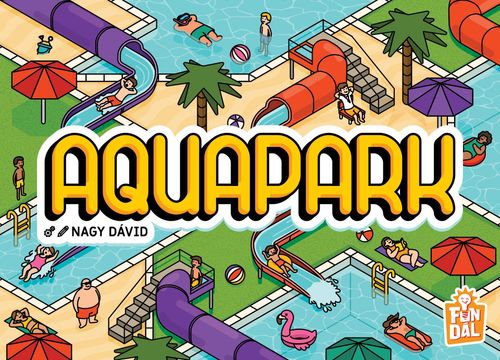
Aquapark
Aquapark Rulebook
Table of Contents
Table of Contents
Components
- 52 park cards
- 5 starting park cards in 5 player colors
- 52 visitor / lifeguard tokens
- 20 round cards (5 cards each for 2-, 3-, 4- and 5-player games)
- 5 award cards
- Scoresheet
- Turn marker
- Offer marker
- For Solo Mode: 1 automa scoring card and 4 automa cards
Setup
Example of a 3-player game.
- Choose the 5 round cards for your player count. The icons on the back indicate this: 2, 3, 4 or 5 players. Shuffle them, then place the deck face down in the center of the table.
- Place the turn marker next to the round cards.
- Shuffle the park cards, then create a draw pile from them in the center of the table, next to the round cards.
- Place all visitor / lifeguard tokens within everyone's reach with the lifeguard side face up, then mix them up.
- Prepare the display: draw 4 park cards from the deck and place them in the middle of the table in a 2×2 grid. Randomly place 1 visitor / lifeguard token on each of the 4 park cards, visitor side up.
- Place the offer marker next to the display.
- (Normal Mode only. In Family Mode, ignore this step!) Place 1 randomly chosen award card between each pair of neighboring players.
- Each player chooses a starting park card. The booth shown on the starting park cards indicates the player color. Only starting park cards in the player colors shown on the round cards may be chosen. Each player then decides which side of their starting park card they will play with, and places it in front of them with the chosen side face up.
The Goal of the Game
Over 5 rounds, players expand their own aquaparks with park cards, visitors, and lifeguards, aiming to collect the most victory points and win the game.
Game Rounds
At the start of each round, reveal a round card from the round card deck and place it face up next to the deck, covering the previously revealed round cards. This card shows the player pairings for the current round. Each pair completes one turn together.
Player Turns
- In the first turn of each round, place the turn marker between the top pair of icons on the round card. Then, each turn, moving from top to bottom, move the turn marker to the next space between the icons of the current player pair.
- The player indicated on the left side of the round card creates the offer. They choose one row or one column of the display and mark it with the offer marker, creating the offer.
- The player indicated on the right side of the round card chooses from the created offer and takes one park card together with the visitor token on it, then places them in their own player area, following the placement rules. See: Placing Park Cards, Placing Visitors, and Placing Lifeguards.
- The player who created the offer takes the remaining park card and visitor token from the offer and also places them in their player area, following the placement rules. See: Placing Park Cards, Placing Visitors, and Placing Lifeguards.
- Refill the display! For the missing row or column, draw 2 new park cards from the park card deck. Place the first one closest to the offer marker. Then randomly place 1 new visitor on each newly added park card. Place the first visitor on the card closest to the offer marker.
- If the turn marker is between the last player pair, draw a new round card and a new round can begin. If that was the last round card, the game ends.
Park Card Anatomy
Terrain Types
There are 5 different terrain types on park cards:
- Pool (blue, water area)
- Park (green, grassy area)
- Beach (brown, sandy area)
- Red Waterslide
- Purple Waterslide
During the game, it's recommended to create as large connected areas as possible. See: Connected Areas.
Capacity Spaces
Each card has 6 half capacity spaces, shown as dashed half-circles. Visitors and lifeguards can be placed on half or full spaces (circles).
Only visitors and lifeguards on full capacity spaces (made of two half-circles) score points at the end of the game. See: End of the Game.
Starting Park Cards
The booths on the starting park cards indicate the player's color. Unlike regular park cards, the two sides of a starting card are different.
Decorative Elements
The decorative elements not detailed above have no effect on gameplay or scoring.
Placing Park Cards
Whenever a park card is taken from the offer (by the first or second player), it may be placed in the player area by following these rules:
- The card may be rotated and flipped before being placed. The reverse side shows the same terrain types in a mirrored layout.
- At least one side of the new card must be in contact with one or more cards already in the player area. Contact may be made along a short or long edge, and it may even be offset, but at least 1 new full capacity space must be created when the card is placed.
- No previously placed card may be covered, not even partially.
- The card may also be placed under visitors and lifeguards that extend beyond previously placed cards. See: Placing Visitors.
- Terrain types along touching edges do not have to match.
Although matching terrain types along touching edges is not required, it may be advantageous during end-game scoring.
Connected Areas
Connected areas are formed when cards are placed so that the same terrain type is found along the touching edges.
Waterslides work the same way as the other three terrain types. The only difference is that waterslides may overlap the other three terrain types, so a waterslide and a pool / park / beach connected area can be expanded by placement on a single edge at the same time.
In this example, the following connected areas are formed:
- A connected beach area spanning 3 cards.
- A connected purple waterslide area spanning 2 cards.
- A connected red waterslide area spanning 2 cards.
- A connected pool area spanning 2 cards.
Visitor / Lifeguard
Each token has two sides. The life ring side shows a lifeguard token, the other side shows a visitor token.
Visitors always have a background that matches a specific terrain type, which determines where they may be placed:
- Pool
- Beach
- Park
- Purple Waterslide
- Red Waterslide
Placing Visitors
When a visitor token is taken from the offer (by the first or second player), it may be placed with the visitor side up, or it may be flipped and placed in the aquapark as a lifeguard.
- A visitor may be placed on any available half or full capacity space anywhere in the player's aquapark, including on previously placed cards.
- If a visitor is placed on a half capacity space, the visitor's terrain type must be present on that half space. Make sure the space is completed later, because tokens left on half capacity spaces do not score points at the end of the game.
- If a visitor is placed on a full capacity space, the visitor's terrain type must be present on both half spaces that form the full space.
- If the visitor cannot be placed according to the rules above, the token may be placed only with its lifeguard side up, following the placement rules for lifeguards. See: Placing Lifeguards.
Removing Visitors
If a visitor is already on a half capacity space, and a newly placed park card completes that space into a full capacity space, check whether the visitor is still legally placed. If not, the token must be removed and put back into the box. See: Placing Visitors.
In this example, the park card placed underneath the visitor creates a full capacity space. Since the visitor's terrain type is not present on the newly added half capacity space, the visitor must be removed and returned to the box.
Placing Lifeguards
When placing a lifeguard, there is no terrain-type restriction. It may be placed on any available half or full capacity space in the player's aquapark. In case of a full space, the two halves of the space do not need to show the same terrain type.
End of the Game
The game ends after Round 5, when the last player pair on the final round card has completed their turn.
Before scoring:
-
Remove all visitor and lifeguard tokens that are not on a full capacity space, meaning any tokens hanging off the aquapark.
-
(Normal Mode only. In Family Mode, ignore this step!) Resolve the Awards! Players compete for awards against their neighbors. For each award, only the two players between whom that award is placed may compete for it.
Each award represents one of the 5 terrain types. The award is won by the player who has created the larger connected area of that terrain type (spanning more cards) by the end of the game. In case of a tie, both players receive the award.
The different sides of the starting park cards can help you compete for two awards at once. It can be useful to choose a side where an edge contains both terrain types shown on the award cards, so that a single suitable card can expand both areas at the same time.
After this, scoring can begin.
Scoring
Use the scoresheet for scoring.
Points are awarded for:
- Visitors
- Lifeguards
- Awards
1. Points for Visitors
Each connected area is worth as many points as the number of park cards it spans, multiplied by the number of visitors (with the same terrain type) on it.
In this example:
- In the pool area spanning 3 cards there are 2 visitors, so 3 × 2 = 6 points.
- In the purple waterslide area spanning 2 cards there is 1 visitor, so 2 × 1 = 2 points.
- In the connected red waterslide area spanning 2 cards there are no visitors, so it is worth 0 points.
2. Points for Lifeguards
Family Mode only. Each lifeguard is worth 3 points. In other words, the player scores 3 points for each lifeguard placed in their aquapark.
In Family Mode, ignore this section! (Normal Mode only)
Each lifeguard is worth 2 points for each visitor it can see.
A lifeguard can see those visitors that belong to the connected areas it is in contact with. Therefore, if the edge of the lifeguard token touches a connected area, every visitor belonging to that area increases the lifeguard's value by 2 points.
A visitor may count toward the score of multiple lifeguards.
In this example: The lifeguard can see 2 connected areas, because the token touches the pool and purple waterslide areas. The two areas contain a total of 2 visitors, so the player scores 4 points in total. The lifeguard token is not touching the red waterslide area, so it scores no points for the visitor there.
3. Points for Awards
In Family Mode, ignore this section! (Normal Mode only)
Players score 5 points for each award they win. A player may win both awards. In case of a tie, both players receive 5 points for the tied award.
Family Mode only. In Family Mode, there are no awards, so skip this scoring category.
Scoring an Aquapark (example)
The rulebook illustrates scoring on an example aquapark in Normal Mode (the example's point values are shown on the cards in the printed rulebook). Instead, in Family Mode: each lifeguard is worth 3 points, so in this example a total of 6 points are scored for the 2 lifeguards.
Solo Mode
Solo Mode works similarly to a 2-player game. However, in this case the other player is the automa, and its decisions are determined by the automa cards.
- Set up the game as for a 2-player game. Ignore step 7 of the setup; in Solo Mode there are no award cards to gain. See: Setup.
- Shuffle the 4 automa cards, create a face-down automa deck, and place it next to the park card draw pile.
- Place the automa scoring card next to the automa cards with either the Easy or Hard side face up. For your first game, the Easy side is recommended.
In turns where the automa creates the offer: shuffle the 4 automa cards and reveal 1. In the upper-left window of the card, it can be seen which row or column the automa places the offer marker on.
In this case, you can already see how many points the automa will score for the visitor, so you can take that into account when making your choice.
In turns where you create the offer: after you have marked a row or column, shuffle the 4 automa cards and reveal 1. In the upper-right window of the card, it can be seen whether the automa chooses the park card and visitor token pair closer to or farther from the offer marker, from the marked row/column.
The cards gained by the automa are placed back into the box. The automa does not build an aquapark with them; they will not be used again.
The tokens gained by the automa are always placed visitor-side up on the automa scoring card, in the different spaces shown at the bottom of the automa cards, according to their terrain type.
At the end of the game, the automa scores points based on the visitors it has collected. Each token is worth as many points as indicated by the number shown next to its space on the automa scoring card. Add up the points for tokens of the different point values; this is the automa's final score.
In this example, the automa's score at the end of the game is calculated as follows: 2 tokens are on space A, where each token is worth 9 points, for a total of 18 points. 3 tokens are on space B, where each token is worth 6 points, for a total of 18 points. 5 tokens are on space C, where each token is worth 3 points, for a total of 15 points. So the automa's final score is: 18 + 18 + 15 = 51 points.
Your score is calculated using steps 1 and 2 of the standard scoring. In other words, you score points for visitors and lifeguards. See: Scoring.
If your score is higher than the automa's, you win the game.
Quick Reference
Player Turns
- Move the turn marker.
- The player shown on the left side of the round card creates the offer.
- The player shown on the right side of the round card chooses from the offer and places the park card and token they gained in their aquapark.
- The player shown on the left side of the round card takes the remaining park card and token and places them in their aquapark.
- Refill the display.
- If this was the last turn of the round, reveal a new round card.
Scoring
- Each connected area is worth a number of points equal to the number of park cards it spans, multiplied by the number of visitors on it (of the same terrain type).
- Ignore in Family Mode! Each lifeguard is worth 2 points for each visitor it can see. Family Mode only. Each lifeguard is worth 3 points, regardless of placement.
- Ignore in Family Mode! Each award is worth 5 points to the player who wins it. Family Mode only. In Family Mode, there are no awards.