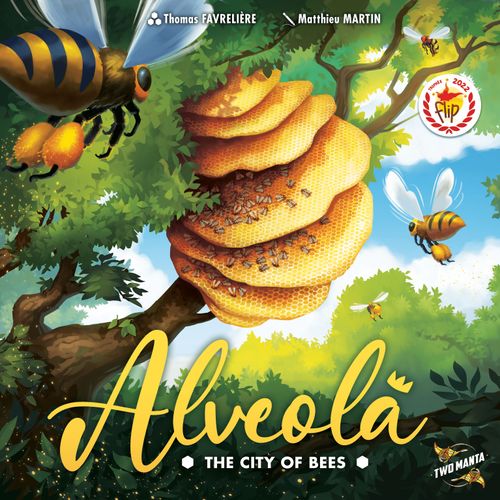
Alveola: The City of Bees
Alveola: The City of Bees Rulebook
Table of Contents
Table of Contents
Components
- Workers x16 (4 colours)
- Queens x4 (4 colours)
- Hornets x2
- Flowers x25
- Honey x21
- Triple Honey x9
- Straight cell tiles x16
- Bent cell tiles x24
- Triangular cell tiles x8
- Starting tiles x4
- Power tiles x9
- Honey spoon token x1
- Hornet tile x1
Setup
- Each player chooses a colour and takes the four workers and the queen of that colour.
- Depending on the number of players, take the corresponding starting tiles. They are identified by the following back: 2 players (2+), 3 players (2+ and 3+), 4 players (2+, 3+ and 4). Place these tiles in the centre of the table. For an introductory game, it is recommended to position these tiles in the arrangement shown in the setup diagram (one arrangement each for 2, 3 and 4 players). For subsequent games, position these tiles freely, keeping them side by side.
- Place a hornet on the cells of the starting tiles that have a hornet icon.
- Shuffle the cell tiles by shape and make piles of four tiles. You must have twelve piles, each made of tiles of the same shape, but not necessarily of the same pattern. Arrange the piles of tiles in a circle around the starting tiles, following the setup diagram.
- Position the hornet tile as shown in the setup diagram.
- Position the honey spoon just after the hornet tile as shown in the setup diagram.
- Place the honey tokens and the flower tokens outside the circle of tiles, within reach of the players.
- Shuffle the power tiles and select one at random from each cost group (the power tiles cost 1, 2 or 3 flowers; see Flower Powers). Turn the selected tiles face up and position them within reach of all players. Put the unselected tiles back in the game box. For an introductory game, select the tiles marked with the hexagon icon.
- The player who most recently built a hive starts the game! Failing that, it can be the player who most recently ate honey, or the one chosen in your preferred manner.
Turn Sequence
Players take turns in clockwise order. On their turn, the player performs the following actions in this order:
- Activate a flower power (optional).
- Enlarge or raise the hive.
- Place or move a bee.
- Move a hornet.
On each player's first turn, they are not allowed to raise the hive or to place a bee.
1 - Activate a Flower Power (optional)
The flower power tiles selected during setup are available to all players for the whole game. They are not discarded or replaced after being used by a player.
If a player has enough flowers at the start of their turn, they may spend them to activate a flower power. To do so, they must pay the cost shown on the tile: 1, 2 or 3 flowers. They apply the effect of the power immediately.
A player can only activate one flower power per turn.
The description of the flower powers is found at the end of this rulebook.
2 - Enlarge or Raise the Hive
The player must select one of the 3 piles following the honey spoon in clockwise order. The player moves the spoon to just after the pile they have just selected and plays the top tile.
This tile lets them choose between enlarging or raising the hive. Depending on the choice, they will pick up flowers or harvest honey.
Example: Vincent has just selected the second pile; he moves the spoon after it and plays the tile shown in green.
Enlarge the Hive
To enlarge the hive, the player places the tile on the ground, that is, without covering another tile of the hive. The tile must respect, as far as possible, the following constraints:
- Have at least 2 cells in contact with 2 cells of the hive.
- Be adjacent to an uncovered cell of the 1st level of the hive.
The player takes 2 flower tokens from the supply.
Warning: if the player used a flower power during this turn, they do not pick up flowers!
Example: Romain enlarges the hive. He cannot place the tile in red because it is in contact with only one cell of the hive. He decides to place it on the green location because it will be in contact with at least 2 cells. He thus gets 2 flowers that he can use as of the next turn.
Example: a power that costs 2 flowers to be played.
Raise the Hive
To raise the hive, the player places the tile above the tiles already present in the hive. The hive thus rises over several levels.
The player must respect the following superposition principle for each of the cells of the tile they place:
- Empty cells go on cells full of honey.
- Full cells go on empty cells.
The player takes from the supply:
- 1 honey token if they emptied 1 cell full of honey.
- 2 honey tokens if they emptied 2 cells full of honey.
Example: Thomas places the tile above because the 3 cells respect the superposition principle. He empties one cell full of honey and therefore takes 1 honey token from the supply.
Two additional constraints must be respected:
- A tile cannot be placed above an empty space.
- A tile cannot cover a bee, a queen or a hornet.
A player does not need to cover several different tiles with the tile they place.
The cycle of the hive: In a hive, cells full of honey are emptied by the bees for their consumption. They are then filled with honey via harvesting.
Hive Levels
In Alveola, the hive rises over several levels, giving a 3-dimensional game. Tiles placed directly on the game table are considered to be on the 1st level, those placed on top of them are on the 2nd level, and so on.
Empty Pile of Tiles
If a pile of tiles is empty, nothing changes, except if it was the pile to which the hornet tile is attached. In that case, position the hornet tile on the previous pile.
The hornets remain a threat to the hive and will even move more quickly!
3 - Place or Move a Bee
The player may place or move one and only one bee (worker or queen) on the tile they have just placed. Warning, bees can only be placed on cells full of honey!
- Place a worker. The player may place a worker from their supply on a full cell of the tile they have just placed.
- Place their queen. As soon as a player has no more workers in their supply, they may place their queen. It can only be placed on the tile they have just placed, and only if that tile is at level 4 or higher. This triggers the end of the game.
- Move a worker. The player may move one of their workers already on the hive to a full cell of the tile they have just placed. The worker can thus change level (up or down).
Tip: this movement can be useful to increase the value of your bees or to prevent the hornet from devouring you!
Example: Vincent has just played the tile shown in green. He may place or move a worker. As a hornet threatens his worker at the top of the hive, he decides to move it to the tile just placed, to spare it a dire fate. Vincent could not place his queen because he still has 2 workers left to place.
4 - Move a Hornet
The hornets threaten the bees of the hive. Players will have to avoid them or, even better, steer them towards their opponents' bees.
If the player played a tile that has a hornet icon, they get a hornet move. Likewise if the honey spoon passed the hornet tile during the selection step. The player can thus accumulate several hornet moves.
Example: Romain chooses the tile shown and moves the honey spoon after it. As the spoon passed the hornet tile, he gets a hornet move. As the chosen tile shows a hornet icon, a second move will be granted.
For each move obtained, the player must move the hornet of their choice to an adjacent cell (empty or full). It can change level upwards or downwards, but cannot go onto a cell with a hornet or a queen.
It may move onto a cell with a worker; in that case the worker is removed from the game and put back in the game box.
Did you know? Asian hornets are a real threat to the hive. Only 30 hornets are capable of wiping out a hive of 30,000 bees in a few hours.
End of the Game
If a player places their queen, the end of the game is triggered. All the other players take one last turn, but they cannot place their queen, each hive accepting only one queen.
Alternatively, if a player cannot choose a tile from the circle of tiles because it is exhausted, the end of the game is immediate.
The counting of victory points takes place after the last player's turn.
Counting Victory Points
Each player adds up the victory points they obtained according to the following scale:
- The queen is worth 4 points.
- Each worker in play is worth points according to the level where it stands:
- Level 1: 1 point
- Level 2: 2 points
- Level 3: 3 points
- Level 4+: 4 points
- Each honey token is worth 1 point.
- Flower tokens give no victory points.
The player with the most points wins the game!
In case of a tie between 2 players, if one of them placed their queen, they win. In case of a further tie, the player with the most flowers in their supply wins.
Team Mode
With 4 players you can play in teams. This game mode proves more strategic than the classic mode.
Players play in teams of 2, alternating the players of each team. The game proceeds normally, each player having their own bees and their own flower stock. It is impossible to move a teammate's bee or to use their flowers to activate a power.
At the end of the game, add up the points of the two players of each team to determine the triumphant team!
Flower Powers
Cost 1 flower:
- 4th tile. During step 2, the player may choose the 4th pile after the honey spoon.
- Previous tile. During step 2, the player may choose the pile before the honey spoon.
- Look for a tile. During step 2, the player chooses one of the next 3 piles and looks at the tiles without changing their order. The player must play the tile of their choice from the pile they looked at.
Cost 2 flowers:
- Recover a worker. The player may recover one of their workers previously eliminated by a hornet. They add it to the bees in their supply.
- Move a hornet. The player immediately performs a hornet move.
- Hornet theft. The player may move a hornet to a cell of the hive on which a hornet icon is present.
Cost 3 flowers:
- Recover honey. The player immediately takes 2 honey tokens from the supply.
- Select the tile of your choice. During step 2, the player may select the tile of their choice from the circle of tiles. They will not move the honey spoon this turn.
- Replay. After having completely performed their turn, the player may immediately take another turn without reactivating a flower power.
The hexagon icon marks the power tiles to select for an introductory game.