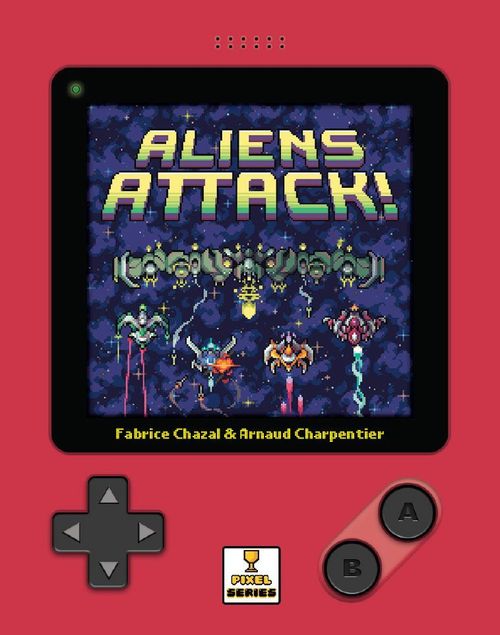
Aliens Attack!
Aliens Attack! Rulebook
Table of Contents
Table of Contents
Components
Base game cards:
- 14 Ship cards (4 with the PRIMA Mothership on the back)
- 4 Cannon cards (double sided)
- 1 Danger card (double sided)
- 1 PRIMA Mothership card, plus 1 variant Mothership on the back
- 3 Planetary Defence cards (P.D.) (double sided)
- 1 Attack die (6 faces)
Variant cards (do not use them for your first game):
- 12 Ship cards (with 3 different Motherships on the backs)
- 3 Motherships (on 2 cards)
- 4 Hit tokens (for the TANK Mothership)
- 2 Planetary Defence cards (Mobile Shield and Space Mines)
Goal
The aliens are attacking Earth! You're on a mission to defeat them and destroy their Mothership!
You win if... You survive long enough to destroy the Mothership after it arrives in the Combat Area. To destroy it, you must damage all 4 of its sections.
You lose if... Either of these two things occur:
- A deactivated cannon is hit by an enemy; or,
- The Mothership reaches Earth.
Set Up
- Shuffle the Ship cards, ensuring that the Scout ship ("S") of each card is face-up and pointing downwards. Place the deck in the top-left corner of the playing area. This deck is known as the Enemy Deck.
- Draw the first 4 cards from the Enemy Deck (without looking at their reverse side, or turning them) and line them up to the right of the deck. Ensure these 4 cards have the "S" pointing down (towards you). These cards form the starting Launch Line.
- Place the 3 Planetary Defence cards in a column below the Enemy Deck with the sides showing "*" in the titles, face-up.
- Place the Danger card with the "Danger = 1" edge of the card facing up, below the Planetary Defence cards.
- Take the 4 Cannon cards and place these to the right of the Danger card in one line, ensuring they are in order (from left to right: Alpha, Beta, Gamma, Delta), with the Level 1 ("1") section of each card face-up and aiming upwards towards the Launch Line.
- The area between the cannons and Launch Line is the Combat Area. Always imagine this as a 4x3 grid that Ship cards will move through.
- Keep the Mothership card (PRIMA) and die nearby for later.
The game is set up and ready to begin when the Enemy Deck, the Launch Line (all starting ships are Scouts), the 3 Planetary Defence cards (starting on their "*" sides), the Danger card (starting on Danger = 1), the 4 Cannons (Alpha to Delta, all starting at Level 1) and the empty Combat Area are in place.
What's on the Ship Cards?
- Specific effects that occur after you hit a ship appear above it.
- The starting side for this card is the Scout side (the "S" is facing the player).
- After hitting a ship, you will rotate or flip it to progress through the enemies.
- The box tells you what to do after hitting the ship.
Front (Scout) and Back are shown on each card.
How Ships Move
As you play, icons of the following type will be activated, causing Ship cards to move down (through the Combat Area) towards your Cannon cards (on Earth):
- 1 ship moves down 1 space.
- 1 ship moves down 2 spaces.
- 1 ship moves down 3 spaces.
- 1 ship moves down 1 space, then another ship moves down 2 spaces.
To determine which ship(s) will move down, start at the Launch Line and look at the cards (if any) in that row, going from left to right. The first ship you come to that is able to move the designated number of spaces, moves down as directed. If no card in the Launch Line is able to move the prescribed number of spaces, go to the next line down and so on, until a ship is able to move (or moves into a cannon).
If more than one ship is directed to move, after moving the first ship, look again from top (the Launch Line) to bottom, left to right to find the second ship that will move, and so on.
A Ship card can never move outside of its column in the Combat Area!
Playing the Game
At the start of the game, look at the printed effect on the Danger card (Danger = 1), and move the first Ship card in the Launch Line (the left-most card) down 2 spaces. Then the game begins. To play, simply take turns one after the other.
On your turn you must either:
- Use one of your cannons to shoot at an enemy, or
- Perform the action on 1 Planetary Defence card.
Using a Cannon
Each Cannon card contains several pieces of information: its name (Alpha, Beta, Gamma or Delta), its firing range, fire power and so on.
- Firing range: Each cannon has a gauge that indicates what spaces in the Combat Area your cannon can fire upon. One gauge shows a cannon that can only hit a ship in the space directly above it. Another gauge shows a cannon that will hit the closest ship, 1 to 3 spaces above it.
- Fire power: Your cannons can either inflict 1 or 2 damage on a Ship in range. This is designated by these symbols on the card.
To fire a cannon on your turn, select one of your active cannons. If it has an enemy ship in range, deal the designated damage to it by flipping or turning the ship (as directed on the card you hit). This may cause effects to happen. After that, your turn will end.
How to use the Alpha cannon: The Alpha cannon hits the closest ship within its range, damaging it twice. When hit, ignore the ship's effect if the ship was rotated.
How to use the Beta cannon: First, the Beta cannon will hit the closest ship within the range indicator on the left of the card. It will then look to hit the closest ship within the range indicator on the right. This means it may hit two ships in one turn! Also, all card effects on the second hit ship will be ignored (still damage the ship)! Resolve the second ship before resolving the effects on the first hit ship.
How to use the Gamma cannon: The Gamma cannon can hit a single ship within range. Notably, it is the only cannon that can hit ANY ship within range.
How to use the Delta cannon: The Delta cannon can only hit the closest ship within its range in the columns to its direct right or left (not in line with it). Once upgraded, if you wish to aim at a ship in a neighbouring column that is 2 spaces ahead of the cannon, the space directly in front of the cannon must be empty (as denoted on the card by the green box). Also, when hitting, ignore the ship's effect if the ship was flipped over.
Hitting a Ship
When hitting a ship, follow the guides depicted on the card you are hitting. Read the icons from top to bottom. Here are two examples:
- When a ship is hit for the first time: First, rotate the card so its damaged side is facing you, then apply the immediate effect in the grey box above the ship (in this instance, add 3 cards from the Enemy Deck to the Launch Line and 2 ships move 1 space).
- When a ship is hit for the 2nd time: First, flip it over to reveal a new ship, then activate the new immediate effect in the grey box, and then place it face up under the Enemy Deck.
In summary...
- When hitting a Scout ship, rotate it and apply its immediate effect.
- When hitting a damaged Scout ship, flip it over to its upgraded, undamaged side, apply its new immediate effect and return it to the bottom of the deck as an upgraded ship.
- When hitting an upgraded ship, rotate it to its damaged side and apply its immediate effect.
- When hitting a damaged upgraded ship, flip it over, apply its original immediate effect and return it to the bottom of the deck as a Scout ship.
If a section of the Mothership is ever revealed, things work slightly differently, as explained later.
Some cannons are so powerful they cancel the effects of ships at certain times!
- When a cannon with the rotate icon hits a ship and you have to rotate it (to a damaged side), rotate it BUT the ship's effect will not happen!
- When a cannon with the flip icon hits a ship and you have to flip it over (to the advanced side or back to a Scout), flip it over BUT the ship's effect will not happen!
- When a cannon with the any-time icon hits a ship at ANY time, the ship's card effect will not happen!
Remember to still Rotate/Flip the ship after hitting it, even if its "when hit..." effects are cancelled by a cannon.
If you cannot hit a ship with any cannon, do not fire a cannon on your turn. Instead, trigger a Planetary Defence card.
Using a Planetary Defence Card
At any one time, you will have 3 Planetary Defence cards face-up and available to use as your turn. These are especially powerful effects that can both ease your suffering and cause frenzied counter-attacks from the enemy. After using one of these cards, turn it over so a new action is now available to you. (The action you just used will be "offline" until it is facing up once again.)
The three base Planetary Defence cards are Switch Cannons (back side: Radar), Upgrade Cannon (back side: Satellite Shot) and Repair (back side: Vortex). Their front-side actions are printed on the cards:
- Switch Cannons: Reorganize the positions of any cannons, OR flip 1-2 other PD cards, THEN ...
- Upgrade Cannon: Upgrade 1 cannon, THEN ...
- Repair: All cannons at 0 go to 1, OR flip 1-2 other Planetary Defence cards, THEN ...
The reverse-side actions of these cards are shown only as card artwork in the printed rulebook.
When a Ship Hits a Cannon
If an enemy ship hits a cannon during its movement, the cannon is damaged (its level is reduced by 1). Flip or rotate it like a Ship card. If a cannon is reduced to "0" it is deactivated and cannot be used again (until you take the "Repair" Planetary Defence action). The enemy ship is placed at the bottom of the Enemy Deck, keeping its current orientation. If a ship hits a cannon that is already deactivated, you lose the game!
Revealing the Mothership
The Mothership is made of 4 sections - each of which is hiding on the back of a different card in the Enemy Deck. When a section of the Mothership is revealed (when a damaged Scout ship is hit and it flips to reveal a Mothership section) perform its immediate effect and place it as an undamaged Mothership on the bottom of the Enemy Deck (as per usual). However, when a section of the Mothership is to be put back into play from the Enemy Deck, do not place it in the Launch Line, but place it in its correct column ABOVE the Launch Line.
When all 4 sections of the Mothership are in position above the Launch Line, the final battle will commence immediately. Do not resolve any further effects - any unspent effects or ship movements are ignored!
The Mothership, fully assembled above the Launch Line, marks the start of the Final Battle.
The Final Battle
The final battle starts when all 4 sections of the Mothership are ready above the Launch Line. Now place the Mothership card (PRIMA) and the Attack die close at hand.
Starting from this point, every one of your turns includes a new step:
AFTER firing a cannon or taking a Planetary Defence action, roll the Attack die to see what the Mothership does according to the text corresponding to your die roll on the Mothership card.
The possible actions the Mothership will take are:
- MOVE: The Mothership moves (as one ship) down one row, towards your cannons. If other enemy ships are below the Mothership when it moves, these are all pushed down one row in the Combat Area. This could cause enemy ships to hit your cannons!
- TORPEDOES: The Mothership hits one of your cannons, turning it to the 0 side. It will attempt to deactivate a cannon in name order (Alpha > Beta > Gamma > Delta), hitting the first one that is not already deactivated (whatever location it is in). Warning: Torpedoes reduce the hit cannon to Level 0, no matter what level it started on!
- RUSH: The Mothership directs another enemy ship to move down 4 spaces. (This will damage a cannon!)
After the Mothership performs its action, you take your next turn.
You win if you damage each section of the Mothership before losing the game!
Will you save the Earth?
Using the Variant Cards
Do not use the variant cards for your first game.
Once you have battled the PRIMA Mothership, you can try one of the variant Motherships. There are three others to battle: Fortress (blue), Tank (green) and Racer (red).
To set up the game with one of these alternate Motherships, simply swap out the cards showing the base game's PRIMA (white) Mothership with your choice. Also use the Mothership's matching Mothership card once the final battle begins!
- Fortress: This Mothership is so big and strong that any other Ship cards still in the Combat Area flee when it arrives! The Fortress is not only able to repair itself, but has a terrible frenzy attack that damages multiple cannons at once! To defeat the Fortress, all its sections must be damaged.
- Tank: This beast of a ship requires 8 hits to defeat! If you hit an already damaged section, add a Hit token to it. When each section is damaged AND has a Hit token upon it, the Mothership is defeated. Two of the Tank's attacks are quite different to the other Motherships:
- Enforce fills the row below the Tank with Ship cards (but has no effect if the Mothership is already in the bottom row of the Combat Area).
- Abort is like the opposite of Rush. When this triggers, the bottom-rightmost Ship card flies up the Combat Area as high as it can go (passing behind the Mothership on its way up if needed).
- Racer: This Mothership is extremely fast but fragile. It only needs to be hit three times to be defeated, however it is so fast your Satellite Shot will not work against it (using it will simply have no effect).
There are also 2 variant Planetary Defence cards that you may mix in and out of the game once you are comfortable with the base game's cards. These are named Mobile Shield (replaces Vortex) and Space Mines (replaces Satellite Shot).
- Mobile Shield: Place above a cannon. Blocks 1 hit. May be moved one space left/right each turn, if able. May be "hit" by either a ship (flying into it) or a weapon.
- Space Mines: Place on any empty space in the Combat Area. When a ship moves into it, remove Space Mines and inflict 2 damage. Remove once hit. Space Mines returns to the side of the Combat Area after use (with Upgrade Cannon face-up).
Difficulty Levels
Besides battling the variant Motherships, you can raise the difficulty of the game in other ways. Cadet mode is slightly easier than the written rules, the other modes are more difficult!
- Cadet mode: Start with 2 cannons already at Level 2.
- Challenger mode: Once all the parts of the Mothership have been hit, you must hit it one more time (on any section) to destroy it.
- Survivor mode: Once all the parts of the Mothership have been hit, you must hit it one more time (on any section) to destroy it, AND start the game with the Danger card on Danger Level 2.
- Extreme mode: Once all the parts of the Mothership have been hit, you must hit it one more time (on any section) to destroy it, AND start the game with the Danger card on Danger Level 2. ALSO, when setting up the game, fill the Launch Line AND the row below it with enemy ships!
Playing the Game with 2
With this variant you can play the game with 2 players! Each player sits with the game set up between them. One player will control Earth and its defences (as in the normal game), and one player will control the enemy ships. Setup is the same as in the solo game, except that the Danger card begins on Level 4 and no Mothership card is needed. (Motherships all function the same in this variant.)
Each round of play begins with the Earth player taking their turn (using a Planetary Defence card or firing a cannon), followed by the Enemy player taking their turn. When the Enemy player takes a turn, they have 2 choices:
- Refill up to 4 ships in the Launch Line, OR
- Activate any one Danger card effect (1-4)
The Enemy player may look at the back of the ship cards in play at any time!
Other changes to gameplay include the following:
- The Enemy player handles all ship movements and the rotating of all hit ships. If ever there is a choice of which enemy ship will move, etc., the Enemy player makes this choice.
- The only time an Enemy ship's effect is activated is when it is flipped to its reverse side (without an "S"). Danger effects never are activated (the Danger card remains on level 4 at all times, and the Danger effect is only activated if the Enemy player wishes to do so as their turn).
- Once an Enemy ship is destroyed (hit a second time on its reverse side) it is removed from the game (it does not go back to the deck as an "S" ship).
- DELTA cannon functions as normal, except its special effect (cancelling effects when a ship is damaged for the third time) does NOT happen.
- If the Earth player uses a Planetary Defence card it is not flipped over (the starting abilities remain active all game).
- If a section of the Mothership is revealed, it is set aside. When all 4 sections of the Mothership have been found by the Earth player, they have two more turns (to prepare for the final battle) and then the Enemy player brings the Mothership into play.
- Once the final battle has begun, the Enemy player's turn changes: they no longer trigger a ship's effect, but move the Mothership down one line on each of their turns. If the Earth player cannot destroy the Mothership before it crashes into their cannons, they lose the game.
To make the game easier for the Earth player, start with all cannons on level 2. To make it harder, start with a random cannon deactivated.
Icons and Effects
An overview of what some of the icons you will see represent:
- Draw cards: Draw cards from the Enemy Deck and place them in the Launch Line (in this case, draw 3 cards). If there is not enough room in the Launch Line, draw as many as you can. When drawing cards, do not alter their current orientations. Fill the Launch Line from left to right. Remember: any Mothership sections are placed ABOVE the Launch Line.
- Rotate / Flip: The icon on the left instructs you to rotate the card (to its damaged side), the one on the right instructs you to flip it over (to its undamaged side).
- Grey-box effect: This icon reminds you to activate the grey-box immediate effects on the ship card you have hit.
- Laser: A ship with this icon has a laser on board. When it is activated, it hits the cannon in its column, reducing it by one level (this could deactivate it).
- Danger (top icon): These icons refer to the Danger card. The top icon directs you to apply the current effect on the Danger card.
- Danger (bottom icon): The bottom icon directs you to increase the Danger level by 1 step (by rotating or flipping the Danger card). If you are already on Danger Level 4, treat this icon as the top icon.
- Place at bottom: When you see this icon, place this card on the bottom of the Enemy Deck (in its current orientation).