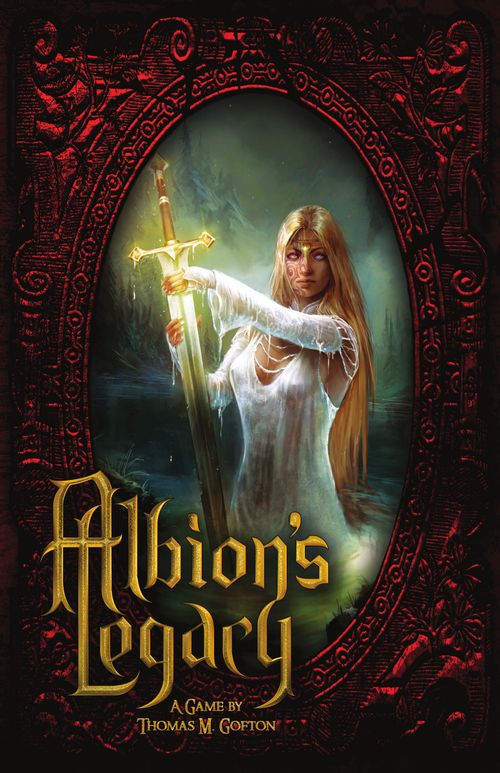
Albion's Legacy
Albion's Legacy Rulebook
Table of Contents
Table of Contents
- Component List
- Introduction
- Setup
- Game Board
- Realm Tiles
- Cards and Virtue Plaques
- Tokens
- Character Sheets
- Stones of Chance
- Story Quests and Quest Coins
- Playing the Game
- Challenge Overview
- Defeating Roaming Threat Cards and Gaining Spoils Draws
- Retiring a Character
- Playing with 1 or 2 Players
- Optional Rules
- Quick Reference
Component List
| Component | # | Component | # | Component | # |
|---|---|---|---|---|---|
| Character Sheet | 8 | Relic Card | 12 | Enemy Token, Witch | 12 |
| D6 | 1 | Severe Threat Card | 20 | Escort Token | 9 |
| Game Board | 1 | Starting Equipment Card | 8 | Key-Turn Token | 1 |
| Quest Coin | 12 | Punchboard Components | 218 | Named Dragon Token |
Introduction
In Albion's Legacy, King Arthur and his allies explore Albion in search of specific Realms, while trying to collect enough Quest Coins to win the game! As the Realms are explored, various Enemies will stand in the way, and must be Challenged by rolling the Stones of Chance! Meanwhile, Despair threatens the land! If the Flames of Hope are extinguished, or all Virtue is lost, the kingdom falls! It's up to you to triumph against overwhelming odds!
Typically, Albion's Legacy lasts 10 rounds in which players take their turns in clockwise order. At the end of each round, the Key-Turn takes place, and the game fights back.
This rulebook lays out the game's standard rules. Since many cards in Albion's Legacy add or modify rules, follow their instructions, even if they seem to conflict with the normal rules, as laid out in this book.
Setup
Play Area Setup
First, place the Game Board in the center of the play area. Then, lay out the various decks, Virtue Stack, and Albion Stack as shown. Make sure that the Virtue Stack contains 6 Virtue Plaques plus 1 Virtue Plaque per player, and make sure to separate the Named Enemy Realm Tiles (marked with a mace) from the Albion Stack. Then, place the Approaching Threat Token on the Severe Threats Deck, and place the Stables Token on the "Stables" Realm Tile (hex). Finally, stack the Despair Tokens on the Game Board, as shown. With these steps complete, the play area is ready!
Keep the Artifact Cards, and Starting Equipment Cards off to one side, as they will be needed infrequently.
Character Setup
With the play area set up, each player should select a character sheet, and equip their character with a Starting Weapon Card, and a Starting Armour Card from the Starting Equipment Deck. Note that the Starting Equipment Cards have different names, but identical effects. Each player should also place 3 Destiny Tokens (5 in the case of Lancelot) on their character sheet, as shown.
After setting up their character sheet, each player should also assemble the matching standee.
Story Quest Setup
Once everyone has a character, select a Story Quest as a group, and set aside any Story Tokens or Escort Tokens required by the Story Quest. The Story Quest will outline a set of tasks that must be accomplished in order to win the game.
Finally, each player should roll a 6 sided die. The player who rolls the highest number goes first, and should take the Key-Turn Token. Set all other game components aside for later use, and the game is ready to play.
Of the 3 Story Quests, the 9th Legion is the least difficult to attempt, since all of its Story Tiles can be found in the Mountain Region.
Setup Checklist
- Each player receives a character sheet, a character standee, and 3 Destiny Tokens (5 in the case of Lancelot).
- Equip each character with a Starting Weapon Card, and a Starting Armour Card from the Starting Equipment Deck.
- At random, select Virtue Plaques equal to the number of players plus 6 to create the Virtue Stack.
- Shuffle and place each deck of cards next to the Game Board with the Approaching Threat Token on the Severe Threat Deck.
- Place the Stables Token on the "Stables" Realm Tile.
- Separate the Named Enemy Realm Tiles (marked with a mace) from the Albion Stack.
- Choose a Story Quest, and set aside any Story Tokens or Escort Tokens required by the quest.
- Roll dice to decide who gets the Key-Turn Token and goes first.
Game Board
The Game Board is where the game begins, and where the Flames of Hope can be found. The castle displayed on the Game Board is referred to as the Camelot Region throughout the game, and contains a variety of important Realm Tiles:
The Round Table Realm Tile in the center of the Game Board is where players start their first turn.
The Docks, Drawbridge, and Sally Port Realm Tiles each exit the board into a specific Region, where players can place Realm Tiles from the Albion Stack to expand the play area. The Region connected to each exit is marked in the upper left corner of the Game Board.
If a player ends their turn on the Dungeon Realm Tile, a Roaming Threat Card is drawn. While on the Dungeon Realm Tile, a player may move any number of Enemy Tokens from their character sheet to the Dungeon Realm Tile and place a Capture Token on the stack of Enemy Tokens to indicate that they are defeated. When the Dungeon Realm Tile contains 8 Enemy Tokens return them to the Enemy Pool, and collect 1 Quest Coin.
Realm Tiles
Realm Tile Features
The back of each Realm Tile shows which Region(s) it can be played in, and the back of each Named Enemy Realm Tile shows a spiked mace which differentiates it from the Realm Tiles that make up the Albion Stack.
The front of each Realm Tile displays the name of the Realm tile on a coloured banner denoting the colour of the Realm Tile. It also shows a number of Walls that block both player and Enemy Token movement. Each side of a Realm tile that is not blocked by a Wall, is a Path. Paths that do not yet connect to other Realm Tiles, and are not blocked by the game board, are Open Paths. The last feature marked on the front of each Realm Tile, is the symbol, which denotes the type of Realm Tile.
Types of Realm Tiles
Realm Tiles are separated into two categories, Active Realm Tiles, which can be activated, ending your turn and granting a benefit, and Passive Realm Tiles, which have effects that you cannot control and do not end your turn.
There are 7 types of Active Realm Tile. Each has the following benefit:
- Armoury Tile — Draw an Armoury Card.
- Healing Tile — Remove 1 Wound Token.
- Item Tile — Draw an Item Card.
- Relic Tile — Draw a Relic Card.
- Repair Tile — Repair 1 broken Card.
- Stables Tile — Draw a Mount Card.
- Virtue Tile — Draw a Virtue Plaque.
There are 9 types of Passive Realm Tile; 4 of which are Attribute Tiles:
- Attribute Tile — All players roll 1 bonus Stone of Chance on Challenges for each Realm Tile that is both marked with the symbol of the Attribute being used and is occupied by a character.
- Encounter Tile — Each Realm Tile marked with this symbol requires a player to draw an Encounter Card when entered, once per turn.
- Magic Path Tile (Warp Tile) — Realm Tiles marked with this symbol are treated as adjacent for movement purposes.
- Roaming Threat Tile — Each Realm Tile marked with this symbol requires a player to draw a Roaming Threat Card when Scouted.
- Secret Path Tile (Warp Tile) — Realm Tiles marked with this symbol are treated as adjacent to the Sally Port Realm Tile for movement purposes.
- Waterways Tile (Warp Tile) — Realm Tiles marked with this symbol are treated as adjacent to the Docks Realm Tile for movement purposes.
Placing Realm Tiles
When a Realm Tile is placed, it can be placed in any orientation but must connect to at least 1 previously placed Realm Tile by a Path. If a Realm Tile is placed that would completely cut off a Region, it is returned to the bottom of the Albion Stack and a new Realm Tile is drawn. If a Named Enemy Realm Tile must be placed that would completely cut off a Region, search the Albion Stack for a Road Tile that can be placed in the same Region and place both Realm Tiles.
Cards and Virtue Plaques
Roaming Threat Cards
Roaming Threat Cards are drawn and played whenever Roaming Threat Tiles are Scouted. They add Enemy Tokens to the board, and list their Movement Commands (MC) and Enemy Special Abilities.
Severe Threat Cards spawn a mix of Named, and Non-Named Enemy Tokens, and General Threat Cards spawn only Non-Named Enemy Tokens.
Movement Commands (MC) indicate how Enemy Tokens Spawned by a Roaming Threat Card will move during the Key-Turn (the phase in which the game fights back).
Enemy Special Abilities are negative effects, displayed below the spawn instructions and Movement Commands (MC) on the Roaming Threat Cards. They last until a Roaming Threat Card or a Named Enemy Token is defeated and, in general, either make it more difficult to Challenge Enemy Tokens, or make it more difficult to win the game.
A Roaming Threat Card is defeated when any Named Enemy Tokens listed on the card have been successfully challenged, and no Non-Named Enemy Tokens of any type listed on the card remain in play (including those spawned by other cards).
Encounter Cards and Doom Effects
Encounter Cards are drawn and take effect immediately whenever a player enters an Encounter Tile, usually causing a negative effect. Each Encounter Tile is only triggered once per turn.
Some Encounter Cards require a player to pass a Challenge. When they do, that player may apply any applicable bonuses to the Challenge, including their Favoured Enemy Bonus.
Many Encounter Cards cause Doom Effects. These are simply negative effects which can be negated by certain cards and abilities.
Seduction is a specific type of Doom Effect that prohibits a player from breaking Inventory Cards. If a player is seduced, they may attempt a Loyalty (4) Challenge or discard a Virtue Plaque from the Virtue Stack at the start of their turn, or end their turn on an Altruism Attribute Tile to negate the Doom Effect.
Inventory Cards
Each Inventory Card lists its name, benefit, and, at the bottom of the card, which type of slot it fills. There are 6 types of Inventory Card:
- Armoury Cards aid in Challenging Enemy Tokens.
- Artifact Cards are unique rewards for completing Personal Quests.
- Item Cards are discarded to gain immediate benefits.
- Mount Cards increase the Movement Attribute.
- Relic Cards have powerful but inconsistent effects.
- Starting Equipment Cards can be broken to avoid Wound Tokens, and are chosen at the start of the game.
A broken Inventory Card is flipped face-down and has no effect. It can be repaired and flipped face-up by a card effect, or by activating a Repair Tile.
If a player draws an Inventory Card that they do not want, they may choose to return it to the bottom of the appropriate deck.
Usually, a player can only use an Inventory Card on their own turn while they are not performing any other action; however, some Inventory Cards can be used immediately when appropriate. For example, a card that states "You may break this card to avoid taking a Wound Token." can be used as soon as a Wound Token would be taken.
If a card states "Once per round..." it can be used again as soon as the next Key-Turn has ended.
If an Inventory Card allows a player to gain a benefit that does not currently apply, the card may still be used but the effect is ignored.
A player may trade any Inventory Card, other than an Artifact Card, to a player on their current Realm Tile during either player's turn, as long as that Inventory Card has not been used on the current turn.
Virtue Plaques
Virtue Plaques function similarly to Inventory Cards, and are drawn by activating Virtue Tiles. They fill the Virtue Slots (the shields behind the characters' names) and have powerful effects.
When the final Virtue Plaque is removed from the Virtue Stack for any reason, the game is lost.
When a player draws a Virtue Plaque, they must discard their current Virtue Plaque, and replace it with the new Virtue Plaque.
Discarding Cards and Virtue Plaques
Discarded cards and Virtue Plaques are placed in discard piles. When a deck runs out, its discard pile is not shuffled back into the deck.
Tokens
Approaching Threat Token
The Approaching Threat Token is moved between the Severe Threat Deck, and General Threat Deck every time a Roaming Threat Card is drawn. It indicates which deck to draw from next.
Capture Token
The Capture Token is placed on stacks of Enemy Tokens that are placed on the Dungeon Realm Tile to indicate that they have been defeated.
Key-Turn Token
The Key-Turn Token is passed clockwise each Key-Turn to shift when the next Key-Turn will occur. Each round, the player that holds the Key-Turn Token gets 2 turns.
Stables Token
The Stables Token locks down the Stables Realm Tile, preventing it from being activated until 1 Quest Coin per player has been collected.
Quest Pad
The Quest Pad is where Quest Coins are kept once they are collected.
Destiny Tokens
Each player starts the game with 1 Destiny Token per Destiny Slot. Destiny Tokens are spent as a cost for using many Special Abilities. Destiny Tokens can also be spent to re-roll individual Stones of Chance during a Challenge.
Despair Tokens
1 Despair Token is placed during each Key-Turn to extinguish a Flame of Hope. Despair Tokens can also be placed by Encounter Cards and Enemy Special Abilities. When the final Flame of Hope is extinguished the game is lost.
Doom Tokens
Doom Tokens are taken whenever a Character is suffering from a Doom Effect. Whenever a card references a Doom Effect, place a Doom Token on the Character Sheet of any player affected by the card as a reminder that they are suffering from a Doom Effect.
Wound Tokens
Wound Tokens are taken when a Challenge against an Enemy Token is lost or as a result of some card effects. When a Wound Token is taken, it fills a Wound slot (the cross at the bottom of the Character Sheet). When a character's Wound slot is full and they take a Wound Token they are Retired.
Escort Tokens
Escort Tokens represent people that must be carefully protected. Unlike characters, who simply Retire, Escort Tokens can perish. When they do, they are removed from play, and negative effects specific to the Encounter Cards or Story Quests that spawned the Escort Tokens are triggered.
A player can pick up or drop an Escort Token on their Realm Tile without ending their turn. If a player is carrying an Escort Token, they cannot choose to pick up a second Escort Token but can be forced to take an Escort Token by a card effect.
When a player takes a Wound Token while carrying an Escort Token, the Escort Token perishes and is removed from play. At the end of the Key-Turn, if 1 or more Enemy Tokens are on the same Realm Tile as 1 or more Escort Tokens, 1 Escort Token per Enemy Token perishes.
Story Tokens
Story Tokens must be collected and returned to the Round Table Realm Tile as requirements for completing the tasks of some Story Quests. When a Story Quest Location is found, place a Story Token on the Realm Tile to mark it. When a player meets the requirements of that Story Quest Location, they can place the Story Token on their Character Sheet. When a character carrying a Story Token retires, it is placed on the Realm Tile that they occupied when retired, and can be picked up on any future turn by a character on the same Realm Tile, without ending their turn.
Enemy Tokens
Enemy Tokens are spawned by Roaming Threat Cards, and must be Challenged when they share a Realm Tile with 1 or more characters. Non-Named Enemies have a Challenge Rating of 3, and Named Enemies have a Challenge Rating of 4. The back of each Enemy Token displays the Attributes that can be used to Challenge that type of Enemy, and that Enemy's Challenge Rating:
| Enemy Type | Attributes to Challenge | Challenge Rating |
|---|---|---|
| Dragon | Prowess, Altruism | 3 |
| Traitor | Prowess, Loyalty | 3 |
| Magic Creature | Altruism, Courage | 3 |
| Knight | Prowess, Courage, Loyalty, Altruism | 4 |
| Saxon | Prowess, Courage | 3 |
| Druid | Courage, Loyalty | 3 |
| Witch | Loyalty, Altruism | 3 |
Token Pools
Tokens that are not in use are part of a Token Pool. When a card or ability mentions returning tokens to a pool, it means that they are set aside with the unused tokens. Unused Quest Coins are also part of a pool. The most commonly referenced Token Pool is the Enemy Pool.
Character Sheets
Character Sheets display important information about each character.
The Personal Quest is a Challenge that can be performed on a specific Realm Tile to gain a unique, character specific, Artifact Card. Attempting a Personal Quest Challenge does not end a player's turn.
The Attributes are the most important aspects of the Character Sheets since they indicate how many Stones of Chance to roll on Challenges. Note that the icon for each Attribute is watermarked behind it. A character's five Attributes are Movement, Prowess, Courage, Altruism, and Loyalty.
Each character has a unique Special Ability. Some special abilities help characters with their own Challenges, while others help other Characters, or help all Characters.
Each character also has a Favoured Enemy, granting a bonus Stone of Chance when Challenging a specific type of Enemy Token.
Stones of Chance
The Stones of Chance are the Special Dice used when making Challenges. They have 1 face for each Attribute (Movement, Prowess, Altruism, Courage, and Loyalty) and 1 face for the Mana Burst symbol. When making a Challenge, the icon matching the Attribute being used for the Challenge counts as 1 Success, and a Mana Burst counts as 2 Successes.
Story Quests and Quest Coins
To win the game, the tasks of 1 Story Quest, chosen at the start of the game, must be completed. This entails finding specific Realm Tiles, referred to as Story Tiles, and collecting Story Tokens, or protecting Escort Tokens. Many Story Tokens are collected by passing Challenges, referred to as Story Challenges. Each can be attempted once per turn, and there is no penalty for failure. When all conditions of the Story Quest are met, the game ends at the start of the next Key-Turn. If the players have not collected enough Quest Coins when the game ends, the game is lost.
A total of 3 Quest Coins per player are required to win the game, and 1 Quest Coin per player is required before the Stables Realm Tile can be activated. It does not matter how many Quest Coins are collected by each player. Only the total number of Quest Coins collected matters.
Quest Coins can be collected by defeating Roaming Threat Cards, or by placing 8 defeated Enemy Tokens on the Dungeon Realm Tile. When a Quest Coin is collected, place it on the Quest Pad.
Playing the Game
Winning and Losing
The object of the game is to complete the tasks of the chosen Story Quest, and collect a total of 3 Quest Coins per player. It does not matter how many Quest Coins are collected by any 1 player.
The game is lost when the Virtue Stack is empty, the 10th Flame of Hope is extinguished by a Despair Token, the game ends before enough Quest Coins are collected, or the Story Quest is failed.
Starting the Game
When the first player places their character on the Round Table Realm Tile, the game begins. At that point, there are a handful of options. All of the Realm Tiles that need to be found are somewhere in the Albion Stack, and must be found in a limited number of rounds. Moving directly to one of the Game Board's 3 exits to begin scouting is a viable option but there are a small number of Active Realm Tiles that can be reached within the Camelot Region. They can provide very powerful cards or Virtue Plaques. Ultimately, it's up to the players to find the right balance between aggressive Scouting and cautious preparation.
Round Overview
A typical game of Albion's Legacy consists of 10 rounds. Each round, the player who holds the Key-Turn Token takes the first turn, and all other players take turns in a clockwise order. Then, the player who holds the Key-Turn Token takes 1 additional turn before the Key-Turn begins. When the Key-Turn has ended, a new round begins.
Turn Overview
On a typical turn, a player can move their character, Scout 1 or more new Realm Tiles, and/or activate 1 Active Realm Tile. Activating a Realm Tile or Retiring their character ends that player's turn. A player can pass their turn at any time.
There are a number of actions that can be performed without ending a player's turn. These include Scouting, Challenging Enemy Tokens, sending Enemy Tokens to the Dungeon to gain Quest Coins, attempting Story Challenges, attempting Personal Quest Challenges, collecting or placing Escort Tokens, using Inventory Cards, and trading Inventory Cards between characters on the same Realm Tile. Personal Quest Challenges, and Story Challenges can only be attempted once per turn.
Key-Turn Overview
The Key-Turn, is the phase of gameplay in which the game fights back. Each round, after the player with the Key-Turn Token takes their second turn, the following Key-Turn events occur in order:
- A Despair Token is placed to extinguish a Flame of Hope.
- Enemy Special Abilities activate.
- Enemy Tokens follow their Movement Commands (MC).
- Enemy Tokens that moved onto a character's tile are Challenged.
- The Key-Turn token is passed clockwise.
Movement and Scouting Overview
Each turn, a player can move their Character Standee along a Path onto an adjacent Realm Tile a number of times equal to or less than their Movement Attribute (found on the character sheets).
Players can also add new Realm Tiles to the play area by Scouting. Each of the Game Board's 3 exits allows players to start Scouting a different region. The Mountain Region can be Scouted from the Drawbridge, the Forest Region can be Scouted from the Sally Port, and the River Region can be Scouted from the Docks.
To Scout, the Scouting player first chooses an Open Path on their Realm Tile, and then draws Realm Tiles from the top of the Albion Stack until a tile is found that matches the Region being Scouted. The other Realm Tiles are then placed on the bottom of the stack. The newly Scouted Realm Tile must be flipped face-up, and connected to the Open Path. If this would create a dead-end and make it impossible to continue exploring a Region, return the tile to the bottom of the stack and draw a new tile.
If 2 Regions ever connect, tiles that match either Region can be Scouted from any Realm Tile in either Region.
In order to Scout, a player must have movement remaining but Scouting does not automatically move their character onto the new tile and does not cost movement. After Scouting a tile, a player must move onto the new tile if they wish to Scout again on the same turn; however, if a newly Scouted tile does not have any Open Paths, they can continue Scouting without moving onto the new tile.
Some Realm Tiles match multiple Regions, and can be played in any of the Regions shown.
Challenge Overview
Challenges are made by rolling Stones of Chance, and counting Successes. Each Challenge is made using a specific Attribute, and has a Challenge Rating, which is typically represented by a number in brackets. The Challenge Rating indicates how many Successes are needed to pass the Challenge.
To attempt a Challenge, roll a number of Stones of Chance equal to the Attribute score being used plus any Stones of Chance granted by other effects. Each Attribute icon rolled matching the Attribute being used is 1 Success, and each Mana Burst is 2 Successes.
For example, to pass a Prowess (4) Challenge, a player would check the Prowess Attribute on their character sheet to determine how many Stones of Chance to roll, and then would need to roll a combination of Prowess icons, and Mana Bursts totaling 4 or more Successes.
The Attribute icons are watermarked behind the Attribute scores on the character sheets.
To avoid failing a Challenge, a player may set aside any Successes that they wish to keep, and spend 1 or more Destiny Tokens to re-roll 1 of the remaining Stones of Chance per Destiny Token spent. When they do, they can select a second Attribute icon to count as a Success. It must be selected before the Stones of Chance are re-rolled, and previously rolled Stones, that match that symbol, do not retroactively count as Successes. When the dice are re-rolled, both the original Attribute, and the new Attribute count as 1 Success. Mana Bursts count as 2 successes as usual. Any additional Success are added to the set aside Stones. After re-rolling, a player can continue spending Destiny Tokens on re-rolls until they run out of Destiny Tokens.
Challenging Enemies
When 1 or more characters and 1 or more Enemy Tokens are on the same Realm Tile, 1 of the characters (chosen by the players) must immediately Challenge an Enemy Token. If multiple Enemy Tokens are on the Realm Tile, they can be Challenged in any order. The Attributes that can be used to Challenge each Enemy Token, and the Challenge Ratings are displayed on the backs of the Enemy Tokens. When a player succeeds on a Challenge against an Enemy Token, they may claim that Enemy Token and place it by their character sheet.
When a player fails a Challenge against an Enemy Token, they must take a Wound Token and attempt the Challenge again by re-rolling all of their Stones of Chance. Some Inventory Cards, especially Armoury Cards and Starting Equipment Cards, can be broken to avoid taking a Wound Token. When this happens, the card is flipped face-down, and the Challenge continues as normal.
At the start of a Challenge, or after taking a Wound Token or breaking an Inventory Card, a player may discard a non-broken Inventory Card to escape from the Challenge and move to an adjacent Realm Tile.
Spawning Enemies
When a Roaming Threat Tile is Scouted, a card is drawn from either the Severe or General Threat Deck. Start with a Severe Threat, and alternate each time a Roaming Threat Card is drawn.
When a Roaming Threat Card is drawn, move the Approaching Threat Token to the next deck to track the draw order.
Each Severe Threat Card spawns 1 Named Enemy on a specific Realm Tile. When spawning a Named Enemy, if the required Realm Tile is not already in play, search for it in the Named Enemy Realm Tiles, and play it in an appropriate Region.
All General Threat Cards, and most Severe Threat Cards spawn Non-Named Enemy Tokens of 1 or more types. Non-Named Enemy Tokens, are typically spawned on a specific colour of Realm Tile (indicated by the colour of banner on the Realm Tile). Only 1 Enemy Token can be placed on each Realm Tile (ignoring Enemy Tokens that are already in play). If there are not enough Realm Tiles of the specific colour in play then the excess Enemy Tokens are spawned 1 per tile on Hallways in the Camelot Region. If there are more than the required number of appropriate Realm Tiles available, the players can decide where to place the Enemy Tokens. If there are less of a required type of Enemy Token remaining in the Enemy Pool than the number that would otherwise be spawned, add all remaining Enemy Tokens of the required type to the board. If a Roaming Threat Card cannot add any Enemy Tokens to the board, discard it and do not gain a Quest Coin.
Moving Enemies
Each Roaming Threat Card lists one of the following Movement Commands (MC):
- Aggressive: These Enemy Tokens travel towards the nearest character.
- Objective (Escape): These Enemy Tokens travel towards the nearest Open Path, avoiding player characters if possible.
- Objective (Specific Tile): These Enemy Tokens travel towards a specific Realm Tile, avoiding player characters. When they reach that Realm Tile, their movement command switches to Hold.
- Hold: These Enemy Tokens do not move.
Enemy Tokens typically move at a speed of 1 Realm Tile and can only move to adjacent Realm Tiles that are not blocked by a Wall, including Warp Tiles that are treated as adjacent. When there are 2 routes to an Enemy Token's objective of equal distance, roll a six sided die, and call odds or evens to determine which route the Enemy Token will take.
When 2 cards spawn Enemy Tokens of the same type, tokens from both cards follow the same Movement Command. If the cards have different Movement Commands, Hold supersedes Objective(), which supersedes Aggressive.
Defeating Roaming Threat Cards and Gaining Spoils Draws
Quest Coins and Spoils Draws are awarded for defeating Roaming Threat Cards. A Roaming Threat Card is defeated when any Named Enemy Tokens listed on the card have been successfully challenged, and no Non-Named Enemy Tokens of any type listed on the card remain in play (including those spawned by other cards).
If 2 or more Threat Cards spawn 1 type of Non-Named Enemy, neither card can be defeated while any of those Enemies are in play.
Whenever a Roaming Threat Card is defeated, the player that defeated the last required Enemy Token may immediately collect 1 Quest Coin.
When a Severe Threat Card is defeated, the player that defeated its Named Enemy Token can return the token to the Enemy Pool to gain a Spoils Draw (a draw from either the Item, Armoury, or Relic Deck). If they have claimed any Non-Named Enemy Tokens of any type listed on the Severe Threat Card, they must return those as well if they wish to gain the Spoils Draw. If they choose to gain a Spoils Draw, all other players who have Enemy Tokens of 1 or more types listed on the Severe Threat Card may return all of their relevant Enemy Tokens to the Enemy Pool to gain Spoils Draws of their own. When drawing, start with the player with the Named Enemy Token, and move clockwise.
If a player's character is Retired when a Severe Roaming Threat Card is defeated, they cannot make a Spoils Draw. If they are the player who claimed the Named Enemy Token, no one can make a Spoils Draw.
Retiring a Character
When a player takes a Wound Token that they do not have an open slot for on their character sheet, they must Retire their character. When a character is Retired, a Virtue Plaque is immediately discarded from the top of the Virtue Stack and that character is removed from play and cannot be chosen again for the rest of the game. A player who Retires their character discards all of their Inventory Cards and must select a new character and new Starting Equipment Cards. They may begin playing again by placing their new character on the Round Table Realm Tile at the start of their next turn.
If a character is carrying any Story Tokens when they are retired, place the Story Tokens on their Realm Tile before removing their standee from play. These Story Tokens can be collected by any player on the Realm Tile, without ending their turn.
Playing with 1 or 2 Players
When playing with 1 player use 3 characters, and when playing with 2 players use 2 characters each. Treat each character as a different player. 3 Quest Coins per character are required to win the game, and the Key-Turn token is passed between the characters at the end of each Key-Turn.
Optional Rules
For more difficult gameplay, consider using some of the following rules:
- Place 1 Despair Token each time a character is Retired.
- At the start the game, place 1 or more Despair Tokens.
- Do not gain Spoils Draws when Severe Threats are defeated.
- Draw a General Threat Card whenever a Severe Threat Card places a Roaming Threat Tile.
- Ignore Favoured Enemy bonuses.
- Play with multiple Story Quests.
- Play with only 1 Virtue Plaque, plus 1 for every player.
- All Personal Quests must be completed to win the game.
- Do not gain Quest Coins for defeating General Threats.
- Mana Bursts count as 1 Success instead of 2.
For less difficult gameplay, consider using some of the following rules:
- During The Key-Turn, if a player has no Destiny Tokens, they restore 1 Destiny Token.
- Gain Spoils Draws even when General Threats are defeated.
- Players may trade Inventory Cards regardless of location.
- Remove 1 Despair Token each time a Personal Quest is completed.
- Only 2 Quest Coins per player are needed to win the game.
- When a Despair Token is removed, a discarded Virtue Plaque is returned to the bottom of the Virtue Stack.
- When a player enters play, they may draw 2 Armoury Cards.
- When a player enters play, they may draw 1 Item Card.
- Players may activate the Armoury Realm Tile and spend 1 Quest Coin to search the Albion Stack for any 1 Realm Tile.
- Players may spend 1 Quest Coin when Scouting to draw 2 Realm Tiles, and choose 1 to play, returning the other to the bottom of the Albion Stack.
For faster gameplay, consider using some of the following rules:
- Add 4 Despair Tokens at the start of the game to extinguish Flames of Hope but play without a Story Quest.
- Place six Realm Tiles in the Forest, Mountain, and River Regions at the start of the game.
- Players may place their characters on the Docks, Drawbridge, or Sally Port Realm Tile, instead of the Round Table Realm Tile.
- Draw and play 1 Realm Tile in every Region at the end of each Key-Turn.
Quick Reference
Ways to Acquire Quest Coins
- Defeat a Roaming Threat Card.
- Send 8 defeated Enemy Tokens to the Dungeon.
Turn Actions
- Scout new Realm Tiles.
- Challenge Enemy Tokens.
- Send Enemy Tokens to the Dungeon.
- Attempt Story Challenges.
- Attempt Personal Quest Challenges.
- Collect or Place Escort Tokens.
- Use Inventory Cards.
- Trade Inventory Cards.
- Activate a Realm Tile (ends turn).
Key Turn Steps
- A Despair Token is placed to extinguish a Flame of Hope.
- Enemy Special Abilities activate.
- Enemy Tokens follow their Movement Commands (MC).
- Enemy Tokens that moved onto a character's tile are Challenged.
- The Key-Turn token is passed clockwise.
Scouting Steps
- Choose an Open Path on the Scouting Player's Realm Tile.
- Draw Realm Tiles from the Albion Stack until a tile is found that matches the Region being scouted.
- Place the unused Realm Tiles on the bottom of the Albion Stack.
- Flip the Realm Tile that matches the Region face-up, and connect it to the Open Path.
- If this completely cuts off a Region, return the tile to the bottom of the Albion Stack, and draw a new Realm Tile.
Challenge Steps
- Roll a number of Stones of Chance equal to the Attribute score being used plus any bonus Stones of Chance.
- Compare the number of Successes to the Challenge Rating.
- If the Challenge is failed, spend Destiny Tokens to re-roll individual Stones of Chance, or accept the consequences of failing the Challenge.