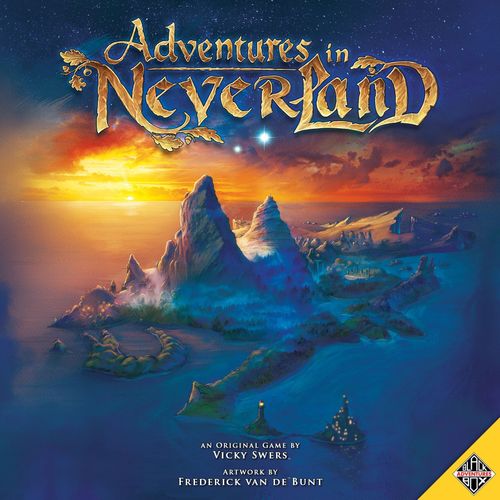
Adventures in Neverland
Adventures in Neverland Rulebook
Table of Contents
Table of Contents
Game overview
The game is played in turns. Each turn a player has 3 actions to move and interact.
Players explore the island of Neverland while interacting with stories, happenings, other characters and special locations. As every chapter of every player poses multiple outcomes, your adventures on Neverland will be different every time you play. Players can earn adventure points to level up their character. The game ends when the side quest deck runs out or when all players finish their stories. The player with the most adventure points wins the game.
Component list
(The draft shows the component list as an image only.)
Setup
- Place the game board on the table and put the Fae Lands and Pirate Isles location token on their corresponding location on the game board.
- Every player places one player board of choice in front of them.
- Every player puts the player statistics tokens on the (highlighted) starting values on the character statistics tracker.
- Every player takes the markers, dice, upgrade tokens and standee of their player character (PC) and puts them within reach.
- Every player places the adventure point marker of their character's color on the "0" on the adventure point tracker on the game board.
- Create the side quest deck by shuffling all colorless side quest cards together with the colored side quest cards corresponding with the played characters. Put the side quest deck on the game board, and put the first two cards on the track.
- Shuffle the happenings deck and the generic item deck and place them on the game board.
- Put the following location tokens on a random location by revealing cards from the happenings deck until a corresponding terrain type (at the bottom of the card) is shown. Shuffle all happening cards afterwards. a. "Wendy's House" on a forest location b. "Camp of the Braves" on a mountain location c. "Jolly Roger" on a sea location
- Place all other tokens and the specific item deck within reach.
- Choose a story, take all corresponding story cards and in turn read the setup out loud. The player that most recently dreamed strangely starts the game. a. For competitive play, all players choose one story belonging to their character. b. For cooperative play, choose a story for multiple characters.
- Optionally: put the crocodile card on the first event space on the game board.
Your Adventure
Adventures are narrated through story cards, happenings, and side quests of your choice. The game is played in turns. Every turn a player has 3 actions.
The stories are one of the most important parts of the game. Your character's main story is narrated through a deck of cards. The deck consists of several chapters with different storylines. Depending on the choices of the player, the story will pose different available options, tests and outcomes (see Playing your turn). A story can be played multiple times. Stories can be cooperative or competitive. At the start of the game, players decide whether they want to play one cooperative story or separate competitive stories. The same set of rules is used for both modes. Whenever a story is completed, ended or failed put the top 4 side quest cards in the discard pile. When this happens, the player the story belonged to can still play. They can, however, not pursue their story any longer, although some stories have an epilogue chapter.
Besides your characters' main story, numerous other things are going on in Neverland. Side Quest cards and Happenings pose smaller adventures or new special locations, which can gain you items or adventure points (see Side Quest Deck and Happenings).
Throughout a story Events may come into play. Event cards are put on the right side of the game board. They are triggered by the colors and symbols on the side quest cards. For an explanation see Events.
Leveling up
Whenever you reach a number on the adventure point tracker surrounded by stars you've gained enough experience to improve your character. To do this, choose one of the 4 available level ups and put the corresponding token on your character board.
- All players can choose to upgrade a 4-sided die to a 6-sided die in one chosen skill (e.g. Strength). From that moment on you roll with a 6-sided die instead of a 4-sided die.
- The second generic upgrade is a reroll in a chosen skill (e.g. Cleverness). Whenever you roll a die with that skill, you may choose to reroll the die. You must keep the second result.
- In addition, all players have 2 character specific abilities to choose from, as explained on their player boards.
Each level up can be chosen only once, but you may choose to upgrade your die and gain a reroll in the same skill.
Ending and winning the game
The game ends as soon as the side quest deck runs out and no new card can be revealed OR when all players have finished (completed, ended or failed) their story.
Some items or other components reward points at the end of the game. The player(s) with the most adventure points win(s) the game. Cooperative stories may have other win conditions. Although there will be a winner, the unfolding of the stories is key!
Component Overview
We'll first explain all components and their layout. After this section we'll explain how to play your turn (see Playing your Turn), which will clarify the information below.
Player Board
Your player board shows your faction, ability, level ups, character statistics, item slots and a side quest slot. All players have their own color identity, which is used in multiple components of the game (James Hook, Peter Pan, Wendy Darling, Tiger Lily, Mr Smee, Tinker Bell).
Character Statistics
Health
You can never gain more health than your maximum. Your maximum is calculated by your starting health and adding or subtracting any items.
Whenever you have 0 health the following happens:
- lose all items
- put generic items in the discard pile
- put specific items randomly in the top 5 cards of the generic items deck
- put your pawn on a random location of the same terrain type you were standing on
- put all your statistics on their (highlighted) base value
- your next PC action must be "rest"
Your player board features 4 skills: Speed, Strength, Cleverness and Search.
Players start the game with starting values shown by the highlighted circles on their character board. These values can be changed by items and companions.
You're often asked to perform a skill check, showing the skill and the minimum required value. To perform a skill check, check your skill value, roll the 4 sided die (or 6 sided after leveling up), and add both together.
It's a success if the result is equal to or higher than the required value (in the example 5). It's a failure if the result is lower than the required value.
Items
Items can be earned and found. All generic items are put in the generic Item deck. Specific items are characterised by a colored border, corresponding with the character the story belongs to. Items increase your statistics or give you a new ability.
You can have up to 5 items, represented by the item slots on your character board. Items need to be put on the correct slot. If the card does not show a slot you can put it on any slot of your choice. Whenever you gain more items than available slots, you must discard any excess items.
Whenever you discard items, put discarded generic items in the item discard pile. Put discarded specific items randomly in the top 5 cards of the generic item deck.
Some items adjust your character statistics for as long as you carry them with you. Adjust the character statistics token on your character board accordingly when gaining or losing an item. Some items may be used 1 time and are discarded after use. Other items are exhausted after one use. Show this by turning them sideways. To use them again and refresh the ability, you must take the rest action.
If you're on the same location with another player character, you may freely rearrange items if all players involved agree. You may do so as well if you're on the same location with an independent character of the same faction.
Side Quests
The player board features one or more side quest slots. Side quests can be gained at the start of your turn (see playing your turn). You can take any available side quest on the side quest tracker, regardless of the character it belongs to. Whenever you meet the challenge or use the ability, discard the side quest card to the corresponding discard pile and receive the reward if any.
Factions
Every character in Neverland belongs to one of the 6 factions as shown on their character board.
A character cannot challenge a character from the same faction, i.e. James Hook cannot challenge another pirate character (e.g. Smee or an independent pirate).
Faction Households
Factions may have 1 or more households. You'll find the logo of a faction household on the location tokens and some of the special locations in the happenings deck. If you track (see playing your turn) for the shown faction on one of these locations you'll get an automatic success. You cannot challenge a character that is on a location corresponding with its faction, i.e. Smee on the Pirate Isles.
Game Board
The game board features a map of Neverland (1), the adventure point tracker (2), slots for the side quest deck (3), the generic item deck (4), the happenings deck (5), and slots for special locations (6) and events (7).
Map
The map of Neverland (1) shows different areas divided by lines (borders). The lines correspond with the 6 different terrain types: forest, mountain, swamp, beach, sea and river.
Players may move across dashed lines (passable borders), however some passages have border restrictions as shown by a straight line or arrows. Borders are blocked by straight lines (blocked borders), representing impassable terrain like a steep cliff. Some borders feature strong currents or a maze, showing arrows (one-way borders) in which direction movement is possible.
If a player enters a swamp they lose 1 health. Moving out of an area with water (sea and river) is more difficult and costs 2 movement points (as explained further below). If a character is standing on a location with the Jolly Roger, the character may move along with the Jolly Roger.
Adventure Point Tracker
The adventure point tracker (2) shows the number of adventure points per player. Adventure points are represented by an acorn with a number (the amount of points). Whenever the adventure point marker of a player is put on or passes a number surrounded by stars, they level up (see Level Up). When the last card of the side quest deck is revealed, the player with the most adventure points wins the game.
Side Quest Deck
A new side quest card (3) is revealed at the start of every turn. The Side Quest deck consists of generic cards (colorless) and colored cards corresponding with the played characters. Side quest cards have 3 functions:
- Trigger: the color and/or symbol in the lower right bottom are used to trigger effects in events, locations or stories.
- Timer: the game ends when the last side quest card is revealed (the active player plays their last turn). Whenever a story is completed, ended or failed put the top 4 side quest cards in the discard pile.
- Points/Bonus: side quest cards can be put on your character board. They either give you an ability or they propose a challenge to earn adventure points. Whenever you meet the challenge or use the ability, discard the side quest card and adjust the adventure point tracker if necessary.
Generic Item Deck
This deck consists of all generic items (4). A generic item is placed on its corresponding item slot on your character board (see Items above).
Happenings
Happening cards (5) can be revealed by moving, searching or tracking. They are read by the player to your right.
The happening cards are divided by a top, middle and bottom section.
The top section shows a terrain type (used to show when this happening occurs), faction type (used to find a faction) and occasionally one or more item symbols (used for searching items). If a combination of the terrain types below is revealed, the happening triggers on any of the two represented terrain types.
The middle section explains the happening and comes in three variants: encounters, special locations and tasks.
- Encounters are one-card adventures that offer different ways to handle them. Some options are only available to a specific faction, as shown by the faction symbol. The player to the right reads all available options, thus excluding not matching faction specific options.
- Special locations provide new interesting places on the game board and are placed on a special location slot (6). If there is no free slot, discard the special location that was revealed first. Assign a generic marker to the location card and put the same marker on the game board, representing that location.
- Tasks give players an assignment that can take multiple turns to fulfill.
On the bottom section most happening cards show a specific area on Neverland (used to put game components on random locations). Whenever you're asked to put something on a location (beach, forest, mountain, river, sea, swamp), reveal cards from the Happening deck until you reveal a corresponding location of that type.
Events
Most events (7) are put into play through stories. The event card explains how the event is setup, triggered and the effect. Most events are triggered via the side quest deck.
In the example of the fire, the card is activated (triggered) whenever an orange (Tiger Lily's) Side Quest card is revealed. Some Events are triggered by a symbol in the lower left corner of a Side Quest card.
Crocodile: at the start of the game you may choose to play with the Crocodile event in play. The crocodile is triggered whenever a colorless side quest card is revealed. When the crocodile moves, it moves via the shortest route possible. In case of disagreement, the player to the right will decide how the crocodile moves.
Playing Your Turn
The game is played in turns in a clockwise order. Every turn consists of an upkeep and an adventure phase.
Upkeep phase
The active player draws a card from the side quest deck and places it on the first spot on the tracker.
- Whenever a card is placed on the tracker it pushes the other cards towards the end. Once a card reaches the fourth spot (discard pile), put it facedown.
- When a card is placed on the first spot, note the color and symbol. These colors and symbols correspond with effects on events, locations and other components. These effects are triggered whenever the correct color (and possibly symbol) on a sidequest comes up.
- The active player may take up to one new side quest card and put it on their character board. If that player already has a side quest card, exchange the old card for the new one.
Adventure phase
The active player has 3 actions: 1 player character (PC) action, 1 non-player character (NPC) action and 1 bonus action. A bonus action can be used for either a PC or a NPC action. Possible actions are:
- Move
- Interact
- Challenge
- Track / Search
- Rest
An action may be chosen twice, i.e. move twice. For an elaborate explanation see further below.
Move
The PC or NPC gains movement points equal to their speed skill plus the roll of a die. Players may spend movement points in between actions, but not in between PC's and NPC's. At the end of the turn any excess movement points are lost.
To move from one location to another across a border, players need to spend 1 movement point. If they move out of an area with water (sea and river) they need to spend 2 movement points, instead of 1.
When a player moves into a swamp, they lose 1 health. Adjust the health tracker accordingly.
When a PC moves, the player to the right of the active player draws the top happening card. If at any time during the PC's turn a terrain type on the top section of the happening card corresponds with the terrain type the PC moved to, the Happening card is activated. The player to the right immediately notifies the active player and stops their movement. Next, one of the two following options happens:
- if the PC had to find a faction, check the top section of the Happening card to see if the faction logo matches your target. If it does, you've successfully found the faction. Otherwise:
- read the effect of the Happening card:
- Encounter: read the name, story text and available choices
- Special location: put the card on a location spot on the game board
- Tasks: follow the guidelines on the card
The PC may continue their turn afterwards, unless the Happening card tells you otherwise.
Some cards include the keyword Borderless. If you have "borderless" you may move (fly) without any border restrictions, such as water and borders (see Maps).
Interact
PC's and NPC's can interact with special locations, NPC's and others. How to interact is explained on the corresponding cards. Most notably they can interact with story markers.
There are 2 kinds of story markers, corresponding with the characters' colors: main story markers and side story markers (pictured in the draft).
PC's may interact with all of their own markers, and other players' sidestory markers. NPC's may only interact with sidestory markers. A marker represents a chapter. The deck consists of several chapters with different storylines. Therefore, during one game you will never read all the chapters in the deck and can replay the story.
A marker corresponds with a number or roman numeral in the story deck. If you interact with a red marker (captain James Hook) you'll find the correct chapter in the story deck of captain James Hook.
A chapter starts on a card with a lanyard. The options are shown at the bottom of the cards. On the backside of the cards, and possibly other cards, the rewards and results are shown (see below).
Chapters
The first card and chapter of your story is the introduction card. This card may add extra characters or locations to the island. It also explains the background of the story. After everybody read the setup card, the game starts. The next chapters of your story are numbered and work similar to the introduction. When you read a story card, make sure to read it out loud so all players can enjoy your story (and choices!).
At the bottom of the card you'll find two or more options to choose from. Depending on your choices you'll read different chapters and create a different story.
After you choose one of the options, remember the letter and flip the card around. Depending on your choice you read the top or bottom half of this card or one of the next cards. For example, if you chose "A: Stay on Black Rocks to see where they're going." you flip the card around and read the top (A section) of the card. If you chose "B: Head down the hill so you can follow them.", you flip the card around and read the bottom (B section) of the card.
Sometimes you'll need to perform a skill check. Similarly to choosing an option, the result (SUCCESS or FAILURE) will guide you to the next card.
The reward section tells you how much adventure points you gain. Add those points to the adventure point tracker on the left side of the game board. Sometimes you'll gain or lose allies and items. Named items are items from the specific item deck. The color of the backside of the specific item cards correspond with the color of the story cards.
The result section shows what chapter continues your story, as shown by the number. Put the token on the next location and keep the story card showing the number of the next chapter revealed. In our example the diamant is put on a random forest. Alternatively, you'll need to find a faction or have to complete another goal before you're able to continue to the next chapter. To find a faction you can either track them (see Track below) or happen to walk into them (Happening card).
When you reach the location and interact with the story marker, when you successfully find a faction or complete a goal, look at the still revealed card what chapter is next (in our example '9'). Put the revealed card back in the deck, and look up the next chapter by going through your story deck until you reach the correct number. You can continue your story until you finish it, fail it or time runs out!
If a story is finished (completed, ended or failed) put the top 4 side quest cards in the discard pile. Depending on how you finish your story you may have an epilogue. Whatever way your story finishes, you may continue playing (challenging, interacting with side-story markers or special locations, etc).
Challenge
All characters can challenge other characters of a different faction, as long as they are on the same location. A character cannot be challenged when it's standing on its household.
Choose a skill (speed, strength or cleverness) you want to use to challenge another character. Both players perform the chosen skill check. If you succeed you gain 1 adventure point.
The player with the highest result chooses one of the options below:
- "Steal": take one item card from the opponent
- "Attack": deal damage to the opponent equal to the difference (adjust the health tracker). You may choose to deal the damage to a companion.
There are some special "Attack" options:
Counter Attack: if you lose a challenge and receive damage, deal 1 damage to the opponent.
Ranged Attack: if you have a "ranged attack", a challenge can be performed from an adjacent spot from the opponent. You cannot steal using a ranged attack. If the opponent has no ranged attack, you cannot be damaged.
Track / Search
Track and search work similar. Sometimes during the game you're asked to find a specific faction. The easiest way to do this is to track. Search lets you find new items to increase your stats or give you new abilities. You can do this at any time during the game!
To track: declare what faction you are searching. The player to your right draws a number of happening cards equal to your search skill. If one of the cards matches (check the top section) the faction you are searching for or shows the Neverland logo to the left, the track is successful and you've found the faction.
To search: declare that you're searching for an item. The player to your right reveals happening cards equal to your search skill. For every search symbol on the revealed happening cards (check the top section), draw an item from the generic item deck. Choose 1 and discard the others.
In the example in the draft you would find Pirates (when tracking) or 3 items (when searching), as indicated by the logos in the top section of the card.
If your track or search is unsuccessful, the first revealed card with a matching terrain type (check the top section and see Happenings) triggers. If there are no matching terrain types, nothing happens. For example, the Happening in the draft would be activated if you were standing on a beach or a forest.
Rest
A character regains 2 health when resting. In case of a PC, adjust the health tracker on the character board by 2. Any "wounded cards" from a companion (see Non-player Characters below) are removed. In case of an independent NPC, remove 2 damage tokens.
In addition, all exhausted items are turned to their normal position to be used again.
Non-player characters (NPC's)
NPC sheets consist of an independent side and a companion side.
Companion
Throughout the story NPC's can be gained as companions. Put the card next to your character board on its companion side and put a token attached to a standee in the player color on the map. Whenever the PC moves, the companion moves with them. A companion might give a bonus to a skill of the PC and/or a special ability. Unless otherwise specified, companions cannot perform actions on their own.
When a companion is damaged, put a "wounded card" on its NPC sheet. The wounded card shows what happens to the bonuses and abilities of the companion, and can be removed by using the rest action.
Independent
When an independent NPC comes into play, or is lost as a companion, the NPC sheet is put next to the game board on it's independent side and put a token attached to a standee in the player color on the map. Any player can control an independent NPC, by spending their NPC and/or bonus action. Independent NPC's can perform the same actions as PC's, except interacting with story tokens.
NOTE: When you spend actions on a NPC, the NPC performs the action. In other words, the PC does not gain adventure points, items or others as they do not actually perform the action. The same faction rules apply.
When an independent NPC is damaged, put that number of "damage tokens" on its NPC sheet. If an independent NPC has 0 health, remove its standee and NPC sheet from the game.
Symbols Reference
(The draft's symbol reference is graphic. The labels printed beside the icons are listed below; the icons themselves are not reproduced.)
- Factions: "Any", "Not a ..."
- Faction households: household logo
- Terrain type and color: combinations possible
- Character skills: Speed, Strength, Cleverness, Search
- Item slots: Body, Feet, Hand, Special
- Various: 4-sided die, 6-sided die, NPC independent, NPC companion, Level up, Reroll
- Story markers: main story marker and side-story marker (in each character's colors)
- Card types: Events, Happening, Item, Side Quest