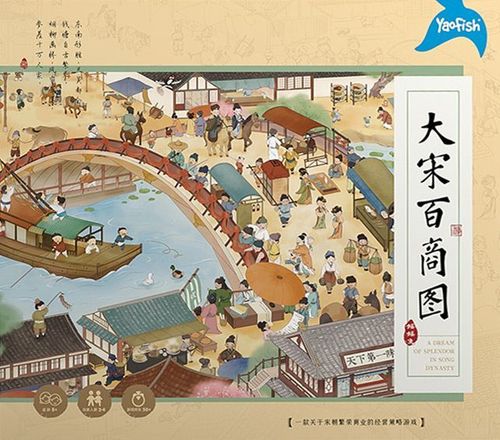
A Dream of Splendor in Song Dynasty
A Dream of Splendor in Song Dynasty Rulebook
Table of Contents
Table of Contents
Contents
- Game Board x 1
- Player Boards x 4
- Rulebook x 1
- Coins x 20
- Jiaozi x 25 (paper money) of 5 taels
- Jiaozi x 25 (paper money) of 10 taels
- Die x 1
- Menu Cards x 76
- Shop Cards x 36
- Customer Cards x 72
- Event Cards x 9
- Player Reference Cards x 4
- Shop Models x 36
- Notice Board x 1
If this is your first game, you need to assemble models.
Assembly Instruction
Shop Model
- Take out the building tiles.
- Bend the component along the dent.
- Assemble the parts as shown.
Notice Board Assembly
- Take out the building tiles.
- Assemble the parts as shown.
Game Set-up
- Lay out the game board and place it in the center of the table.
- Each player takes a player board.
- Each player takes 6 Rank 4 menu cards and 2 Rank 3 menu cards. Shuffle these 8 cards and place them face-down in the Private Room of your player board.
- Place the remaining menu cards on the game board according to their rank.
- Shuffle the shop cards and place the deck face-down on the corresponding position of the game board. After that, flip over 4 shop cards and place them face-up on the game board.
- Shuffle the customer cards and event cards together and place them on the corresponding position of the game board. Then flip over 4 cards and place them face-up on the game board.
- If there are event cards in the 4 flipped over cards, shuffle those event cards into the deck and flip over the corresponding number of cards again until no face-up event card on the game board.
- The youngest player is the starting player. The starting player begins with 5 coins, and other players take turns in the clockwise order taking 1 coin more than the previous player.
- Place the game box with the shop models next to the game board for future use. Then place the notice board next to the game board.
The set-up illustrations show Player 1 with 5 coins, Player 2 with 6 coins and Player 3 with 7 coins. The diagram shows 5 coins equal to one 5-tael jiaozi.
Spare queue line is only used when the event card (Decorated with lanterns and festoons)'s effect is triggered.
Cards
Shop Card
See pages 11-12 for details of the shops.
- Cost of building the shop: the number shown on the shop card (paid when purchasing the corresponding shop model).
- Shop income: instant effect, resolved immediately when a customer visits.
- Ongoing effect: takes effect for as long as the shop stays in play.
Event Card
See pages 13-14 for details of the events.
- Effect of event: the text printed on the card.
- Sundial mark: indicates that the event has an ongoing effect.
Menu Card
See page 14 for details of the menus.
- Costs: the coin cost to purchase the menu card.
- Income: the income when a customer orders the menu.
- Rank: the rank of the menu (Rank 1 to Rank 4 on the cards in the Set-up).
Customer Card
- Number on card: the number of menu cards that the customer will order.
- Shop icons: the types of shops that the customer will visit.
Detailed Information of Phases
Phase 1: Purchase
Clean the site, open a shop, and develop new dishes.
- Each player can buy up to 1 card per turn. There is no limit to the number of shop models you can buy.
- When purchasing a menu card, pay the fee shown on the card and place the menu card in the kitchen of the player board. Example: A player buys a menu card "Three crunchy delicacies in spring mountains" and places it face-up in the kitchen.
- When purchasing a shop card, you must pay the cleaning fee shown on the player board. Then you place the purchased shop card face-up on the player board. After that, you should flip over the top card of the shop deck and place it on the empty position of the display area, making 4 shop cards shown on the game board. Example: A player decides to buy a shop card of "Mercery", so he/she should pay the cleaning fee 2 coins. Then he/she can place the "Mercery" card face-up on the site.
- When purchasing a shop model, you must pay the construction cost as indicated on the corresponding shop card. Then you can flip over the shop card, take a corresponding shop model from the box, and put it on the right place. A shop card that doesn't have a corresponding shop model on it has no effect. Example: A player decides to buy a shop model of "Mercery", so he or she should pay the construction cost 7 coins. Then he or she can flip over the "Mercery" shop card and place the shop model on it.
Phase 2: Preparation
Screening and removing old-fashioned dishes to increase restaurant income.
- Each player can remove up to 1 menu card per turn.
- To remove a menu card, you should pay 3 coins.
- Menu cards removed from the kitchen (menu card discard pile) do not need to be discarded, but are returned to the corresponding rank of the menu supply pile on the game board.
Example: A player spends 3 coins to select a menu card of "Flat peach rice" from the discard pile and return it to the Rank 4 menu supply pile on the game board.
Phase 3: Open for Business
Entertaining customers to get income.
-
Each player must choose 1 customer card per turn to entertain.
-
Normally, players can only entertain the customer who is on the far right side of the queue. If players want to entertain another customer, he or she needs to place 1 coin for each customer card to the right of the selected customer card. Example: A player chooses to entertain the "Ci poet", so he or she should place 1 coin each for the "Yamen runner" and "Military governor" on the "Ci poet" right side.
-
The income from Open for Business consists of three parts, including the income from menu cards, shop cards and money placed on the customer.
- Menu cards income: Flip over the number of menu cards shown on the customer card from the Private Room and add the income of all menu cards. The money you get is the total income of the menu cards for entertaining customers.
- Shop cards income: Check the shop icons on the customer card. If you have built shops corresponding to these icons, then those corresponding shops would receive income. If you have built multiple shops of the same type that can earn income, then all of them can be counted to income.
- A player can have all money placed on the selected customer card.
Example: a player who entertains the "Ci poet" will get income as follows:
- Menu cards income: The "Ci poet" orders 2 menu cards and you flip over "Flat peach rice" and "Three crunchy delicacies in spring mountains". Therefore, your menu cards income is 1+2=3 coins.
- Shop cards income: According to the shop icons on the "Ci poet" card, he or she will visit the player's "Mercery", "Eight Trigrams", and "Tavern". The player has 2 "Mercery" shops, so the income is 4+4=8 coins. The player has 1 "Eight Trigrams" shop, so he/she should roll a die and the income is equal to the result (3). The "Guanpu House" will add 2 coins to the "Eight Trigrams" shop, so the total income of the "Eight Trigrams" is 3+2=5 coins. The player hasn't bought a shop model for his/her "Tavern", so the Tavern's effect isn't triggered. This shop's income is 0. The total income of shop cards is 8+5=13 coins.
Kitchen
- After resolving the income of entertaining customers, you should put the flipped over menu cards into the kitchen (menu card discard pile).
- If a player needs to flip over menu cards but the Private Room (menu card pile) is nearly out of menu cards, he or she should flip over the remaining menu cards and discard them after taking the income. Then shuffle the cards in the kitchen (menu card discard pile) and place the new deck in the Private Room. You can flip over the number of menu cards that you are still short of and take the income.
- Only when the player needs to flip over the menu cards and the Private Room (menu card pile) is out of cards, the cards in the kitchen (menu card discard pile) will be shuffled to form a new deck.
Example (matchmaker): The player needs three menu cards when entertaining the "matchmaker", but there is only one card left in the Private Room (menu card pile). The player should flip over the last card in the Private Room (menu card pile) first. The last card is "Flat peach rice". The player puts it into the kitchen after taking 1 coin as its income. Then shuffle the menu cards in the kitchen and form a new menu deck. Then flip over 2 more menu cards in the Private Room and take the income.
-
When adding a new customer card to the queue line, you should first move the original existing customer cards to the right side 1 space in turn, and then place the newly flipped over customer card on the far left side of the queue.
Example: First, you should move the "Childe" card 1 space to the right. Then, you should flip over a new customer card from the deck and place it on the far left side of the queue.
Events
- When flipping over a customer card, if it is an event card, it will be placed on the notice board (event card area) which is next to the game board and the effect will be resolved immediately, and then flip over a new customer card. When flipping over an event card, you should place it on the notice board and the event effect will be triggered immediately. Since the "Harsh Duties" card does not have a sundial mark icon, it is an instant effect. After resolving the event card, you should flip over a new customer card again to replenish the queue line.
- The top event card on the notice board (event card area) takes effect.
- If there is a "sundial mark" on the event card, the event has an ongoing effect, otherwise it is an instant effect.
- If the top event card on the notice board has an ongoing effect, it will remain in effect until a new event card is flipped over.
- If the top event card on the notice board has an instant effect, you don't have to remove it after the effect is resolved. A new event card will be placed on top of it in a later turn.
See pages 13-14 for details of the events.
End of Game
When any player meets the following two conditions at the same time, the game ends immediately and that player wins.
- Condition 1: Having 8 shop models.
- Condition 2: Having 50 coins or above.
Example: Now the player has 8 shop models and 57 coins, he or she immediately wins the game, and the game is over.
Details of the Shops
Each shop card lists its cost to build (the number in the top right corner) and its shop income. Shop income is triggered when a customer visits, that is, when the player entertains a customer whose shop icons match the shop. Some shops also have an extra effect, which is shown below the shop income.
Eight Trigrams (cost 6)
- Shop income: When entertaining a customer, the player rolls a die and gets coins equal to the roll result.
Cuju Playground (cost 6)
- Shop income: When entertaining a customer, the customer will order 2 more menu cards.
Bookshop (cost 6)
- Shop income: When entertaining a customer, the player gets 3 coins.
Tavern (cost 7)
- Shop income: When entertaining a customer, the player gets coins equal to the number of menu cards ordered by the customer plus 1.
Mercery (cost 7)
- Shop income: When entertaining a customer, the player gets 4 coins.
Public Place of Entertainment (cost 8)
- Shop income: When entertaining a customer, the player gets coins equal to the number of shop models he/she has built.
Chinaware (cost 9)
- Shop income: When entertaining a customer, the player gets 6 coins.
Yinzi Shop (cost 5)
- Shop income: When entertaining a customer, the player gets 2 coins.
- Extra effect: The extra effect does not take effect when a customer visits the Yinzi Shop. It only takes effect when a customer visits the player's Guanpu House. A Yinzi Shop increases the player's income per Guanpu House by 2 coins.
Storytelling House (cost 5)
- Shop income: When entertaining a customer, the player gets 2 coins.
- Extra effect: The extra effect does not take effect when a customer visits the Storytelling House. It only takes effect when a customer visits the player's Teahouse, Tavern, and Yinzi Shop. A Storytelling House increases the player's income per Teahouse, Tavern, and Yinzi Shop by 1 coin.
Guanpu House (cost 5)
- Shop income: When entertaining a customer, the player gets 2 coins.
- Extra effect: The extra effect does not take effect when a customer visits the Guanpu House. It only takes effect when a customer visits the player's Eight Trigrams. A Guanpu House increases the player's income per Eight Trigrams by 2 coins.
Jewelry Shop (cost 5)
- Shop income: When entertaining a customer, the player gets 2 coins.
- Extra effect: The extra effect does not take effect when a customer visits the Jewelry Shop. It only takes effect when a customer visits the player's Storytelling House, Mercery, and Chinaware. A Jewelry Shop increases the player's income per Storytelling House, Mercery, and Chinaware by 1 coin.
Teahouse (cost 5)
- Shop income: When entertaining a customer, the player gets 2 coins.
- Extra effect: The extra effect does not take effect when a customer visits the Teahouse. It only takes effect when a customer visits the player's Bookshop. A Teahouse increases the player's income per Bookshop by 2 coins.
Example of Extra Effect
- When a player entertains a servant girl, the girl visits the player's Bookshop and the player gets income 3 coins.
- If a player has built a Teahouse and he/she chooses to entertain a servant girl, the girl visits the player's Bookshop and the player gets income 5 coins (2 coins from the Teahouse extra effect).
Details of Event Cards
Frugality Nourishes Virtue (ongoing)
- If this event card's ongoing effect takes effect, all customers order 1 less menu card.
Off-season (ongoing)
- If this event card's ongoing effect takes effect, when resolving customer cards, each player can only choose 1 shop card to get income. Other shop cards including the same type only trigger their extra effects (Teahouse, Storytelling House, Guanpu House, Jewelry Shop, Yinzi Shop).
Businessmen Are All Honest (ongoing)
- If this event card's ongoing effect takes effect, all shop cards get 1 coin less income.
- Note: "Honest" here means merchants (players) are no longer dishonest and "voluntarily" give up their profits to customers.
In Season (ongoing)
- If this event card's ongoing effect takes effect, all customers order 1 more menu card.
Decorated with Lanterns and Festoons (ongoing)
- Move the original queue of customer cards to the right to the two spare boxes with plus signs. Then flip over new customer cards to make 6 customer cards stay in the queue line. The customer card queue line remains 6 cards at all times while this event card is in effect.
- When flipping over a new event card, remove the 2 customer cards on the far right into the customer discard pile. Then flip over new customer cards to make 4 customer cards stay in the queue line.
Clad in Silvery White (ongoing)
- Remove the 2 customer cards on the far right into the customer discard pile. The customer card queue line remains 2 cards at all times while this event card is in effect.
- When flipping over a new event card, move the original queue of customer cards to the right and flip over new customer cards to make 4 customer cards stay in the queue line.
Ring Out the Old Year (instant)
- Shuffle all customer cards (including customer deck, queue line, and customer card discard pile) and event cards on the notice board to form a new customer deck, then place it on the corresponding position on the game board. After that, you should flip over 4 customer cards and place them on the queue line. If an event card is flipped over, you should place it on the notice board and resolve its effect. After that, you need to flip over a new customer card and place it on the queue line.
Harsh Duties (instant)
- All players pay 2 coins for each shop model they own. Place all coins that players paid to the supply pile. If you do not have enough coins to pay the full duties, pay as much as you can afford (you will not be in debt).
Big Harvest (instant)
- All players take 2 Rank 4 menu cards from the menu supply pile and place them in the kitchen (menu card discard pile) on their player board.
Details of Menu Cards
Rank 1 Menu Card
- When a customer orders this menu card, the player rolls a die and gets coins equal to the roll result plus 2.