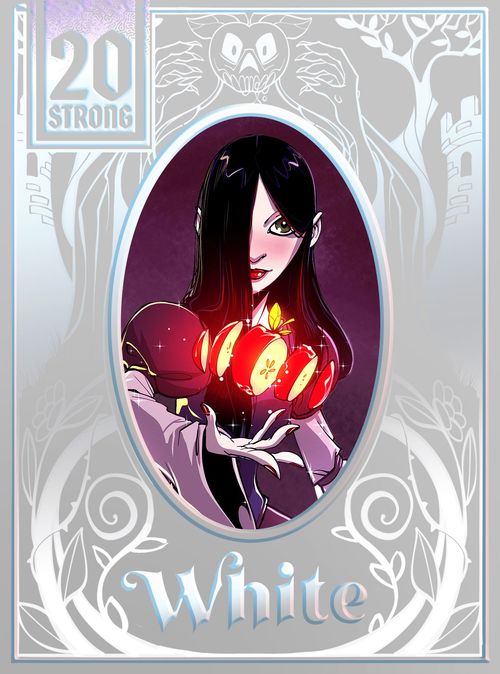
20 Strong: Tanglewoods White
20 Strong: Tanglewoods White Rulebook
Table of Contents
Table of Contents
- Contents
- Winning & Losing
- Setup
- Table Diagram
- Hero Cards
- Round Structure
- Engagement
- Enemy Cards
- Fable Cards
- Castle Boss Cards
- Evil Stepmother Boss Card
- Day and Night
- Visiting the Merchant
- Gold
- Items
- Maintaining the Strategy Area
- Endgame
- A Note About Heroes
- Universal Heroes
- Difficulty Scaling
- Modifier Effects
- Round Flow
Contents
This rulebook, 5 hero cards, 1 Evil Stepmother Boss Card, 6 castle boss cards, 49 conflict cards, 20 item cards, 1 Day/Night Card, 1 Merchant Card, 1 Reference Card.
Winning & Losing
To win Tanglewoods: White, you must traverse the forest and then defeat the Evil Stepmother in her castle.
As in all games of 20 Strong, if your Health is ever reduced below 1, you lose.
Setup
- Dized. For a quick start use the interactive DIZED Tutorial. It will walk you through the setup and game rules step by step while you play! Simply scan the QR on page 2.
- Choose a Hero. Choose freely among the five hero cards and select either of its sides to begin the game face-up. Place it on the table where shown. Return the rest of the hero cards to the box.
- Stats & Gold. Set your Health, Strategy, and Recovery dice to the values on your Hero Card and place them next to it. Turn your chip — called a gold tracker in Tanglewoods: White — to its numerical side. Then, set it to 20 minus the sum of your three starting stats.
- Prepare the Play Area. Lay out the various cards and decks as shown in the Table Diagram on pages 12-13 and described below.
- Stock the Shop. Shuffle the item cards into a deck with their ordinary (light purple) and upgraded (dark purple) sides facing the same direction. Place them on the table as shown with the ordinary sides face-up. Put the Merchant Card on top of it.
- Prepare the Hunt. Shuffle the fable and enemy cards together into a single deck, making sure that all of them have their faces (which show effect text) and backs (which show a single large icon) aligned the same way. This is the Hunt Deck. Place it face-down on the table as shown.
- Cultivate the Forest. Deal out the forest, a three by four grid of cards from the Hunt Deck, as shown, face-down, without looking at their faces.
- Set Your Strategy Area. Draw cards from the Hunt Deck equal to your hero's starting Strategy, placing them face-up on the table as shown. These cards comprise your strategy area.
- Check the Skies. Place the Day/Night Card on the table as shown, with the day side face-up.
Table Diagram
The Table Diagram on pages 12-13 shows the following areas and components: Hunt Deck; Hunt Deck Discard; Strategy Area; Dice Pool; Reference Card; Stat Dice; Hero Card; Gold Tracker; Castle Boss Cards; Castle Keep Card; Banished Dice; Merchant Card (placed atop the Item Deck); Item Discard; Day/Night Card; Exhausted Dice; Forest; and Inventory.
Editor's note: the diagram also shows example card faces (for instance Comb Seller Carl, Yuummon, Fickle Forest, Cutthroat Clothier) whose text and icons are not reproduced here. Their rules text is printed on the cards themselves.
Hero Cards
Each hero card shows the hero's Name, its Flip Trigger, and its Ability, along with its Starting Health, Starting Strategy, and Starting Recovery.
Round Structure
Each round in Tanglewoods: White has the Activation and Engagement parts you are probably familiar with from other 20 Strong decks. Each step of these two parts is described in the sections that follow.
Prepare the Day Phase
The 12-card forest grid represents the wooded environment you must navigate on your way to the Evil Stepmother's castle.
To Prepare the Day at the beginning of a round's Activation, do the following.
- Replenish the Forest. If there are any empty spaces in the grid, draw new cards from the Hunt Deck to refill them. Refill from top to bottom, left to right. Don't flip them face-up, and don't look at their faces as you place them.
- Press Onward. In Tanglewoods: White, the placement of your health die at any given time represents your location in the forest. When you press onward in the first round of a new game, simply place your health die onto the bottom-left forest card. You've entered the woods! In subsequent rounds, when you press onward, move your health die from its previous location by one space in the grid to an adjacent forest card. Adjacency in this game counts only orthogonally, not diagonally.
Resolve Icons Phase
After you press onward, flip the card you've just landed on face-up, activating it and carrying out (or waiting to carry out) its effects as instructed.
Tanglewoods: White has five new effects, called modifiers. There are five modifiers: Apple, Forebode, Robbery, Summon, and Winded. Each has a distinct effect, shown on page 43 (see "Modifier Effects" below).
Some fable and enemy cards have a new icon, the Resolve Modifiers icon. When you activate a card with this icon on it, you must choose the number of modifiers indicated from among those shown on any of the cards adjacent to your current location, or the top card of the Hunt Deck (the card selected remains in place). You cannot select a card you have already selected in the current round, nor can you choose a card from the strategy area. You can choose multiple cards that have the same modifier, in which case you simply resolve its effect more than once.
After resolving a card's Resolve Modifiers icon effect, if any, if a card has the Additional Enemies icon on it, you must activate either the top card of the Hunt Deck (flipping it face-up), or any of the cards in the strategy area. Both fables and enemies can be activated this way. Fable effects trigger as described by their timing.
Bribery Phase
After you have dealt with all Resolve Modifiers icons and Additional Enemies icons, you may reduce the round's potential danger by bribing the enemies arrayed against you to depart before the Engagement.
Most enemies have a Bribe stat. To bribe them, pay the indicated amount of gold from your gold tracker and discard the enemy to the Hunt Deck discard.
Bribed enemies confer no rewards, nor have they been "defeated" for any rule that references defeat. They have simply been removed as obstacles to your progress.
Next, so long as at least one enemy remains activated, proceed to the Engagement. If no cards remain, skip the Engagement; if only fables remain, skip directly to the Cleanup step.
Engagement
Strategy Phase
In the Strategy phase, you use the dice in your pool to battle the active enemies until you overcome them or lose the game.
The steps of this phase — Commit Dice, Roll Dice, and Apply Dice — work just like they do in any other 20 Strong game, and you can repeat the phase's steps a number of times equal to your Strategy, also as with other 20 Strong games. Refer to the 20 Strong General Rules of Play (pp. 12–14) if you need a refresher.
Resolve Phase
In the Resolve phase, you realize the consequences of the Strategy phase.
The steps of this phase — Suffer Damage, After Effects, Exhaust Dice, Recover Dice, Gain Item Rewards, and Cleanup — work just like they are do in other 20 Strong games (General Rules of Play, pp. 15–16) with three exceptions.
- Tanglewoods: White has no Gain Item Rewards step.
- During Cleanup, if you defeated at least one minion, you must add the first enemy you defeated to one of the four castle stacks (see "Castle Stacks" below).
- After Cleanup, if any of the enemies you faced (but did not bribe) say to visit the merchant, you do so after Cleanup (see "Visiting the Merchant" below).
Castle Stacks
If you defeated at least one enemy during the Engagement, place the first enemy you defeated face-down above one of the four castle cards in a castle stack that corresponds to that castle card during Cleanup. When you defeat the first enemy, you may want to tilt it slightly differently than the rest as a reminder that it was the first defeated.
Cards added to a castle stack are always added to the top of that stack.
Any time you add a card to a castle stack, for any reason, you may choose any of the stacks to place it in, including the castle keep stack. You can review the contents of any castle stack at any time but cannot reorder its cards.
Enemy Cards
Each enemy card has a face and a back. The face shows the following parts:
- Modifier: the modifier shown in the top-left corner.
- Name.
- Health.
- Damage.
- Bribe.
- Resolve Modifiers icon and Additional Enemies icon, when printed on the card.
- Effect.
- Night Effect, which is only active when the Day/Night Card shows night (see "Day and Night" below).
- Reward.
The back of each card shows a single large icon.
Example: the Cracked Mirror card (20S-TW-M02) has Modifier Winded, Health 6, Damage 2, and Bribe 5. Its Resolve Modifiers icon line reads "+1" with a printed icon, and its Additional Enemies icon line reads "+" with a printed skull icon. Its Effect reads: "If Cracked Mirror is not defeated, discard your hero and randomly select a new one from the box. Do not adjust your stats or gold." Its Night Effect reads: "At the end of each Strategy phase, if dice were applied to Cracked Mirror that phase, -2 gold." Its Reward line reads "+1" with a printed icon. The printed icons on this example are not all reproducible as text.
Fable Cards
Each fable card has a face and a back. The face shows the following parts:
- Modifier: the modifier shown in the top-left corner.
- Name.
- Effect.
- Night Effect.
The back of each card shows a single large icon.
Example: the fable card named "Tariff Terror (Terrorf?)" (sic, as printed on the card) reads: Effect: "After this conflict, visit the merchant and flip the Day/Night Card. Then, add this card to the castle keep stack." Night Effect: "During the above visit to the merchant, +1 to all gold costs. Discard this card instead of placing it in the castle keep stack."
Castle Boss Cards
Each castle boss card has a face and a back. The face shows the following parts:
- Name.
- Health.
- Damage.
- Effect.
- Night Effect.
The back shows the card's Boss/Castle Card Type (Castle), and its Health.
Example: The Poison Goldsmith (20S-TW-C05) has Health 4 and Damage 1. Its Effect reads: "When resolving cards from The Poison Goldsmith's castle stack with the Forebode modifier, you may ignore its effect(s) and +3 gold instead." Its Night Effect reads: "After this conflict, visit the merchant."
Evil Stepmother Boss Card
The Evil Stepmother card has the same parts as a castle boss card. Its Boss/Castle Card Type is Castle Keep, and its Health is 8 on both sides.
- Name: The Evil Stepmother.
- Health: 8.
- Damage: 2.
- Effect: "Place the Day/Night Card on its night side. When resolving one card in the castle keep stack with the Apple modifier, ignore its effect(s) and -1 to any one stat instead. Then, flip the Day/Night Card."
- Night Effect: "At the start of the next Engagement that takes place at night while the Evil Stepmother is active, select a random castle card from the box. The Evil Stepmother gains its night effect and +1 Damage."
Day and Night
In Tanglewoods: White, a single status card indicates whether it is currently day or night based on which of these sides of the Day/Night Card is currently face-up.
Many enemy and fable cards have effects labeled with the night icon. Effects without an icon are always active, but effects with the night icon are only active when the status card shows night.
The Day/Night Card can be flipped multiple times in the same Engagement, but if multiple effects call on you to flip it at the same time, only flip it once.
Visiting the Merchant
The merchant provides the opportunity to pay gold for items and carry out other actions that may help you on your travels. You only visit the merchant if a card's effect tells you to. Each time you visit the merchant, do the following.
- Stock the Shop. Reveal the bottom three item cards from the Item Deck. Set them out with their ordinary (light purple) sides face-up. These become the shop and can be individually purchased with the buy merchant action. If the Item Deck is ever empty when you would draw an item, reshuffle the discarded items into a new deck.
- Pay Gold. You may pay gold for any of the five merchant actions shown on the Merchant Card. You may do the same merchant action as many times as you wish and can afford per visit (exception: you can only Buy three times, for obvious reasons), and you may perform the merchant actions in any order. To perform a merchant action, simply pay the listed cost, which is deducted from the running total on your tracker. You can only choose options you can afford.
- Tidy Up. Once you are done doing merchant actions, discard any shop items you didn't purchase to the item discard pile.
Item Limit
As normal, your Strategy stat limits the number of items you can have at once.
Merchant Card
| Action | Cost | Effect |
|---|---|---|
| Scout | 1 or 5 | Pay 1 gold to flip over any card on its forest side, or 5 gold to flip over any card on its castle side. |
| Mend | 2 | Recover one die. |
| Sharpen | 3 | Recover the weakest banished die. |
| Scry | 3 | Flip the Day/Night Card. |
| Raze | 3 | Discard any card in the forest or strategy area and replace it with the top card of the Hunt Deck. |
| Forge | 4 | Flip an item in your inventory to its upgraded side. |
| Potion | 5 | +2 (the printed icon could not be recovered from the source; see the note below). |
| Buy |
Note: the Potion action's effect shows "+2" followed by a printed icon. The icon is partly covered by the Merchant Card label in the source's Table Diagram and could not be read reliably, so it is left unnamed here. Check the physical Merchant Card or the Dized tutorial.
Gold
Gold is a resource in Tanglewoods: White that's tracked with your 20 Strong chip. Generally, gold is spent to bribe enemies and buy from the merchant, and gained by defeating enemies.
Using gold is straightforward — paying gold reduces your total, gaining it increases your total — but there are a few necessary clarifications and additional rules.
- Your stockpile of gold can never exceed 20.
- You can never reduce your total below zero.
- If an effect or opportunity requires you to pay some amount of gold and you don't have enough, you neither pay any gold nor receive the effect or opportunity. If, however, you are required to lose gold, you must lose the amount stated or, if you cannot, as much as possible.
- Gold is not a stat. Your store of gold can't be modified by effects that increase or decrease stats.
Items
Item cards have an ordinary side (light purple) and an upgraded side (dark purple). Each item card shows its Name, its Effect, and its Cost.
Example: Blackmail (ordinary side, Cost 7): "All enemies have -2 Bribe (to a minimum of 1)." Blackmail File (upgraded side): "All enemies have -3 Bribe (to a minimum of 1)."
Maintaining the Strategy Area
Any time you activate a card from the strategy area, immediately replace it with the top card of the Hunt Deck.
Whenever your Strategy increases or decreases, immediately draw cards to the strategy area, or discard cards (of your choice) from the strategy area until the number of cards there matches your stat.
Endgame
When you end a round on the top right card of the forest grid, the endgame begins in the following round.
When the endgame begins, flip all four castle cards to their boss side. Then, cycle through the following steps.
- Activate a Boss. Choose one of the remaining bosses to activate. You must choose the Evil Stepmother last.
- Set Your Limit. Count the number of cards in the chosen boss's corresponding castle stack. This is the maximum number of dice you can commit during each Engagement for the duration of the conflict against that boss (this number does not adjust if cards are removed from the castle stack after your limit is set).
- Resolve the Castle Stack. For each card in that castle stack, resolve its modifier (apple, forebode, robbery, summon, or winded) in order, from the top of the stack to the bottom.
- Engage! Proceed to the Engagement, using the standard 20 Strong endgame rules, with the following exceptions.
- Resolve a Bribery step directly before each Engagement.
- Ignore the Resolve Modifiers icon and Additional Enemies icon effects on activated enemies. Dice applied to undefeated enemies are not exhausted during the Exhaust Dice step.
- When committing dice, remember to observe the limit calculated in step 2.
- The conflict continues until all active enemies are defeated. When the conflict ends, return to step 1 and activate a new boss, unless you just defeated the Evil Stepmother, in which case you win the game!
- If any card effect adds cards to a castle stack outside of Cleanup, they must be added to a castle stack whose boss has not yet been activated (unless there are no such stacks, in which case the effect is ignored).
- During Cleanup in the endgame, do not add the first defeated enemy of a conflict to a castle stack as you did while moving through the forest.
A Note About Heroes
Some hero effects reference "selecting" a modifier. In the endgame, when you resolve a modifier in a castle stack, this counts as "selecting" it for such an effect.
Universal Heroes
When playing with a non-Tanglewoods universal hero, take note of the Brothers Grimm Card (on the other side of the Reference Card). Any time a game effect would cause your hero to flip, instead replace it with the Brothers Grimm.
Difficulty Scaling
The difficulty table runs from 0 to 10. These 11 levels allow you to make Tanglewoods: White easier or harder, to take it easy or to challenge yourself.
You must choose your difficulty level during setup; it cannot be altered during play.
If you are a beginner to 20 Strong, try your first game at 0. If you have played 20 Strong before, try your first game at 5. If you succeed, move up a level until you can beat the game at 10, and if you're finding the game too difficult, feel free to move down a level.
| Difficulty Level | Effect |
|---|---|
| 0 | Increase two different stats by 1, and draw and upgrade a random item. |
| 1 | Draw and upgrade a random item. |
| 2 | Start with 20 gold. Flip one column of cards in the forest face-up. |
| 3 | Start with 20 gold. |
| 4 | Draw a random item. |
| 5 | No additional effects. |
| 6 | Banish one red die. |
| 7 | Banish one red die, one purple die, and one yellow die. |
| 8 | Banish one die of each color. |
| 9 | Banish one die of each color, plus one additional purple die and one yellow die. |
| 10 | Banish one red die, plus two dice of each other color. |
Modifier Effects
| Icon | Modifier | Effect |
|---|---|---|
| Apple icon | Apple | Swap the values of two of your stats that have different values (if possible) and flip the Day/Night Card. |
| Forebode icon | Forebode | Add the top card of the Hunt Deck to a castle stack of your choice (without looking at it), unless you are in the Endgame, in which case it is added to the current castle stack and resolved immediately. |
| Robbery icon | Robbery | Pay 3 gold, -1 Health, or discard an item from your inventory. |
| Summon icon | Summon | Activate the card with this modifier on it. |
| Winded icon | Winded | Exhaust your strongest ready die. |
Round Flow
- Activation
- Prepare the Day Phase
- Resolve Icons Phase
- Bribery Phase
- Engagement
- Strategy Phase (Repeat = Strategy Stat)
- Commit Dice
- Roll Dice
- Apply Dice
- Resolve Phase
- Suffer Damage
- After Effects
- Exhaust Dice
- Recover Dice
- Cleanup
- Merchant (if triggered)
- Strategy Phase (Repeat = Strategy Stat)