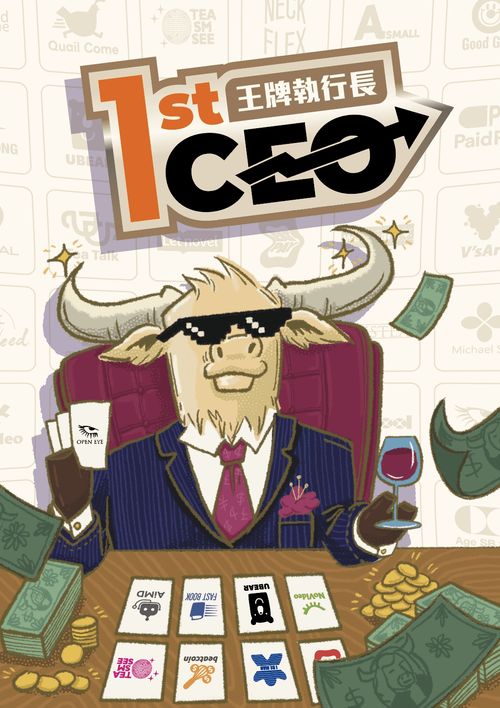
1st CEO
1st CEO Rulebook
Table of Contents
Table of Contents
Components
- Corporation Cards x6
- Company Cards x48
- Asset Increase Cards x12
- Money x94 ($1 x45, $5 x25, $10 x24)
- Asset Decrease Cards x12
- Shares x42 (7 of each color)
- Corporation Markers x6
- Countdown Marker x1
- Starting Player Card x1
- Game Board x1
Game Concepts
Game Board
- Asset Track: Tracks the current total asset value of each corporation.
- Acquisition Market: The area where companies are available for acquisition.
- +N$: The additional amount that must be paid when acquiring a company.
- X icon: If you acquire a company from a space with this icon, discard the leftmost company in the Acquisition Market.
- Endgame Track: Tracks the remaining rounds after the endgame is triggered.
- Handshake icon: Players may not perform action B. Buy a Share.
- Share Value: At the end of the game, the value of each corporation's shares is determined by its ranking on the Asset Track.
Corporation Cards / Company Cards
- Industry Icon: Indicates the industry to which the corporation or company belongs (Entertainment, Finance, Hardware, Electronics, Retail, Technology).
- Income: Each Income icon is worth $1 when calculating the corporation's income for paying dividends.
- Acquisition Cost / Asset Value: The cost to acquire the company from the Acquisition Market. It also represents the company's Asset Value.
- Asset Increase / Asset Decrease: Indicate which Asset Increase or Asset Decrease Card to draw. At the end of the game, adjust your corporation's total assets according to the values on those cards.
- Scoring Conditions: Shows how this card scores at the end of the game. See Scoring Conditions for details.
Share
- The corporation that issued this Share.
- The purchase price of this Share.
Setup
- Shuffle the Corporation Cards and deal 1 to each player.
- Each player takes the 7 Shares of their corporation and arranges them in ascending order of share price, with the lowest-priced Share on the left.
- Each player takes $30. Each player's Money is public information.
- Each player places their Corporation Marker on 0 of the Asset Track.
- Place the unused Corporation Markers on the Asset Track as shown below.
| Players | 3 | 4 | 5 | 6 |
|---|---|---|---|---|
| unused Corporation Marker Placement | 100, 120, 140 | 100, 130 | 100 | X |
Unused Corporation Markers represent NPC Corporations. NPC Corporations do not perform any actions and are included in the Asset ranking at the end of the game.
- Place the Countdown Marker on the starting space of the Endgame Track.
- Shuffle the Company Cards, reveal 6 cards, and place them from left to right in the Acquisition Market.
- Whoever most recently made money from the stock market becomes the Starting Player and takes the Starting Player Card.
Game Play
Players take turns in clockwise order. On your turn, perform one of the three actions:
A. Acquire a Company
- Pay the Acquisition Cost. Pay the company's acquisition cost, plus any additional acquisition cost shown on its space. Then place the company in front of you.
- If the acquired company's space has a discard icon, discard the leftmost company in the Acquisition Market.
- If the acquired company has an asset increase icon, draw 1 Asset Increase Card. If it has an asset decrease icon, draw 1 Asset Decrease Card. Asset Increase Cards are worth +10 to +20, while Asset Decrease Cards are worth -10 to -20. Keep all Asset Increase and Asset Decrease Cards face down until the end of the game.
- Update the Asset Track. Increase your corporation's total assets by the company's asset value and move your corporation marker on the Asset Track accordingly.
- Refill the Acquisition Market. Shift the remaining companies to the left, then refill the empty spaces from the deck.
Example: NoVideo acquires the company in space 4. After paying the required costs ($25+$4), they resolve the discard icon and draw 1 Asset Increase Card. They then update their Asset Track, shift the remaining companies to the left, and refill the Acquisition Market.
B. Buy a Share
Choose a player. Pay that player the price shown on their leftmost share, then take that Share and place it in front of you. You may buy only 1 Share each time.
You may purchase shares only from the player who issued them. The player cannot refuse to sell their leftmost share.
Purchased shares cannot be sold or traded.
Example: NoVideo's leftmost share costs $10. DissNeed pays $10 to NoVideo, takes the Share, and places it in front of themselves.
C. Pay Dividends
When you perform this action, each player who owns one or more of your Shares, including you, receives dividends. Each player receives your corporation's Income once for each of your Shares they own.
Your corporation's Income is the total number of Income icons on all companies you own, including your Corporation Card.
Example: AllyBarBar owns three companies (their Corporation Card and two Company Cards) whose combined Income icons total $4 (1 + 1 + 2). When AllyBarBar performs this action:
- AllyBarBar owns 5 of its own Shares and receives $20 (4 x 5 = 20).
- DissNeed owns 2 AllyBarBar Shares and receives $8 (4 x 2 = 8).
- NoVideo does not own any AllyBarBar Shares and therefore receives $0.
Game End
When any corporation's total assets reach 100 or more, play continues until the last player has taken their turn. Then place the Countdown Marker on space "2" of the Endgame Track.
Move the Countdown Marker forward one space after each round.
When the Countdown Marker reaches space "1", that round is the final round of the game. After that round, the game ends.
In the final round, players may not perform action B. Buy a Share.
Final Scoring
After the game ends, calculate each player's score as follows:
1. Share Score
Reveal all Asset Increase and Asset Decrease Cards, then adjust each Corporation's total assets accordingly.
Example: NoVideo reveals three Asset Increase and Asset Decrease Cards for a total of -5, reducing its total assets from 125 to 120. DissNeed reveals one Asset Increase Card worth +15, increasing its total assets from 130 to 145. AllyBarBar has no Asset Increase or Asset Decrease Cards, so its total assets do not change.
Each Corporation's Share Value is determined by its final asset ranking. Then calculate each player's share score.
| Ranking | 1st | 2nd | 3rd | 4th | 5th | 6th |
|---|---|---|---|---|---|---|
| Share Value (pts) | 50 | 40 | 30 | 20 | 10 | 0 |
- In 3-5 player games, NPC Corporations are also included in the rankings.
- If two or more corporations (including NPC Corporations) are tied, average the Share Values for the tied ranks. See the example below.
Example: DissNeed is ranked 1st, Pineapple is 2nd, NoVideo and Monstercard are tied for 3rd, MichaelSoft is 5th, and AllyBarBar is 6th. Since NoVideo and MonsterCard are tied for 3rd, each Share they have issued is worth 25 points (30 + 20) / 2 = 25.
For each Corporation, score its Share Value x the number of Shares you own. Add all the scores together.
Don't forget to include the Shares you still hold in your own Corporation.
2. Company Scoring
Score each Company Card (including your Corporation Card) according to its scoring condition.
3. Remaining Money
Each $1 remaining is worth 1 point (up to 50 points).
The player with the most points wins. If tie, they share the victory.
Example: The following example shows NoVideo Corporation's final scoring.
NoVideo owns 3 of its own Shares (Share Value 25), 2 DissNeed Shares (Share Value 50), and 1 AllyBarBar Share (Share Value 0).
| Share | Share Value | Number of Shares | Score |
|---|---|---|---|
| NoVideo | 25 | 3 | 75 |
| DissNeed | 50 | 2 | 100 |
| AllyBarBar | 0 | 1 | 0 |
| Total | 175 pts. |
For Company Scoring, NoVideo owns its Corporation Card and five Company Cards:
- NoVideo's Corporation Card (Technology/Hardware icon x2 + Entertainment icon x2): 40 pts (10 x 4 = 40).
- A 30-point fixed scoring card: 30 pts.
- A 60-point fixed scoring card: 60 pts.
- A card scoring 40 points for each pair of Entertainment and Electronics icons (1 pair on this card): 40 pts.
- A card scoring 10 points for each Technology or Hardware icon, including itself (2 icons on this card): 40 pts (20 x 2 = 40).
- A 50-point fixed scoring card: 50 pts.
Total Company Scoring: 260 pts.
NoVideo has $8 remaining, worth 8 points.
The final score is 175 + 260 + 8 = 443 points.
Scoring Conditions
The scoring conditions for Company Cards (including Corporation Cards) fall into two categories:
Fixed Scoring
Gain the printed number of points shown on the card.
Industry Icon Scoring
Score points based on the combinations or quantities of industry icons in your corporation.
- Score 40 points for each pair of Entertainment and Electronics icons.
- Score 20 points for each Finance icon.
- Score 10 points for each Technology or Hardware icon, including this card.