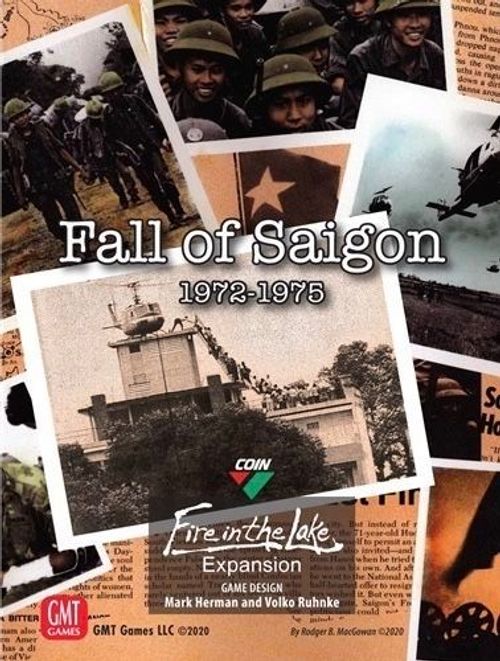
Fire in the Lake: Fall of Saigon
Fire in the Lake: Fall of Saigon — Tây Sơn Non-Player Rules
Table of Contents
Table of Contents
- S8.1 Overview
- S8.2 Golden Rules
- S8.3 Victory
- S8.4 Setup
- S8.5 Sequence of Play
- S8.5.1 Overview
- S8.5.2 NP Sequence of Play and Eligibility Tables
- S8.5.3 Executing Operations and Special Activities with Tây Sơn Cards
- S8.5.4 Activation Numbers
- S8.5.5 Executing Events
- S8.5.6 Space Selection Priorities Tables
- S8.5.7 Move Priorities Tables
- S8.5.8 Spearhead Priorities Table
- S8.5.9 Piece Priorities Table
- S8.5.10 Coup Rounds
- S8.6 Operations Reference
- S8.7 Special Activities Reference
- S8.8 Events Reference
- Capabilities Charts
S8.1 Overview
Tây Sơn is the Non-player (NP) system that may be used to replace any player Faction with an NP Faction. A deck of cards and several player aid tables guide the decisions made by each NP Faction. Tây Sơn is named in honor of three brothers from Tây Sơn province: Nguyễn Nhạc, Nguyễn Lữ, and Nguyễn Huệ. In the late 18th century, the three brothers united Vietnam, defeated an invading Chinese army, and ruled for 25 years before being overthrown by the the last imperial dynasty of Vietnam.
Important— When playing Fall of Saigon with any NP Factions, use this rulebook instead of section 8.0 in the Fire in the Lake rules.
S8.1.2 Components
- Tây Sơn Cards. Each NP Faction has six Tây Sơn cards that provide instructions for selecting and executing Operations and Special Activities (EXCEPTION: In the Extended scenarios, when the US is in Retreat, NP US uses a single Tây Sơn card marked "US in Retreat" at the top).
- Extended and Black April Game Aids. There are two sets of player aids, one for the Extended scenarios and one for the Black April scenario. Each Player Aid Card includes a set of Priorities, Eligibility, and Event tables for the chosen scenario. Use the set that matches the chosen Fall of Saigon scenario being played.
- Priorities Tables. Tây Sơn includes four types of Priorities tables: Space Selection, Move, Pieces, and Spearhead Armor Group. Each Faction uses its own Space Selection Priorities table (EXCEPTION: In the Extended scenarios, when the US is in Retreat, NP US only uses the US Space Selection Priorities table when shifting Support; in all other cases, NP US in Retreat uses the NP ARVN Space Selection Priorities table). All Factions share the Move, Pieces, and Spearhead Armor Group Priorities tables.
- NP Eligibility Table. The Eligibility table determines how an Eligible NP Faction will act on the Current Event card.
- Event Tables. There are four Events tables: Event Cards, Effective Events, Event Instructions, and Capability Effects. The Event Cards and Effective Events tables are located on the Non-player Aid Card. The Event Instructions table is on the back of the NP Coup Round Instructions aid. The Capabilities Effects table is located on the back page of this rule book.
- Coup Round Instructions. The Coup Round Instructions guide the actions of each NP Faction during Coup Rounds.
S8.2 Golden Rules
S8.2.1 Golden Rules
- NP Factions Follow the Rules (Almost). NP Factions abide by all applicable Fire in the Lake and Fall of Saigon rules, with these exceptions:
- ◊ NP Factions never remove pieces from the map to Available when lacking pieces for an Operation, Special Activity, or Event. (EXCEPTIONS: NP NVA may remove a Base from outside South Vietnam if placing a Base in or adjacent to Saigon. In the Extended scenarios, NP US Train with unshaded Combined Action Platoons Capability).
- ◊ NP NVA and NP VC do not track Resources.
- ◊ In the Extended scenarios, NP US and NP ARVN do not track Resources when both are NP Factions. NP US or NP ARVN only track ARVN Resources when the other COIN Faction is a player Faction (S8.5.4). Ignore any instructions to increase or decrease NP Resources when they are not tracked. Transfers to NP ARVN Resources by NP US due to Train still reduce Patronage, but add no ARVN Resources.
- ◊ NP Factions roll against an Activation Number to limit total spaces selected (S8.5.4).
- ◊ NP NVA may March when the Trail is 4 as though spaces in and adjacent to Laos and Cambodia are adjacent to each other (S8.6.6).
- Skip Illegal Instructions. Tây Sơn will only tell you what to do, it will not tell you how to do it or even if its instructions constitute a legal move given the state of the board and available pieces. Always carry out Tây Sơn's instructions as much as possible, but if Tây Sơn ever gives you an instruction that cannot be carried out legally, just skip it.
- Placing Friendly Pieces. When executing Operations, Special Activities, or Events that allow the acting Faction to place several pieces in multiple spaces, NP Factions place pieces one at a time, placing their own pieces before any other Faction's, if possible. In such cases, select the destination for each piece one at a time, using the NP Faction's Space Selection Priorities table. During Train and Rally Operations, NP Factions will place as many pieces as possible in each selected space, following the directions on the Tây Sơn card. If multiple types of pieces could be placed, determine the piece to be placed using the Piece Priorities Table.
- Removing Friendly Pieces. When given a choice, NP Factions remove pieces one at a time, from the space with the most pieces belonging to the affected NP Faction. Use the Piece Priorities table to select pieces to remove from each selected space reading from the bottom up and right to left.
- Ops & SA to the Maximum Extent. NP Factions always execute a selected Operation or Special Activity to the maximum extent allowed, given the state of the board, available pieces, and Activation Number die rolls.
- When in Doubt, Randomize. Whenever NP Factions need to select from among several options and supplied instructions have been exhausted, select one option at random.
- In the Extended scenarios, use Tây Sơn only for Fall of Saigon. When playing any of the Extended scenarios with one or more NP Factions, use the chosen Fire in the Lake NP system (S8.4.2) to direct all NP Factions up to the Paris Peace Talks (either the included flowcharts or Trưng card-based 'bots). During the Paris Peace Talks and thereafter, use Tây Sơn to direct all NP Factions. These rules only apply to the Fall of Saigon portion of the chosen Extended scenario. Note that NP Factions will continue to be guided by any Fire in the Lake NP Event instructions when executing the Event text of any Fire in the Lake Event cards remaining in the Event deck after the Paris Peace Talks (see S8.5.5).
Important Tây Sơn Terms
1d6, 2d6, 3d6, 1d3 — Die or dice roll to generate a random number. 1d6 means roll the die once; 2d6 means sum two dice, etc. 1d3 means roll one die and halve the result, rounding up.
Activation Number — A limit on the total number of spaces selected by NP Factions for most Operations. When present, the active NP Faction must roll greater than its Activation Number to select another space (S8.5.4).
Agitate Total (Extended) — A measure of NP VC Agitate capabilities, increased during the NP VC Tax Special Activity and spent during NP VC Agitate during the Support Phase of each Coup Round (and during NP VC Rally if the shaded VC Cadres Capability is in effect).
Armor Group — Armor, with or without Troops, used by NP ARVN or NP NVA when executing the Spearhead Special Activity. See S8.7.5 and S8.7.6.
ARVN Firepower — The maximum number of enemy pieces that could be removed during an ARVN Assault in a given space, including any modifications due to terrain, force composition, Capabilities, and/or Momentum effects, independent of whether any enemies are present. Always count ARVN Armor as removing 2 enemy pieces.
COIN Firepower (Extended) — The maximum number of enemy pieces that could be removed during a US Assault in a given space, including any modifications due to terrain, force composition, Capabilities, and/or Momentum effects, and including the participation of any ARVN forces present, independent of whether any enemies are present. Each participating ARVN Armor counts as removing 2 enemy pieces.
Effective Event — An Event is Effective if one or more of its effects are listed for that NP Faction on the Effective Events table (S8.5.5).
Get — Move just enough pieces to the destination to meet the instruction, taking into account any pieces already present in the space. If no additional pieces are needed to meet the instruction, move none. If there are insufficient pieces to meet the instruction, move as many as possible. When a get instruction might involve several spaces, select the one where it is possible to accomplish as much of the instruction as possible.
Most/Least Support/Opposition — Among all spaces with Support, spaces with the most Support are those with the most total Support (1.6). Spaces with the least Support are those with no Support first (Neutral and Opposition spaces), then spaces with the least total Support. Among all spaces with Opposition, spaces with the most Opposition are those with the most total Opposition (1.6). Spaces with the least Opposition are those with no Opposition first (Neutral and Support spaces), then spaces with the least total Opposition.
NP — Non-player.
NVA Firepower — The maximum number of enemy pieces that could be removed during an NVA Attack in a given space, including any modifications due to force composition and/or Momentum effects, independent of whether any enemies are present. Always count NVA Armor as removing 2 enemy pieces. Do not include the effects of the PT-76 Capability, should it be in effect.
Route 1 (LoC Route) — Route 1 includes all LoCs labeled Route 1 running between Saigon, Cam Ranh, Qui Nanh, Da Nang, and Hue, including the Cities themselves. Note that, for purposes of implementing Tây Sơn instructions, Route 1 does not include the LoC between Hue and Khe Sanh.
Route 14 (LoC Route) — Route 14 includes all LoCs labeled Route 14 running between Saigon, Ban Me Thuot, Kontum, Dak To, and Da Nang, including the Cities themselves.
Unblocked LoC Route — An unblocked LoC route is any continuous chain of adjacent LoCs and Cities, free of Guerrillas.
Vulnerable Bases — NVA and VC Bases in spaces without Underground Guerrillas (neither NVA nor VC).
Vulnerable Enemies — NVA and VC pieces that could be removed by a COIN Faction Assault: NVA Troops, NVA Armor, Active NVA and VC Guerrillas, and NVA and VC Bases in spaces without Underground Guerrillas.
Within Reach — A space is within reach of moving pieces if those pieces could move to that space during the selected Operation or Special Activity (including via LoCs or Laos/Cambodia).
Keep — Leave just enough pieces in the origin to meet the instruction. If there are insufficient pieces to meet a particular instruction, ignore it.
S8.3 Victory
S8.3.1 Playing Solitaire
When playing solitaire against Tây Sơn, the player may only win during the final Coup Round in 1975. NP Factions may win during the Victory Phase of any Coup Round.
S8.3.2 Playing With Two or Three Players
In the Extended scenarios, when playing with multiple players, any Faction may win during any Coup Round.
S8.4 Setup
S8.4.1 Select a Scenario
Select a scenario to play. Tây Sơn fully supports any scenario, Extended or Black April. Any combination of player and NP Factions may be used.
S8.4.2 Setting Up NP Factions for the Extended Scenarios
Use the Fire in the Lake NP system up to the Paris Peace Talks, then Tây Sơn afterwards. When playing an Extended scenario with any NP Factions, you may use either the Fire in the Lake Non-player flowcharts or the Trưng card-based Non-player bots to control NP Factions until the Paris Peace Talks. After the Paris Peace Talks, use the Tây Sơn cards to control NP Factions. At the end of the Paris Peace Talks procedure (S6.8). Prepare each NP Faction for the Fall of Saigon portion of the scenario as outlined below.
- Choosing War or Retreat during Paris Peace Talks. When given the option during Paris Peace Talks, NP NVA always chooses to remain at War. If US choice, NP US chooses War only if NVA Control + NVA Bases is greater than 15 (i.e., so that NVA will automatically choose War) and 2d6 is less than or equal to the total US Troops plus US Bases in the Casualties box. Otherwise, NP US chooses Retreat.
- No NP US Policy after the Paris Peace Talks. NP US is not affected by Policy during the Fall of Saigon portion of the Extended scenarios; remove the US Policy marker during the Paris Peace Talks procedure.
- Create the Tây Sơn Deck. NP US, NP ARVN, NP NVA, and NP VC each use six Tây Sơn cards marked with their Faction color and symbol. Shuffle the cards for these NP Factions into one deck, face up. When NP US is in Retreat, set aside all "US at War" cards (A through F) and instead use the single "US in Retreat" card. To speed play, keep this card nearby as reference rather than shuffling it into the Tây Sơn deck.
- Do Not Draft Event Cards. If playing with any NP Factions, no Factions select cards when creating the Fall of Saigon mini-deck (S2.1). Instead, randomly select 8 cards for each year.
- Resource Cylinders. If using Trưng to direct NP Factions for the Fire in the Lake portion of the Extended Scenario, leave each NP Faction's Resources cylinder as is (either unused or to mark NP VC Agitate Total). If using the Fire in the Lake flowcharts:
- ◊ Remove and set aside the NP NVA Resource cylinder.
- ◊ Set the NP VC Resource cylinder to 1d3 as its starting Agitate Total.
- ◊ If both the US and ARVN are NP Factions, remove and set aside the ARVN Resource cylinder and Econ marker. Otherwise, leave the the ARVN Resource cylinder and Econ and Aid markers as is.
- Executing Fire in the Lake Events after the Paris Peace Talks. See S8.5.5 for executing any Fire in the Lake Events remaining in the Event deck after the Paris Peace Talks.
S8.4.2 Setting Up the NP Faction for the Black April Scenario
- Select the NP Faction. Tây Sơn may play either ARVN or NVA. For the selected NP Faction, collect its six matching Tây Sơn cards.
- Create the Tây Sơn Deck. Shuffle the cards for the NP Faction, face up.
- Do Not Draft Event Cards. No Factions select cards when creating the Fall of Saigon mini-deck (S2.1). Instead, randomly select 8 cards for each year.
- Resource Cylinders. Set aside unused the Resource cylinder for the NP Faction.
- Finishing Setup. Set up all NP Faction forces according to the Black April scenario instructions.
S8.5 Sequence of Play
S8.5.1 Overview
Generally, NP Factions make the same decisions as player Factions. First, Eligible NP Factions determine if and how they will act on the current Event card. The Tây Sơn card deck is used to select Operations and Special Activities and provide instructions to execute that action. Event tables guide an NP Faction's selection and execution of Events. Priorities tables are used to select spaces where NP Factions will act, how NP Factions move pieces, and which friendly and enemy pieces are affected by an action.
S8.5.2 NP Sequence of Play and Eligibility Tables
NP Factions follow the base game Sequence of Play and Eligible NP Factions choose from the same options as player Factions. Use the Eligibility table and the Event Cards table to determine the choice made by an Eligible NP Faction. If the NP Faction selects an Operation plus Special Activity, Operation only, or Limited Operation, use the active NP Faction's Tây Sơn cards and the various Priorities tables to select and execute the Operation and any Special Activity. If the NP Faction selects an Event, execute the Event using the various Event and Priorities tables. If the NP Faction selects Pass, there is no additional effect (EXCEPTION: In the Extended scenarios, an NP COIN Faction that Passes when the other COIN Faction is a player Faction adds +3 ARVN Resources).
S8.5.3 Executing Operations and Special Activities with Tây Sơn Cards
[Figure: annotated sample Tây Sơn card (NVA-N). Callouts identify: Faction and Card ID; Activation Number; Condition; Draw New Card icon; Flip Card icon; Operation; Special Activity.]
Each NP Faction has six Tây Sơn cards that provide instructions for selecting and executing Operations and Special Activities (EXCEPTION: In the Extended scenarios, when the US is in Retreat, NP US uses a single Tây Sơn card).
- Face Up and Face Down. Face up sides are identified by a tank icon at center top. Except when acting as the active card, cards in the Tây Sơn deck should be face up.
- Shuffling the Tây Sơn Deck. At the start of the game (Black April scenario) or after the Paris Peace Talks (Extended scenario), and during the Reset Round of each Coup Phase, shuffle together all Tây Sơn cards for all NP Factions into a single deck, face up. To speed play, if NP US is in Retreat, keep the single NP US card nearby as reference rather than shuffling it into the Tây Sơn deck.
- Drawing Tây Sơn Cards. First, move the top card to the bottom of the deck (even if this top card matches the active NP Faction). Continue moving cards to the bottom, one at a time, until a card matching the active NP Faction is the top card. Always place cards on the bottom of the deck face up.
- Reading Tây Sơn Cards. Start with the first blue box at the top of the card. If the condition in the box is true, follow the green arrow; if it is false, follow the red arrow.
- Drawing a New Card and Flipping a Card. If an arrow points to the draw icon, draw a new card. If an arrow points to the flip icon, flip the card to its face down side.
- Executing Operations. Execute each numbered instruction in order, as much as possible. Follow the instructions on the Tây Sơn card to select spaces, using the active NP Faction's Space Selection priorities table when directed (EXCEPTION: In the Extended scenarios when the US is in Retreat, NP US only uses the US Space Selection Priorities table when shifting Support; in all other cases, NP US in Retreat uses the NP ARVN Space Selection Priorities table). Text in bold specifies the column of that NP Faction's Space Selection Priorities table to use. Arrowed instructions serve as reminders for the implementation of the preceding instruction. Starred instructions are executed last. Instructions that follow a red conditional are only executed if that condition is true. If there are no legal spaces for the selected Operation, draw a new Tây Sơn card to select a different Operation. See S8.6. Operations Reference for detailed instructions of each Operation.
- Executing Special Activities. Execute one Special Activity from the list, in letter order. Underlined text specifies the Special Activity. Within each Special Activity, execute each numbered instruction in order, as much as possible. Text in bold specifies the column of the Space Selection Priorities table to use when selecting spaces if multiple spaces could be selected within the instructions given on the card. If a Special Activity cannot be executed, or its red condition is not true, skip it and execute the next one. If no Special Activity can be executed, select Operation only instead (2.3.4). See S8.7. Special Activities Reference for detailed instructions of each Special Activity.
- Monsoon, Loops, and Edge Cases. Before executing any Special Activity for an NP Faction (and in the Extended scenarios, during Monsoon), check that the accompanying Operation can be performed; if it cannot, draw a new Tây Sơn card to select a different Operation and Special Activity. In rare cases, a Special Activity may be performed that would preclude a legal Operation; in this case, skip that Operation and end the NP Faction's turn after placing their eligibility cylinder in the Operation and Special Activity box in the Sequence of Play. If at any time, all Tây Sơn cards for a given Faction are drawn without finding a legal Operation for the NP Faction to perform, continue to the next line of the NP Eligibility Table.
S8.5.4 Activation Numbers
The total number of spaces that NP Factions select for Operations are limited by an Activation Number. Activation Numbers are found on the upper right of most Tây Sơn cards and indicated by a die icon; that number is used for all Operations on that side of the card. Some Operations (all NP US except for Train Operations that place ARVN cubes or Rangers, and NP ARVN Patrol) do not use an Activation Number at all and thus are not limited by the Activation Number roll. Other Operations do not trigger Activation Number rolls after executing certain instructions: NP US and NP ARVN Train when placing Armor, NVA Rally when placing Armor, NP NVA and NP VC March onto LoCs, and NP VC Terror on LoCs. Limited Operations do not trigger Activation Number rolls as they are performed in only one space. Do not make Activation Number rolls when executing free Operations granted by Events.
-
Checking the Activation Number. After executing the Operation in a selected space, roll 1d6. If the result is less than or equal to the Activation Number, the NP Faction will not select any additional spaces; implement any starred Operations instructions. If the result is greater than the Activation Number, the NP Faction will select another space for Operations. Continue rolling as above after executing the Operation in each selected space until the Activation Number roll is less than or equal to the Activation Number, or there are insufficient pieces to continue the Operation.
-
Activation Number Exceptions. NP Factions do not make Activation Number rolls in several situations. In all scenarios, do not make a roll during:
- ◊ NP NVA Rally after placing Armor.
- ◊ NP NVA March after moving onto LoCs.
- ◊ NP ARVN Train after placing Armor.
- ◊ NP ARVN Patrol.
In the Extended scenarios, do not make an Activation Number roll during:
- ◊ NP US Patrol, Sweep, and Assault.
- ◊ NP US Train after placing ARVN Armor or US Irregulars.
- ◊ NP VC March after moving onto LoCs.
- ◊ NP VC Terror on LoCs.
Note: these instructions on the Tây Sơn cards are numbered with a black-on-white numeral as a reminder.
-
COIN Train and NVA Rally Operations each allow one additional action executed at the conclusion of the Operation, even after failing the Activation Number roll:
- ◊ NP US will attempt to Pacify, transfer Patronage, or move ARVN pieces out of the Casualties box.
- ◊ NP ARVN will attempt to place a Base, Pacify, or move ARVN pieces out of the Casualties box.
- ◊ NP NVA will increase The Trail.
-
Resources. Generally, NP Factions do not track or use Resources.
In all scenarios, neither NP NVA nor NP VC track or spend Resources. In the Extended scenarios, NP US and NP ARVN only spend ARVN Resources when the other COIN Faction is a player Faction. When one COIN Faction is an NP Faction and the other COIN Faction is a player Faction, the NP Faction continues to make Activation Number rolls as required, but will not execute an Operation or Pacify if there are insufficient Resources to pay for that action (just like a player Faction).
S8.5.5 Executing Events
-
Event Tables. There are four Event tables: Event Cards, Effective Events, Event Instructions, and Capability Effects. The Event Card table lists whether each Event is Critical, Performed, or not executed for each NP Faction, and notes if there are additional instructions for an Event on the Event Instructions table. The Effective Events table lists the types of Event actions that are effective. When given a choice, NP Factions only execute actions that are effective. The Event Instructions table gives specific instructions for executing certain Events. The Capabilities Effects table specifies the effects of any Capabilities that are in play, either from Fire in the Lake or Fall of Saigon.
-
Events Executed by 1st and 2nd Eligible NP Factions. A 1st Eligible NP Faction will execute an Event if it is marked Critical for the acting NP Faction and, if executed, would result in one or more of the effects listed for the acting NP Faction on the Effective Events table. In the Extended scenarios, 1st Eligible NP US in Retreat also executes Events marked as Performed. A 2nd Eligible NP Faction will execute an Event if it is marked either Critical or Performed for the acting NP Faction and, if executed, would result in one or more of the effects listed for that NP Faction on the Effective Events table.
-
Event Instructions. Some Events require additional instructions to guide NP Faction play. These Events are marked with a ★ on the Event Cards table. Events marked ★C/P may be Critical or Performed based on the Event Instructions. See the Event Instructions table for additional instructions.
-
Unshaded or Shaded? NP US and NP ARVN always select unshaded Event text, while NP NVA and NP VC always select shaded Event text.
-
Place Friendly, Remove Enemy. When given a choice, NP Factions only place friendly pieces and only remove enemy pieces.
-
Selecting Spaces. Select spaces using the column of the active NP Faction's Space Selection Priorities that matches the effective Event action (EXCEPTION: In the Extended scenarios when the US is in Retreat, NP US only uses the US Space Selection Priorities table when shifting Support; in all other cases, NP US in Retreat uses the NP ARVN Space Selection Priorities table). If the Event includes more than one effective action, use the leftmost matching column.
-
Events that allow Operations or Special Activities. Draw a Tây Sơn card for the active NP Faction to select an Operation or Special Activity. If the Event specifies the Operation or Special Activity, draw Tây Sơn cards until a matching Operation or Special Activity is drawn (check both sides).
-
Pivotal Events. NP Factions play their Pivotal Event when the red precondition for the Event has been met, that NP Faction is Eligible, the current Event is not Critical for that NP Faction if it is 1st Eligible, and the condition below has been met for the acting NP Faction:
- ◊ NP US at War: 2d6 ≤ NVA Control + NVA Bases – War Weary
- ◊ NP US in Retreat: NVA could select current Critical Event and US Posture is not 3
- ◊ NP ARVN: 1d6 > ARVN Troops in the Casualties box
- ◊ NP NVA: The Trail is 4 and Saigon is not NVA-Controlled
- ◊ NP VC: 2d6 ≤ Available VC Guerrillas
-
Trumping Pivotal Event. If allowed, a 2nd Eligible NP Faction will trump play of a Pivotal Event if the conditions listed above for its Pivotal are met.
-
Executing Fire in the Lake Events. In the Extended scenarios, following the Paris Peace Talks, NP Factions may need to implement Events on Fire in the Lake cards that remain in the Event deck. Follow these Event instructions according to the NP system used for the Fire in the Lake portion of the Extended scenario:
-
If using Trưng, treat all Fire in the Lake Events as Performed. Note, however, that Fire in the Lake Events are not considered effective unless at least one effect on the card is listed in the Tây Sơn Effective Events table. When executing a Fire in the Lake Event, consult the Trưng Event Instructions table for any additional instructions. US Policy is always 'Nixon' for these Events.
-
If using the original flowcharts, an Event card marked with a rifle is Not Executed by that NP Faction. All other Events are considered Performed. Note, however, that Fire in the Lake Events are not considered effective unless at least one effect on the card is listed in the Tây Sơn Effective Events table. See S8.4.1 for additional details regarding Events executed by NP Factions when using the original flowcharts. US Policy is always 'Nixon' for these Events.
-
Faction-Specific Reference. See S8.8. Events Reference for NP Faction-specific guidelines.
S8.5.6 Space Selection Priorities Tables
There are four Space Selection Priorities tables, one for each NP Faction. Use an NP Faction's Space Selection Priorities table to select spaces for Operations, Special Activities, Events, and during Coup Rounds (EXCEPTION: In the Extended scenarios when the US is in Retreat, NP US only uses the US Space Selection Priorities table when shifting Support; in all other cases, NP US in Retreat uses the NP ARVN Space Selection Priorities table). First, determine the type of action the NP Faction will execute to determine the column to use on the Space Selection Priorities table. During Operations and Special Activities, use the column specified by the bold text on the Tây Sơn card. During Events, use the column that matches the effective action specified in the Event text. If an Event specifies more than one type of effective action, use the leftmost column on the Space Selection Priorities table. During Coup Rounds, follow the instructions on the Coup Round instructions sheet.
- Selecting a Space. When executing an Operation, Special Activity, or Event select each space one at a time:
- Step 1. Start at the top of the column and read down. For each row with a dot in that column, check its condition against all spaces which could be selected. Some rows contain conditional statements, marked by a red checkmark, that must be true for a red dot to apply. If no spaces meet the condition, skip that row and continue to the next. If only one space meets this condition, execute the Operation, Special Activity, or Event in this space. Otherwise,
- Step 2. If more than one space meets this condition, continue down the column to the next condition that is met. Continue to skip conditions that are not met or whose red conditional statement is not true. If only one space meets both the original condition and the new condition, execute the action in this space (as in Step 1).
- Step 3. Continue this process, checking each row below and applying all meeting conditions, until a single space is selected.
- Step 4. Repeat this process from Step 1 for each space to be selected.
- Random Spaces. To select a space at random, assign equal probability to each candidate space and roll a die. In the event that an NP Faction needs to select at random from among many spaces, use the Random Spaces chart included in Fire in the Lake.
Space Selection Priorities table: NP North Vietnam (Event: Execute the leftmost effective action). Legend: ● = black dot (applies); ◆ = red dot (applies only when the red-checkmarked condition is true); ○ = white dot (fallback when no legal Operation space: draw new Tây Sơn card).
| Condition (in priority order) | Place Bases or Tunnels | Place Armor | Place Troops | Place Guerrillas | March | Remove or Replace |
|---|---|---|---|---|---|---|
| no NVA Base | ● | |||||
| Red: Ambush: LoC | ◆ | |||||
| 0 – 2 NVA Armor | ● | |||||
| Saigon | ● | ● | ● | ● | ● | |
| Red: Spring Offensive or total NVA Troops + Armor in/adjacent to Saigon + 1d6 ≥ COIN in Saigon: Saigon | ◆ | |||||
| Red: Saigon is not NVA-Controlled: 2-Pop adjacent to Saigon | ◆ | ◆ | ◆ | ◆ | ◆ | |
| City or Province with most NVA Guerrillas | ● | ● | ||||
| City or Province without NVA Control | ● | ● | ● | |||
| adjacent to COIN Control | ● | ● | ● | |||
| Red: Attack: most NVA Firepower | ◆ | |||||
| most Pop (not Saigon) | ● | ● | ● | ● | ||
| Red: Saigon is NVA-Controlled: adjacent to Saigon | ◆ | ◆ | ||||
| adjacent to non-NVA Controlled | ● | ● | ● | ● | ||
| Laos/Cambodia | ● | ● | ● | |||
| select at random from remaining spaces | ● | ● | ● | ● | ● | ● |
| no legal Operation spaces: draw new Tây Sơn card | ○ | ○ | ○ | ○ | ○ | ○ |
S8.5.7 Move Priorities Tables
Whenever an NP Faction needs to move its pieces on the map, use the Move Priorities table. Read down the column that matches the active NP Faction, executing each instruction in a dotted row. Dotted rows with a red conditional only match if the condition is true. See S8.6. Operations Reference and S8.7. Special Activities Reference for detailed instructions of Operations and Special Activities that move pieces.
- Step A. Select a destination space using the instructions on the Tây Sơn card or, if none, the column of the active NP Faction's Space Selection Priorities table that matches the selected Operation or Special Activity.
- Step B. Select an origin space. Use the acting NP Faction's column to select an origin space in the same manner as the Space Selection Priorities table (S8.5.6). A piece is eligible to move if it may be moved by the selected Operation or Special Activity. When the Trail is 4, NP NVA during March treats any spaces in and adjacent to Laos and Cambodia as though they were adjacent to each other.
- Keep Pieces in Origin. Reading down the column that matches the active NP Faction, keep pieces in the selected origin as instructed by each dotted row. Instructions that follow a red conditional are only executed if that condition is true.
- Move Pieces to Destination. Reading down the column that matches the active NP Faction, move pieces into the selected destination as instructed by each dotted row. Instructions that follow a red conditional are only executed if that condition is true.
- Step C. After all moving pieces have moved from the first origin, check to see if additional origins or destinations will be selected. To select a new destination, return to Step A. To select a new origin, return to Step B. Note that the NP Faction may need to pass an Activation Number roll to select additional destination spaces during Operations (S8.5.4).
Important— Unless otherwise specified by the current Tây Sơn card or Move Priorities table instructions, select moving pieces using the Piece Priorities table (within the constraints of the Operation, Special Activity, or Event being executed).
S8.5.8 Spearhead Priorities Table
When NP ARVN or NP NVA executes the Spearhead Special Activity, use the Spearhead Priorities table to select Armor Groups in order.
See S8.7.5 and S8.7.6 for detailed Spearhead instructions.
S8.5.9 Piece Priorities Table
When an NP Faction needs to select pieces from among several different types, use the Piece Priorities table. When placing, moving, or using friendly pieces or removing, replacing, or Activating enemy pieces, start from the top and read down; within boxes, read left to right. When removing friendly pieces, start from the bottom and read up; within boxes, read right to left.
S8.5.10 Coup Rounds
Follow the instructions on the Coup Round instructions sheet for all NP Factions.
Important— The rules that follow are written out versions of procedures found on the Tây Sơn cards and various play aids, and are intended to be used as a reference.
S8.6 Operations Reference
S8.6.1 Selecting an Operation
- Draw Tây Sơn Cards. Draw Tây Sơn cards (S8.5.3) for the active NP Faction to select an Operation.
- No Spaces Selected. If there are no spaces which could be selected for the selected Operation, select a new Operation by drawing a new Tây Sơn card.
- No Sweep or March During Monsoon. In the Extended scenarios during Monsoon, ignore instructions to execute Sweep or March Operations. Draw a new Tây Sơn card instead to select a different Operation.
S8.6.2 Executing an Operation using Tây Sơn Cards
- Follow all Base Game Rules. Except for Resources (S8.5.4), NP Factions follow all base game rules for Operations.
- Numbered Instructions First. Execute each Operation numbered instruction in order as much as possible before moving on to the next instruction. If an instruction cannot be executed, skip it.
- Selecting Spaces. Use the active NP Faction's Space Selection Priorities table to select spaces for the Operation (EXCEPTION: In the Extended scenarios when the US is in Retreat, NP US only uses the US Space Selection Priorities table when shifting Support; in all other cases, NP US in Retreat uses the NP ARVN Space Selection Priorities table).
- Operations that Move Pieces. Use the Move Priorities table to execute Sweep, Patrol, and March Operations.
- Red Conditionals. Only implement an instruction following a red conditional if that condition is true.
- Arrowed Notes. Some instructions are followed by notes marked with an arrow; these serve as reminders for the execution of the preceding instruction.
- Activation Number. After executing the Operation in each selected space, make an Activation Number roll (S8.5.4), unless this Operation is one of the exceptions (S8.5.4). Once the Activation Number roll has failed, select no additional spaces for the Operation. Do not make an Activation Number roll after executing instructions numbered by a white circle.
- Starred Instructions Last. Execute any starred instructions once all allowed spaces have been selected for the Operation.
- ARVN Resources. In the Extended scenarios, spend ARVN Resources for US and ARVN Operations only if either the US or ARVN is a player Faction (S8.5.4).
S8.6.3 Capabilities
See the Capabilities Effects Table (located on the back page of this rulebook) for the effects of Capabilities that are in play on Operations.
S8.6.4 NP United States Operations (Extended)
NP US executes each Operation as much as possible. Follow all rules for the selected Operation (S3.2, 3.2; EXCEPTION: NP US only spends ARVN Resources when ARVN is a player Faction). NP US only makes an Activation Number roll after placing ARVN Troops, Police, and Rangers during Train Ops. Otherwise, NP US executes the selected Operation as much as possible.
If ARVN is a player Faction, spend ARVN Resources for each space selected that places ARVN pieces, for each Terror marker removed, and for each level of Support shifted per S3.2 and 3.2.
Follow the directions for each instruction, in the order given by the current Tây Sơn card.
-
NP US Train Procedures:
- Place 1d3 Armor. Roll 1d3. Place ARVN Armor up to the roll result using the Place ARVN Armor column of the Space Selection Priorities table (EXCEPTION: When the US is in Retreat, use the Place Armor column of the NP ARVN Space Selection Priorities table). Do not make an Activation Number roll when placing ARVN Armor.
- Place cubes, in sets of 6 only. Use the Place Cubes or Special Forces column of the Space Selection Priorities table to select spaces (EXCEPTION: When the US is in Retreat, use the Place Cubes or Special Forces column of the NP ARVN Space Selection Priorities table). Per the Piece Priorities table, alternate placing one Police then one ARVN Troop. Only place cubes in a selected space if it is possible to place exactly six.
- Place all Irregulars. Use the Place Cubes or Special Forces column of the Space Selection Priorities table to select spaces (EXCEPTION: When the US is in Retreat, use the Place Cubes or Special Forces column of the NP ARVN Space Selection Priorities table), to place all Available US Irregulars.
- Place Rangers, in sets of 2 only. Use the Place Cubes or Special Forces column of the Space Selection Priorities table to select spaces (EXCEPTION: When the US is in Retreat, use the Place Cubes or Special Forces column of the NP ARVN Space Selection Priorities table). Only place Rangers in a selected space if it is possible to place exactly two.
Important— NP US only makes an Activation Number roll during Train after placing Police, ARVN Troops, or Rangers.
After all Armor, cubes, and Special Forces have been placed (if any), perform only one of the following instructions (regardless of whether the Operation's Activation Number roll has failed or not):
- (Conditional) Patronage 17+: Transfer Patronage. If Patronage is 17 or more, transfer 3 Patronage to ARVN Resources. If ARVN is an NP Faction, instead reduce Patronage by 3.
- Shift Toward Active Support to remove all Terror markers and shift 2 levels. Use the Shift Toward Active Support column of the Space Selection Priorities table to select one eligible space for Pacify. Remove any Terror markers there, and shift the space two levels toward Active Support.
- Send 2d6 ARVN Casualties to Available. Roll 2d6. Move ARVN pieces up to the roll result from the Casualties box to Available. Use the Piece Priorities table to select pieces.
- (Conditional) CAP: Get Police to most Pop with no Support, from most Police if none Available. If unshaded US Combined Action Platoons Capability is in effect, get one Police to a space with no Support and the most Population. If no Police are Available, remove one from the space with the most Police.
-
NP US Patrol Procedures:
- Get COIN Control in Saigon. Select Saigon as the destination. Use the Move Priorities table to select origin spaces and to determine which US Troops to keep in each origin (if any). Then, move US Troops as needed to get COIN Control in Saigon.
- Select all Route 1 and Route 14 Cities and LoCs with enemy pieces (ignore Hue–Khe Sanh LoC). Select each space (including Cities) along both Route 1 and Route 14 with enemies (not including the Hue – Khe Sanh LoC). Use the Move Priorities table to select origin spaces and to determine which US Troops to keep in each origin (if any). After moving from the first origin, if there is either COIN Control in the destination or COIN Firepower at least equals vulnerable enemies there, select another destination space and a new origin space. Otherwise, retain the current destination and select another origin. In each selected LoC destination, Activate Underground Guerrillas per 3.2.2, after all moving pieces have entered each destination.
- Assault on one LoC to remove most enemies. Select one LoC where Assault will remove the most enemies.
Important— If shaded US M-48 Patton Capability is in effect, NP US will not execute Patrol.
-
NP US Sweep Procedures:
- Use Move Priorities. Use the Sweep column of the Space Selection Priorities table to select destinations; and the Move Priorities table to select origins, pieces to keep in selected origins, and pieces to move into selected destinations. Use the Piece Priorities table to select the type of moving pieces if several are eligible. After moving from the first origin, if there is either COIN Control in the destination or COIN Firepower at least equals vulnerable enemies there, select another destination space and a new origin space. Otherwise, retain the current destination and select another origin. In each selected destination, Activate Underground Guerrillas per 3.2.3, after all moving pieces have entered each destination.
- Sweep in place in all spaces with US Forces. In all spaces with US Troops or Irregulars that were not selected as destination spaces, Sweep in place (3.2.3) to Activate Guerrillas.
Important— If the shaded VC Booby Traps Capability is in effect, NP US will only select up to two Sweep spaces.
-
NP US Assault Procedures:
- Assault in all spaces with US Troops where all vulnerable enemies would be removed. Assault in each space with US Troops where all vulnerable enemies would be removed by an Assault there with US Troops alone.
- Assault adding ARVN to remove most enemies. Assault in one space with both US Troops and ARVN Troops and/or Armor where the combined US plus ARVN Assault will remove the most enemy pieces.
- Assault in all spaces with US Troops. Select all spaces with US Troops and vulnerable enemies that have not already been selected for Assault.
-
NP US Advise Special Activity executed as an Operation: Execute as for NP US Advise Special Activity (see S8.7.4). Select spaces up to Posture.
S8.6.5 NP Republic of Vietnam Operations
NP ARVN executes each Operation as much as possible. Follow all rules for the selected Operation (S3.2, 3.2; EXCEPTION: In the Extended scenarios, NP ARVN only spends Resources when the US is a player Faction).
If the unshaded ARVN Armored Cavalry Capability is in effect and Transport has already been executed as a Special Activity, at the end of the Operation, Assault for free in one Transport destination space using the Remove or Replace column of the Space Selection Priorities table.
In the Extended scenarios, if the US is a player Faction, spend ARVN Resources for each space selected or level of Support shifted per S3.2 and 3.2.
Follow the directions for each instruction, in the order given by the current Tây Sơn card.
-
NP ARVN Train Procedures:
- Place 1d3 Armor (up to Posture if US in Retreat). Roll 1d3. Place ARVN Armor up to the roll result using the Place Armor column of the Space Selection Priorities table. If US Posture is in effect, only select spaces up to Posture.
- Place cubes, in sets of 6 only. Use the Place Cubes or Special Forces column of the Space Selection Priorities table to select spaces. Per the Piece Priorities table, alternate placing one Police then one Troop. Only place cubes in a selected space if it is possible to place exactly six (i.e., stop once there are fewer than 6 cubes left in Available).
- Place all cubes. As above, except ignore the requirement to place cubes in sets of six.
- Place cubes in Saigon. Select Saigon (if eligible). Per the Piece Priorities table, alternate placing one Police then one Troop, as many cubes as possible up to six.
- Get 2 Rangers at Laos/Cambodia. Use the Place Cubes or Special Forces column of the Space Selection Priorities table to select an eligible space that is adjacent to Laos/Cambodia, until there are at least 2 Rangers adjacent to any spaces in Laos or Cambodia.
Important— NP ARVN does not make an Activation Number roll during Train after placing Armor.
After all Armor, cubes, and Rangers have been placed (if any), perform only one of the following instructions (regardless of whether NP ARVN has failed its Activation Number roll for this Operation):
- (Conditional) 2d6 ≤ ARVN Casualties: send ARVN Casualties up to roll result to Available. Roll 2d6. If the roll result is less than or equal to the number of ARVN pieces in the Casualties box, move ARVN pieces up to the roll result from the Casualties box to Available. Use the Piece Priorities table to select pieces.
- Place Base in a Province with no COIN Base, changing no Control. Use the Place Bases column of the Space Selection Priorities table to select one space with 3 or more ARVN cubes and no COIN Base where placing a Base would not result in the loss of COIN Control. Use the Piece Priorities table to select the 3 cubes removed.
- Shift one space without Terror 1 level toward Passive Support. Use the Shift Toward Passive Support column of the Space Selection Priorities table to select one eligible space without Terror for Pacify. Shift the space one level toward Passive Support.
Important— NP ARVN only shifts a space to Passive Support when it Pacifies, and only from Neutral, never from Active Support to Passive Support.
-
NP ARVN Patrol Procedures:
- Use Move Priorities. Use the Sweep or Patrol column of the Space Selection Priorities table to select destinations; and the Move Priorities table to select origins, pieces to keep in selected origins, and pieces to move into selected destinations. On each LoC destination, Activate any Underground Guerrillas per 3.2.2, after all moving pieces have entered each destination. In the Extended scenarios, if the US is a player Faction, pay 3 ARVN Resources total (EXCEPTION: free Operation, 3.1.2).
- Assault in one space using Remove. Select one LoC where Assault will remove the most enemies.
Important— NP ARVN does not make an Activation Number roll after Patrol.
-
NP ARVN Sweep Procedures:
- Use Move Priorities. Use the Sweep or Patrol column of the Space Selection Priorities table to select destinations; and the Move Priorities table to select origins, pieces to keep in selected origins, and pieces to move into selected destinations. Use the Piece Priorities table to select the type of moving pieces if several are eligible. In each destination, Activate any Underground Guerrillas per 3.2.3, after all moving pieces have entered each destination. In the Extended scenarios, if the US is a player Faction, pay 3 ARVN Resources for each selected destination (EXCEPTION: free Operation, 3.1.2).
Important— If the shaded VC Booby Traps Capability is in effect, NP ARVN will only select up to two Sweep spaces.
-
NP ARVN Assault Procedures:
- Select spaces using Remove. Use the Remove or Replace column of the Space Selection Priorities column to select spaces for Assault. In each selected space, use the Piece Priorities table to select the pieces to remove. Only select spaces where Assault would have some effect. In the Extended scenarios, if the US is a player Faction, pay 3 ARVN Resources for each space selected (EXCEPTION: free Operation, 3.1.2).
- Assault in Saigon. As above, except select only Saigon.
- Assault in one space to remove most enemies. As above, except select the one space where ARVN Assault would remove the most enemies.
- (Conditional) Transport + Armored Cavalry: free Assault using Remove. If Transport was executed as the Special Activity and the unshaded ARVN Armored Transport Capability is in effect, at the conclusion of the Operation use the Remove or Replace column of the Space Selection Priorities table to select one Transport destination space for free Assault. This Assault is allowed even after NP ARVN has failed its Activation Number roll for this Operation.
S8.6.6 NP North Vietnam Operations
NP NVA executes each Operation as much as possible. Follow all rules for the selected Operation (S3.3, 3.3).
Follow the directions for each instruction, in the order given by the current Tây Sơn card.
-
NP NVA Rally Procedures:
- Place 1 Armor in North Vietnam. Place one NVA Armor in North Vietnam.
- Place Bases where 3+ NVA Guerrillas. Use the Place Bases column of the Space Selection Priorities table to select spaces with 3 or more NVA Guerrillas. Place a Base in each selected space. If no NVA Bases are Available, remove one Base from outside South Vietnam if Rally would place a Base in or adjacent to Saigon.
- Select spaces using Place Guerrillas. Use the Place Guerrillas column of the Space Selection Priorities table to select spaces to place NVA Guerrillas.
- Improve the Trail for free. Increase the Trail +1 (EXCEPTION: +2 if the shaded NVA SA-2s Capability is in effect). NP NVA may increase the Trail regardless of whether it has already failed its Activation Number roll during this Operation.
Important— NP NVA does not make an Activation Number roll during Rally after placing Armor.
-
NP NVA March Procedures:
- Use Move Priorities. Use the March column of the Space Selection Priorities table to select destinations; and the Move Priorities table to select origins, pieces to keep in selected origins, and pieces to move into selected destinations.
- Select Saigon. As above, except select Saigon as the destination.
- (Conditional) no NVA Base in/adjacent to Saigon: Get 3 NVA Guerrillas to one 2-Pop space adjacent to Saigon. If there is no NVA Base either in Saigon or in any space adjacent to Saigon, get 3 NVA Guerrillas to Tay Ninh, Kien Phong, or Kien Hoa.
- (Conditional) 1d6 > NVA Bases outside South: Get 3 NVA Guerrillas to Laos/Cambodia space adjacent to most NVA Guerrillas. Roll 1d6. If the roll result is greater than the total number of NVA Bases in North Vietnam, Laos, and Cambodia, select the space in Laos or Cambodia that is adjacent to the space with the most NVA Guerrillas. March to get 3 NVA Guerrillas to the selected space.
- Get 1 Guerrilla (NVA or VC) on each LoC adjacent to Saigon. Get 1 Guerrilla onto each LoC adjacent to Saigon. Skip a selected LoC if there are already 1 or more NVA or VC Guerrillas on that LoC.
- Get 1 Guerrilla (NVA or VC) on the Route 1 LoC with fewest COIN (ignore Hue – Khe Sanh LoC). Among all Route 1 LoCs (ignoring the Hue – Khe Sanh LoC), get 1 Guerrilla onto one LoC with the fewest COIN pieces. Skip this instruction if there are already 1 or more NVA or VC Guerrillas on such LoCs.
- Get 1 Guerrilla (NVA or VC) on the Route 14 LoC with fewest COIN. Among all Route 14 LoCs, get 1 Guerrilla onto one LoC with the fewest COIN pieces. Skip this instruction if there are already 1 or more NVA or VC Guerrillas on such an LoC.
Important— NP NVA does not make an Activation Number roll after Marching onto LoCs. When the Trail is 4, the Activation Number is 1.
-
NP NVA Attack Procedures:
For all Attack instructions, use the Remove or Replace column of the Space Selection Priorities table to select each space. When responding to blue-box questions that include "NVA Attack alone…", take the impact of the PT-76 Capability into account if it is in effect.
When Attacking with Troops, only select spaces with 3 or more NVA Troops if the unshaded NVA PT-76 Capability is in effect. If the shaded NVA PT-76 Capability is in effect, apply it in the first Attack with NVA Troops.
- Attack with Armor and Troops where 1+ NVA Firepower. Select spaces with 1 or more NVA Firepower.
- (Conditional) Ambush would remove 2+ COIN: Interrupt Attack to Ambush in 2 spaces. First, check if there are Underground NVA Guerrillas in two or more spaces with COIN pieces. If so, interrupt the Attack Operation to execute an Ambush Special Activity in up to two spaces. See S8.7.6 for detailed Ambush instructions. Note that NP NVA must pass an Activation Number roll following the first selected Ambush space in order to select a second Ambush space.
- Attack with Guerrillas where 4+ NVA Guerrillas. Select spaces with 4 or more NVA Guerrillas.
-
NP NVA Terror Procedures:
- Among spaces with the most Support, select such spaces with the most NVA Guerrillas. Select spaces with the most Support; among those, select first such spaces with the most NVA Guerrillas where there is at least one Underground NVA Guerrilla.
S8.6.7 NP Viet Cong Operations (Extended)
NP VC executes each Operation as much as possible. Follow all rules for the selected Operation (S3.3, 3.3).
Follow the directions for each instruction, in the order given by the current Tây Sơn card.
-
NP VC Rally Procedures:
- Place Bases where 3+ VC Guerrillas. Use the Place Bases column of the Space Selection Priorities table to select spaces with 3 or more VC Guerrillas. Place a Base in each selected space.
- Select spaces using Place Guerrillas. Use the Place Guerrillas column of the Space Selection Priorities table to select spaces to place VC Guerrillas.
- Flip most Guerrillas where all Active. Among all spaces with VC Guerrillas and a VC Base, select spaces with the most Active VC Guerrillas. In each, flip all Active VC Guerrillas Underground.
- (Conditional) Cadres: Shift Toward Opp using Agitate Total. If the shaded VC Cadres Capability is in effect, use the Shift Toward Active Opposition column of the Space Selection Priorities table to select one space among all spaces selected for Rally. In the selected space, remove any Terror markers and shift two levels toward Active Opposition. For each such marker removed or level shifted, decrease Agitate Total –1. Do not remove Terror markers or shift levels once Agitate Total is 0.
-
NP VC March Procedures:
- Use Move Priorities. Use the March column of the Space Selection Priorities table to select destinations; and the Move Priorities table to select origins, pieces to keep in selected origins, and pieces to move into selected destinations.
- Get 1 Guerrilla (VC or NVA) on the Route 1 LoC with fewest COIN (ignore Hue – Khe Sanh LoC). Among all Route 1 LoCs (ignoring the Hue – Khe Sanh LoC), get 1 Guerrilla onto the LoC with the fewest COIN pieces. Skip this instruction if there are already 1 or more VC or NVA Guerrillas on such LoCs.
- Get 1 Guerrilla (VC or NVA) on the Route 14 LoC with fewest COIN. Among all Route 14 LoCs, get 1 Guerrilla onto the LoC with the fewest COIN pieces. Skip this instruction if there are already 1 or more VC or NVA Guerrillas on such an LoC.
Important— NP VC does not make an Activation Number roll after Marching onto LoCs.
-
NP VC Attack Procedures:
- Interrupt Attack to Ambush in up to 2 spaces. First, check if there are Underground VC Guerrillas in one or two spaces with COIN pieces. If so, interrupt the Attack Operation to execute an Ambush Special Activity in up to two spaces. See S8.7.7 for detailed Ambush instructions. Note that NP VC must pass an Activation Number roll following the first selected Ambush space in order to select a second Ambush space.
- Select spaces with 3+ VC Guerrillas and no VC Base. Attack in spaces with 3 or more VC Guerrillas and no VC Base.
-
NP VC Terror Procedures:
- Select spaces using Place Terror. Use the Place Terror column of the Space Selection Priorities table to select spaces for Terror. If a selected space contains a VC Base, only execute Terror if there are at least two Underground VC or NVA Guerrillas there.
Important— NP VC does not make an Activation Number roll after executing Terror on LoCs.
S8.7 Special Activities Reference
S8.7.1 Selecting a Special Activity
- Use the Current Tây Sơn Card. The Tây Sơn card and side that selected the Operation also selects the Special Activity.
- Execute One Special Activity. Unlike instruction boxes for Operations, Special Activity instructions boxes often contain more than one Special Activity. Execute the first Special Activity on the list that will have an effect.
- Red Conditionals. Only implement a Special Activity or instruction following a conditional if that condition is true.
- No Spaces Selected. If there are no spaces which could be selected to meet the instructions for the chosen Special Activity, select the next Special Activity on the list. If this was the last Special Activity listed, the NP Faction does not execute a Special Activity.
S8.7.2 Executing a Special Activity
- Follow all Base Game Rules. NP Factions follow all base game rules for Special Activities.
- Numbered Instructions First. Execute each Special Activity numbered instruction in order as much as possible before moving onto the next instruction. If an instruction cannot be executed, skip it.
- Selecting Spaces. Use the active NP Faction's Space Selection Priorities table to select spaces for the Operation. (EXCEPTION: In the Extended scenarios when the US is in Retreat, NP US only uses the US Space Selection Priorities table when shifting Support; in all other cases, NP US in Retreat uses the NP ARVN Space Selection Priorities table.)
- Special Activities that Move Pieces. Use the Move Priorities table to execute Air Lift and Transport Special Activities.
- Starred Instructions Last. Execute any starred instructions last, once all spaces have been selected for the Special Activity.
S8.7.3 Capabilities
See the Capabilities Effects Table (on the back of this rulebook) for the effects of Capabilities that are in play on Special Activities.
S8.7.4 NP United States Special Activities (Extended)
NP US executes each Special Activity as much as possible. Follow all rules for the selected Special Activity (S4.2, 4.2).
Follow the directions for each instruction, in the order given by the current Tây Sơn card.
-
NP US Advise Procedures:
- (Conditional) ARVN is player: Add max Aid. If ARVN is a player Faction, add +6 Aid if NP US is at War or Aid equal to Posture if NP US is in Retreat.
- Assault with ARVN using Remove. Use the Remove or Replace column of the Space Selection Priorities table to select spaces where Assault with ARVN would remove at least 1 enemy piece.
- Get COIN Control in Saigon, by ARVN Assault first. Select Saigon if no COIN Control there and either ARVN Assault or removing enemies by Special Forces would add COIN Control. If both would add COIN Control, Assault with ARVN first.
- Move Irregulars using Place Special Forces and Move Priorities to get 1 US to spaces not at Active Support, then flip all Irregulars there Underground. Use the Place Cubes or Special Forces column of the Space Selection Priorities table to select a destination with no US pieces not at Active Support, and use the Move Priorities table to select origins, pieces to keep in selected origins, and pieces to move into selected destinations. Lastly, flip all Irregulars in the destination Underground.
- Remove an enemy Base or NVA Armor. Select up to two spaces where Assault with ARVN would remove an NVA or VC Base or NVA Armor, or where an Underground Irregular or Ranger would remove an enemy Base. Use the Remove or Replace column of the Space Selection Priorities table to select spaces among multiple candidates.
- Remove enemies with Special Forces. Select up to two spaces where an Underground Irregular or Ranger could remove enemy pieces. Use the Piece Priorities table to select the acting Special Forces unit and the removed enemies.
- (Conditional) Underground Guerrillas at Support: Sweep in place to Activate most Guerrillas. Select up to two spaces with Support where ARVN could Sweep in place to Activate Underground Guerrillas. Among all such spaces, select the one where the most Underground Guerrillas would be Activated.
-
NP US Air Lift Procedures:
- Air Lift using Move Priorities. Use the Air Lift column (EXCEPTION: If NP US is in Retreat, use the ARVN Transport or Airlift column) of the Space Selection Priorities table to select destinations; and the Move Priorities table to select origins, pieces to keep in selected origins, and pieces to move into selected destinations. Select up to 4 total destinations plus origins (EXCEPTION: two during Monsoon, 2.3.9).
- (Conditional) COIN Firepower < NVA Troops + NVA Armor where US Troops or US Base: Air Lift using Move Priorities. As above, except only execute Air Lift if there are one or more spaces with US Troops or a US Base where COIN Firepower is less than total NVA Troops plus NVA Armor in that space. Note that such a space may trigger Air Lift, but it may itself not be selected as a destination or origin during that Air Lift.
-
NP US Air Strike Procedures:
- The Trail. If Air Strike results in 2 or more hits and the Trail is not 0, target the Trail.
- Select spaces using Air Strike. Use the Air Strike column (EXCEPTION: If NP US is in Retreat, use the ARVN Remove or Replace column) of the Space Selection Priorities table to select spaces.
S8.7.5 NP Republic of Vietnam Special Activities
NP ARVN executes each Special Activity as much as possible. Follow all rules for the selected Special Activity (S4.3, 4.3).
Follow the directions for each instruction, in the order given by the current Tây Sơn card.
-
NP ARVN Govern Procedures: Roll 2d6. Execute Govern if the roll result plus 20 is greater than or equal to Patronage.
- Add at least 2 total Patronage. Use the Govern column of the Space Selection Priorities table to select spaces for Govern. Only execute Govern if it would add at least 2 total Patronage among selected spaces.
- (Conditional) 0 Aid: Add most Aid. If Aid is 0, select spaces to add most Aid.
-
NP ARVN Transport Procedures:
- Transport using Move Priorities. Use the Transport or Air Lift column of the Space Selection Priorities table to select destinations; and the Move Priorities table to select the origin, pieces to keep in the origin, and pieces to move into selected destinations.
- Transport at least 4 ARVN Troops using Move Priorities. As above; only execute if at least 4 ARVN Troops will move from the selected origin.
- (Conditional) unshaded Armored Cavalry: Transport using Move Priorities then free Assault using Remove. Execute if the unshaded ARVN Armored Cavalry Capability is in effect. After all pieces have moved, use the Remove or Replace column of the Space Selection Priorities table to select one Transport destination space for Assault.
- (Conditional) unshaded Armored Cavalry: Transport at least 4 ARVN Troops using Move Priorities then free Assault using Remove. As above; only execute if at least 4 ARVN Troops will move from the selected origin.
- (Conditional) Armored Cavalry: free Assault using Remove. If the unshaded ARVN Armored Cavalry Capability is in effect, use the Remove or Replace column of the Space Selection Priorities table to select one Transport destination space for Assault.
-
NP ARVN Raid Procedures: When possible, use a Ranger in the selected space before one in an adjacent space.
- Add COIN Control using Remove. Use the Remove or Replace column of the Space Selection Priorities table to select a space where removing enemies would add COIN Control.
- Remove an enemy Base. Use the Remove or Replace column of the Space Selection Priorities table to select a space with an enemy Base that Raid would remove.
- Remove enemies in Saigon. Select Saigon if able to remove 1 or more enemy pieces.
-
NP ARVN Spearhead Procedures: Identify spaces with one or more ARVN Armor Groups in order to find pieces that are eligible to participate. An Armor Group consists of ARVN Armor and up to 2 ARVN Troops, none of which are needed to prevent a change in Control in their current space. Note that this step only identifies pieces that may potentially act, the pieces themselves will be selected later.
Next, note the first Tây Sơn Spearhead instruction. If any identified Armor Group within reach, or any two identified Armor Groups within reach (even from the same origin space), can fulfill this instruction, select that space as destination for Spearhead. Use the Remove or Replace column of the Space Selection Priorities table to select the target space when there are several possibilities within range of an Armor Group.
Then, select the Armor Group(s) that will execute Spearhead in that space. Only use two Armor Groups if needed to fulfill this instruction. If more than one Armor Group can fulfill this instruction, select in this order:
- ARVN Armor alone in a space with NVA Armor or NVA Troops, and no COIN Troops.
- ARVN Armor with 2 ARVN Troops.
- ARVN Armor with 1 ARVN Troop.
After executing Spearhead in the first selected space, check if any other identified Armor Group can fulfill this instruction. If so, execute Spearhead in this second space as above. If not, check to see if any identified Armor Group can fulfill the next Tây Sơn Spearhead instruction, and so forth. Activate each Armor Group only once during this Special Activity, and activate no more than two Armor Groups total during this Special Activity.
- Add COIN Control in 2+ Pop using Remove, in place first. Select Saigon or a space with 2 Population where Spearhead with ARVN Armor and ARVN Troops within reach would add COIN Control after the accompanying Spearhead Assault. Use the Remove or Replace column of the Space Selection Priorities table to select among multiple such spaces. If possible, use an ARVN Armor Group in the selected space first, then from an origin space within reach.
- Add COIN Control in Saigon, in place first. Execute if Spearhead with an ARVN Armor Group within reach would add COIN Control in Saigon. If possible, use an ARVN Armor Group in Saigon first, then from an origin space within reach.
- Add COIN Control using Remove. Select a space where Spearhead with an ARVN Armor Group within reach would add COIN Control after the accompanying Spearhead Assault. Use the Remove or Replace column of the Space Selection Priorities table to select among multiple spaces.
- Remove all enemies from an LoC. Select an LoC where Spearhead with an ARVN Armor Group within reach would remove all enemies after the accompanying Spearhead Assault.
- Remove enemies in Saigon. Spearhead with an ARVN Armor Group within reach of Saigon to remove enemies there.
- Remove NVA Armor or enemy Base. Select a space with NVA Armor or an enemy Base where Spearhead with an ARVN Armor Group within reach would remove NVA Armor or an enemy Base.
- (Conditional) 1 space already selected: Remove enemies. If exactly one Spearhead space has already been selected, use the Remove or Replace column of Space Selection Priorities table to select spaces where ARVN Armor Group within reach would remove enemy pieces.
-
NP ARVN Air Lift Procedures: Execute only if US is in Retreat.
- Air Lift using Move Priorities. Use the Transport or Air Lift column of the Space Selection Priorities table to select destinations; and the Move Priorities table to select origins, pieces to keep in selected origins, and pieces to move into selected destinations. Select total destinations plus origins up to Posture.
-
NP ARVN Air Strike Procedures: Execute only if US in Retreat and Posture is 2 or more.
- The Trail. If the Trail is not 0, target the Trail.
- Select spaces using Remove. Use the Remove or Replace column of the Space Selection Priorities table to select spaces.
S8.7.6 NP North Vietnam Special Activities
NP NVA executes each Special Activity as much as possible. Follow all rules for the selected Special Activity (S4.4, 4.4).
Follow the directions for each instruction, in the order given by the current Tây Sơn card.
-
NP NVA Infiltrate Procedures:
- (Conditional) 3d6 ≤ Available NVA Troops + NVA Armor: Infiltrate. Only execute Infiltrate if 3d6 is less than or equal to the total number of NVA Troops plus NVA Armor in Available.
- Replace 1 VC Base. Select a space with a VC Base where NVA pieces exceed VC pieces; replace the VC Base with an NVA Base. Use the Remove or Replace column of the Space Selection Priorities table to select among multiple such spaces. If no NVA Bases are Available, remove one Base from outside South Vietnam if Infiltrate would place a Base in or adjacent to Saigon.
- Place Troops leaving 2 Guerrillas, then Place Armor in selected spaces. Use the Place Troops column of the Space Selection Priorities table to select spaces with an NVA Base. In each selected space, place the maximum Troops allowed by the presence of NVA Bases and the current Trail value, then replace all but 2 NVA Guerrillas with NVA Troops. If the Trail is 4, place NVA Armor in each selected space. If the Trail is 3, use the Place Armor column of the Space Selection Priorities table to select one space among selected spaces.
- (Conditional) 2d6 ≤ Available NVA Troops: Infiltrate to Place Troops leaving 2 Guerrillas, then Place Armor in selected spaces. As above; only execute if 2d6 is less than or equal to the number of NVA Troops in Available.
-
NP NVA Bombard Procedures:
- Remove 4+ enemy Troops from one City. Select a City (not Saigon) with at least 4 COIN Troops adjacent to 12 or more NVA Troops. Use the Remove or Replace column of the Space Selection Priorities table to select one City among multiple such Cities.
- Select spaces using Remove. Use the Remove or Replace column of the Space Selection Priorities table to select eligible Bombard spaces.
-
NP NVA Ambush Procedures: Execute Ambush when directed to interrupt an NP NVA Attack. In spaces with an NVA Base, only execute Ambush if there are 2 or more Underground Guerrillas there (NVA plus VC). NP NVA must make an Activation Number roll after executing Ambush in each selected space; only select additional spaces, or return to the interrupted Attack Operation, if NP NVA passes its Activation Number roll.
- Remove ARVN Armor or COIN Base. Select a space with ARVN Armor or a COIN Base where Ambush would remove it. Use the Remove or Replace column of the Space Selection Priorities table to select among multiple such spaces.
- Select spaces using Remove. Use the Remove or Replace column of the Space Selection Priorities table to select spaces where Ambush would remove one or more COIN pieces.
-
NP NVA Spearhead Procedures: Identify spaces with one or more NVA Armor Groups in order to find pieces that are eligible to participate. An Armor Group consists of NVA Armor and up to 2 NVA Troops, none of which are needed to prevent a change in Control in their current space. Note that this step only identifies pieces that may potentially act, the pieces themselves will be selected later.
Next, note the first Tây Sơn Spearhead instruction. If any identified Armor Group within reach, or any two identified Armor Groups within reach (even from the same origin space), can fulfill this instruction, select that space as destination for Spearhead. Use the Remove or Replace column of the Space Selection Priorities table to select the target space when there are several possibilities within range of an Armor Group.
Then, select the Armor Group(s) that will execute Spearhead in that space. Only use two Armor Groups if needed to fulfill this instruction. If more than one Armor Group can fulfill this instruction, select in this order:
- NVA Armor alone in a space with ARVN Armor or COIN Troops, and no NVA Troops.
- NVA Armor with 2 NVA Troops.
- NVA Armor with 1 NVA Troop.
After executing Spearhead in the first selected space, check if any other identified Armor Group can fulfill this instruction. If so, execute Spearhead in this second space as above. If not, check to see if any identified Armor Group can fulfill the next Tây Sơn Spearhead instruction, and so forth. Activate each Armor Group only once during this Special Activity, and activate no more than two Armor Groups total during this Special Activity.
- Remove ARVN Armor or enemy Base. Select a space with ARVN Armor or a COIN Base where Spearhead with an NVA Armor Group within reach would remove the ARVN Armor or COIN Base.
- Add NVA Control using Remove. Select a space where Spearhead with an NVA Armor Group within reach would add NVA Control after the accompanying Spearhead Attack. Use the Remove or Replace column of the Space Selection Priorities table to select among multiple spaces.
- (Conditional) 1 space selected: Remove enemies. If exactly one Spearhead space has already been selected, use the Remove or Replace column of Space Selection Priorities table to select spaces where an NVA Armor Group within reach would remove COIN pieces.
S8.7.7 NP Viet Cong Special Activities (Extended)
NP VC executes each Special Activity as much as possible. Follow all rules for the selected Special Activity (4.4).
Follow the directions for each instruction, in the order given by the current Tây Sơn card.
-
NP VC Tax Procedures: Select up to 1d3 spaces for Tax, using the Tax column of the Space Selection Priorities table to select among eligible spaces.
- (Conditional) VC Base: where 2+ Underground Guerrillas. Only execute Tax in spaces with a VC Base if there are two or more Underground Guerrillas, VC plus NVA.
- (Conditional) 2d6 > Agitate Total… Only execute Tax if 2d6 is greater than the current Agitate Total value.
- Shift Agitate Total +1 each Pop/Econ Taxed. For each Population or Econ Taxed, add +1 to Agitate Total.
-
NP VC Subvert Procedures:
- (Conditional) Patronage 17+… Only execute Subvert if Patronage is 17 or more.
- Remove 2 ARVN: Use the Remove or Replace column of the Space Selection Priorities table to select spaces where Subvert would remove 2 ARVN pieces. Use the Piece Priorities table to select the pieces to remove.
- Replace 1 ARVN: Use the Remove or Replace column of the Space Selection Priorities table to select spaces where Subvert would replace 1 ARVN piece with a VC Guerrilla.
-
NP VC Ambush Procedures: Ambush when directed to interrupt an NP VC Attack. In spaces with a VC Base, only execute Ambush if there are 2 or more Underground Guerrillas there (VC plus NVA). NP VC must make an Activation Number roll after executing Ambush in each selected space; only select additional spaces, or return to the interrupted Attack Operation, if NP VC passes its Activation Number roll.
- Select spaces using Remove. Use the Remove or Replace column of the Space Selection Priorities table to select spaces where Ambush would remove one or more COIN pieces.
S8.8 Events Reference
When given a choice, NP Factions execute effective Event actions according to the following guidelines:
S8.8.1 NP United States Events (Extended)
- Choose to Increase. NP US increases Aid, War Weary, and ARVN Resources as much as possible.
- Choose to Decrease. NP US decreases Anti-War, Patronage, NVA Resources, VC Resources, and the Trail as much as possible.
- Shift Toward Active Support. NP US shifts Population toward Active Support.
S8.8.2 NP Republic of Vietnam Events
- Choose to Increase. NP ARVN increases Patronage, Aid, Anti-War, War Weary, and ARVN Resources as much as possible.
- Choose to Decrease. NP ARVN decreases NVA Resources, VC Resources, and the Trail as much as possible.
- Shift Toward Passive Support. NP ARVN shifts Population up to Passive Support.
S8.8.3 NP North Vietnam Events
- Choose to Increase. NP NVA increases the Trail and Anti-War as much as possible.
- Choose to Decrease. NP NVA decreases War Weary, Aid, Patronage, ARVN Resources, and VC Resources as much as possible.
- Shift Toward Neutral. NP NVA shifts Population toward Neutral.
S8.8.4 NP Viet Cong Events (Extended)
- Choose to Increase. NP VC increases Anti-War and War Weary as much as possible.
- Choose to Decrease. NP VC decreases Aid, Patronage, ARVN Resources, NVA Resources, and the Trail as much as possible.
- Shift Toward Active Opposition. NP VC shifts Population toward Active Opposition.
Capabilities Charts
Use these instructions when the listed Capability is in effect (S8.6.3, S8.7.3).
US Unshaded Capability Instructions
| Capability | Instruction |
|---|---|
| Abrams | Use the Remove or Replace column of the Space Selection Priorities table (S8.5.6) to select among eligible Assault (3.2.4) spaces. |
| Arc Light | Use the Remove or Replace column of the Space Selection Priorities table (S8.5.6) to select among eligible Air Strike (4.2.2) spaces. |
| Cobras | Use the Remove or Replace column of the Space Selection Priorities table (S8.5.6) to select among Sweep (3.2.3) destinations. |
| Combined Action Platoons | Get one Police to a space without Support, no Police, and most Population. |
| CORDS | Use the Shift Toward Support column of the Space Selection Priorities table (S8.5.6) to select among eligible spaces. |
| Laser Guided Bombs | Remove only one enemy piece per selected Air Strike (S4.2.2, 4.2.2) space, unless that space is at Active Opposition. |
| M-48 Patton | Use the Remove or Replace column of the Space Selection Priorities table (S8.5.6) to select among eligible non-Lowland Assault (S3.2.4, 3.2.4) spaces. Unshaded M-48 does not affect US Firepower calculations. |
| Search and Destroy | Remove VC before NVA. |
| SA-2s | Uses the Remove or Replace column of the US Space Selection Priorities table (S8.5.6) to select an eligible space: with NVA Bases first, then NVA Troops, then NVA Guerrillas. |
US Shaded Capability Instructions
| Capability | Instruction |
|---|---|
| Arc Light | Remove only one enemy piece per selected Air Strike space, unless that space is at Passive or Active Opposition. |
| Booby Traps (VC) | VC Booby Traps: Select up to two spaces for Sweep (3.2.3). |
| Cobras | Select up to two spaces for Assault. |
| M-48 Patton | NP US will not execute Patrol (3.2.2) Operations. Draw a new Tây Sơn card to select another Operation. |
| Search and Destroy | Assault only where NVA Troops or vulnerable enemy Base. |
ARVN Unshaded Capabilities
| Capability | Instruction |
|---|---|
| F-5Es | Select spaces with NVA Armor first. |
ARVN Shaded Capabilities
| Capability | Instruction |
|---|---|
| Booby Traps (VC) | Select up to two spaces for Sweep (S3.2.3, 3.2.3). |
NVA Shaded Capabilities
| Capability | Instruction |
|---|---|
| PT-76 | Use in the space with the most NVA Troops. |
NVA Unshaded Capabilities
| Capability | Instruction |
|---|---|
| AAA | NP NVA will only improve the Trail if it is 0 – 2. |
| MiGs | No effect (NP NVA does not use Resources, 8.2.1). |
| SA-2s | NP US uses the Remove or Replace column of the US Space Selection Priorities table (S8.5.6) to select an eligible space: with NVA Bases first, then NVA Troops, then NVA Guerrillas. |
VC Shaded Capabilities
| Capability | Instruction |
|---|---|
| Cadres | Use the Shift Toward Opposition column of the Space Selection Priorities table (S8.5.6) to select the first Rally space from among spaces eligible for Agitate, up to Agitate Total. Shift Agitate Total –1 for each Terror marker removed and level shifted. |
| Main Force Bns | Remove most US Troops from one eligible Ambush space. |